-
-
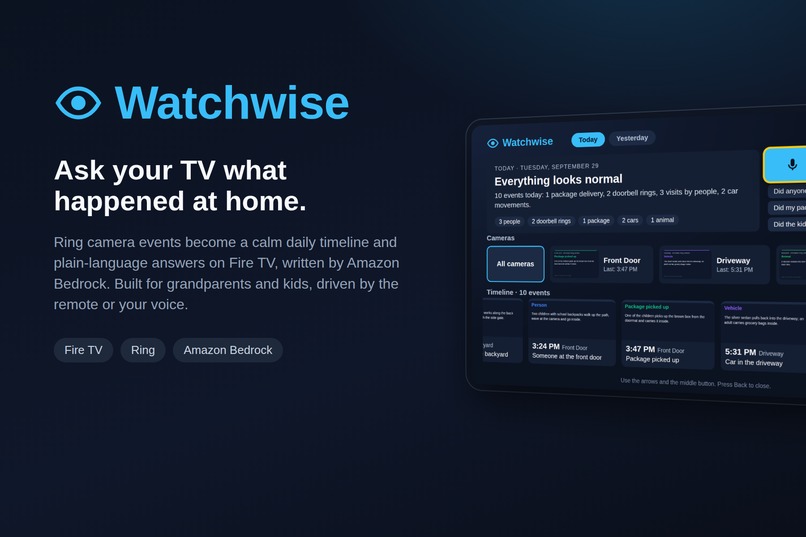
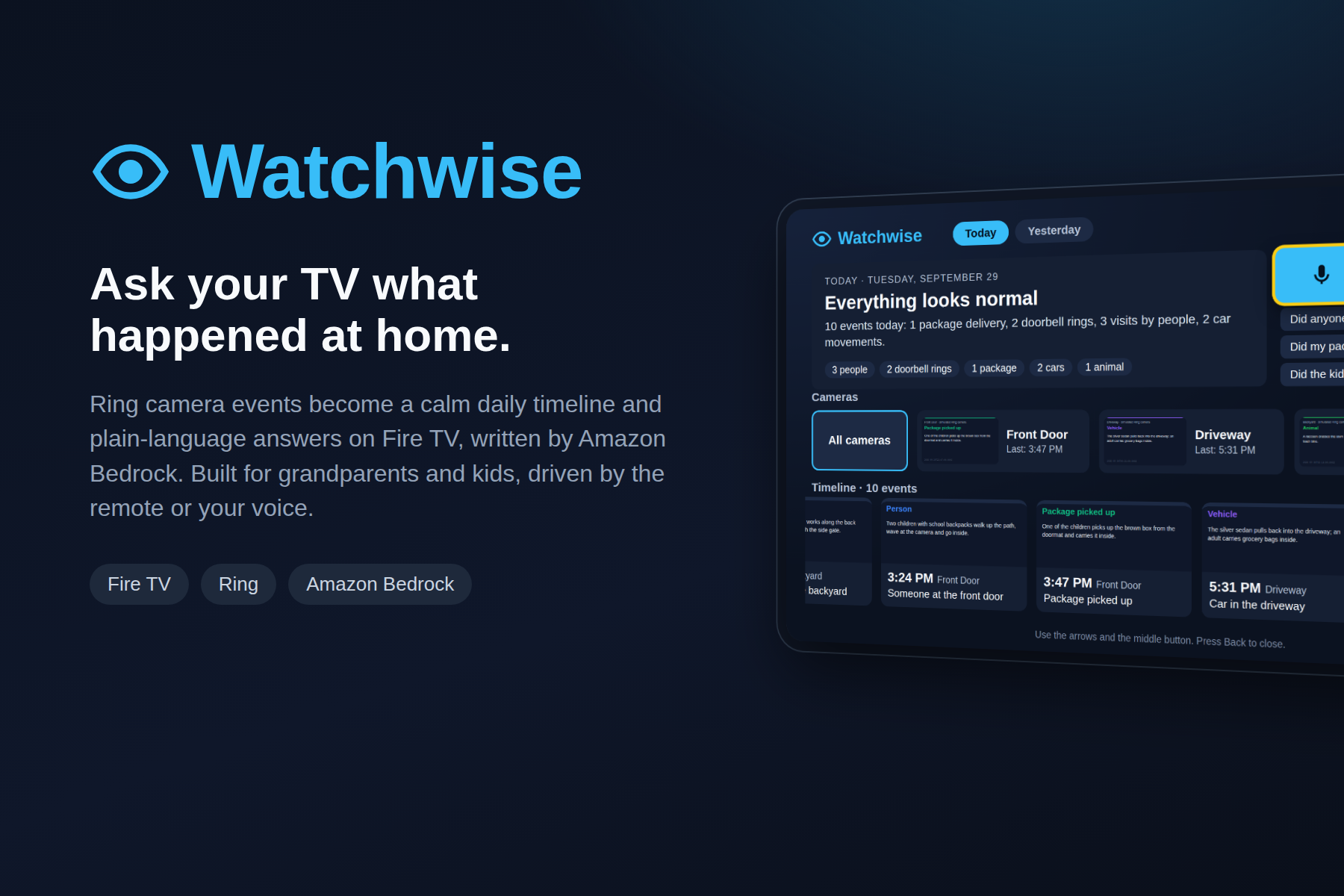
ask your TV what happened at home
-
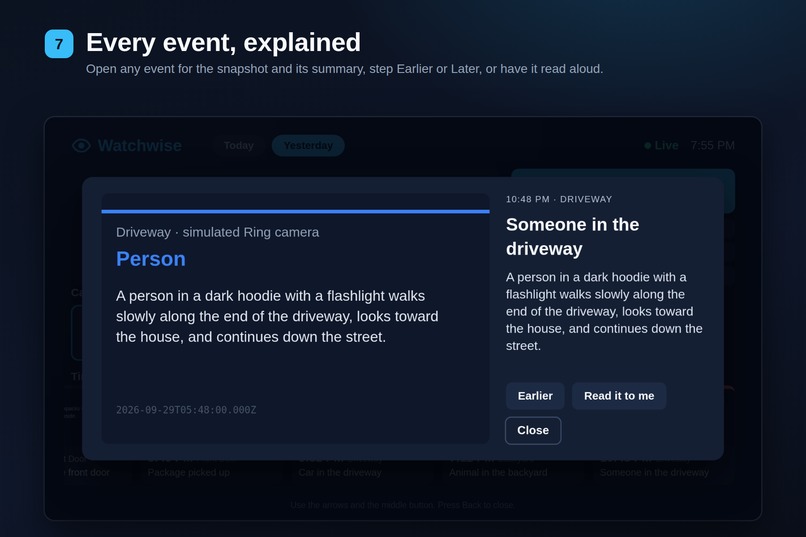
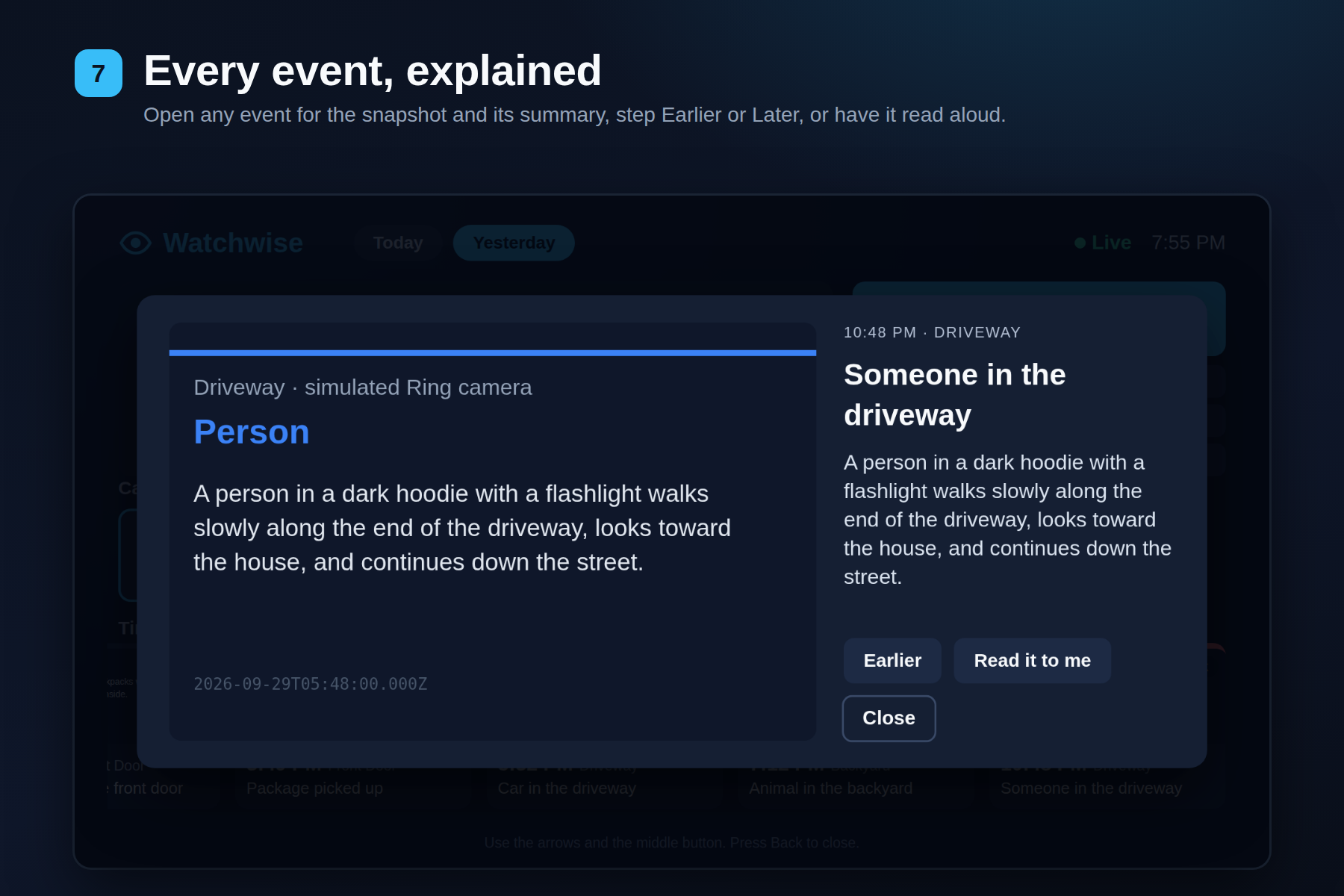
Event detail with "Read it to me" for easy listening
-
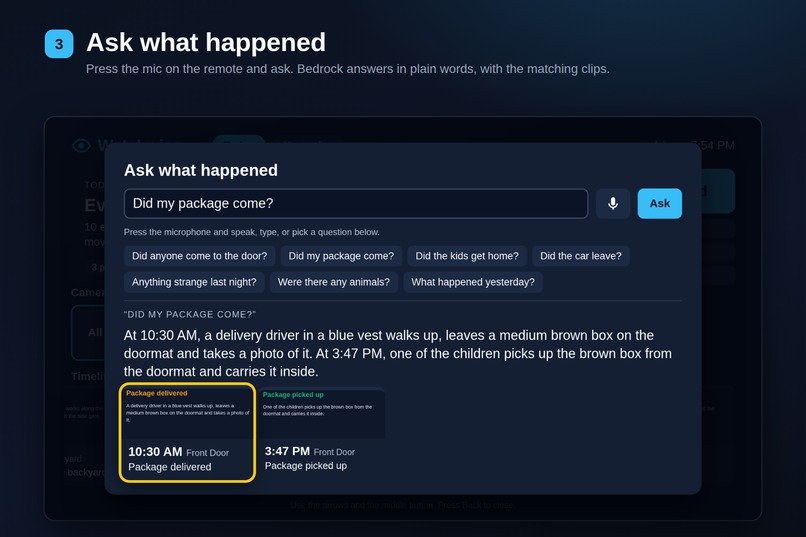
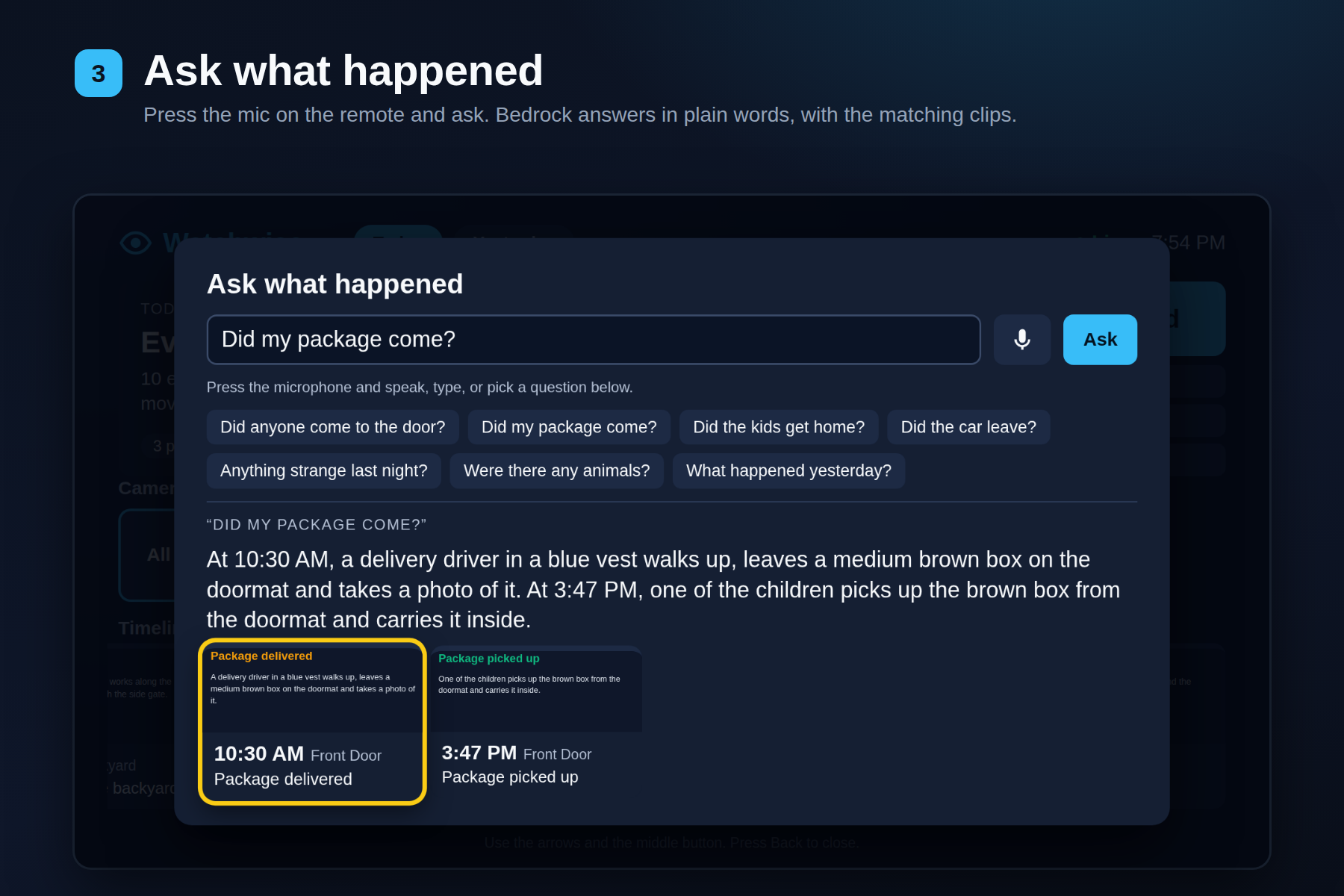
answered in one short sentence
-
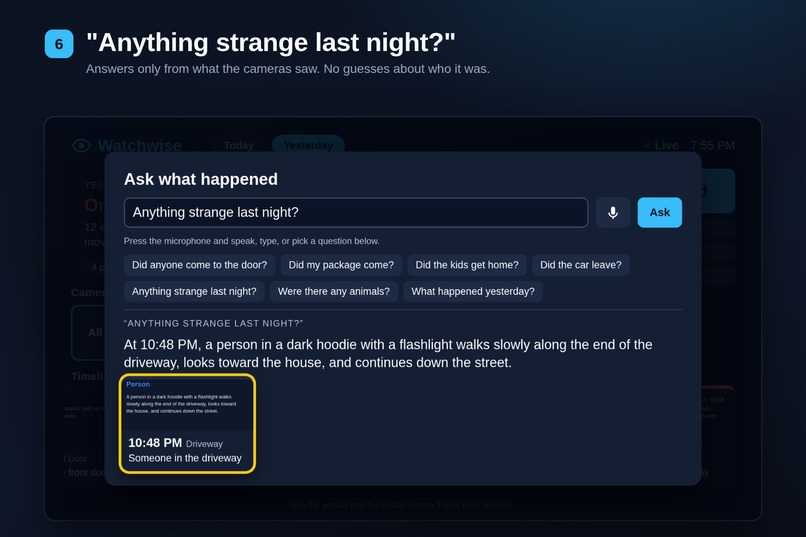
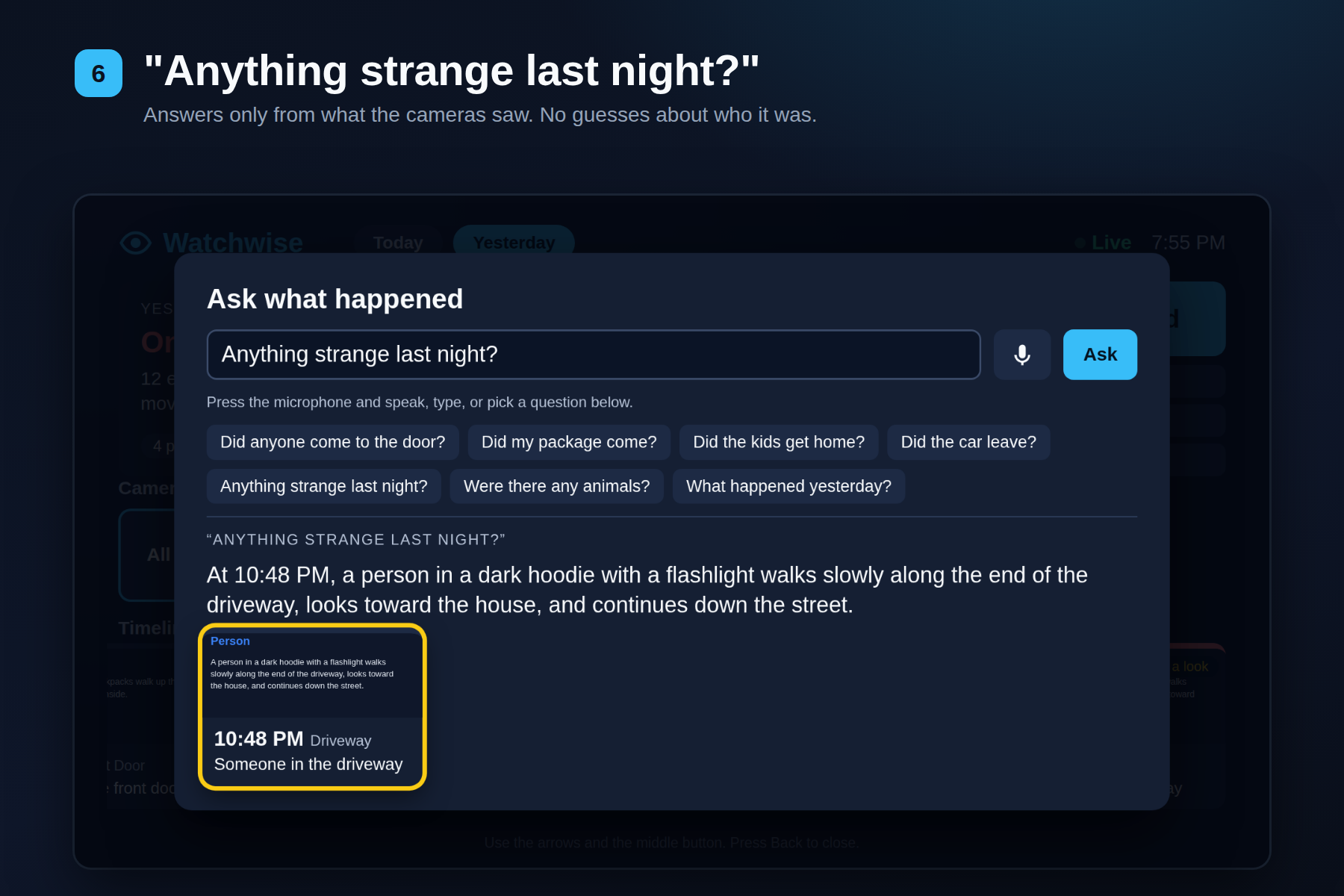
Anything strange last night?" answered from the camera events
-
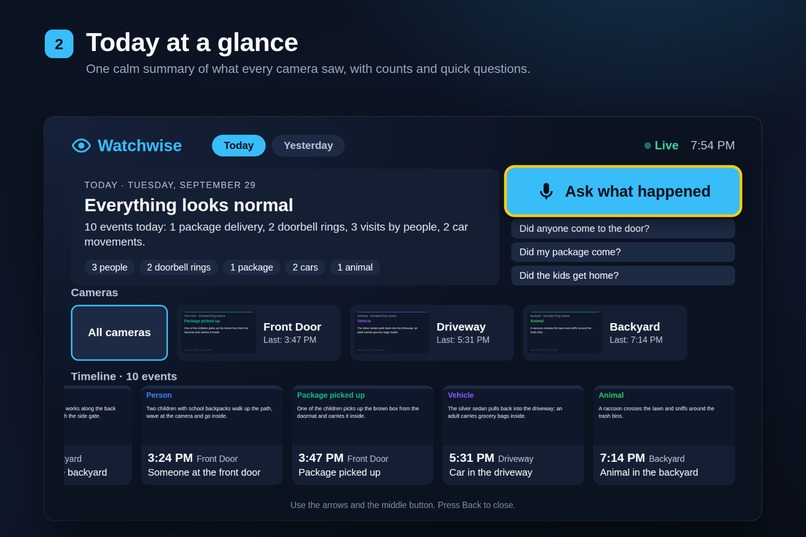
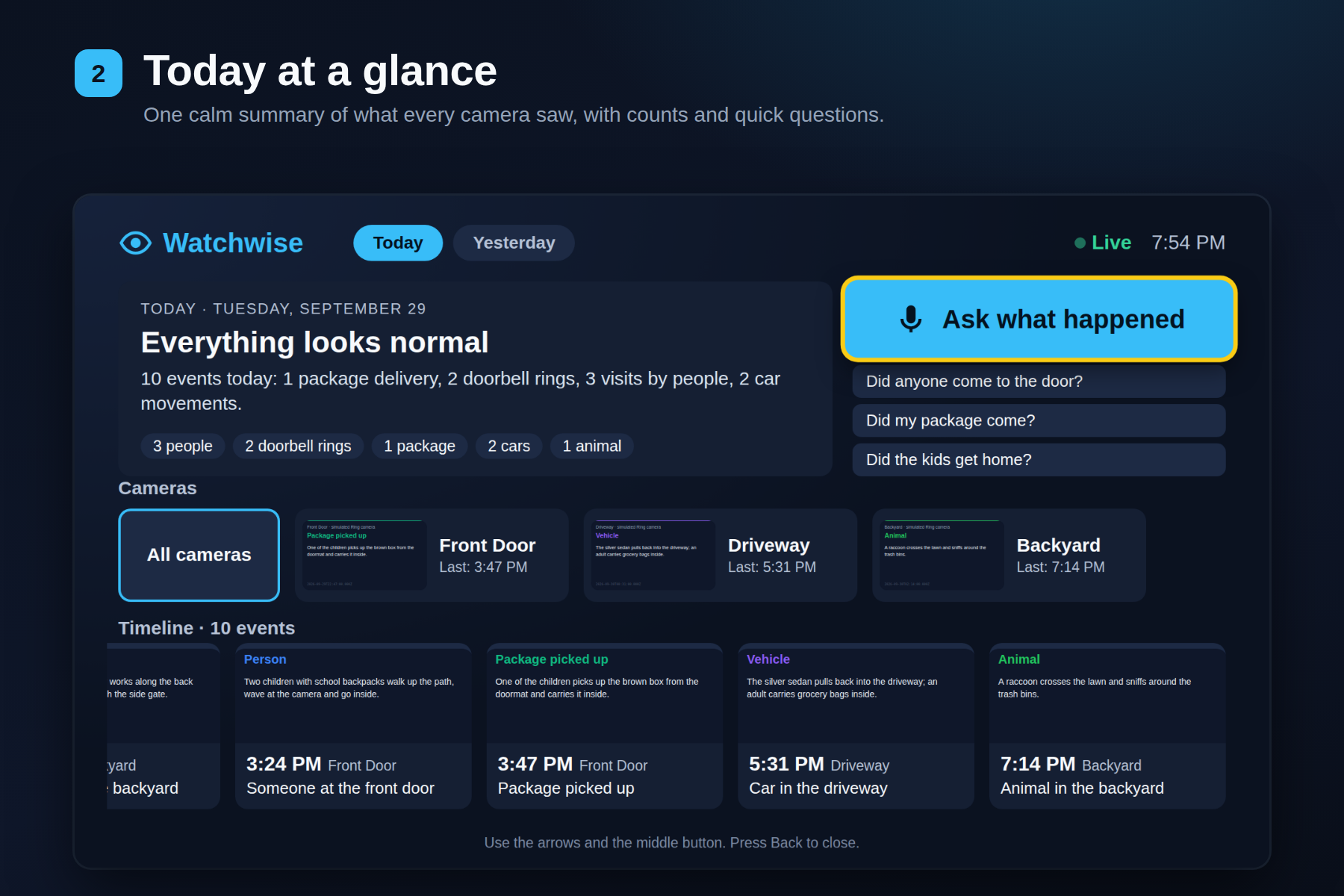
an AI summary of the day's camera activity
-
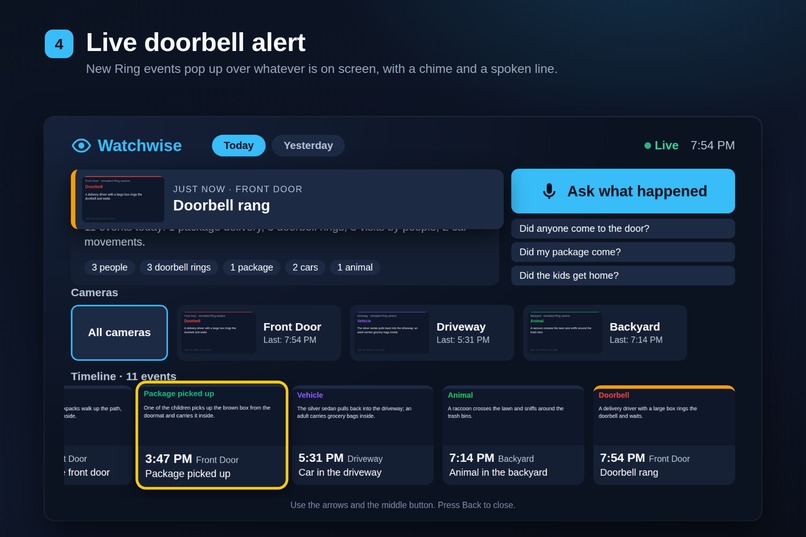
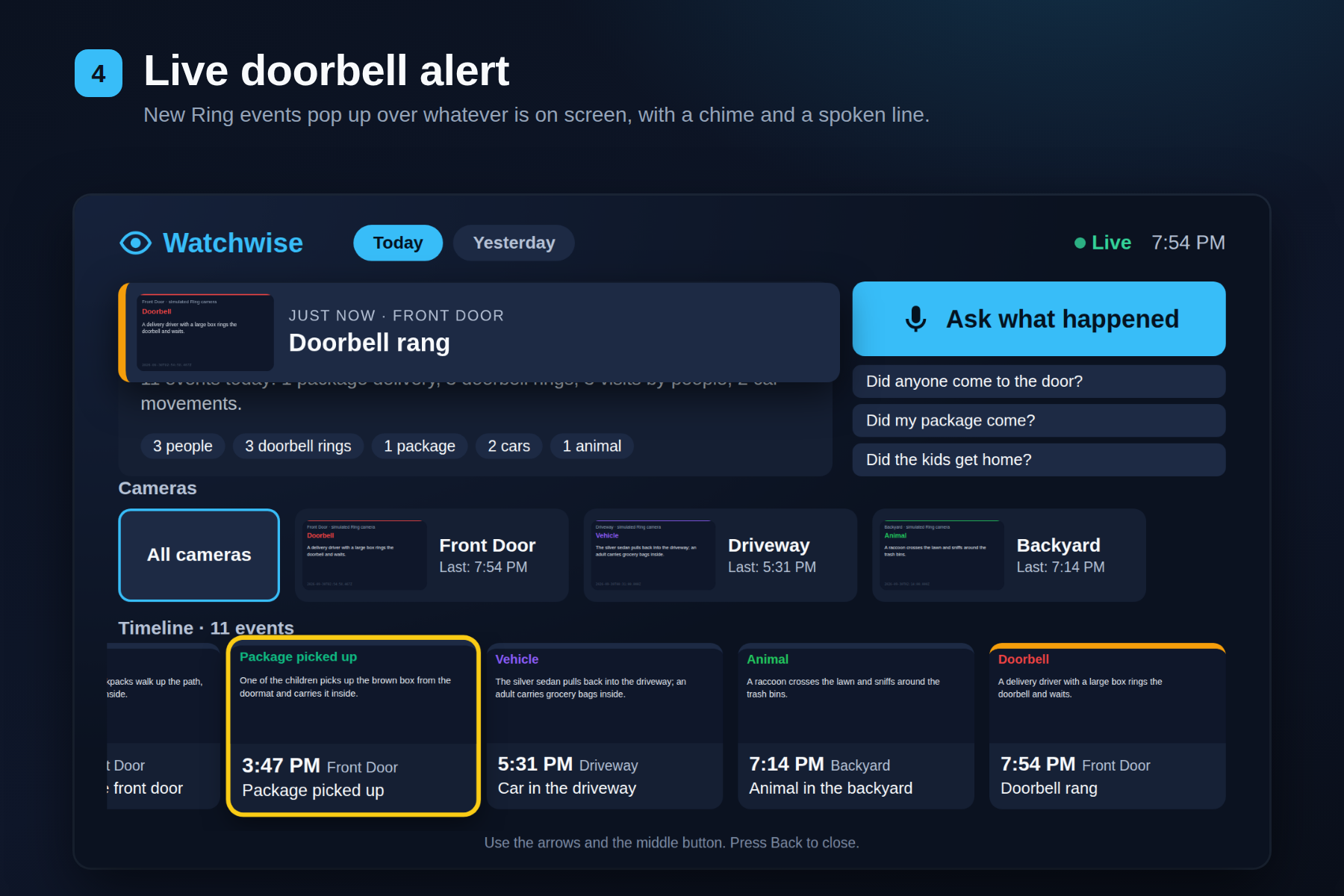
A live doorbell alert pops up on the TV
-
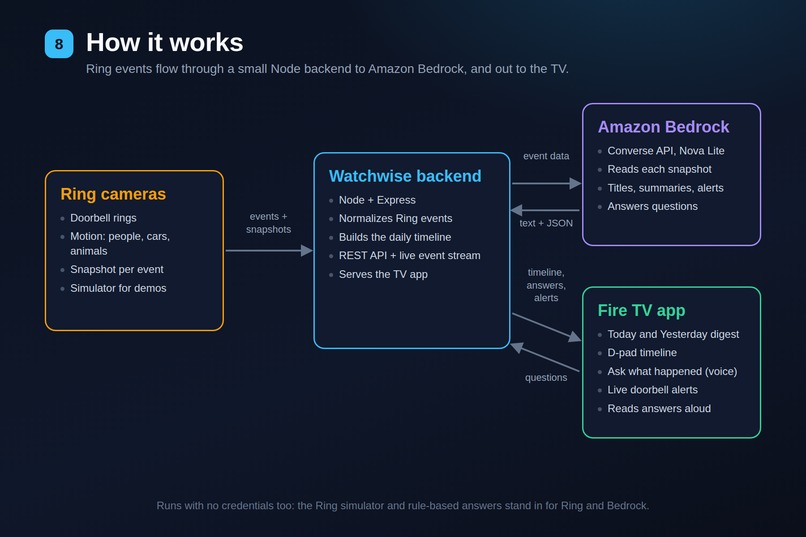
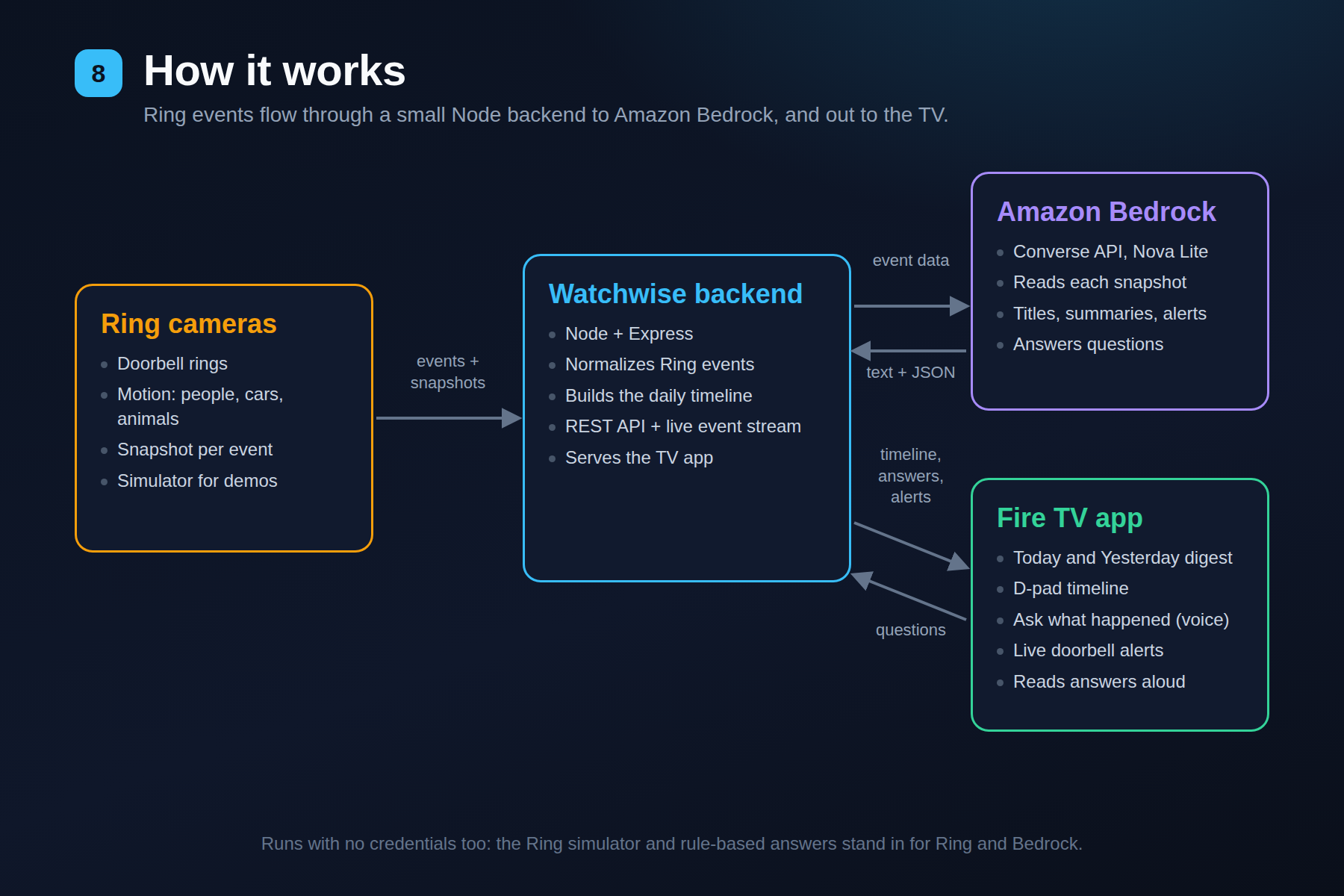
Ring cameras, then Amazon Bedrock, then the Fire TV app
-
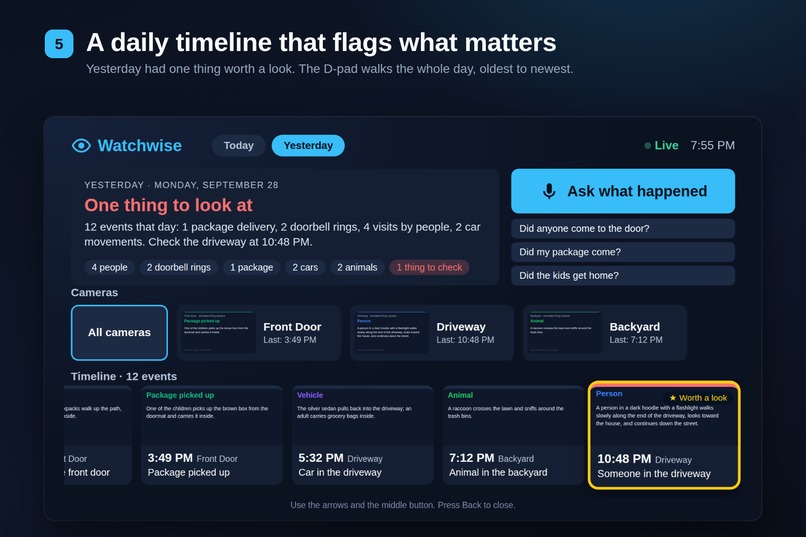
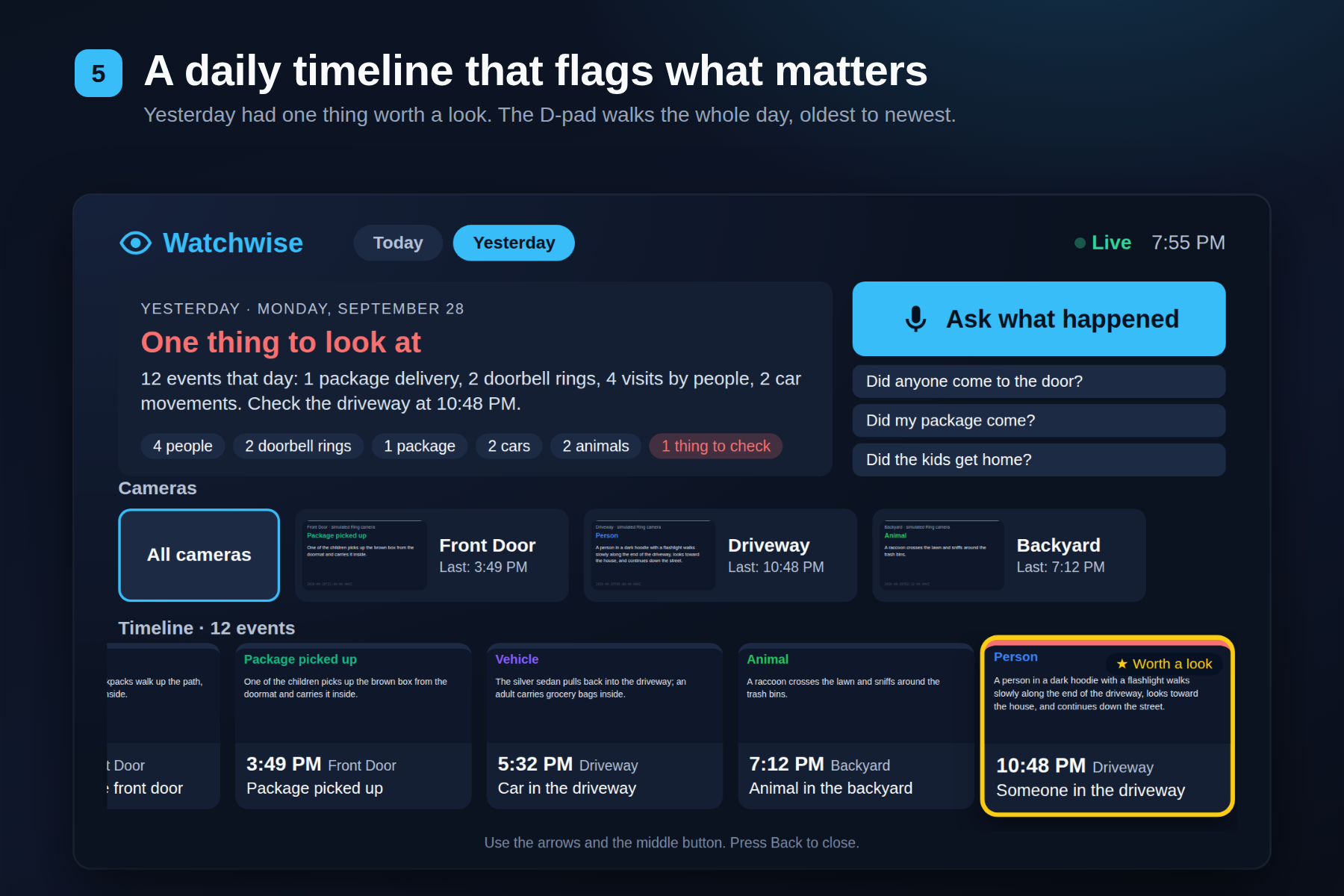
Daily timeline, with the one thing worth a look flagged
Inspiration
Home cameras record everything, but the people who most need to know what happened at home are the least able to find out. Camera apps are built for phones: small thumbnails, endless clips, filters and timelines that take practice to use. We kept thinking about two people. A grandparent who hears the doorbell, can't get to the door in time, and has no easy way to see who it was. A child who gets home from school before their parents, and a parent who wants to know they arrived. Both of them already use one screen every day without help: the TV. So we asked a simple question. What if you could ask your TV "What happened today?" and get a short, plain answer?
What it does
Watchwise brings your home camera feeds to the TV your family already uses. Instead of scrubbing through clips, anyone can ask what happened, by voice or with the remote, and get a short spoken answer plus the clips it is based on. It is built for elders and kids, so everything is large, high contrast and works with only the arrows, the middle button and Back. • Ask what happened. Pick a one-press question like "Did my package come?" or "Did the kids get home?", or type or dictate your own. Watchwise answers in at most three short sentences, from the day's real camera events only, reads the answer aloud, and shows the matching events next to it. • See the day at a glance. A daily digest with a headline such as "One thing to look at", counts of people, doorbell rings, packages and cars, and a timeline with one card per event. Orange marks deliveries and doorbells. Red marks something worth checking, like a stranger at the end of the driveway at night. • Get live alerts. New Ring doorbell and motion events pop up on the TV with a chime, already described in plain words. Doorbells and alerts are spoken. • Check any camera. Pick a camera to see its latest snapshot and only its events. Rewind and Fast-forward on the remote switch between yesterday and today.
How we built it
TV app. One web app in plain HTML, CSS and JavaScript with a custom D-pad focus system, shipped two ways: a Fire OS app in Kotlin (Android WebView plus native text-to-speech, speech recognition and remote keys) and a Vega OS app in React Native for Vega (@amazon-devices/webview), which we demo in the Vega Virtual Device.
Challenges we ran into
• No Fire TV to test on. There is no Fire OS emulator, so we couldn't show the Fire OS app without hardware. We wrote a second shell in React Native for Vega around the same web UI, so the demo runs in the Vega Virtual Device. • The Vega SDK only runs on a desktop. It installs on macOS or Ubuntu, not in a cloud environment or CI. Our CI checks and bundles the Vega app, but the final package is built on a local computer. • The remote's mic button belongs to Alexa. Apps can't use it, which hurts an idea built around "press and ask". We added one-press suggested questions, keyboard dictation, and an on-screen mic button where the device allows speech recognition. • Unclear Web API support in the Vega WebView. We couldn't confirm live event streams or speech synthesis ahead of time, so the app feature-detects: it falls back to checking for new events every 10 seconds, and shows answers on screen when it can't speak them. • No official Ring developer API to sign up for. We used the community ring-client-api library for real accounts, and built our own simulator that emits Ring's raw event shape so the whole app works without a Ring device. • Getting a first Bedrock call through. Model access, region and inference profile ids are separate things to get right. We built a rule-based fallback with the same answer shape, and a health endpoint that reports the last Bedrock error, so the TV keeps working while that is sorted out.
Accomplishments that we're proud of
• Answers you can trust. Every answer comes only from the day's camera events and points to the exact clips it used, so nobody has to take the AI's word for it. • One app, three places. The same TV interface runs in a browser, as a Fire OS app and as a Vega OS app, with no build step for the UI. • Works with just the remote. Every screen is reachable with the arrows, the middle button and Back, in type large enough to read from the couch. • Never breaks mid-demo. With no accounts at all, the Ring simulator and rule-based answers run the whole app. Add AWS keys or a Ring login and it switches to Bedrock and real cameras with no code changes. • Built end to end during the hackathon. Ring ingest, Bedrock summaries, the API, the TV app, both native shells and CI, with server tests and CI builds passing.
What we learned
• Design for the remote first. A TV has no pointer and no touch, so focus order, large targets and a clear Back path matter more than any visual detail. • A web UI in native shells is a fast way onto TV platforms. It let us reach Fire OS and Vega OS from one codebase and test most of it in a browser. • The Converse API makes models swappable. One request shape covers text and images across model families, so moving from Nova Lite to another model is a config change. • A web UI in native shells is a fast way onto TV platforms. It let us reach Fire OS and Vega OS from one codebase and test most of it in a browser.
What's next for Watchwise
• Alexa+ integration. An MCP server over the same ask endpoint, so an Echo can answer "What happened at the front door today?" anywhere in the house. • Clip playback next to answers. The Ring layer already fetches recording URLs; the next step is playing the short clip right beside the answer. • Family-set labels. Let a family name regular visitors ("the dog walker", "Grandpa's walk") so answers get more personal, without face recognition by default.
Built With
- amazon-bedrock
- amazon-nova
- amazon-web-services
- fire-os
- fire-tv
- kotlin
- react-native
- vega-os

Log in or sign up for Devpost to join the conversation.