-
-
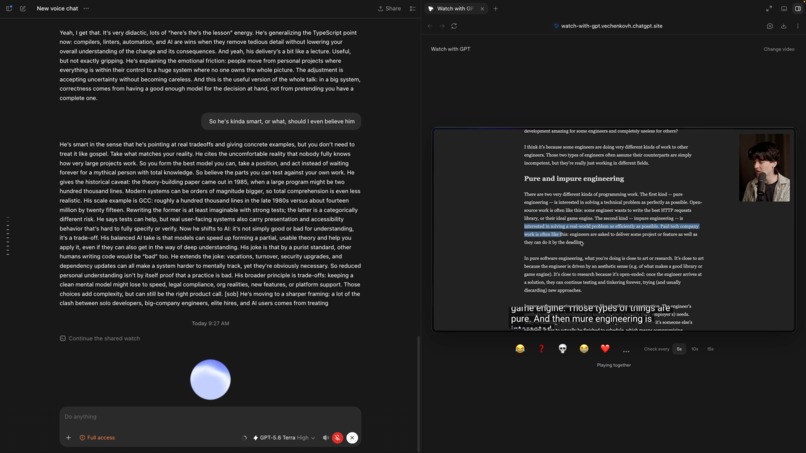
voice mode
-
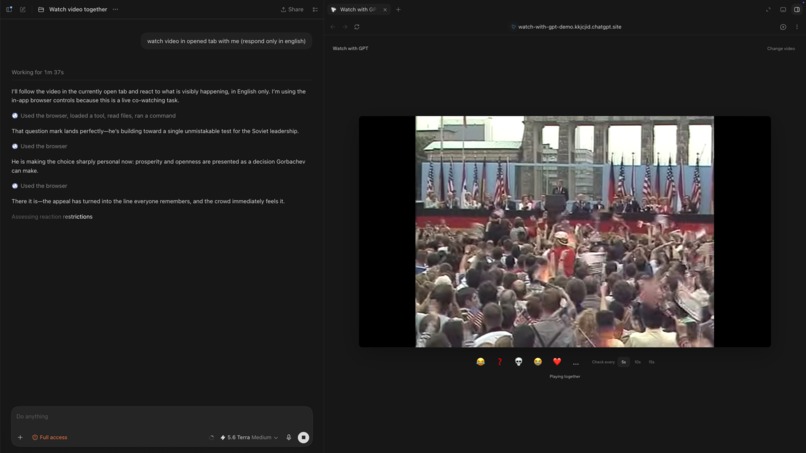
no voice mode
-
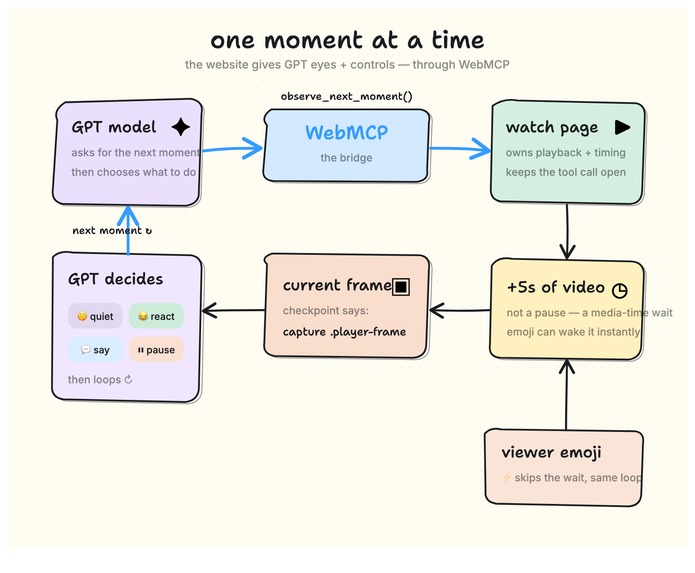
how it works
-
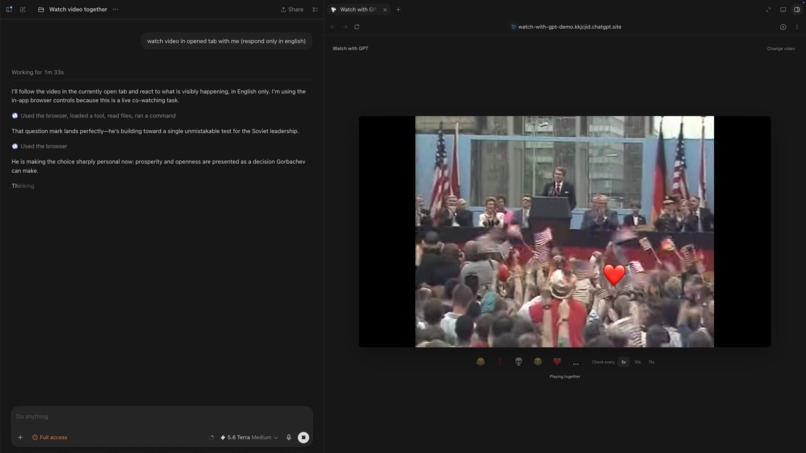
reactions
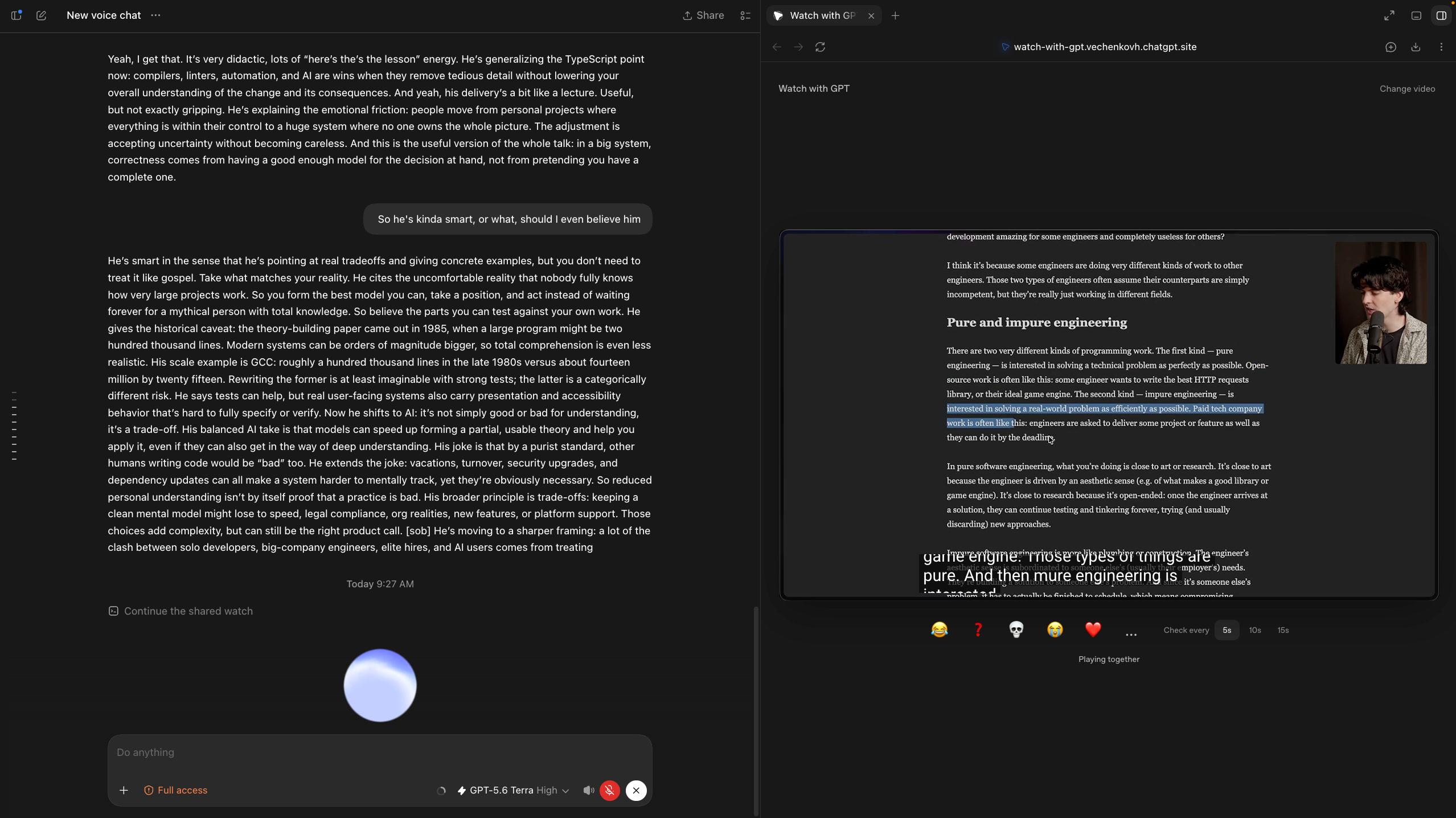
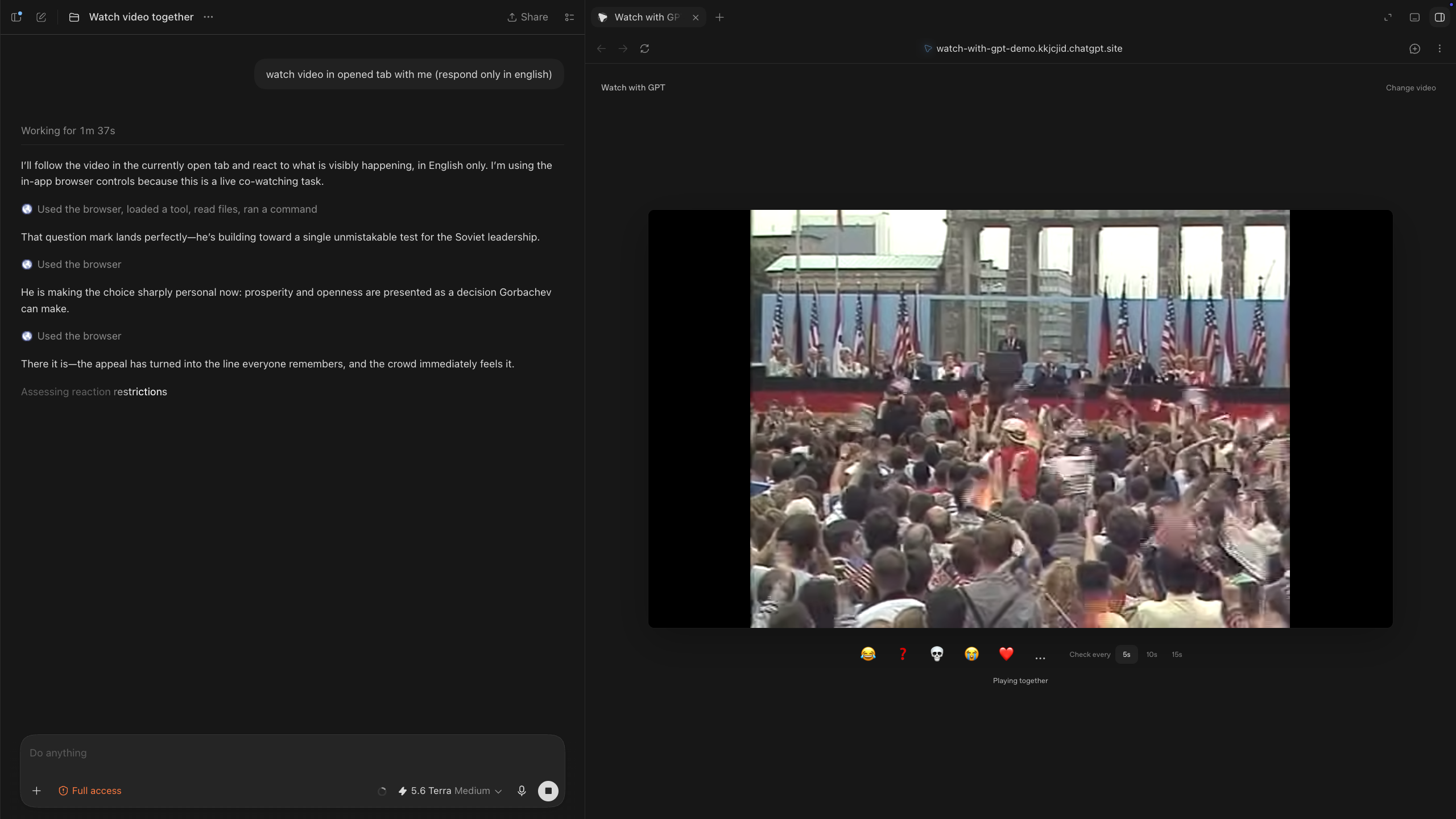
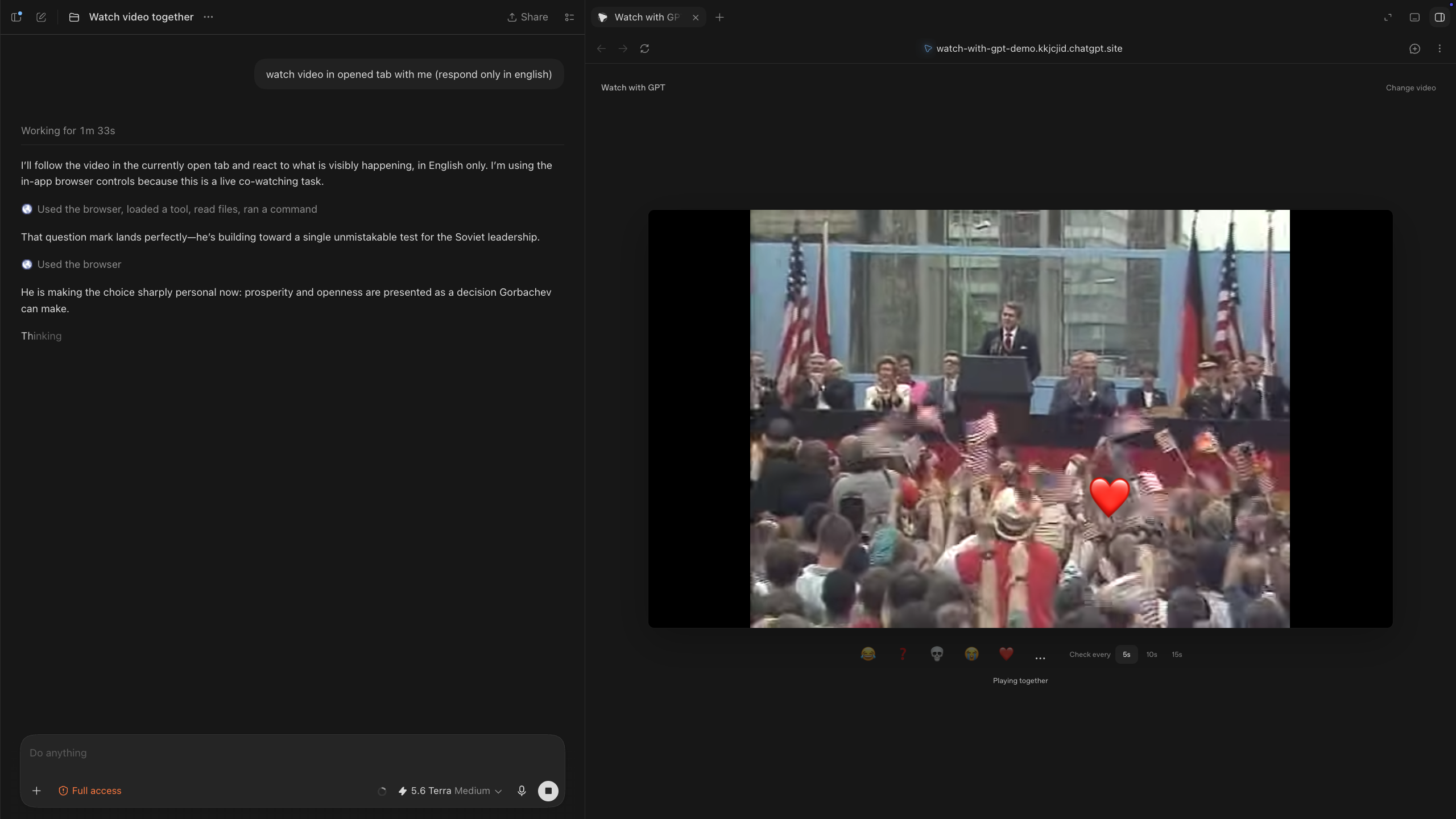
Watch with Codex



The same conversation, now present in the moment.
Demo update — Sep 8: I replaced only the demo video to show the project with native Codex voice. The app and repository are unchanged; voice was already listed as the next step in the original submission.
Inspiration
Browser use can interact with a webpage.
WebMCP can make entirely new interactions possible.
That was the idea behind this project.
A normal browser agent can click Play, pause a video, or inspect what is currently on screen. But it cannot simply watch a video with you: stay synchronized with playback, continuously receive the next moments, understand when you reacted, pause when something needs explaining, and then continue from the same place.
I wanted to build exactly that.
Not another video summarizer. Not a chatbot beside a YouTube player.
I wanted the Codex conversation I already use to be able to sit inside the experience with me.
What it does
Paste a video → connect Codex → turn on voice → watch together.
Watch with Codex gives the existing Codex conversation a persistent video session.
You can watch normally and just talk when you want:
“Wait, what did he mean by that?”
“Do you agree with this?”
“Pause — explain this part.”
“Okay, continue.”
Codex follows the video even while you are silent.
Every 5, 10 or 15 seconds of playback, it receives the current rendered frame and visible captions. The video keeps playing between observations — you do not need to pause it, send screenshots, or repeatedly ask the model to continue.
For supported players Codex can also:
| Follow playback | Know the current media time and stay synchronized |
| Pause / resume | Stop when an explanation needs more time, then continue |
| Understand captions | Follow interviews, lectures, speeches and other dialogue-heavy videos |
| React on screen | Place lightweight reactions directly over the video |
| Receive your reactions | Wake immediately when you tap an emoji |
| Stay quiet | Keep watching without narrating every checkpoint |
The existing conversation remains the memory and reasoning surface. There is no second chatbot and no separate assistant backend.
Why WebMCP
WebMCP is what makes the watch-along possible.
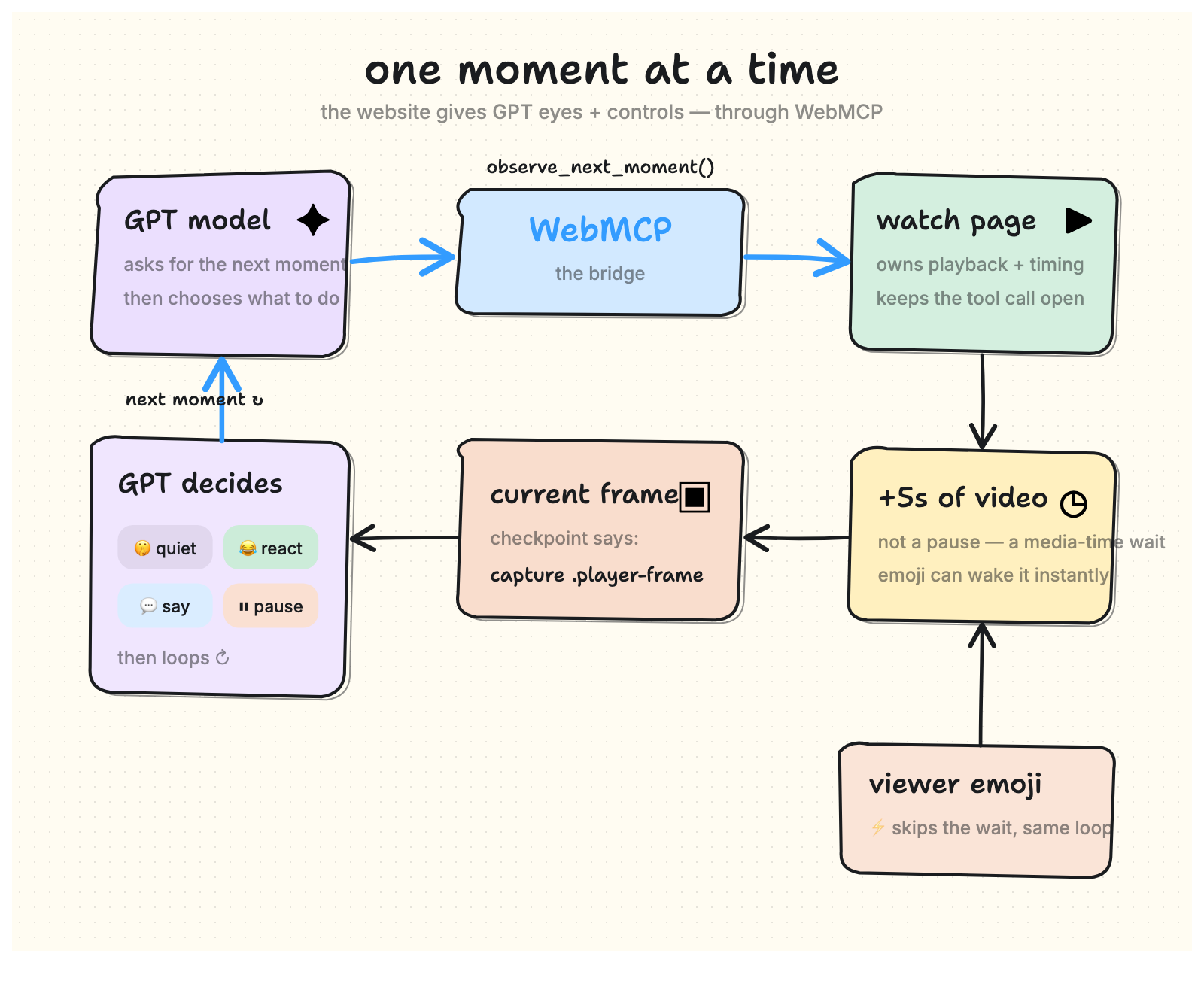
The page exposes five tools:
watch_get_sessionwatch_observe_next_momentwatch_playwatch_pausewatch_react
The most important one is watch_observe_next_moment.
Instead of asking Codex to repeatedly inspect the page, it can wait for the video itself.
The observation resolves when the next media-time checkpoint arrives, or immediately when the viewer reacts.
That means the session follows video time rather than wall-clock time.
If you pause for two minutes while Codex explains something, the observation loop does not silently drift two minutes ahead. If you seek, change playback speed, or interrupt the session, the timeline adjusts with you.
WebMCP provides:
media identity · current time · playback state · viewer signals · available actions
Browser observation provides:
the current rendered frame · visible captions
Codex provides:
memory · reasoning · voice · interpretation
Together, those pieces create something browser use alone could not provide: an assistant that continuously shares the same video timeline with the viewer.
Why it matters
The interesting part is not having AI comment on everything.
It is being able to ask for help at the moment you need it.
A lecture can become interactive without leaving the video.
An interview can become a conversation: challenge an argument while it is still being made.
A historical recording can gain context at the exact sentence where that context matters.
A tutorial can pause itself when you get lost and continue when you are ready.
And voice removes most of the remaining friction. You no longer need to stop watching, switch focus to a textbox, type a question, submit it, and return to the video.
You can just speak.
This can also be useful when repeated keyboard or mouse interaction is difficult because of motor limitations, pain, fatigue, or temporary injury.
How it works
Next.js · React · OpenAI Sites · WebMCP · YouTube IFrame API
The application itself is deliberately small.
The page owns:
- the selected media
- playback state
- media-time cursor
- observation cadence
- pending viewer signals
- on-screen reactions
The existing Codex conversation owns everything intelligent.
There is no database and no independent AI backend.
YouTube videos use the IFrame Player API. Direct video files use the browser's native video element.
A webpage cannot directly read pixels from a cross-origin YouTube iframe, so the WebMCP observation supplies the exact checkpoint and capture target. The browser then captures the rendered player immediately before Codex reasons about that moment.
This also keeps captions attached to the actual speaker, slide, chart or scene instead of turning the experience into a detached transcript.
The interaction
The project is intentionally quiet by default.
An assistant talking every five seconds is unbearable.
So following the video and deciding to speak are two different things.
Codex can keep receiving the video context while saying absolutely nothing. It only needs to speak when you ask something, react, or when the conversation makes a comment useful.
That was one of the most important parts of making the experience feel natural.
Known Codex voice issues
Codex voice is still new. In my testing it occasionally:
- claims it cannot connect even though the WebMCP session is available
- starts unnecessary subagents
- uses computer controls instead of the provided WebMCP tools
The session usually remains available anyway. I expect these tool-selection issues to improve as Codex voice matures.
What I’m proud of
The original version already worked through text and reactions.
Then Codex voice arrived.
I had actually written voice as the next step in the original hackathon submission, because it was the obvious missing piece. I expected implementing it myself would feel bolted on.
Instead, native Codex voice made the existing project suddenly feel like the thing I originally imagined.
I can open a video and simply talk about what we are watching.
No separate AI service. No transcript workflow. No manually feeding screenshots.
Just the same Codex conversation, now aware of the moment I am in.
What’s next
The main priority now is stability across longer sessions, more videos, interruptions and model delays.
After that:
- transcript support for more media sources
- live-caption support for streams
- saved explanations and bookmarks
- richer learning features
- shared sessions with multiple viewers
But the central idea stays the same:
WebMCP can do more than improve browser actions. It can give an agent entirely new ways to exist inside an experience.
Watch with Codex is one example: the same conversation, now watching with you.
Built With
- codex
- html5-video
- next.js
- openai
- react
- typescript
- vite
- webmcp
- youtube-iframe-api


Log in or sign up for Devpost to join the conversation.