-
-
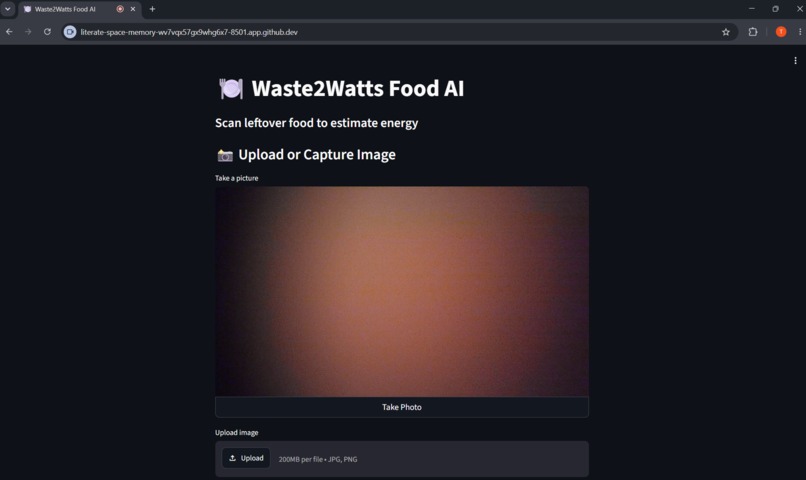
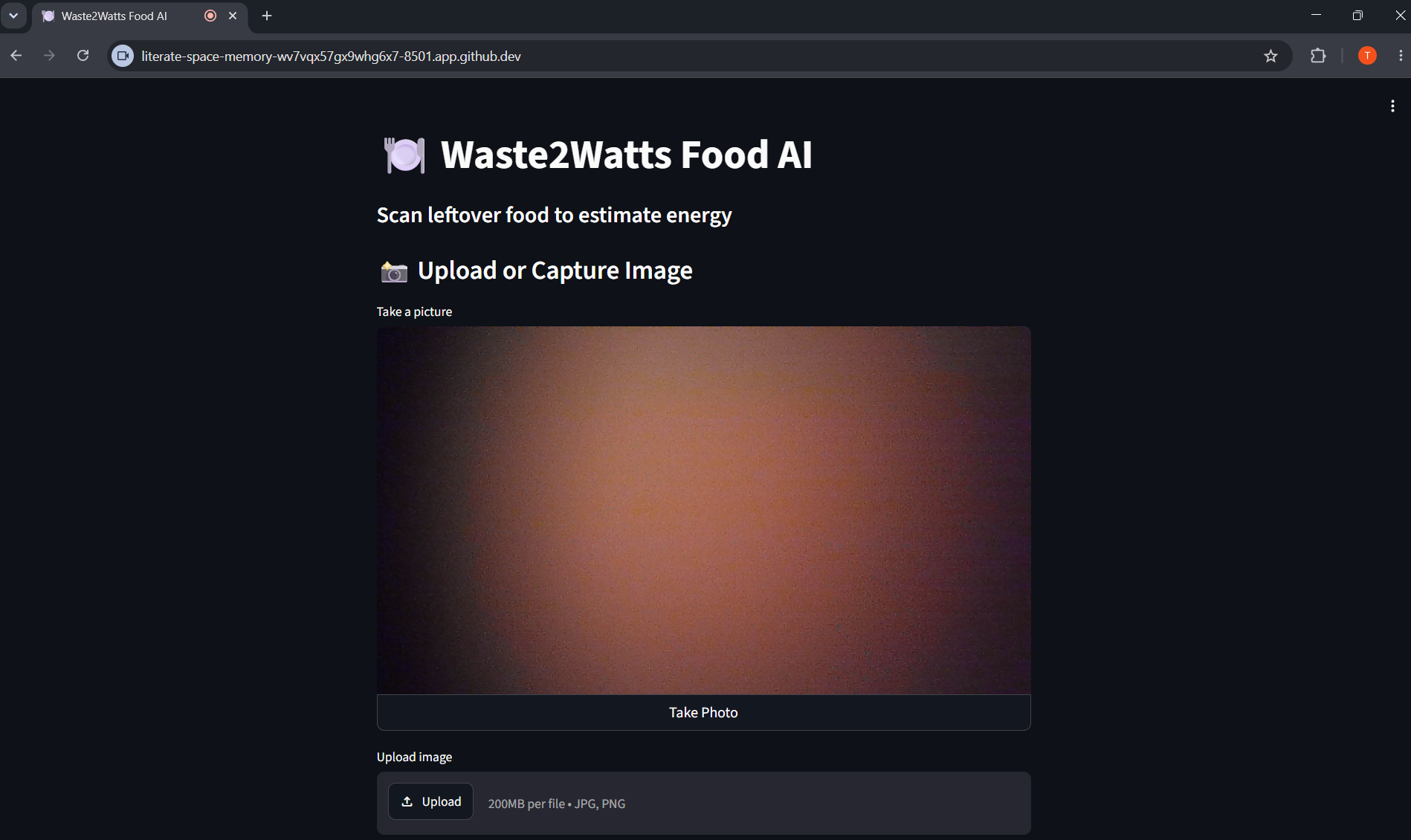
This is what the web app looks like when first opened. (The camera is currently covered externally.)
-
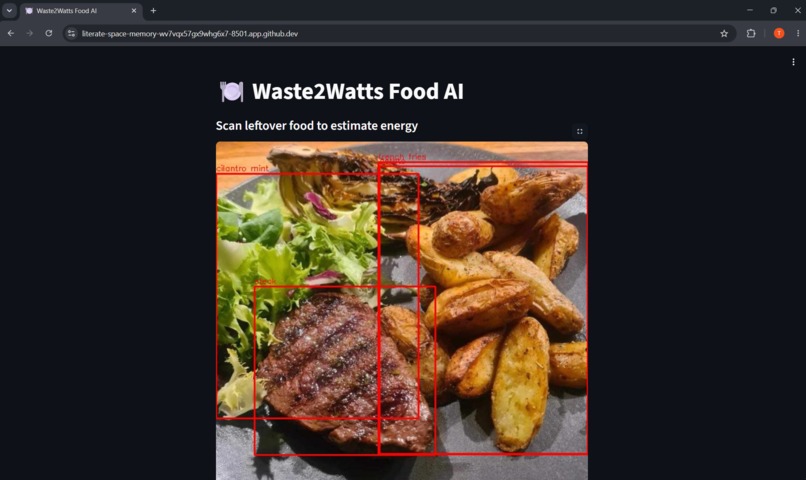
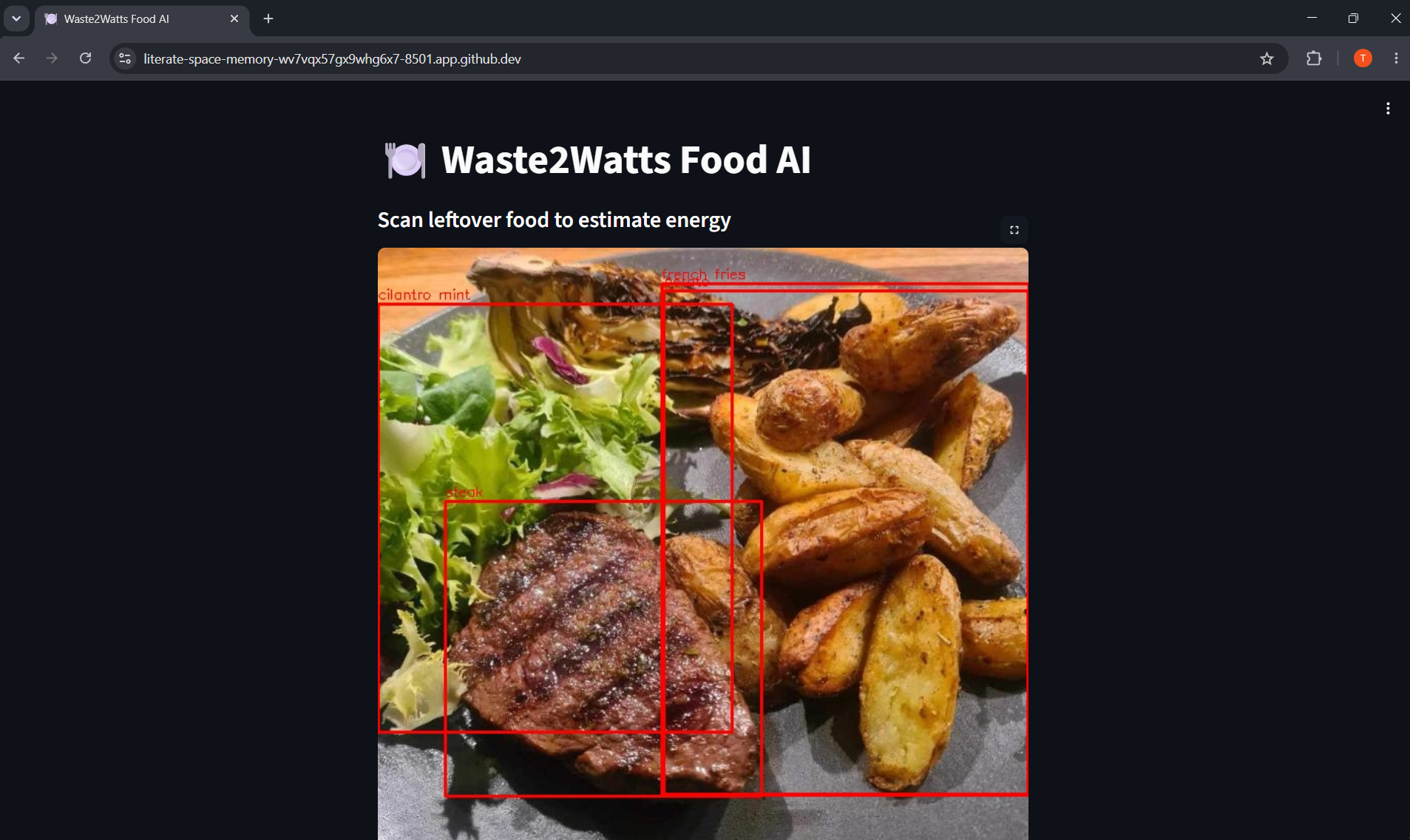
Here are the food detection bounding boxes the app draws after the user provides an image.
-
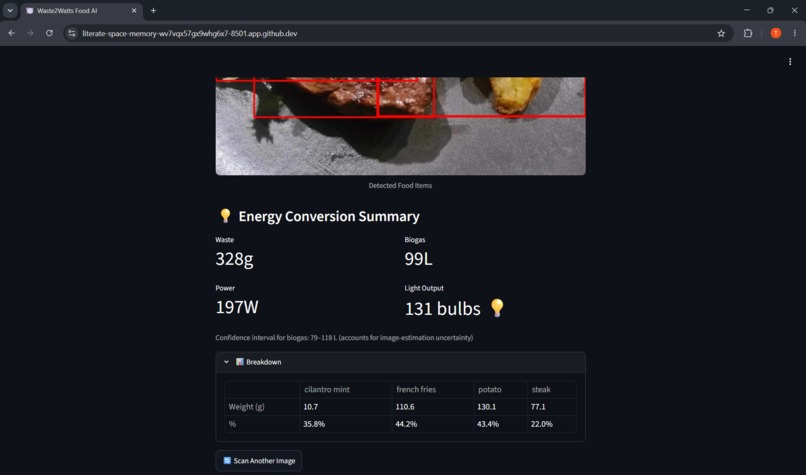
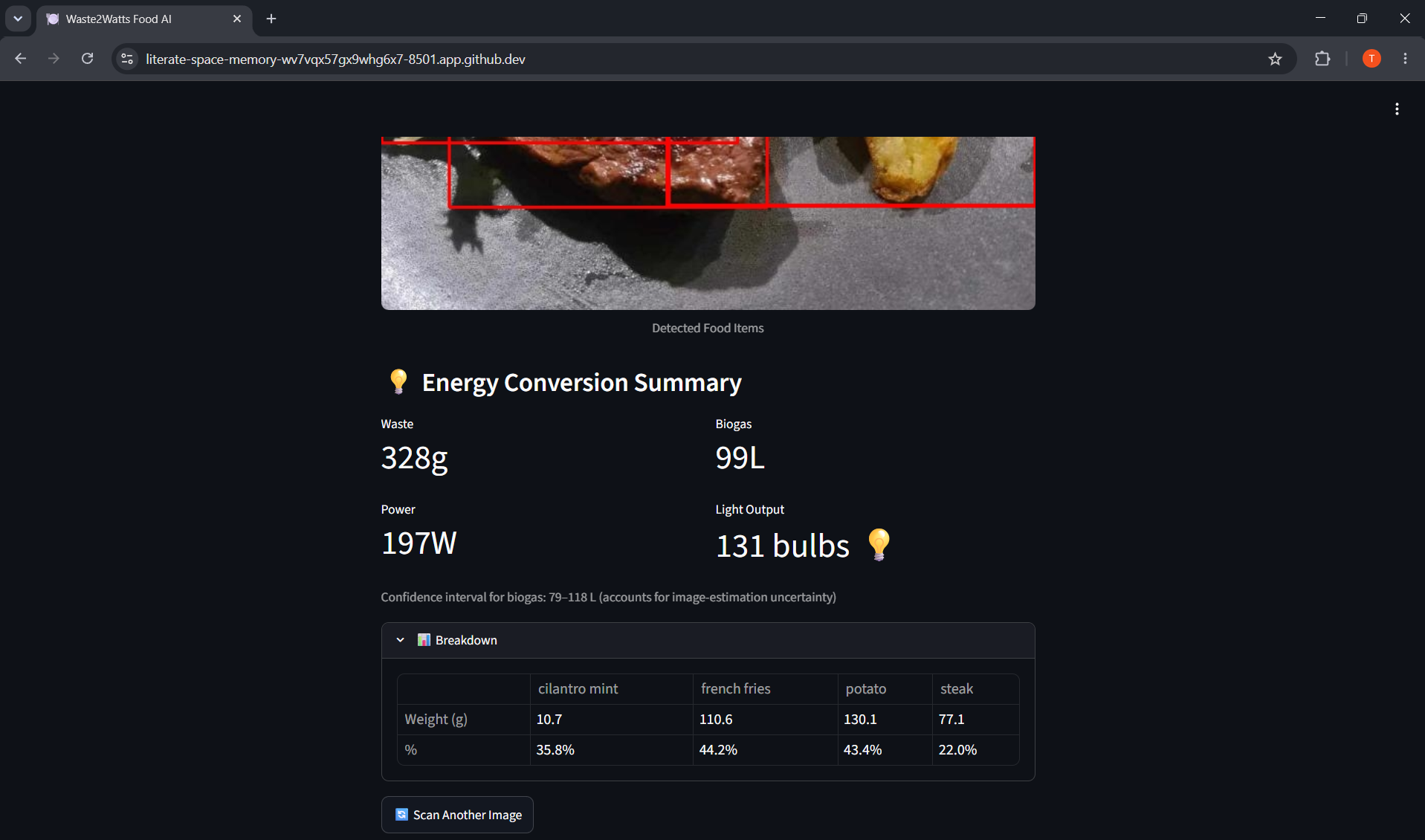
The same page, but scrolled down to where all the output is provided, along with the option to input another image.
Inspiration
Nearly one-third of the global food supply (roughly 1.05 billion tonnes annually) is lost or wasted. In the U.S. alone, an estimated 60 million tons of food is wasted each year—equating to over 30% of the country's food supply and costing Americans billions of dollars.
Food waste is one of the world's most overlooked environmental problems. Every day, large amounts of edible food are discarded in homes, schools, restaurants, and cafeterias, contributing to greenhouse gas emissions and wasting valuable resources. However, there is a very good solution. Food waste can be converted into biogas and fertilizer through process called anaerobic digestion, in machines called digestors. Putting organic waste in digestors is the best was to protect our environment whilst providing us with renewable energy from the biogas produced.
Waste2Watts Food AI was mainly inspired by the mass amount of food wasted in our school cafeteria, which could have been put through a digester to provide electricity for the school. Our goal was to use artificial intelligence to help users visualize the impact of the food they throw away along with the wasted food's hidden electrical energy potential.
What it does
Waste2Watts Food AI is an AI-powered web application that analyzes food waste from images and estimates its potential energy output.
Users simply upload or capture an image of leftover food. The system uses a computer vision model to identify food items and estimate the amount of waste present. Based on the detected food and estimated waste quantity, the application calculates estimated food waste mass, potential biogas production, potential electricity generation, and equivalent energy impact metrics (how many light bulbs could be powered).
By transforming food waste into understandable sustainability insights, the platform helps users become more aware of their environmental footprint.
How we built it
We developed Waste2Watts Food AI using a combination of machine learning, computer vision, and web technologies.
First, we trained a custom YOLOv8 computer vision model in Google Colab on top of a pre-existing basic model using 7070 pre-annotated images from a 'foodseg103' dataset on Roboflow. In Roboflow, it is possible to adjust training, testing, and validation, splits. Then, in GitHub Codespaces we created an AI web app with the help of ChatGPT and Claude, building the user interface using Streamlit. We locally deployed it on Streamlit for testing, and used OpenCV, NumPy, and Pillow for image processing.
The web app has a function where you can either upload or take an image of a plate with leftovers. Then - using the percent of the plate covered with a detected food, referenced food weights, and some energy conversion calculations - the application tells you the amount of food that has been wasted, how much biogas could be produced, how much electricity could be produced, and how many light bulbs could be powered.
Challenges we ran into
One of our biggest challenges was accurately estimating food waste from a two-dimensional image. While object detection can identify food items, determining precise weight and volume from a single image is significantly more difficult. So, we used percentage of the plate and pre-input weights of that specific amount of food covering a whole plate to remedy this. These percentages and weights are available to user of the app in a drop-down table.
We also faced challenges involving limited computing resources during model training, though Google Colab's free plan worked in the end. Overcoming these challenges required extensive testing, experimentation, and refinement of both the AI model and calculation pipeline.
Accomplishments that we're proud of
- Successfully trained and integrated a custom YOLOv8 food detection model.
- Built a complete AI-powered web application from data collection to prediction.
- Connected food waste analysis with renewable energy estimation.
- Created an intuitive system that makes sustainability concepts accessible to everyday users.
- Made an app that spreads awareness on the uses of food waste when put through a digestor.
- Developed a project that combines artificial intelligence with environmental impact.
What we learned
Throughout this project, we gained hands-on experience in computer vision and object detection, machine learning model training and evaluation, dataset preparation and preprocessing, AI deployment using Streamlit and GitHub (and Render), sustainability-focused problem solving, and translating technical AI outputs into meaningful real-world insights.
Most importantly, we learned how AI can be used not only to automate tasks but also to raise awareness and encourage positive environmental action.
What's next for Waste2Watts Food AI
Future versions of Waste2Watts Food AI will focus on improving both accuracy and impact. Our long-term vision is to create a platform that helps individuals, schools, and communities reduce food waste while promoting renewable energy awareness through AI. Though currently the app is best for household usage, we hope to expand to places such as our school cafeteria and make a real difference in our community. We hope to take pictures of cafeteria leftovers when school reopens. Furthermore, to combat dishes unknown to the model we hope to partner with people all around the world to include numerous more dishes and foods and to create a mobile version for ease of taking pictures (which is already in progress). It is important to note that currently we have next used any paid plans to develop this AI, so expanding to better resources would help us in the future.
# PLEASE NOTE - Running the AI web app:
If the second "Try it out" link to Render fails, the web app can be accessed through the GitHub repository link provided and will open on Streamlit if the commands in cmds(USE_FOR_TESTING).txt are run in the terminal. Thank you.

Log in or sign up for Devpost to join the conversation.