What inspired me
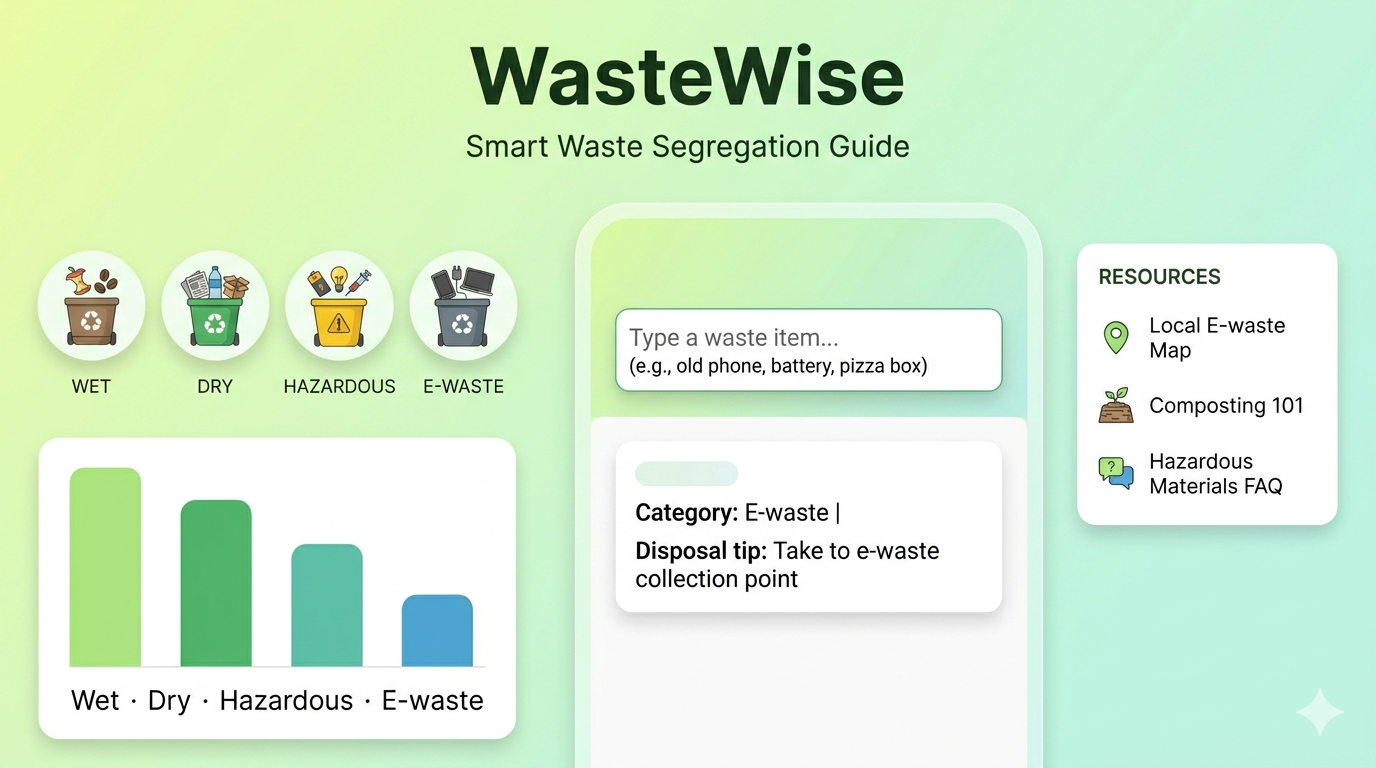
WasteWise was inspired by a simple everyday problem: most people want to sort their waste correctly, but they are not always sure where common items belong. A banana peel, a pizza box, a battery, and an old phone all need different handling, yet in real life they often end up in the same bin. I wanted to turn that confusion into something simple, fast, and useful.
What I learned
While building WasteWise, I learned how important clear information design is for sustainability. Waste management is not just about recycling — it is about helping people make the right decision at the right moment. I also learned how much better a project becomes when the user experience is quick, visual, and easy to understand.
How I built it
I built WasteWise as a lightweight web app using HTML, CSS, and JavaScript. I created a searchable item database, category-based result cards, helpful disposal tips, and a responsive interface that works well on mobile and desktop. I also added a light/dark mode toggle to make the project feel polished and modern.
Challenges I faced
One challenge I faced was deciding how to classify items that can be ambiguous, such as pizza boxes, glass, or batteries. Another challenge was making the app feel educational without overwhelming the user with too much text. I solved this by keeping the interface simple and focusing on instant, practical guidance.
Why it matters
WasteWise makes waste segregation easier for students, families, and communities. It encourages better recycling habits, safer disposal, and more responsible consumption. In a small way, it helps turn everyday actions into a positive environmental impact.

Log in or sign up for Devpost to join the conversation.