-
-
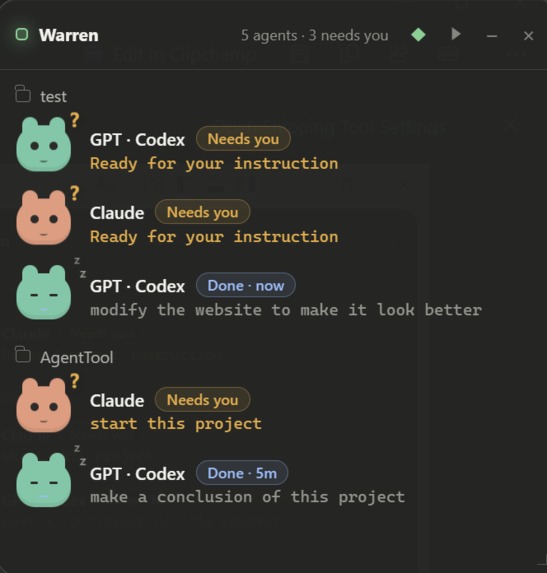
Warren UI
-

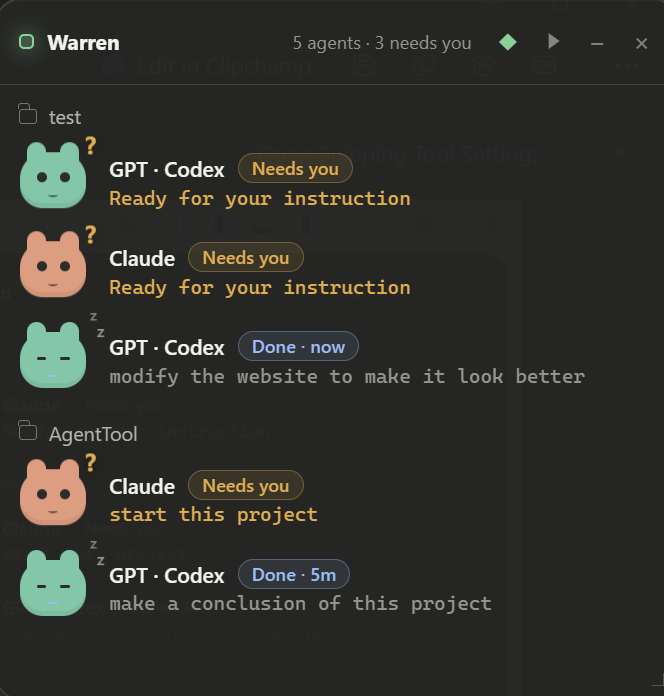
Warren UI Folded

Inspiration
Developers increasingly run multiple coding agents at the same time—Claude Code in one VS Code window, Codex in another, and OpenCode in a third. The agents can work in parallel, but human attention cannot. It is easy to lose track of which agent is working, which has finished, which failed, and which is waiting for permission or input.
We wanted a small, friendly companion that lives in the corner of the screen and answers one question immediately: “Which coding agent needs me right now?”
The name Warren comes from a rabbit warren: a connected network of small burrows. Each coding session has its own workspace, while Warren gives you one view across all of them.
What it does
Warren is an always-on-top desktop companion for coding agents running inside multiple VS Code windows.
It:
- Aggregates real Claude Code, Codex, and OpenCode sessions across VS Code windows.
- Normalizes their activity into four clear states: Working, Needs You, Done, and Error.
- Shows a short, one-line preview of the latest user instruction.
- Uses animated pets and colors to communicate state without demanding attention.
- Groups agents by workspace so independent projects remain clearly separated.
- Lets users click an agent to jump back to its original VS Code window and terminal.
- Collapses into a small draggable status capsule when the full panel is not needed.
- Removes sessions as soon as their terminal or agent process exits.
- Installs through a single Windows setup executable, including the desktop app, VS Code bridge, and agent adapters.
Warren is local-first. Its components communicate through an in-memory broker bound to 127.0.0.1. It does not persist source code, credentials, complete prompts, tool inputs, or terminal output.
How we built it
Warren combines a TypeScript VS Code extension, an Electron desktop application, agent-specific lifecycle adapters, and a local loopback broker.
The VS Code extension detects supported CLI commands, assigns every VS Code window a unique routing identity, publishes local sessions, and handles requests to focus the correct terminal.
Claude Code Hooks, Codex lifecycle Hooks, and an OpenCode Plugin provide confirmed events for prompts, tool use, permission requests, completion, and errors. These events are normalized into Warren’s four-state attention model.
A local HTTP broker aggregates sessions from every VS Code window and routes state and focus events back to the correct window. The Electron companion renders the result as a resizable, always-on-top interface with lightweight CSS animations.
The Windows NSIS installer bundles the desktop application, VS Code extension, and adapters. It also includes a safe uninstaller that removes only Warren’s integrations while preserving unrelated user configuration and backups.
Codex with GPT-5.6 was our primary engineering collaborator. We used it to refine the product scope, investigate VS Code’s window-level API boundaries, design the event model, implement the TypeScript extension and Electron application, debug cross-window routing, build the installer, write tests, and visually iterate on the interface. Codex was especially valuable for making implementation decisions that balanced reliable state reporting, privacy, and installation simplicity.
Challenges we ran into
The largest challenge was that every VS Code window runs in an isolated extension context. A normal extension can see only its own terminals, so creating a reliable cross-window view required a local broker and explicit per-window routing.
We also learned that detecting a running CLI process is not enough to determine what an agent is doing. Starting claude only proves that Claude is open—it does not prove that Claude is actively working. Reliable states required tool-specific hooks and plugins.
Another difficult problem was keeping two instances of the same agent isolated. When two VS Code windows both ran Claude, an event without sufficient routing metadata could initially update both cards. We fixed this by resolving events using window identity, external session ID, and workspace path. Ambiguous events are now ignored instead of being assigned to the wrong session.
Accomplishments that we're proud of
We are proud that Warren works with real coding-agent sessions instead of relying on simulated demo data.
The current prototype can:
- Track multiple independent agents across multiple VS Code windows.
- Keep two Claude sessions in different projects correctly isolated.
- Distinguish between an agent merely being open and actively working.
- Navigate back to the originating workspace and terminal.
- Install the complete product through one Windows installer.
- Pass automated tests covering event normal
Built With
- agent
- codex
- electron
- gpt
- node.js
- typescript
- vscode
- windows

Log in or sign up for Devpost to join the conversation.