-
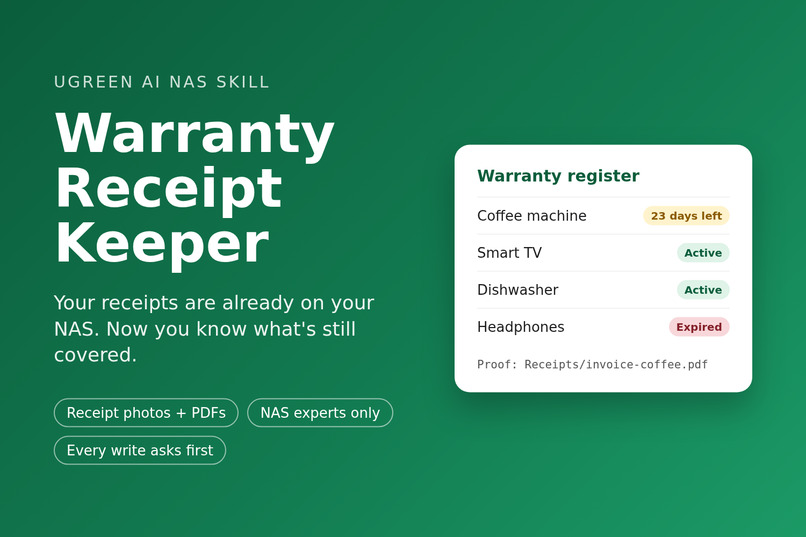
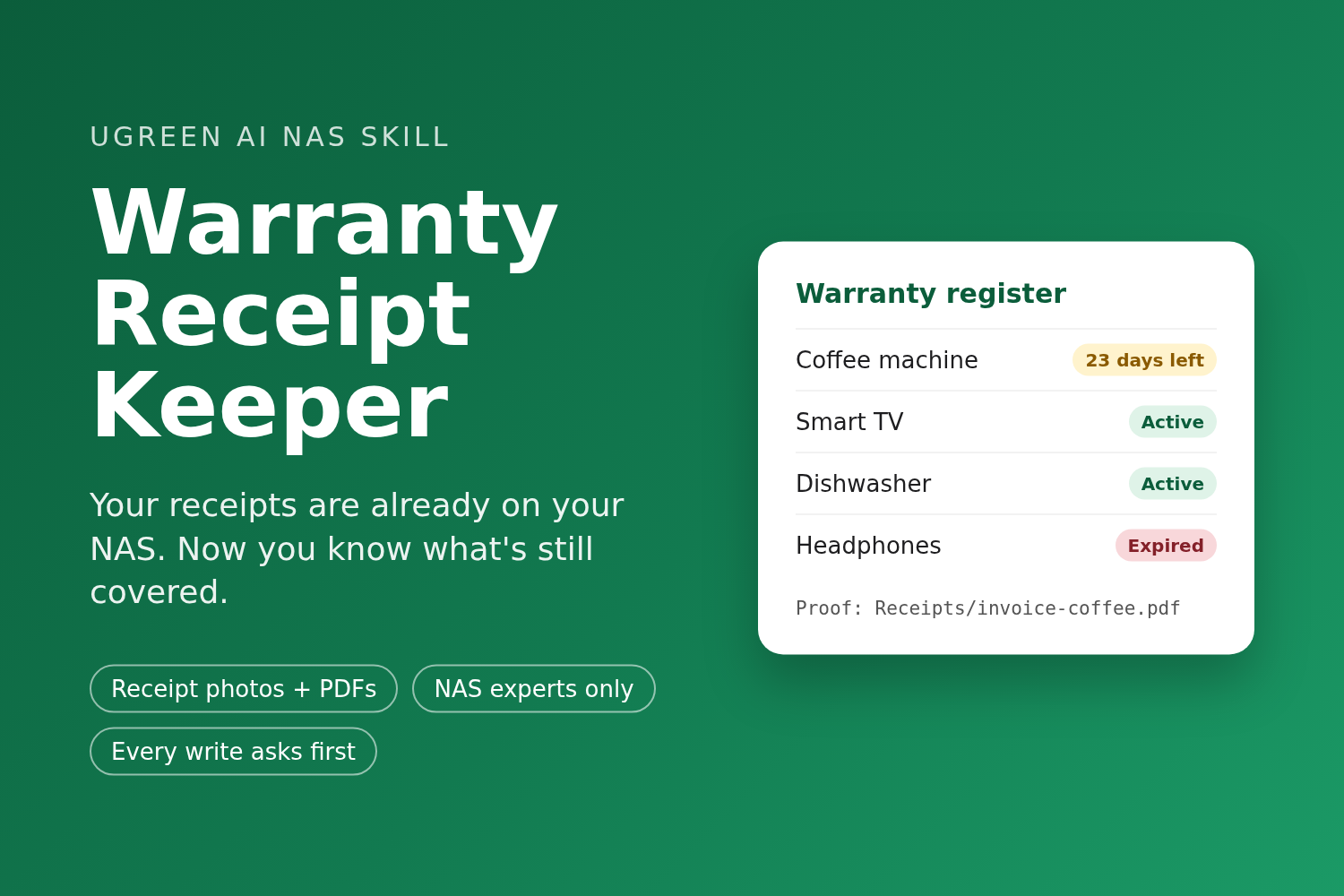
Warranty Receipt Keeper: a warranty register you can ask questions, built from the receipts already on your NAS.
-
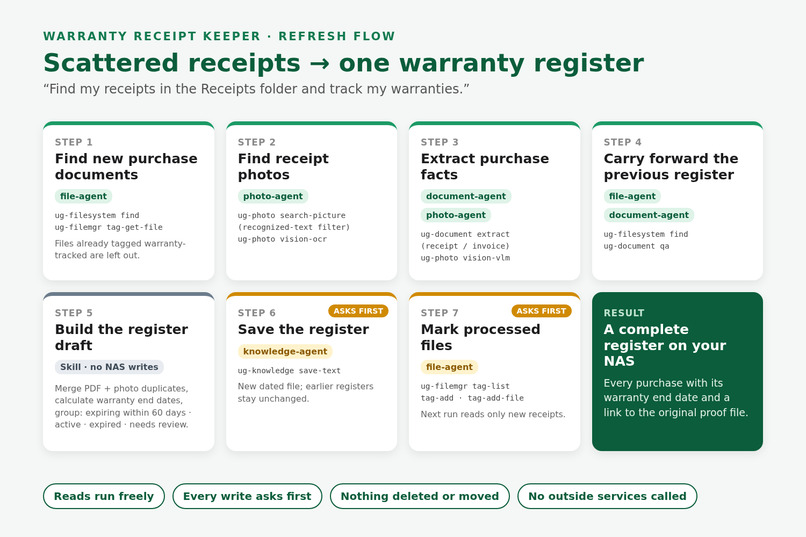
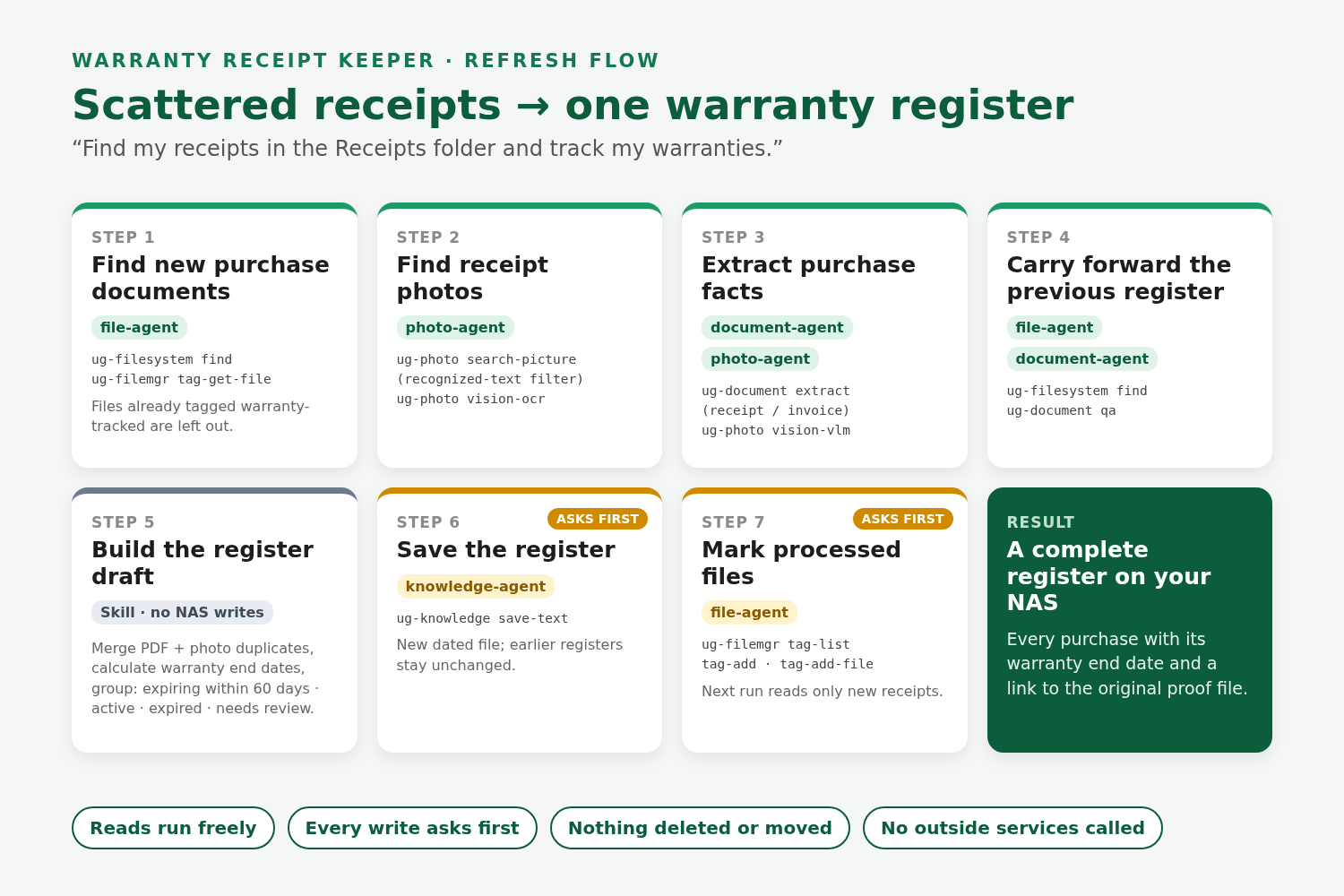
Refresh flow: NAS experts find, read, save and tag; the Skill merges results and works out warranty end dates. Every write asks first.
-
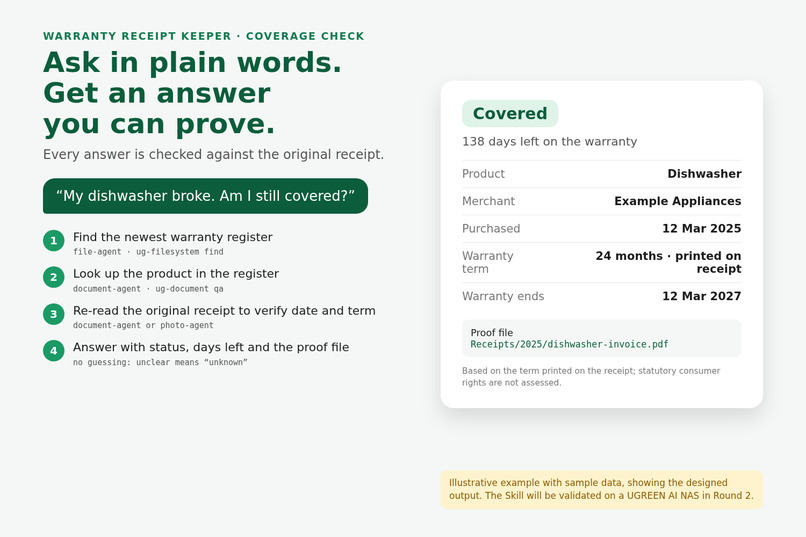
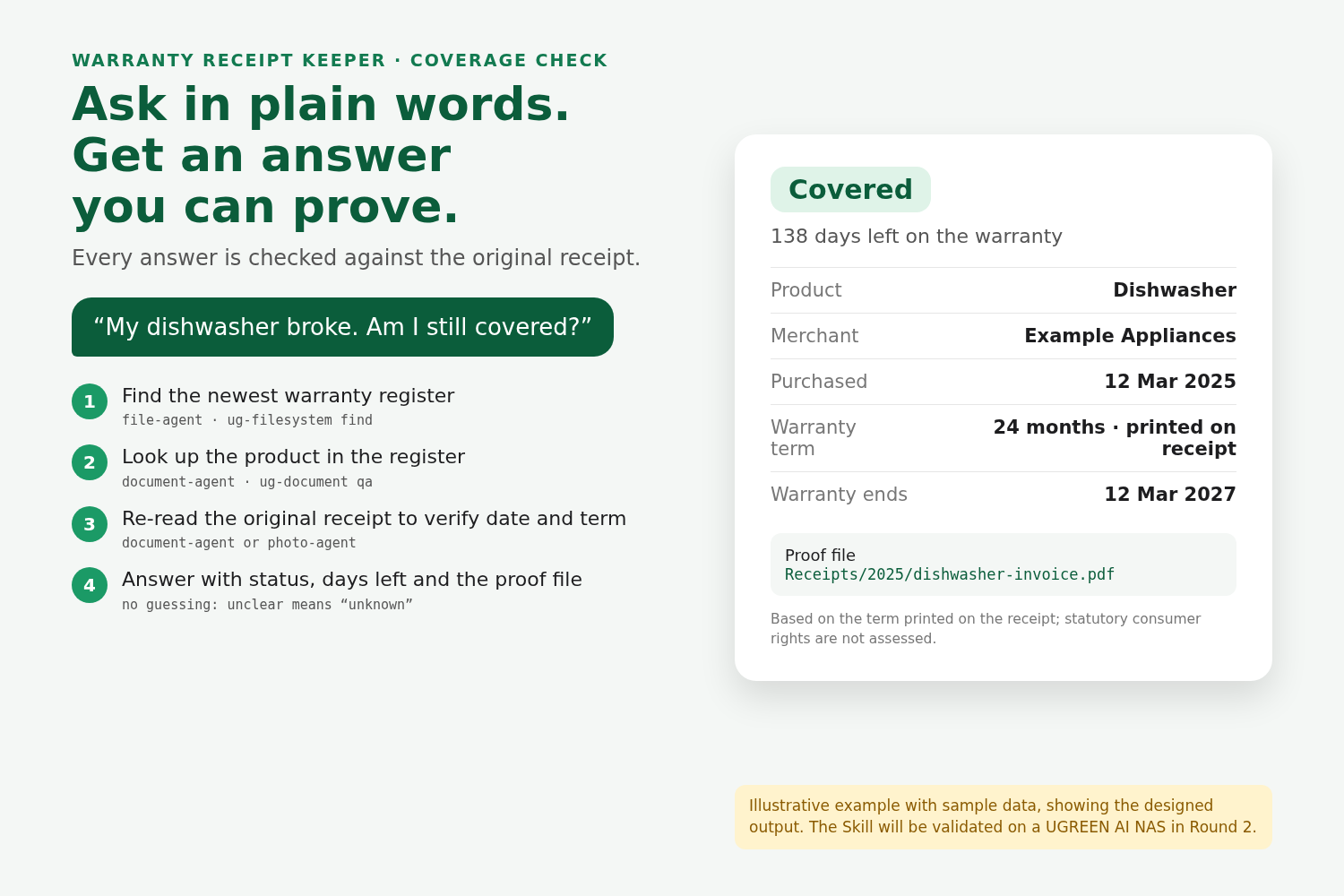
Coverage check: a plain-language answer checked against the original receipt (sample data).
Inspiration
Most of us already keep receipts as phone photos, scanned PDFs and emailed invoices, and on a UGREEN NAS those files all live in one place. The trouble starts when something breaks: which folder was the receipt in, how long was the warranty, and has it already expired? The proof exists; it is just impossible to find at the moment you need it. Warranty Receipt Keeper turns that pile of files into a warranty register you can ask questions.
What it does
Two flows, both started in plain language.
Refresh the register: "Find my receipts in the Receipts folder and track my warranties."
- Finds new purchase documents in the folder you choose, and receipt photos in your photo library (searched by the text recognized in each image).
- Extracts merchant, product, purchase date, price and the warranty term exactly as printed.
- Carries forward every entry from the previous register, merges a purchase saved as both a PDF and a photo, and calculates each warranty end date.
- Shows a summary (expiring within 60 days, active, expired, needs review) and saves the register on the NAS only after you confirm.
- Tags processed files
warranty-tracked, so the next refresh reads only new receipts.
Coverage check: "My dishwasher broke, am I still covered?" It finds the product in the register, re-reads the original receipt to verify the purchase date and term, and answers covered, expired or unknown, with the days left and the path of the proof file to attach to a claim.
Nothing is deleted or moved, the Skill calls no outside services, and every write waits for your confirmation.
How I built it
The Skill follows the Uliya Skill Development Standard and was built with the official UGOS Skill Creation Tool (uliya-skill-kit 0.7.3). It is an orchestration-only Skill: the parent never touches files directly. It delegates self-contained tasks to four registered NAS experts and passes only their real results to the next step.
- Find documents: file-agent (
ug-filesystem find,ug-filemgr tag-get-file) - Find receipt photos: photo-agent (
ug-photo search-picturewith a recognized-text filter,vision-ocr) - Extract purchase facts: document-agent (
ug-document extract, receipt and invoice schemas) and photo-agent (vision-vlmfor unclear photos) - Carry forward the previous register: file-agent and document-agent (
ug-filesystem find,ug-document qa) - Save the register: knowledge-agent (
ug-knowledge save-text) - Mark processed files: file-agent (
ug-filemgr tag-list,tag-add,tag-add-file)
I used Claude (Anthropic) through Claude Code to explore the capability catalog, draft and revise the Skill, run the kit's static checker, and produce drafts of this write-up and the gallery images. The package passes that checker with 0 errors and 0 warnings.
Challenges I ran into
- Repeat runs. Tagging processed files makes later runs fast, but an early draft saved a register that held only the new receipts, so a coverage check for an older purchase would have failed. The fix was a required carry-forward step: the previous register is read in full before the new one is built, and if it cannot be read completely, nothing is saved.
- Never guessing. Receipts are messy: faded paper, missing warranty terms, blurry photos. Every field is marked found or not found, anything unclear goes to "Needs review" instead of being estimated, and every coverage answer is verified against the original receipt.
- The checker as the contract. The static checker is strict about section names, the CLI-to-expert evidence format, single-quoted delegate instructions and wording around approval steps. A few details differ from the starter template, so I treated the checker output as the source of truth.
What I learned
- How UGOS splits work between a parent Skill and specialist experts, and why passing only real upstream results makes a workflow trustworthy.
- That file tags are a simple, native way to give a Skill memory across runs.
- How to design around confirmation: reads run freely, and every write (saving the register, creating the tag, tagging files) pauses for the user.
What's next
If selected as a finalist, I will validate the full flow on a UGREEN AI NAS with synthetic receipts: a first refresh, a repeat run with one new receipt, a coverage check, and edge cases such as an empty folder, unreadable files and a declined save.
Built With
- claude
- claude-code
- document-agent
- file-agent
- knowledge-agent
- markdown
- ocr
- photo-agent
- ug-document
- ug-filemgr
- ug-filesystem
- ug-knowledge
- ug-photo
- ugos
- ugreen-ai-nas
- uliya
- uliya-skill-kit
- vlm

Log in or sign up for Devpost to join the conversation.