Inspiration
Wardrobe Palette started with a common problem: standing in front of a closet and having plenty of clothes, but no idea what actually works together.
The hardest part was deciding which pants complement the shirt/top without relying on guessing. Color matching can feel subjective, especially when lighting, patterns, and backgrounds make a garment look different from the color it actually is.
I wanted to build a tool that made this decision faster and more visual. Instead of searching through fashion guides or comparing colors manually, users could upload a shirt image, select the garment, and immediately see which pants colors are likely to work best.
What it does
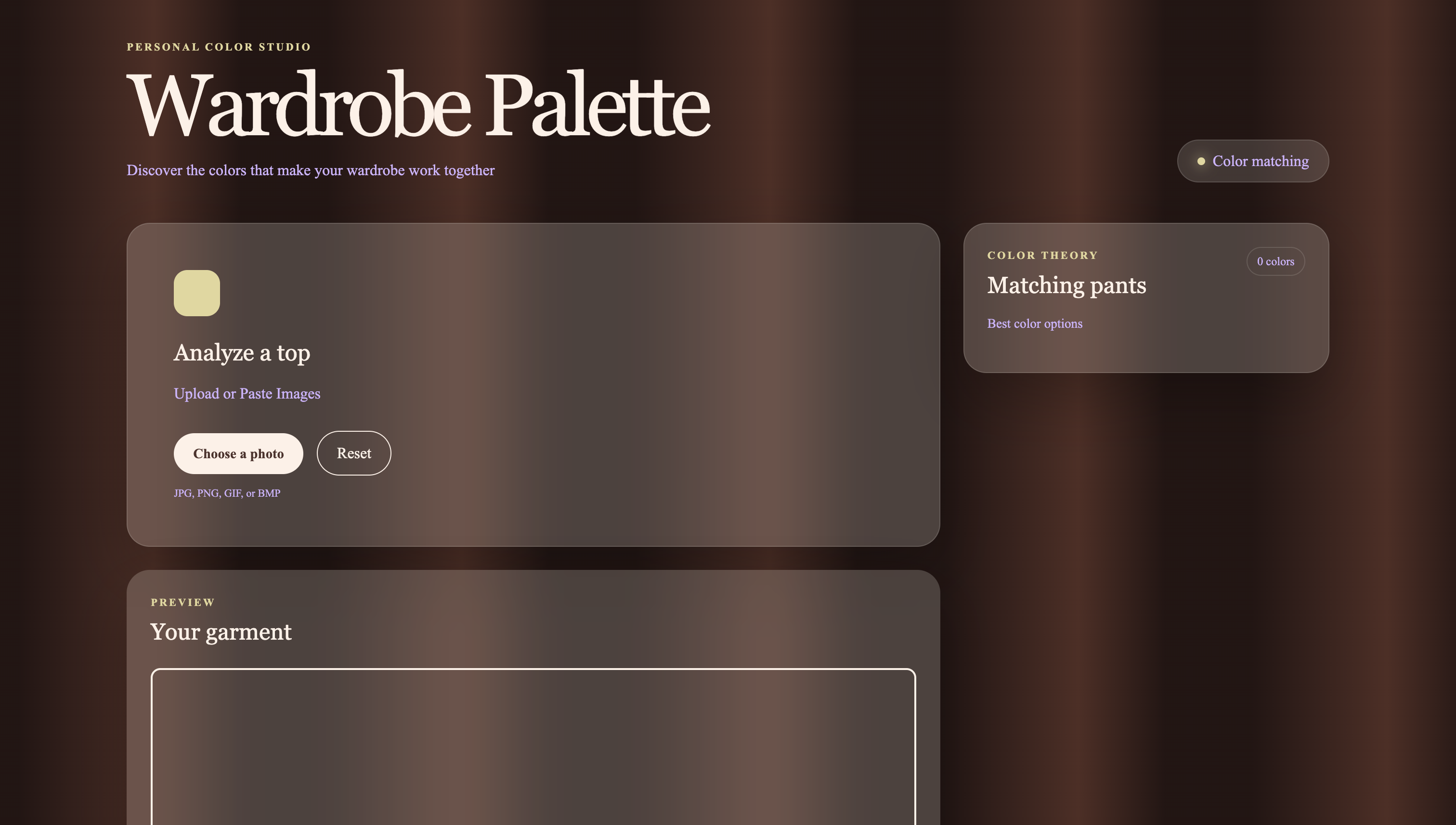
Wardrobe Palette analyzes the color of a selected shirt and recommends compatible pants. Users can:
- Upload an image through the file picker.
- Paste an image directly with Command + V or Ctrl + V.
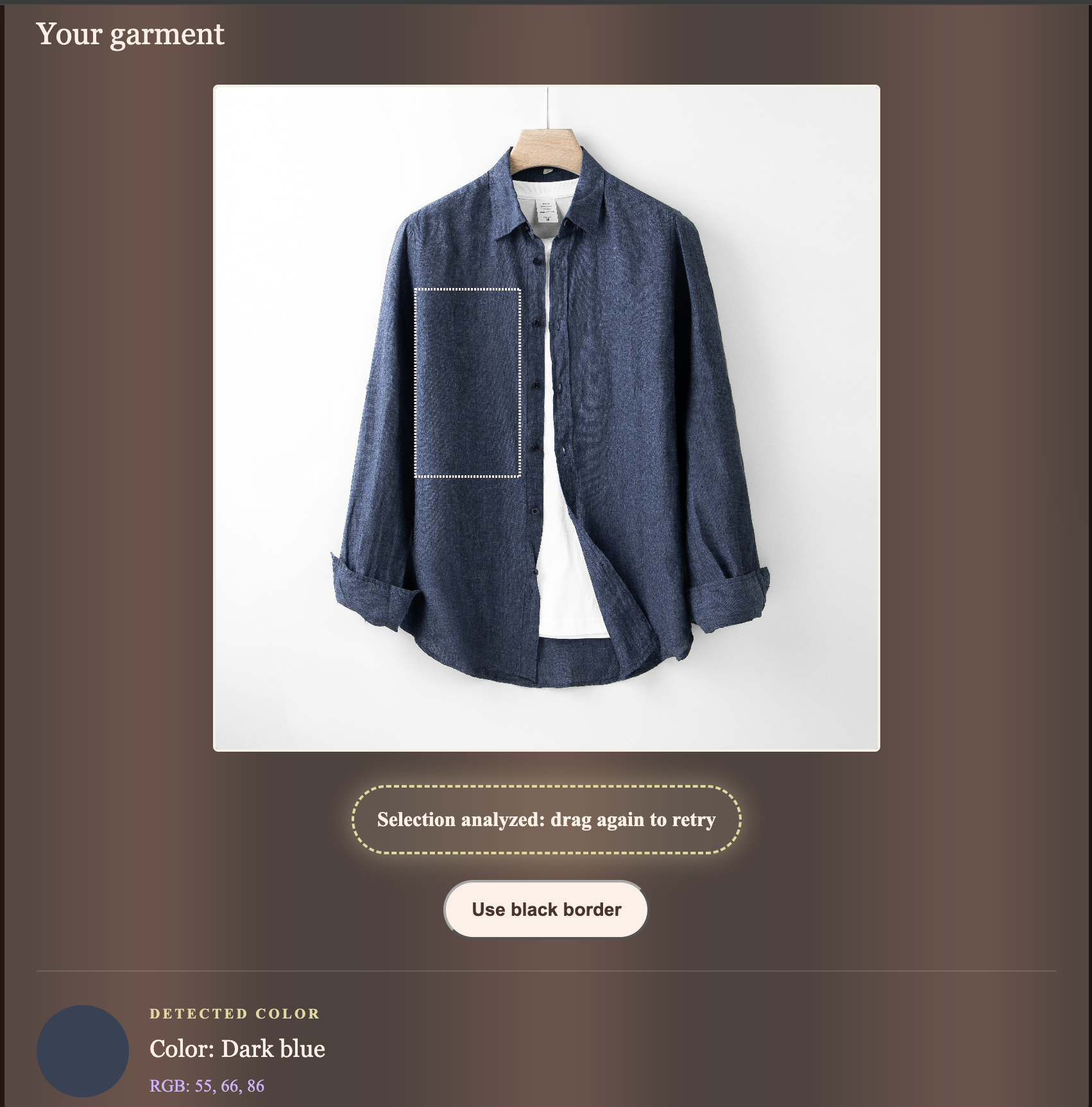
- Drag a selection box over the shirt.
- Change the selection-border color for better visibility.
- View the detected color name, RGB values, and visual color swatch.
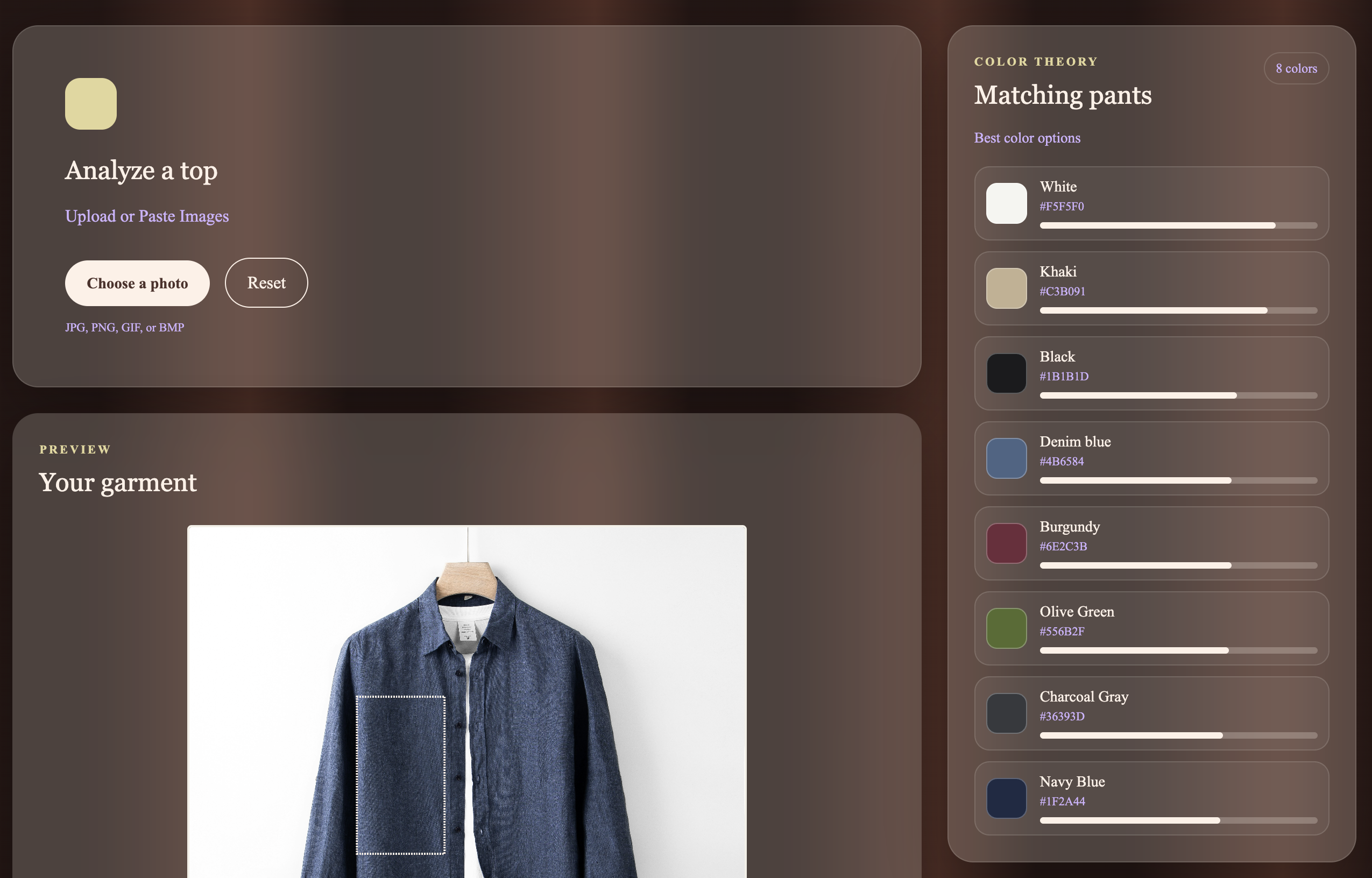
- See pants ranked from strongest to weakest match.
- Compare recommendations using visual compatibility score bars.
- Reset the current analysis and start again.
The manual selection step lets users choose the part of the shirt/top they care about instead of averaging the entire image. This helps avoid backgrounds, hangers, furniture, and other clothing items affecting the result.
How I built it
I built Wardrobe Palette as a browser-based color-matching app designed to make everyday clothing decisions faster and more visual.
The main focus was turning image data into an understandable recommendation. Users should not have to think about pixel values or color formulas. They should be able to upload a shirt, select the area they care about, and immediately see which pants colors work best.
I organized the experience around a simple workflow:
- Flexible image input: Upload or paste an image.
- Manual garment selection: Choose the exact shirt region to analyze.
- Clear color feedback: Show the detected color name, RGB values, and color sample.
- Visual recommendations: Rank pant colors and display compatibility with score bars.
- Interactive controls: Reset the analysis and change the selection-border color.
Challenges I ran into
- The biggest challenge was separating the shirt’s color from the rest of the image. Backgrounds, hangers, scenery, shadows, and nearby clothing could all distort the result if the entire image was analyzed.
- I initially looked at automatic segmentation, but general person-segmentation models could not reliably isolate a shirt from every type of product image. I changed direction and built a manual selection tool that gives the user direct control over the region being analyzed.
- I also had to balance technical complexity with usability. The app needed to perform real pixel analysis while still giving users clear instructions, immediate feedback, and a simple workflow.
Accomplishments that I am proud of
- Making color analysis practical: Creating a manual selection workflow that lets users isolate the garment they actually want to analyze.
- Building a complete recommendation experience: Combining color detection, readable color names, ranked pants, swatches, and visual score bars in one interface.
- Creating a polished product experience: Designing an animated interface with responsive cards, interactive controls, clear instructions, and immediate feedback.
What I learned
- How the Canvas API can draw images and expose individual pixel values through getImageData()
- How RGB, HSB, hue distance, saturation, and brightness relate to color comparison
- The quality of this algorithm depends a lot on how the input region is selected
- Building a polished user experience requires equal amounts of attention to instructions and feedback as the algorithm behind it
What's next for Wardrobe Palette
- Add saved outfits so users can store multiple shirt analyses and compare their recommendations.
- Improve the ranking model by considering saturation, complementary colors, neutrals, and different style contexts.
- Add recommendation explanations, such as why navy scored highly for a particular shirt.
- Add clothing categories besides pants: shoes, jackets, accessories, and complete outfit combinations
- Build a clothing-segmentation model that can automatically isolate shirts from complex backgrounds.
- Add style presets like casual, formal, minimalist, or streetwear.
Built With
- canvas
- css
- hsb
- html
- javascript
- rgb

Log in or sign up for Devpost to join the conversation.