-
-
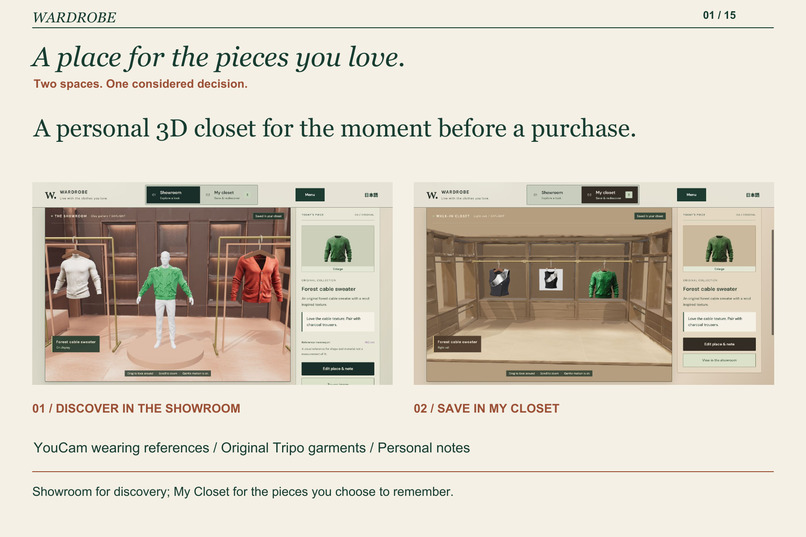
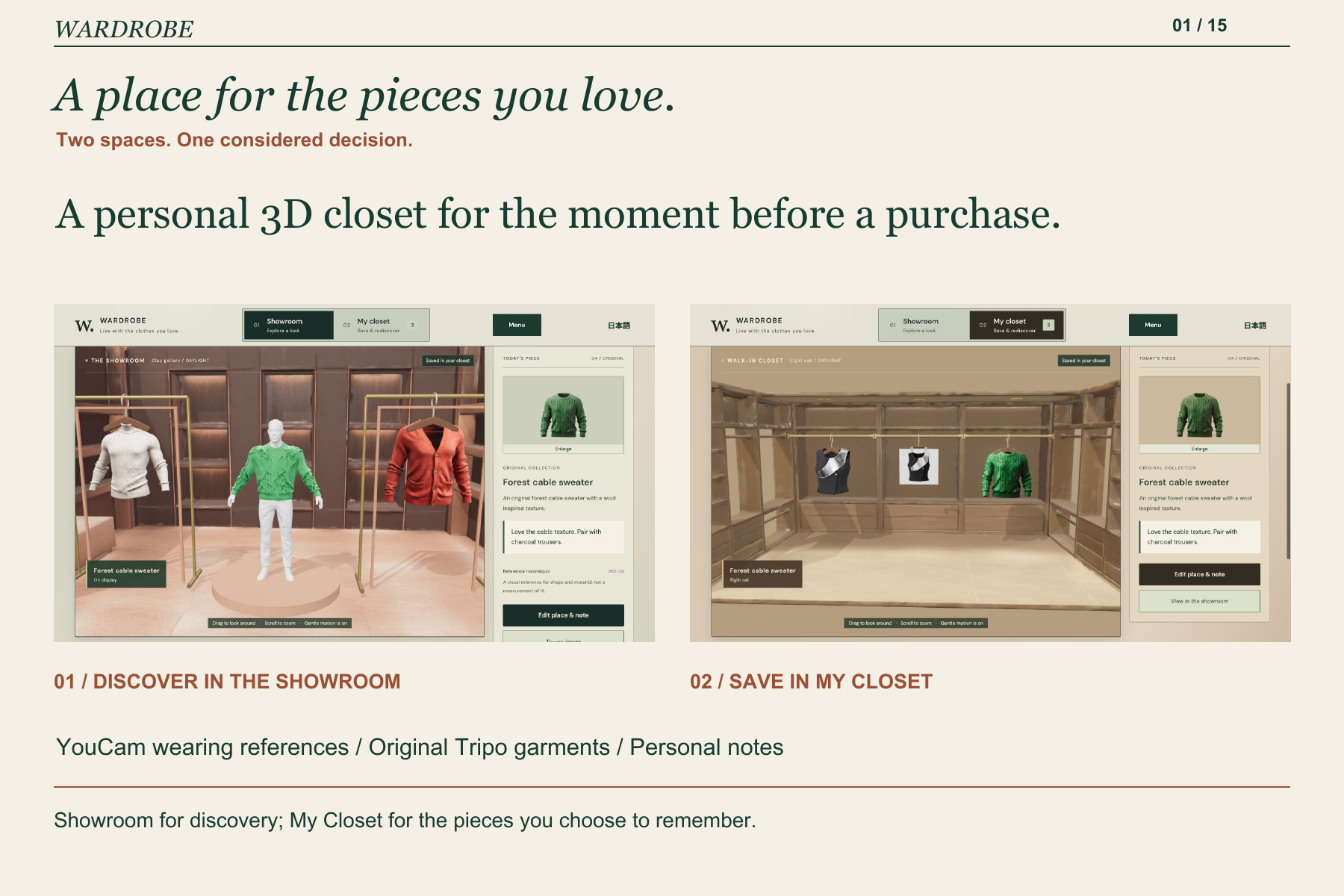
Showroom for discovery; My Closet for the pieces you choose to remember.
-
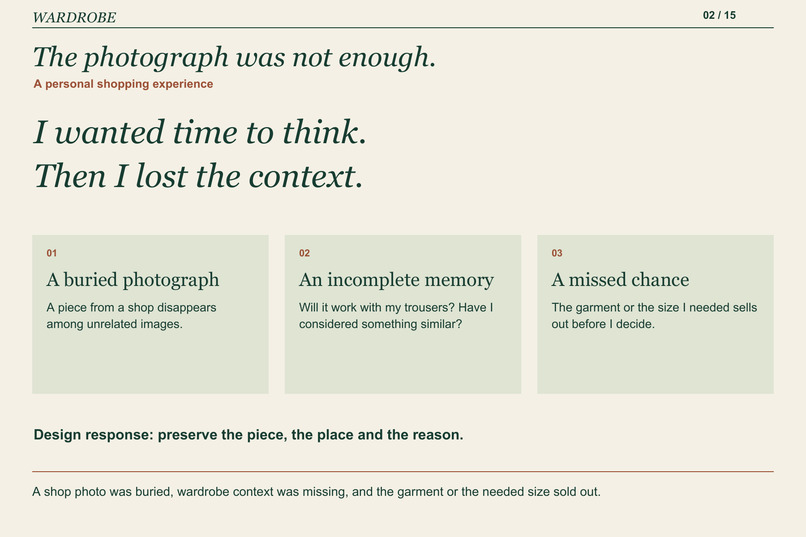
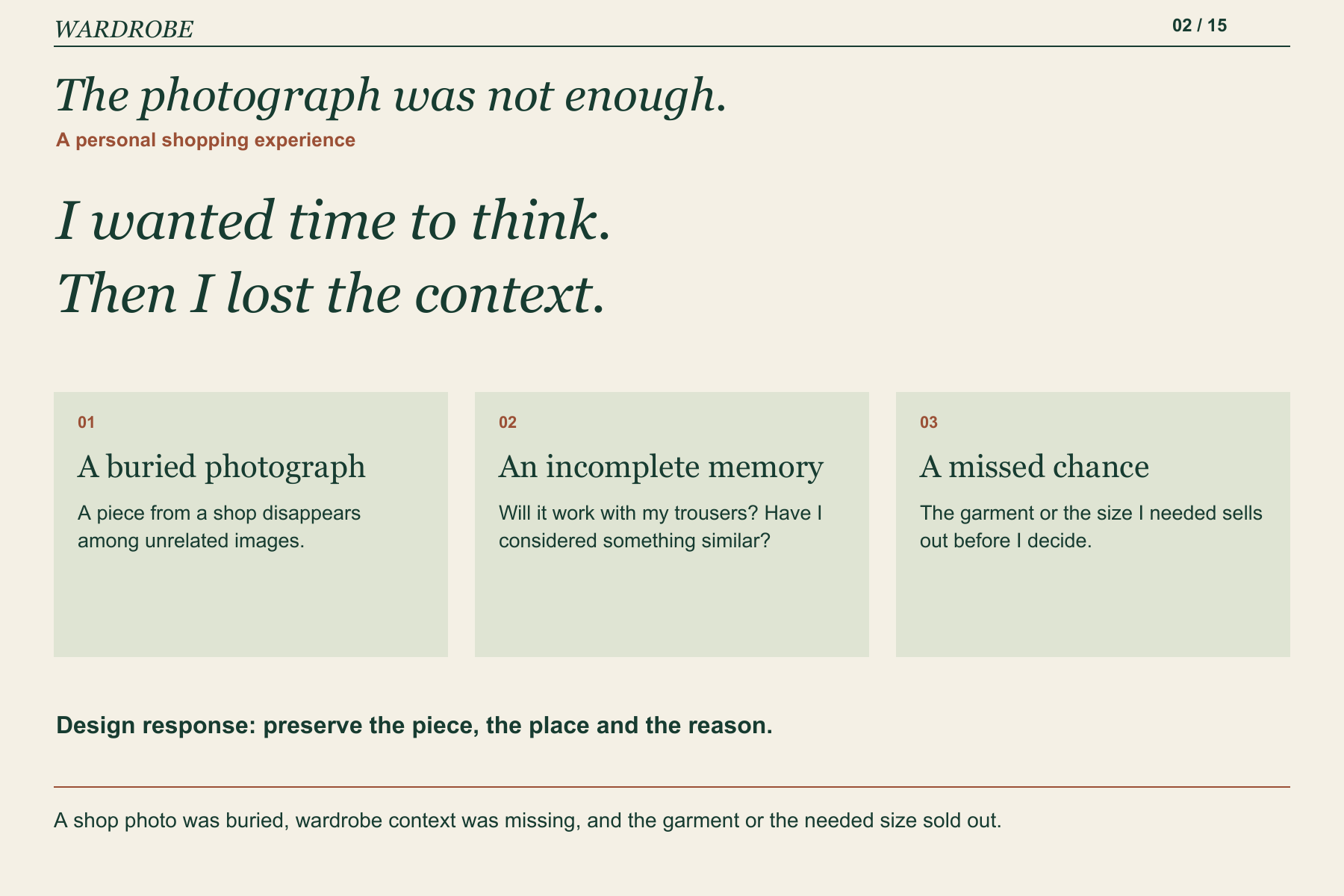
A shop photo was buried, wardrobe context was missing, and the garment or the needed size sold out.
-
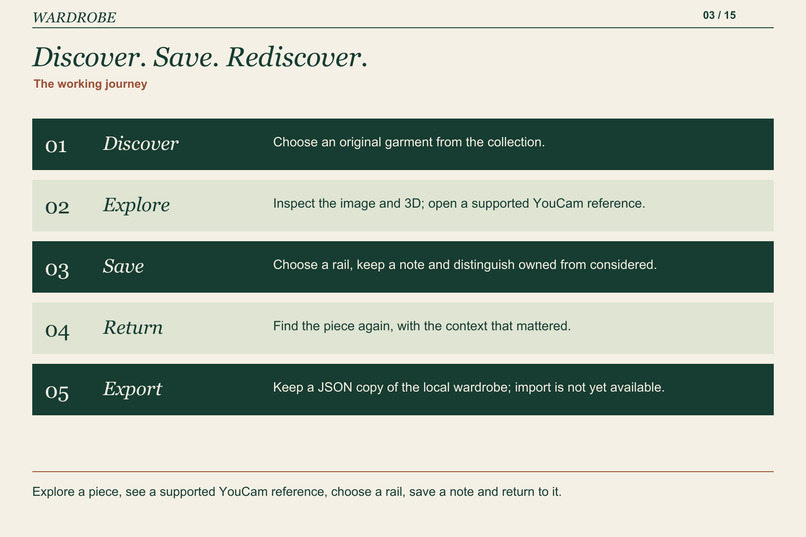
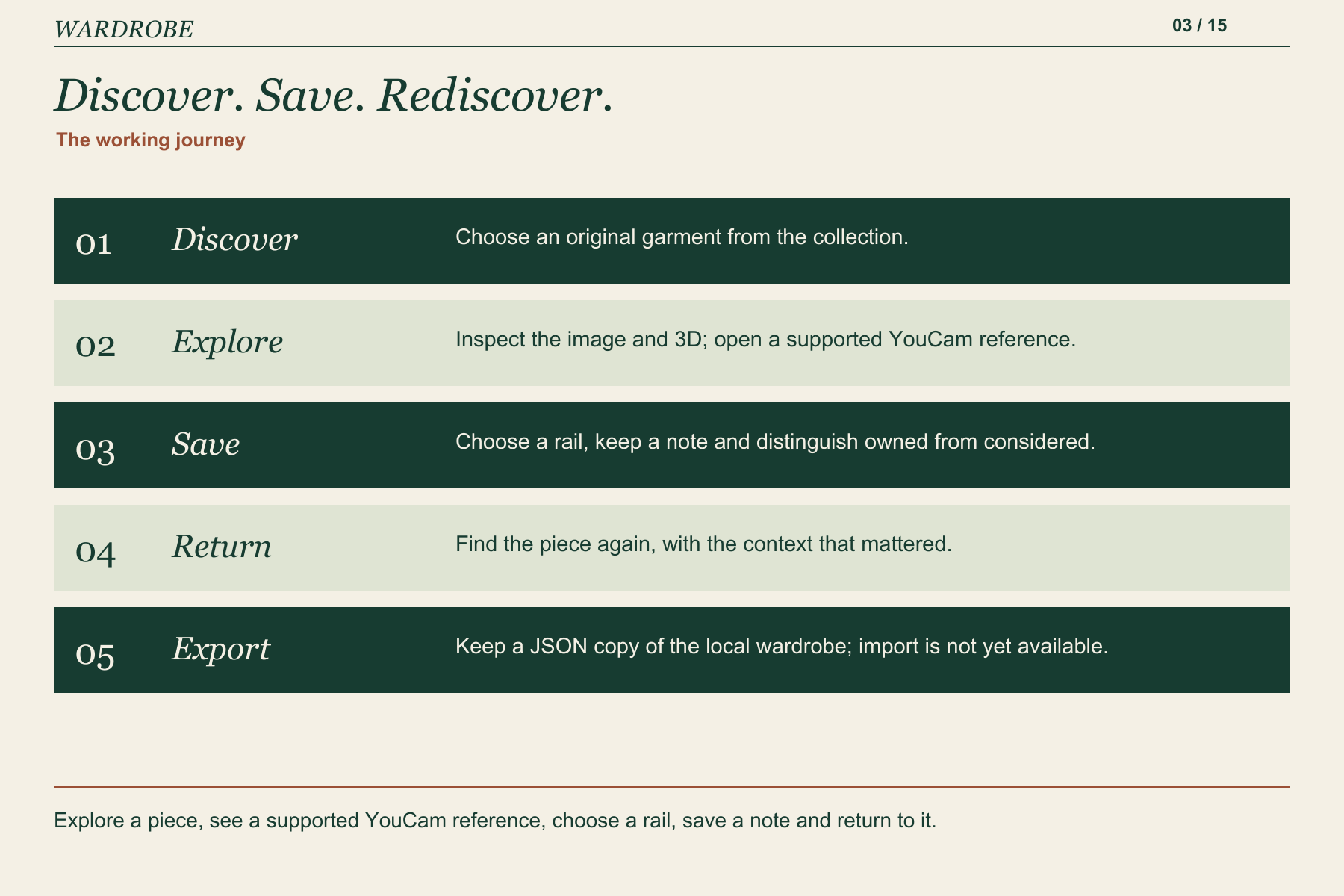
Explore a piece, see a supported YouCam reference, choose a rail, save a note and return to it.
-
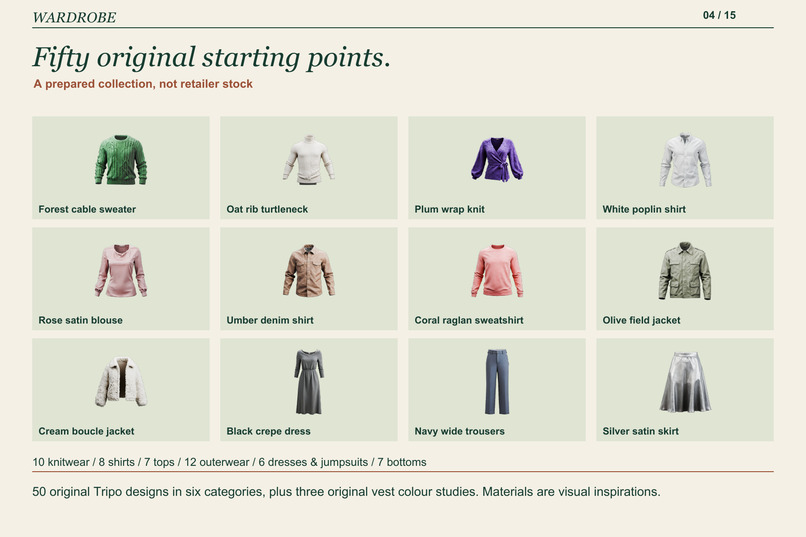
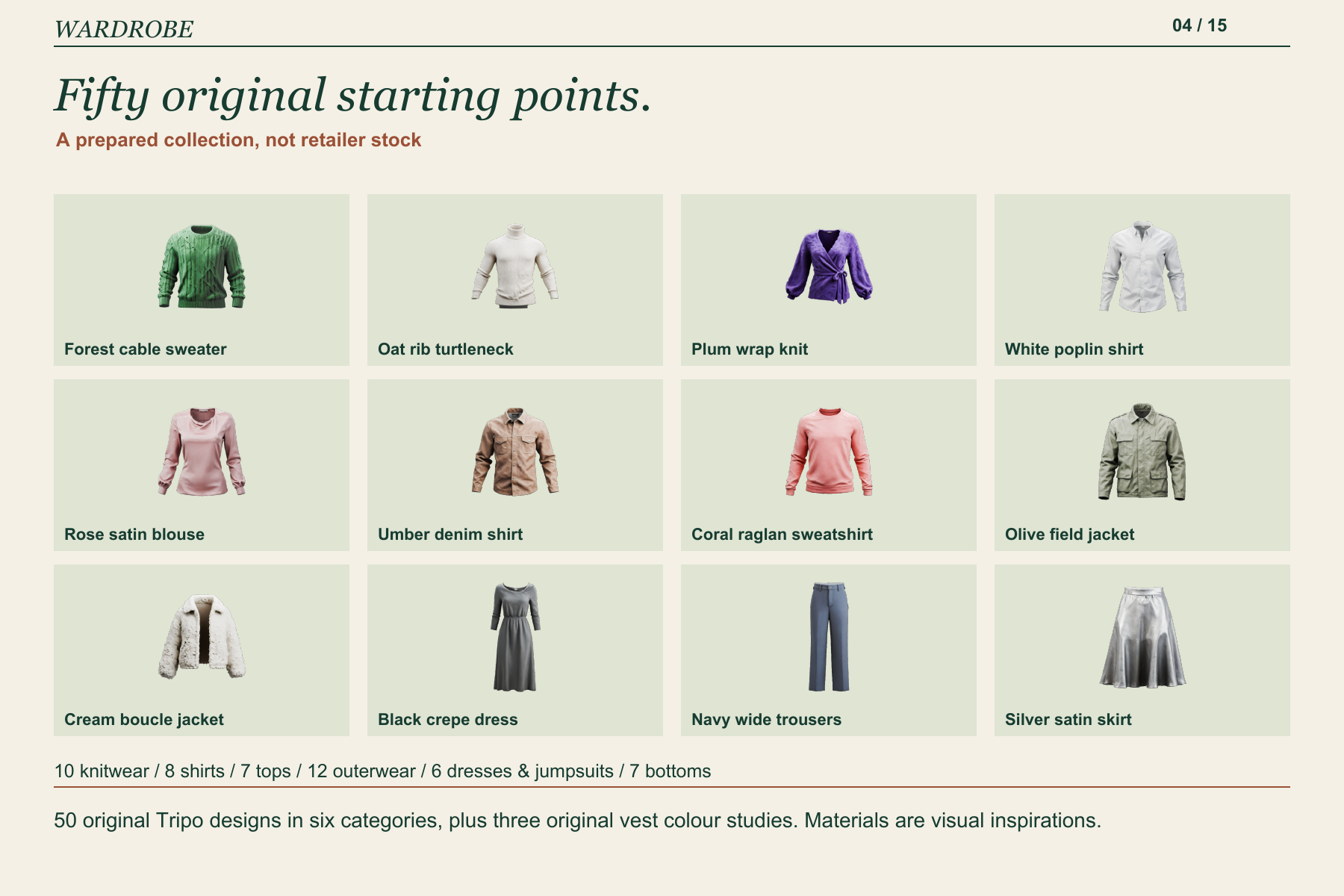
50 original Tripo designs in six categories, plus three original vest colour studies. Materials are visual inspirations.
-
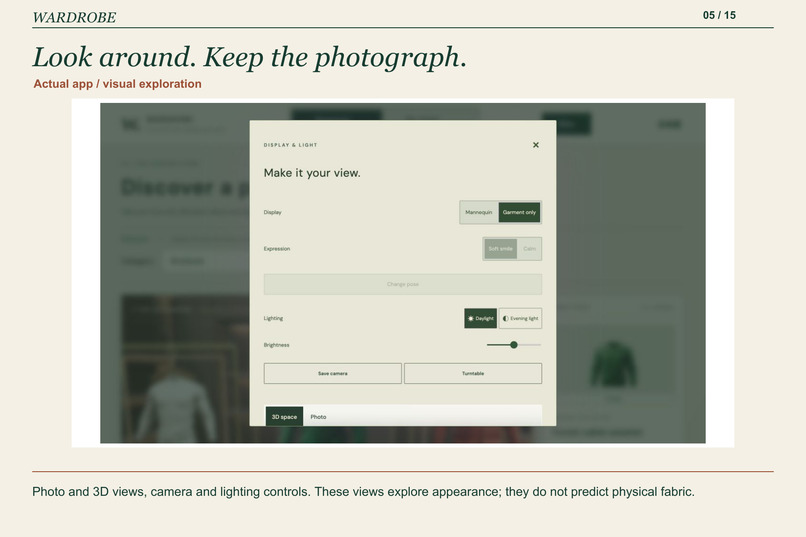
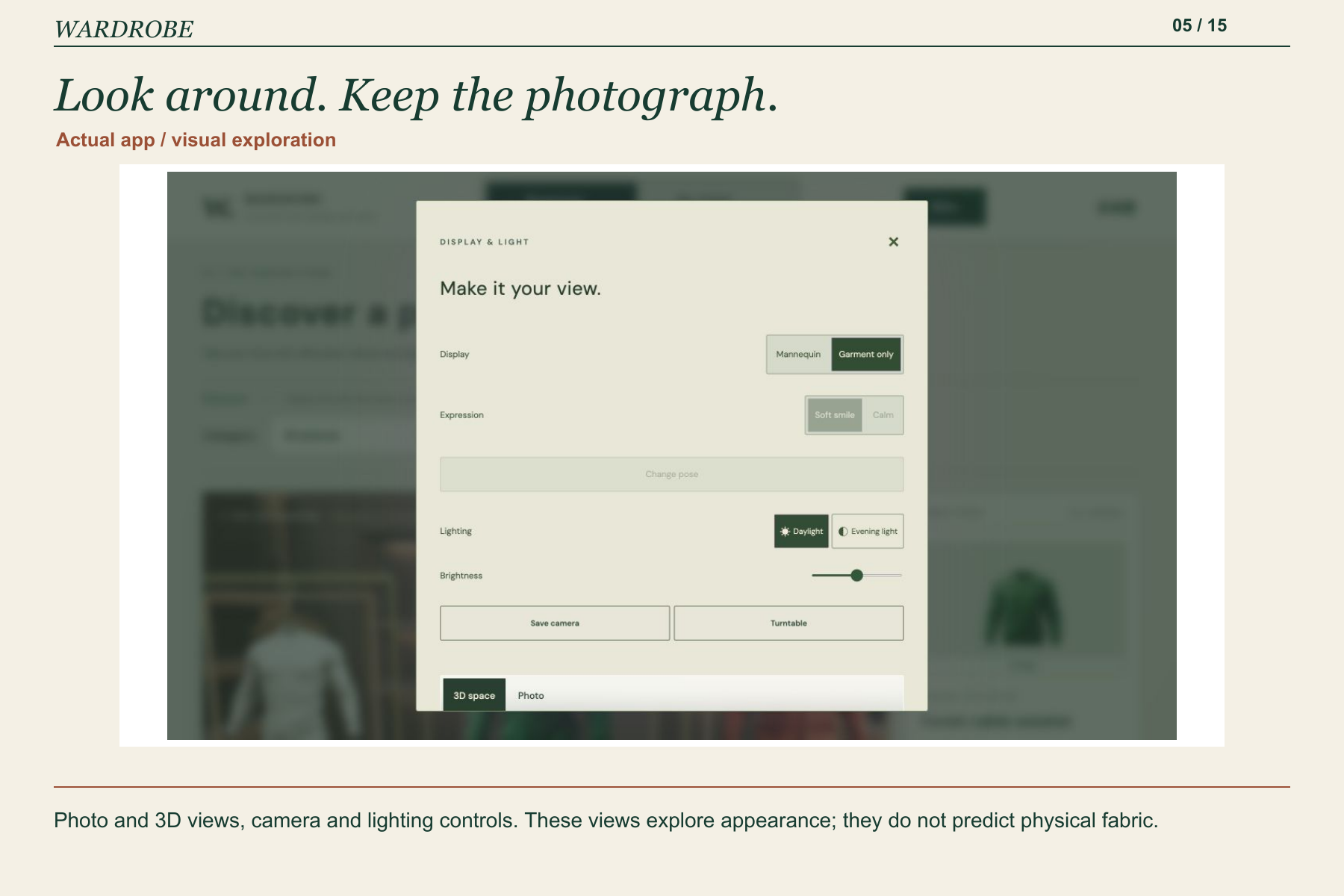
Photo and 3D views, camera and lighting controls. These views explore appearance; they do not predict physical fabric.
-
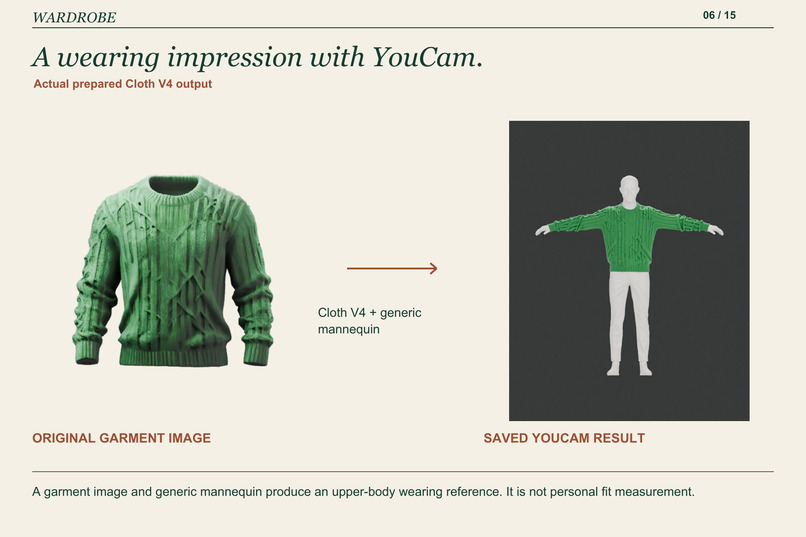
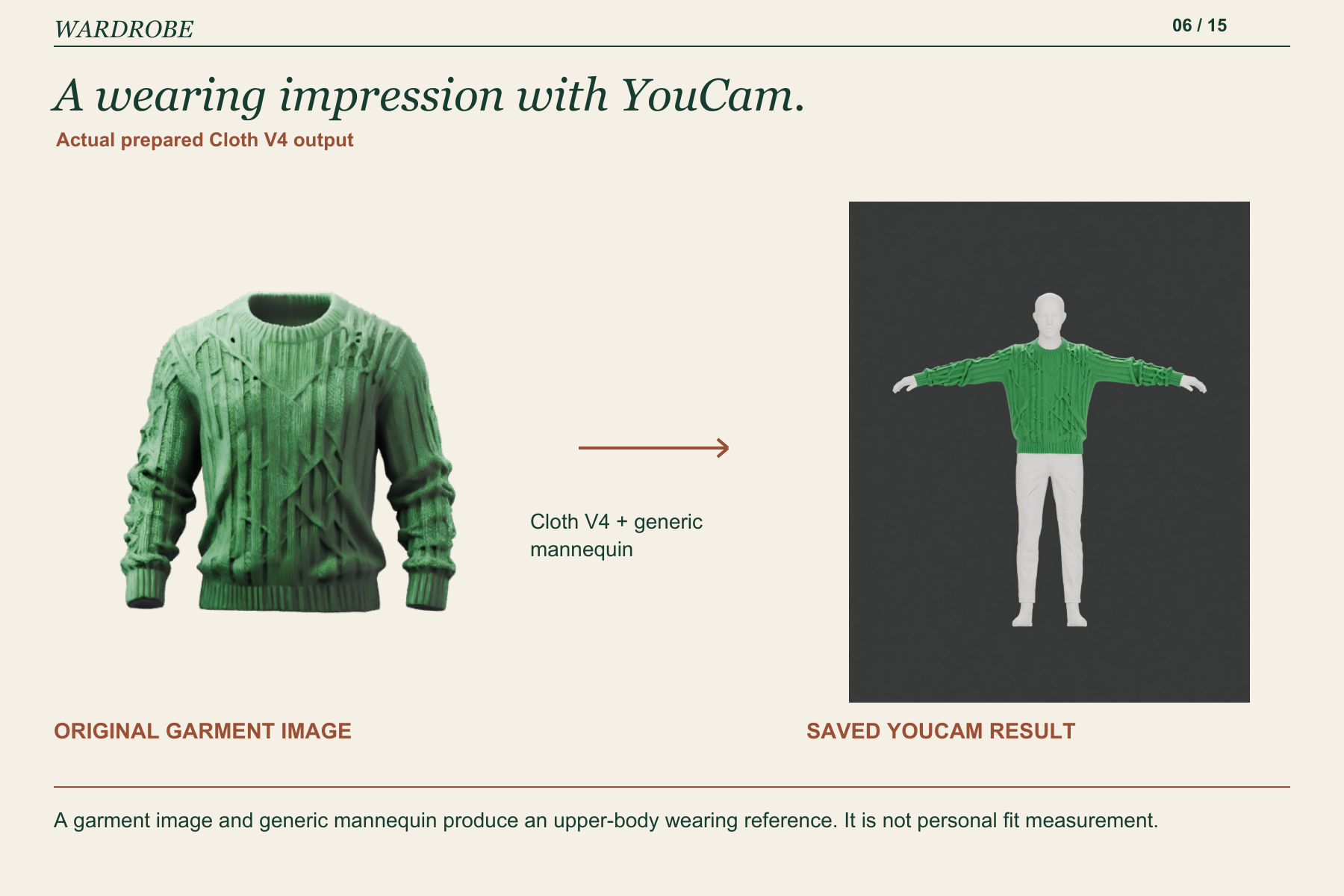
A garment image and generic mannequin produce an upper-body wearing reference. It is not personal fit measurement.
-
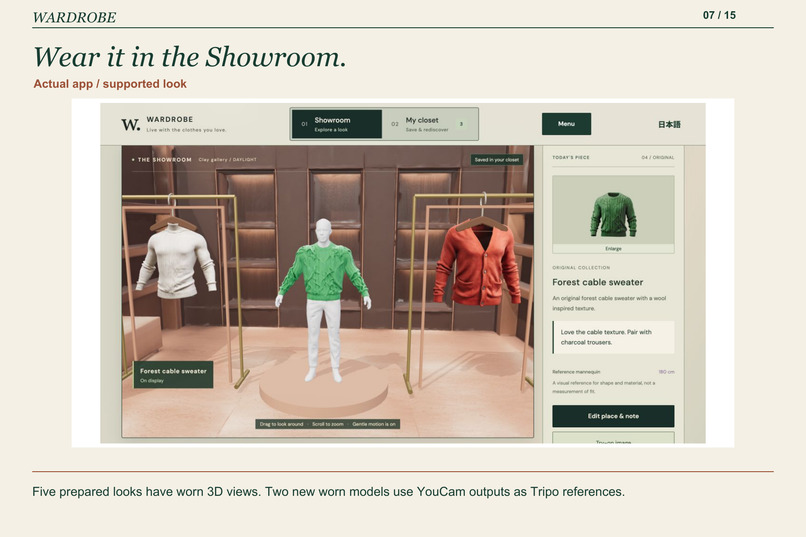
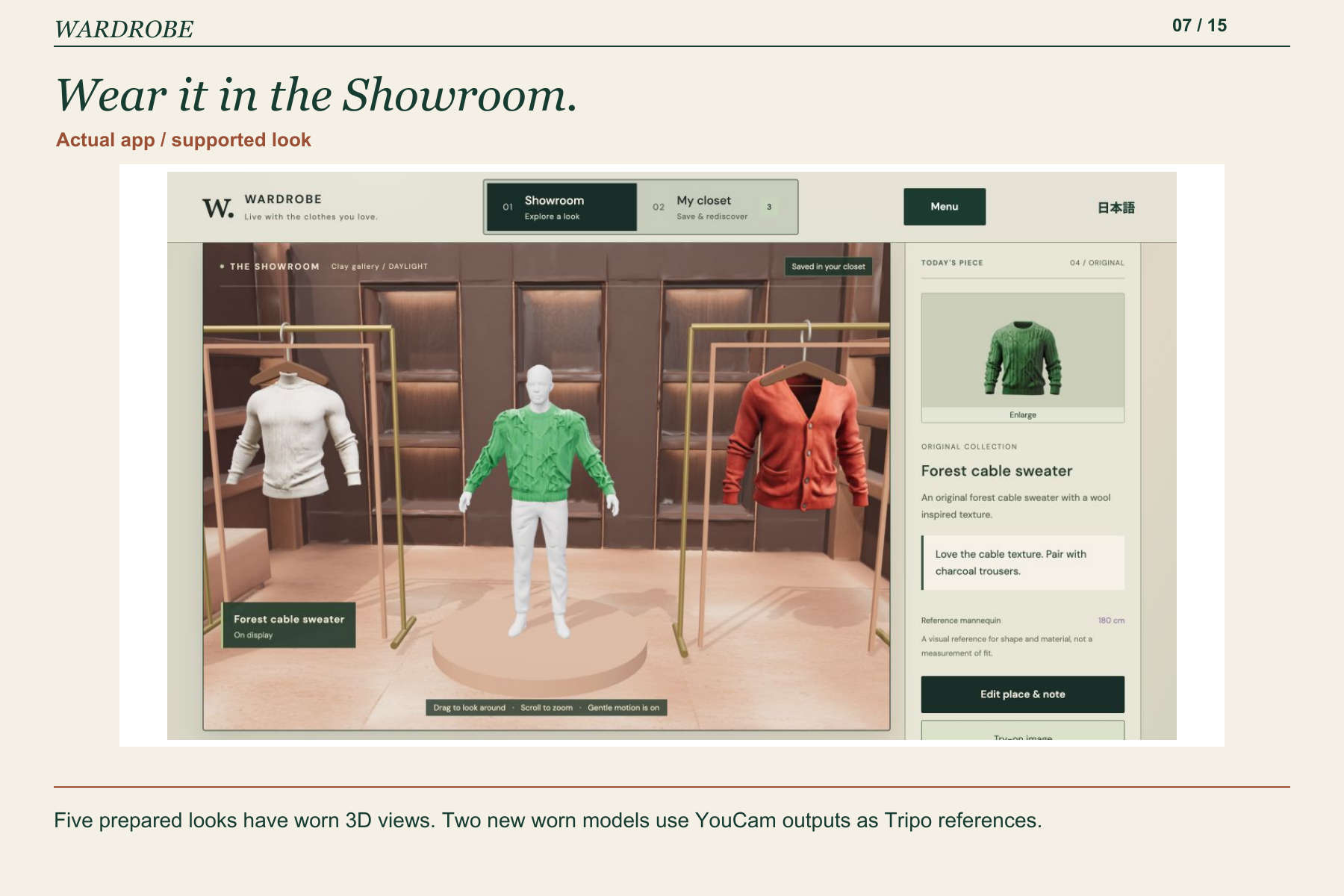
Five prepared looks have worn 3D views. Two new worn models use YouCam outputs as Tripo references.
-
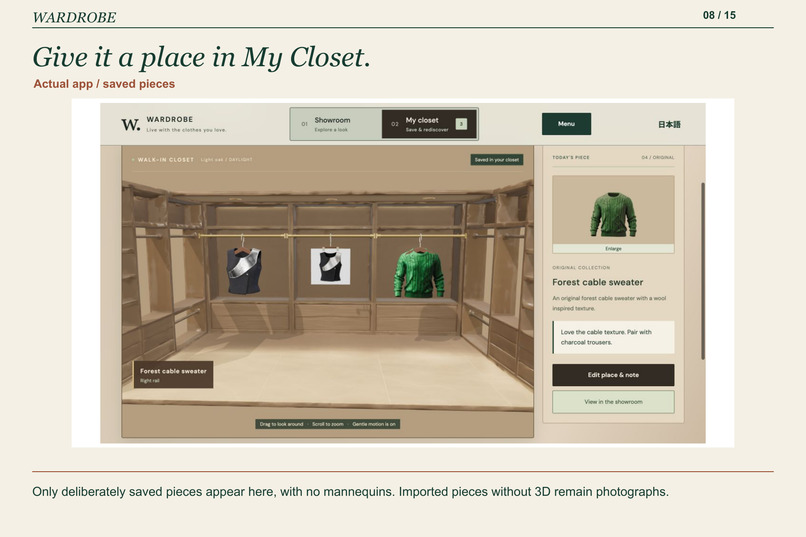
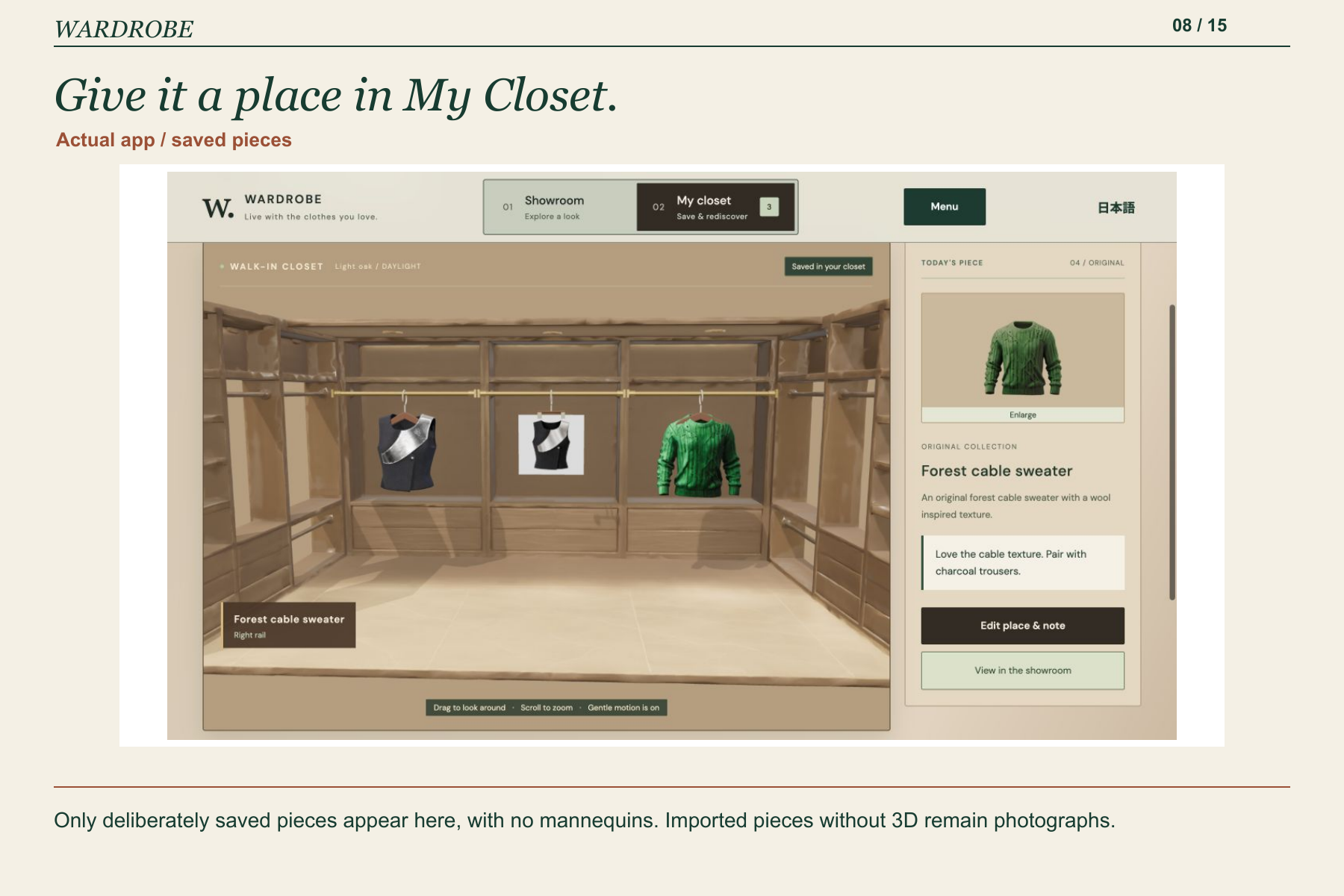
Only deliberately saved pieces appear here, with no mannequins. Imported pieces without 3D remain photographs.
-
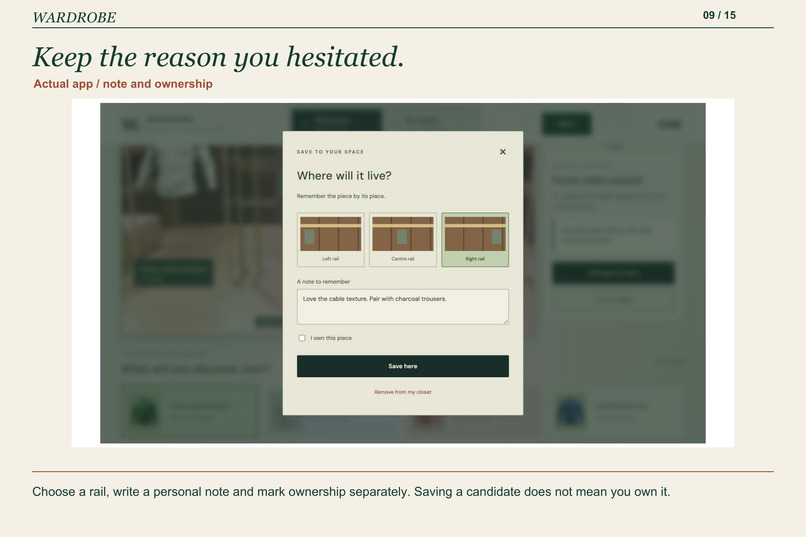
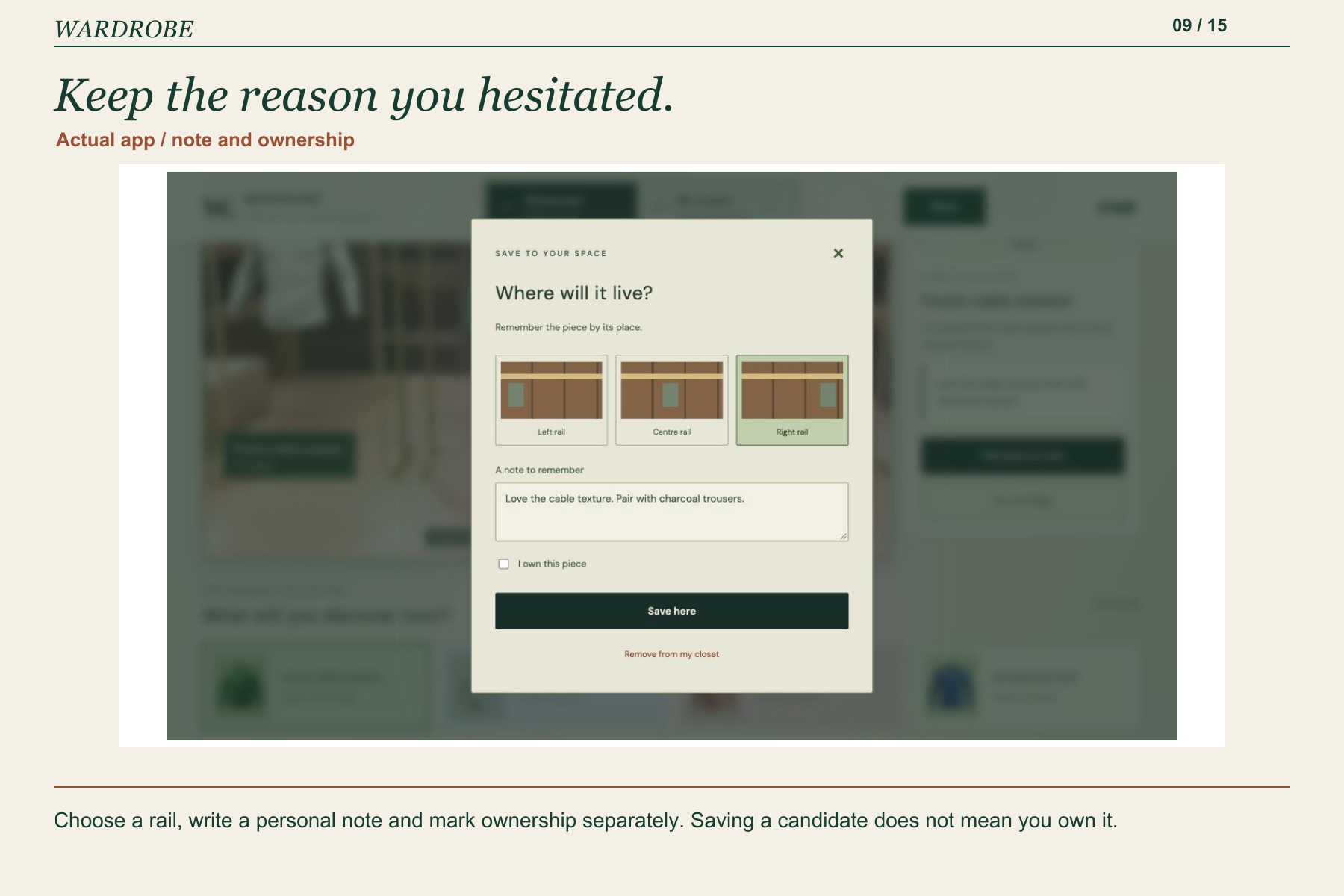
Choose a rail, write a personal note and mark ownership separately. Saving a candidate does not mean you own it.
-
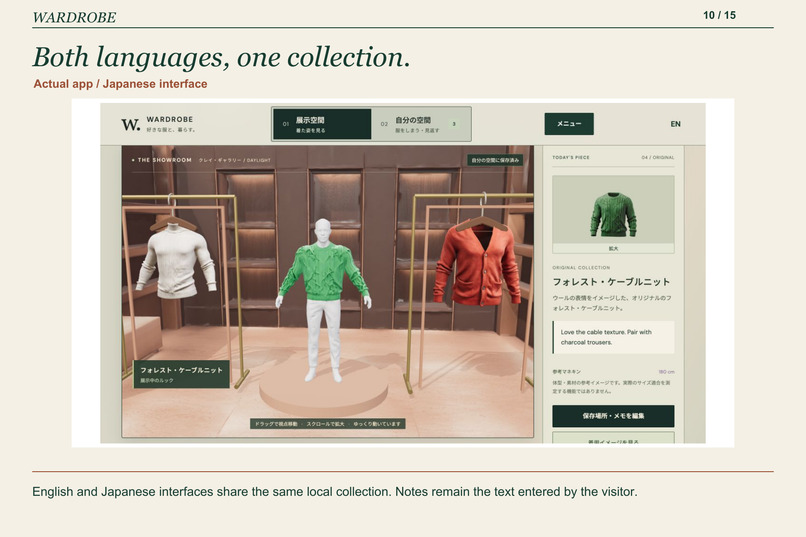
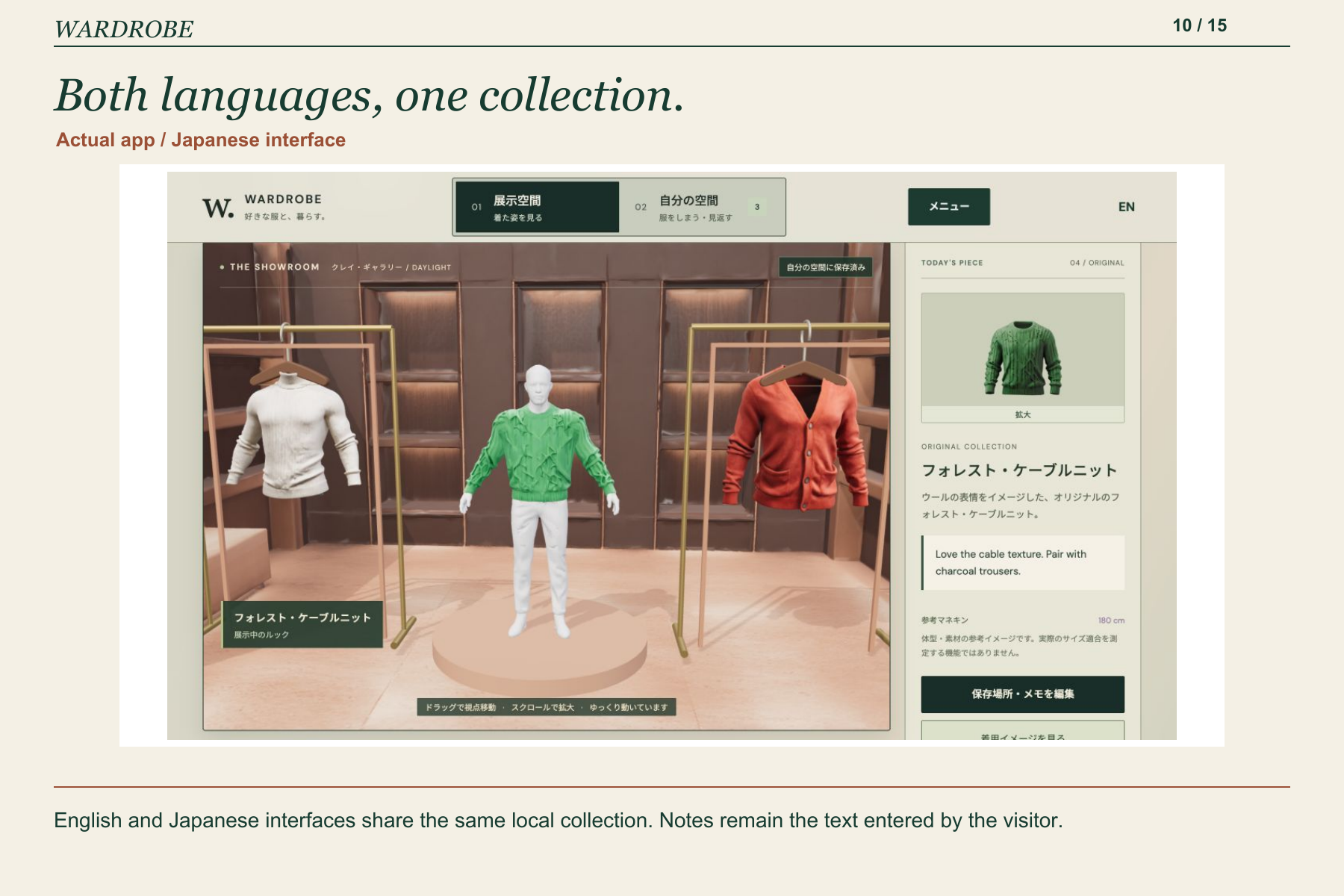
English and Japanese interfaces share the same local collection. Notes remain the text entered by the visitor.
-
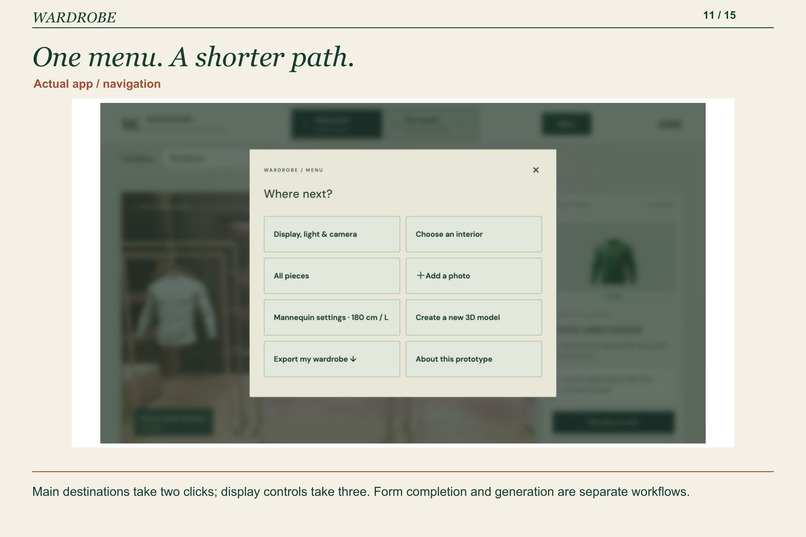
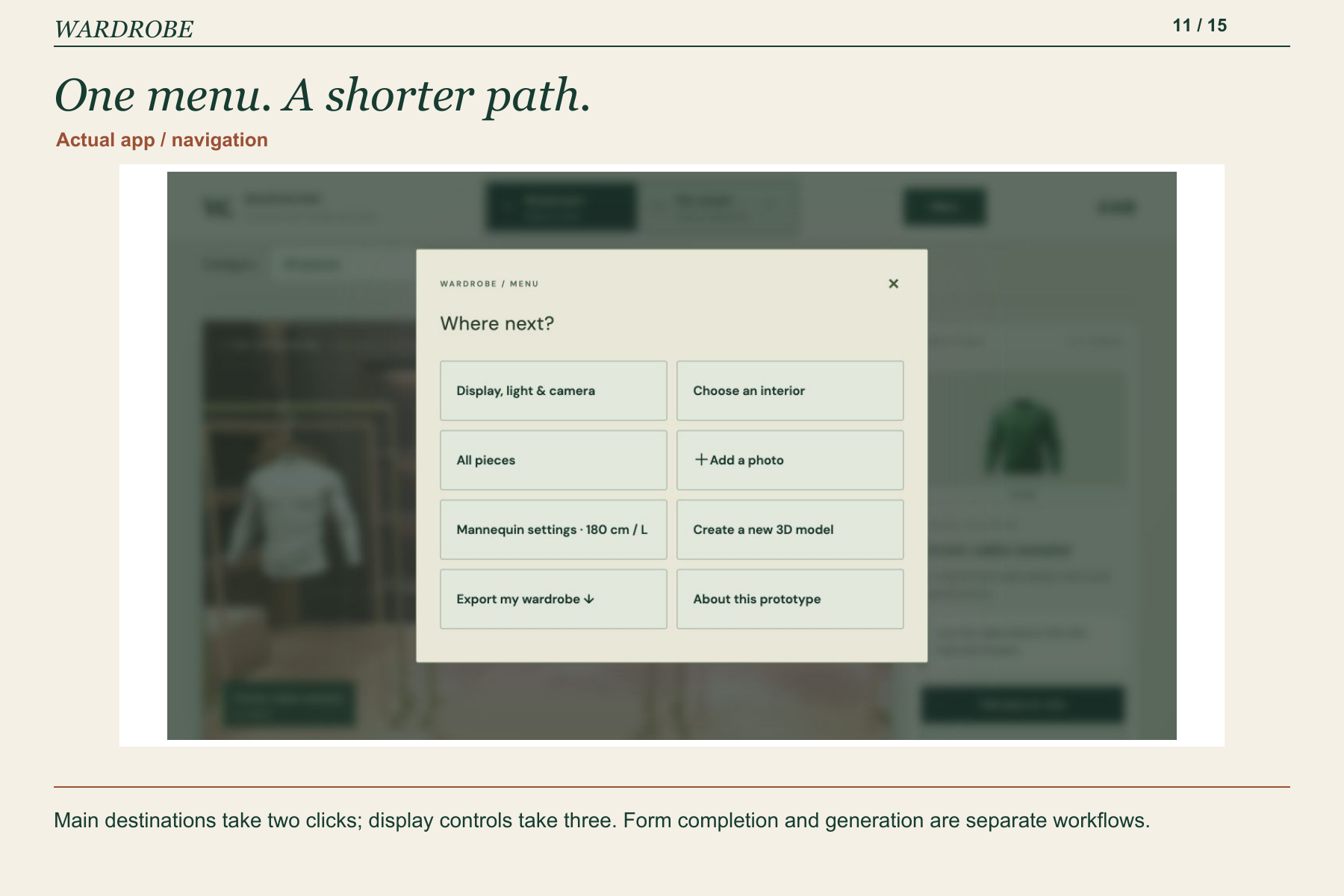
Main destinations take two clicks; display controls take three. Form completion and generation are separate workflows.
-
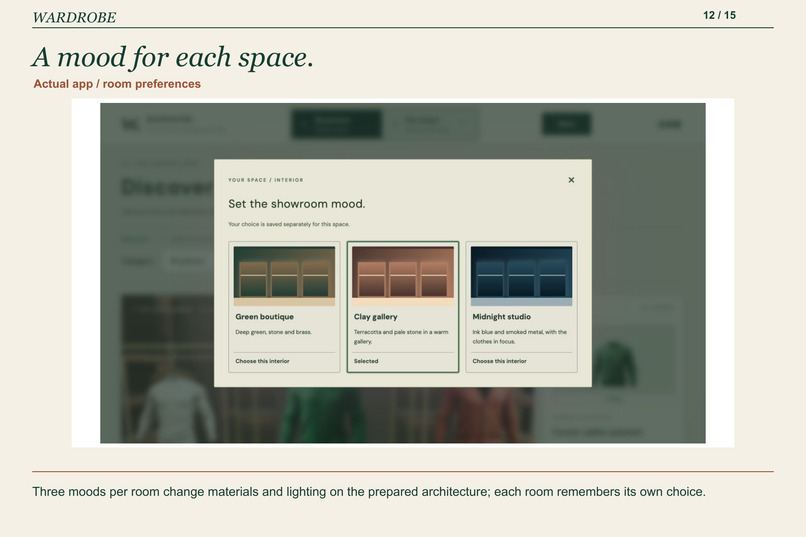
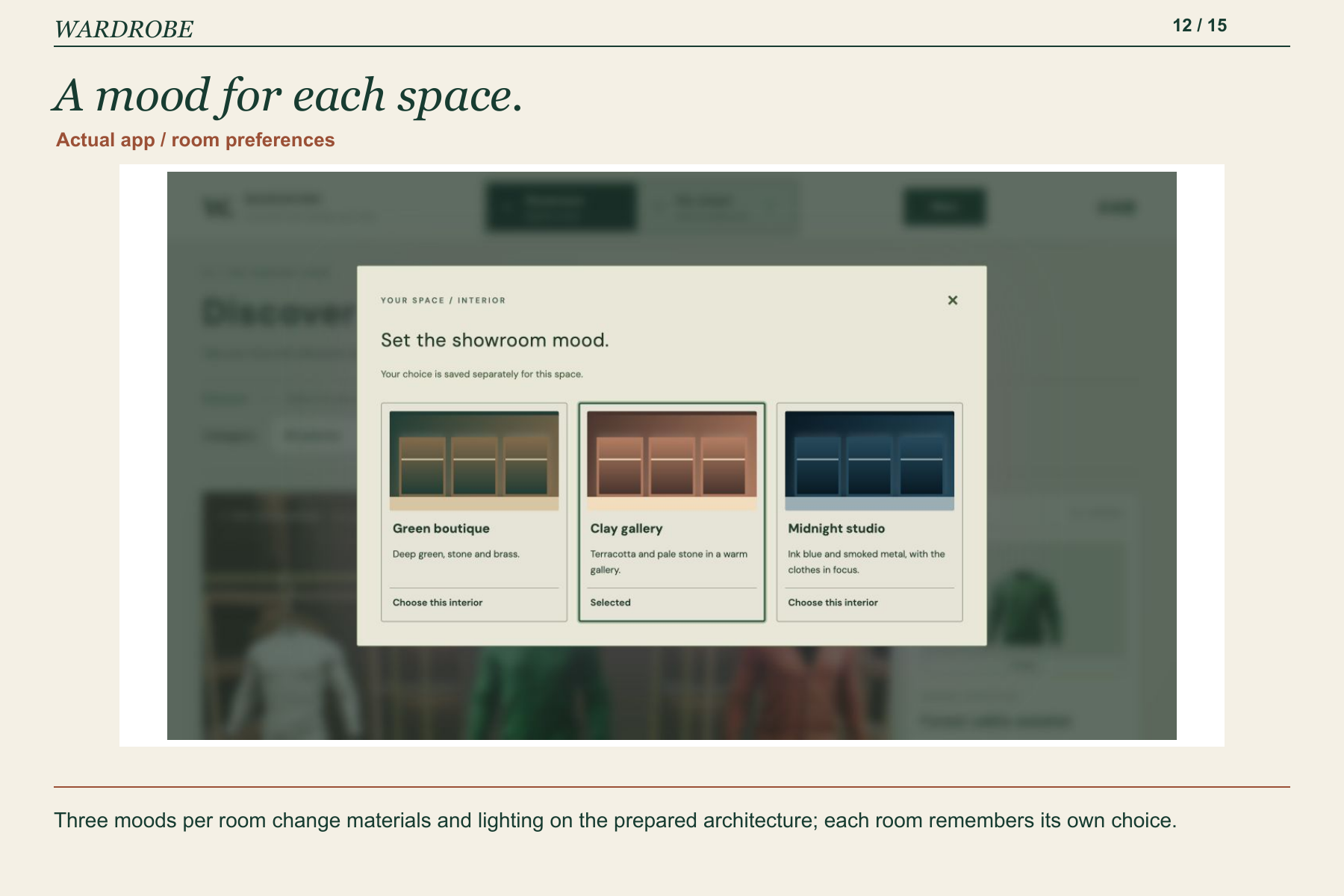
Three moods per room change materials and lighting on the prepared architecture; each room remembers its own choice.
-
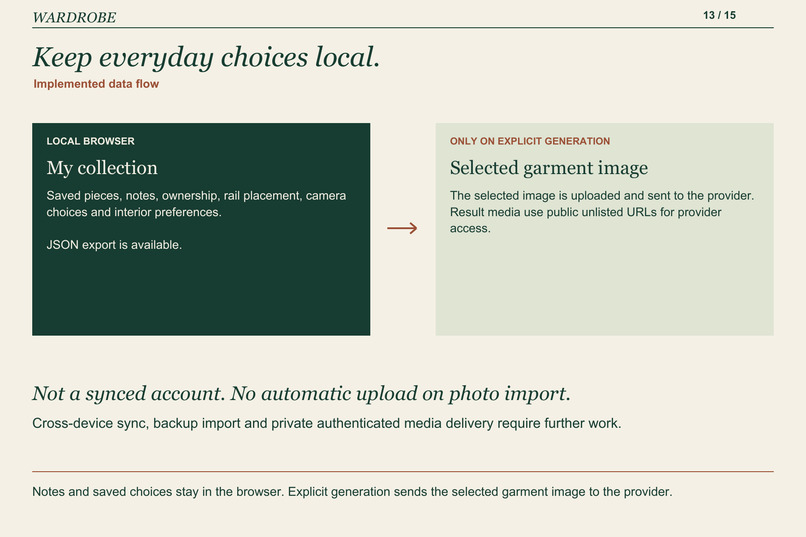
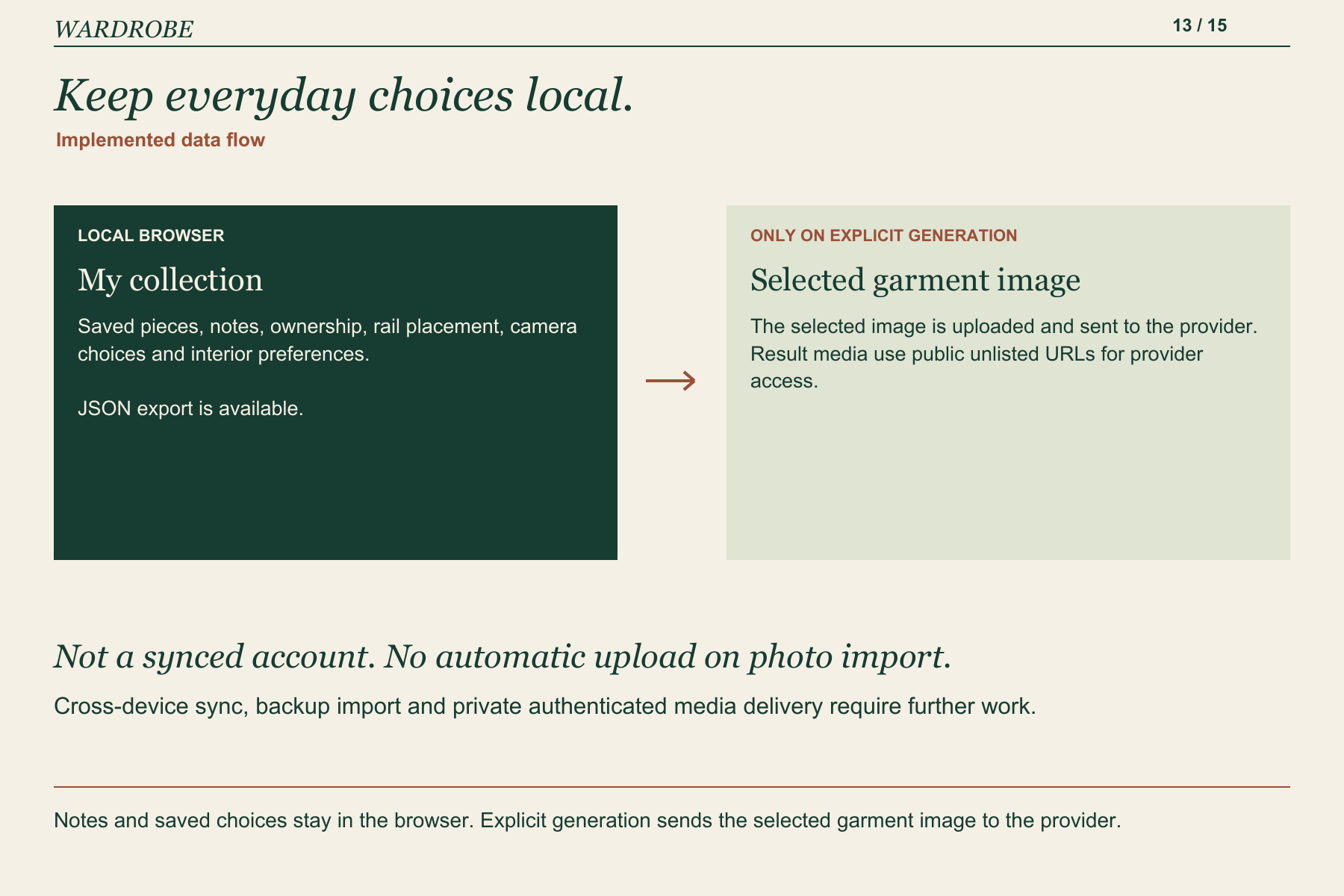
Notes and saved choices stay in the browser. Explicit generation sends the selected garment image to the provider.
-
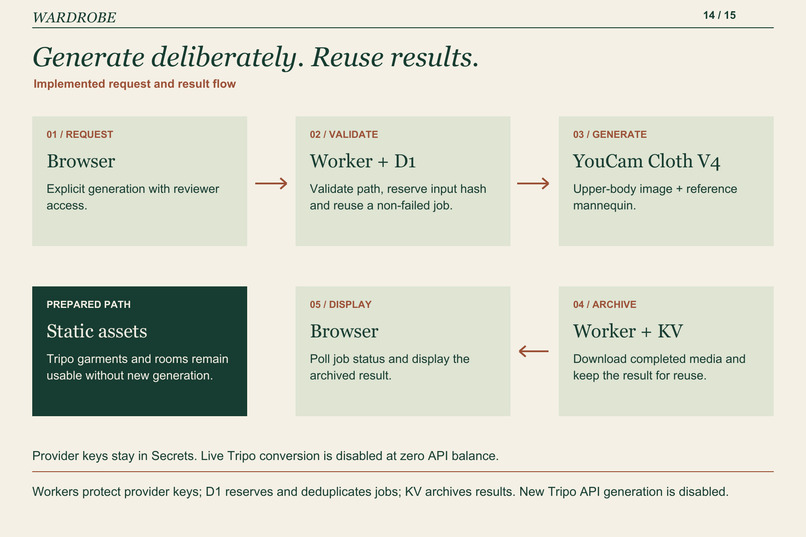
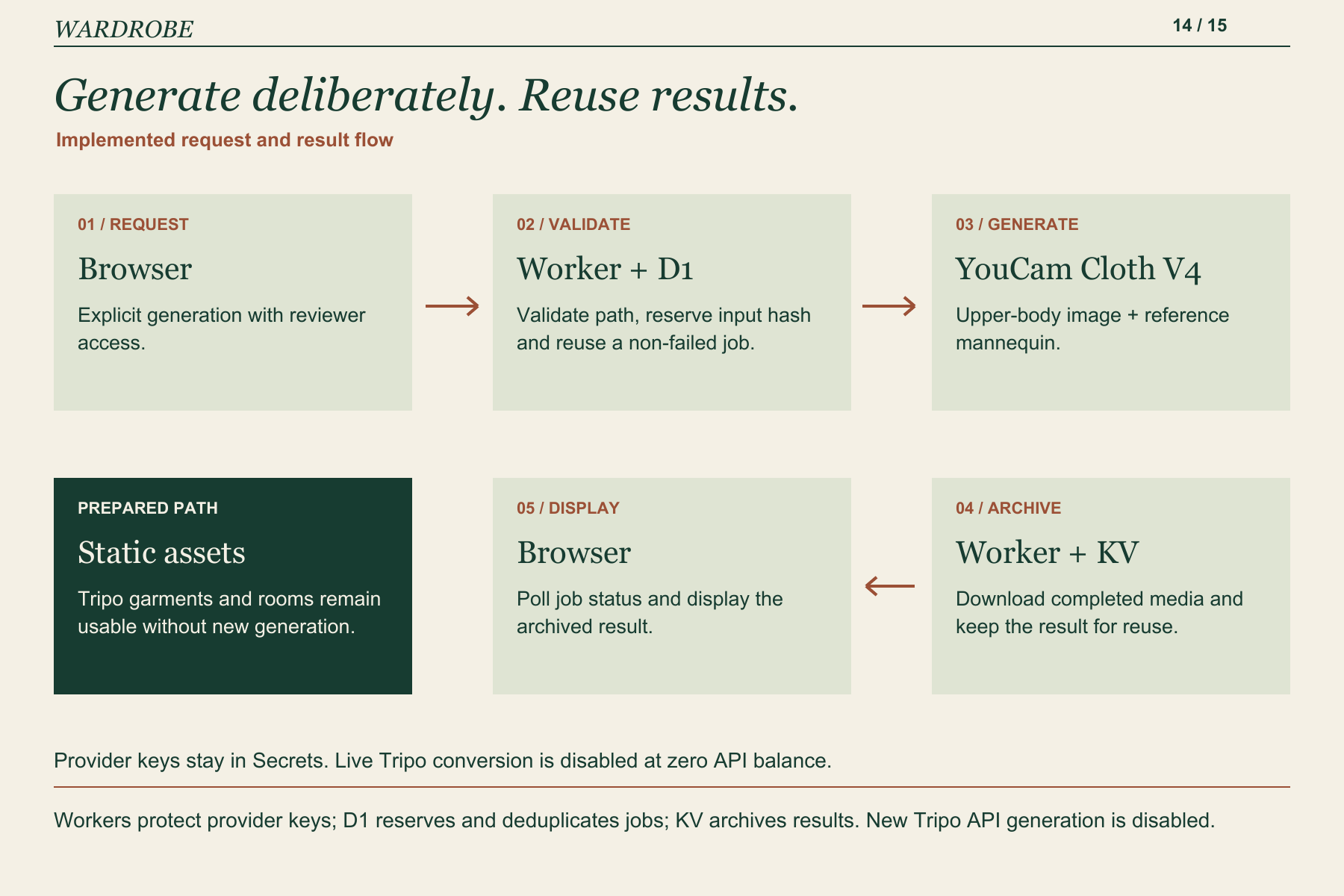
Workers protect provider keys; D1 reserves and deduplicates jobs; KV archives results. New Tripo API generation is disabled.
-
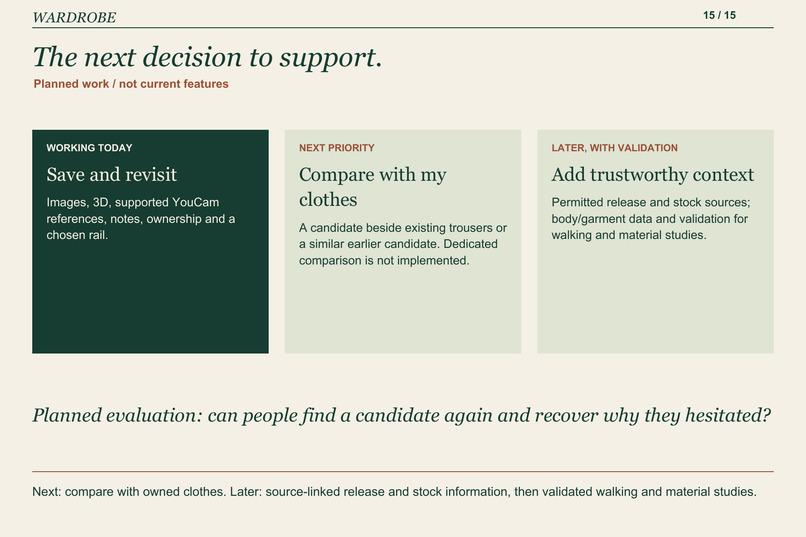
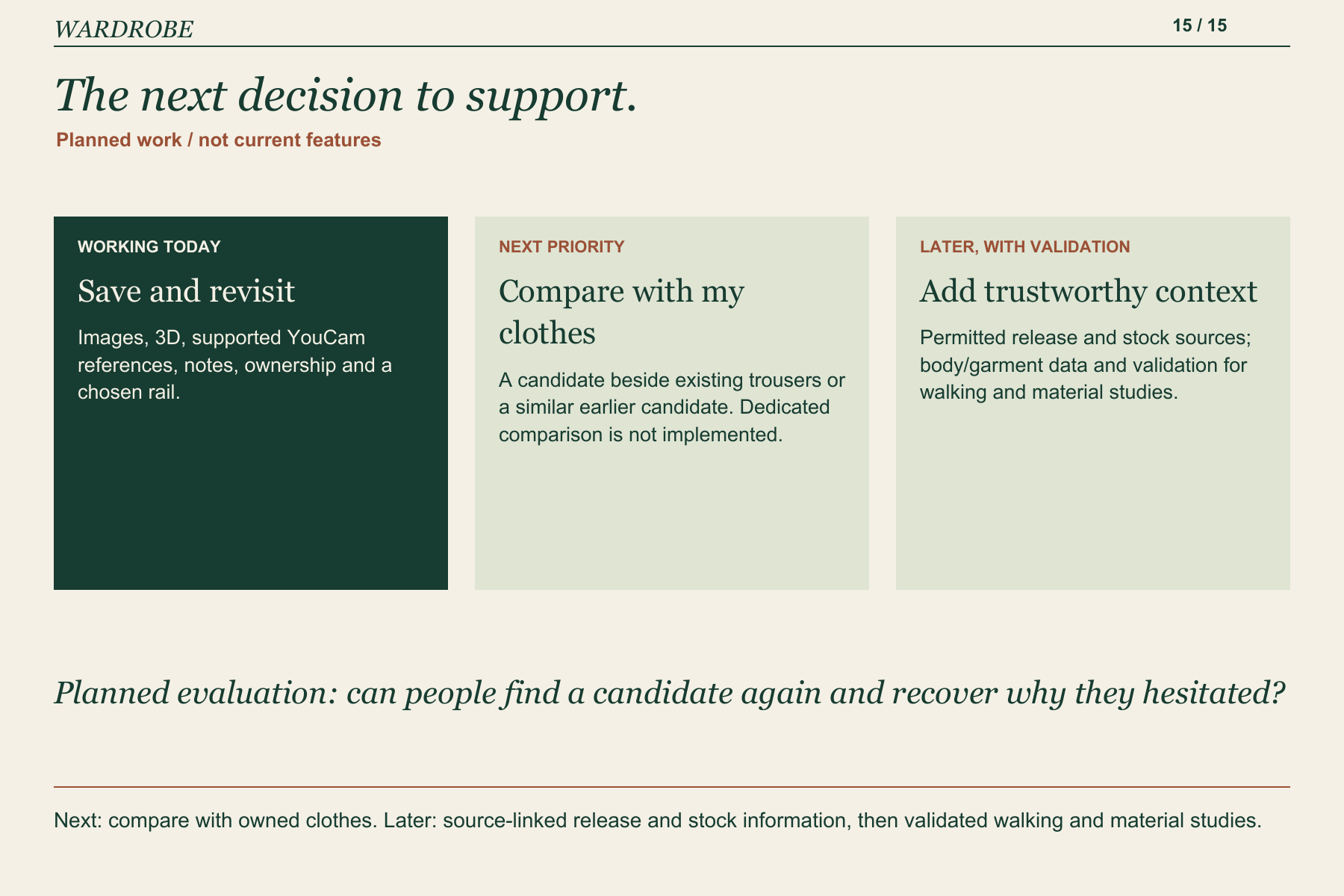
Next: compare with owned clothes. Later: source-linked release and stock information, then validated walking and material studies.
WARDROBE: keep the context, not just the picture
WARDROBE is a bilingual fashion web app for the moment between discovering a piece and deciding whether to buy it. It combines a 3D Showroom, YouCam try-on references and a personal walk-in closet, where a garment can keep its place, a note and its owned status. The current prototype makes it possible to discover, save and revisit a piece. Comparing it intelligently with an existing wardrobe is the next step.
My starting question was personal: will this go with the trousers I own, and do I already have something similar?
Inspiration: the purchase I never made
I found a piece I liked in a clothing shop. I wanted to think before buying, so I took a photograph. Later, that picture was mixed in with unrelated photos. I could not easily find the garment again, and the clothes I already owned were only an incomplete picture in my head. I also remembered considering something similar before, but could not remember where.
I kept hesitating. In the end, I did not buy the piece, and the garment or the size I needed sold out. The problem was not simply forgetting to press a save button. I had lost the context needed to decide: what I liked, what I would wear it with, whether it repeated something I owned, and where I could return to it.
I also receive new-piece recommendations from a sales associate through LINE. Those messages, shop photographs and brand websites are useful, but they live in different places. Fashion is something I enjoy, alongside interiors and art. I wanted a place that makes revisiting clothes feel intentional, without turning the project into a general room-decorating tool.
This is one person's experience and the motivation for the prototype. It is not a user-study finding or evidence that everyone shops this way.
Who it is for, and what it should help them do
The first audience I have in mind is someone who enjoys clothes, encounters candidates across shops and messages, and wants time to consider a purchase. A useful first outcome is modest and observable: they can return to a saved garment, recognise it, recover their note and distinguish it from something they already own.
WARDROBE gives a piece three kinds of context:
- Visual context: its reference image, an explorable 3D interpretation, and a YouCam wearing reference where supported.
- Personal context: why it was saved and whether it is already owned.
- Spatial context: a chosen rail in a personal closet, with a view the visitor can return to.
The consumer value is in connecting these steps. A try-on image need not become another loose image in a camera roll; it belongs to a piece that can be saved and revisited. The current app does not retrieve LINE messages or retailer catalogues. Those sources explain the problem, not an integration already delivered.
Two spaces with different jobs
The Showroom is for discovery. Visitors explore a boutique-like space, select a garment and inspect its character through the image and 3D view. Supported pieces can also appear worn on a reference mannequin.
My Closet is for remembering. Only pieces the visitor deliberately saves become part of this space. The clothes themselves appear on the rails; mannequins stay in the Showroom. Saving a candidate and marking it as owned are separate decisions, so a wish does not silently become a possession.
The spatial idea comes from wanting to remember "the green knit on the right rail" instead of "a screenshot somewhere in my phone." Location is an additional retrieval cue, not a measured claim about memory improvement. A conventional collection view and source images remain available, so the visitor is not forced to use 3D for every task.
The rooms switch directly. Each keeps its own selection, view preferences and interior mood. A single Menu reaches the main destinations within two clicks and display controls within three. This refers to navigation, not to completing a form or generating a result in three clicks.
A complete first journey
- Discover a candidate. Open the collection, filter a category and select a garment. The collection includes 50 original designs across six categories, plus three earlier original vest colour studies.
- Explore its appearance. Move around the 3D view, retain the reference photograph, or change the light. For a supported look, open its saved YouCam result or prepared worn view.
- Keep the reason. Choose a rail and write a note, such as wanting to pair the piece with existing trousers. Mark it as owned only if that is true.
- Return to it. Open My Closet, select the piece and recover the note and location. The collection also offers All, Saved and Owned filters.
- Keep a copy. Export the local wardrobe as JSON. Backup import and cross-device synchronisation are not implemented.
This journey is available in English and Japanese. Personal selections, notes and ownership are saved in the browser. The app is designed for a desktop browser with WebGL; physical-phone performance has not been established.
YouCam: a wearing reference inside a longer decision
The integration uses YouCam Cloth V4 for upper-body garments, with a garment image and a generic reference mannequin. I wanted a starting point that does not require the visitor to arrange a full-body photo shoot. The mannequin is not a body scan or a reconstruction of the visitor. Entering height changes visual scale; a stored clothing-size preference does not establish garment fit.
Five prepared YouCam results are included: two knitwear looks and three vest colour studies. Those five looks also have prepared worn 3D views. Two of the worn models were generated in Tripo from their YouCam results. All 50 new designs have standalone garment geometry, but that does not mean every garment has a worn mannequin model.
The app also supports an explicit new YouCam request for a supported top image. A reviewer enters the private access code, chooses the garment and requests generation. The server starts a Cloth V4 task, the app polls its status, and a completed result is archived for reuse. Importing a garment photo alone does not send it to a provider. Dresses and bottoms are not presented as supported live upper-body try-ons.
YouCam is meaningful here because it adds a wearing impression at the point where a visitor is considering a piece. Tripo then supplies an explorable geometric interpretation for supported prepared looks. The source image, wearing image and geometry remain different references. None proves real size, stretch, drape, comfort or textile reflectance.
An original collection with a clear provenance
The 50 new designs include knitwear, shirts, tops, outerwear, dresses and jumpsuits, and trousers and skirts. They were generated separately in Tripo Studio for this demonstration. They explore visual qualities inspired by wool, linen, denim, satin and other materials; those descriptions are design intentions, not verified composition labels for physical products.
The final collection does not bundle a named fashion brand's product photographs or product models. Asset provenance records include generation prompts, provider asset IDs and file hashes. The boutique and closet architecture are also prepared Tripo assets, with local fixtures and supporting geometry. Three moods per room change the materials and light of that architecture; they are not six independently generated buildings.
Using original demonstration pieces lets the prototype explore the experience without inventing retailer stock, availability, release dates or commercial product claims.
How the application works
The frontend uses TypeScript, Three.js and Vite. It serves the prepared models and reference images as static assets from Cloudflare Workers. Supported mannequin motion and expressions use local rigging and runtime animation. Browsing, room switching, changing a mood and viewing prepared results do not require a new generation call.
The live generation path is separate:
- Cloudflare Secrets hold provider keys; the frontend never receives those keys.
- An authenticated request validates the garment-image path and reserves a generation job in D1 before contacting the provider.
- D1 gives each input a unique hash and records its job state. Repeated requests reuse an existing non-failed job or completed result instead of starting a duplicate generation.
- The app polls the provider-backed job. Completed media are downloaded and archived in KV, then served by the Worker.
- Image input validation restricts accepted app/media paths and rejects arbitrary external URLs. Uploaded images are limited to supported formats and size limits.
This is a working request-and-result flow, not only a gallery of prepared images. The private repository includes the source, assets, build instructions and testing guidance. The organiser's designated GitHub account has been invited; acceptance remains pending as of this review.
Live Tripo API conversion is implemented but disabled because its separate API balance is zero. Prepared Tripo Studio assets remain available. New YouCam requests use finite entrant credits, while the prepared journey remains usable without fresh generation. I am not assuming that judges have an unlimited API allowance.
Data choices that match the prototype
The personal collection is local to the browser and origin. Notes, owned status and spatial choices are not an account-based cloud wardrobe. A person using a different browser or clearing site storage should not expect the same collection to appear automatically.
Importing a photo is initially local. Explicit generation uploads the selected garment image and sends it to the chosen provider. Generation media are served from public unlisted URLs so the provider can retrieve them. Unlisted is not private access control. The demonstration is intended for garment images, not sensitive identity or body photographs.
The reviewer access code protects new generation. It is provided in the private submission instructions, not in public screenshots, this story or the source package. Account-based storage, private authenticated media delivery and retention/deletion controls would need further work for a broader service.
Challenges: making the space believable and usable
The first major lesson was that attractive generated objects do not automatically form a believable scene. A garment near a rail is not necessarily hanging from it. I revised the placement around a common rail, hook, hanger and garment reference. Tops use shoulder support; lower-body pieces use clip-style support. Pieces on a rail are spaced rather than stacked through one another.
I also removed independent garment bobbing and aligned mannequin feet with the plinth. Motion is restrained and comes from supported joints and facial targets. These are scene-layout and rigging decisions, not a cloth simulation, and they do not guarantee perfect geometry for every generated garment.
The second lesson was to keep the prototype useful while respecting loading time and generation cost. The room loads a bounded selection of visible garments, defers the other room's architecture and keeps a bounded cache of fetched model bytes. Preparing the catalogue avoids asking a visitor to wait for a fresh 3D generation every time they explore.
The third lesson came from testing the complete YouCam path. A new collection image displayed correctly in the UI but was rejected by the server's input validator because its subdirectory was not allowed. I added narrow support for that path, with regression coverage that still rejects external URLs and unexpected paths. A successful gallery view had not proved that generation worked.
What I checked, and what remains uncertain
The recorded application revision passed TypeScript checks, a production build and 14 automated tests covering catalogue/storage behaviour, image URL validation and garment-display placement. Browser review covered saved notes after reload, multiple pieces on a rail, a long dress, clip-supported trousers, supported worn looks, prepared YouCam results, interior switching and both interface languages. Two live YouCam requests were verified after redeeming the contest units.
These checks support the demonstrated workflow. They are not an exhaustive audit of all 50 meshes, a device-performance benchmark, a fit-validation study or a shopper-outcome study. I have not measured conversion, return reduction, purchase confidence or memory improvement.
What comes next: the comparison I wanted in the shop
The next product priority is to put a candidate beside the trousers I already own, or beside a similar piece I considered earlier. I want the reason for hesitation, shop, size and release information to stay with that decision. Free-form notes and ownership already provide a starting point; a dedicated comparison workflow and structured shop/size/release fields are not implemented.
I would then connect permitted brand and retailer sources, with a visible source and time of last check, for release and size-availability information. A scheduled morning check could report discoveries after a scan; an immediate release alert would require a suitable live feed or more frequent checking. An AI inference should not be presented as verified stock.
Walking silhouettes and richer material comparison are longer-term goals. They would require trustworthy body and garment data, calibration and validation. I would explore measurement input or low-friction capture without making a full-body photograph a requirement, but the current app does not reconstruct a body or simulate clothing on it.
To evaluate the next iteration, I would ask whether someone can find a saved candidate again, recover why they hesitated and distinguish it from what they own. I would also test whether comparison changes the information they use to decide, rather than assuming that a more elaborate 3D scene is inherently more helpful. Those evaluations are planned, not completed.
WARDROBE starts with a practical promise: give an interesting piece a place, and keep the context needed to return to it. The aim is to help someone choose with intention, including deciding not to buy.
Built With
- cloudflare-d1
- cloudflare-kv
- cloudflare-workers
- three.js
- tripo-ai
- typescript
- vite
- youcam-api

Log in or sign up for Devpost to join the conversation.