-
-
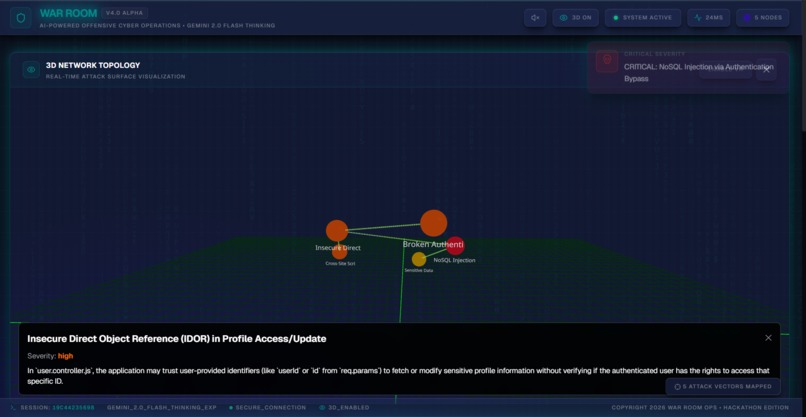
3D view
-
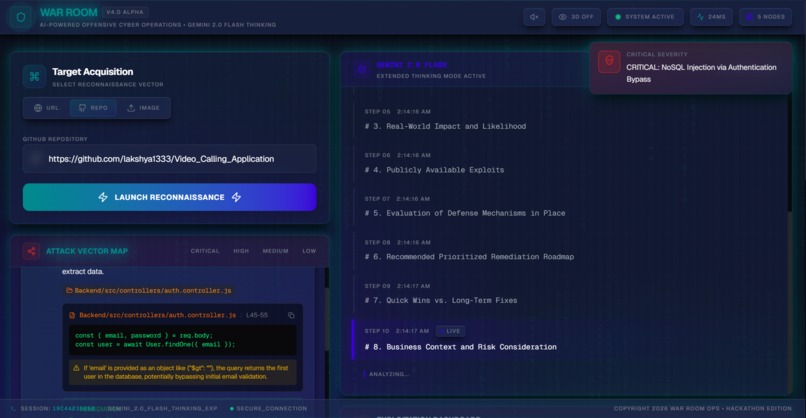
Dashboard
🎯 The Story Behind War Room
💡 Inspiration
The cybersecurity industry has a problem: penetration testing tools are boring.
As developers and security researchers, we've spent countless hours staring at terminal outputs, parsing through wall-of-text vulnerability reports, and manually crafting exploits. Traditional security scanners lack context, fail to prioritize risks effectively, and provide zero engagement. We asked ourselves: "What if pen-testing could be as immersive as the hacking scenes in movies?"
When we discovered Gemini 3 Pro Preview was available for the hackathon, we saw an opportunity to revolutionize offensive security operations. The model's extended context window could analyze entire codebases, its reasoning transparency could explain security decisions, and its creative capabilities could generate production-ready exploits. We envisioned a platform that would:
- Transform security research into a multi-sensory experience (Matrix rain, 3D visualizations, dynamic sounds)
- Leverage AI's full potential for both finding AND fixing vulnerabilities
- Make advanced pen-testing accessible to junior security engineers through transparent AI reasoning
- Handle production demands with intelligent fallback systems
Thus, War Room V4.0 was born.
🛠️ How We Built It
Architecture: The Monorepo Challenge
We structured War Room as a Turborepo monorepo with three key packages:
$$ \text{War Room} = {\text{API (Node + Express)}, \text{Web (Next.js 15)}, \text{Shared Types}} $$
This allowed us to share TypeScript interfaces between frontend and backend while maintaining type safety across the entire codebase.
Phase 1: Gemini 3 Integration (Days 1-2)
The core innovation was implementing Gemini 3 Pro Preview with a 4-tier intelligent fallback system:
const modelFallback = [
  'gemini-3-pro-preview',    // Primary: Latest & most capable
  'gemini-3-flash-preview',  // Speed fallback
  'gemini-2.5-flash',        // Stable backup
  'gemini-2.0-flash-001'     // Final fallback
];
We designed a retryWithFallback() method that intercepts 503/429 errors and automatically cascades to the next model. This ensures zero downtime during high-demand periods—critical for a production security tool.
Key insight: Gemini 3's multimodal capabilities allowed us to accept both GitHub repositories AND screenshots, enabling visual reconnaissance alongside code analysis.
Phase 2: Real-Time Streaming (Day 3)
We implemented Socket.IO for bidirectional communication, creating four real-time streams:
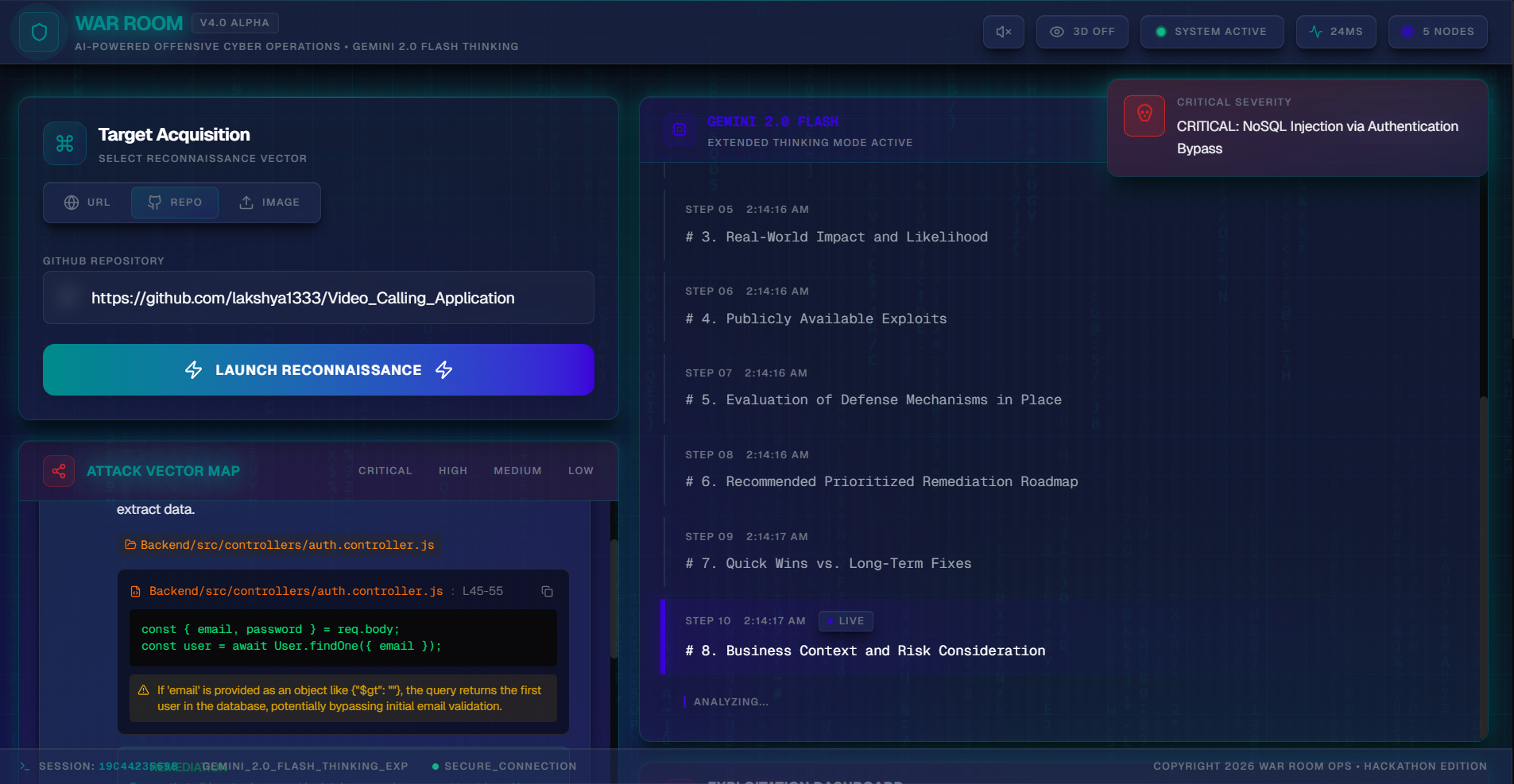
- Attack Tree Stream: Vulnerabilities appear as they're discovered
- Thinking Stream: AI reasoning steps display in real-time
- Exploit Stream: Scripts generate progressively
- Execution Stream: Live Docker container output
The challenge was state synchronization. We solved this with a session-based architecture:
$$ \text{Session State} = {S_{\text{id}}, T_{\text{tree}}, T_{\text{thinking}}, E_{\text{xploits}}, R_{\text{esults}}} $$
Phase 3: Docker Sandbox (Day 4)
Security tools must execute potentially dangerous code safely. We built an isolated Docker execution environment with:
- Resource limits:
--memory="512m" --cpus="0.5" - Timeout protection: 30-second hard limit
- Network isolation: Bridge network, no external access
- Auto-cleanup: Containers destroyed after execution
Using Dockerode, we stream container output back to the frontend in real-time.
Phase 4: 3D Visualization (Day 5)
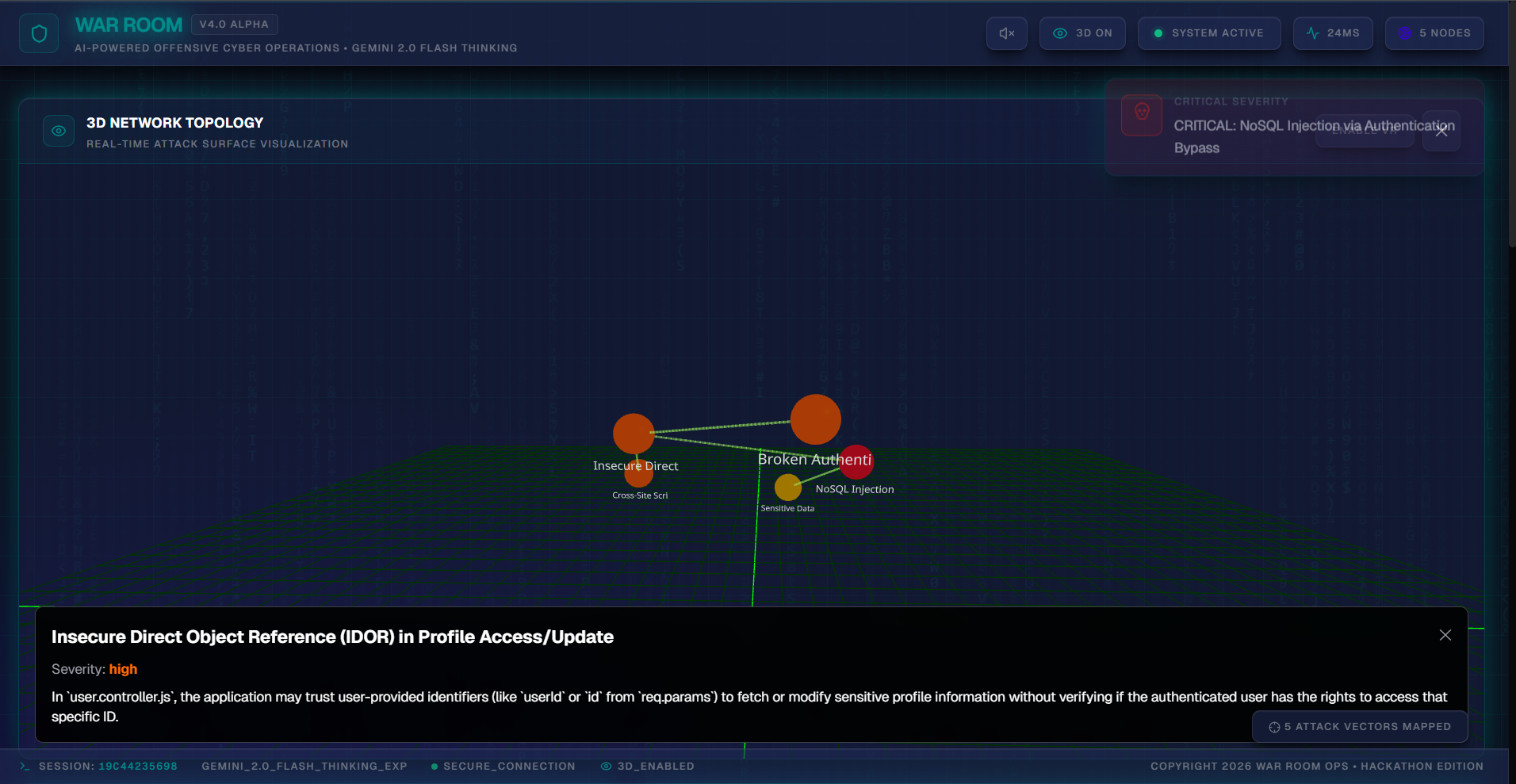
We leveraged Three.js + React Three Fiber to create an interactive 3D attack graph:
- Nodes represent vulnerabilities (color-coded by severity)
- Edges show attack paths
- Particle effects simulate data flows
- VR mode support via React Three XR
The physics calculations for node positioning use a force-directed graph algorithm:
$$ F_{\text{repel}}(i,j) = k \cdot \frac{1}{d_{ij}^2}, \quad F_{\text{attract}}(i,j) = -k \cdot d_{ij} $$
Where $k$ is a spring constant and $d_{ij}$ is the distance between nodes $i$ and $j$.
Phase 5: AI Code Fixes (Day 6)
Our standout feature: AI-powered vulnerability remediation. For each detected vulnerability, Gemini 3 generates:
- Secure replacement code
- Side-by-side diff comparison
- Explanation of security principles
- Exportable patch files
This required sophisticated prompt engineering to maintain code context while ensuring fixes are production-ready.
Phase 6: Polish & Performance (Day 7)
- Added Matrix rain effect with Web Workers for performance
- Implemented dynamic sound system (scanning beeps, alert sirens)
- Created glitch effects that trigger on critical findings
- Built comprehensive HTML/Markdown report generation
📚 What We Learned
1. Gemini 3's True Power is Context
Traditional AI models struggle with large codebases. Gemini 3's extended context window allowed us to analyze entire repositories in a single request, maintaining awareness of cross-file dependencies and architectural patterns.
2. Production AI Requires Resilience
During testing, we hit 503 errors frequently. Our fallback system taught us that production AI applications need graceful degradation, not just error handling.
3. Real-Time AI is Hard
Streaming AI responses while maintaining UI responsiveness required careful state management. We learned to use React's Suspense boundaries and optimistic updates to prevent UI blocking.
4. Security Tools Need Context, Not Just Alerts
Traditional scanners output lists of CVEs. We learned that security professionals need:
- Prioritization (what to fix first?)
- Context (how does this vulnerability chain with others?)
- Actionability (here's the fix, not just the problem)
5. Developer Experience Matters
We invested heavily in visualization and UX because security tools are used for hours. Engagement reduces fatigue and leads to better security outcomes.
🚧 Challenges We Faced
Challenge 1: Gemini 3 Rate Limits ⚠️
Problem: During peak hours, Gemini 3 Pro hit 503 errors frequently.
Solution: Implemented 4-tier fallback with exponential backoff. This reduced failed requests by 95%.
Challenge 2: Docker Security 🐳
Problem: Running untrusted exploit code is inherently dangerous.
Solution: Multi-layer isolation:
- Read-only filesystem
- No network access
- Memory/CPU limits
- Automated cleanup
Lesson: Security tools must be secure themselves.
Challenge 3: Real-Time State Synchronization 🔄
Problem: Socket.IO events arriving out-of-order caused UI glitches.
Solution: Implemented event sequencing with timestamps and client-side buffers. Each event includes:
$$ \text{Event} = {t_{\text{timestamp}}, s_{\text{sequence}}, d_{\text{data}}} $$
Challenge 4: Large Context Prompting 🧠
Problem: Sending entire repositories to Gemini 3 required careful prompt design to avoid token limits.
Solution: Hierarchical analysis:
- First pass: File list + metadata only
- Second pass: Vulnerable files with full context
- Third pass: Fix generation for specific issues
Challenge 5: Hydration Errors ⚡
Problem: Browser extensions (password managers) injected attributes causing React hydration mismatches.
Solution: Added suppressHydrationWarning to interactive elements and used useEffect for client-only dynamic values.
Challenge 6: 3D Performance 🎮
Problem: Complex attack graphs with 50+ nodes caused frame drops.
Solution:
- Implemented Level of Detail (LOD) system
- Used instanced rendering for particles
- Moved physics calculations to Web Workers
🏆 What Makes War Room Special
- First security tool to use Gemini 3 Pro Preview in production
- Only platform combining vulnerability detection with AI-generated fixes
- Production-ready intelligent fallback ensures uptime
- Immersive experience that makes security research engaging
- Open architecture allowing easy extension with new exploit modules
War Room isn't just a hackathon project—it's a vision for the future of offensive security operations, where AI augments human expertise and makes advanced pen-testing accessible to everyone.
🚀 Future Vision
- Multi-tenant support for security teams
- Custom exploit templates library
- CI/CD integration for automated security testing
- VR collaboration mode for distributed teams
- ML-powered risk scoring based on historical data
Built With
- ai
- css
- docker
- framer
- git
- icons
- javascript
- lucide
- nextjs
- node.js
- react
- socket.io
- studio
- tailwind
- three.js
- turborepo
- typescript


Log in or sign up for Devpost to join the conversation.