-
-
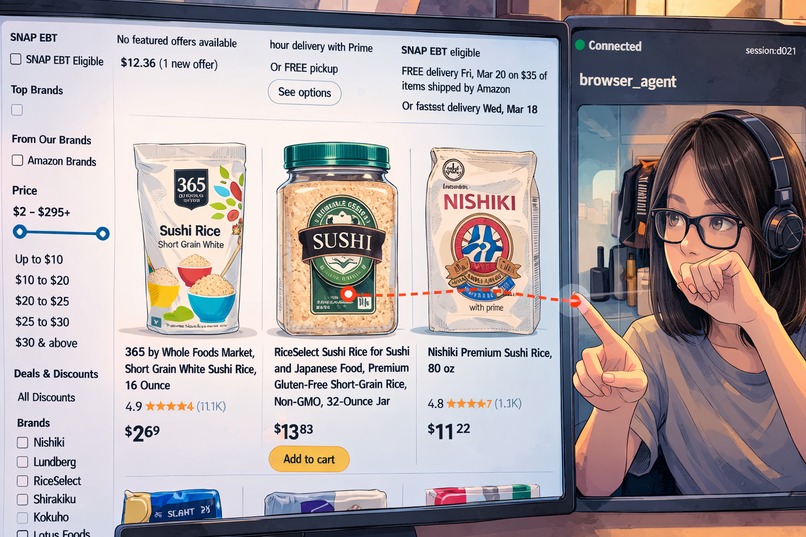
Wand -- A live agent that sees, browses, and clicks with you
-
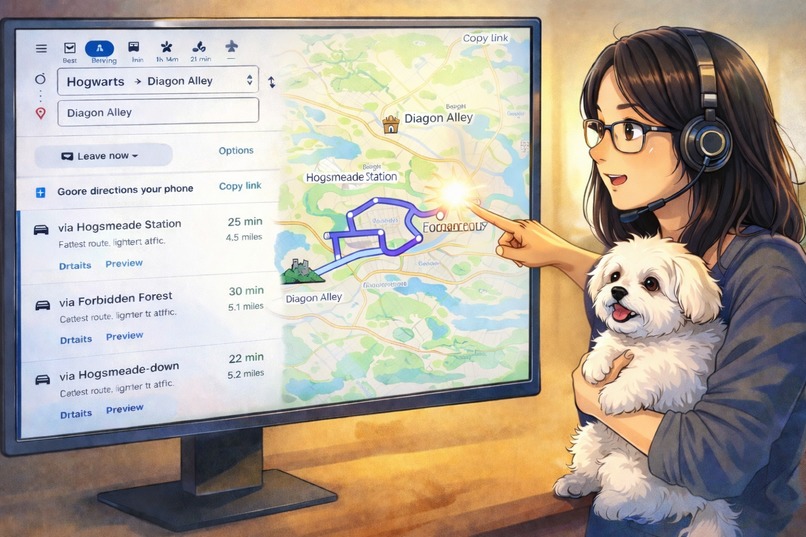
Wand: A new way to interact with the web
-
Wand server is deployed on GCP
-
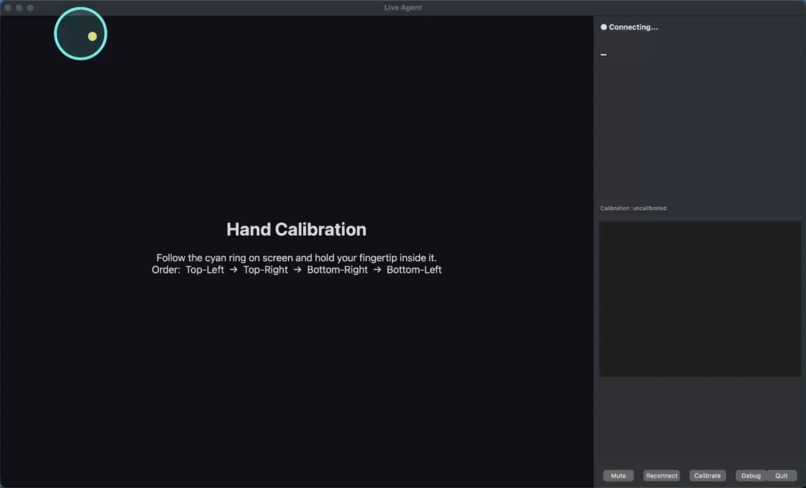
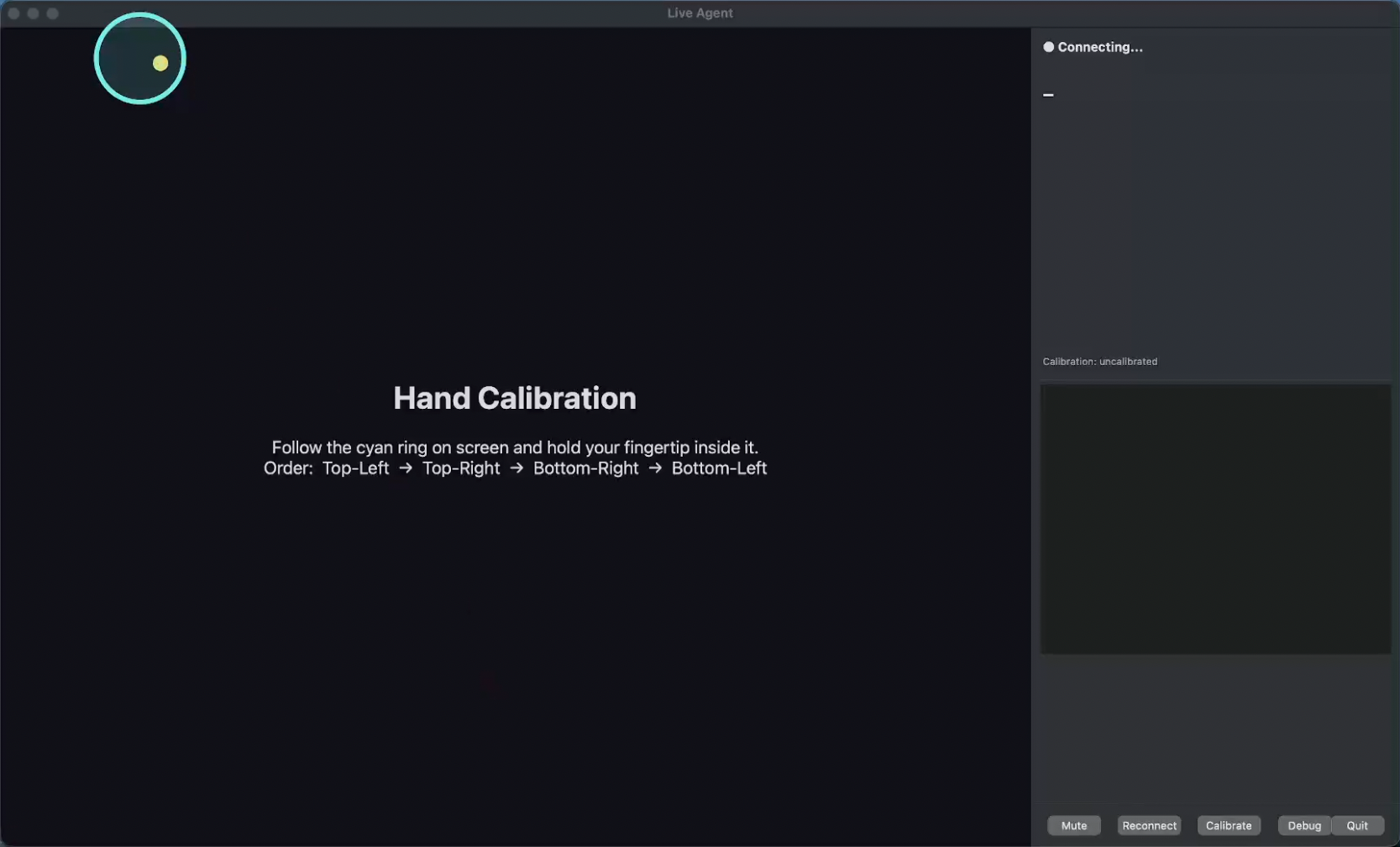
The real interface of Wand
-
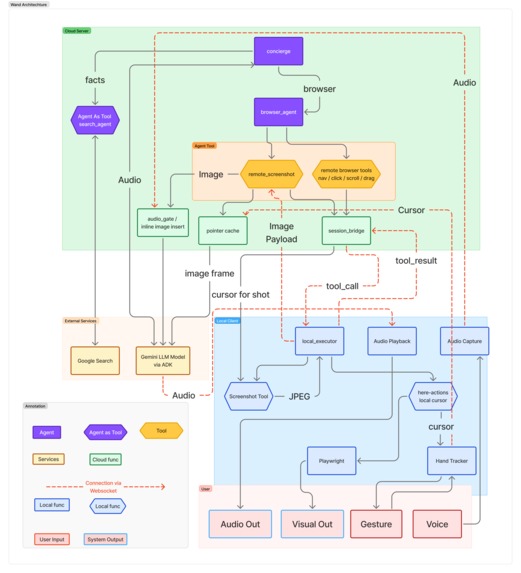
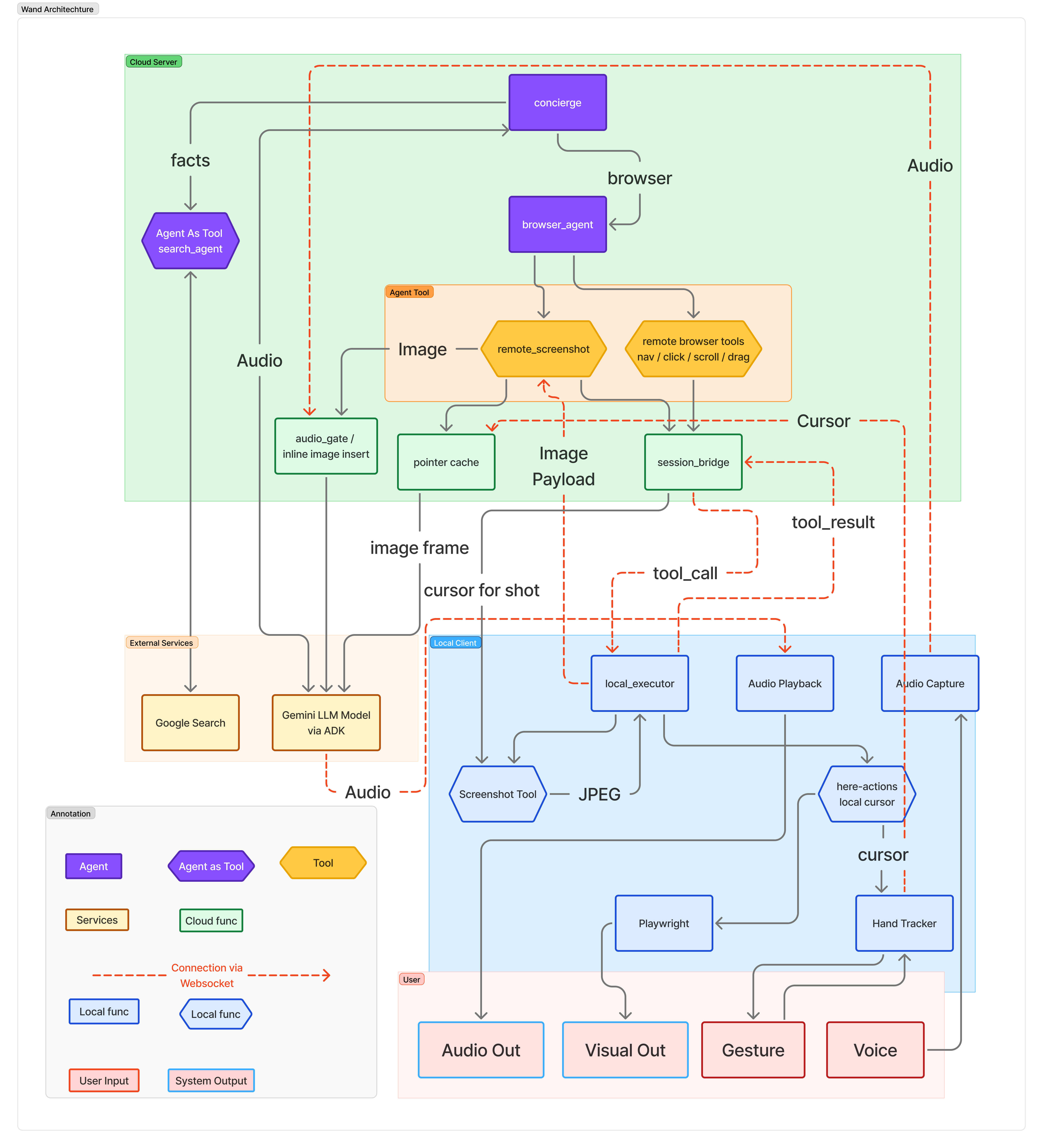
Architecture Diagram
Inspiration
For decades, humans have interacted with computers through keyboards and mice — despite AI now being capable of understanding speech, vision, and context in real time. We asked: what if you could just point at something on screen and say what you want? That question led to Wand.
What it does
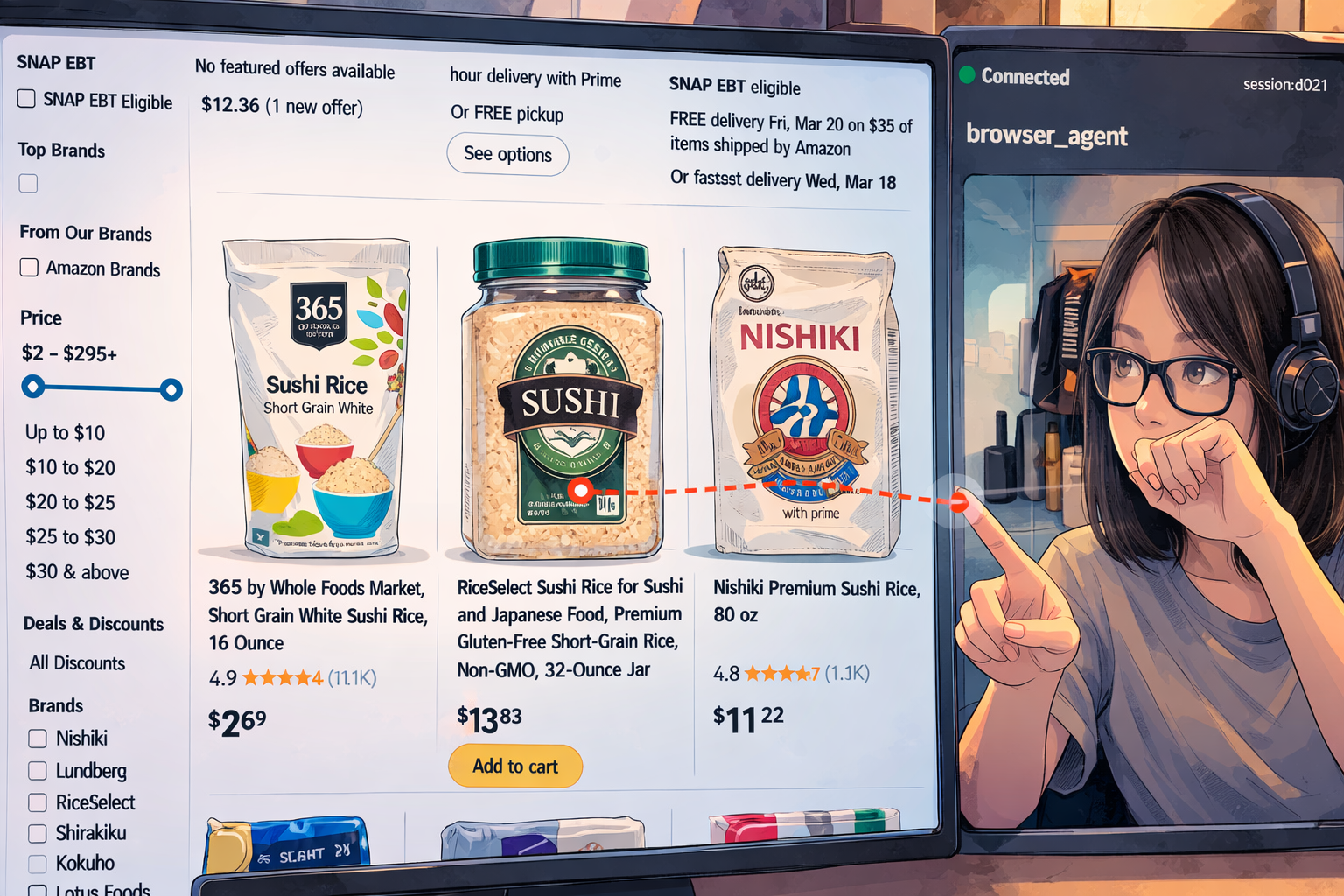
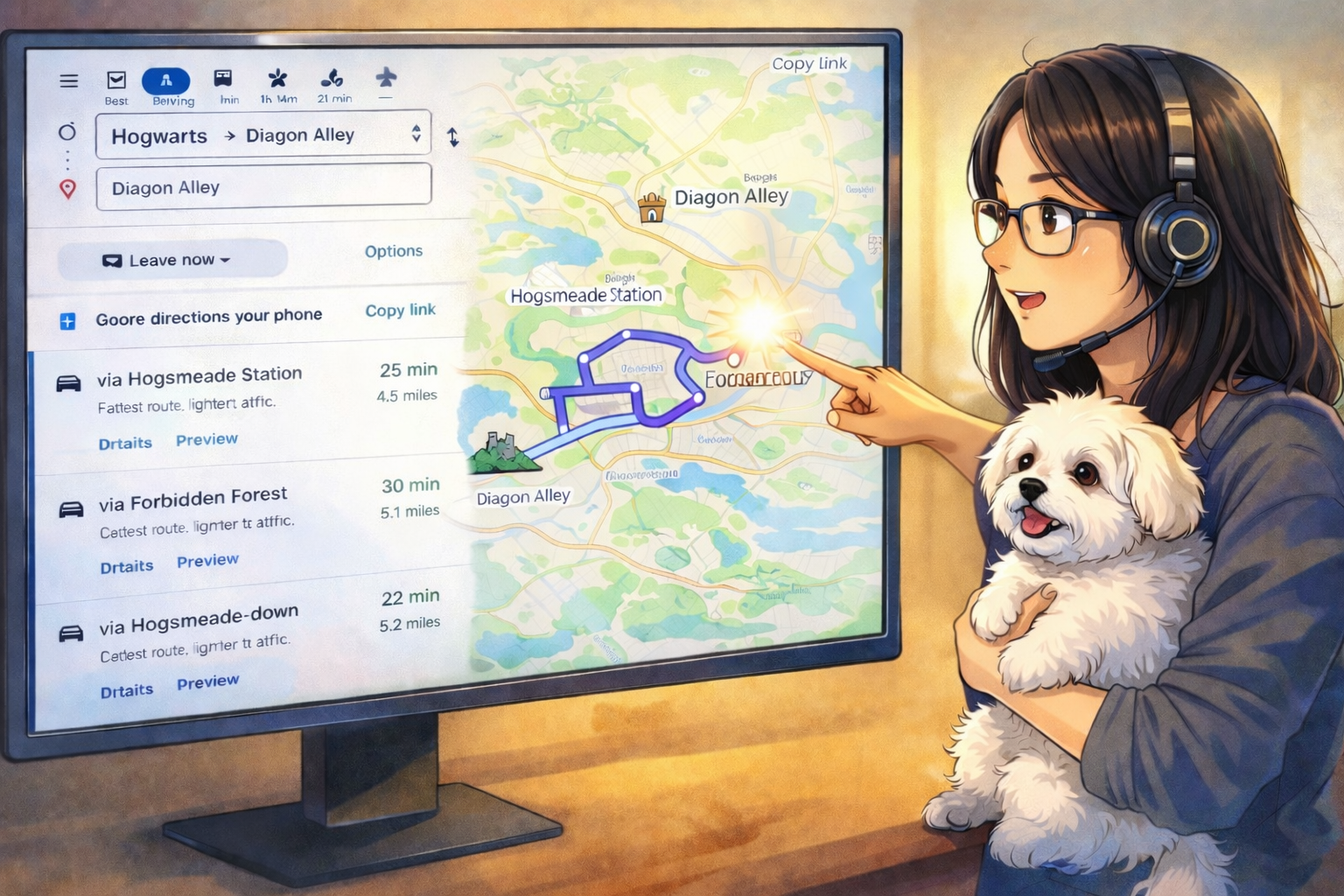
Wand is a voice-first, pointer-aware Live Agent who acts as browser assistant for any daily-use website — maps, video streaming, shopping, news, and general browsing. You speak naturally and point at things on screen with your hand — Wand understands both signals together.
- Say "search for hiking boots" → it navigates to online shopping webpage with the right query
- Point at a YouTube thumbnail and say "play this" → it clicks exactly where you're pointing
- Say "zoom in here" while pointing at a map → it scrolls at your cursor position
- Say "what is this?" while pointing at anything → it takes a screenshot, annotates it with your cursor position, and describes what's at the tip of your finger
- Say "who invented this?" → it answers via Google Search without touching the browser
How we built it
Wand splits execution across two runtimes connected by a persistent WebSocket:
Cloud Server (Google Cloud Run + FastAPI) runs a multi-agent pipeline powered by Google ADK:
- concierge (root agent, Gemini 2.5 Flash Native Audio) receives the voice stream and routes intent
- browser_agent (sub-agent, Gemini 2.5 Flash Native Audio) decides which browser action to take and calls remote tools
- search_agent (wrapped as an ADK AgentTool) answers factual questions via Google Search without opening a browser
Local Client owns everything physical — the microphone, speaker, webcam, and a Playwright-controlled Chromium browser. It streams PCM16 audio to the server, sends hand cursor coordinates, and executes browser actions locally when the server requests them.
Pointer-aware actions work through a split design: the server handles agent reasoning while the client resolves the actual pointer position at execution time, ensuring actions always target the freshest cursor location.
For visual queries, the system captures a screenshot annotated with the cursor position and injects it directly into the model's context.
Session stability required careful management of the real-time audio stream across agent handoffs. We built a transfer guard that temporarily pauses microphone input during agent transitions,
preventing stale audio from destabilizing the new agent's session.
Error recovery is handled automatically on the client side. The runtime runs a persistent reconnection loop — on any WebSocket disconnect or server error (including the APIError 1007 or 1011 crashes), the
client waits 2 seconds, rotates to a fresh session ID, and reconnects. The server creates a new ADK session on each connection. A manual reconnect button is also available in the UI for cases where
the user wants to restart the conversation immediately.
Challenges we ran into
Cloud-server + local client split — For easy distribution and light-weight client-side installation, we decided a split architecture where the agent reasons on the cloud while all physical interactions
happen locally, connected over WebSocket. But this separation introduced its own challenges: Gemini Live's built-in barge-in (interrupting the agent when the user starts speaking) assumes audio input and
output share the same session. In our split design, the user's voice is local while the agent is on cloud — we built a custom client-side playback guard to coordinate interruption across the
boundary.
Gemini Live cannot handle high frequency live video streaming — The agent runs on the cloud and has no direct view of the user's screen or cursor. Since the native audio model doesn't support continuous video input, we implemented two solutions: on-demand screenshots injected inline into the Gemini audio stream so the agent can "see" the screen when asked, and a continuous 20Hz cursor position stream so the agent always knows where the user is pointing.
Gemini Live session stability — Sessions would crash mid-conversation during agent transfers (APIError 1007). Orphaned audio chunks from the previous agent arriving at the new session's context
triggered the crash. We built a transfer guard (audio gate) that pauses the microphone stream during agent handoffs and flushes the audio backlog before the new agent takes over.
Agent prompt precision — Getting browser_agent to reliably distinguish "play this video" (click a thumbnail) from "pause" (toggle playback) required very explicit instruction. Search actions initially tried to click search bars and type; we fixed this by enumerating exact URL templates in the agent prompt.
Acoustic echo — The agent's own voice, played through the speaker, leaks back into the microphone and gets re-transcribed as new user input — causing the agent to repeat itself. We
attempted both acoustic echo cancellation (AEC with speexdsp) and RMS-based amplitude detection to distinguish echo from real speech, but neither worked reliably without sacrificing barge-in
responsiveness. Our current workaround: use headphones during demos to physically eliminate the feedback path. (whereas this still brought trouble when recording the demo video, as we need to use a virtual pipe to combine output and input sound track, which create echo problem again as the virtual pipe let agent hearing itself even in headphone. So we force built-in mic + headphone speaker for the live agent, but use headphone mic + headphone speaker to record demo)
Accomplishments that we're proud of
We are very proud of completing this general-purpose browser assistant that works across any webpage — not a narrow demo. Users can point at and interact with media players, images, buttons, figures, and text fields through natural speech, across maps, video, shopping, and news sites. Including:
- A working real-time voice + hand pointer system where you can point at any element on screen and act on it with natural speech
- A clean multi-agent architecture on Google ADK where each agent has a well-defined domain and transfers are transparent to the user
- The audio gate mechanism — a non-obvious fix that made the system stable under real usage
- The screenshot-to-Gemini pipeline — injecting a JPEG inline into Gemini's audio stream so the model can literally see what the user is pointing at
- Auto-recovery — when the session crashes (e.g. from Gemini Live APIError 1007), the client automatically reconnects within 2 seconds with no user intervention, keeping the experience
uninterrupted.
What we learned
- Diagnose before fixing — two early debugging sessions were wasted on wrong hypotheses. Adding structured logging at key points (audio state, cursor state, agent transfer events) immediately revealed the real causes.
- Which side owns what matters — the server/client split forced every design decision to be explicit: who reads the cursor, who executes the action, who owns the browser. Keeping this boundary clean
prevented a lot of subtle bugs. - ADK agent transfers need careful audio management — the Gemini Live API is sensitive to receiving content that belongs to a different agent's session context. The transfer guard pattern is likely
reusable for any multi-agent Live API system.
- Acoustic echo cancellation is harder than it looks — Yes we can mute mic to avoid echo-loop, but we don't want to, as we want to leverage Gemini Live ADK's barge-in feature. So we tried two approaches to prevent the agent's voice from looping back through the microphone. AEC (speexdsp) requires precise latency calibration between the reference signal (speaker output) and the mic input; even small timing errors leave audible residual echo. RMS-based amplitude gating can detect when the speaker is active, but the echo amplitude is close enough to real speech that any threshold aggressive enough to suppress echo also cuts off soft user voices. Neither approach worked without compromising barge-in responsiveness. The practical fix — headphones — eliminates the problem at the physical layer entirely.
What's next
Eye tracking — we're exploring replacing or complementing hand tracking with eye gaze detection as a more natural pointing modality, reducing the need for explicit hand gestures.
MCP integration — the current tool bridge between the cloud agent and local client is a custom WebSocket protocol. Adopting the Model Context Protocol would standardize this interface, making Wand's local capabilities (browser control, screenshot, cursor) discoverable and reusable by any MCP-compatible agent — not just the current Google ADK pipeline.
Cursor injection philosophy — the current client-side design clicks where the cursor is at execution time. An alternative server-side approach would target where the cursor was when the user spoke.
We're exploring both philosophies and a third option: screenshot-based coordinate mapping where the agent identifies the target visually.
Session memory — reconnects currently start a fresh session by design, trading conversation continuity for simplicity. The next step is persisting chat history so the agent can resume naturally after a disconnect.
Cross-screen support — pointer actions are currently limited to the display used for hand calibration. Supporting multi-screen setups is a natural next step.
Low-latency video control — on video pages, network round-trip latency can cause "pause here" to land at the wrong playback position. A dedicated media agent with awareness of video playback state
could compensate for this drift.
Built With
- agent-development-kit
- fastapi
- gemini
- google-cloud
- mediapipe
- opencv
- playwright
- python
- websockets


Log in or sign up for Devpost to join the conversation.