-
-
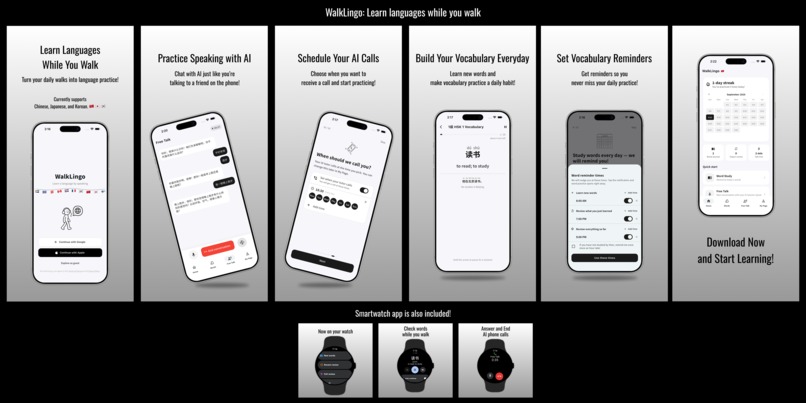
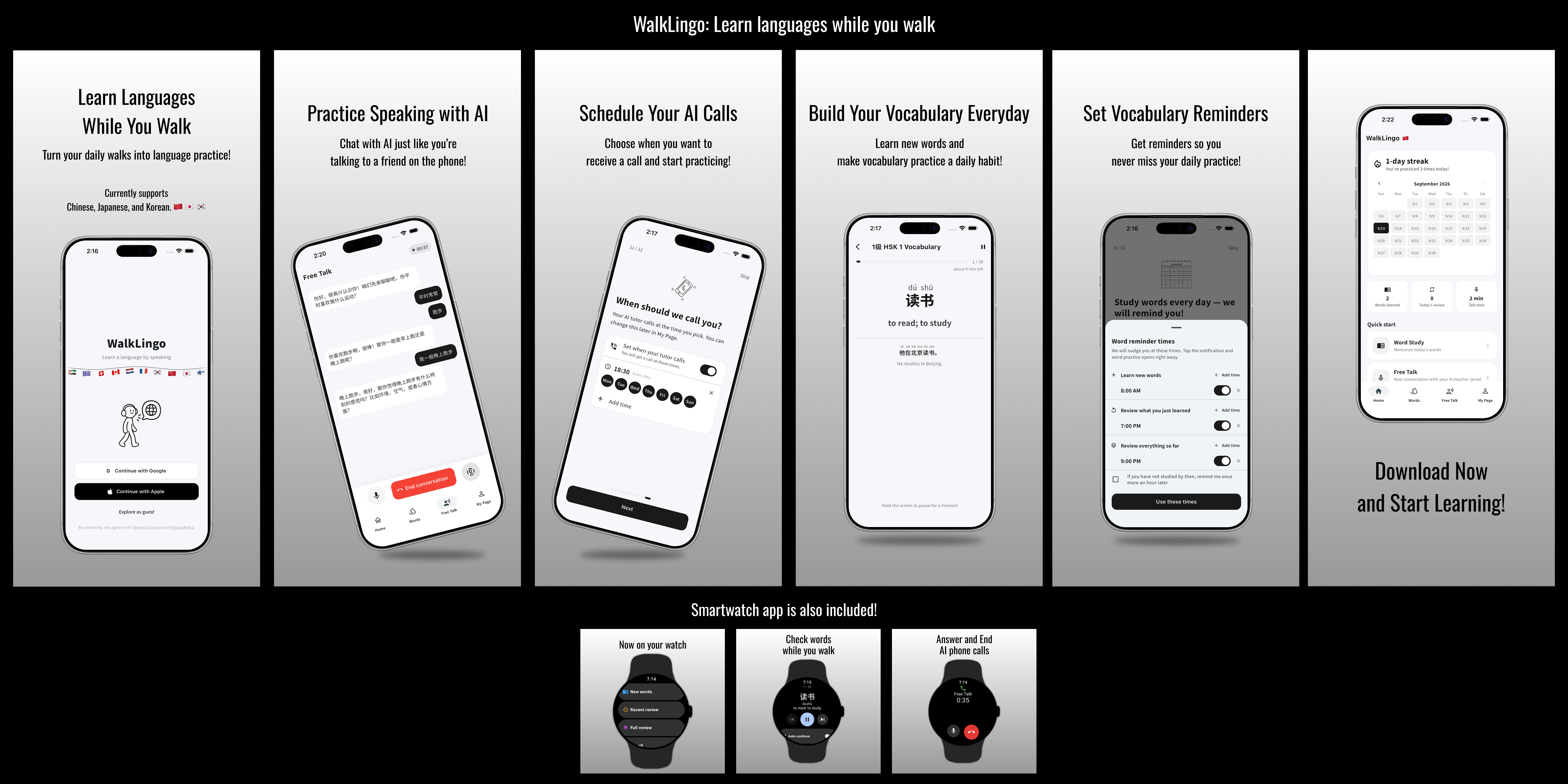
Screenshots of WalkLingo app.
-
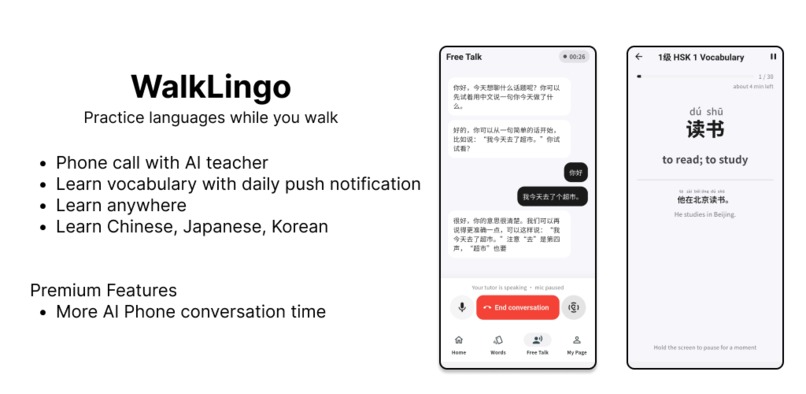
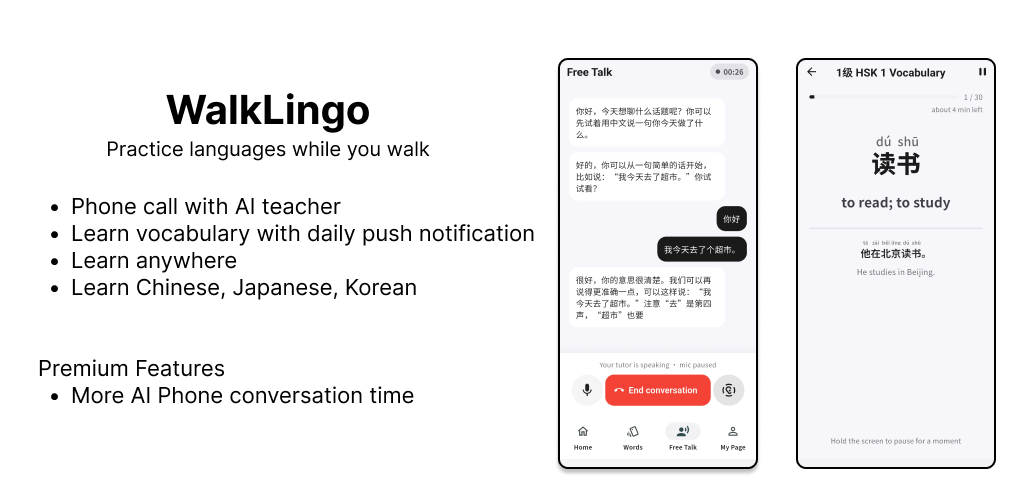
Feature graphics of WalkLingo app.
-

app icon
-
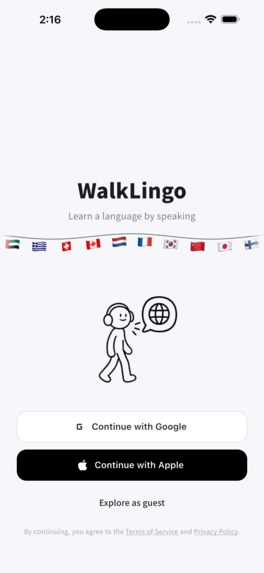
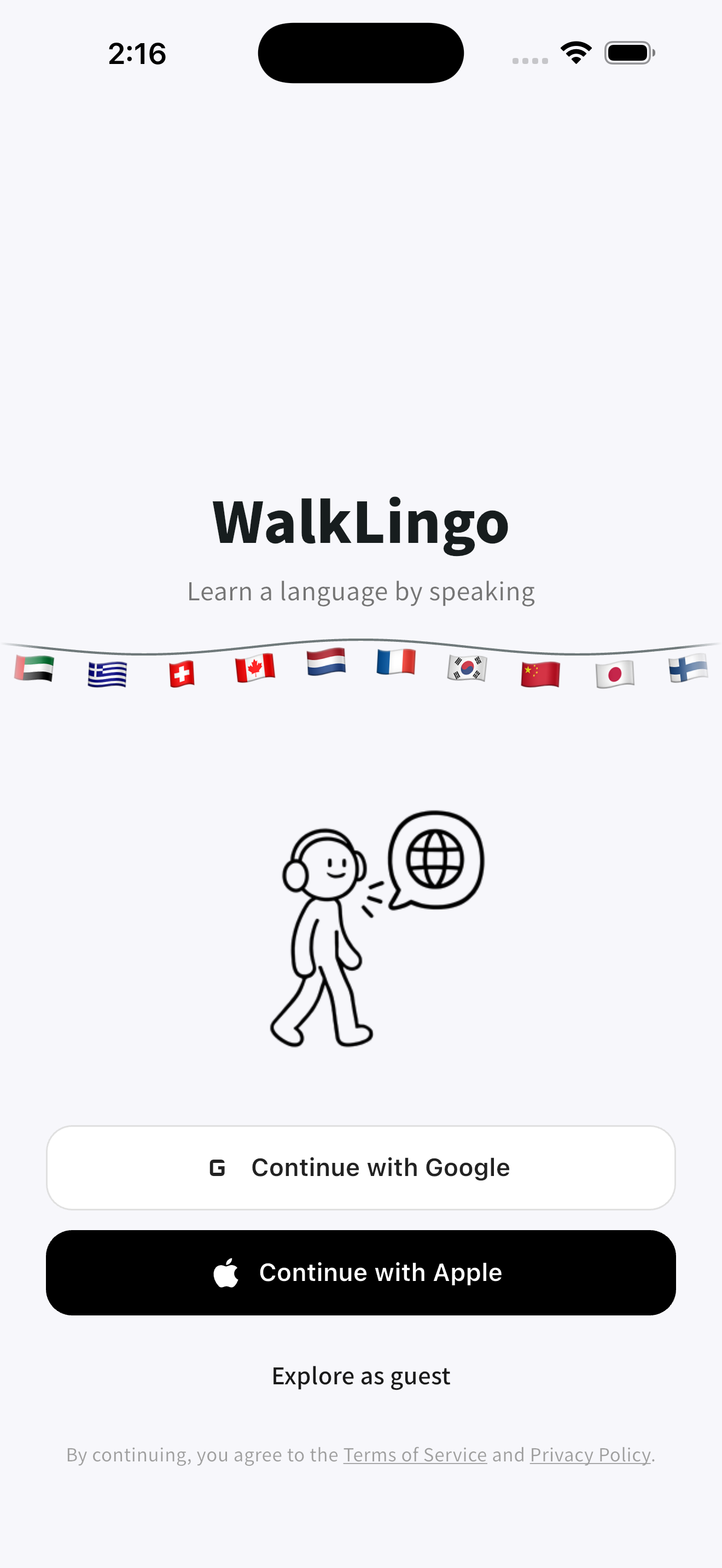
screenshot - start screen
-
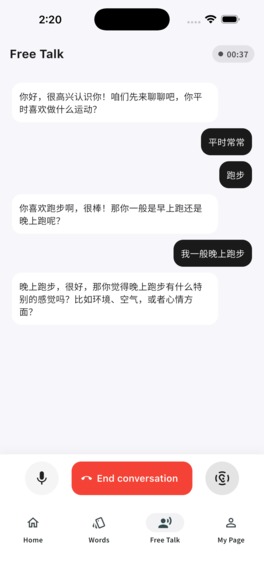
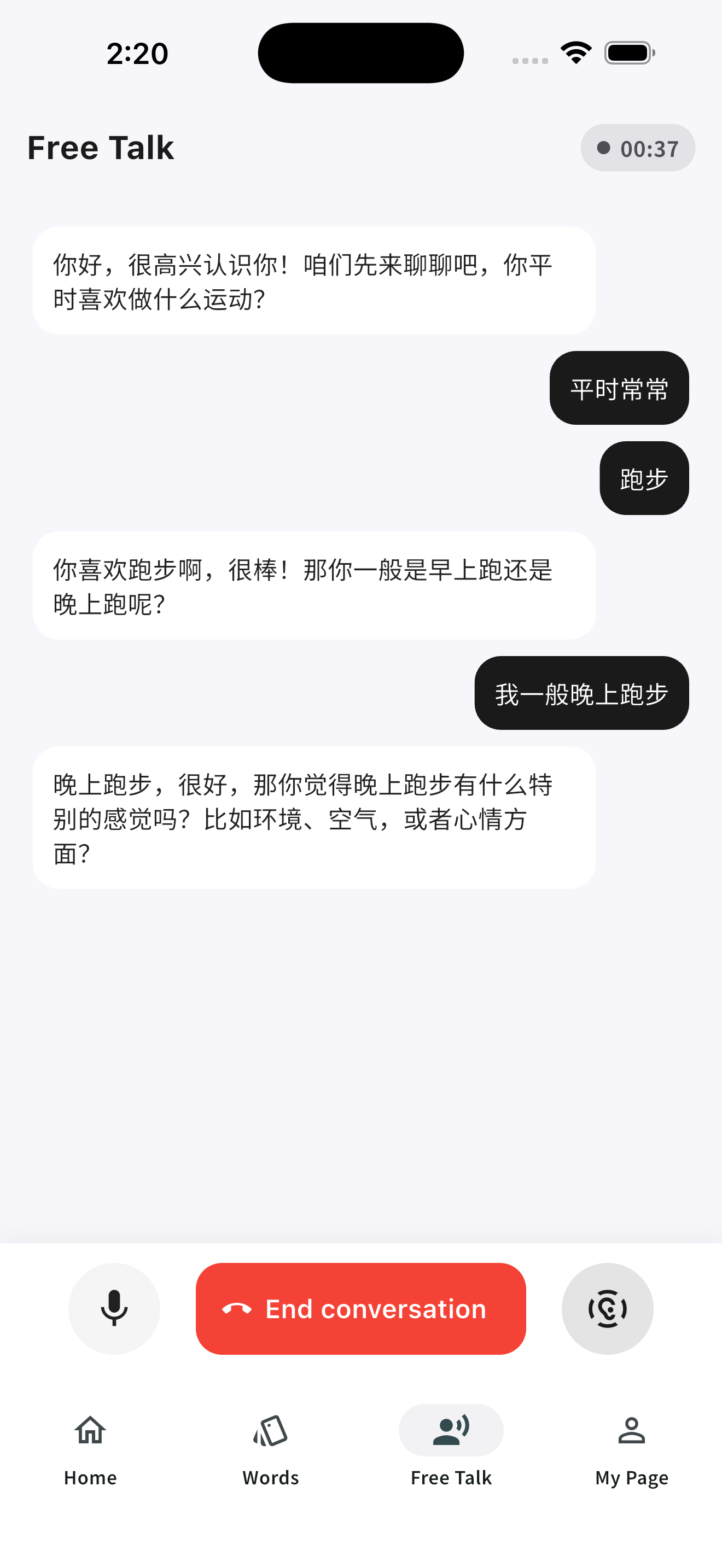
screenshot - ai phone call screen
-
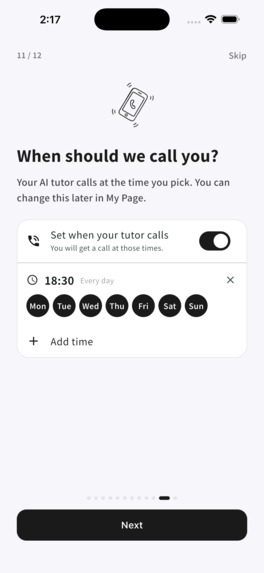
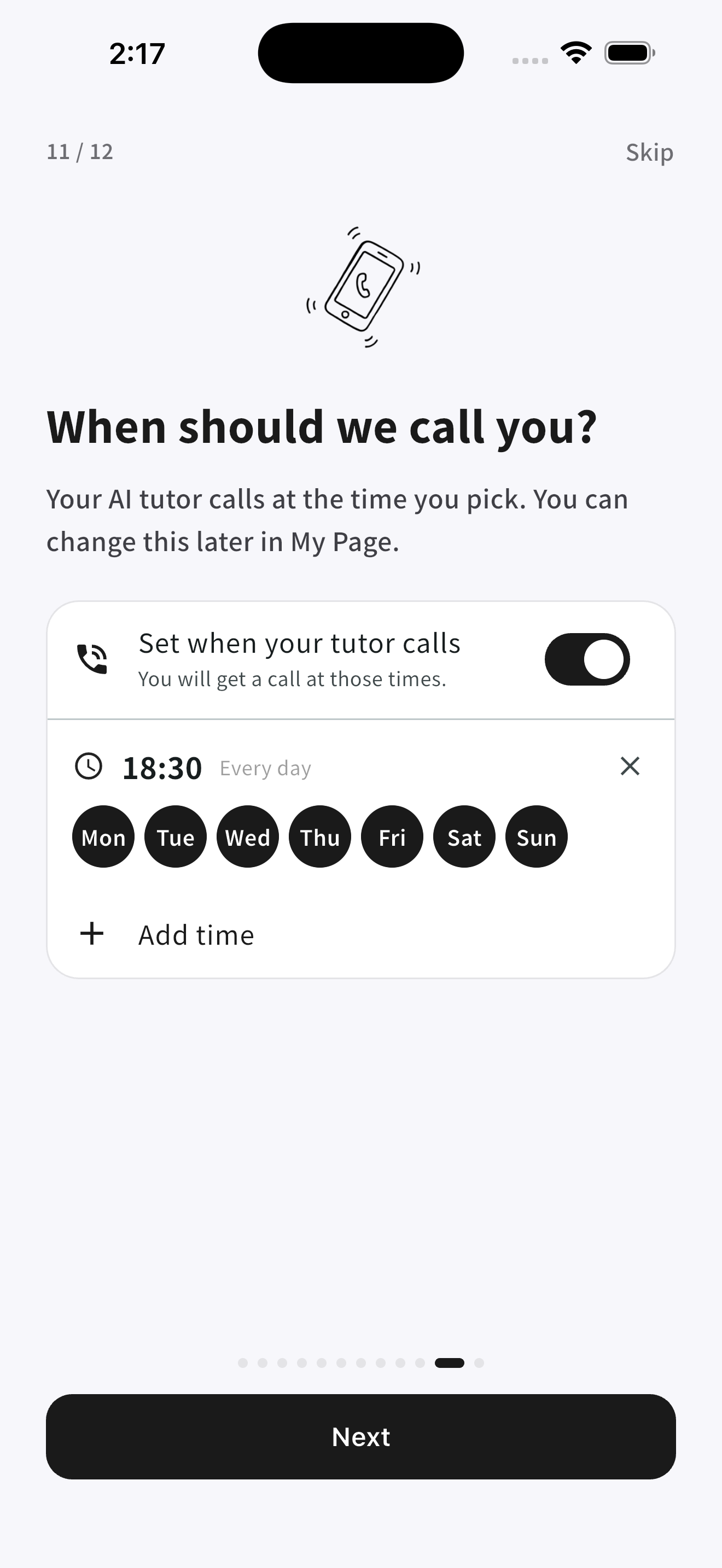
screenshot - phone call schedule screen
-

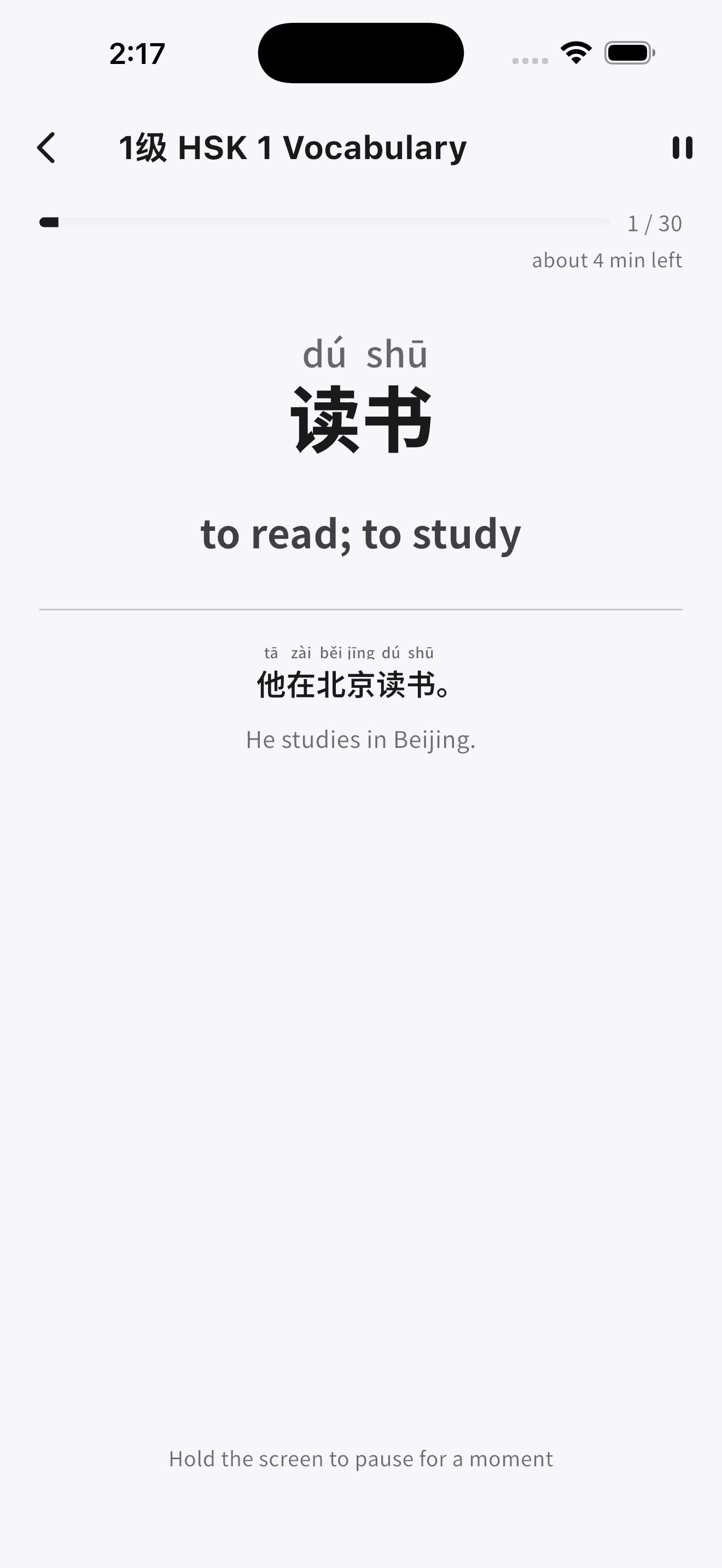
screenshot - vocabulary screen
-
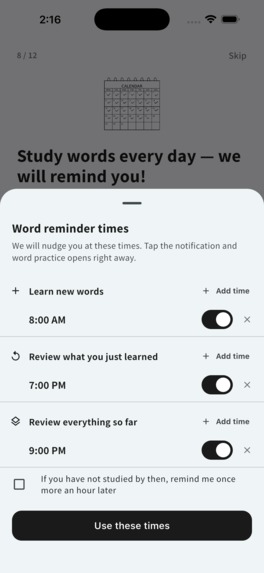
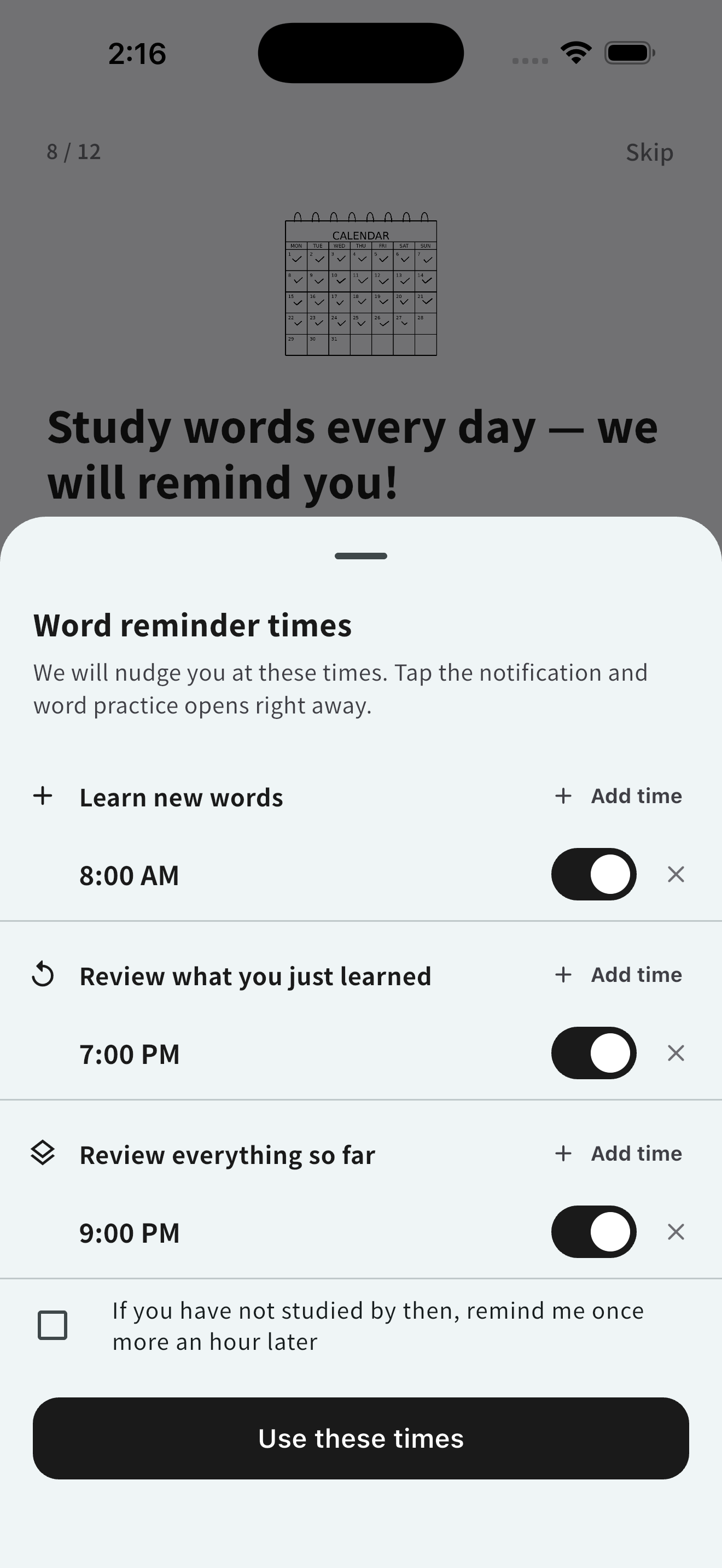
screenshot - vocabulary schedule screen
-
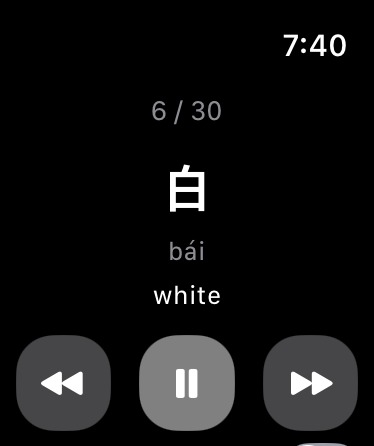
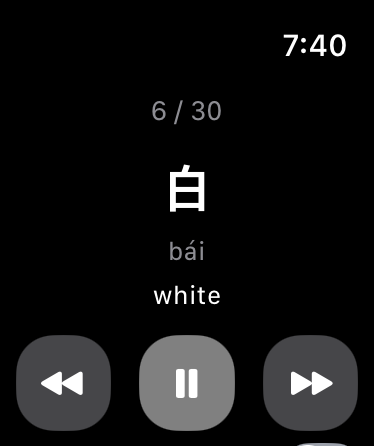
screenshot - watch app vocabulary screen

Inspiration
I love learning languages. I just hate having to sit down to do it.
I'm a software developer by profession and a language learner by passion. I've spent years studying languages like English, Mandarin Chinese, and Japanese.
But there's one problem: I already spend most of my day sitting in front of a computer.
After hours of coding, my back and neck are exhausted. And when it's finally time to study something I actually enjoy, the last thing I want to do is sit at another desk.
I started wondering: Why does learning a language have to mean sitting down and staring at a screen?
What if I could practice speaking a foreign language while taking a walk? What if I could turn my daily commute into a language lesson? What if studying felt more like calling a friend than doing homework?
That's why I built WalkLingo — a language-learning app designed to get you moving.
I wanted to create something I would genuinely use every day, not just another app that would end up forgotten on my phone.
What it does
WalkLingo turns your everyday movement into an opportunity to learn a language.
Instead of sitting in front of a screen, you can practice speaking, build your vocabulary, and improve your language skills while going about your day.
1. Talk to an AI language tutor, just like calling a friend
Imagine putting on your Bluetooth earbuds, stepping outside, and having a conversation with someone who patiently helps you practice a foreign language.
That's the experience I wanted to create.
With WalkLingo, you can have natural, voice-based conversations with an AI language tutor.
The best part? It works in the background.
You don't have to keep your phone unlocked or stare at the screen. Just put your phone in your pocket and keep talking.
Whether you're walking, jogging, or commuting, you can practice whenever you have a few spare minutes. You can even use it hands-free while driving, provided you can do so safely.
2. Learn vocabulary without sitting down
Speaking is important, but vocabulary is the foundation of language learning.
WalkLingo includes vocabulary learning features, with word lists for exams such as TOEIC, TOEFL, JLPT, HSK, and TOPIK.
Just like the AI conversations, vocabulary learning can continue in the background.
You can listen to words and their meanings while walking, turning otherwise unused moments into learning opportunities.
3. Learn right from your wrist
I also built companion apps for Apple Watch (watchOS) and Wear OS.
While testing WalkLingo myself, I realized something: sometimes hearing a word isn't enough. I want to see how it's actually written.
But pulling out my phone every time I encounter an unfamiliar word defeats the whole purpose of learning while walking.
So I brought vocabulary learning to smartwatches.
Now you can quickly glance at your wrist to check a word without interrupting your walk.
It's a small feature, but it makes the entire experience feel much more natural.
How we built it
WalkLingo was built using Flutter, Firebase, and RevenueCat, with native platform integrations to provide a seamless experience across smartphones and smartwatches.
Flutter — One codebase, multiple platforms
I chose Flutter to develop the iOS and Android applications from a shared codebase.
This allowed me to develop and iterate quickly while maintaining a consistent experience across both platforms.
I also developed companion applications for watchOS and Wear OS, allowing users to check vocabulary directly from their wrists.
Firebase — Backend infrastructure
Firebase provides backend services for WalkLingo, supporting the infrastructure needed to deliver the app's learning experience.
Incoming call UI — Making AI conversations feel like real phone calls
One of the core ideas behind WalkLingo was to make practicing a foreign language feel as natural as talking to a friend on the phone.
To achieve this, I integrated an incoming-call-style interface into the app.
Instead of simply opening a chatbot and pressing a microphone button, users can interact with an AI language tutor through a familiar phone-call experience.
I also implemented background audio functionality so users can continue conversations even when their phones are locked.
This was particularly important because WalkLingo is designed to be used without constantly looking at a screen.
Users can put on Bluetooth earbuds, put their phones in their pockets, and practice speaking while walking.
RevenueCat — Subscription management and monetization
I integrated RevenueCat to manage subscriptions and premium entitlements across iOS and Android.
WalkLingo currently offers three subscription tiers:
| Plan | Monthly | Annually | AI conversation time |
|---|---|---|---|
| Free | Free | Free | 10 minutes/month |
| Pro | $5.99 | $74.99 | 300 minutes/month |
| Max | $14.99 | $199.99 | 1,200 minutes/month |
The free tier allows users to experience AI conversations before committing to a subscription.
Pro and Max provide additional conversation time for users who want to practice more frequently.
RevenueCat makes it possible to manage subscription access across platforms and provides the foundation for WalkLingo's recurring revenue model.
My goal is to build more than a hackathon prototype. I want to create a sustainable product that continues helping language learners long after the competition ends.
Challenges we ran into
App Store reviews took longer than expected
One of the biggest challenges was getting the app through the store review processes.
WalkLingo was officially released on:
- September 21, 2026 — Google Play Store (Android)
- September 27, 2026 — Apple App Store (iOS)
The iOS release happened just a few days before the hackathon deadline.
While I was excited to finally launch the app, the delayed release left me with very little time to promote it or acquire users before the submission deadline.
I learned that even when your application is technically ready, getting it into users' hands can take longer than expected.
Getting our first users
As an independent developer, I also discovered that building an app and getting people to use it are two completely different challenges.
I've started promoting WalkLingo through social media, sharing my development journey and demonstrating how the app works.
However, because the app was released so close to the deadline, I haven't had enough time to properly experiment with marketing strategies or build a larger user base.
The product is live. Now the challenge is getting it discovered.
I plan to continue working on user acquisition and marketing well beyond the hackathon.
Accomplishments that we're proud of
1. Successfully launching on both major app stores
My biggest accomplishment is that WalkLingo is no longer just an idea or a prototype.
It's a real product, available on both the Apple App Store and Google Play Store.
After developing the app, integrating subscriptions, building smartwatch support, and navigating the store review processes, I finally managed to release it.
2. Acquiring our first 10 users
As of October 1, 2026, WalkLingo has acquired its first users:
- Android: 2 users
- iOS: 8 users
- Total: 10 users
- Paid subscribers: 0
These are very early numbers, and I want to be transparent about them.
Because the Android app launched on September 21 and the iOS app on September 27, I've had only a short time to promote WalkLingo.
I haven't acquired any paying subscribers yet, but I also haven't had enough time to meaningfully test marketing channels, optimize conversion, or build a larger audience.
It's too early to draw conclusions about the business, but it's not too early to start learning from real users.
My next challenge is to turn these first users into a growing community of language learners.
3. Building my first smartwatch apps
This was my first experience developing applications for smartwatches.
I built companion apps for both watchOS and Wear OS.
Initially, I thought smartwatch support would simply be a nice additional feature.
However, after using the apps myself, I realized how much they improved the experience.
Being able to glance at my wrist to check an unfamiliar word without pulling out my phone made WalkLingo feel much closer to what I originally envisioned.
4. Creating a mascot for WalkLingo
I also created a simple mascot character to give WalkLingo its own identity.
Although it's a relatively small addition, I feel that having a mascot makes the app more approachable and gives the product a more complete, recognizable personality.
5. Building something I actually use
Perhaps the most personally rewarding accomplishment is that I've built something that solves my own problem.
I wanted to study languages without spending even more time sitting in front of a screen.
Now I can go outside, put on my earbuds, and practice speaking while taking a walk.
WalkLingo started as a solution to my own problem. My next goal is to make it useful for thousands of other language learners.
What we learned
Build fast, ship early, and never underestimate the app review process.
One of my biggest lessons from this hackathon was that development doesn't end when the code is finished.
App Store approvals, testing, distribution, and marketing all take time, and some of these things are outside a developer's direct control.
If I participate in another hackathon, I'll aim to have a releasable version ready much earlier.
I also learned how important it is to actually use the product you're building.
Several of WalkLingo's improvements, especially smartwatch support, came from using the app myself and noticing small inconveniences.
Sometimes the most valuable product feedback comes from simply becoming your own user.
What's next for WalkLingo: Learn languages while walking
My goal is to make WalkLingo a language-learning companion that fits naturally into everyday life.
Here are some of the things I want to work on next.
1. Learn vocabulary from the real world
I want to build a desktop app or browser extension that lets users save unfamiliar words they encounter in their everyday lives.
Imagine reading an article, discovering a new word, and saving it to your WalkLingo vocabulary list with a single click.
Later, when you go for a walk, you could review those exact words through the mobile app or your smartwatch.
This would connect the language you encounter in real life with the language you actively practice.
2. Grow a sustainable business
I want to continue improving the subscription experience, attracting new users, and generating recurring revenue.
RevenueCat provides the subscription infrastructure, but building a sustainable business will require continuous experimentation with pricing, user retention, and the value I deliver.
3. Keep building something genuinely useful
Above all, I want to keep listening to users and improving WalkLingo based on how people actually learn languages.
I built this app because I wanted to solve a problem in my own life.
Now I hope it can help other people who love learning languages but struggle to find the time or energy to study.
I spend enough of my life sitting in front of a computer. I don't want language learning to keep me there, too.
That's the idea behind WalkLingo.
Less sitting. More speaking. Keep walking, keep learning.
Demo Video Link: https://youtu.be/9M5d0Op2cAk
Built With
- flutter
- revenuecat

Log in or sign up for Devpost to join the conversation.