-
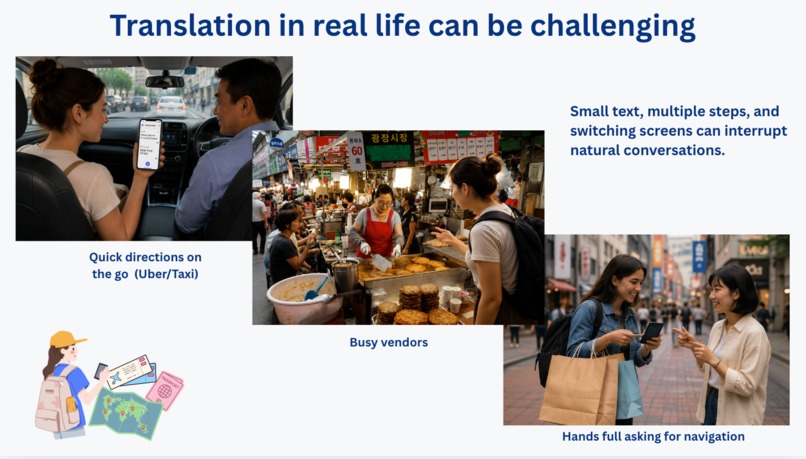
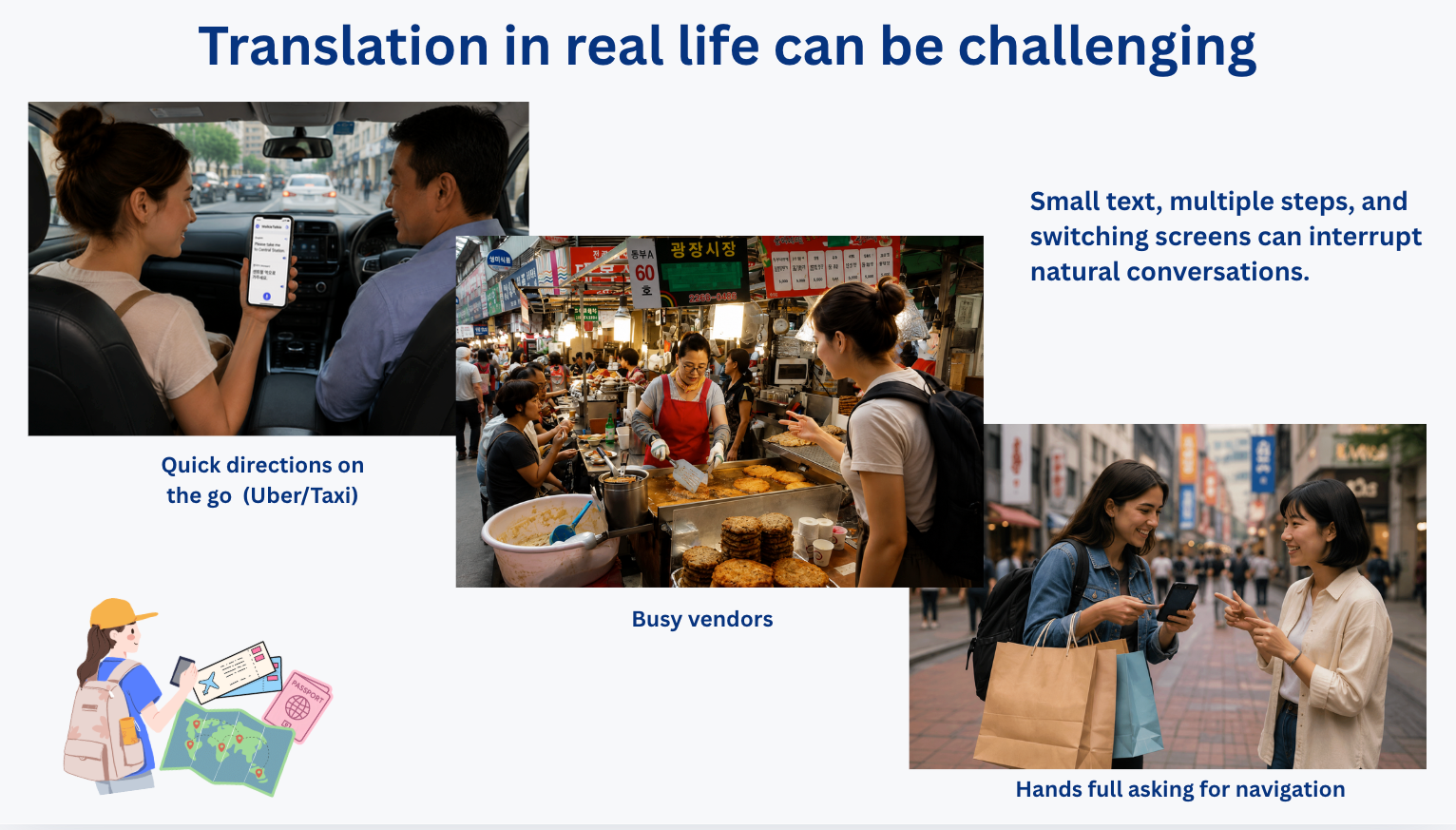
translation in real life can be challenging, noisy markets, loud cars, kids playing in the background
-
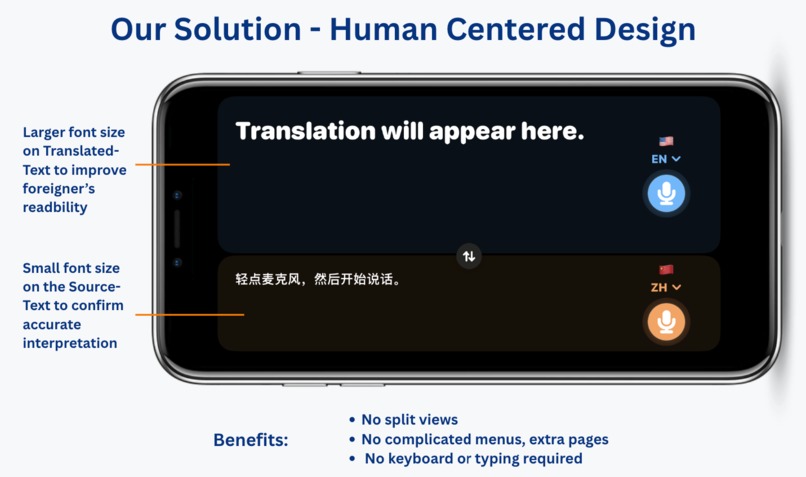
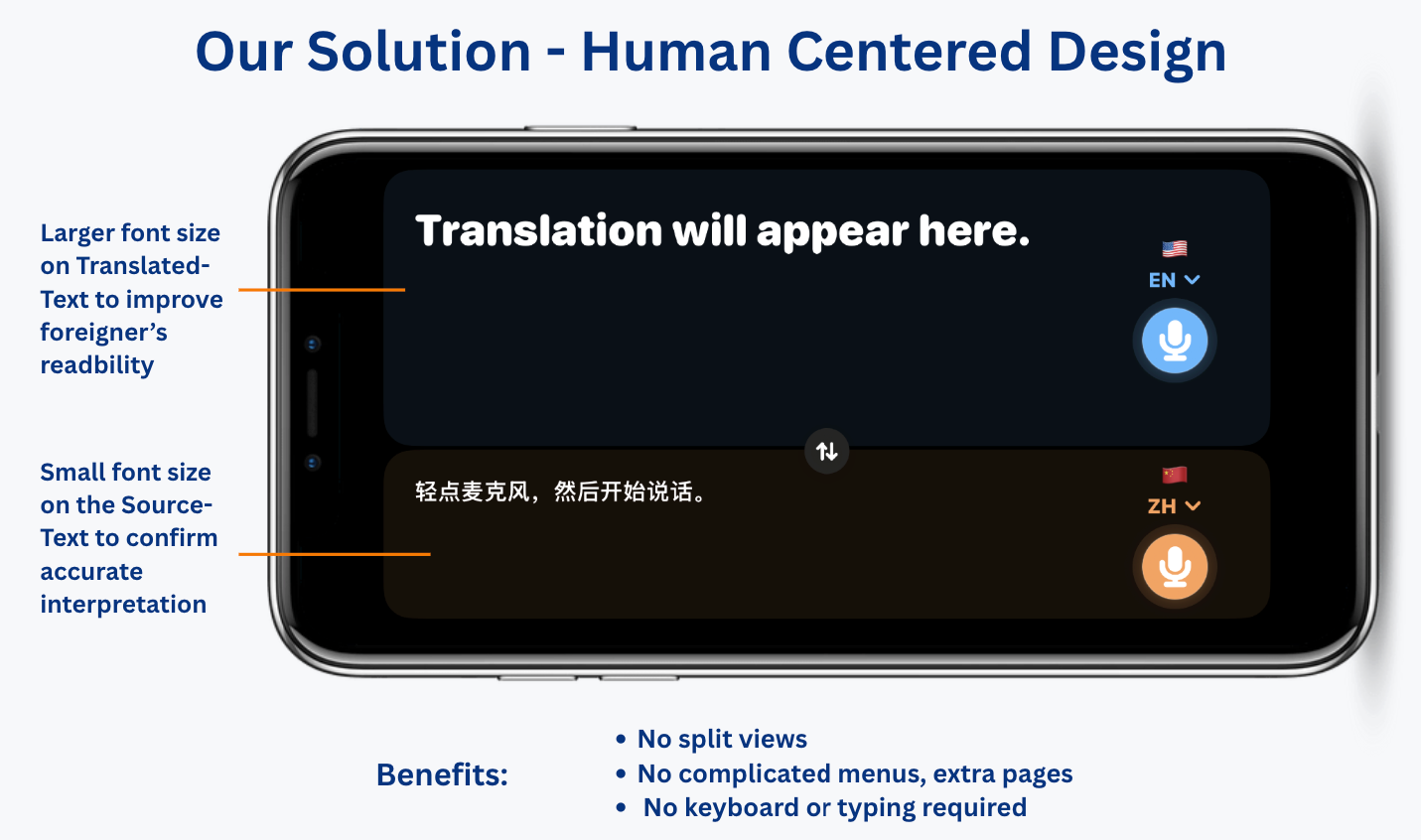
The main page for the translation function
-
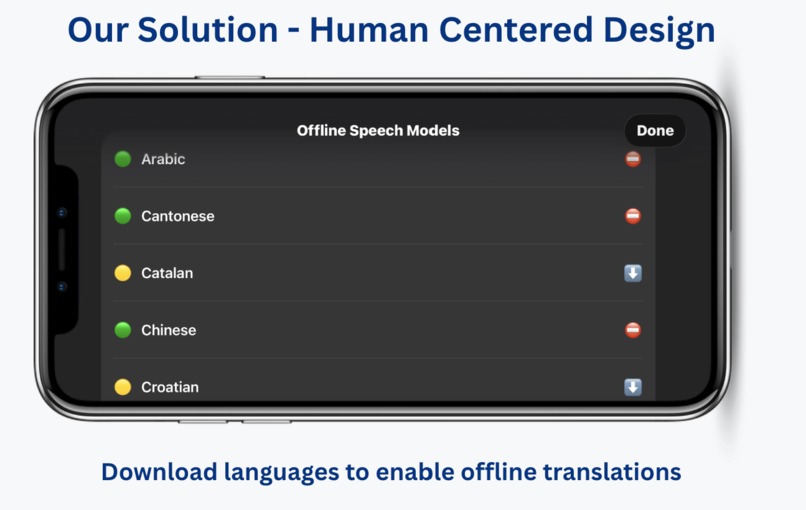
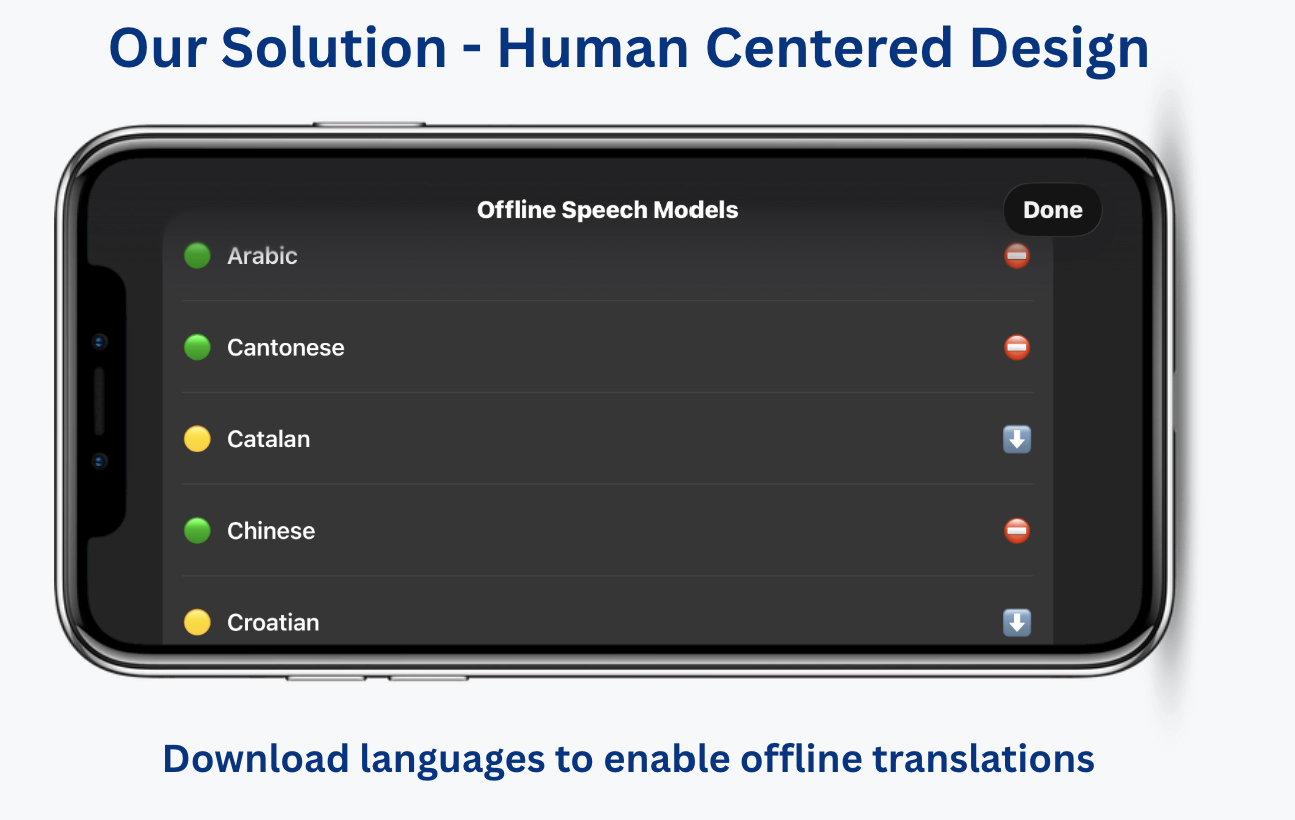
Download languages to be used in offline settings.
-
WalkieTalkie App logo, the soundwave icon in the centre represents communication and connection across language barriers
Inspiration
The idea for WalkieTalkie came from our own travel experiences. Whenever we travelled somewhere that spoke a different language, we found ourselves reaching for a translation app. While apps like Apple Translate and Google Translate are really powerful, quick conversations could still feel confusing. Select different options, show confusing views, or rely on tiny translated text bubbles on a shared device. Does not work well when trying to communicate in a real life situations, does it?
We didn't want to create another translation app. We wanted to explore how a simpler interface could help improve speed and efficiency in everyday situations.
What it does
WalkieTalkie is a simple speech-to-text translation app designed for face-to-face conversations. Everything happens on one screen, so users can start speaking straight away. The translated text is displayed in a larger area to make it easy to read, while the original speech appears below so speaker can ensure that speech was recognized accurately. Each language has its own microphone, making it easy for both people to take turns speaking.
Our goal was to keep the conversation flowing and make communication feel as natural and easy as possible.
How we built it
We built WalkieTalkie using Swift and SwiftUI (Xcode). Since our idea focused on keeping everything on one screen, we also kept the app structure simple. Before we started coding, we spent time sketching different layouts and discussing how the interface should look, and later created a design prototype. Code itself support pluggable models to keep up with latest development in LLM SOTA for translations.
Our field tests on real participants show significant traction and interest in the app and a benefit of UI simplicity.
Challenges we ran into
Many translation features already exist in apps like Apple Translate and Google Translate. At first, we struggled to think of something that make a real difference. Improving the user experience and focusing on on-device, offline and private aspects of a conversation helped us to focus our efforts
Another challenge was deciding what features leave out. With only two days to build the project, it was tempting to add features like saved phrases, history, or camera translation. Instead, we chose to keep the app focused on one purpose, making face-to-face conversations as simple and accessible as possible.
Spent quite a bit of time refining the interface, especially the balance between the two text panels, to make sure the translated message was easy to read while keeping the overall design clean and intuitive.
Accomplishments that we're proud of
We're proud that we turned our idea into a working prototype in just two days. The app runs smoothly and demonstrates the experience we originally set out to build. Staying focused on keeping the design simple, user-friendly, and easy to use made it possible. Seeing our idea come to life and work as intended was one of the most rewarding parts of the hackathon.
What we learned
This hackathon taught us that good design isn't always about adding more features. Sometimes, the biggest impact comes from making an existing experience simpler and easier to use.
We also gained valuable experience working as a team under tight time constraints, quickly iterating on ideas, and balancing design decisions with technical implementation.
What's next for WalkieTalkie
- Publish it to the store and make it publicly available for everyone
- Find more on-device language models for speech to text and translation to reach broader audience
- Fix a range of small bugs or unexpected behaviours of the app on real devices.
- Better supports for headsets to improve the quality of speech to text
Built With
- coreml
- swift
- swiftui

Log in or sign up for Devpost to join the conversation.