-
-
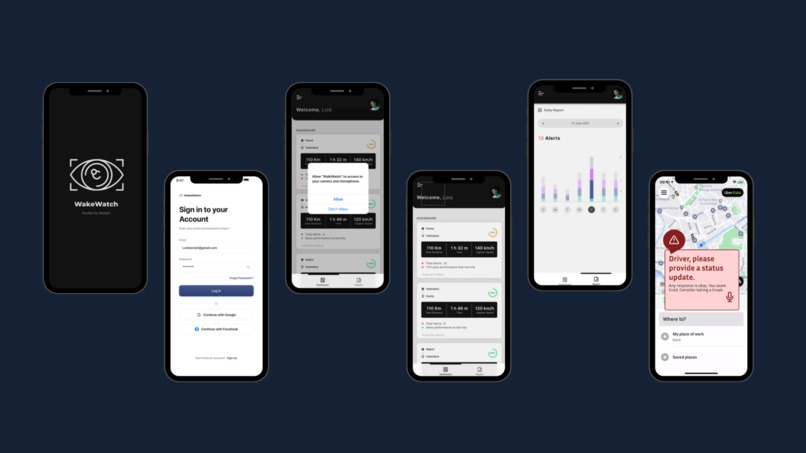
User Interface
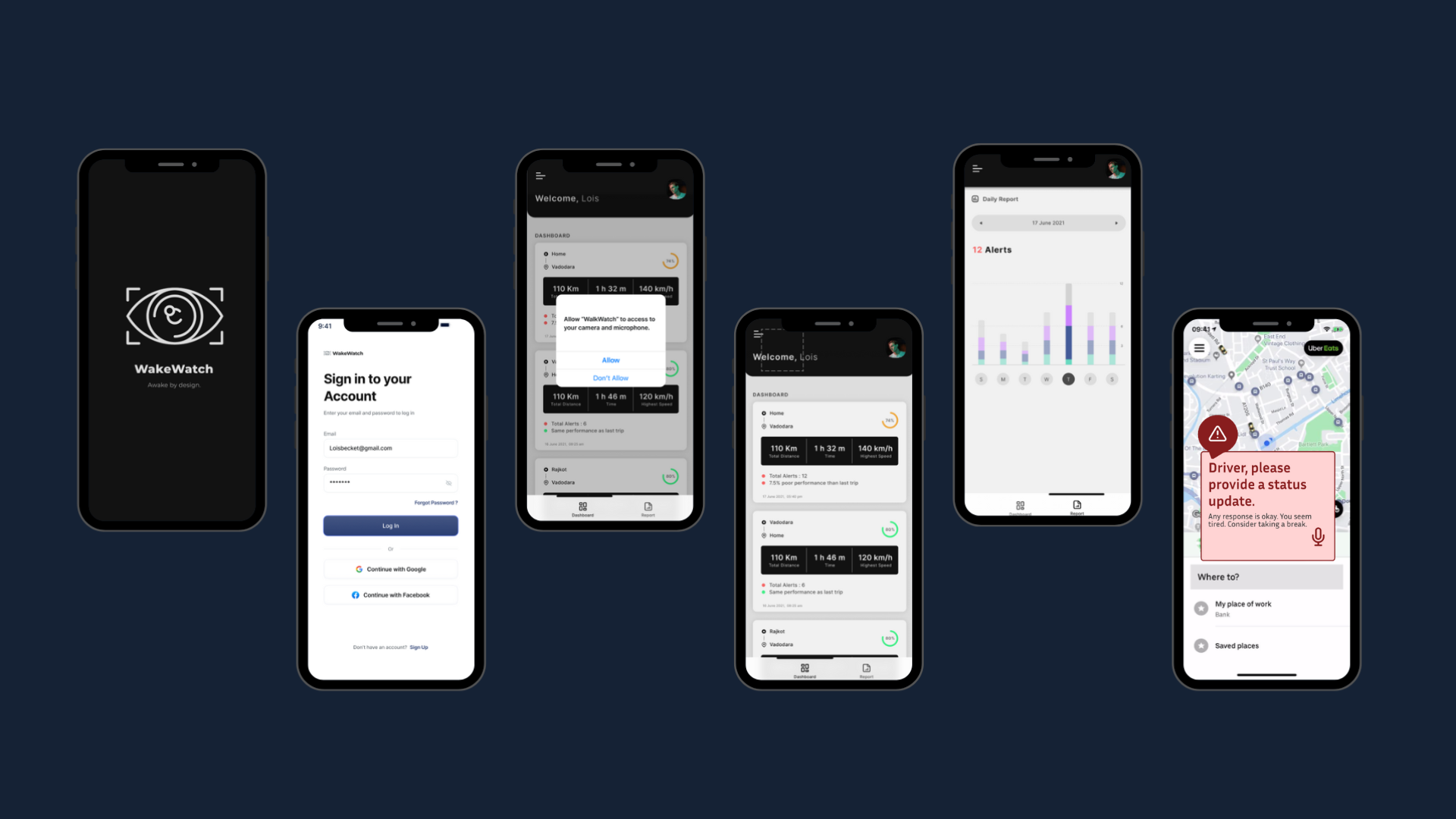
About the Project: Driver Fatigue Detection App
Inspiration
This project was inspired by the growing concern around road accidents caused by driver fatigue. Studies show that drowsy driving can be as dangerous as driving under the influence — yet there's little technological support available to detect it in real time. We wanted to create a solution that not only monitors driver alertness but also integrates smoothly with apps people already use, like Uber or Google Maps. The goal was simple: help drivers stay safe without changing their routine.
What it does
WakeWatch is an innovative smartphone-based driver safety application that uses advanced computer vision to detect and prevent driver drowsiness in real-time. The application:
-Monitors driver's eye movements and facial landmarks -Calculates Eye Aspect Ratio (EAR) to assess fatigue levels -The app features a tiered alert system designed to detect and respond to signs of driver fatigue in a non-intrusive but effective way. -At the first sign of drowsiness, a visual alert appears on the driver’s screen, accompanied by an audio prompt asking for a status update. -If the driver responds verbally, the system logs their alertness and no further action is taken. -If no response is detected, the system escalates by triggering a loud audible alarm and displaying a second warning, advising the driver to take a break. -This approach ensures that minor fatigue doesn’t go unnoticed, while also giving the driver a chance to respond before a more disruptive alert is triggered — prioritizing safety without creating unnecessary distractions. -It also racks driver performance across multiple trips and offers comprehensive safety insights for drivers.
How we built WakeWatch
Technical Architecture: Frontend: Kotlin-based Android application Backend ML: Python with advanced computer vision libraries Integration: Chaquopy for Python-Kotlin interoperability
Development Approach: -Machine Learning Pipeline -Computer Vision Techniques -MediaPipe for facial landmark detection -468-point facial tracking -Real-time eye movement analysis
Fatigue Detection Algorithm Eye Aspect Ratio (EAR) calculation Dynamic thresholding Adaptive machine learning models
Key Technologies -Libraries: MediaPipe OpenCV NumPy -Android SDK: Responsive UI/UX design -Gradle: Dependency management
Challenges we ran into
MediaPipe Integration Failure The most significant technical roadblock was the unsuccessful integration of MediaPipe into our Android Studio project: -Persistent dependency conflicts -Incompatible library configurations -Repeated build failures -Unable to successfully link MediaPipe with our Android application
What We Would Do with More Time
Alternative Computer Vision Solutions -Explore OpenCV's Android-specific implementations -Investigate lighter-weight ML libraries -Consider pure Kotlin-based computer vision solutions
Development Strategy Revisions -Deep dive into MediaPipe's Android documentation -Consult with experts on cross-platform ML integration -Potentially rebuild the approach from ground up
Technology Stack Modifications -Investigate native Android ML kits -Explore Google ML Kit alternatives -Consider web-based or cloud-based processing models
Accomplishments that we're proud of
Used computer vision and created a Python program that detects driver drowsiness in real time using facial and eye movement tracking.
Built a multi-level smart alert system that interacts with the driver through both voice and visual cues, making fatigue detection both proactive and responsive.
Developed a personalized stats dashboard to track driver journeys, alert history, and weekly fatigue trends.
Designed an intuitive, driver-friendly interface that requires no manual input during trips, keeping safety at the forefront.
Turned a real-world safety issue into a practical, scalable solution using accessible mobile tech — all within the time constraints of the competition.
What's next for WakeWatch
As we continue to develop WakeWatch, here are some key features and enhancements we plan to implement:
Wearable Integration Sync with smartwatches or fitness bands to track heart rate, movement, and sleep patterns, adding another layer of accuracy to drowsiness detection.
Low-Light / Night Mode Optimization Improve camera performance in dark environments to ensure consistent fatigue detection during night drives or poor lighting conditions.
More Advanced AI Models Train deeper machine learning models using larger datasets to better detect subtle signs of fatigue and reduce false positives/negatives.
Deeper App Integration Work toward deeper API integration with Uber, Google Maps, and Waze for smoother overlay alerts and in-app fatigue feedback.
Automatic Route Suggestions When fatigue is detected, suggest rest stops or safe detours nearby using Google Maps APIs.
Built With
- android-studio
- figma
- kotlin
- python


Log in or sign up for Devpost to join the conversation.