-
-
Welcome
-
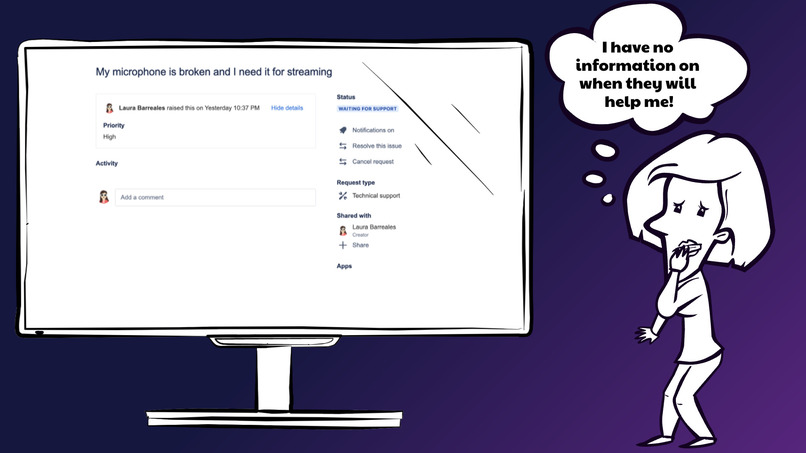
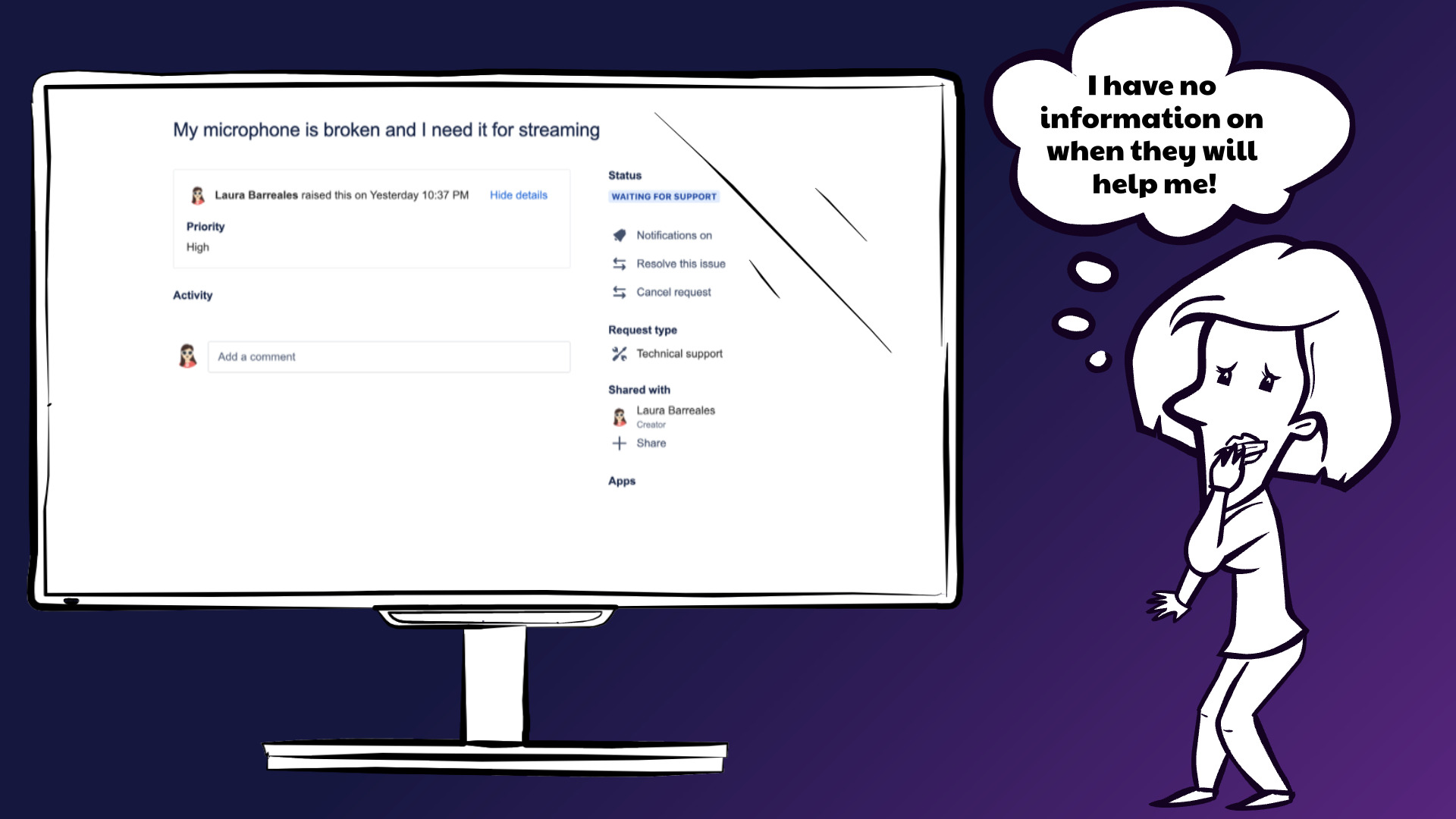
Jira without Waiting List
-
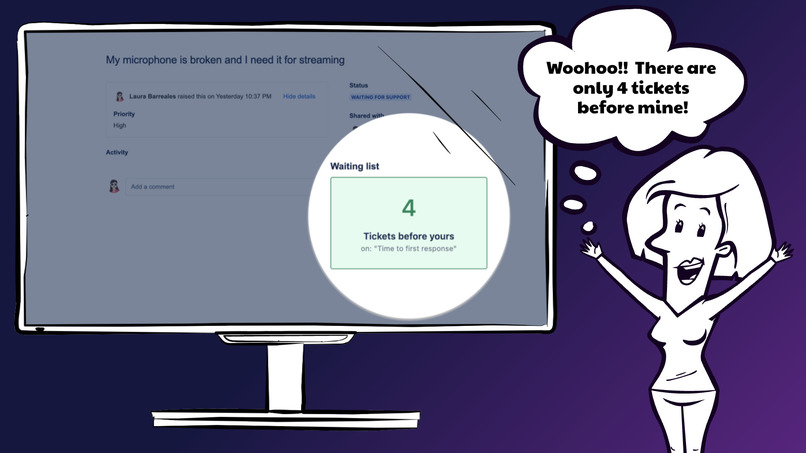
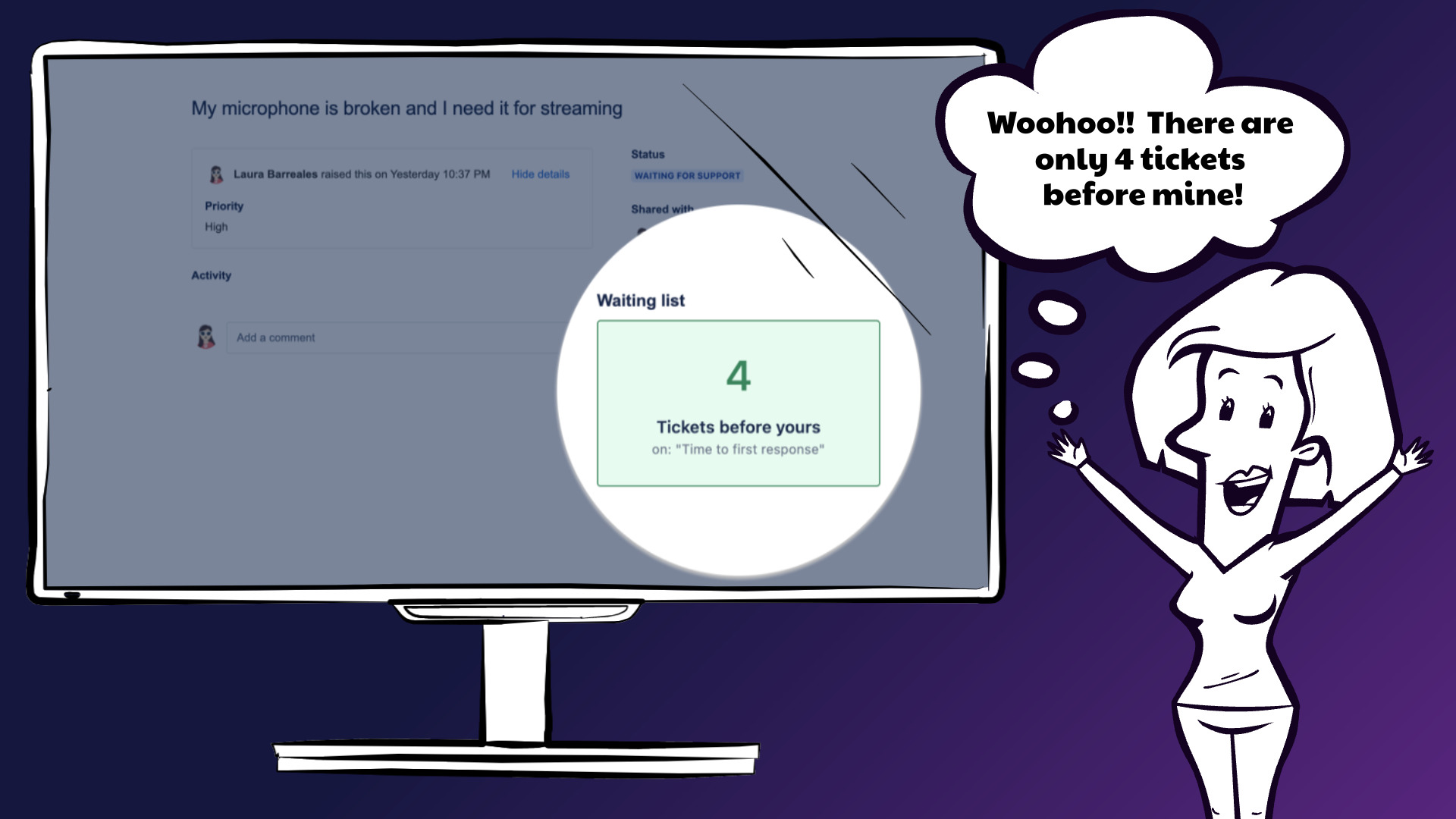
Jira with Waiting List- queue
-
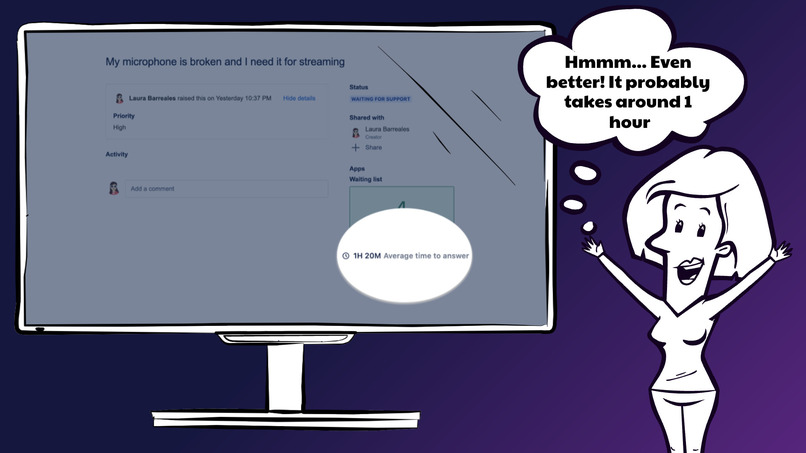
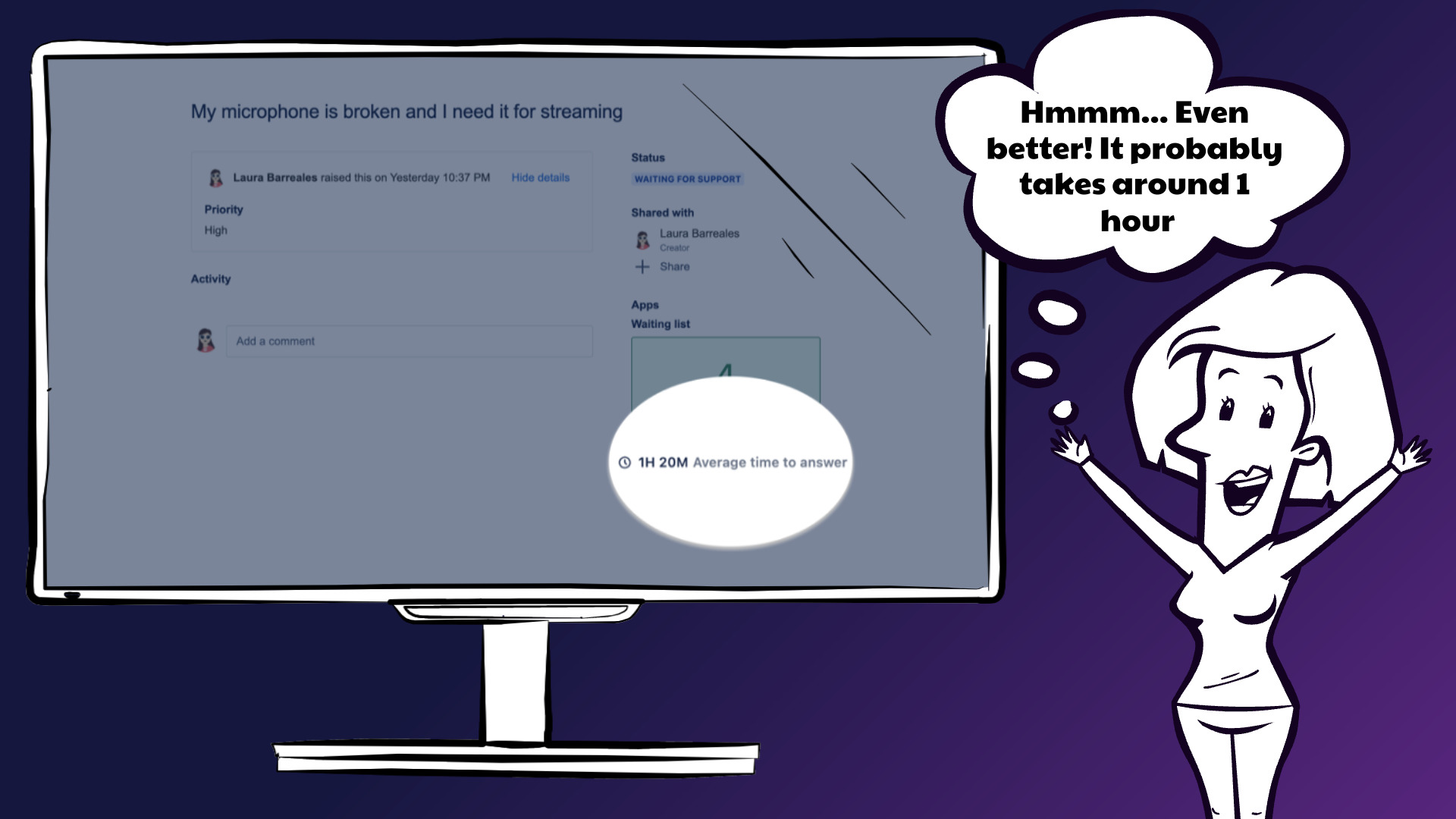
Jira with Waiting List - time average
-
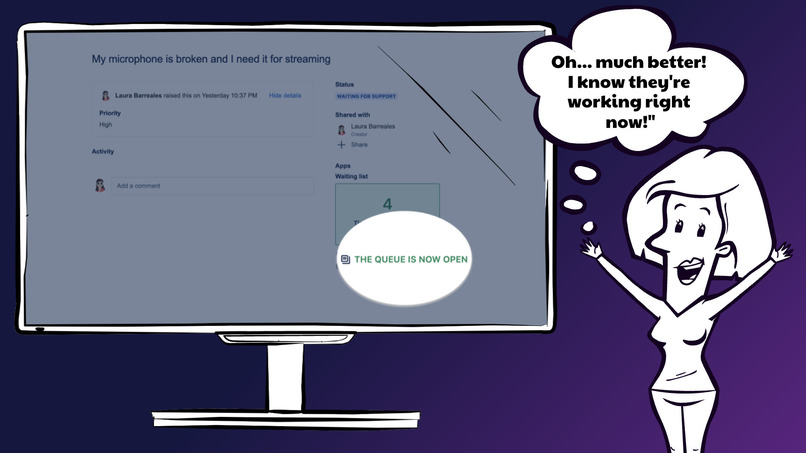
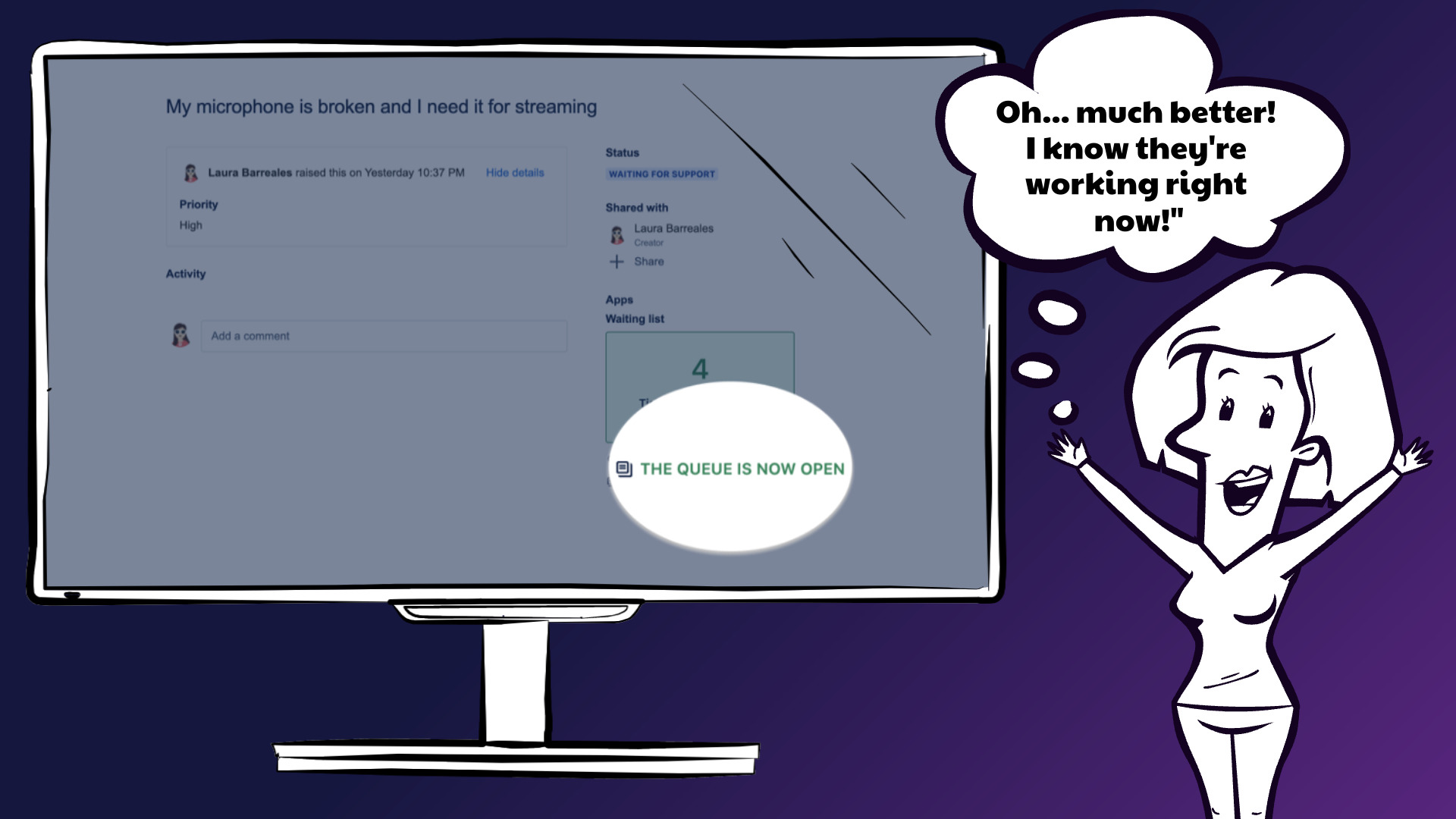
Jira with Waiting List - queue status
-
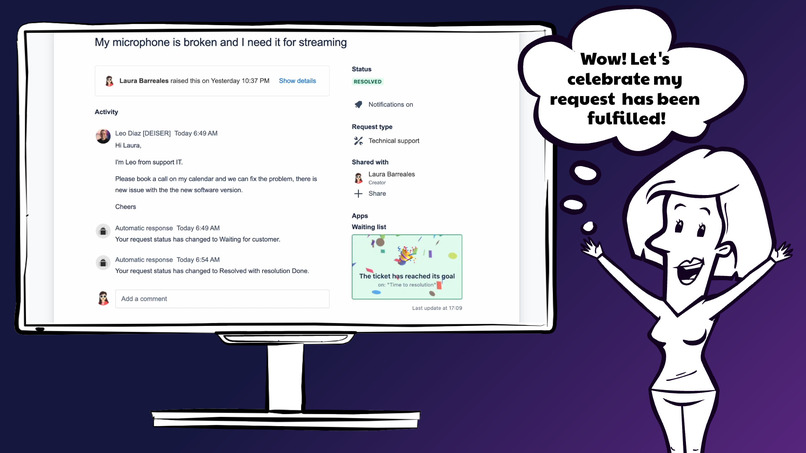
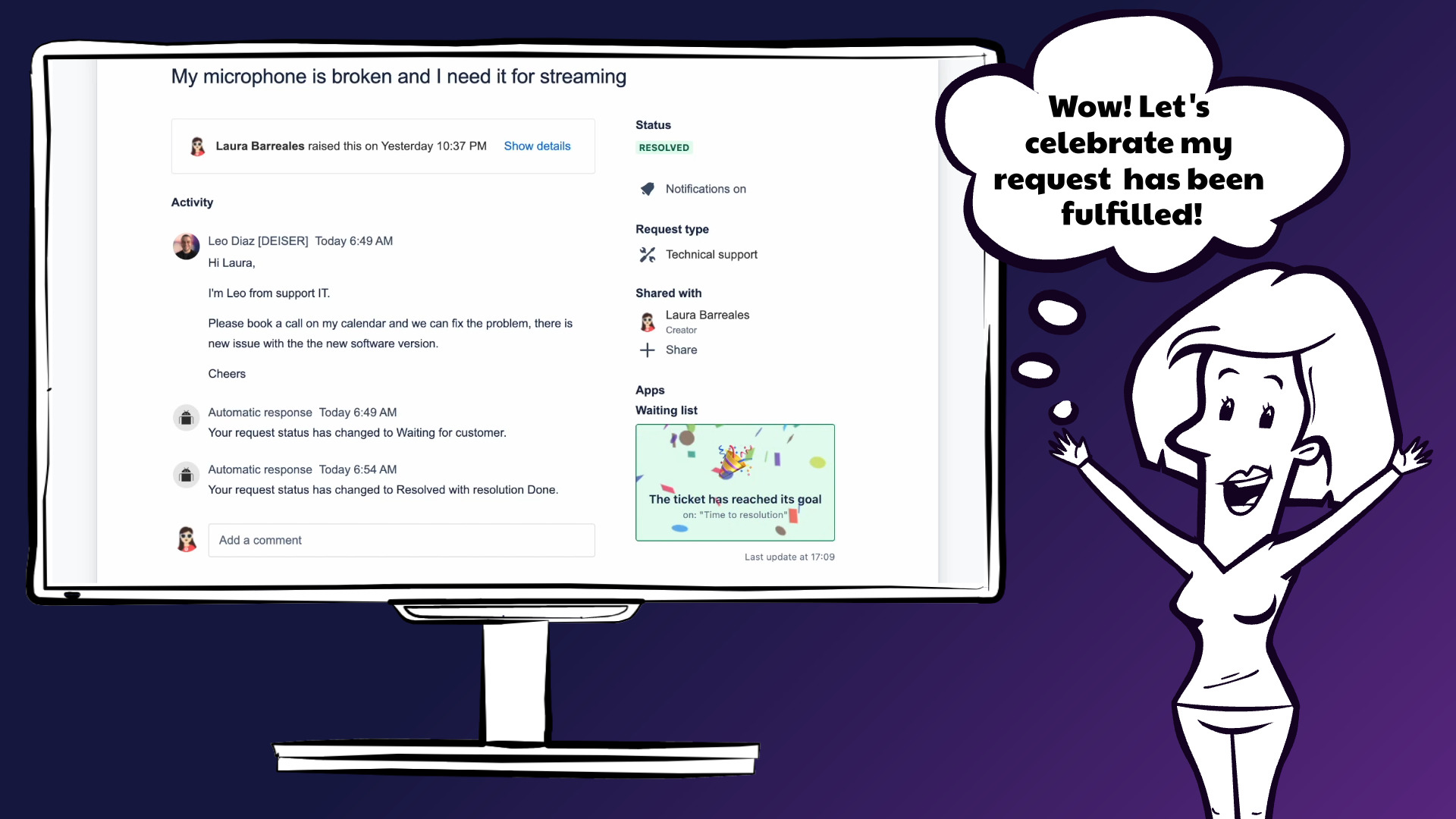
Jira with Waiting List - confetti!
Inspiration
Lately, and aligned with Atlassian and ITSM, we are increasing our knowledge about IT service management because of receiving training and reading about it. In fact, part of our team is achieving certifications like ITIL 4. In this context, one principle learned about in ITL 4, was "Collaborate and promote visibility", and more specifically: "Build trust through transparency. Share what’s happening and progress (and challenges) with all stakeholders." With this vision, we run a small research with some users, and we found a common pain:
- 😫 The customer portal does not provide enough information to users about when they could be served.
Great! We have identified a problem but, what is the best solution?
We investigated different solutions with the following results:
- ❌ Do not share the remaining time of the SLA.
- Agents and Service Managers don't want to share the specific remaining time of the SLA.
- There are some apps that provide the SLA remaining time (In fact, it is a feature in JSM Data Center).
- ✅ Share relative information about the queue position.
- Agents don't find problems if we calculate the position and share it with the customer.
- Agents don't find problems if we share the completion AVG of the current SLA.
- Agents don't find problems if we share the calendar of the current SLA.
- Customers find this information sufficient to remove their frustration and uncertainty.
Conclusion
Building trust through transparency and sharing what’s happening with the customer reduces frustration and uncertainty and also, reduces pressure on agents and IT service managers.
It's a Win/Win situation based on our favorite Atlassian value: Don’t #@!% the customer.
What it does
Waiting List data is located in two different places: The customer portal and Jira issues.
Portal
Since the main principle behind Waiting List is transparency, we have a panel located in the customer portal.
The customers will know their ticket position in the queue according to the most urgent SLA. They will know as much information as possible about the ticket attendance situation.
Issue
Waiting List will also show the queue information for Jira users (Agents) who are providing support to customers. This information will be the same as the one we show in the customer portal: both the user and the customer will see the same queue data.
The motivation here is to let the users that provide support know the exact information customers are getting about ticket attendance.
SLA
Waiting List data is calculated by taking into count the ticket SLA. If there is no SLA defined for the ticket's project, Waiting List will not be able to show attendance details to the customer.
Based on the SLA, Waiting List will calculate:
The attendance position of the ticket. This is calculated by looking at the most urgent running SLA, the one that is closer to reaching the SLA goal, or the one whose SLA goal has been breached for more time. The position will be calculated by taking into count the same SLA for the other project tickets.

The average time. This is calculated by getting the completed SLA time for other project tickets according to the ticket's most urgent running SLA. Waiting List is taking into count issues created in the past two weeks.

The team's attendance status. When the SLA is paused because of the SLA issue conditions or the SLA calendar hours, the customer will know the team is not working on that kind of ticket at that moment.
 ⚠️ If the SLA is paused due to calendar in the SLA goal configuration or due to conditions in the time metric, the queue will appear as "On hold", please check your SLA conditions and goal configuration:

Scenarios
Waiting List focuses on SLA issue data to provide the user with information about the ticket queue position. It can show different data for different project/issue situations:
There is at least one running SLA for the ticket
If the ticket's most urgent running SLA is not paused Waiting List will show the user the queue position of the ticket.


If the ticket's most urgent running SLA is paused because of SLA conditions or calendar hours Waiting List will let the users know that the team will be back soon.

There are no running SLAs for the ticket
If there are completed SLA cycles before the user's ticket, Waiting List will show the ticket has reached its goal.

When there is no SLA info for the ticket or there are problems gathering data, Waiting List will show we cannot calculate the queue position for the ticket.

How we built it
Early steps
When the motivation for creating a new Service Management app was clear, it was time for some technical validation and use case definition. After that, we iterated these weeks trying to build something better and more useful for customers each time.
Codegeist is related to the Forge platform, and we are happy with that because DEISER is putting effort into developing Apps for that platform. So, for us, it was like the first step of this enjoyable path which is working with Forge.
Development process
At the very beginning, we encountered three main challenges: learning more about the Forge platform, using the Service Management API, and working with UI Kit.
Learning about Forge is something we have been doing all the way along this process.
Service Management API was quite easy to use as we are used to working with the Jira / Software API. We found a lack of endpoints to get some SLA data for the project and this is something we have created as feedback in the Forge project.
Using UI Kit was great at the beginning but the lack of extensibility was something that made us change to Custom UI. It has been great to work with both frontend possibilities to learn even more.
Environment management
During the development process, we were working in the Forge development management.
But, for marketing and test purposes, different people were using Waiting List at the same time, and development changes should not affect their work. The solution was deploying code to the production environment and sharing the installation link with them. The Forge feature in the Developer console is great, we were testing Forge months ago and it was not available at that moment, but now it unblocks working together in different environments.
Feedback management
When Waiting List development was ready, different people tested it internally.
However, we were not looking only for technical approval but also for feedback. After doing internal demos we gathered much feedback, made changes, and added new ones as the possibility to show to the support user directly in the ticket the same information the customer can see in the portal.
Challenges we ran into
Create DEISER's first Forge App
We have been building Jira Apps for more than 10 years. At the moment we have listed Server, Data Center, and Cloud Apps in the Atlassian Marketplace. But, Cloud Apps were built using the Connect framework and this is the very first one we have built in Forge and will be uploaded to the Atlassian Marketplace.
The Forge platform needs a completely new way of thinking in App development so it has been a challenge for us.
Jira Service Management API usage
As we said, we have been building Jira Apps for years, but this is the very first time we have developed a feature specifically for Jira Service Management. So, we have been exploring it to try to extract the data we need looking forward to providing the best performance to the App.
UI Kit vs Custom UI
The Forge platform enables us to render in two different ways: UI Kit or Custom UI. We developed the first steps of Waiting List using UI Kit but we found some limitations so we needed to move to Custom UI. Moving from one to another makes development completely different so we needed to change many things. Some of the feedback we have collected is related to this.
Calculate SLA average time
Summarizing Jira data is always challenging because you need to collect a big amount of it, and then run some calculations to offer the customer what they need. In this case, we are collecting SLA issue data to provide the users with the average time the company needs to accomplish a particular SLA. We have been trying different approaches to gather the data and run our calculations with less performance impact.
Accomplishments that we're proud of
Forge native
We are aligned with Atlassian in the way of looking to the future of development and for that, we are pushing hard to develop most things in Cloud and using the Forge platform. For us, it is important to know how we can use Forge and how we can master it, and please note, that this is the first production-ready App built natively in Forge.
App Performance
Getting data from Jira to run calculations and provide the user with the data he is waiting for, is always challenging because of performance. The user can need some data but also needs it as quickly as possible. We are always looking for top performance for the users, and taking into count the data we need to collect to be able to render Waiting List data, it is definitely something we are proud of.
Transparency principle
Being transparent is one of the DEISER principles and we are proud of creating features that go on the same line.
ITSM-related feature
Atlassian is moving from products to solutions and ITSM is one of those where customers are more focused on. For us, finding a gap in ITSM and trying to fulfill it, was a must for us.
What we learned
Forge development
The Forge framework is completely different from Connect in many ways, and we have been focused on learning from it. We have been using Connect for years and now is the time to build Apps in Forge, so this first production-ready App made us learn a lot about the platform.
Forge frontend: possibilities and limitations
The Forge front end is divided into two possibilities at the moment: UI Kit and Custom UI. For us, it was important to try to develop using the first one, UI Kit, as it helps a lot in rendering things with a minimum development code, but it was not possible because their components are not extensible, at the moment so we moved to Custom UI.
We have been running different research legs here and we have some feedback that we will provide to Atlassian.
Retry management on Jira calls
Our Connect apps, retry Jira REST API calls if there is any problem with an operation. This is something we have always done on the server side, but now we have developed the same mechanism on the front side as the SLA data of an issue takes a few moments to be updated when getting issue data from Jira.
What's next for Waiting List by DEISER Labs
First, we want to measure whether the application is installed and used, if so, we would like to include the following improvements:
- Allow users to configure each portal if they want to show Waiting List or not.
- Request priority. Allow customers to request priority through a button, update the summary, and leave a comment with hands pressed together 🙏🏽🙏🏽🙏🏽🙏🏽
- Create a report on the most impatient users.
- Share information about SLA cycles with customers.
- Add more information that provides even more transparency to the customer as the working calendar.
Built With
- customui
- forge
- itsm
- javascript
- react
- service-management



Log in or sign up for Devpost to join the conversation.