-
-
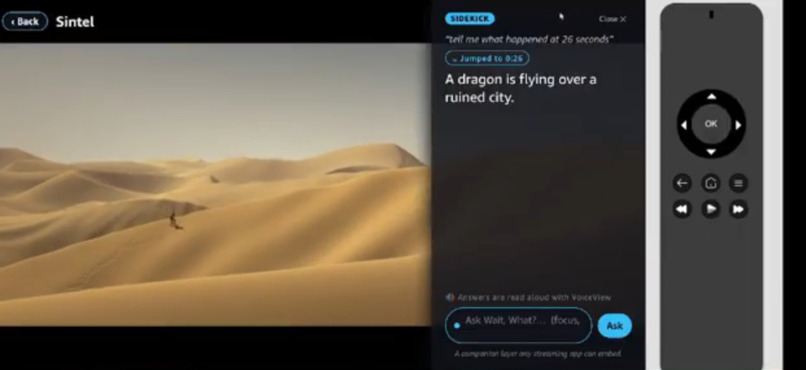
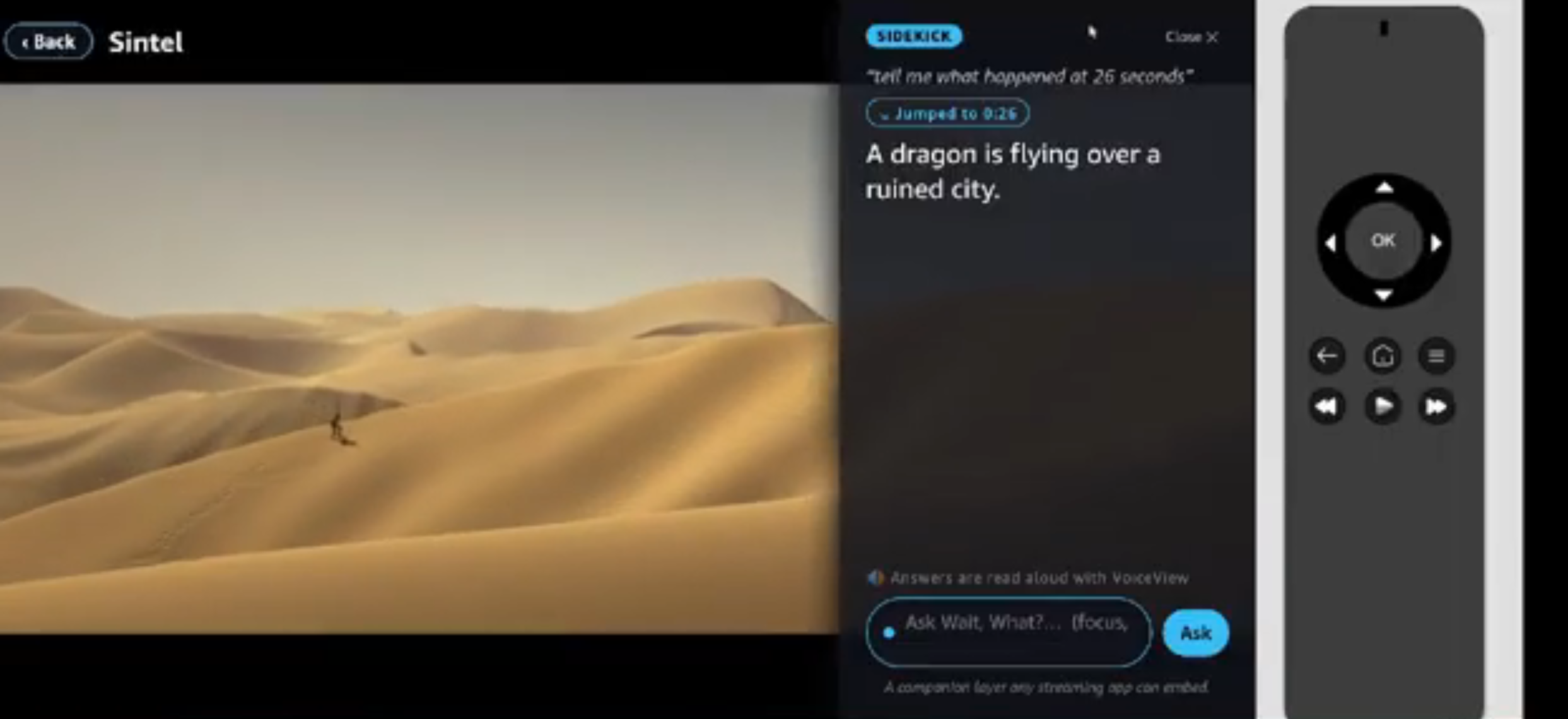
Companion Mode
-
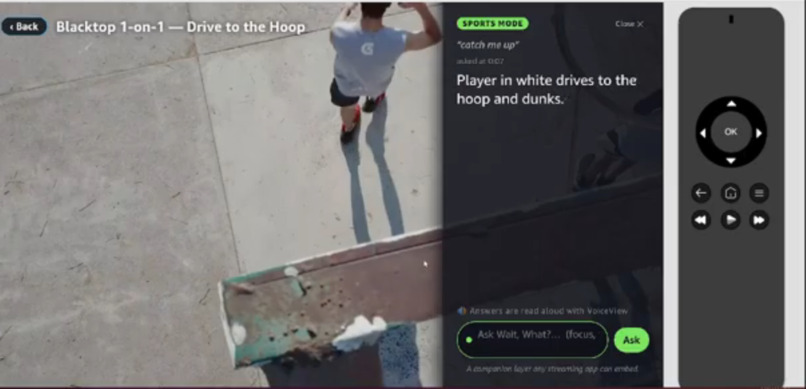
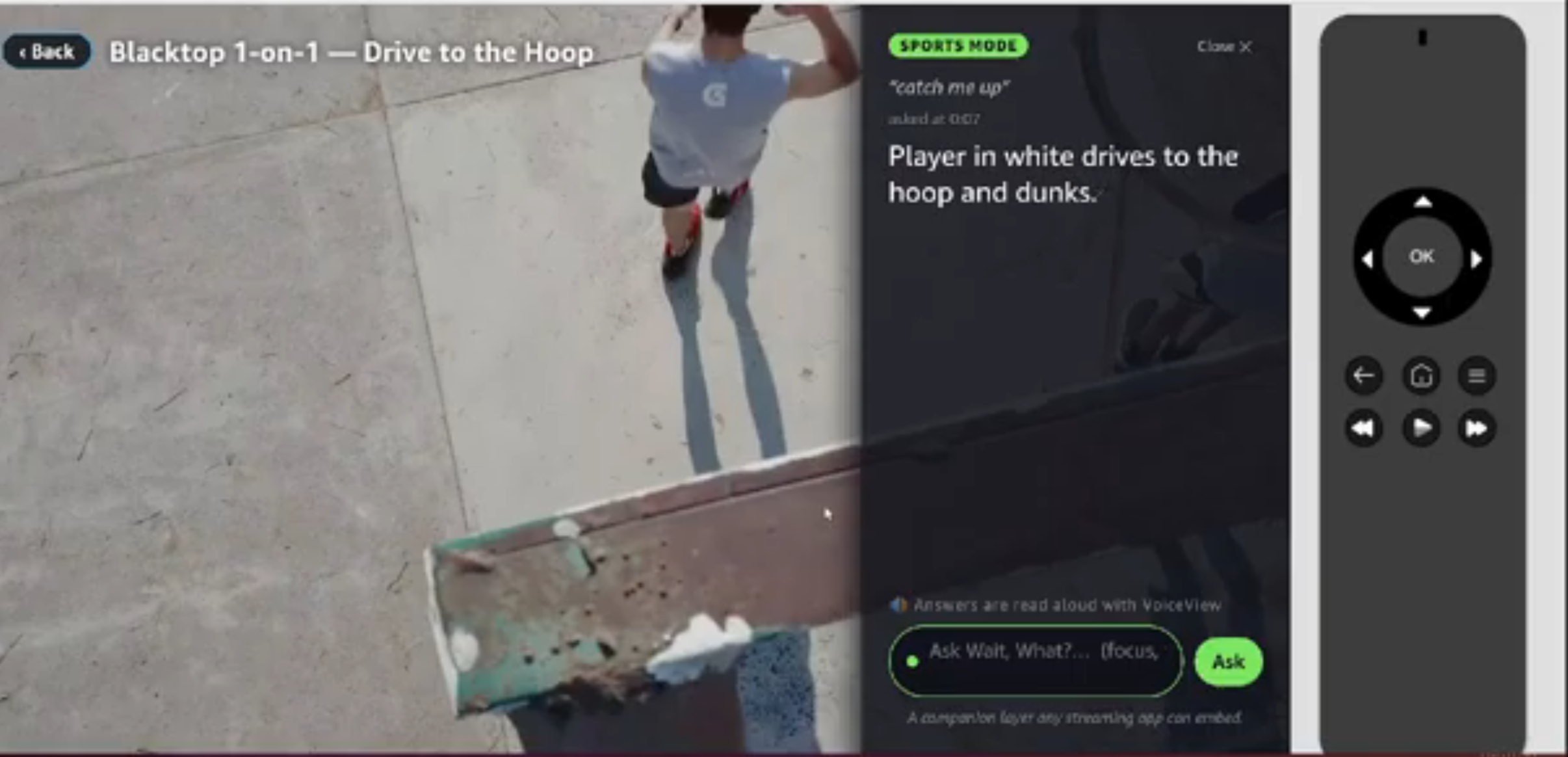
Sport Mode
-
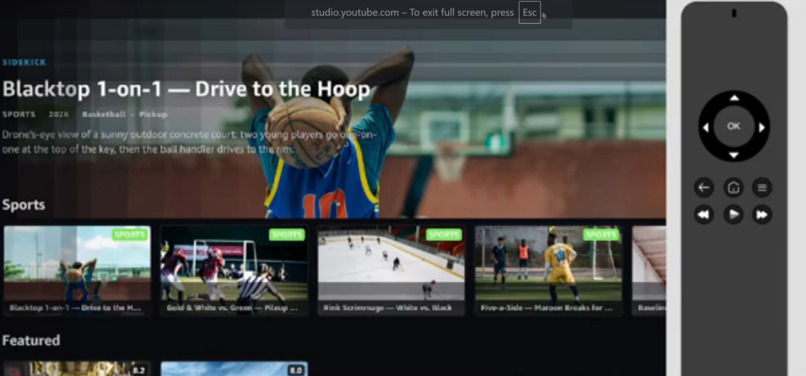
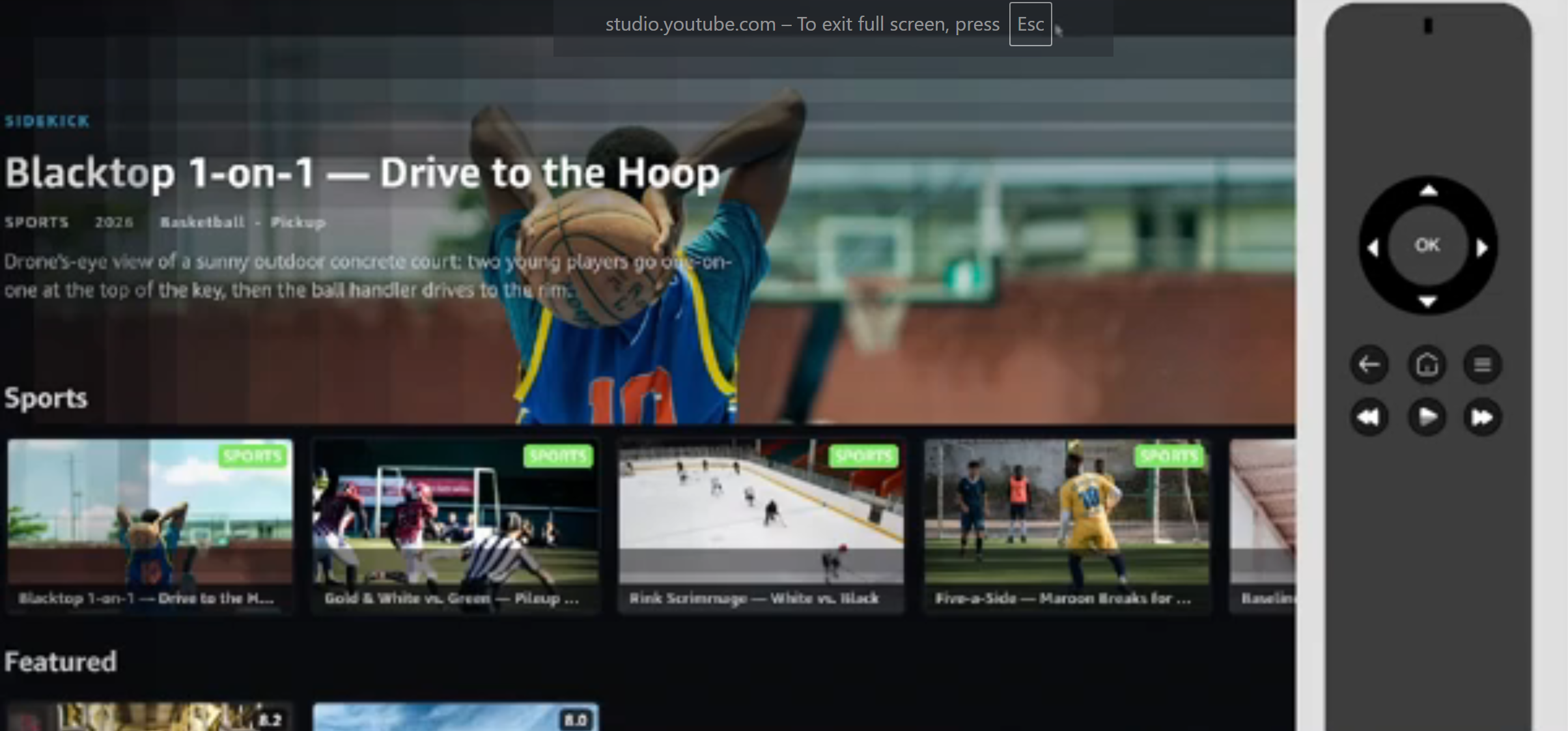
Landing
-
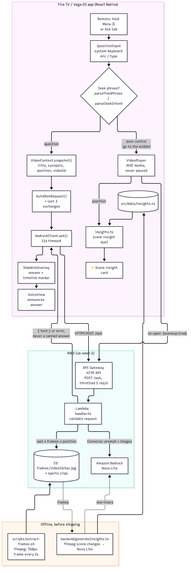
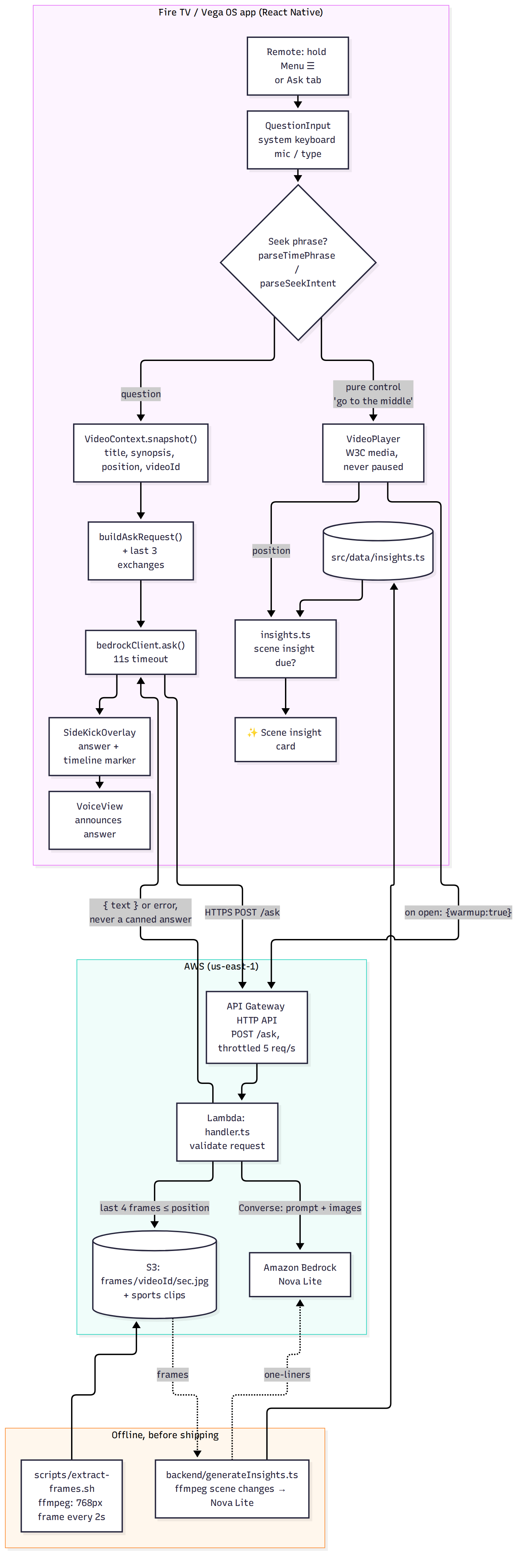
Flow Diagram
Inspiration Everyone does the same thing while watching TV: something happens on screen and you reach for your phone — who's that actor? what did I miss? what's this scene? You pause, you Google, you lose the moment. Wait, What? fixes that on the biggest screen in the house: you ask, and it answers without pausing, grounded on exactly what's playing and where you are in it.
The bigger idea: the timeline should be something you can talk to — not a chat window bolted onto a video, but a companion that understands the content, anchors every answer to the moment you asked, lets you navigate by plain language ("take me to the middle"), and sees the actual frames on screen.
What it does While a film or game plays full-screen (playback never stops):
Ask about anything on screen — hold Menu (☰) and the panel opens with the keyboard mic ready; a live Amazon Bedrock answer comes back, grounded on the title, synopsis, cast, and your exact playback position, in a non-blocking side panel. Talk to your timeline — say where to go in plain language ("take me to 0:10 and tell me what's happening," "go to the middle," "a quarter of the way," "go to the end"); Wait, What? seeks there and explains the moment. It controls playback — it never refuses to rewind. Every question lives on the scrubber — each ask drops a marker; a "Your questions" row lets you jump back to any moment and re-surface its answer. Sports mode — open a game and the same gesture re-themes and grounds live Bedrock answers on the game context and the real frames, so "catch me up" / "break down this play" answer in the moment. No real teams or leagues: the footage is license-clear amateur sports clips. It sees the screen — every question carries real frames from the video up to your position, so "what's happening right now?" is answered from the footage itself (and it can't spoil what's ahead). It anticipates — when a new scene starts, a ✨ scene insight surfaces what's on screen unprompted (pre-generated from the real frames, so it's free at playback time). It's accessible — answers are announced through VoiceView for low-vision viewers. How we built it Fire TV / Vega OS, React Native. Correct Vega media stack: @amazon-devices/react-native-w3cmedia (W3C MSE/EME), not react-native-video (unsupported on Vega), wrapped behind a familiar player API over VideoPlayer + KeplerVideoSurfaceView. Vega-native navigation, accessible 10-foot focus (border + scale, never color alone), dependency-free gradient/vignette. Voice input via the supported system-keyboard mic path; holding Menu (timed from key-down/key-up) opens the panel with the field focused. Backend (AWS Builder). Amazon Bedrock Nova Lite (multimodal) via the Converse API behind API Gateway (HTTP API) + Lambda with least-privilege IAM; context-grounded prompt plus the last real frames (from S3) up to the playback position. No AWS credentials ship in the TV app; if the model is unreachable the app says so instead of showing a canned answer. A warm-up ping when the player opens avoids cold starts. Frames + insights. ffmpeg extracts a 768px frame every 2s of every video to Amazon S3. An offline script finds scene changes in those frames and asks Nova Lite for one-line scene insights, which ship with the app. Challenges we ran into Vega is a young platform (full detail in our friction log): no app-level STT (we use the system-keyboard mic) and no app-level TTS (we use VoiceView); no video-frame-capture API (we extract frames server-side ahead of time); no long-press event outside a focused control (we time the Menu key ourselves); several packages absent from the OS 1.2 profile; public Lambda Function URLs blocked on the account (we used API Gateway); and Claude gated by AWS Marketplace billing (we used first-party Nova, which worked instantly).
Accomplishments we're proud of A working, platform-correct Vega app verified on the Vega Virtual Device; a live, deployed Bedrock integration (not mocked) that fails honestly instead of inventing answers; and a genuinely new interaction — talking to the timeline (ask, navigate, revisit) — plus answers grounded in the real frames, scene insights that surface on their own, and a real accessibility story.
What we learned How to build with Vega's constraints rather than against them (W3C media, the system-keyboard voice path, VoiceView), and how to keep an on-device AI experience resilient (grounded prompts, explicit maxTokens, adaptive retry, hard timeouts, honest errors).
What's next Longer sports footage with a visible scoreboard, so score questions are read straight off the screen; a first-class "Describe this scene" accessibility mode; and packaging Wait, What? as a drop-in companion layer any streaming app can embed — the pipeline is content-agnostic.
Built With
- amazon-api-gateway
- amazon-bedrock
- amazon-nova
- amazon-web-services
- aws-iam
- aws-lambda
- ffmpeg
- fire-tv
- react-native
- vega-os
- voiceview
- w3c-media

Log in or sign up for Devpost to join the conversation.