Wachsen - Hackathon Submission Walkthrough & B2 Integration
Due to an emergency health issue, I am currently unable to record a video demonstration walkthrough for this submission. However, I have detailed below how the application operates, how to run it, and how Backblaze B2 and the Genblaze Ingestion Pipeline are integrated to power our core Oral Viva simulator features.
Please follow these steps to test the project locally and inspect our architecture:
🚀 How to Test the Viva Feature
- Create an Exam Type: Open the project dashboard and create any exam type.
- Generate a Viva Session: Click the
+(Add) icon, choose Subjective, and select Viva (this launches the self-use oral examination simulator). The AI will immediately run to generate the custom Viva exam questions. - Launch the Viva: Navigate to the Viva tab, select the exam, and click Start.
- Mic Calibration: The application will run a calibration step check on your microphone's noise levels. Once the noise level is suitable, the exam will begin.
- Interact & Record:
- The AI interviewer will ask questions.
- Hold the button to record your answer, and release/click to stop and proceed.
- In the background, the pipeline automatically pre-fetches and generates the audio for the next question to prevent transition delays.
- Check Results:
- Once the exam is complete, the results view will open.
- Click Overall Viva to listen to the entire recorded oral session.
- Click the individual speaker icons to listen to specific questions and answers.
🛠️ Under the Hood: Backblaze B2 & Genblaze Ingestion
- Genblaze Media Pipeline:
We use a Python-based Genblaze backend to orchestrate the integration of voice services. Genblaze directly coordinates:
- Google Text-to-Speech (TTS): Generates oral questions using premium Chirp3 HD models.
- Google Speech-to-Text (STT): Transcribes user responses on the fly, dynamically parsing sample rates directly from container headers.
- Backblaze B2 Private Storage:
All generated question files and recorded user answers are securely saved inside private Backblaze B2 storage buckets. Access is routed securely through an Express server token proxy (
/api/upload-to-b2) that dynamically requests short-lived 1-hour authentication signatures, protecting the bucket credentials from public exposure.
For a full diagrammatic sequence chart and detailed system architectural layouts, please refer directly to the **README.md* file in the GitHub repository.*
Inspiration:
Focuses on automating expensive, high-fidelity oral examinations (viva simulations) at scale.
What it does:
Deep-dives into the AI interviewer features, Voice-activated responses, Autoplay resilience, and the core planner logic.
How we built it:
Outlines the Backblaze B2 secure proxy connection, Genblaze S3 media ingestion pipeline, and Google TTS/STT services.
System Architecture & Flow:
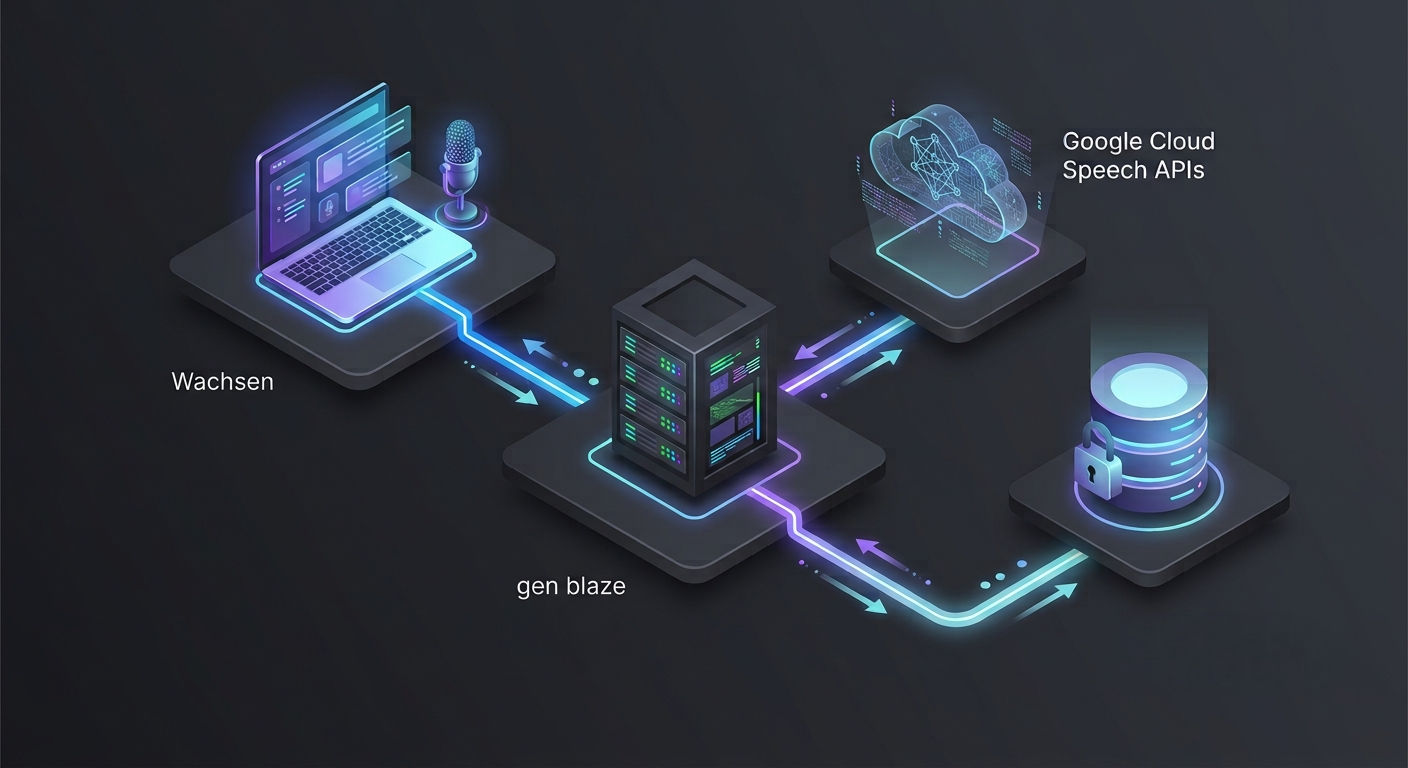
Displays the Backblaze & ChatGPT integration logos, the Wachsen Schematic Diagram, and the detailed 3-question sequence diagram.
Challenges we ran into:
Documents the Autoplay sandbox browser bypass block, the sample rate microphone pitch warp fix, and state recovery.
Accomplishments that we're proud of:
Highlights the zero-overlap audio controls, private B2 bucket security, and background pre-fetching.
What we learned:
Focuses on auto-parsing container headers and catching HTMLAudioElement AbortError promises.
What's next for Wachsen:
Outlines future integrations for Google Vertex AI Chirp and offline service worker sync.
Built With
- frontend:-react
- lucide-icons
- mathjax-(math-typesetting).-backend-api:-express-(node.js)-server.-database-&-auth:-supabase-(postgres-tables
- recharts
- schema-validation
- storage
- tailwind-css
- tanstack-query
- typescript
- vite

Log in or sign up for Devpost to join the conversation.