-
-
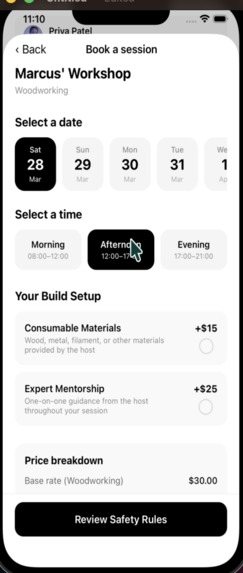
booking system
-
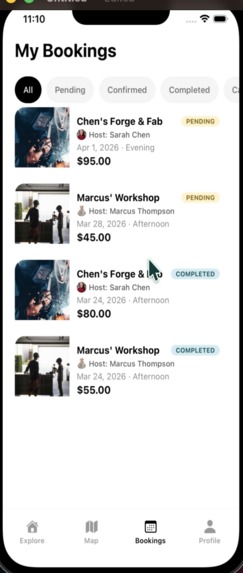
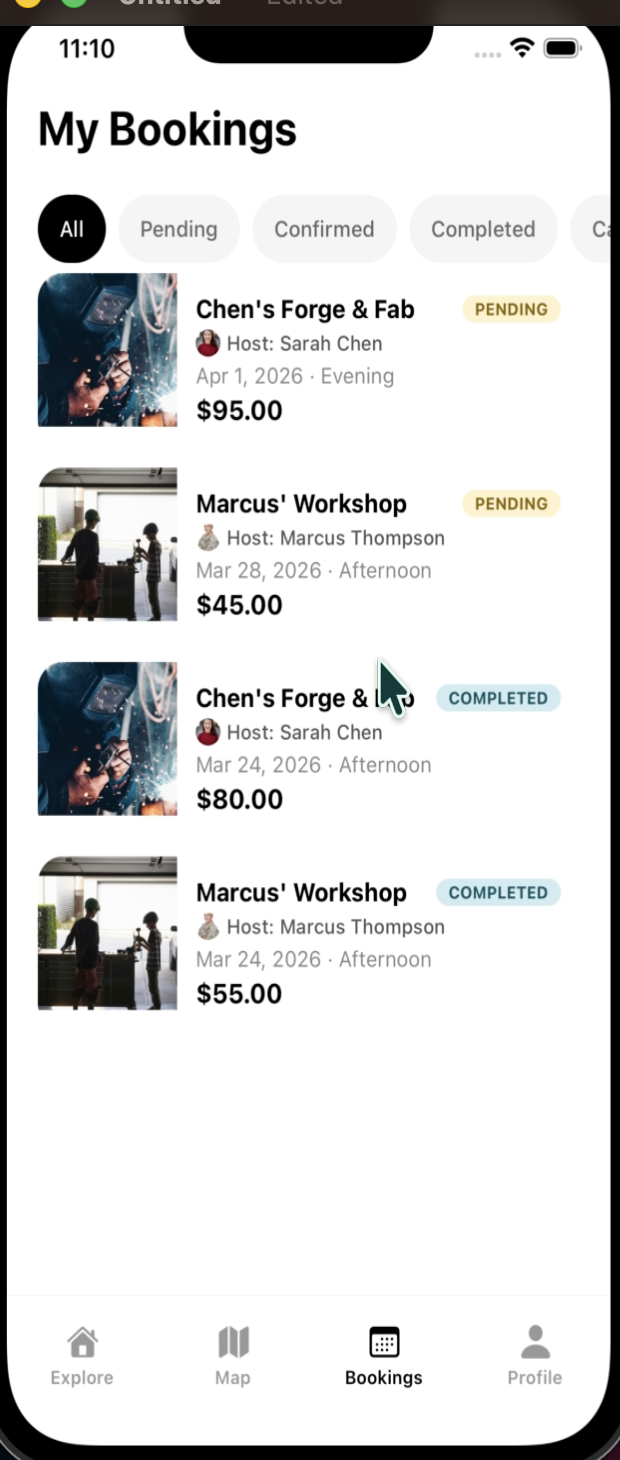
booking statuses
-
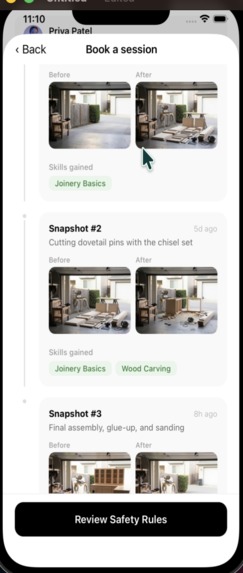
snapshot of workspaces timeline
-
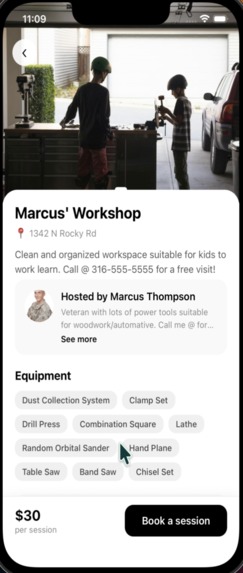
workspace details
-
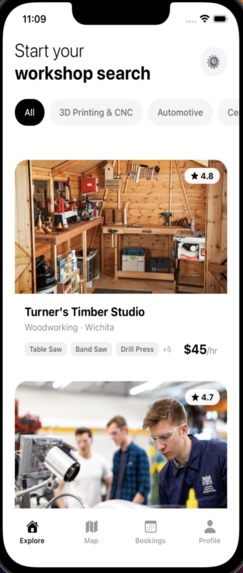
explore page
-
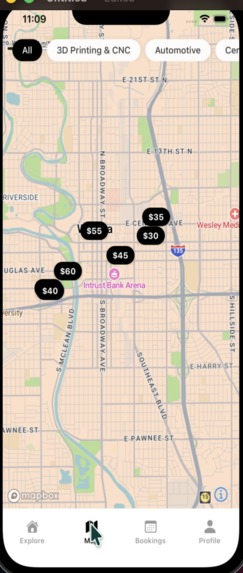
map visualization
Vulcan — What We Learned
The Inspiration
The team bonded over the various problems companies solved in the pre-AI era. One story stood out: the inception of Amazon Web Services. Amazon, when it was just an online store, had massive server capacity collecting dust after every holiday season. They saw the opportunity in renting out those idle servers, and the cloud was born.
That lens led to a striking stat: a typical homeowner's lawn mower gets about 20 hours of use per year out of 8,760 available hours, sitting idle 99.7% of its life. Welding rigs, woodworking shops, 3D printers, CNC machines the same pattern holds across the trades. Meanwhile, demand for hands-on skills is rising, and the people who want to learn often lack the means to access expensive equipment or expert guidance.
Enter Vulcan — "the Airbnb for Skilled Hands." Book a workbench, learn a skill, document your build.
How We Built It
Architecture Decisions
Two independent apps, one repo. The Expo React Native frontend (
app/) and Express backend (backend/) each have their ownpackage.json,node_modules, and.env. No monorepo tooling, just two processes running side by side. This kept things simple and avoided build configuration overhead during the hackathon.Supabase as the backbone. PostgreSQL database, file storage for photos, and the JS client for runtime queries. Prisma was used exclusively for schema management and seeding, all runtime queries go through the Supabase JS client with its FK join syntax. This avoided Prisma's code generation cycle and let the team iterate on queries faster.
File-based routing with Expo Router. Tab navigation for the four main screens (Home, Map, Bookings, Profile), dynamic routes for workshop details, booking flows, and snapshot timelines. The file-system-as-router pattern made it easy to reason about navigation without a central config.
Zustand for auth + lookups, React Query for server state. Lightweight state management that avoided the boilerplate of Redux while keeping server cache logic separate and well-structured with query key tuples.
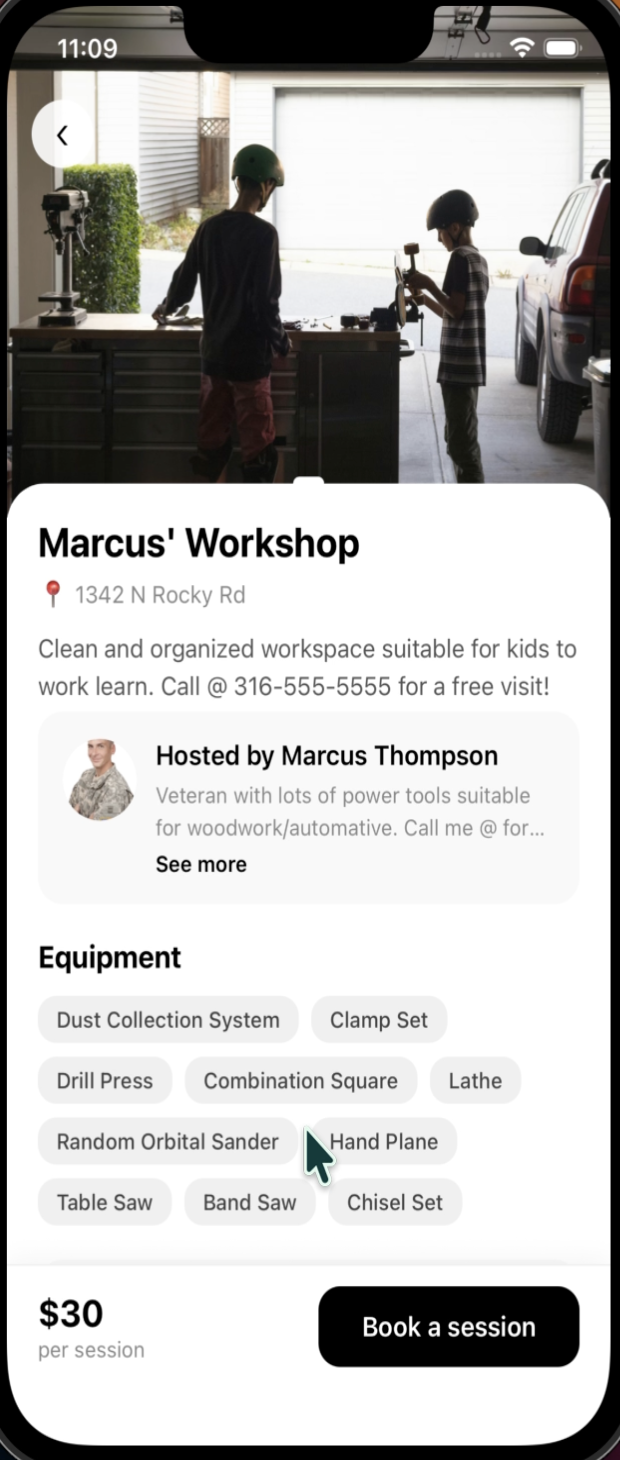
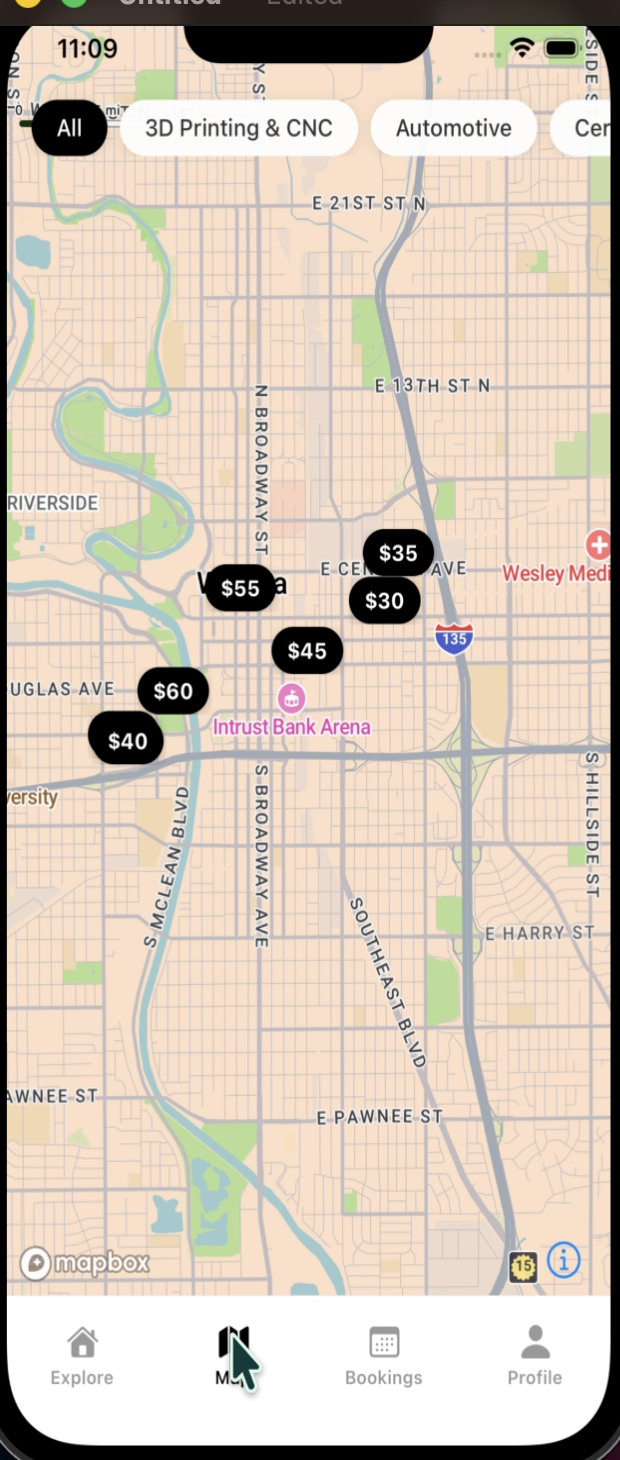
Mapbox for the workshop radar. Interactive map with price-labeled pins, category filtering, and tap-to-preview card, all centered on Wichita, KS for the demo dataset.
Tech Stack
| Layer | Choice |
|---|---|
| Frontend | React Native (Expo SDK 55), TypeScript, Expo Router |
| State | Zustand + React Query |
| Backend | Node.js, Express, TypeScript |
| Database | Supabase (PostgreSQL) |
| ORM / Schema | Prisma (schema + seed only) |
| Maps | Mapbox GL (@rnmapbox/maps) |
| Storage | Supabase Storage (photo uploads) |
| Animations | React Native Reanimated |
Features Shipped
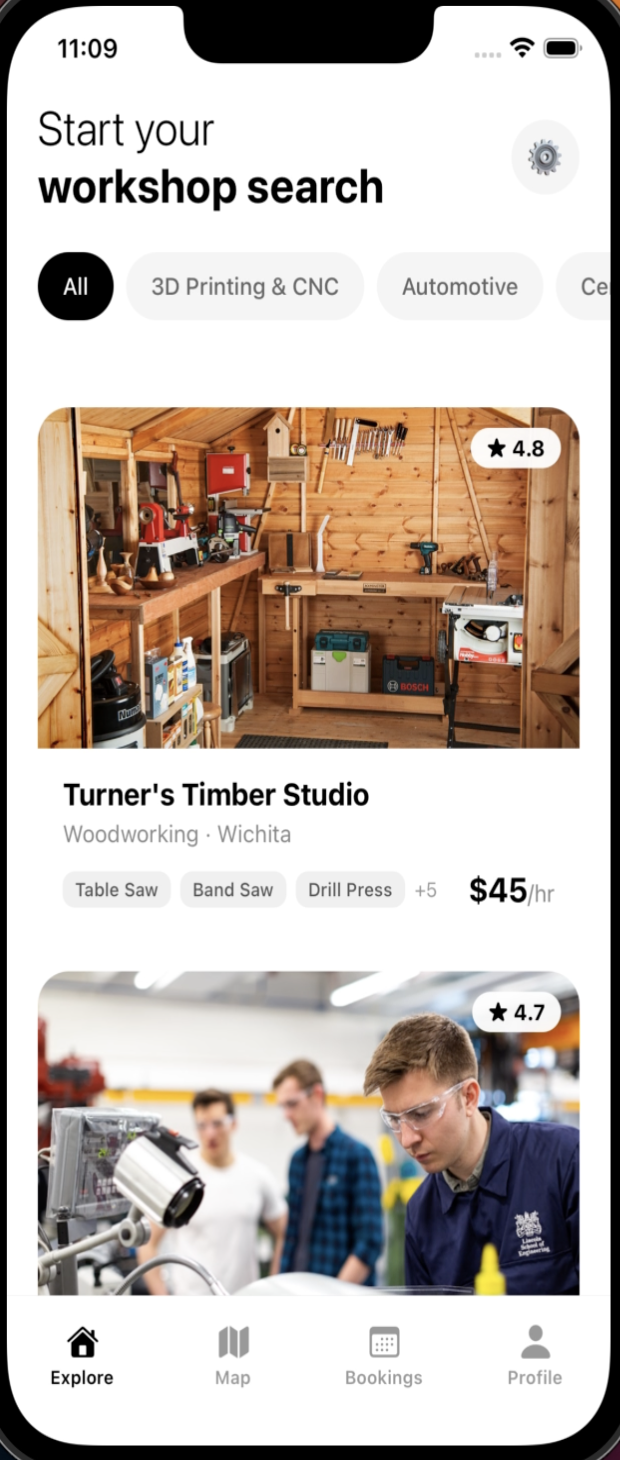
Workshop Radar — Map-based discovery with geo search (bounding-box approximation), equipment filtering, and category pills. Workshop cards show photos, ratings, equipment tags, and hourly rates.
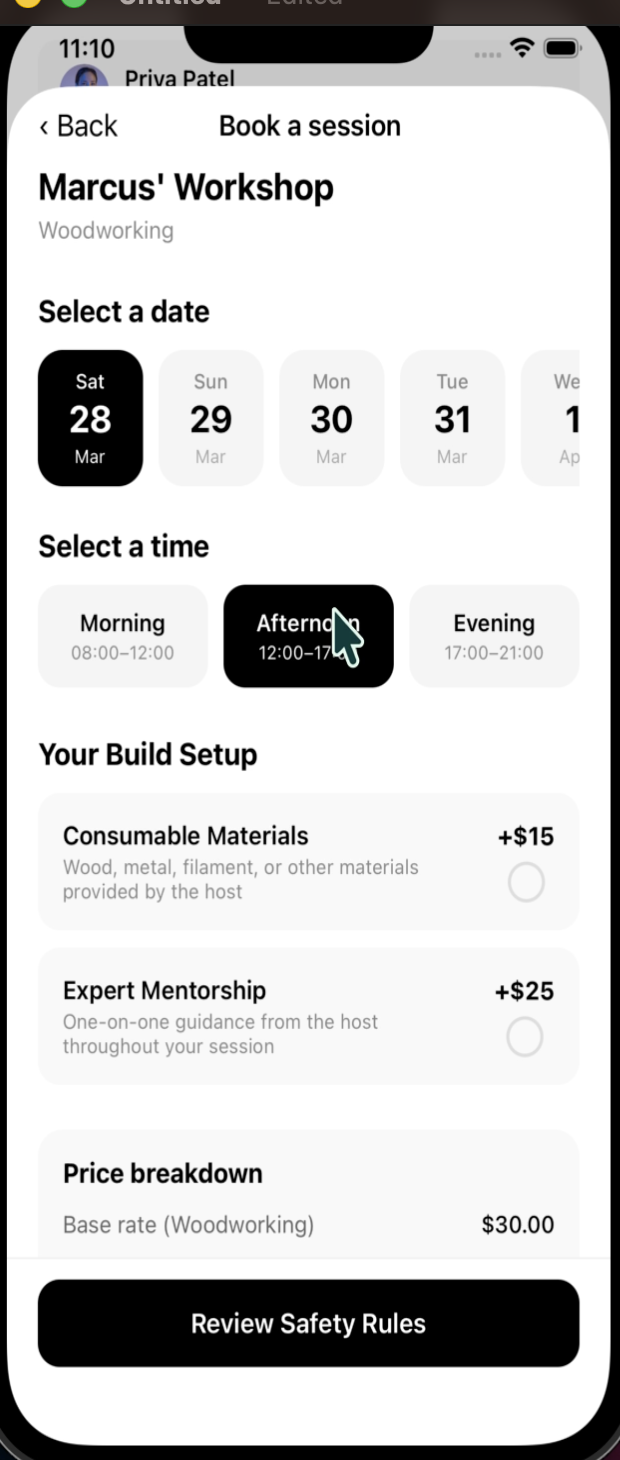
Booking System — Date picker, time slot selection (Morning/Afternoon/Evening), optional add-ons with dynamic pricing, and a mandatory safety acknowledgement modal with three platform-wide rules. Price is frozen at booking time.
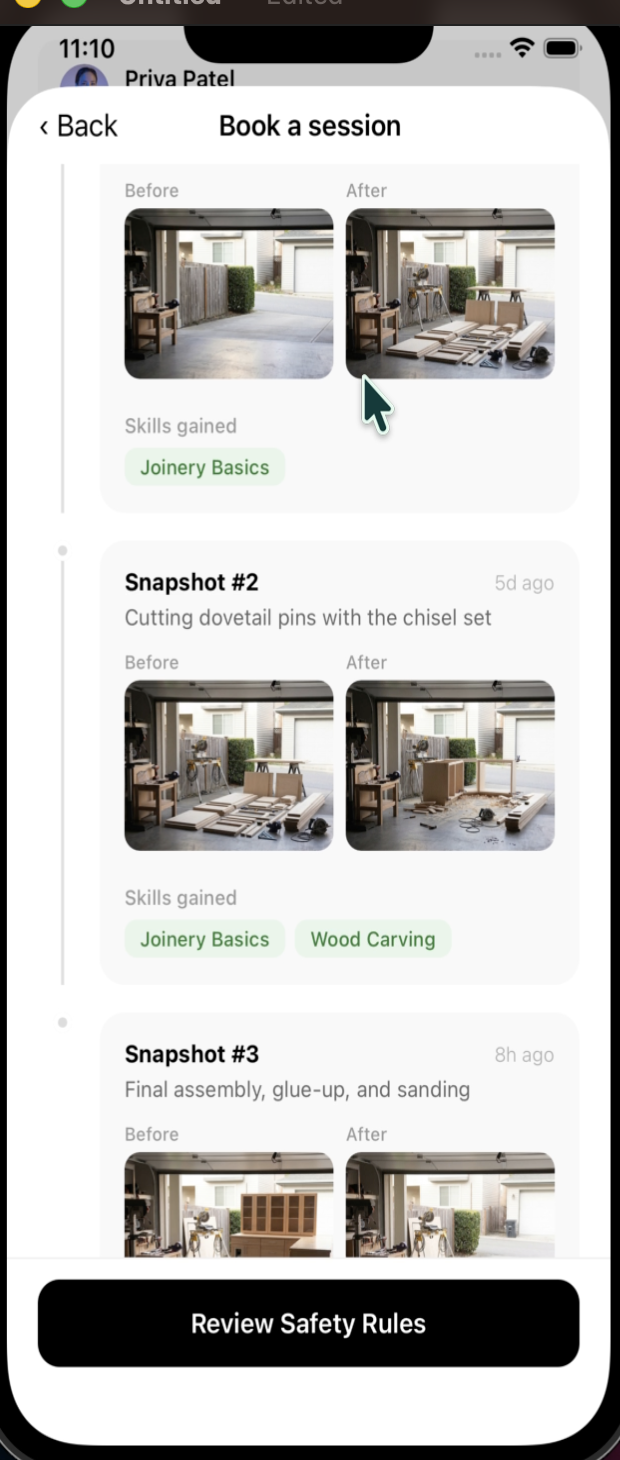
Build-Log Snapshots — A vertical timeline (inspired by git commit history) that documents each session with before/after photos, tools used, and skills gained. Both the workshop detail page and booking flow display these as "Build Logs." A host cannot mark a booking as completed without at least one snapshot — enforcing documentation of the work.
Authentication — Email/password login with session persistence via Expo Secure Store. Pre-seeded users for the MVP. Role-aware UI: bookers see their bookings, hosts see incoming requests, and users with both roles can toggle between views.
Profile & Projects — Profile screen with navigation to past projects and their snapshot timelines.
Build Timeline
The project was built iteratively through feature branches and pull requests:
- Started with the core data model (16 Prisma models) and seed data
- Built out the workshop browsing UI and map view
- Layered on the booking flow with availability management
- Added authentication prompts and session persistence
- Finished with the snapshot timeline and profile enhancements
Challenges We Faced
Dev Builds Over Expo Go
Mapbox's native SDK requires custom native modules, which means Expo Go could not be used. Every change that touched native code required a full dev build (npx expo run:android / npx expo run:ios). This slowed the feedback loop significantly compared to the hot-reload workflow most Expo developers are used to. The tradeoff was worth it for having a real interactive map, but it ate into development time.
Geo Search Without PostGIS
Rather than setting up PostGIS extensions, the team implemented geo-radius search as a simple bounding-box calculation in TypeScript. This works fine for the demo dataset (all in Wichita, KS) but would not scale to production. It was a conscious tradeoff, shipping the feature mattered more than geographic precision for the hackathon.
Snapshot Enforcement Logic
Requiring both before and after photos for every snapshot, and preventing booking completion without snapshots, created a chain of validation that touched multiple API endpoints. Getting the enforcement right across the booking status update, snapshot creation, and frontend display took careful coordination.
No Auth Middleware
For speed, the team skipped token-based authentication entirely. User identity is passed in request bodies rather than extracted from headers or sessions. This made development faster but meant every endpoint implicitly trusts the client, acceptable for a hackathon demo, but a clear gap for production.
Animations and Timeline UX
Building the vertical snapshot timeline with animated nodes (using React Native Reanimated's FadeInDown) required careful layout work. Getting the timeline connector lines, node indicators, and photo pairs to render correctly across different screen sizes took more iteration than expected.
Key Takeaways
Start with the data model. Having 16 well-thought-out Prisma models from the beginning meant the API layer and frontend could be built in parallel without major schema reworks.
Seed data is a feature. Investing in a proper seed script with realistic mock data (workshops, users, bookings, snapshots) made it possible to demo the full flow from day on, and saved hours of manual testing.


Log in or sign up for Devpost to join the conversation.