Inspiration
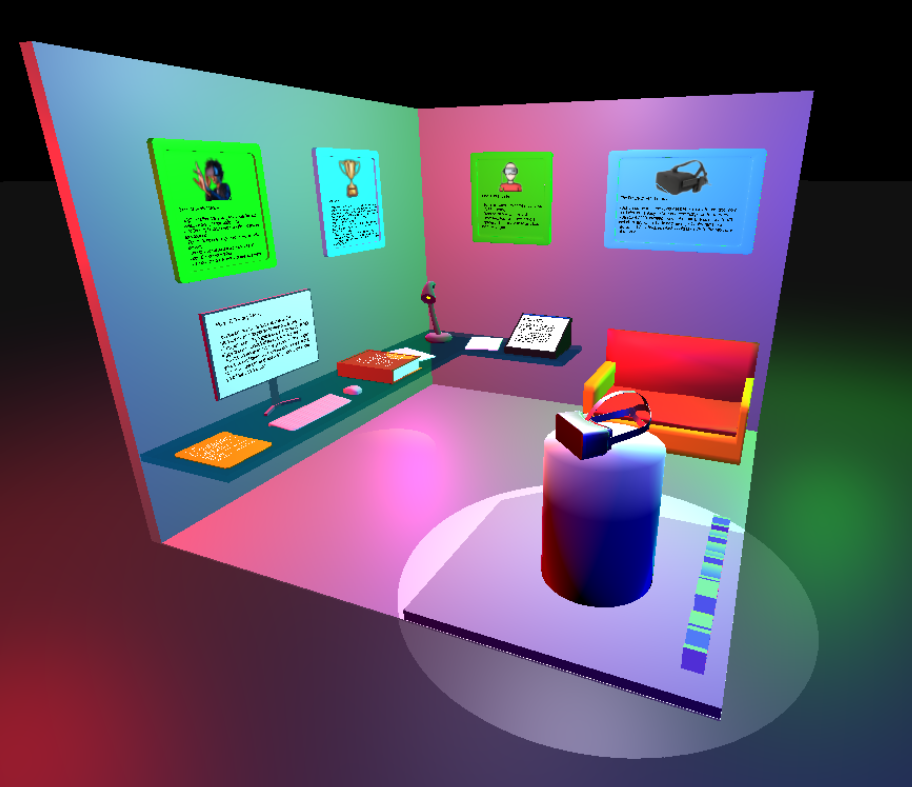
VR therapy is a new way of treating therapy where users put on VR goggles and improve their fears or overcome stressful situations such as PTSD through a simulated environment. I wanted to built a site that could inform people about this topic in an engaging and unique way.
What it does
This is a site that informs you about what VR therapy is, the benefits, how it compares to traditional therapy, the science behind it, and the future of VR therapy in an engaging way.
How we built it
- Designed concept in Photoshop
- Modeled and shaded scene in Blender
- Exported Blender model in .glb format for compatibility with Three.JS
- Built Three.JS with Vite
- Uploaded to GitHub and deployed to Vercel for live site hosting
Challenges we ran into
- Had to relearn beginner concepts in Photoshop and Blender (a bit rusty)
- Camera transitions weren't smooth, and I had to come up with a technically intricate solution for moving the camera from one position to the next as well as the look at position in a smooth transition
- Had to manually place hit boxes around all items that were clickable
- Moving Three.JS objects to absolute positions in scene was very tedious
- Had some trouble with spot lights (lights that point in one direction) which were more complicated than point lights (points light in all directions)
Accomplishments that we're proud of
- First time creating a room scene in Blender (I've only done Blender modeling a couple times before this, still a beginner)
- Finished first Three.JS site I've ever made on my own from scratch!
What we learned
- Learned more about Three.JS concepts such as camera transitions (both position and look at)
- Applied spot lights in an effective manner
- Integrated Blender and Three.JS for the first time
What's next for VR Therapy Info
- I can add some button links to each of the text items to allow the user to navigate to another article to learn more about VR Therapy
- Improve camera transition smoothness
- Make camera movements generally better for all PCs (mine doesn't have a GPU and is slower, but a PC with a GPU will process the code faster, making the animation too fast sometimes)
- Add more objects to Blender model and improve shading for more realism
- Focus more on shadowing in scene


Log in or sign up for Devpost to join the conversation.