🌟 Inspiration
Growing up, we all experienced school fire drills — walk outside, stand in a line, and go back inside. It never actually felt like a real emergency. We realized that students aren’t unprepared because they don’t care; they’re unprepared because they’ve never been safely exposed to realistic disaster situations.
This led us to one idea:
“If we can’t bring students to real emergencies, we can bring those emergencies to students — safely.”
VR gave us a way to create immersive, controlled danger. AI helped us understand how people react under stress. And automation allowed us to turn these experiences into meaningful insights for schools.
That combination became the heart of VR Disaster Classroom.
🧠 What We Learned
This project pushed us in ways we didn’t expect. We learned:
How to design VR experiences that feel real without overwhelming the user
How to use AI to evaluate human behavior in high-pressure situations
How to create RPA pipelines that turn messy data into clean, useful reports
How to coordinate multiple technologies — VR, ML, and web tools — into one system
We walked away with a deeper understanding of both technology and human psychology.
🛠️ How We Built It
- VR Simulation (Unity + XR Toolkit)
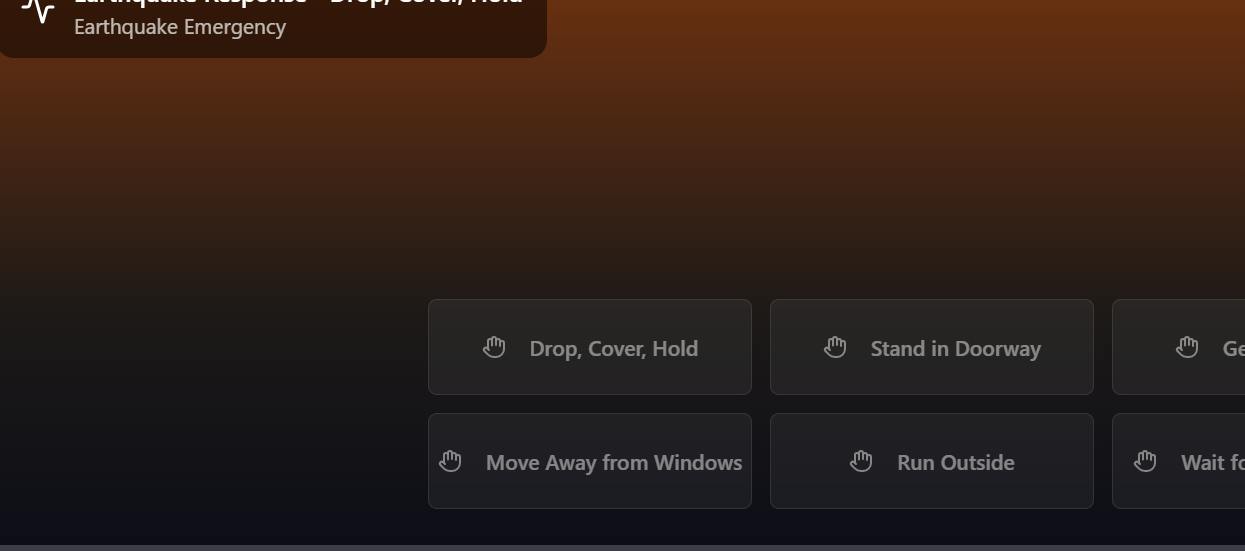
We built disaster scenarios (fire, earthquake, and medical emergencies) using Unity. This included particle effects, shaking environments, interactable items like fire extinguishers, and simple physics. Our goal was immersion — not intensity — so we focused on clarity and realism.
- AI Behavior Analysis (Python / Node.js)
After each simulation, the user’s actions are logged and evaluated. We used a scoring function:
SafetyScore
𝛼 ( SafeActions ) − 𝛽 ( RiskyActions ) − 𝛾 ( ReactionDelay ) SafetyScore=α(SafeActions)−β(RiskyActions)−γ(ReactionDelay)
An LLM transforms that data into friendly, human-like feedback.
- Web Dashboard (React + Firebase/Supabase)
Teachers can view:
Performance history
AI-generated feedback
Mistake patterns
Improvement trends
It’s clean, simple, and easy to understand.
- RPA Automation (Report Generation)
After each session, an automated pipeline:
Generates a PDF safety report
Uploads it to the cloud
Emails it to the student/teacher
No manual work required — the system handles it all.
🚧 Challenges We Faced
We hit a lot of obstacles along the way:
Syncing real-time VR actions to backend scoring
Balancing realistic emergencies with VR comfort
Designing an AI scoring system that feels fair and logical
Making automation reliable with constantly changing data
Time constraints — combining VR, AI, web, and automation in one sprint is not easy
Each challenge pushed us to improve our design and problem-solving.
🚀 Final Result
We built a system that feels meaningful and practical. Students get to experience emergencies safely. Teachers get accurate, automated performance insights. And schools get a powerful tool to help prepare their students for critical moments.
VR teaches. AI evaluates. Automation amplifies.
We hope this project can one day make a real difference.

Log in or sign up for Devpost to join the conversation.