-
-
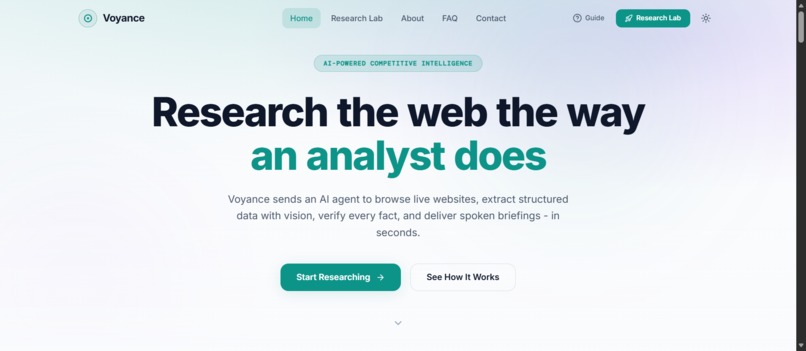
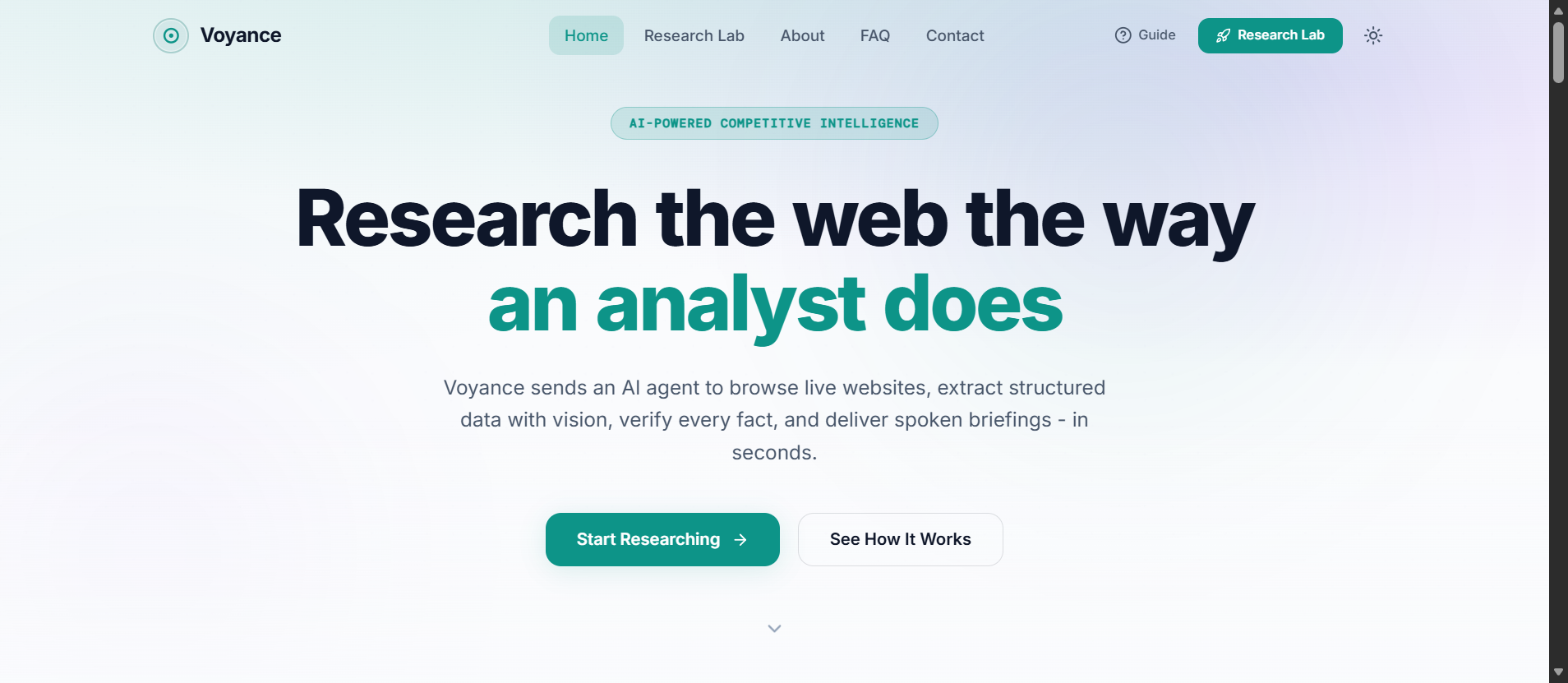
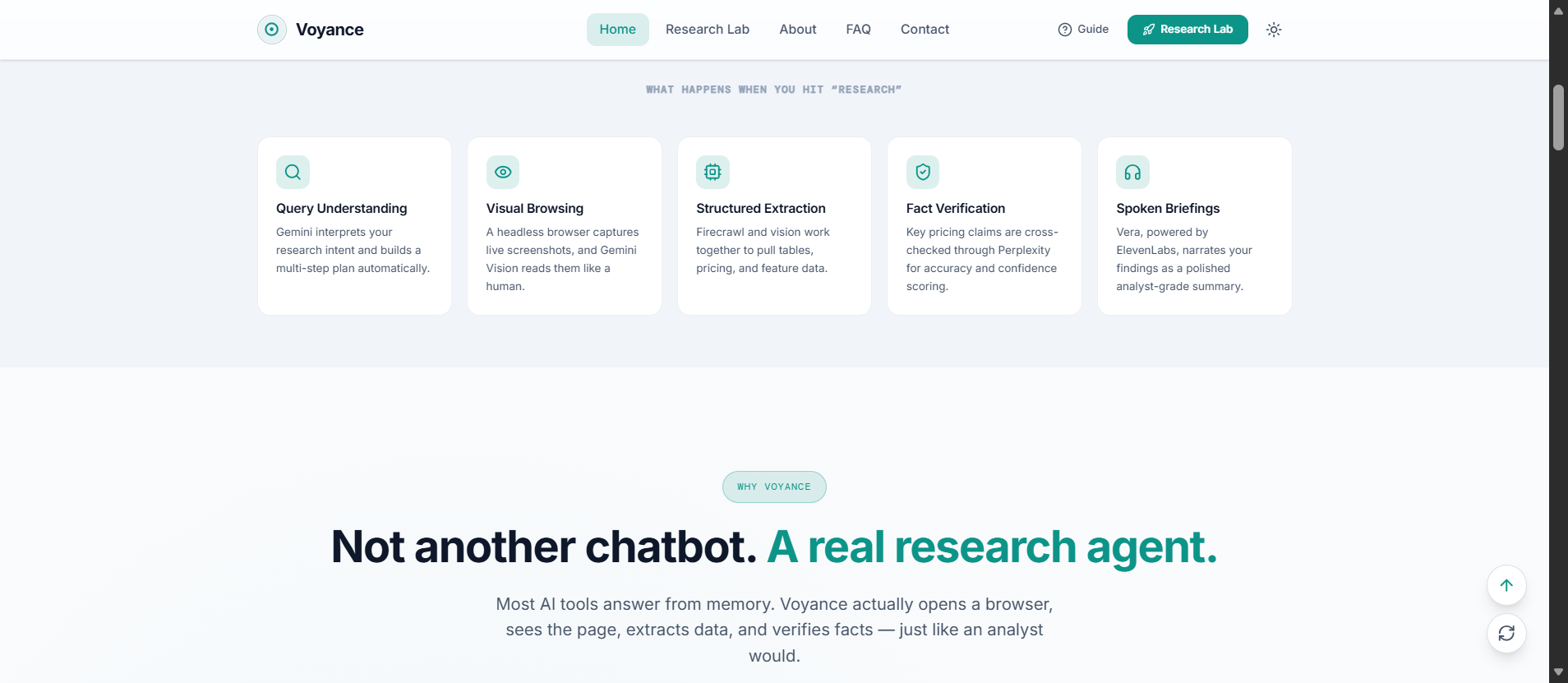
Home Page
-
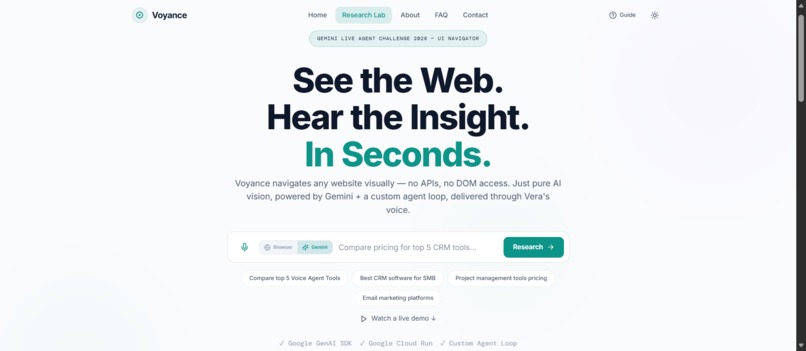
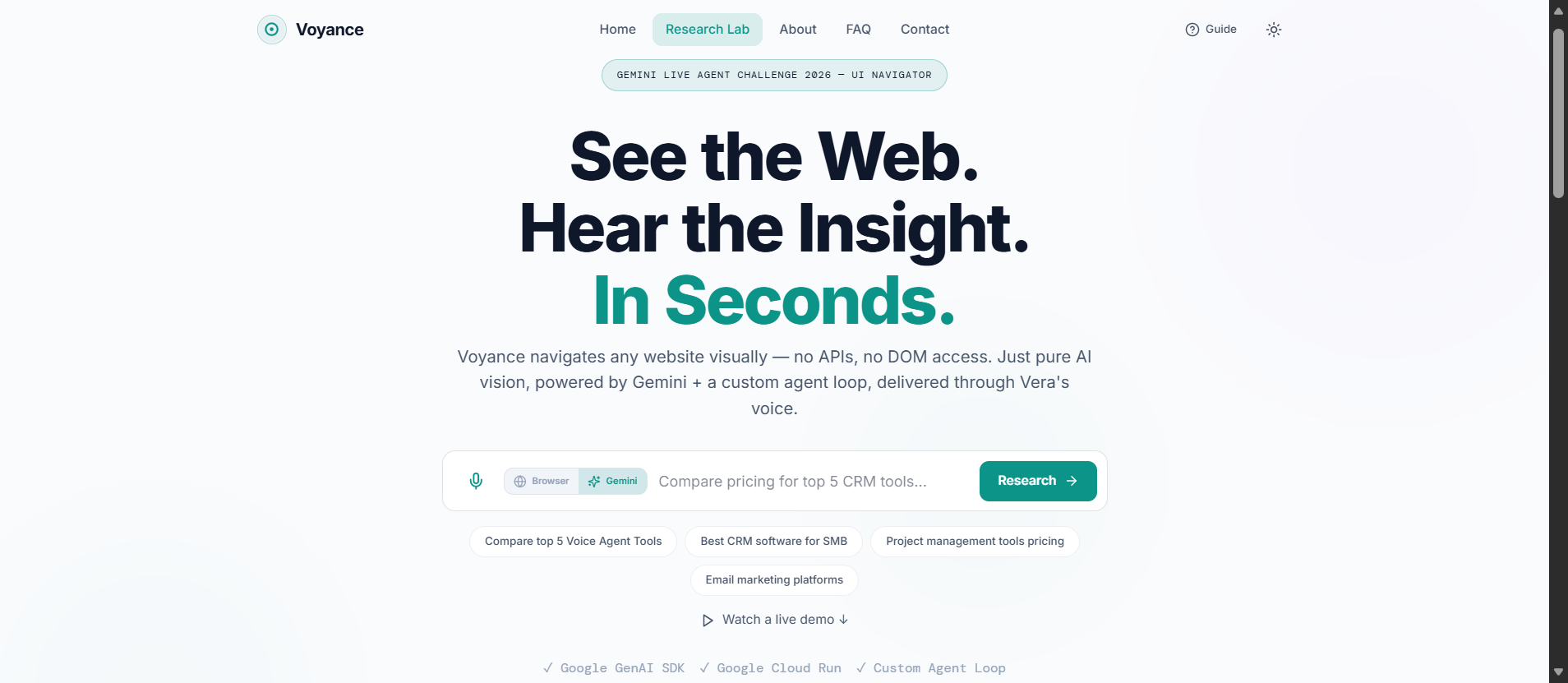
Research Lab
-
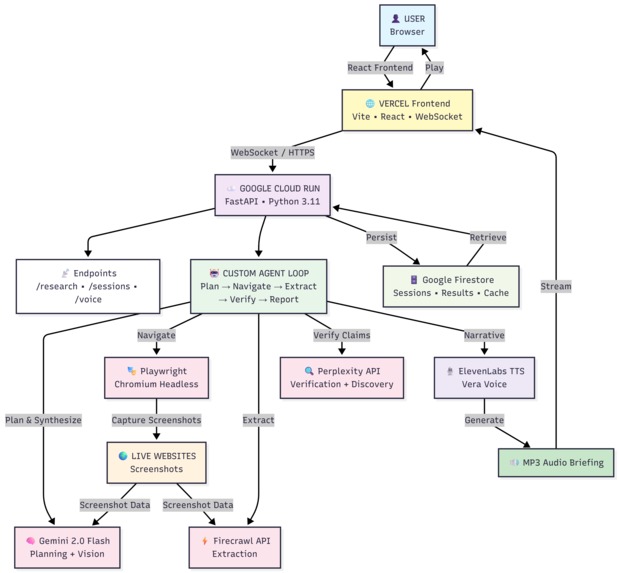
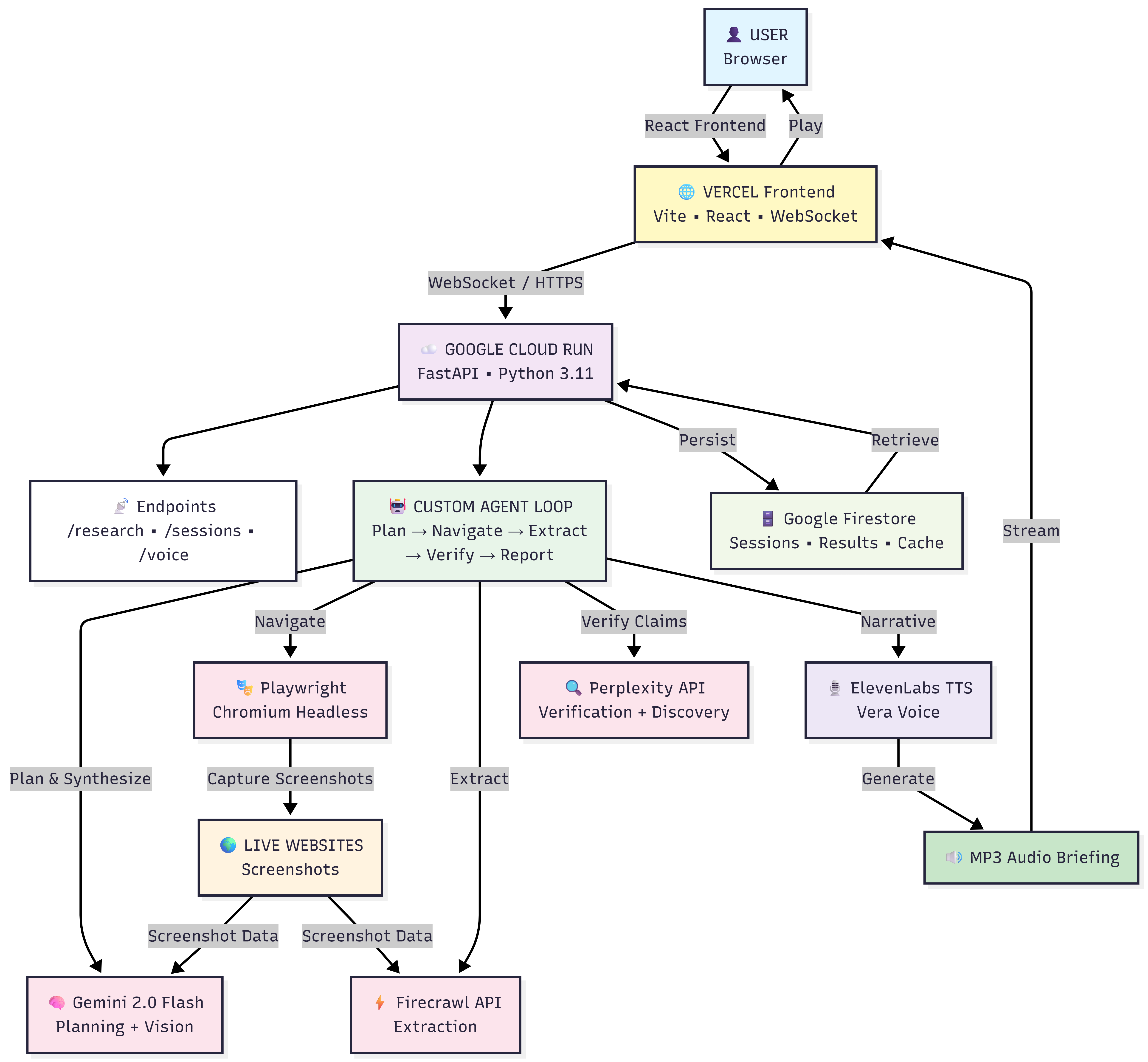
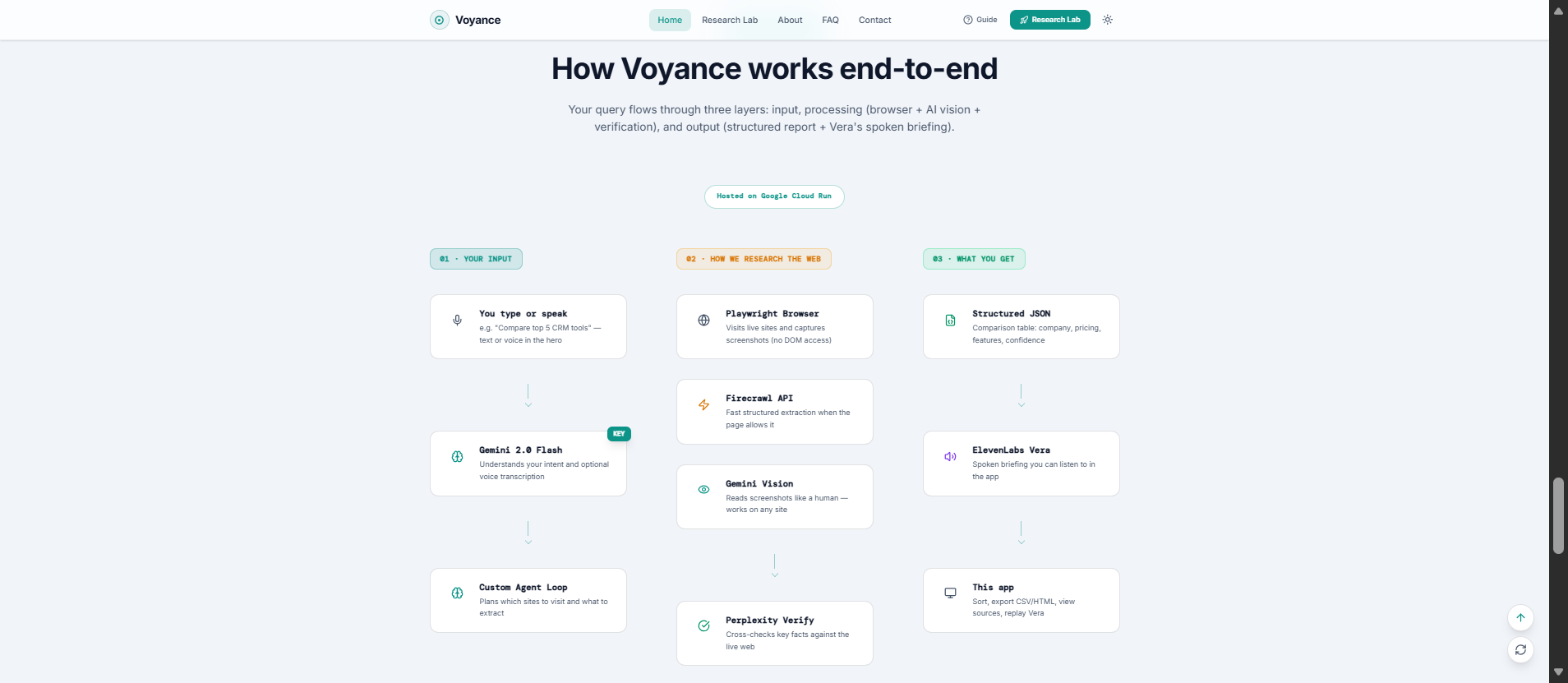
Architecture Diagram
-
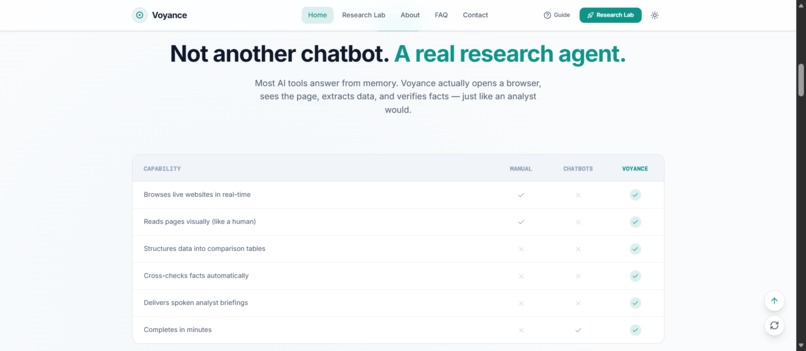
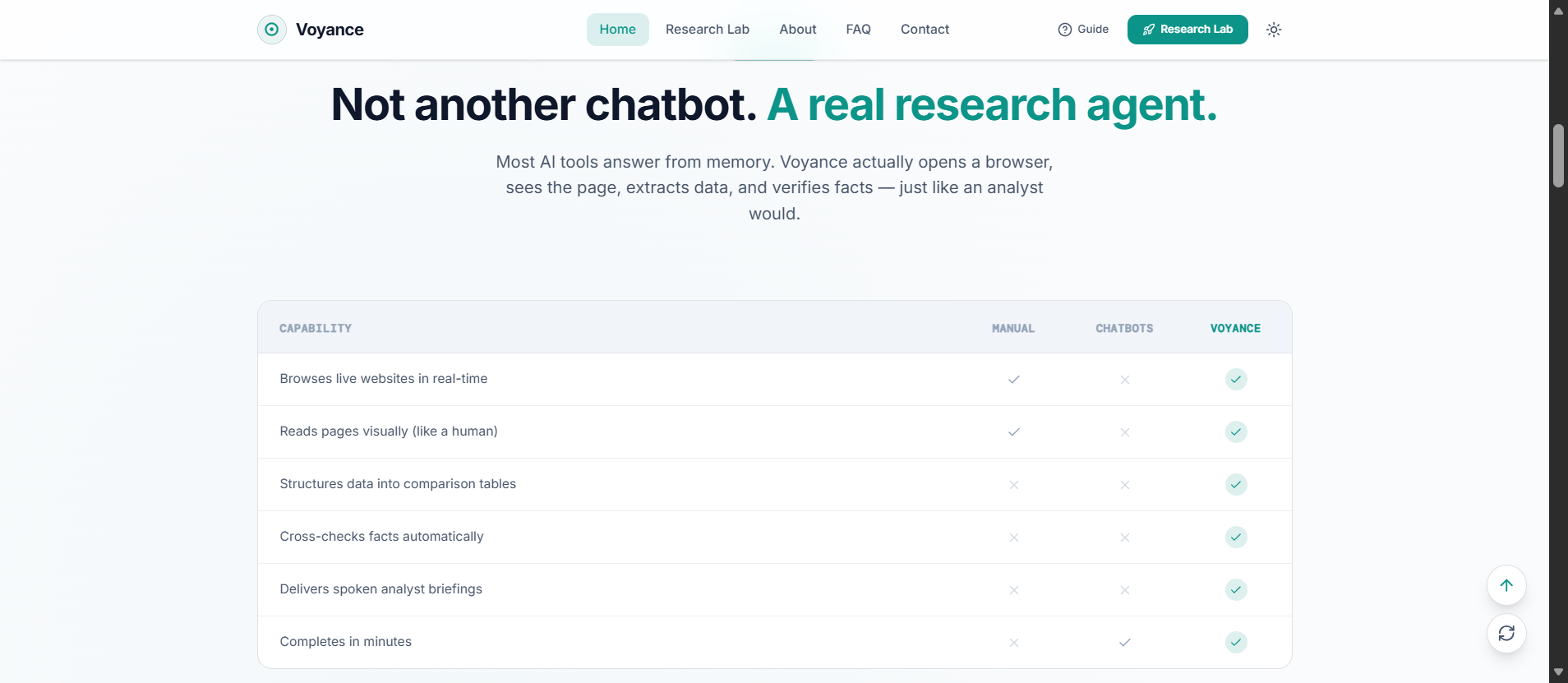
Why Voyance
-
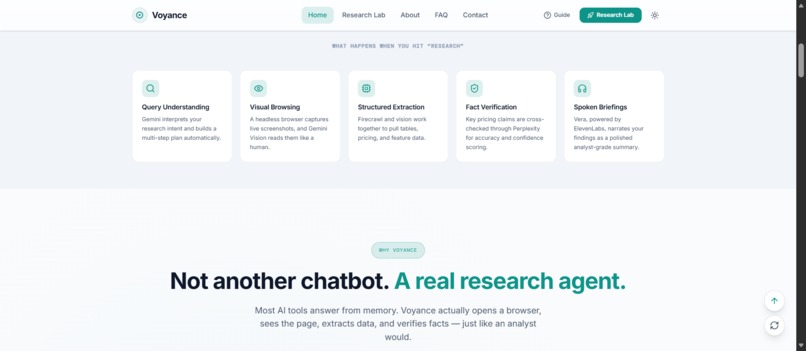
Not Another Chatbot
-
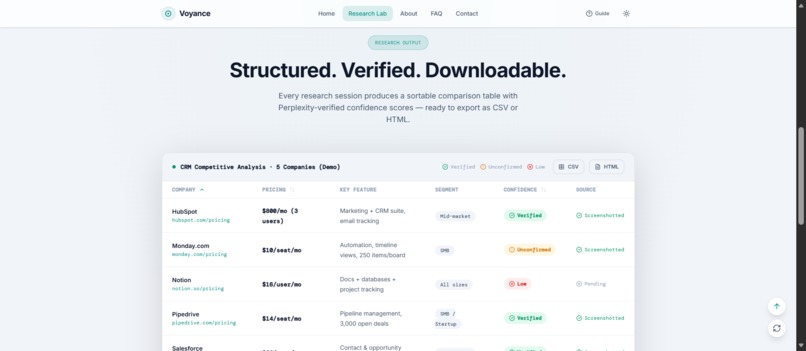
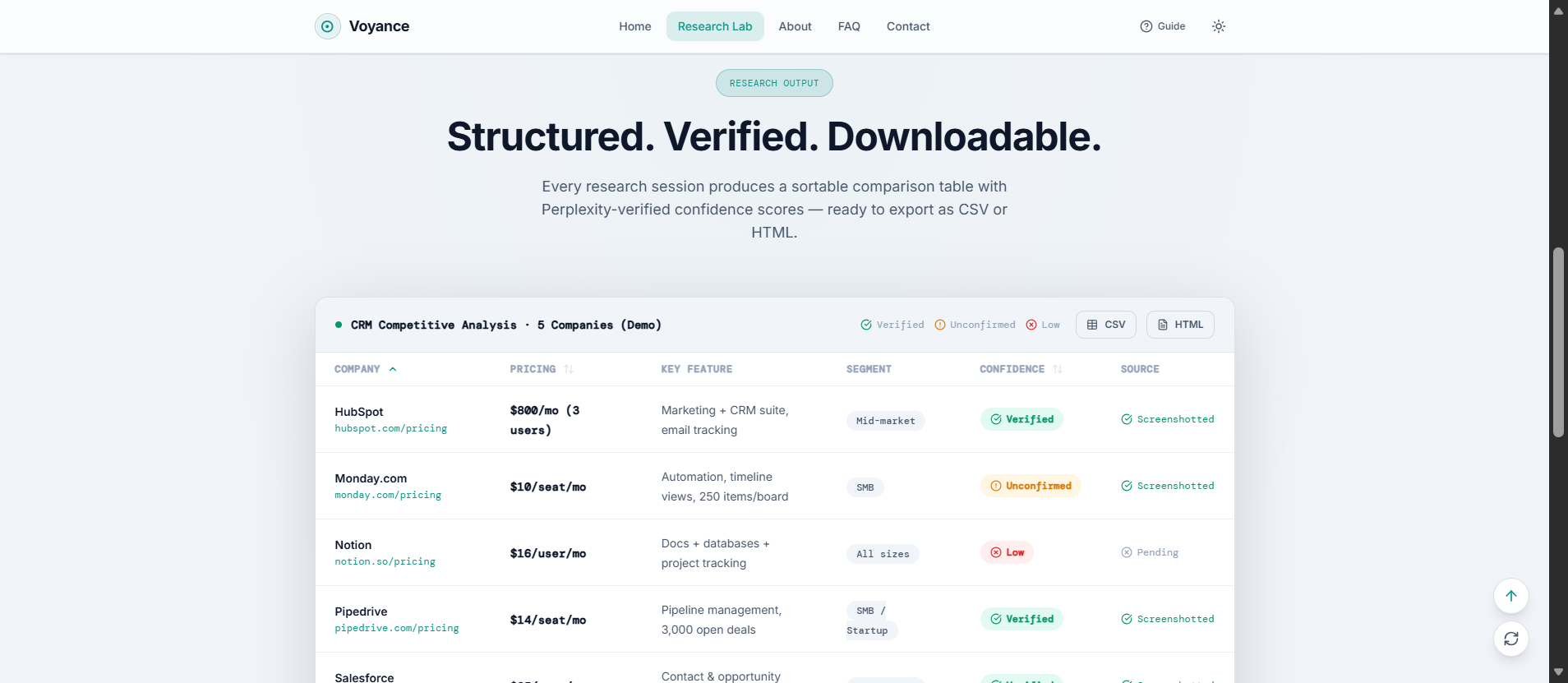
Output Table
-
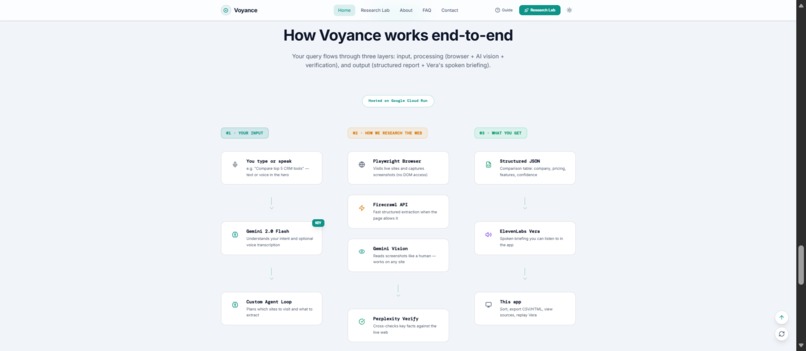
Multimodal Working
-
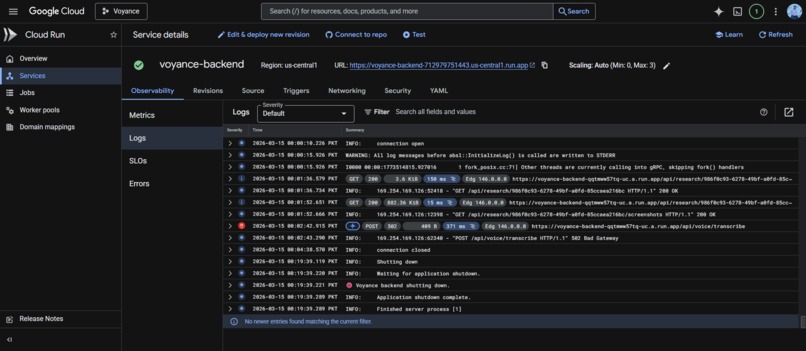
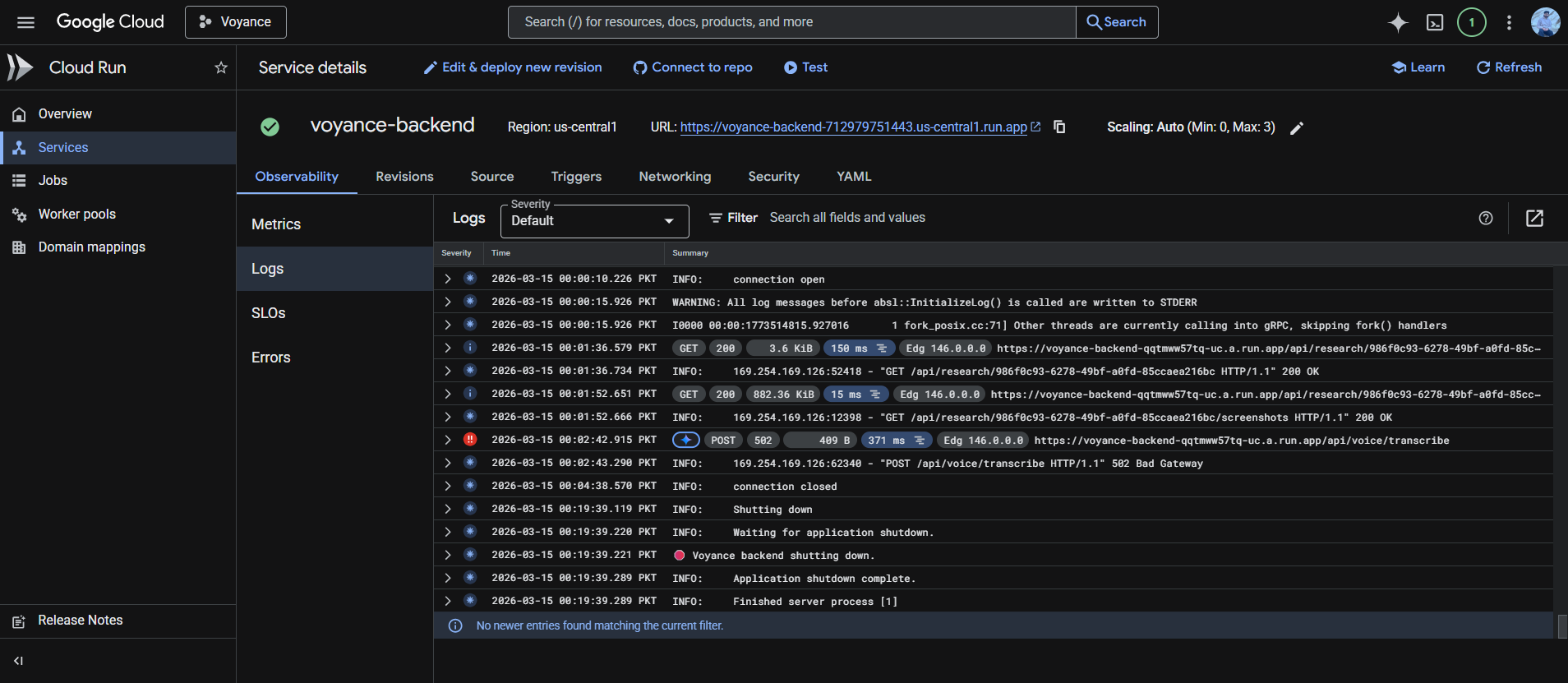
Google Cloud Logs
🔭 Voyance
AI-Powered Visual Web Research Agent
Describe your research task in plain English. Watch an intelligent agent navigate live websites using Gemini vision. Receive a spoken briefing and a structured comparison report — no DOM scraping, no site-specific APIs, no code required.



💡 The Problem
Competitive research today is broken:
| Pain Point | Reality |
|---|---|
| CSS selectors | Break every time a site is redesigned |
| Site-specific scrapers | Need constant, costly maintenance |
| Manual copy-paste | Hours of work across dozens of tabs |
| Data reliability | No way to verify AI-extracted claims |
We asked a different question: What if an AI agent could see the web the way a human analyst does?
Instead of fighting DOM structures, Voyance uses computer vision + multi-model planning to browse like a real analyst — and was built specifically for the Gemini Live Agent Challenge (UI Navigator track), which asks: Can an agent observe and interact with interfaces using multimodal vision?
✨ What Voyance Does
You type:   "Compare pricing for the top 5 CRM tools"
              ↓
 Agent plans → navigates → extracts → verifies → reports
              ↓
You receive: A sortable comparison table + Vera's spoken briefing
The full output includes:
- 📊 Sortable comparison table — company, segment, pricing tiers, key features, and confidence badges
- 🎙️ Spoken briefing — ElevenLabs persona Vera narrates findings with analyst-grade voice quality
- 📥 Export — Download results as CSV or HTML
- 📡 Live transcript — Full research pipeline narrated step-by-step in real time
Zero DOM dependencies. Works across site redesigns indefinitely — because it reads pages like a human does.
🏗️ How It Works
The Agent Loop
  ┌─────────────┐     ┌───────────────┐     ┌─────────────────┐
  │  1. PLAN    │────▶│  2. NAVIGATE  │────▶│  3. EXTRACT     │
  │  Perplexity │     │  Playwright   │     │  Firecrawl      │
  │  + Gemini   │     │  Chromium     │     │  → Gemini Vision│
  └─────────────┘     └───────────────┘     └────────┬────────┘
                                                      │
  ┌─────────────┐     ┌───────────────┐              │
  │  5. REPORT  │◀────│  4. VERIFY    │◀─────────────┘
  │  Gemini     │     │  Perplexity   │
  │  + ElevenLabs│    │  Fact-check   │
  └─────────────┘     └───────────────┘
Step-by-Step
① Planning — Research Intent Generation
- Perplexity API looks up "top 5 CRM tools" → returns real, live URLs
- Gemini 2.0 Flash generates a structured JSON research plan: intent, target sites, data points, exclusions
- Keyword-based fallback lists ensure the agent always has targets
② Navigation — Screenshot Capture
- Playwright + headless Chromium loads each URL silently
- Captures raw base64 screenshots — zero DOM interaction, zero selectors
- Pixel data is the only input to the vision layer
③ Extraction — Dual-Path Intelligence
- Fast path: Firecrawl API → structured JSON (company, pricing tiers, features, segment). Low latency on standard pages.
- Vision fallback: Base64 screenshot → Gemini 2.0 Flash multimodal prompt. Handles SPAs, paywalls, and rate-limited pages gracefully.
- Robustness: Missing company names inferred from domain (e.g.,
assetpanda.com→ "Assetpanda"). Enterprise "Contact Sales" pages return real tier names, not "Unknown."
④ Verification — Claim Cross-Check
- For each competitor and key claim (e.g., "HubSpot Starter is $20/seat/mo"):
- Perplexity API (
sonarmodel, citations enabled, low temperature) - Returns a
verifiedflag + confidence score - Powers UI badges:
✅ Verified·⚠️ Unconfirmed·🔴 Low Confidence
- Perplexity API (
⑤ Report — Synthesis & Voice
- Gemini 2.0 Flash aggregates all records and writes a concise narrative
- ElevenLabs TTS (Vera / Rachel voice, Multilingual v2) renders step narration + final synthesis as MP3
- Frontend plays audio via
<audio>element; backend returns base64 MP3
↩️ Interrupts — Mid-Run User Redirection
- Users can say "skip this site" or "focus on HubSpot" while the agent is running
- Agent stores the instruction, re-plans with Gemini, and adjusts the URL list on the next iteration — no session loss
🛠️ Tech Stack
| Layer | Technology | Purpose |
|---|---|---|
| AI Backbone | Gemini 2.0 Flash | Planning, vision analysis, report synthesis |
| SDK | Google GenAI SDK | All Gemini API calls, streamed via WebSocket |
| Browser | Playwright + Chromium | Headless screenshot-only navigation |
| Extraction | Firecrawl API | Fast structured extraction (primary path) |
| Vision Fallback | Gemini Multimodal | Screenshot-based understanding when Firecrawl fails |
| Verification | Perplexity sonar |
Live web fact-checking + URL discovery |
| Voice | ElevenLabs TTS | Vera persona, Multilingual v2, step-level narration |
| Backend | FastAPI + WebSockets | Real-time agent ↔ UI communication |
| Frontend | React 19 + Vite + Tailwind | Live progress feed, sortable table, audio player |
| State | Google Firestore | Session persistence + research result storage |
| Infra | Cloud Run + Terraform + Cloud Build | Production-grade IaC deployment |
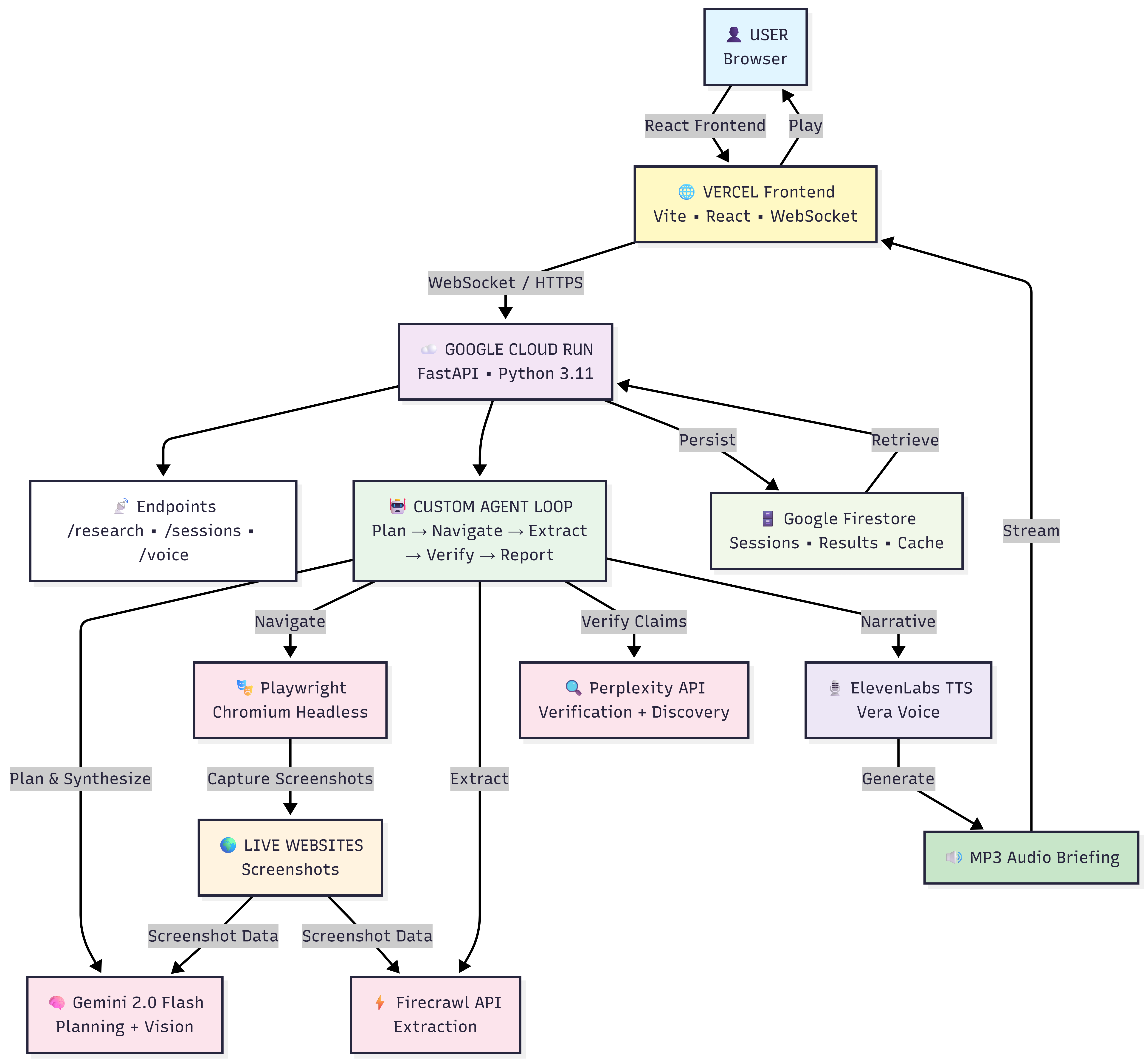
🎯 Key Engineering Decisions & Challenges
1. Screenshot Parsing at Scale
Challenge: Gemini vision can be slow and produce noise on complex pages — logos missing from viewport means "Unknown Company" in output.
Solution: URL-based name inference as a final fallback (extract and title-case the domain). Screenshots are cached per session to avoid redundant vision calls.
2. WebSocket Timeout on Cloud Run
Challenge: Load-balancer idle timeout (~10s) dropped long-running agent sessions mid-research.
Solution: Client-side ping every 5s. If connection drops, the frontend transparently polls the backend for the latest session state. Graceful degradation with zero UX interruption.
3. Hallucinations & Unverified Data
Challenge: Gemini would occasionally invent pricing or features during extraction fallback.
Solution: The Perplexity verification step cross-checks every key claim against live web sources with citations. Only verified claims appear with full confidence; others are flagged explicitly.
4. Playwright Memory & Timeouts
Challenge: Headless Chromium needed >512 MiB; some sites took >30s to load.
Solution: Cloud Run bumped to 1 GiB RAM. 30s request timeout added. Up to 5 concurrent navigations run in parallel.
5. Live Voice During Execution
Challenge: Users wanted to hear narration as the agent works, not only a final summary.
Solution: Step-level TTS — ElevenLabs narrates each step in real time ("Visiting HubSpot… reading pricing page…"), streamed to the frontend incrementally.
🏆 Accomplishments
| # | Achievement |
|---|---|
| 🥇 | True visual UI navigation — zero DOM dependency; works on any site after any redesign |
| 🥈 | Hybrid extraction pipeline — Firecrawl + Gemini vision fallback means we never fail silently |
| 🥉 | Production-grade verification — Perplexity fact-checking prevents hallucinated data from reaching reports |
| 4 | Intelligent mid-run interrupts — users redirect the agent without losing session state |
| 5 | Vera voice briefings — ElevenLabs persona makes research feel human and immersive |
| 6 | Full IaC deployment — Terraform + Cloud Build, production-ready from day one |
📚 What We Learned
Multimodal vision beats DOM scraping — CSS selectors break. Screenshot-based perception is resilient by design. Build agents that perceive like humans.
Users want control mid-execution — Fire-and-forget isn't enough. Interrupt + re-plan capability made the agent feel trustworthy.
Verification separates useful tools from demos — LLMs extract well but hallucinate freely without grounding. Perplexity fact-checks turned Voyance from impressive to reliable.
Stream everything — Real-time WebSocket updates made the experience feel alive. Agentic UX is about feedback loops, not silent background processing.
Memory budgets matter — 512 MiB ≠ enough for 5 concurrent Playwright + Gemini calls. Always profile before deploying headless browsers to serverless infra.
🔮 What's Next
- Gemini Live API — End-to-end voice: speak → Gemini Live transcribes → agent plans & executes. True voice-first research.
- Screenshot Replay UI — Every table row links to the exact screenshot it was extracted from. Fully auditable, transparent intelligence.
- Structured Fact-Checking — JSON claims + citations per competitor. Multi-claim verification with granular confidence scoring.
- Custom Research Schemas — User-defined extraction fields, reusable across industries.
- Scheduled Reports — "Compare these 5 tools every Monday" → recurring research + email summaries.
- Competitor Tracking Dashboard — Historical pricing trends, feature parity charts, market insights over time.
🚀 Try It Now
Live Demo
Run Locally (5 minutes)
Prerequisites: Node.js 18+, Python 3.10+, API keys for Gemini, ElevenLabs, Firecrawl, and Perplexity.
# 1. Clone & install
git clone https://github.com/ibtisamafzal/voyance.git
cd voyance && npm install

# 2. Backend
cd backend
pip install -r requirements.txt
playwright install chromium
cp .env.example .env        # ← add your API keys here
uvicorn main:app --host 0.0.0.0 --port 8000 --reload

# 3. Frontend (new terminal, from repo root)
npm run dev
Open http://localhost:5173, enter "Compare pricing for the top 5 CRM tools", and click Research.
Cloud Deployment (IaC)
Full Terraform + Cloud Build pipeline in infra/:
gcloud auth login
gcloud config set project YOUR_GCP_PROJECT

# Infrastructure
terraform init
terraform apply -var="gcp_project=YOUR_PROJECT" -var="region=us-central1"

# Then connect your repo to Cloud Build — backend auto-deploys on every push
Files: infra/cloudbuild.yaml (CI/CD pipeline) · infra/main.tf (Cloud Run, Firestore, IAM, secrets)
📦 Built With
AI & Multimodal: Gemini 2.0 Flash · Google GenAI SDK · Gemini Multimodal Vision
Verification & Data: Perplexity API (sonar) · Firecrawl API
Browser: Playwright · Chromium (headless, Docker)
Voice: ElevenLabs API (Vera / Rachel, Multilingual v2)
Backend: FastAPI · WebSockets · Python 3.11 · Pydantic
Frontend: React 19 · Vite · Tailwind CSS · Radix UI · Framer Motion · Lucide React
State: Google Firestore · Google Cloud Storage
Infra: Docker · Google Cloud Run · Cloud Build · Terraform · Vercel · Google Secret Manager
Built for the Gemini Live Agent Challenge — UI Navigator track.
Built With
- chromium
- docker
- elevenlabs
- fastapi
- firecrawl
- firestore
- flash
- genai
- multimodal
- perplexity
- playwright
- pydantic
- python
- radix
- run
- sdk
- tailwind
- terraform
- ui
- vercel
- vite
- websockets


Log in or sign up for Devpost to join the conversation.