-
-
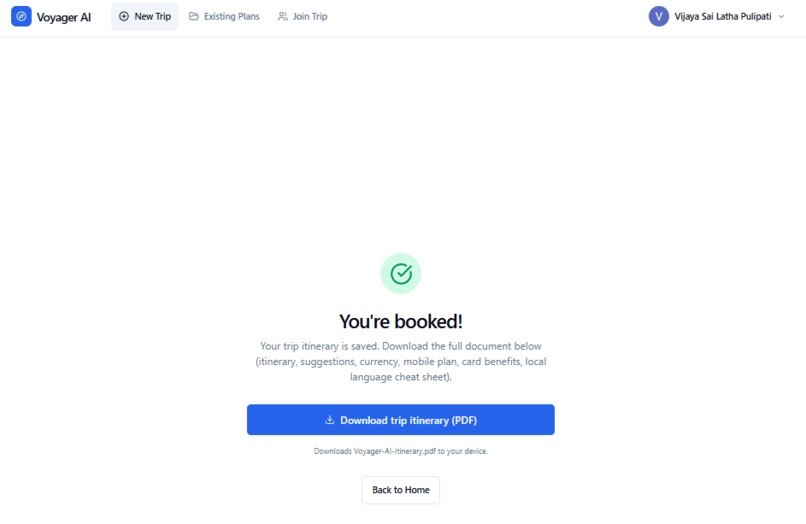
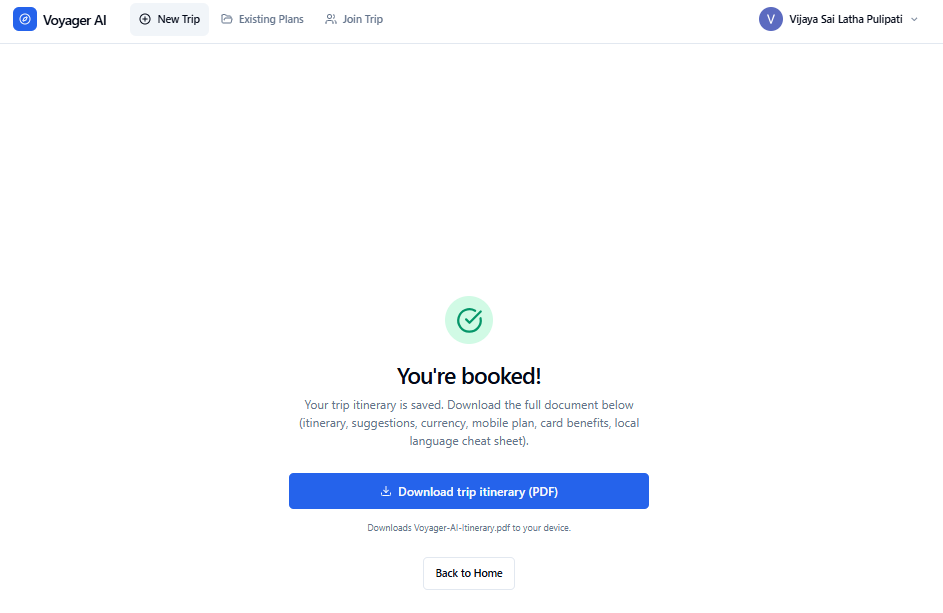
Final Booking Page
-
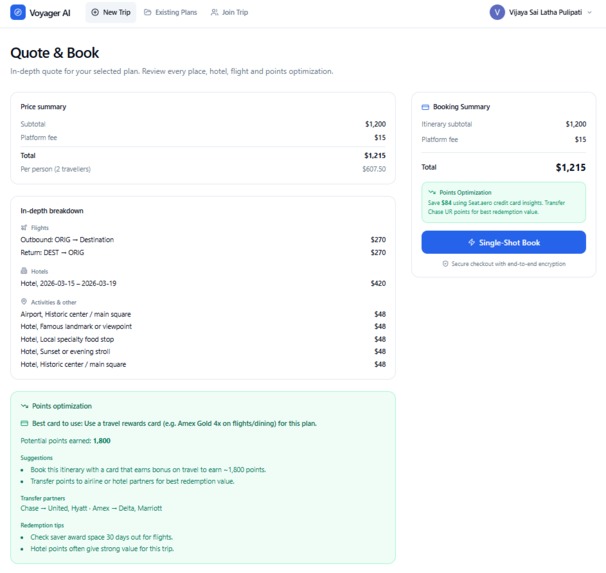
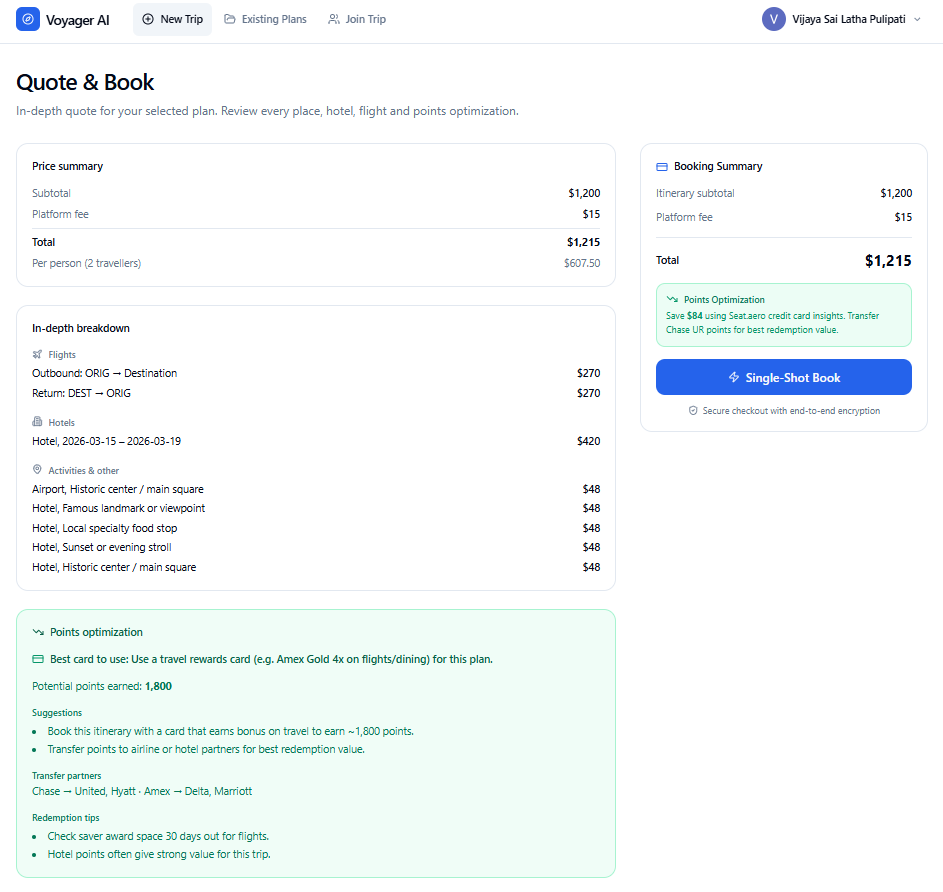
Quote
-
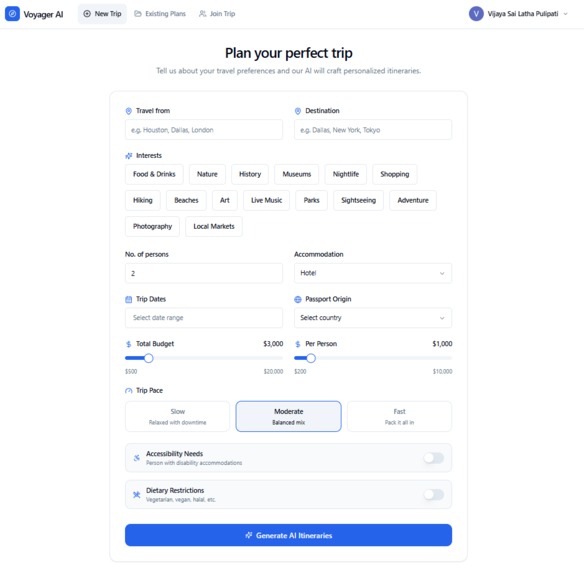
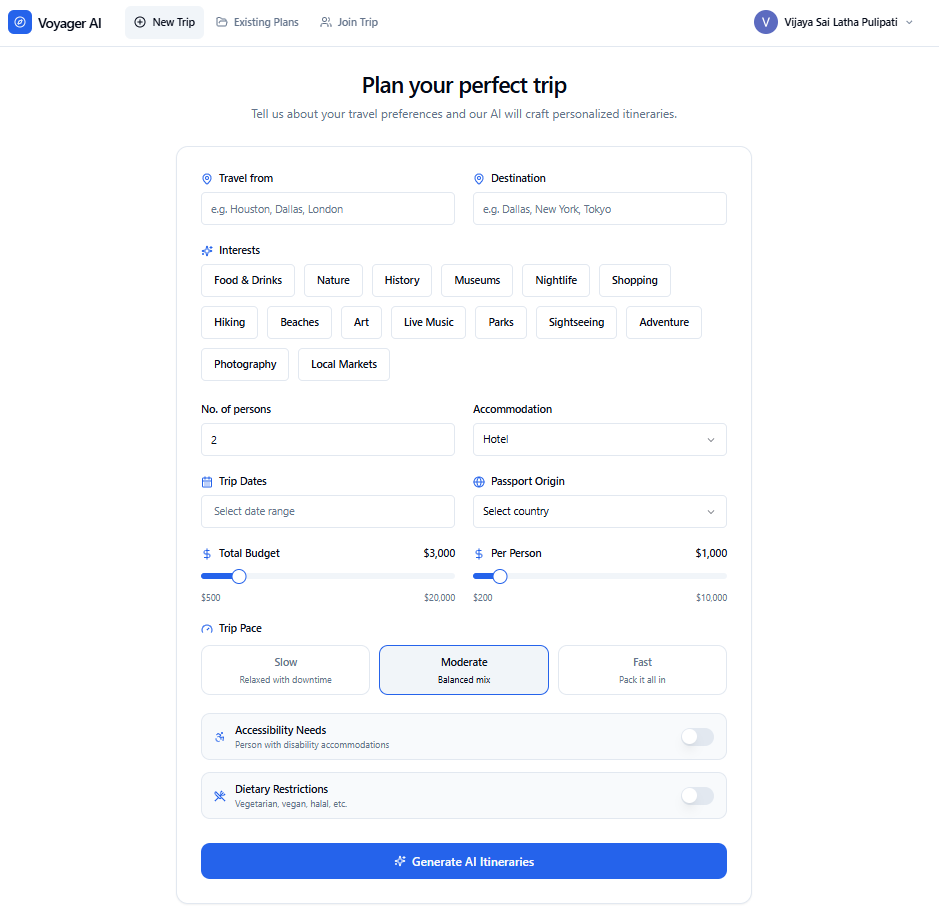
Home Page
-
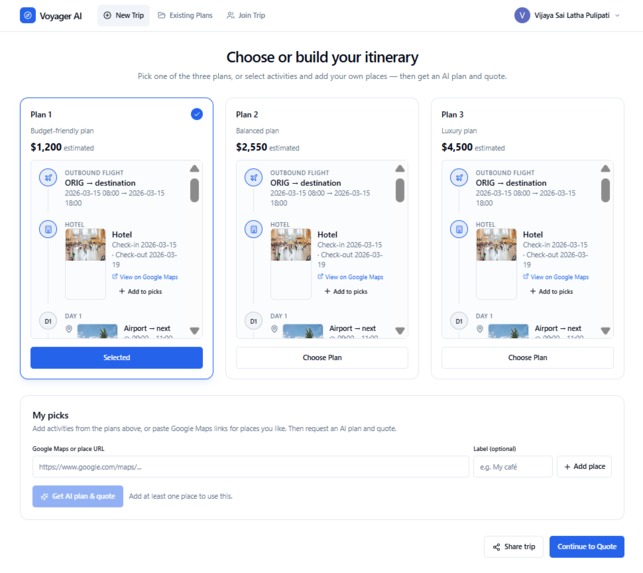
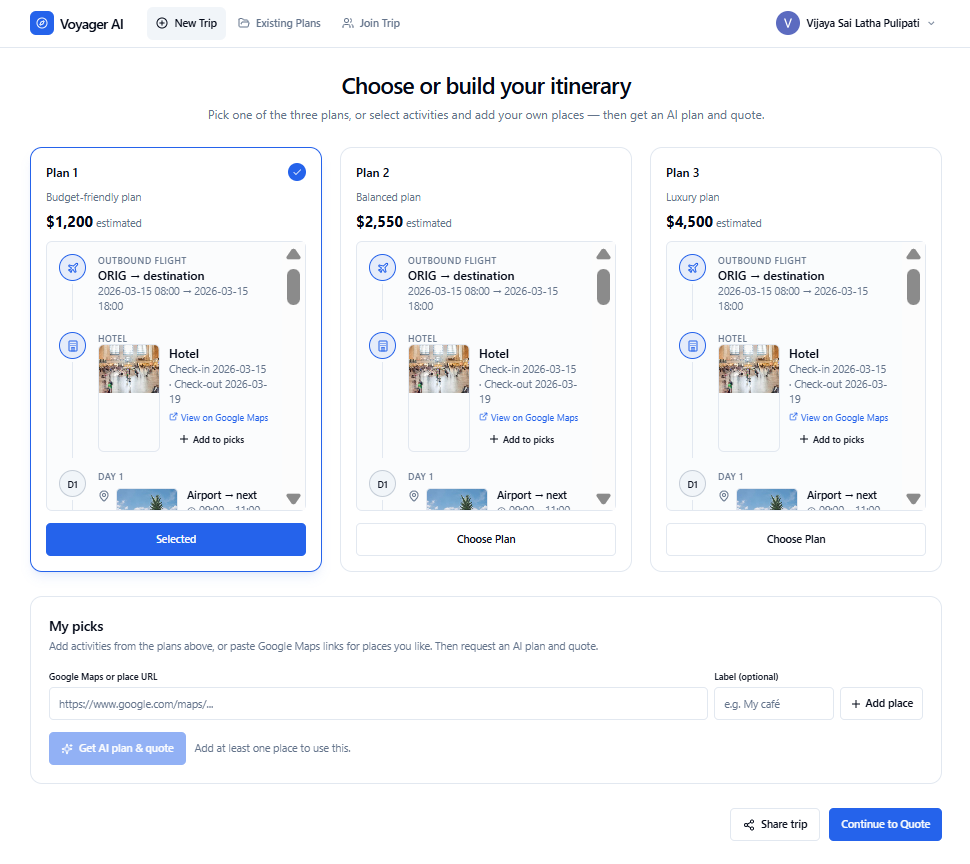
Personalized Itineraries
-
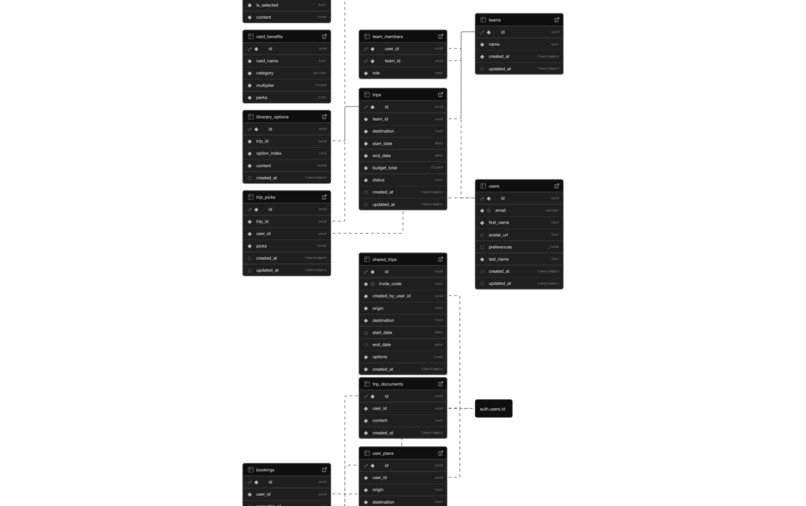
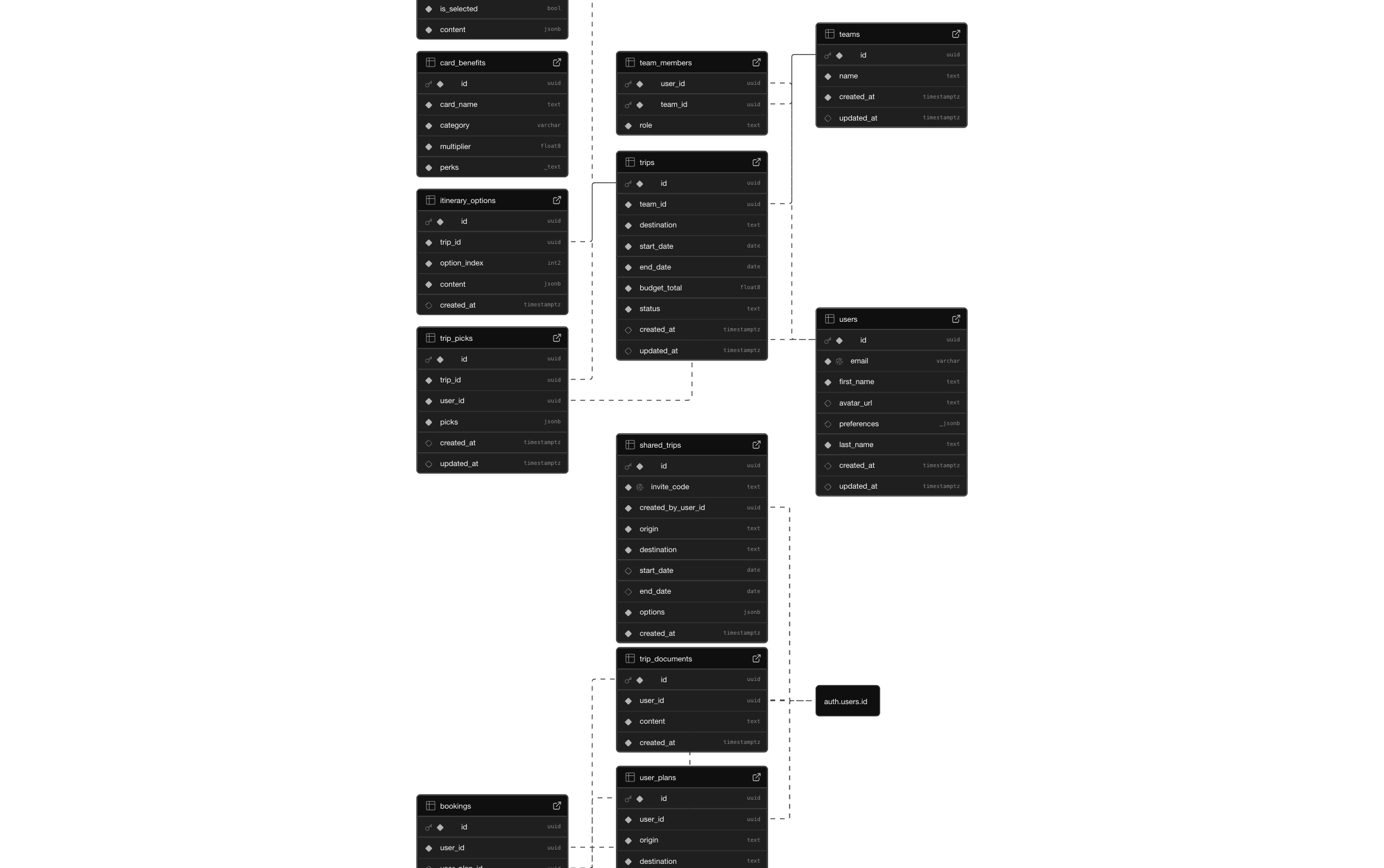
Schema
-

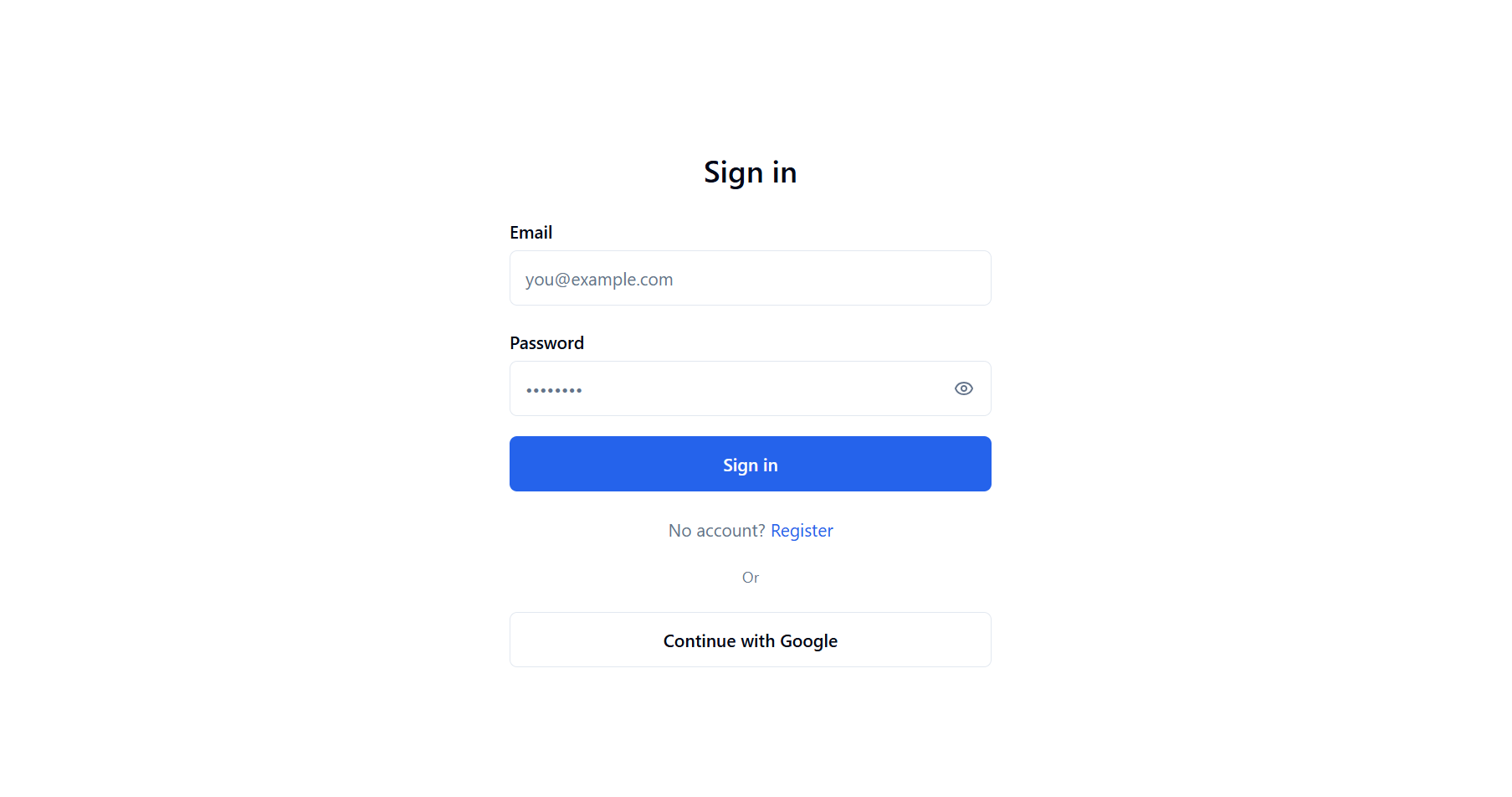
Login Page
-
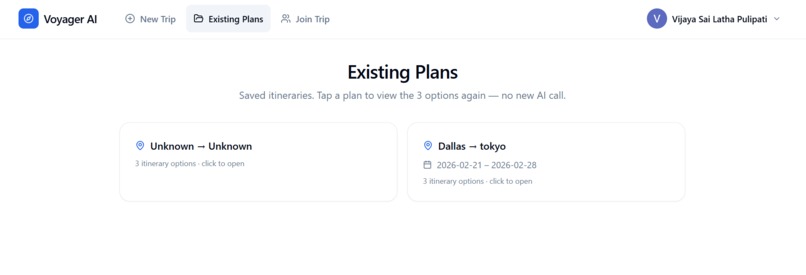
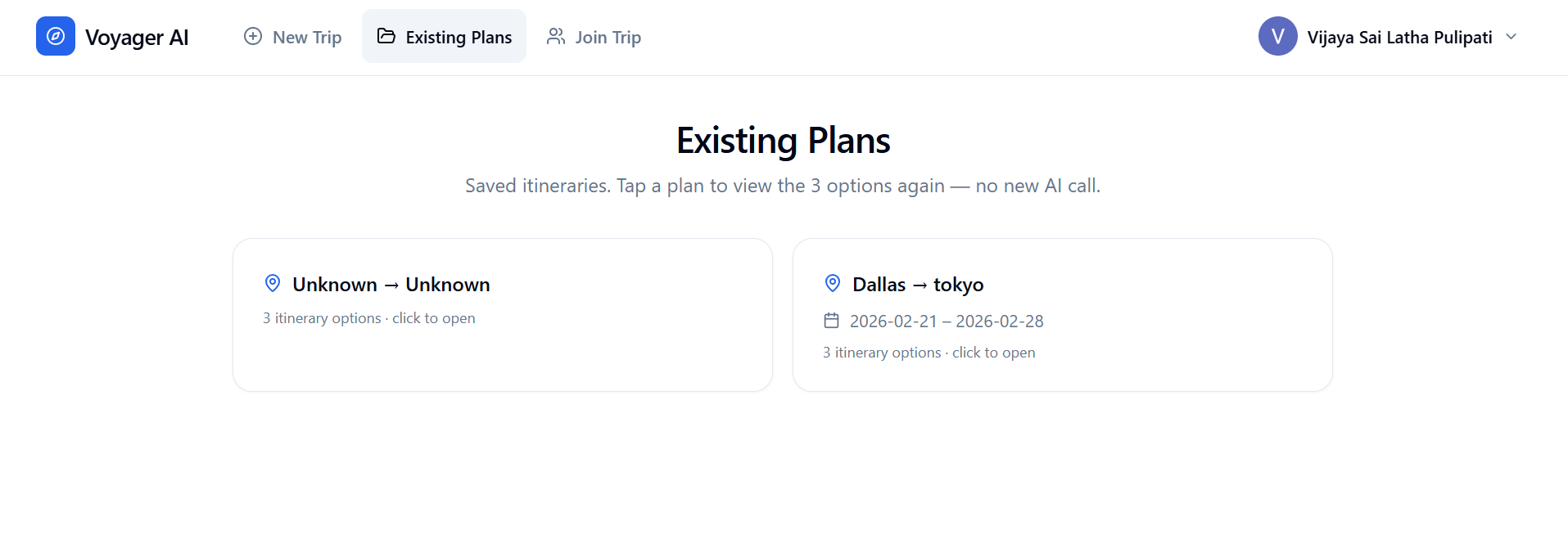
Existing Plans
-
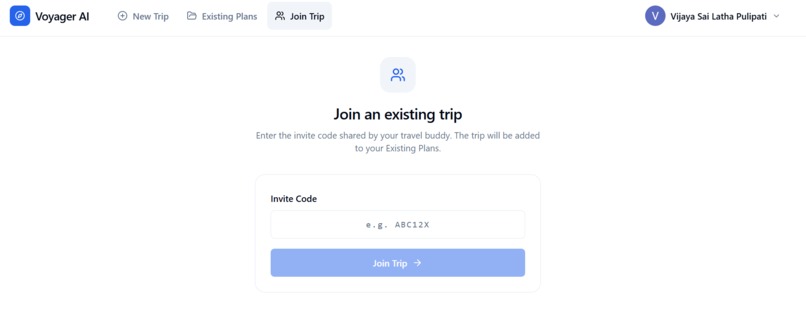
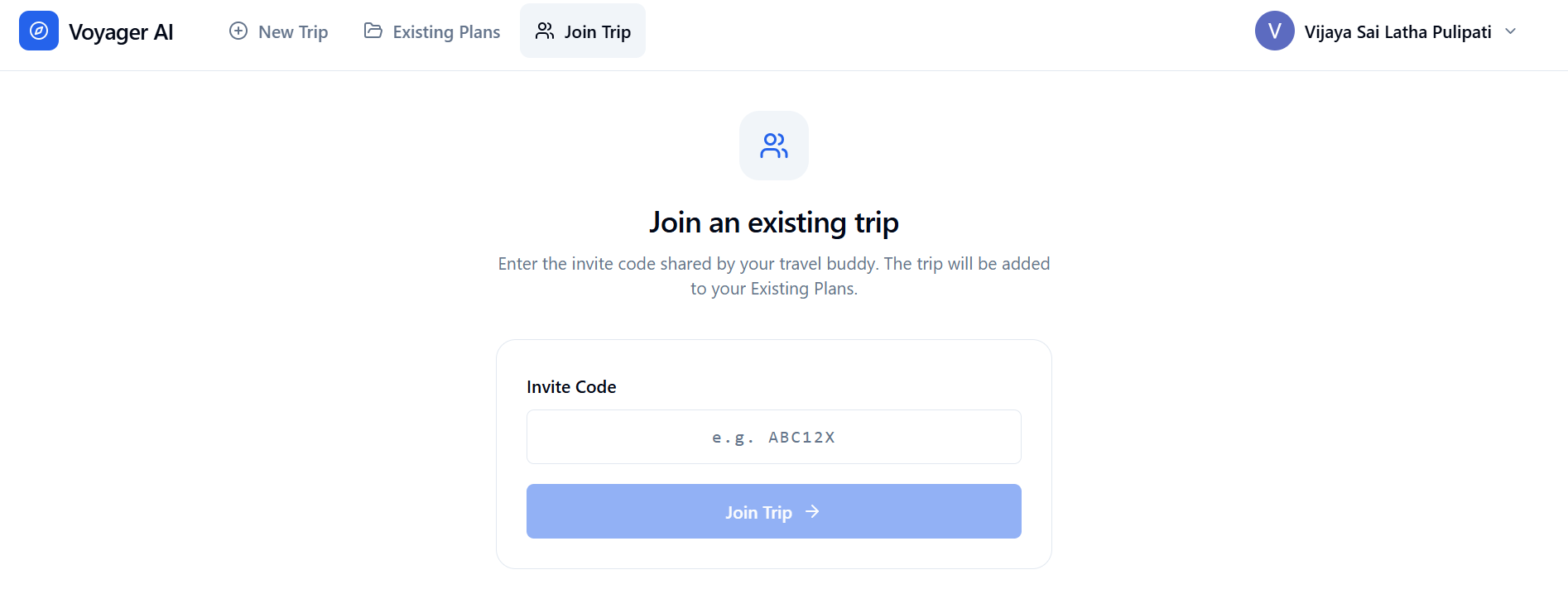
Join Trip
-
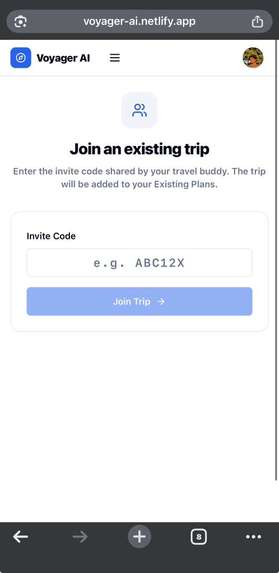
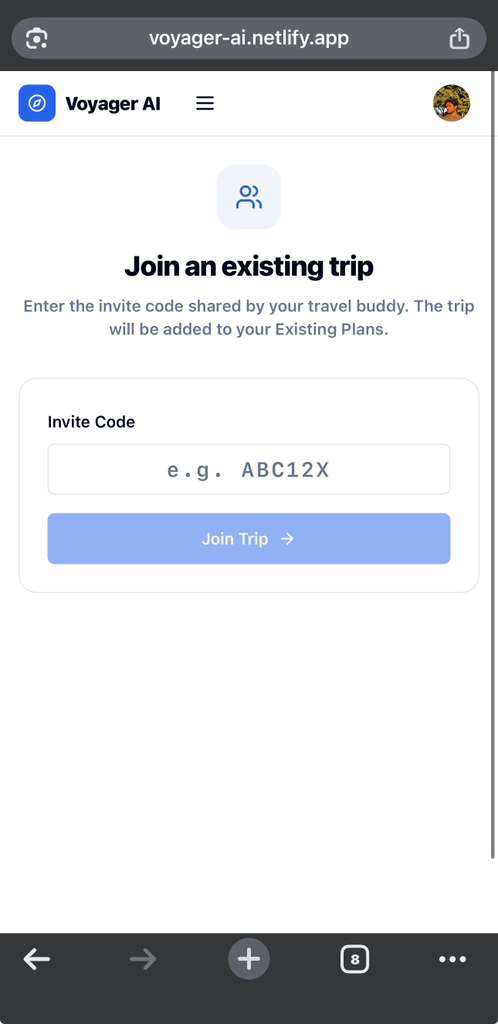
Join Trip - mWeb
-
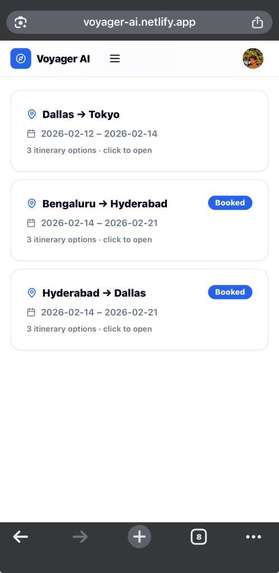
Existing Plans - mWeb
-
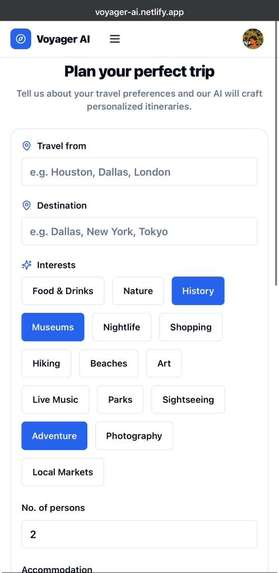
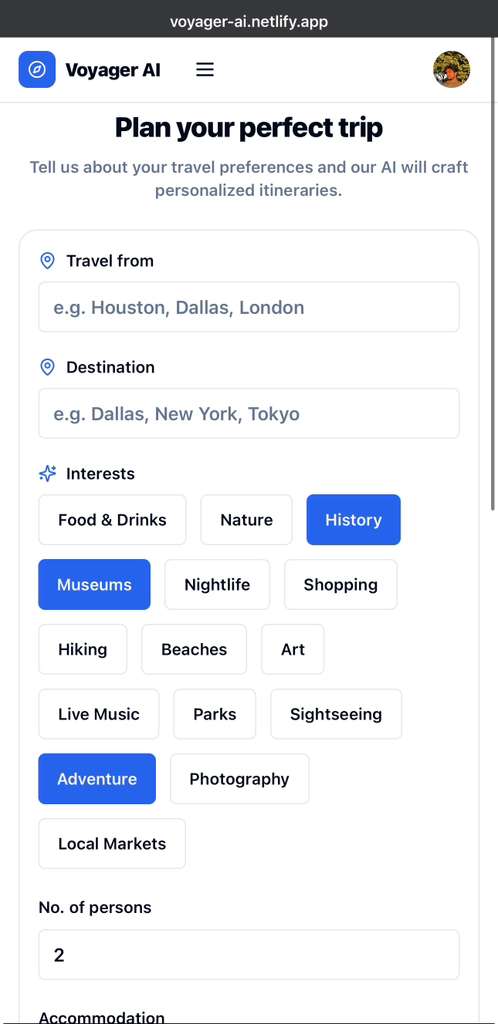
Home Page - mWeb
-
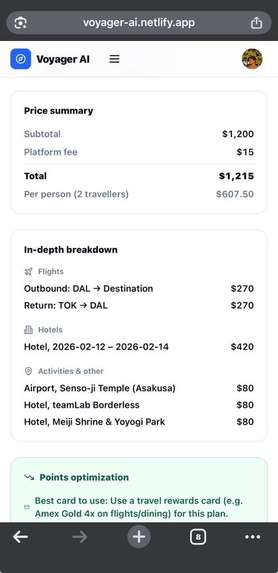
Quote - mWeb
-
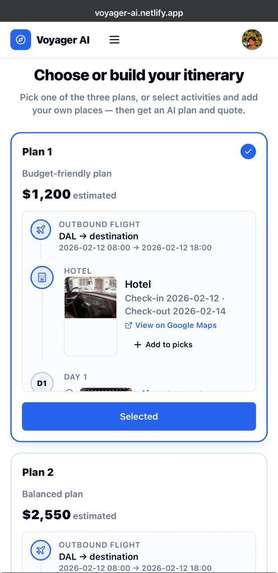
Personalized Itineraries - mWeb
-
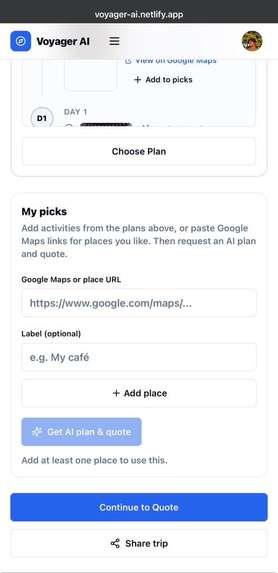
Personalized Itineraries - mWeb
-
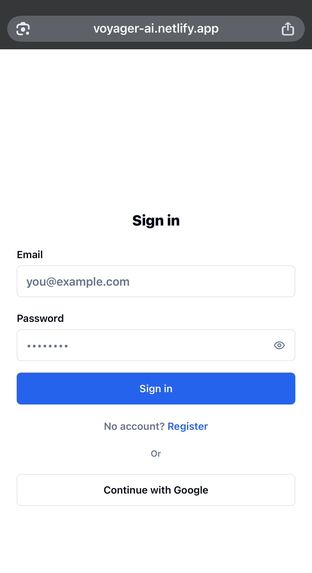
Login Page - mWeb

Inspiration
We've all been there. You want to plan a trip, so you open your browser and suddenly you have 47 tabs open. Flights on one tab, hotels on another, a blog post about "10 hidden gems in Tokyo," a Reddit thread about the best restaurants, and somehow you're still not sure if your itinerary makes sense or if you're even staying within budget.
That's exactly what frustrated us. Planning a trip shouldn't feel like a part-time job. We wanted to build something that could take all that chaos and turn it into a simple, personalized plan in minutes instead of hours. Enter Voyager AI.
The idea was simple: what if AI could do all the research and planning work for you? With local LLMs like Ollama becoming more accessible, we realized we could build this without compromising on privacy. Your travel plans stay on your machine, not in some company's cloud server.
What We Built
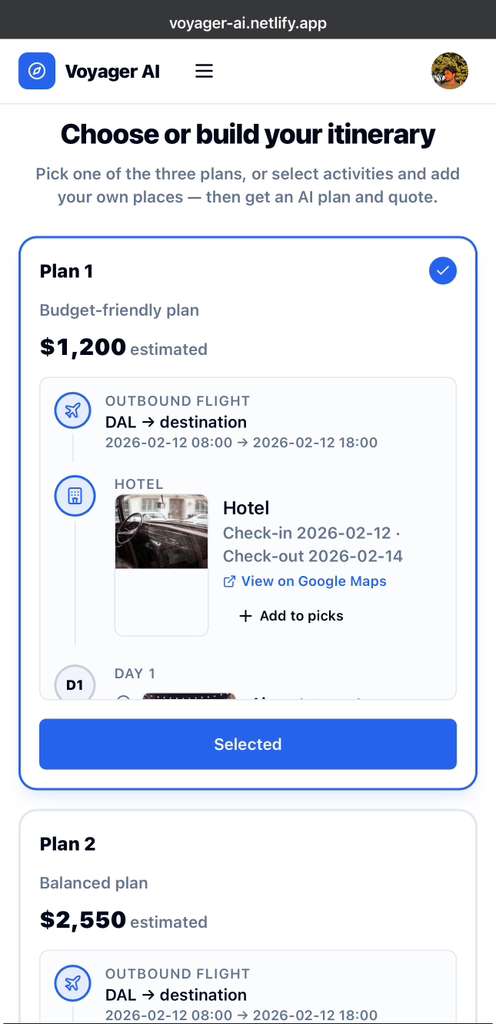
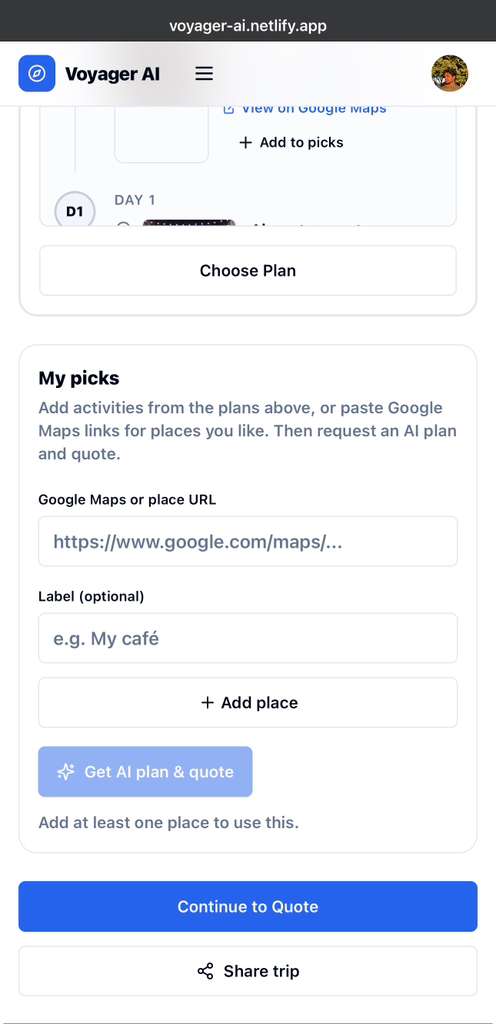
Voyager AI is a travel planning platform that generates three personalized trip itineraries based on what you tell it. You put in your destination, dates, budget, and what you're interested in (maybe you love food, or you're into museums, or you just want to relax on a beach), and it creates three different trip options for you to choose from.
But it doesn't stop at just giving you a list of places to visit. Each itinerary includes:
- Day-by-day activity planning with specific activities, timings, and Google Maps links
- Flight details for getting there and back
- Hotel recommendations with check-in and check-out dates
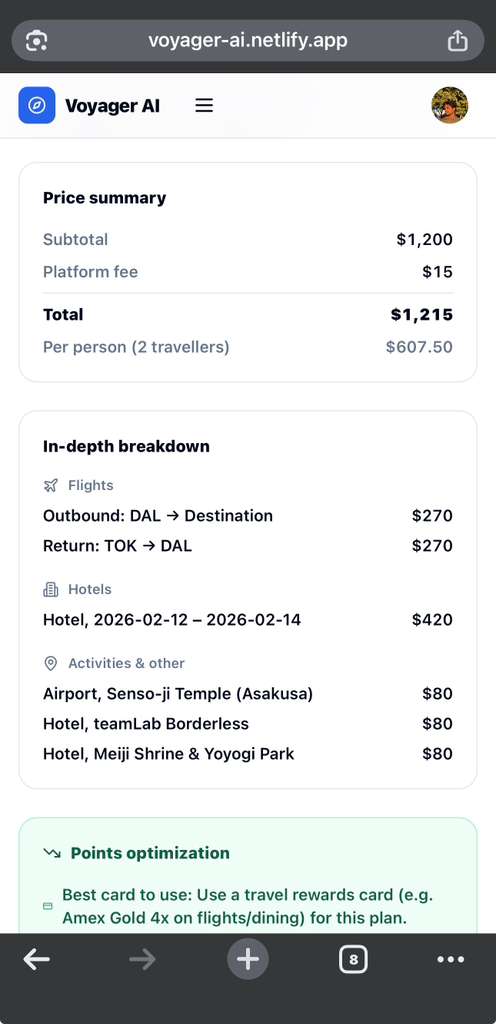
- Itemized cost breakdowns for flights, hotels, and activities
- Credit card recommendations to maximize your rewards points
- Downloadable PDF trip documents with everything you need
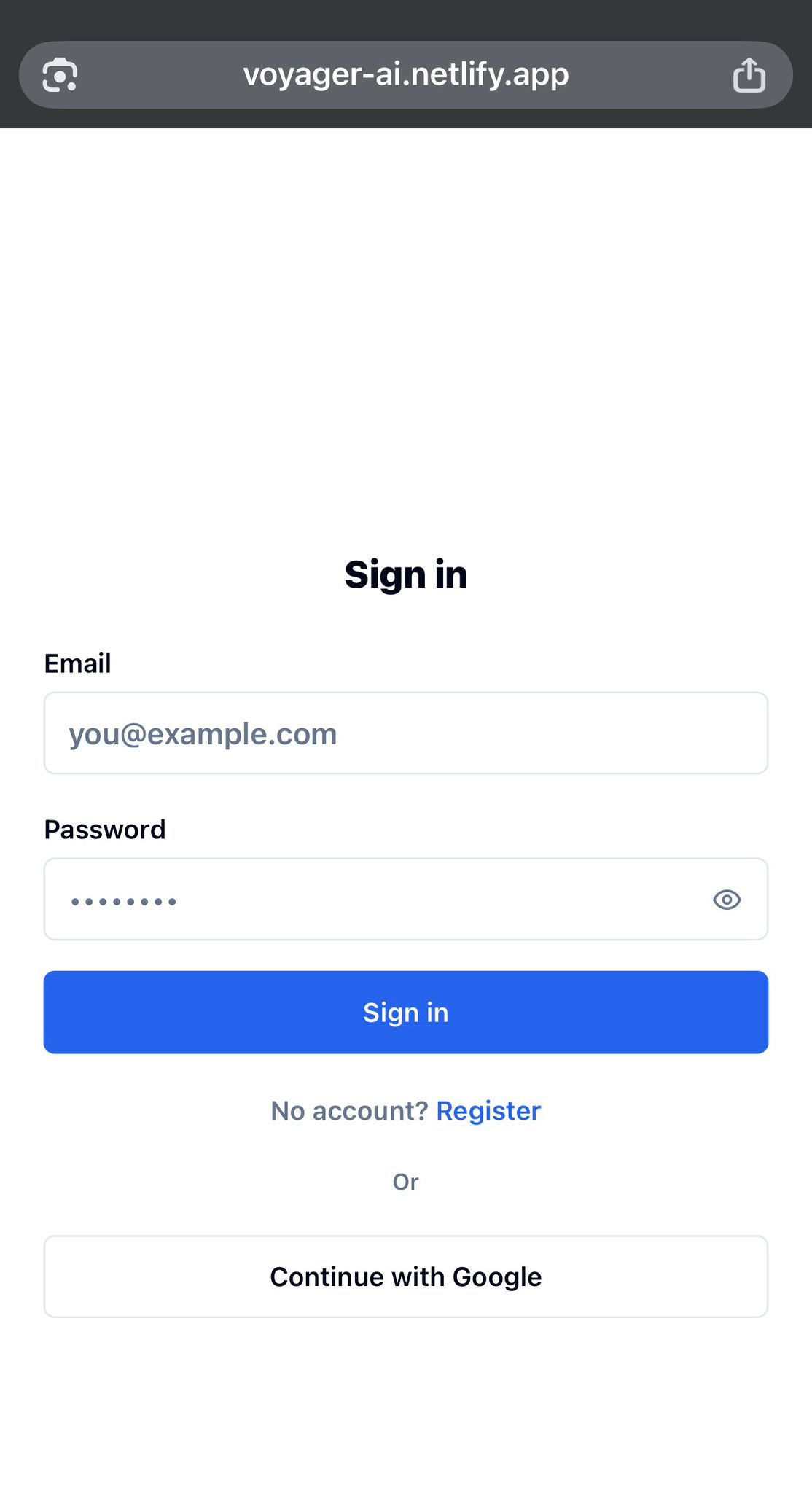
All your plans get saved securely to your account, so you can come back later, compare options, or share them with whoever you're traveling with.
How We Built It
We went with a full-stack approach, keeping things modern but practical.
UX Design
We started by designing the entire user experience in Figma and v0.app. This helped us establish our color scheme, page flow, and feature set before writing a single line of code. The design process was crucial for mapping out the complex multi-step itinerary generation flow.
Frontend
The frontend is built with React and Vite, developed using Cursor AI. We used TailwindCSS for styling and Radix UI for interactive components like dialogs and dropdowns. React Router handles navigation, and jsPDF generates downloadable trip PDFs. This application can be accessed through mobile as well.
The frontend is deployed on Netlify, which provides continuous deployment from our GitHub repository with automatic builds on every push.
Backend
The backend runs on Python with FastAPI, also developed in Cursor. We chose FastAPI for its async capabilities and automatic type validation with Pydantic. During development, we used ngrok (configured with Antigravity) to expose our local backend to the internet for testing, which introduced our first round of CORS challenges.
Database & Authentication
We're using Supabase for PostgreSQL database, authentication, and file storage. Setting up Supabase came with its own learning curve:
- Designing the database schema for complex itinerary data
- Configuring OAuth flows for user authentication
- Setting up Storage buckets for user-uploaded files
- Managing CORS policies and URL configurations across environments
- Handling Supabase downtime with proper error handling and fallbacks
Supabase's Row-Level Security ensures users can only access their own trip data.
AI Layer
For AI, we integrated Ollama running locally with the llama3.2 model. Selecting the right model involved testing multiple options for response time and output quality. Getting consistent, structured JSON responses required extensive prompt engineering and validation.
Flight Data
We integrated the Amadeus Flight API for real-time flight information and built a Playwright-based web scraper as a fallback. We initially tried to scrape direct booking links to airline tickets, but hit limitations with dynamic content loading. The scraper now focuses on flight availability and pricing data.
API Example
Here's what a typical API call looks like:
POST /itinerary/generate
{
  "origin": "New York",
  "destination": "Tokyo",
  "start_date": "2026-06-01",
  "end_date": "2026-06-07",
  "budget": 3000,
  "preferences": ["culture", "food", "temples"]
}
The backend takes this, sends a carefully crafted prompt to Ollama, validates the response, and sends back three unique itinerary options.
Challenges We Faced
CORS Configuration
One of our biggest headaches was CORS. We had to configure it at multiple levels:
- React frontend communicating with the Python backend
- Supabase URL configurations for authenticated requests
- Ngrok tunneling during development
- Netlify deployment with proper environment variables
AI Response Consistency
The LLM sometimes returned perfect JSON, other times it hallucinated fields or used inconsistent formats. We solved this with:
- Explicit, detailed prompts with examples
- Pydantic validation with strict schemas
- Fallback responses for malformed outputs
- Testing multiple Ollama models to find the best balance of speed and accuracy
Real-Time Flight Data
AI-generated flight information was often outdated or incorrect. We integrated the Amadeus Flight API for accurate data and built a Playwright scraper as backup. The scraper proved challenging when trying to extract direct booking links due to JavaScript-heavy airline websites.
React Complexity
Building the React frontend involved:
- Managing multiple API endpoints (Supabase, FastAPI backend, Amadeus)
- Handling complex state for multi-step itinerary generation
- Implementing the design system from Figma with pixel-perfect accuracy
- URL handling for deep linking to specific itineraries
Python Backend Complexity
The FastAPI backend required:
- Managing async AI inference that can take 10-30 seconds
- Building complex endpoints that orchestrate multiple data sources
- Robust error handling for AI model failures
- CORS middleware configuration for cross-origin requests
Performance
LLM inference takes 10-30 seconds per itinerary. We optimized with:
- Async processing to prevent blocking
- Local Ollama deployment to reduce latency
- Streamlined prompts to minimize token usage
- Loading states and progress indicators for better UX
Privacy & Security
We prioritized user privacy through:
- Local LLM processing (no data sent to third-party AI services)
- Supabase Row-Level Security policies
- CORS restrictions to prevent unauthorized access
- Environment variable management for API keys
What We Learned
Working with local LLMs taught us the importance of prompt engineering. Getting consistent, structured output from Ollama required detailed prompts with examples and multiple validation layers using Pydantic.
FastAPI's async capabilities were crucial when dealing with AI processing that takes 15-20 seconds. We also learned that user experience matters immensely for AI apps. Good loading indicators and feedback made users understand the app was working, not broken.
The Cursor AI coding assistant significantly accelerated development for both frontend and backend, though we still had to solve complex integration challenges manually.
Finally, offering three itinerary options turned out to be the sweet spot. Too many choices overwhelm people, but a single option feels limiting.
What's Next
We have big plans for Voyager AI:
- Multi-destination trips - Plan complex itineraries across several cities
- Collaborative planning - Share and edit trips with travel companions in real time
- Mobile apps - Native iOS/Android apps with offline mode
- Natural language queries - "Find me a beach vacation under $2000 in Europe"
- Multi-language support - Expand globally with automatic translation
- Enhanced scraping - Improve Playwright integration for direct booking links
Tech Stack Summary
- Frontend: React, Vite, TailwindCSS, Radix UI, React Router, jsPDF
- Backend: Python, FastAPI, Pydantic
- AI: Ollama (llama3.2 model)
- Database: Supabase (PostgreSQL)
- APIs: Amadeus Flight API
- Scraping: Playwright
- Development: Cursor AI, Antigravity
- Deployment: Netlify (frontend), GitHub (version control)
- Dev Tools: Ngrok (local tunneling)
- Design: Figma, v0.app
Conclusion
Voyager AI proves that AI can make intelligent, personalized travel planning accessible to everyone while respecting user privacy through local processing. We built this to help people travel smarter and spend less time stressing about logistics, learning valuable lessons about full-stack development, AI integration, and user experience design along the way.
Built With
- fastapi
- figma
- github
- javascript
- ngrok
- ollama
- playwright
- postgresql
- pydantic
- python
- radix-ui
- react
- react-router
- supabase
- tailwindcss
- uvicorn
- vite

Log in or sign up for Devpost to join the conversation.