-
-
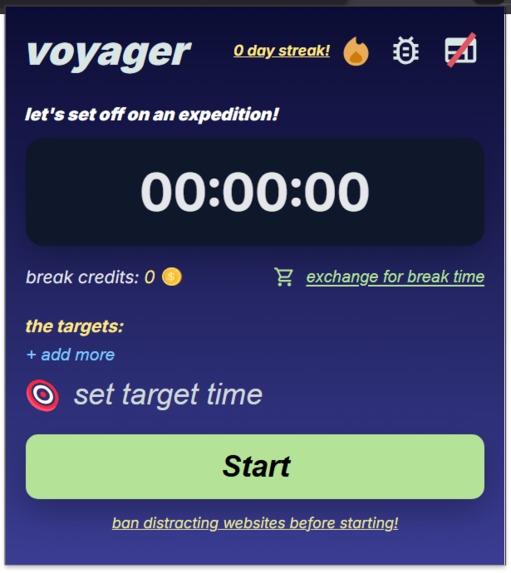
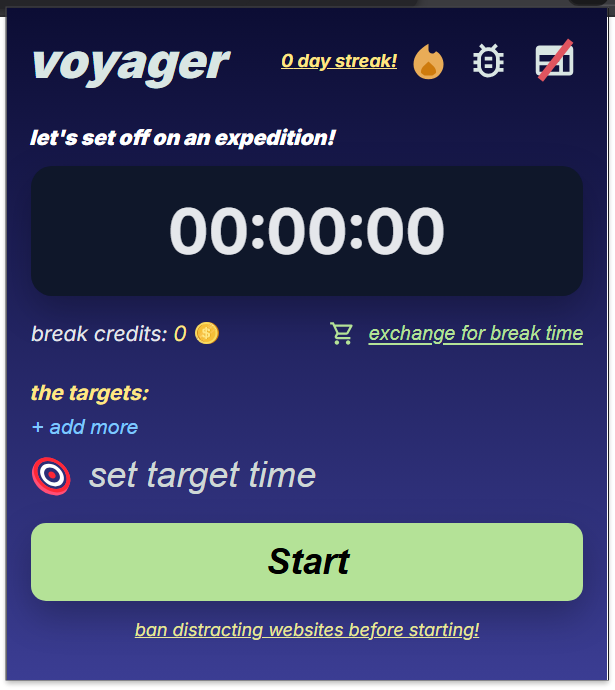
Home page
-
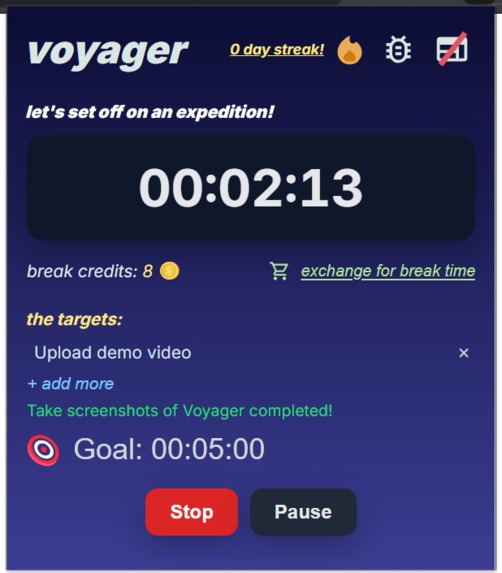
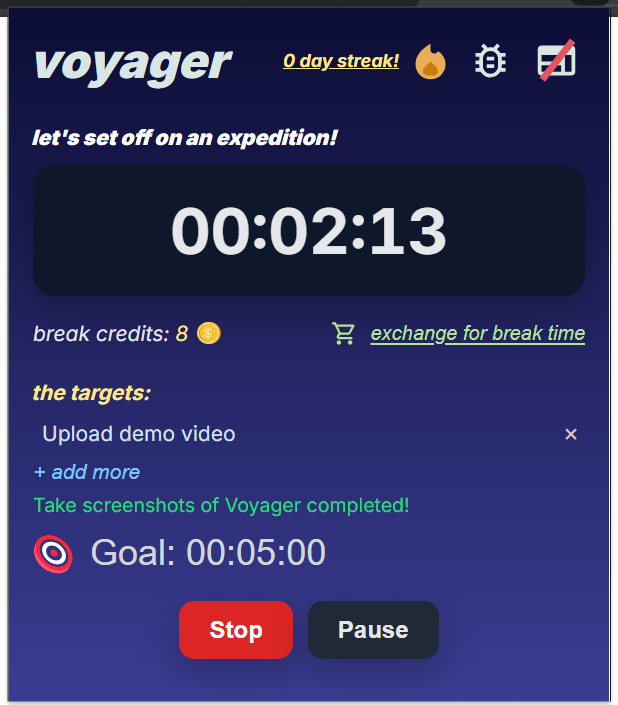
During a work session
-
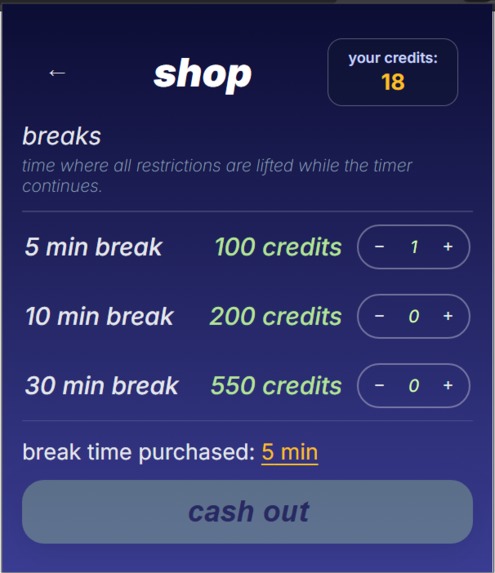
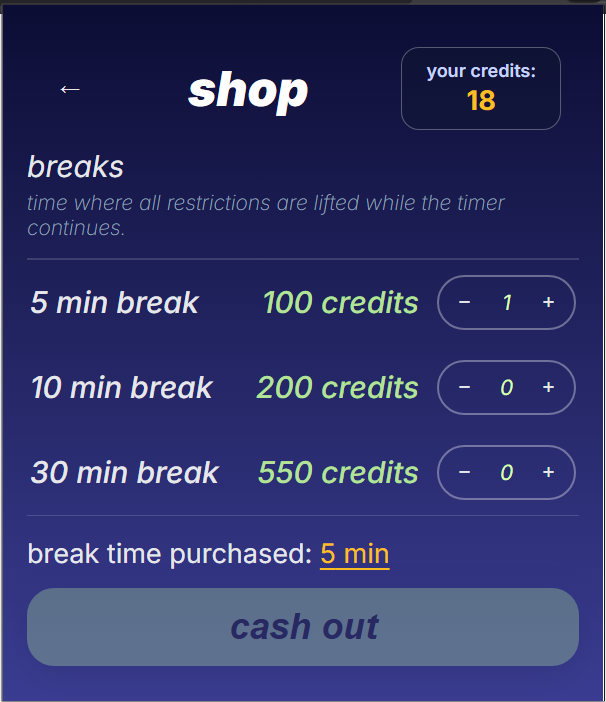
Shop
-
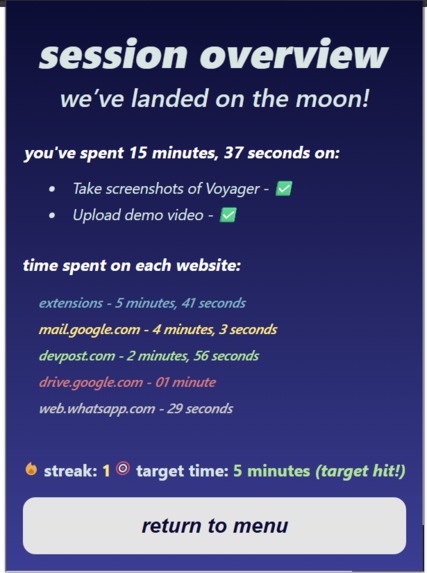
Session end
-
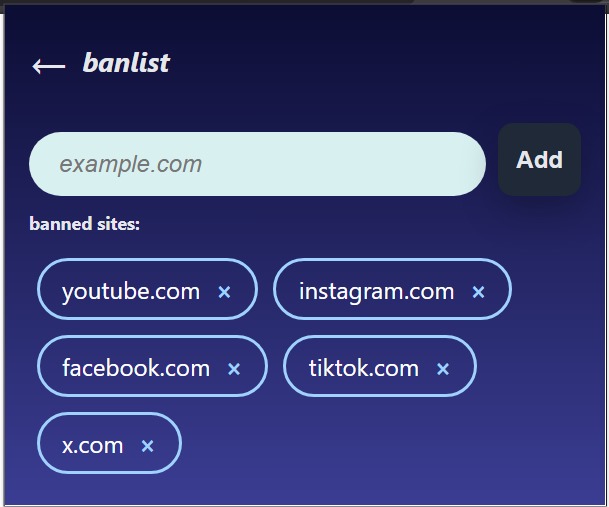
Blocklist
Problem Statement
How might we help students balance screen time and schoolwork to improve digital wellbeing?
This is the problem statement we chose to tackle during the HackIT hackathon. We decided to define screen time as unproductive online activities, and schoolwork as digital work done on a computer, and aim to improve digital wellbeing by helping students strike a balance between online work and play.
What it does
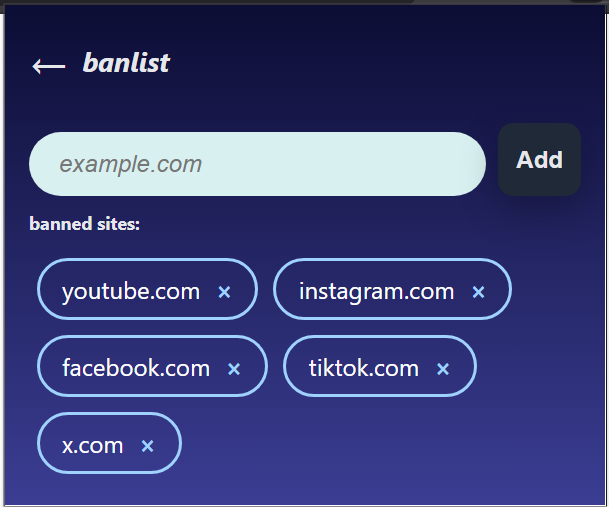
Voyager is a web extension that helps users maintain a good balance between work and recreation in order to help them stay productive. During a work session, users can block distracting websites, such as youtube.com. They will also earn break credits, which can be exchanged for 5, 10 and 30 minute breaks in a shop. They will also earn bonus credits for every hour. The rate at which break credits are earned is determined by the Pomodoro Technique, where every 25 minutes of work converts to 5 minutes of rest.
Voyager also features a timer for users to track how much time they have worked. They can pause and resume the timer as they wish (i.e. if they need to leave for lunch). While the timer is paused, distracting websites will continue to be blocked, to prevent cheating.
However, let's say that a user has blocked youtube.com. While studying, they realise they need to watch a video tutorial. In that case, a user is able to disable the blocking of youtube.com, which will also disable earning of break credits.
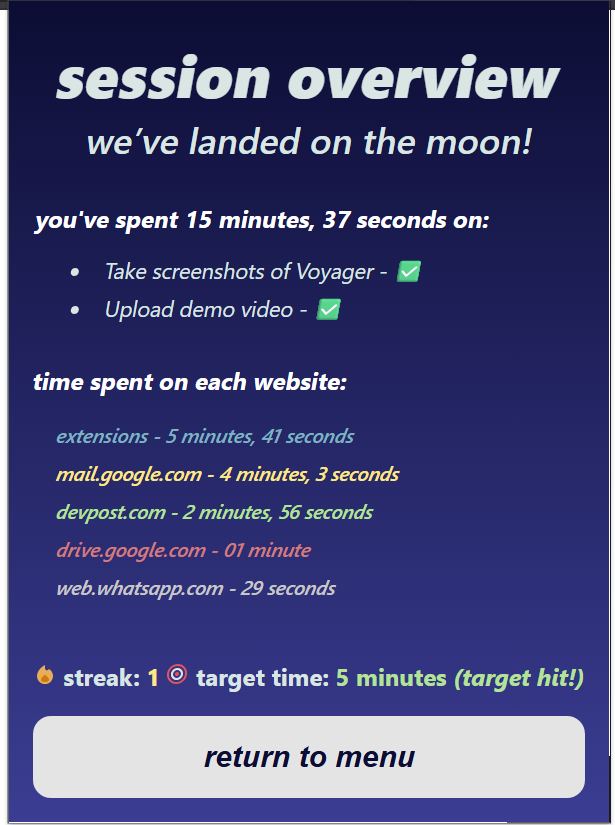
The user is also able to set goals for how long they want to work, as well as use an in-built to-do list to track tasks. Once a work session is over, the user can see the top 5 websites they spent the most time on, and how much time they spent on these websites. If a user works for multiple days consecutively, they can accumulate a streak. This is to encourage them to continue using Voyager.
How we built it
Voyager was built with HTML, CSS and Javascript. We also had to use Manifest V3 and Chrome API in order to achieve several of our features, such as using declarativeNetRequest for the blocking of distracting websites, and the storage API to store important information locally.
Challenges we ran into
This is our first time building a project with these languages and frameworks, and we had to learn how to use them and organise our project in the limited time we had during the hackathon. As such, we faced many issues throughout the development process, such as the usage of APIs.
What we learned
Through our experience working on this project, we learnt a lot about how to code in the programming languages we used, as well as how to integrate Chrome APIs into our projects and build a web extension. We also learnt a lot about the problem of online procrastination and how we can prevent such behaviours for our users.
What's next for Voyager
We hope to continue developing Voyager into a complete product. Currently, we have plans to introduce more gamification elements and expand on the shop feature. We also intend to rewrite the current codebase with our newfound experience to be more robust.

Log in or sign up for Devpost to join the conversation.