Inspiration
Voyage (as in going on a voyage), is a study app where every focus session is a flight. When trying to study, we found that most focus apps felt extremely utilitarian. They would display a circle, count down from a selected number, and occasionally grow a plant. We wanted to build a study app that we would actually want to keep open for several hours.
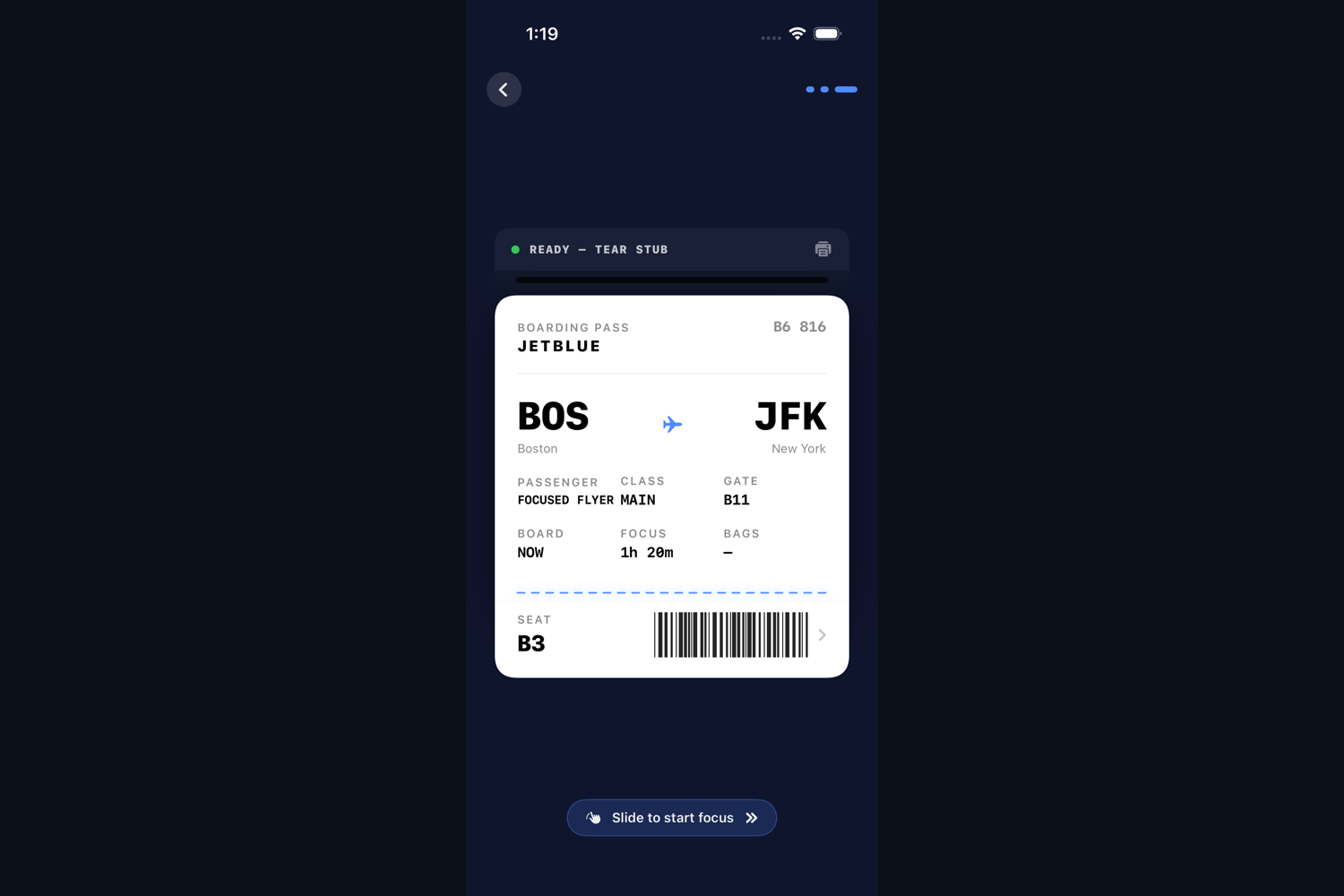
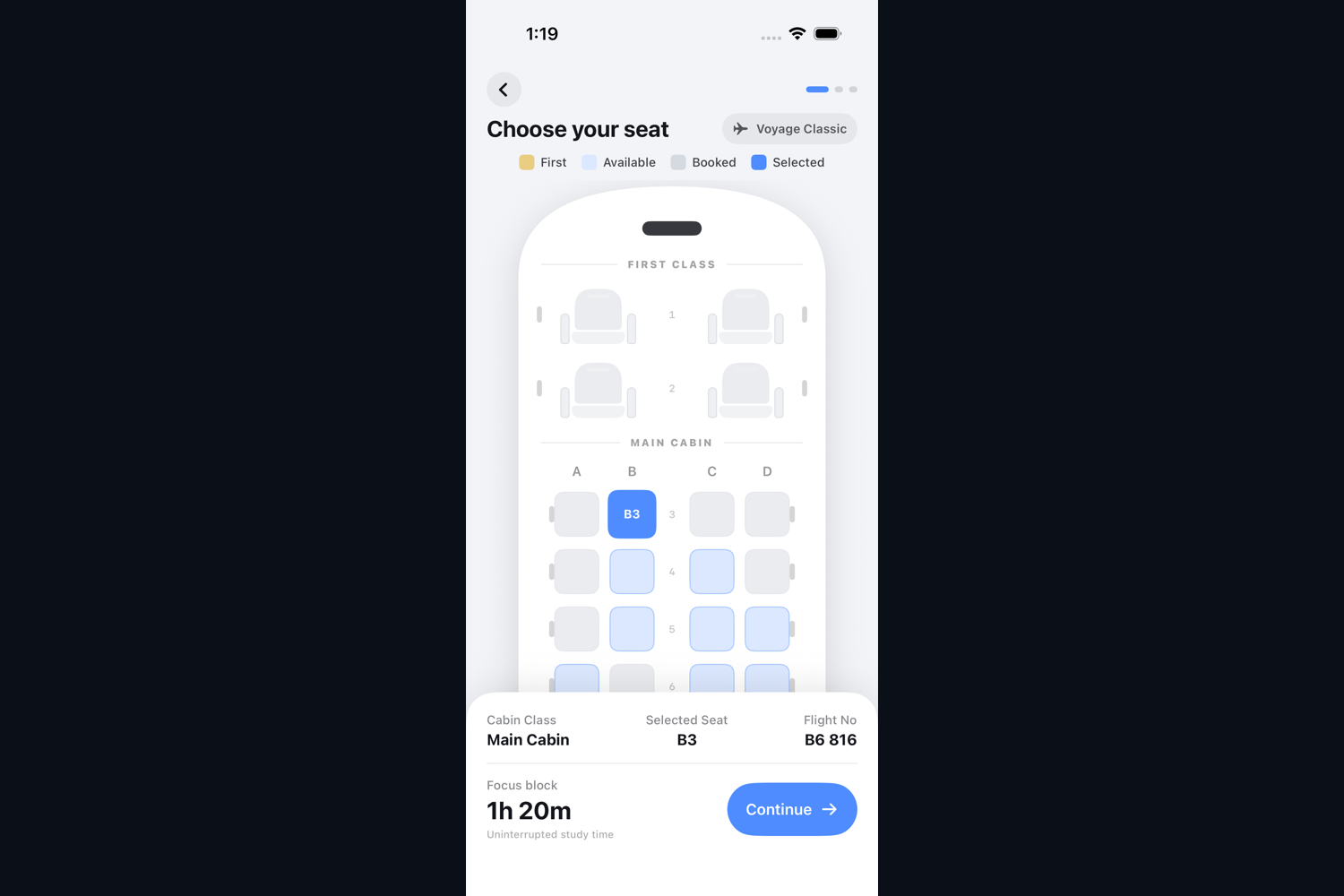
We decided to turn the entire study session into a complete flight. You book a real route, select a seat, check your tasks as baggage, tear your boarding pass, and then study through an airplane window until you land.
As an early version of our project, Voyage was designed to be a normal focus timer with an airplane theme. There was a timer, and there was an airplane, but the airplane had no meaningful relationship with the timer. We started designing the rest of the airline around it, including a globe, real routes, seat selection, baggage, a printed boarding pass, cabin audio, a passenger window, landings, and a passport.
After building the boarding pass, we realized that physically tearing the ticket made starting the session feel much more important than pressing a start button. We then realized we could extend the flight metaphor to every part of studying. Your available time could become a route, your tasks could become checked baggage, your progress could become the location of the airplane, and completing the work could become arriving somewhere. Thus, Voyage was born.
What it does
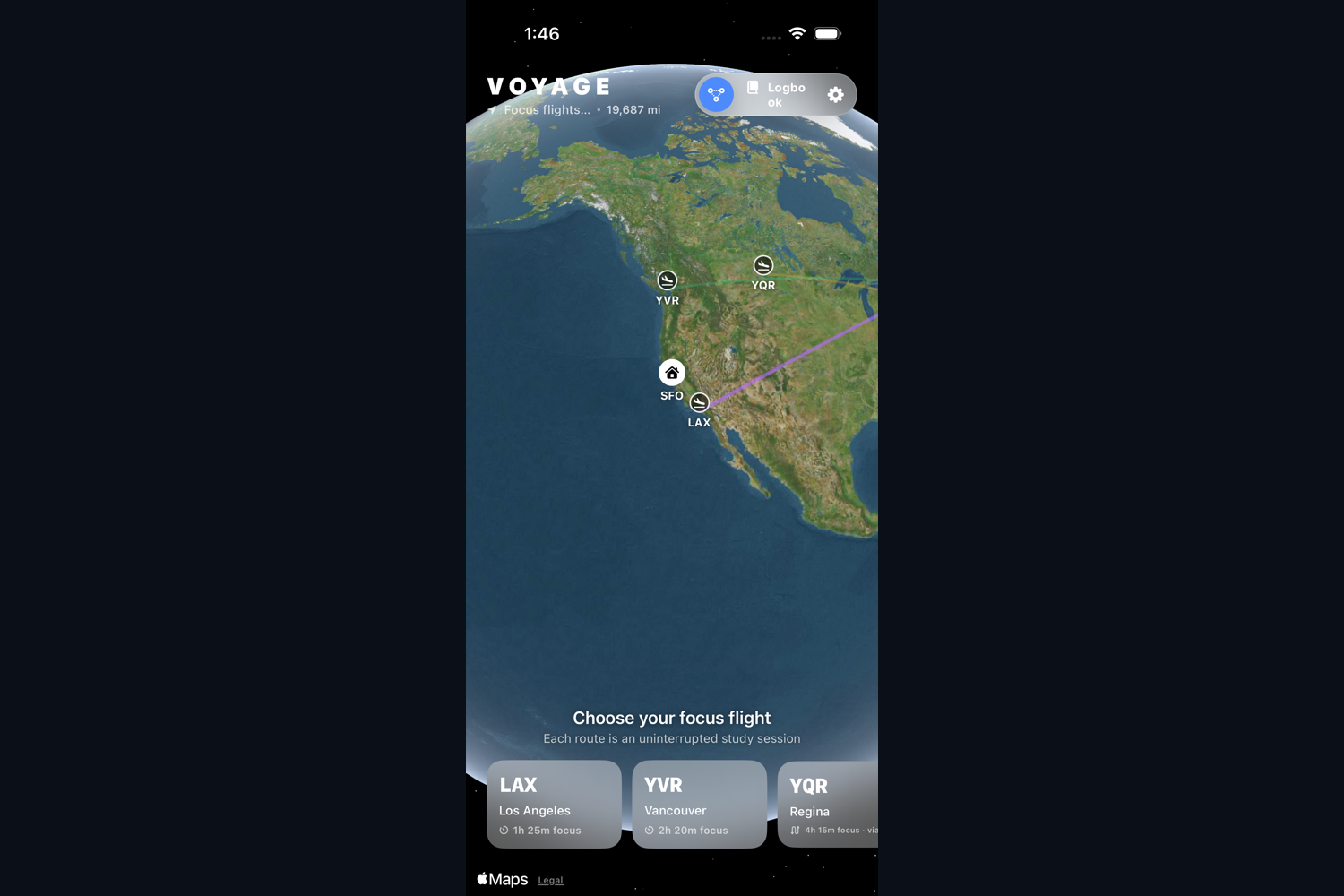
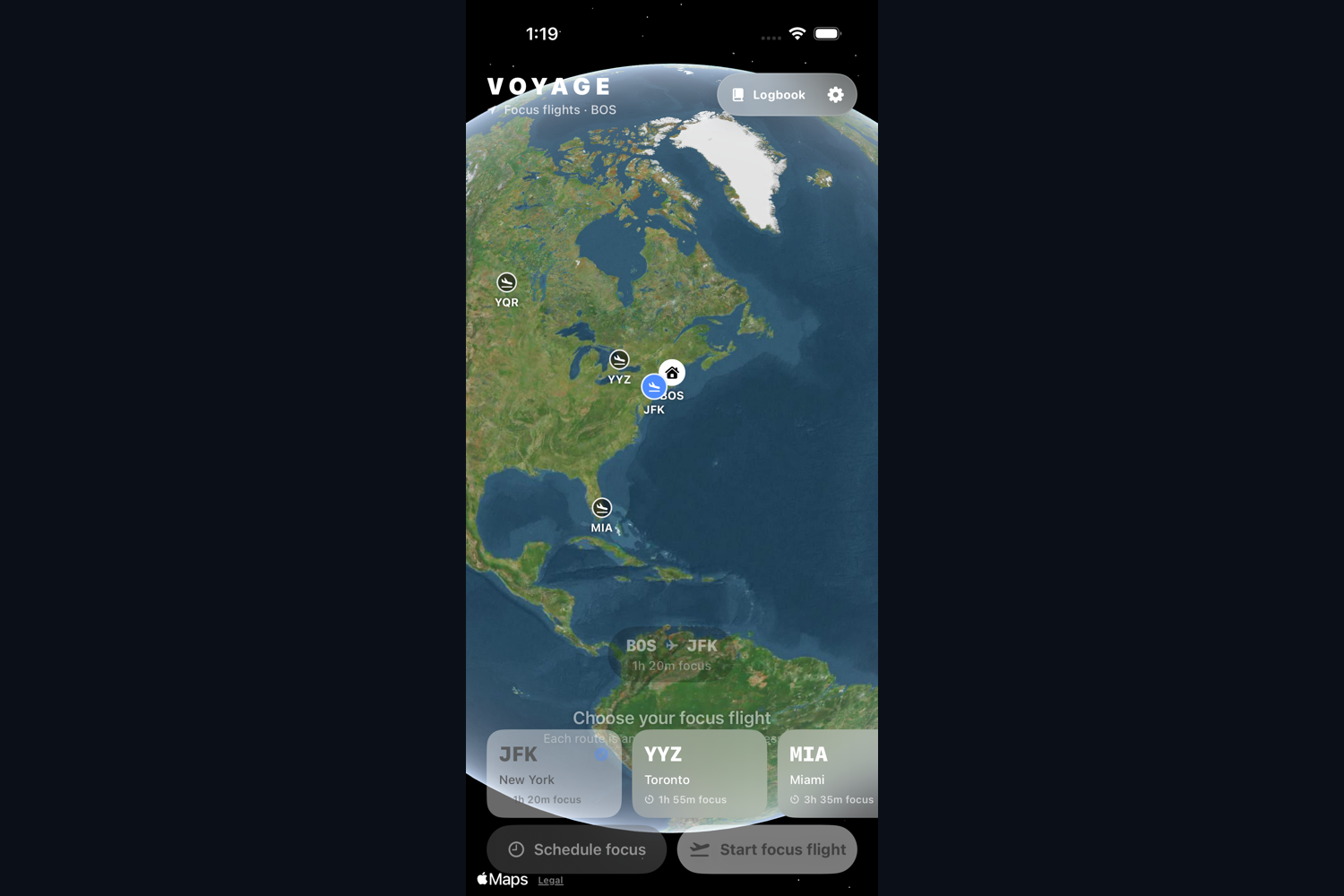
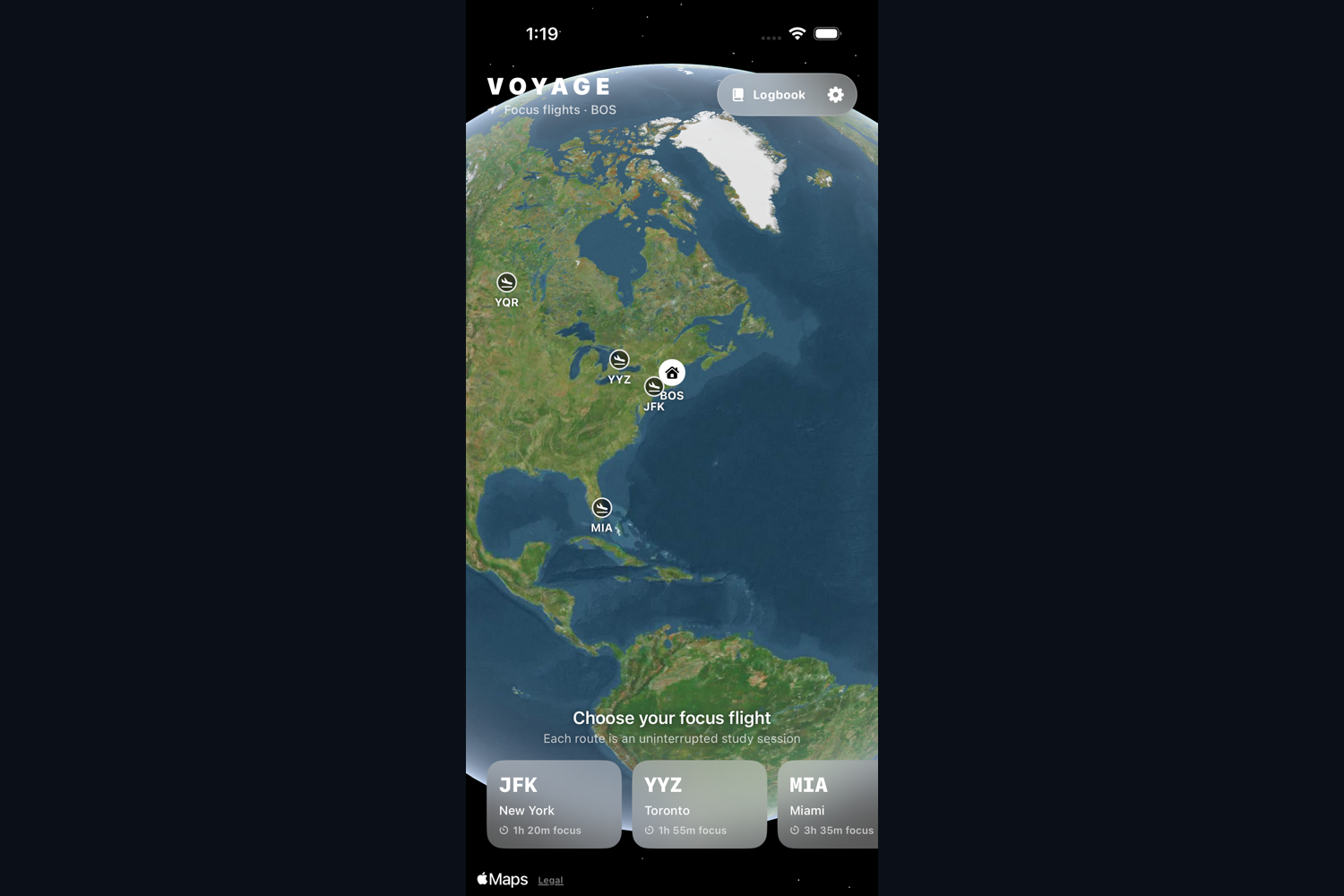
Voyage uses a complete virtual flight as an environment for studying. You can select your destination, departure, aircraft, seat, and the tasks you want to complete. The app then gives you a boarding pass which you tear to begin the flight.
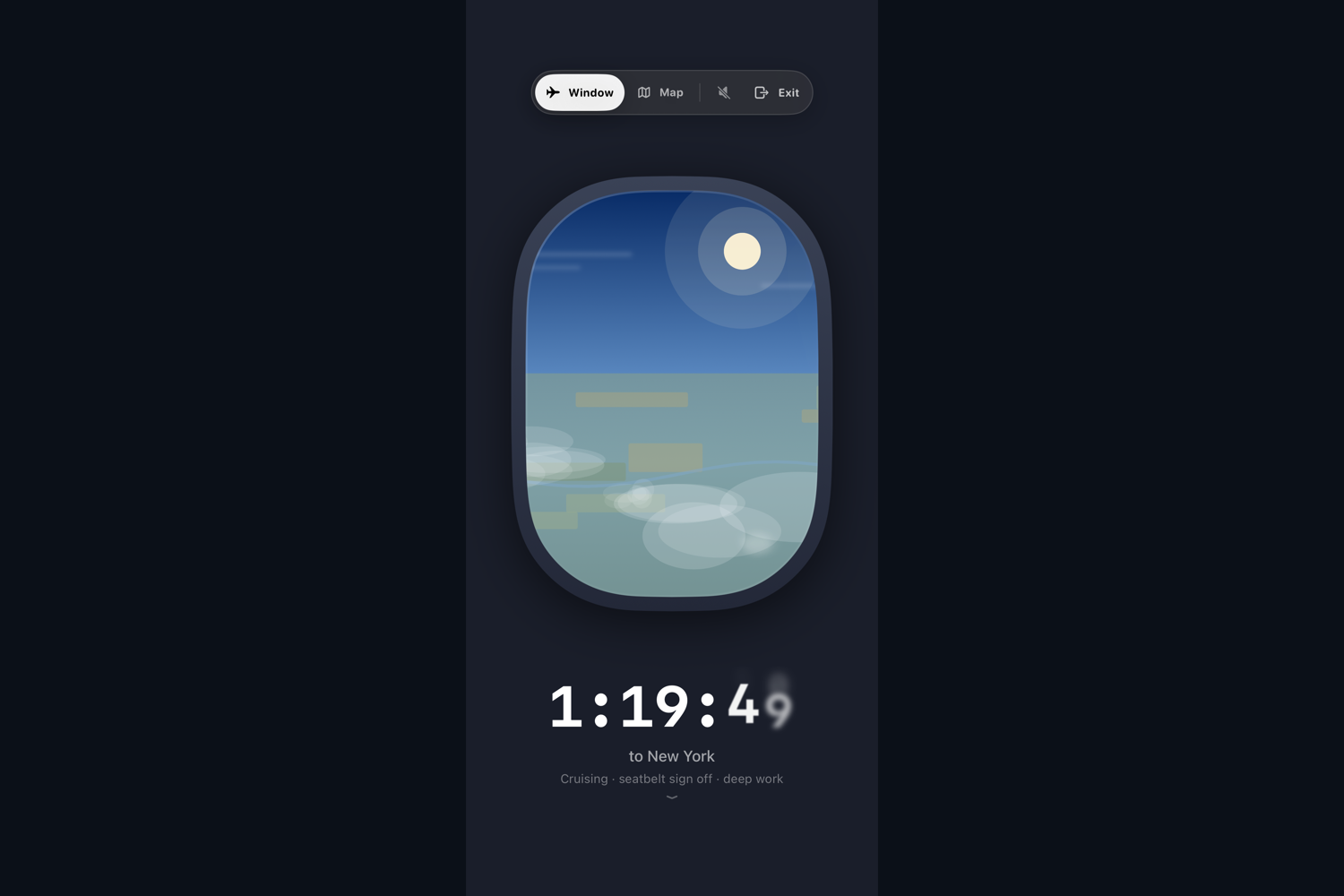
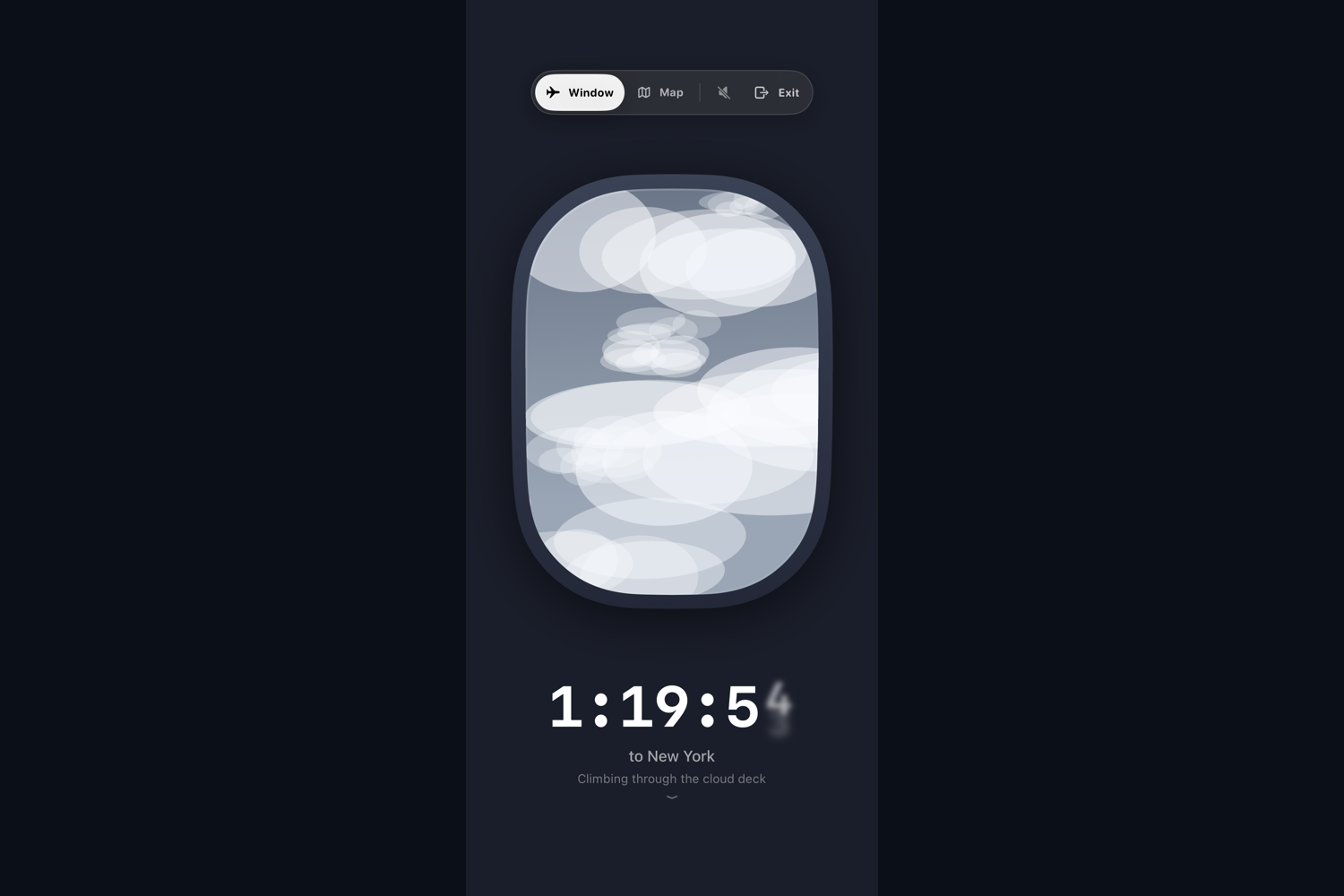
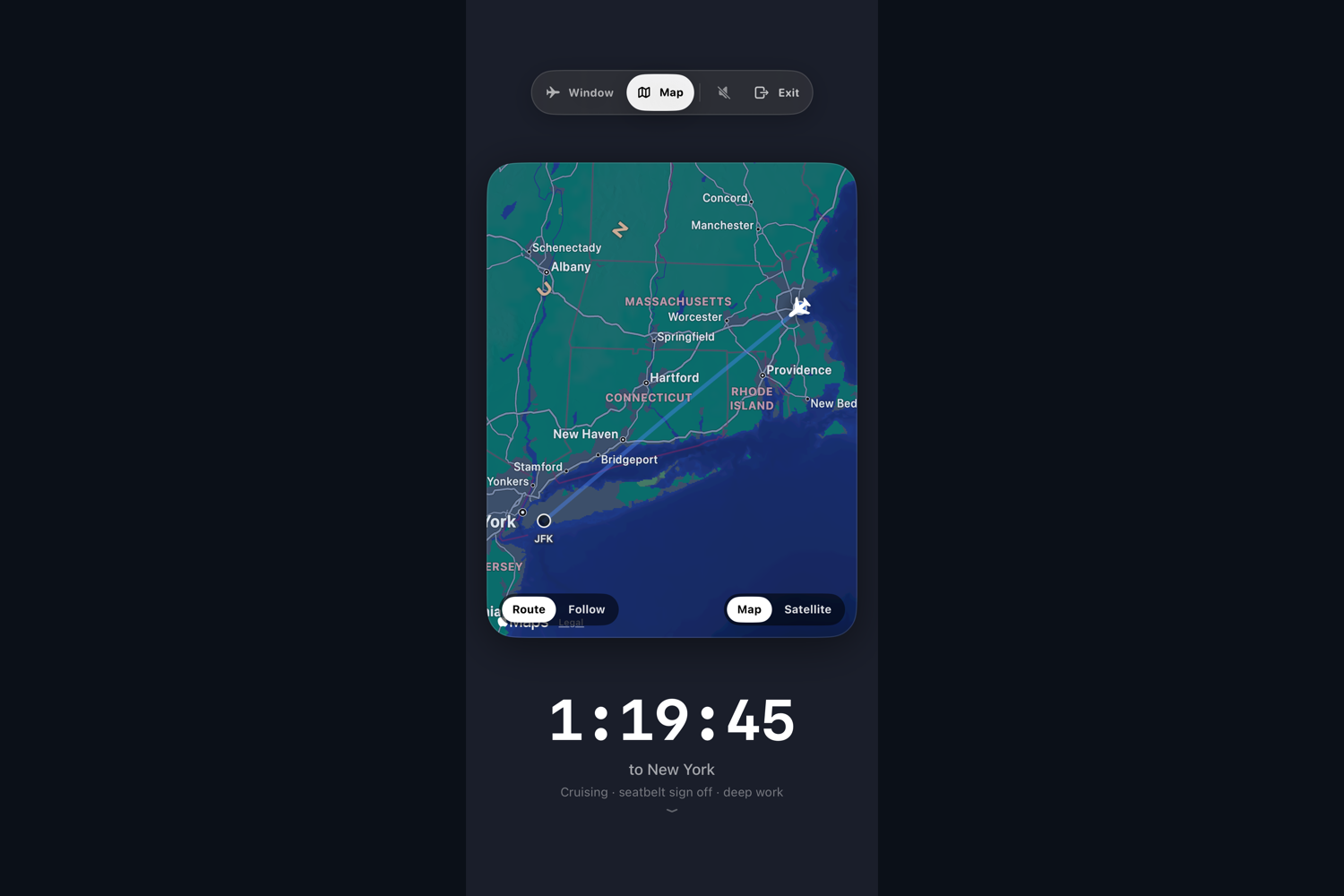
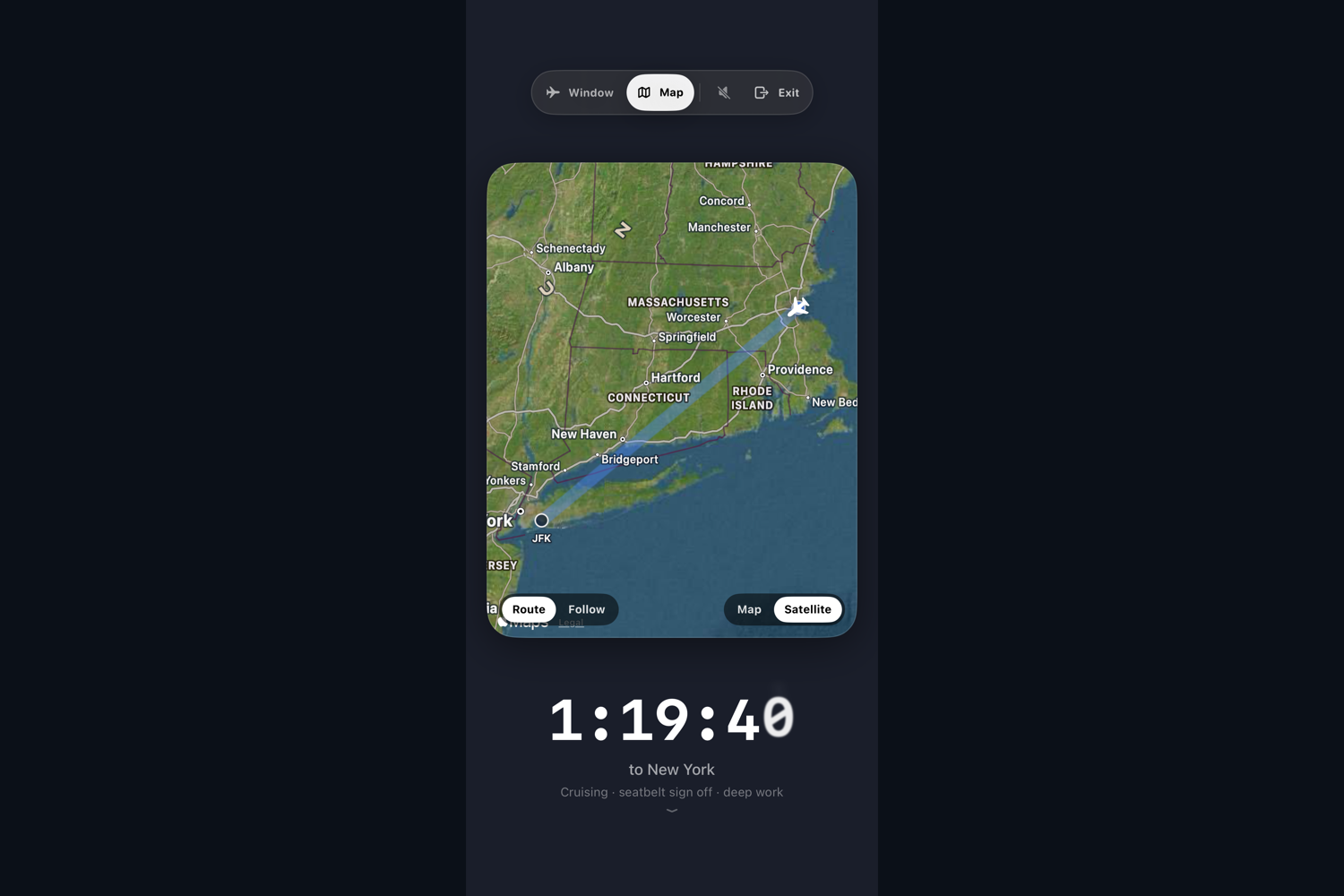
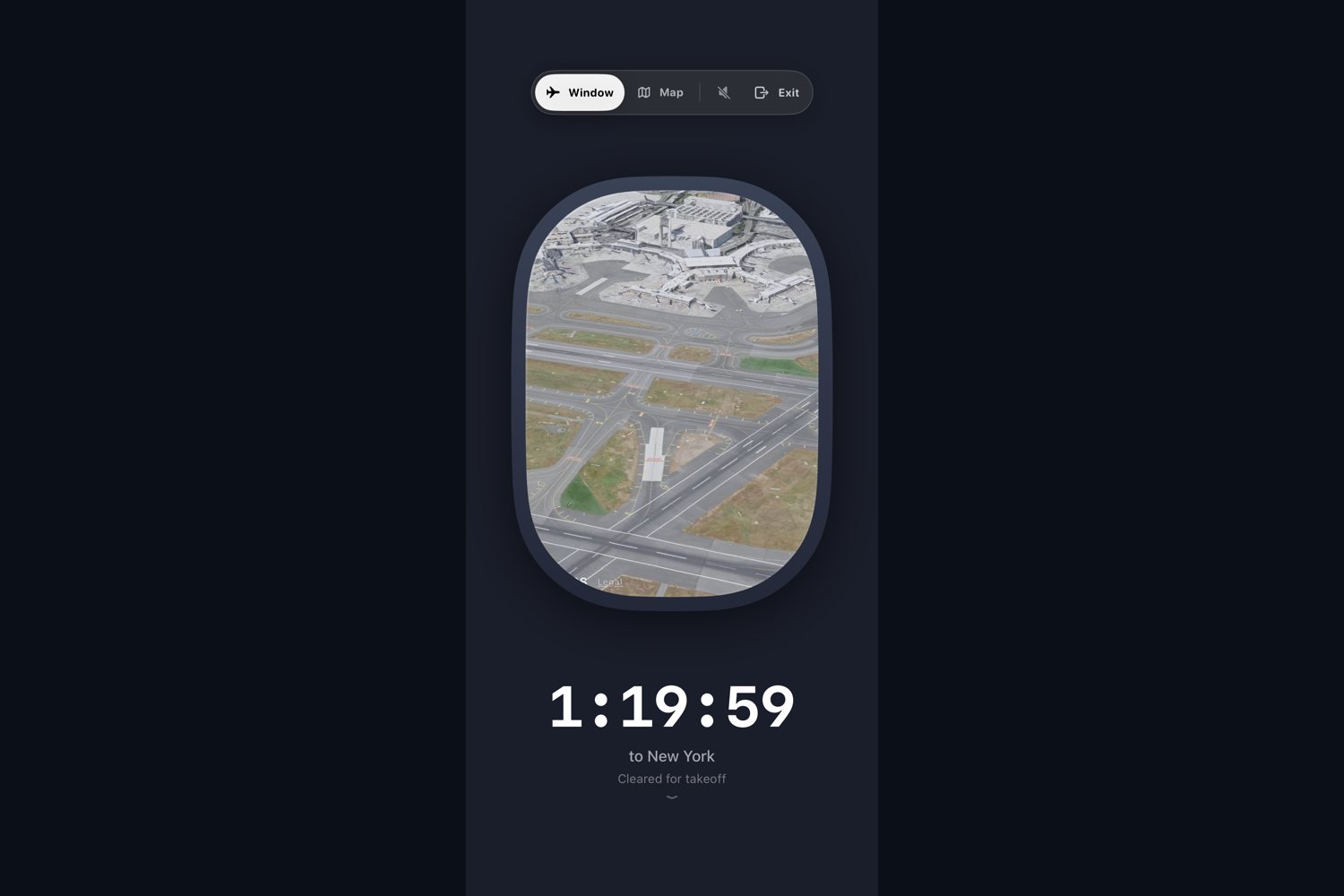
During the session, Voyage progresses through takeoff, climb, cruise, descent, and landing. You can study through an airplane window or look at the live flight map. The window changes based on the weather, aircraft, flight phase, and the side of the plane where you selected your seat.
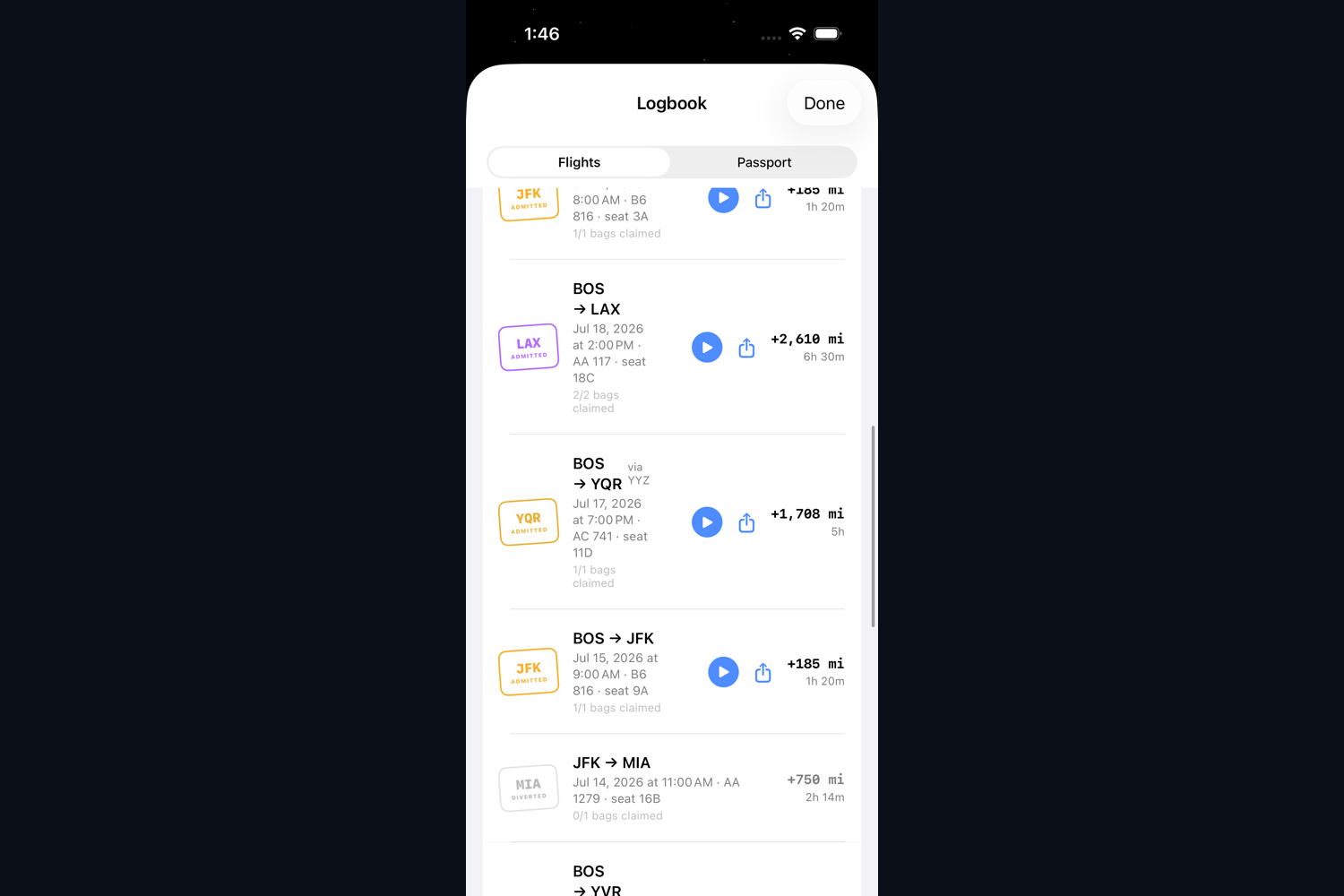
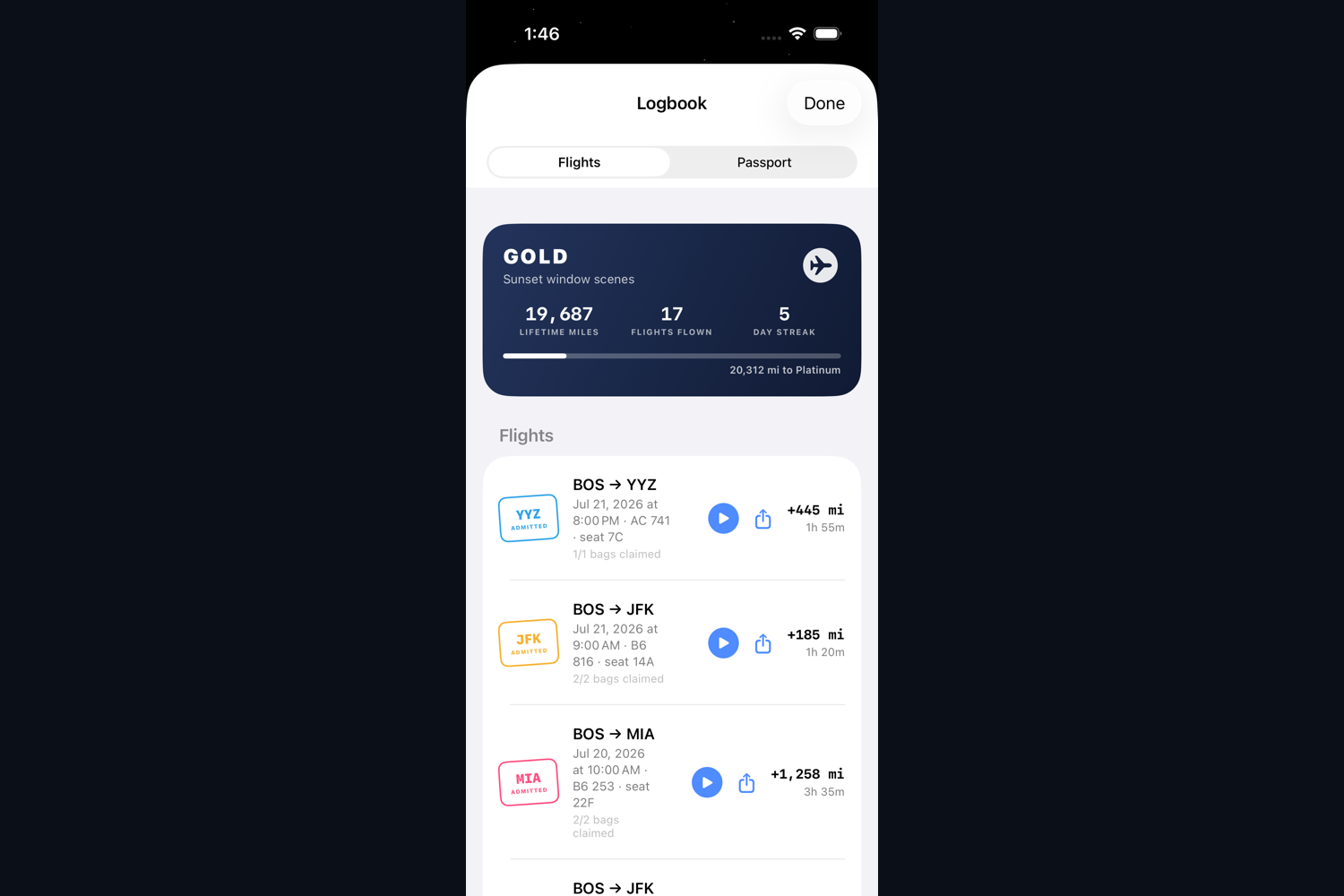
The flight continues through the Dynamic Island and Live Activity while you study. Strict mode can also divert the flight if the session is abandoned. After landing, you claim the tasks you completed and the flight is added to your logbook with its miles, weather, route, and passport stamp.
How we built it
We took full advantage of Codex and GPT-5.6 to quickly develop "study aviation," a new paradigm for focus apps which replaces the timer with an embodied place to study. GPT-5.6 was the reasoning and coding model we used through Codex while building the project. Codex could inspect the entire repository, write Swift, run the app, operate the simulator, look at screenshots, run tests, and then fix the problems it found.
We designed Voyage around research from behavioral psychology instead of the usual productivity science where a progress bar is added to an application and described as dopamine. Research on goal setting has found that specific goals and feedback are more useful than simply instructing someone to "do their best." Before departure, Voyage asks you to define the tasks you want to complete, and then keeps these tasks visible during the flight (Locke and Latham, 2002).
The boarding process was designed as a pre-performance ritual. Research has found that performing a ritual before a difficult task can reduce anxiety and improve performance, even when the ritual itself is newly invented (Brooks et al., 2016). Selecting a seat, checking baggage, and tearing the boarding pass creates a boundary between deciding to study and actually studying.
We also used precommitment. Research on procrastination has shown that people will voluntarily impose deadlines on themselves to control their future behavior (Ariely and Wertenbroch, 2002). Booking a route gives the session a duration before it begins. Voyage then makes progress visible as physical travel, instead of displaying a number which is slowly becoming a smaller number.
The main design system was built around physical airline objects. The seat map is shaped like an aircraft cabin, the boarding pass is printed and torn, the window shade raises after departure, the cabin lighting changes during approach, and the passport stamp lands with sound and haptics. We used one functional color palette throughout the flight, reserving destination colors for the stamp and arrival. This allowed the destination to feel special instead of every button behaving like a small celebration.
We created a central system called FlightSession, which controls the entire flight. It manages preflight, in-flight, layovers, arrivals, diversions, and missed connections. Within each flight, it also manages takeoff, climb, cruise, descent, and landing. All of the views, audio, maps, announcements, and Live Activities observe this one flight session instead of attempting to independently decide where the airplane is.
The current phase is calculated from time instead of being stored:
$$ p = \min\left(1,\frac{t-t_0}{T}\right) $$
We also created a manual clock, which allows Codex and our unit tests to fly through an entire route instantly instead of waiting for the real flight duration. This was important because testing a six hour flight by waiting six hours would have severely reduced the amount of tests we could run during Build Week.
We created a system of passenger window renderers, each of which observes the current flight and draws the correct world for that moment. The renderer takes the selected airport, aircraft, seat, weather, and elapsed time, and uses them to calculate the passenger camera, runway movement, rotation, pitch, bank, clouds, visibility, and window direction. Seats over the wing also get a wing view, which is useful for people who enjoy obstructing their own scenery.
We used MapKit for the flight map, Metal for the airplane window effects, SwiftData for the logbook, ActivityKit and WidgetKit for the Dynamic Island and Live Activity, AVFoundation for procedurally generated cabin audio, and a Cloudflare Worker for aviation weather and schedule data. We did not use third party runtime dependencies.
We also used GPT-5.6 and Codex for visual development. Codex would run the app in the simulator, take screenshots of the complete flight, inspect them, and make changes to the interface. We created automated UI tours which fly through the app and save screenshots to the repository, allowing us to compare the visual state before and after changes instead of relying on our increasingly unreliable perception of what looked good.
Individual Contributions
We tried to operate at our Pareto Frontier, leveraging each team members unique skills to maximize utility generated and use of man-hours. Unfortunately there was only one human team member, which reduced our pareto frontier to the productivity levels of a mere one-man operation.
Luckily, GPT-5.6 and Codex were able to handle large amounts of the implementation, testing, debugging, and visual inspection. Unfortunately Codex did not reduce the human need for sleep, although we attempted to resolve this problem by neglecting it.
Challenges we ran into
Our original idea was to create a completely accurate digital twin of an airplane flight, which could take real airport geometry, weather, aircraft performance, runway direction, window location, and elapsed time, and use these to render the exact world visible from any passenger seat. We also intended to make this run inside an iPhone focus timer, which was a grave mistake.
The first problem was time. Originally, different parts of the application were allowed to manage their own timing. This resulted in the map believing the flight was cruising, the window believing it was climbing, and the announcement system apparently operating several minutes in the future. After enough temporal failures had accumulated, we moved all time into FlightSession and forced the rest of the application to accept its authority.
The second problem was iOS background execution. Voyage needed to divert the flight when the user left for too long, but iOS does not allow an application to continue running simply because the application claims to be an airplane. We eventually solved this by saving an absolute deadline when the app is backgrounded. When the user returns, the app compares the current time against the deadline and determines whether the airplane still exists.
The third problem was Metal. We created an atmospheric haze shader for the window which needed to return premultiplied alpha. For a significant period of development, it did not. The runway, clouds, airplane, and most of the surrounding world were therefore washed into a bright white void. The shader was technically drawing the atmosphere, although it had chosen to draw significantly more atmosphere than requested.
Luckily, Codex could inspect the shader, build the app, look at the simulator output, and trace the issue across the SwiftUI and Metal boundary. We were eventually able to return the correct alpha and restore the physical world.
At the very least, the broken shader successfully rendered the final destination of every flight: heaven.
We also ran into problems with real aviation data. WeatherKit requires a paid entitlement, schedule providers can fail, and network access is not always available. We created a fallback chain which first attempts live aviation data, then falls back through other weather sources, and finally returns clear weather. If every weather service fails, Voyage continues operating under extremely favorable meteorological conditions.
Accomplishments that we're proud of
We successfully built a complete native iOS application containing a booking system, real flight routes, directional block times, seat selection, checked tasks, an interactive boarding pass, a flight state machine, airplane window, live map, weather, procedural audio, announcements, Dynamic Island, Live Activities, diversions, layovers, landings, passport stamps, streaks, miles, and flight replay.
We made use of GPT-5.6 for reasoning across the entire project and Codex for implementation, testing, simulator control, debugging, and visual iteration. We created 65 unit tests and 6 UI and visual tours which test the project from booking through the flight experience.
Most importantly, the airplane theme affects the actual behavior of the timer. The route controls the duration, the seat controls the view, tasks become baggage, leaving causes a diversion, and completing the session creates a flight in your logbook.
What we learned
We learned how to create a deterministic time-based application which can coordinate views, audio, maps, app backgrounding, Live Activities, persistence, tests, and replay around the same state.
We also learned a lot about how to heavily leverage Codex and GPT-5.6 to iterate extremely quickly across unfamiliar technologies. Codex allowed us to move between SwiftUI, Metal, MapKit, procedural audio, aviation data, backend development, automated testing, and visual design without needing to reduce the project to a normal timer.
We learned that the physical ritual of starting and completing a focus session can be more important than the countdown itself. A normal timer only measures the time. Voyage gives the time a departure, destination, and consequence.
What's next for our project
We want to even further embody the flight. With more time, we might have built digital twins for every airport with real runways, skylines, terrain, weather, and departure procedures. We also want Voyage to learn which routes and session lengths work best for each user and recommend flights based on the work they need to complete.
Eventually, multiple users could board the same virtual flight and study together, allowing passengers to coordinate their focus sessions in tandem!
Built With
- cloudflare
- gpt5.6-sol
- metal
- open-source
- openai
- swift

Log in or sign up for Devpost to join the conversation.