-
-
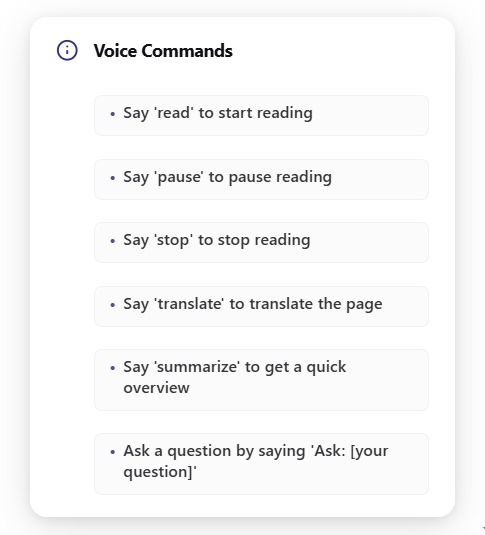
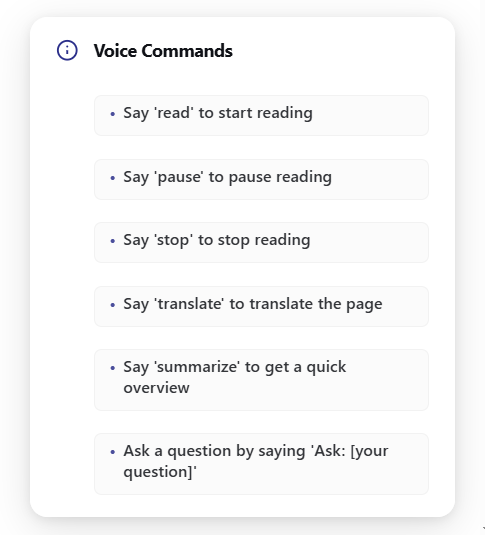
Voice command list for help.
-
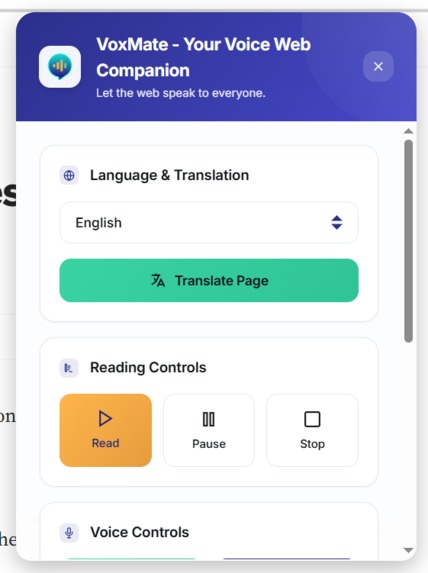
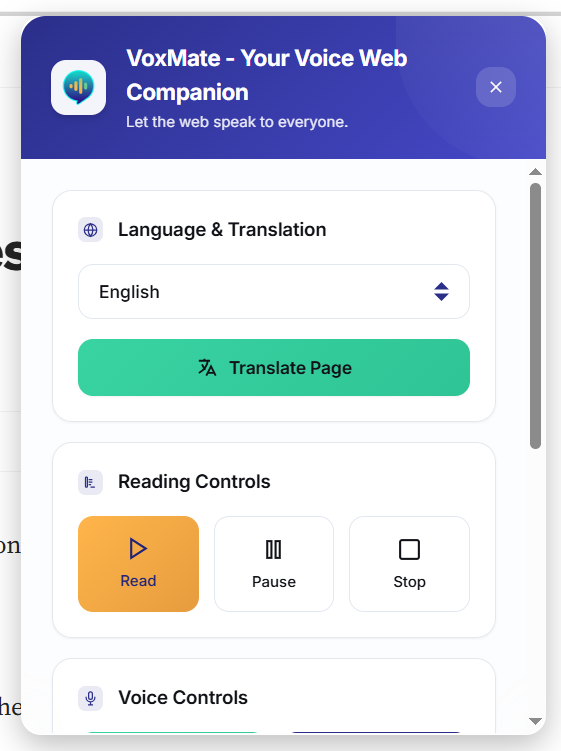
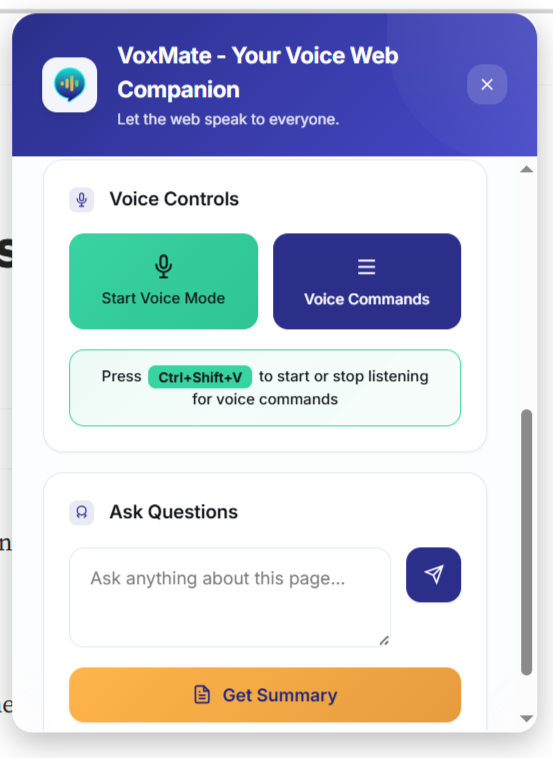
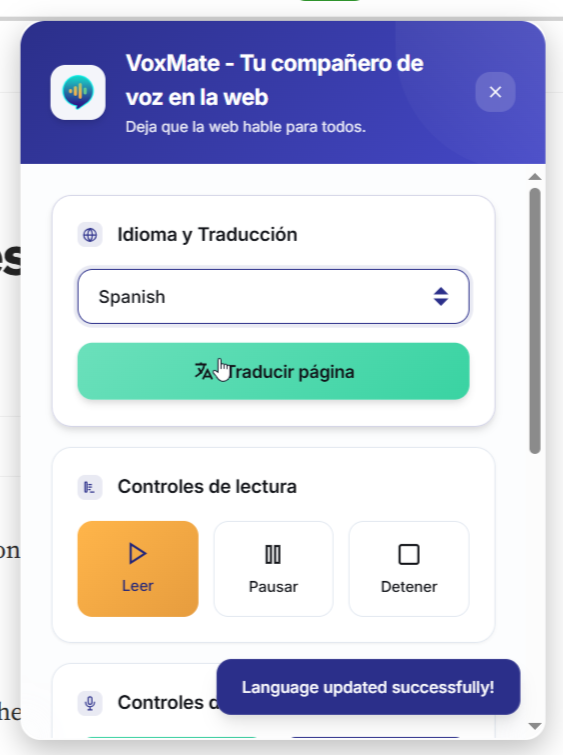
VoxMate UI, UI designed with accessibility in mind, ensuring ease of use for all users.
-
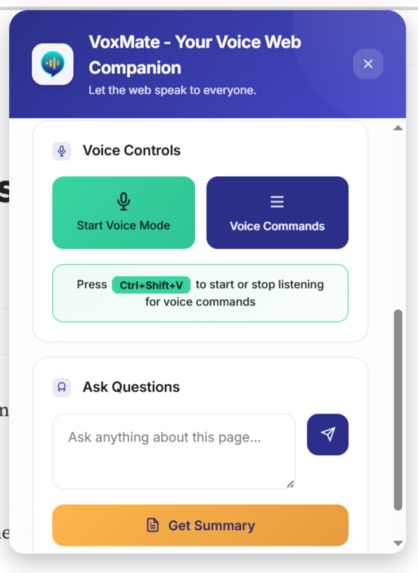
Voice control: toggle to turn mic on/off using hotkey: Ctrl+Shift+v to record commands. Ask a question, or summarize webpage content.
-
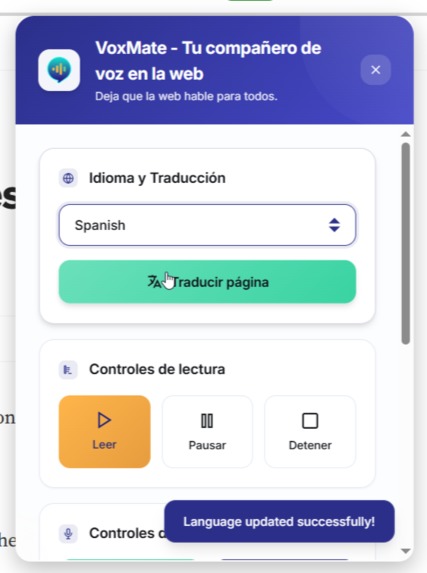
Set preferred language and translate the page to your selected language.
-
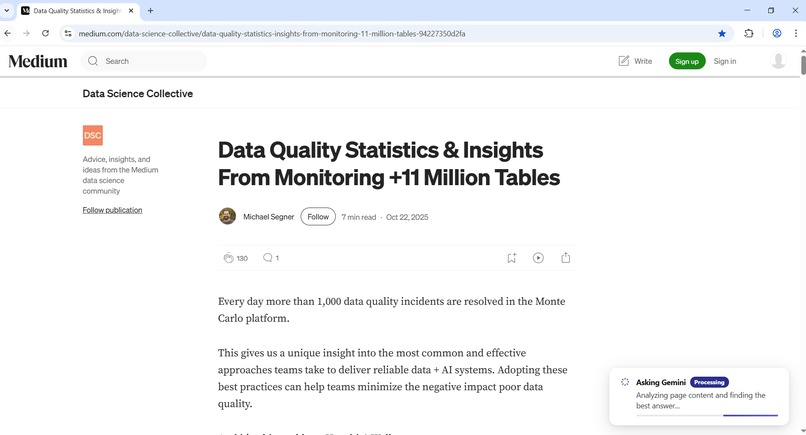
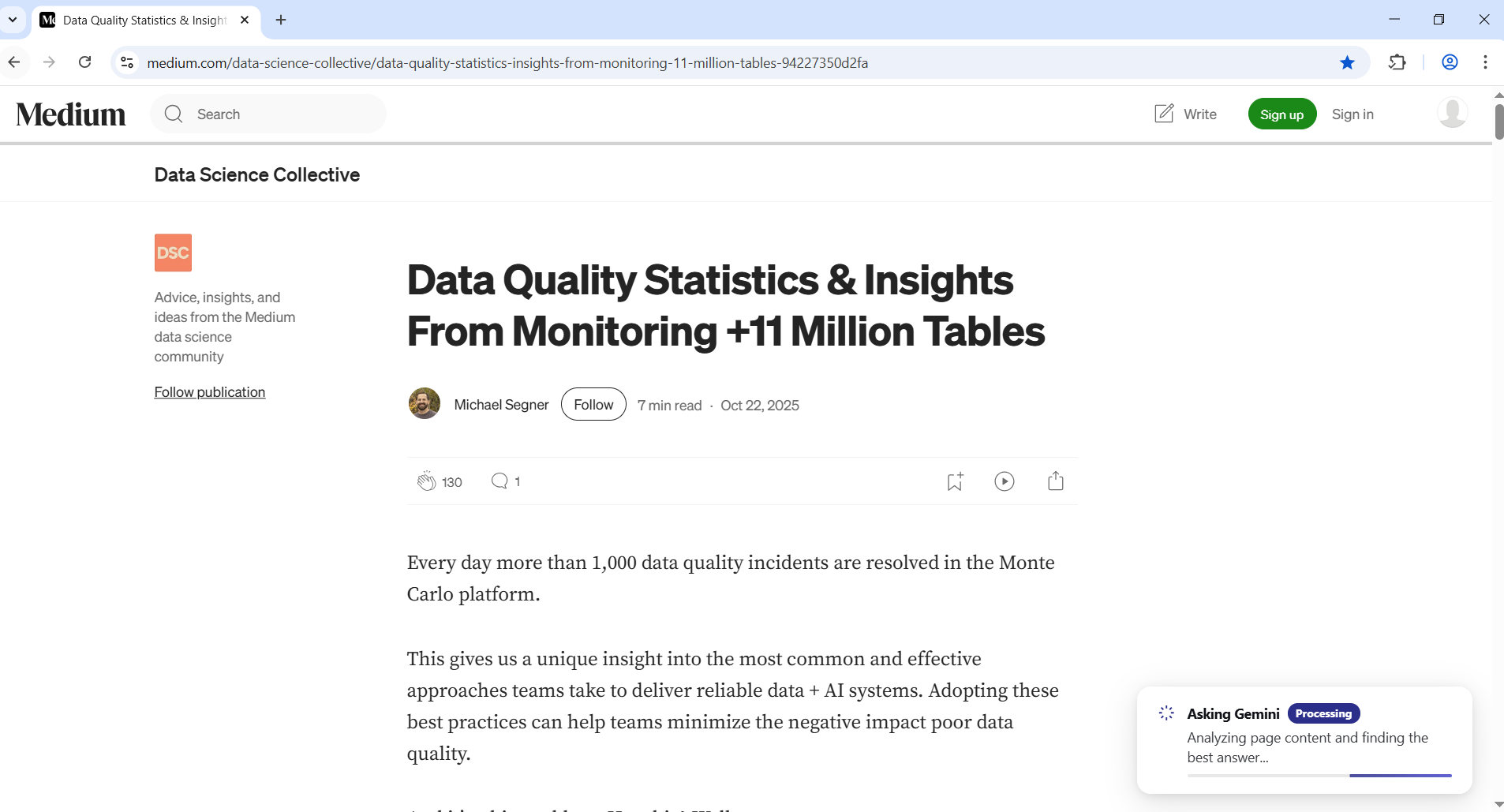
Gemini Nano generating answer to a question offline.
-
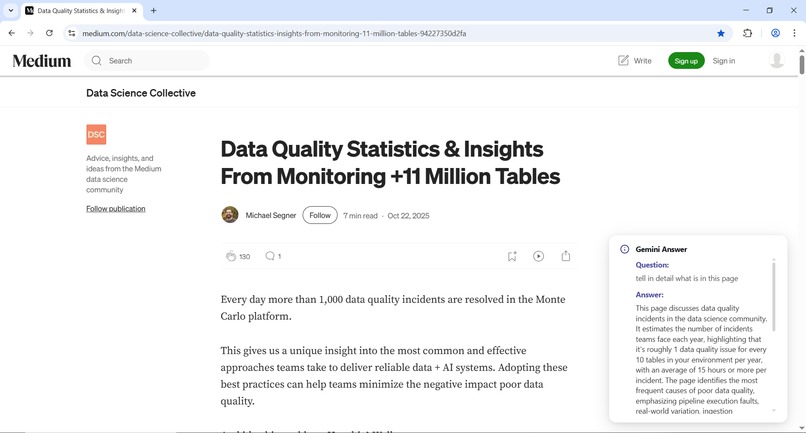
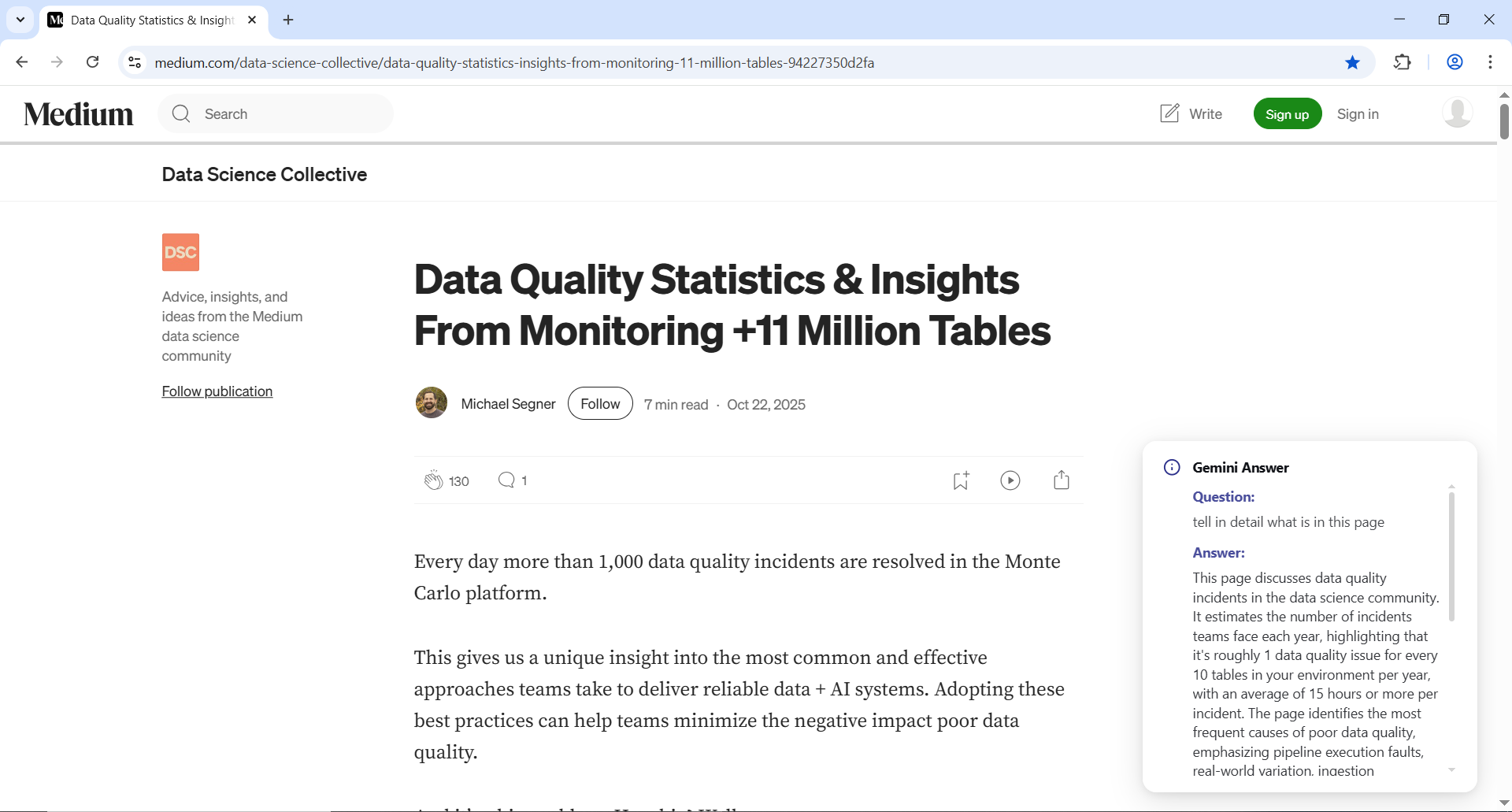
Private and offline response from Gemini Nano.
Inspiration
The inspiration for VoxMate came from watching people we care about struggle with simple things online.
We saw a classmate who loved learning but found reading exhausting. They'd spend hours on assignments that took others minutes, not because they weren't smart, but because the words just didn't cooperate.
We noticed a family member who gradually stopped browsing the web after their vision worsened. They'd ask us to read articles aloud to them, and we could hear the disappointment in their voice at having to depend on others for something they used to enjoy independently.
We watched a friend from another country navigate websites with constant translation apps open. They were capable and intelligent, but the language barrier made every online task feel like solving a puzzle.
And in our own lives, we understood the frustration of trying to read something when our hands were busy cooking or when we were in places where we couldn't look at a screen.
What it does
VoxMate is a Chrome extension that makes the web accessible and convenient for everyone. The dual interaction model of Voice Mode and UI means VoxMate adapts to your situation: use voice when your hands are busy cooking or driving, and use clicks when you're in a quiet office or prefer visual control. It helps people interact with online content in ways that work for their specific situation:
Translate Webpage - For anyone trying to read content in another language, this removes the friction of constant dictionary lookups. It helps people feel less like outsiders in the global online community.
Read Aloud - This gives people back their independence. Whether someone has visual impairments, reading challenges, or just needs their eyes free for other tasks, they can still access written content naturally.
Summarize - In a world of information overload, this helps people quickly understand what matters. It's for students facing dense material, professionals researching topics, or anyone short on time.
Ask Questions - This turns reading from passive to active. When you encounter something confusing, you can immediately get clarification without breaking your flow.
How we built it
We built VoxMate using Chrome's Built-in AI APIs, working extensively with the Summarizer, Translator, Prompt, and Google Text-to-Speech APIs. We discovered that the most helpful technology doesn't call attention to itself, it just works when you need it.
Our approach was to build something lightweight and reliable. We designed a clean, distraction-free interface that feels natural to use; whether someone needs occasional assistance or depends on VoxMate daily to access information. The layout, typography, and color contrast were carefully chosen to support users with dyslexia and mild visual impairments, ensuring clarity, readability, and comfort for everyone.
Challenges we ran into
Working with new technology always brings surprises. Since we came from an area with limited resources, our team shared a single laptop for development. This taught us to be efficient with our code and testing.
Initially, Chrome Canary had stability issues that made testing difficult. There were days when the browser would crash repeatedly, slowing our progress. But these constraints pushed us be resilient. We learned to push forward and adapt, even when conditions were far from ideal.
Accomplishments that we're proud of
We're proud of creating a tool that bridges the gap between accessibility and convenience. While VoxMate helps anyone who's ever been too busy to read or struggled with complex material, we're especially proud of how it serves users with special needs.
For the visually impaired, it's not just a convenience, it's a gateway to independent web browsing. For people with dyslexia, it's not just a time-saver, it's a way to access information without the cognitive strain. For those with minor motor disabilities, voice commands aren't just handy, they're essential.
We're proud that the same features that help a student quickly summarize an article also help someone with ADHD maintain focus, and the same translation that helps a tourist also helps non-native speakers fully participate in online communities.
We're especially proud of building something truly universal that works reliably despite our limited hardware resources, proving that great tools can serve everyone regardless of their circumstances or abilities.
What we learned
We gained deep experience with Chrome's AI APIs and learned to work efficiently with limited resources. Most importantly, we learned that the best solutions are often the ones that help everyone in small but meaningful ways.
What's next for VoxMate
Enhanced Voice Control
Implementing custom wake words like “Hey VoxMate” for truly hands-free activation, similar to popular voice assistants, making the experience more natural and accessible.
Smart Playback Controls
Introducing 15-second skip forward/backward buttons, chapter navigation for long articles, and adjustable playback speed to give users precise control over their listening experience.
Custom Reading Modes
Developing specialized profiles for different needs:
- Study Mode: Slower pacing with emphasis on key terms.
- Accessibility Mode: Full screen-reader compatibility.
- Quick Scan Mode: Faster playback for efficient content review.
Multi-Platform Expansion
Bringing VoxMate to mobile browsers and creating a standalone mobile app for seamless accessibility across all devices.
Personalization Features
Allowing users to save favorite summaries, create custom voice shortcuts, and build personalized vocabulary lists for frequently translated terms.
Collaborative Features
Enabling users to share summarized or translated content with friends, colleagues, or study groups.
Advanced AI Integration
Incorporating deeper context understanding for more accurate, culturally aware summaries and translations.
Built With
- git
- html5/css3
- javascript
- serviceworkers

Log in or sign up for Devpost to join the conversation.