-
-
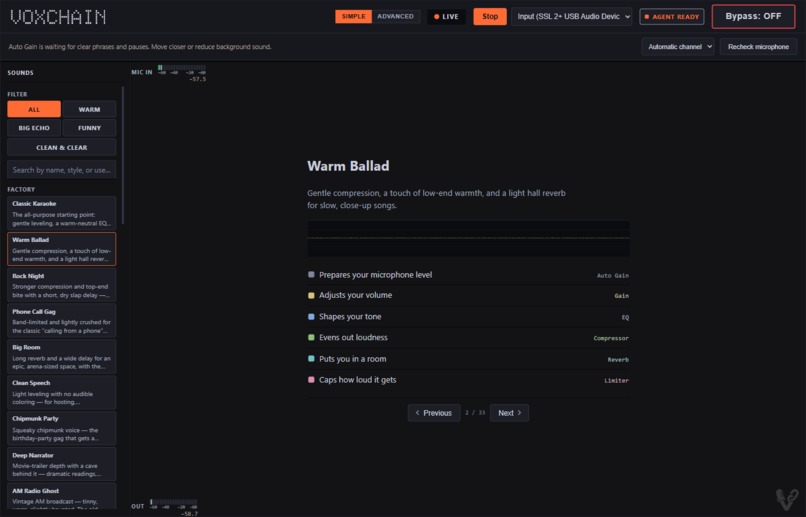
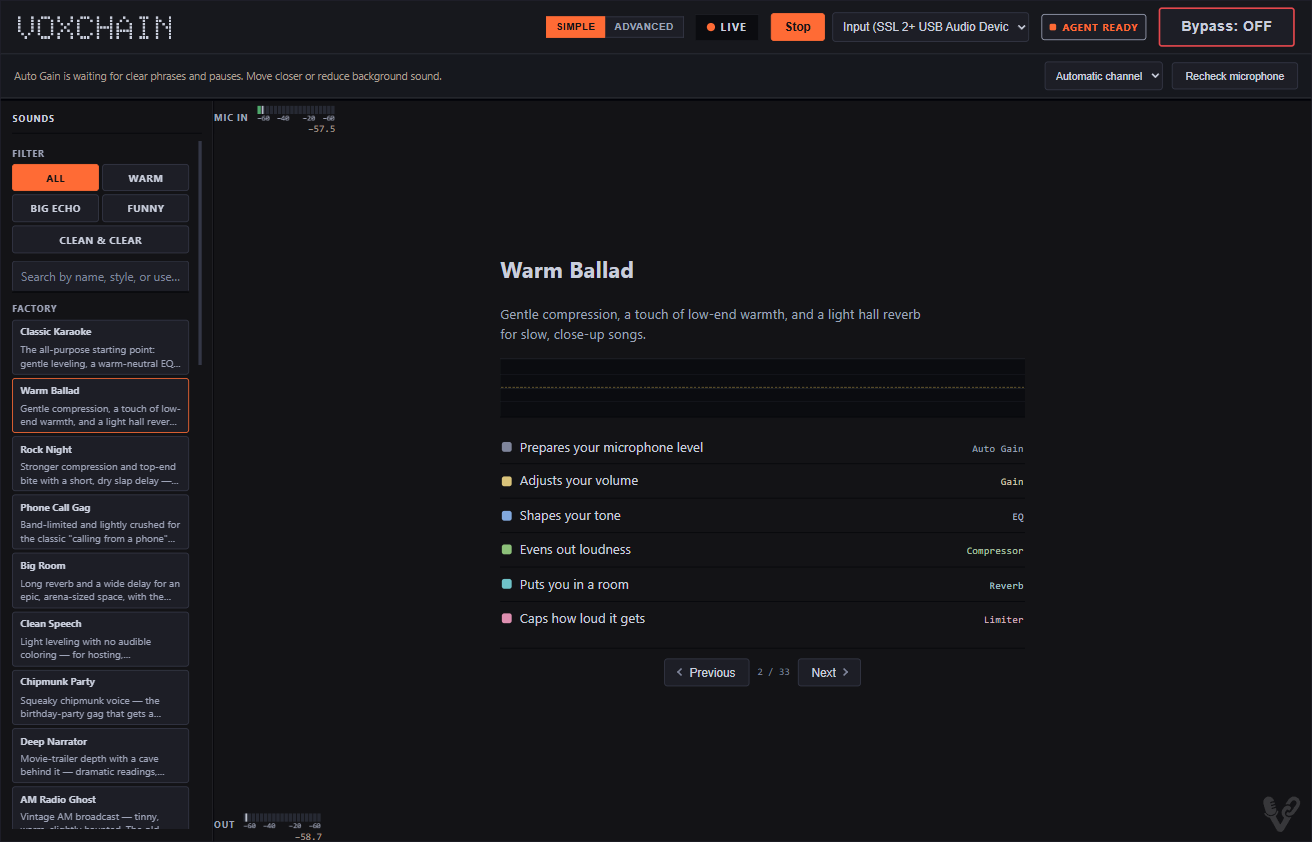
Simple view: browse presets with plain-language filters and see the current vocal sound at a glance.
-
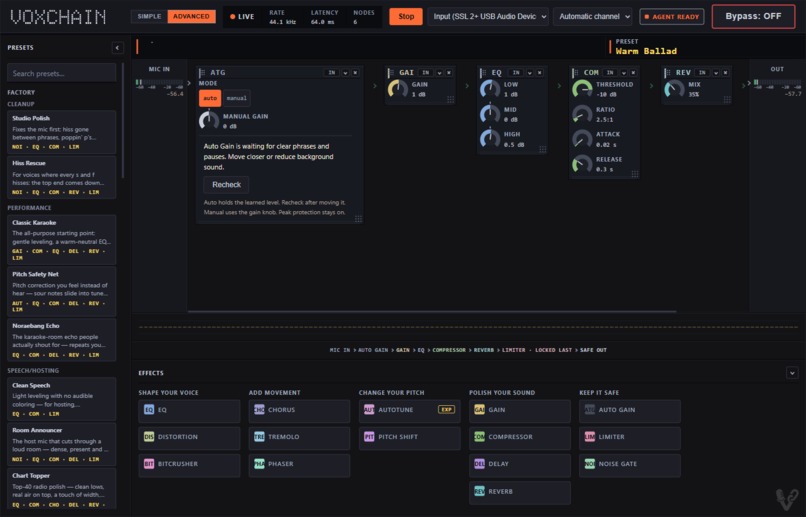
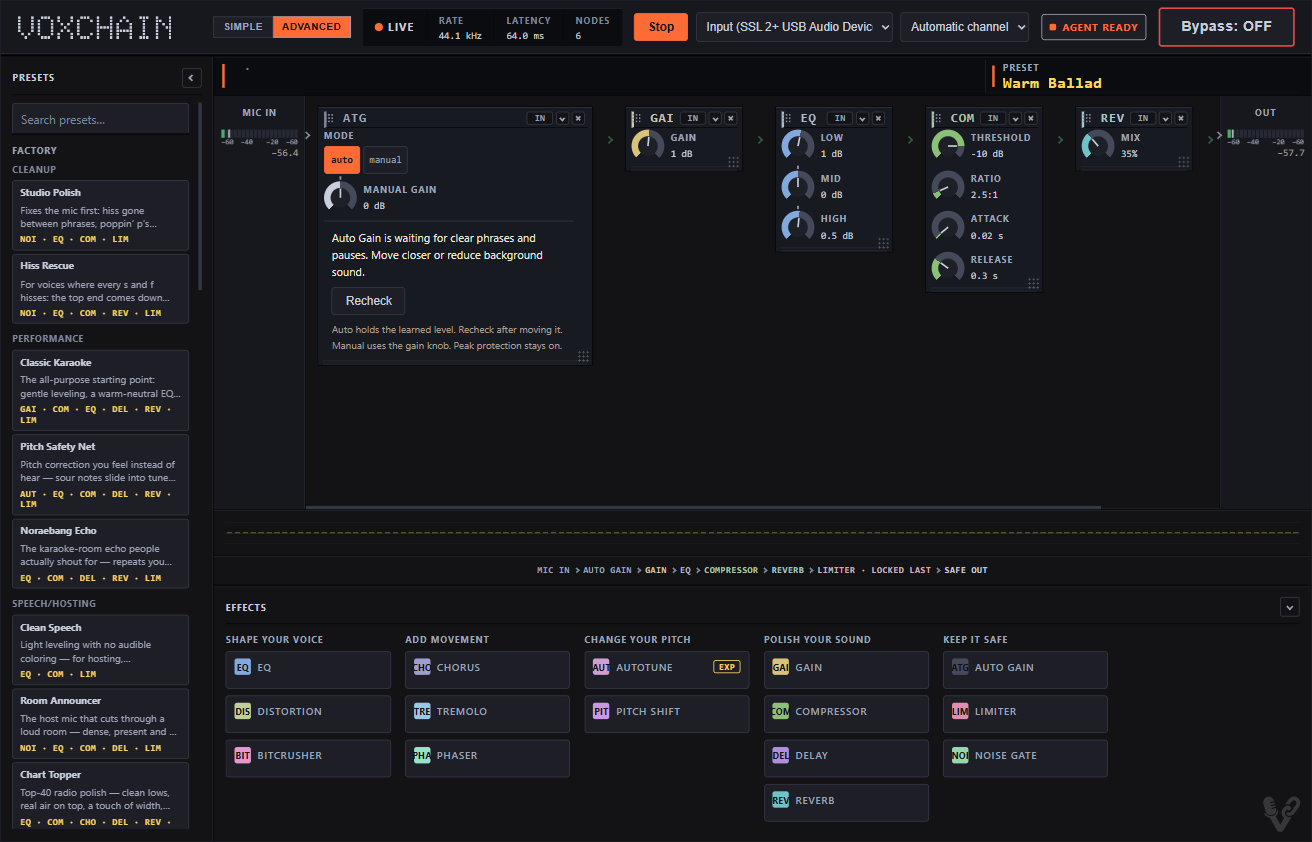
Advanced view: inspect and tune the ordered live effect chain while the limiter stays locked last.
What it does
VoxChain is a live vocal-effects chain that runs in the browser. A karaoke host can use Simple view to browse sounds, use Advanced view to tune the chain by hand, or describe a sound in plain language to a browser agent.
The person and the agent work on the same visible and audible chain. Every accepted agent change appears in the interface with a plain-language summary and Undo.
Why WebMCP fits
A person may know that a singer should sound warmer, clearer, deeper, or more spacious without knowing how to translate that request into EQ, compression, delay, reverb, gain, and routing decisions.
VoxChain registers ten page-scoped WebMCP tools. The agent can inspect the effect catalog and current chain, browse presets, load a preset, adjust parameters, add or remove eligible effects, and save a personal preset. This gives the agent structured controls and live state instead of forcing it to guess at page coordinates.
The browser keeps the safety-critical controls with the person. The agent cannot start microphone capture, select an input, toggle Bypass, restore watchdog-muted output, remove the terminal limiter, place nodes after it, or raise its ceiling above the allowed limit.
How people and agents work together
The agent follows a preset-first strategy. It searches the 33 factory presets and loads the closest match when one fits. If no preset matches, it can build a chain from the 14 available effects.
For example, the prompt "Make my voice really big and echoey, but keep it clear" led the agent to load the Noraebang Echo preset. The app showed the resulting six-node chain, the sound changed live, and Undo restored the prior chain. A follow-up request to remove the terminal limiter was refused without changing the chain.
This was difficult before WebMCP because an agent lacked a reliable, typed way to understand an audio editor's available effects, current signal order, parameter limits, and safety rules.
How we built it
VoxChain is a static vanilla JavaScript app. Web Audio and AudioWorklets run the microphone chain locally. The page registers its tools through document.modelContext.registerTool. A shared mutation boundary validates both human and agent edits, applies changes to the model and physical audio graph, and creates one Undo entry.
The effect catalog drives both the visible controls and the WebMCP descriptions. Chains and personal presets stay in browser localStorage. A Cloudflare Worker serves the app over HTTPS.
VoxChain does not host a model or send microphone audio to an AI service. Codex, Claude, and GLM helped during development. Codex helped shape the product scope and architecture, define the ten tool contracts and safety refusals, implement and test the Simple and Advanced views, debug rapid preset and parameter interactions, and prepare the judge-facing documentation.
Features
- 14 vocal effects and an optional Auto Gain setup utility
- Simple and Advanced editing views
- 10 WebMCP tools for reading and editing the live chain
- 33 factory presets plus browser-local personal presets
- Visible agent activity, change summaries, and Undo
- A terminal limiter, output cap, and structured safety refusals
- Human-only Start, microphone selection, Bypass, and watchdog recovery
Testing
The public demo runs at https://voxchain.arrangedgodly.com/ with no account or credentials.
The release suite passed 52 test files and 5,584 checks. The production build generated 64 public files. The deployed app exposed all ten tools in the Codex in-app browser, and a real-microphone smoke test passed the live preset load, Undo, limiter refusal, Bypass, and Stop path.
The public 2:56 demo shows the Simple and Advanced views, the WebMCP interaction, an accepted mutation, Undo, and the terminal-limiter refusal.
Built With
- audioworklet
- cloudflare-workers
- javascript
- tone.js
- web-audio-api
- webmcp


Log in or sign up for Devpost to join the conversation.