Inspiration
Nature has long been a source of inspiration for me: the spirals of a sunflower, the structure of a leaf, and the markings of a giraffe. I’m fascinated by how mathematics and geometry can help us explore these rich, organic patterns.
Through my earlier Voronoi design tools, I explored how geometric ideas could support creativity. With Voronoi XR, I wanted to bring the process into the space around us, where people could shape a design with their hands and see it evolve in their own room.
The connection between a small hand movement and a changing design is what excites me about this experience. Seeing the result on a real wall gives choices about pattern, proportion, and material an immediate context.
My goal is to make this exploration feel approachable and personal, while helping people create something useful that they can continue developing beyond the headset.
What it does
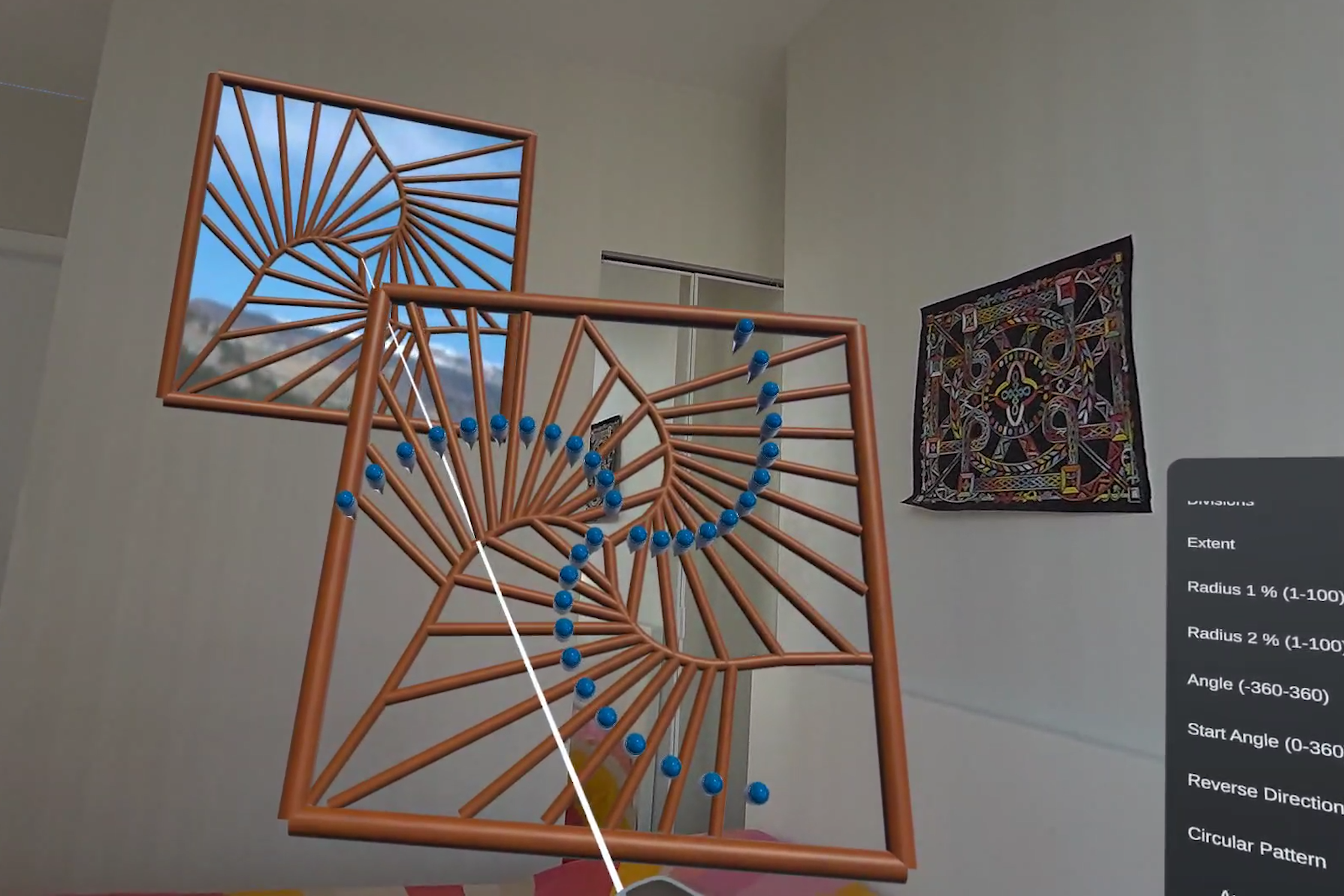
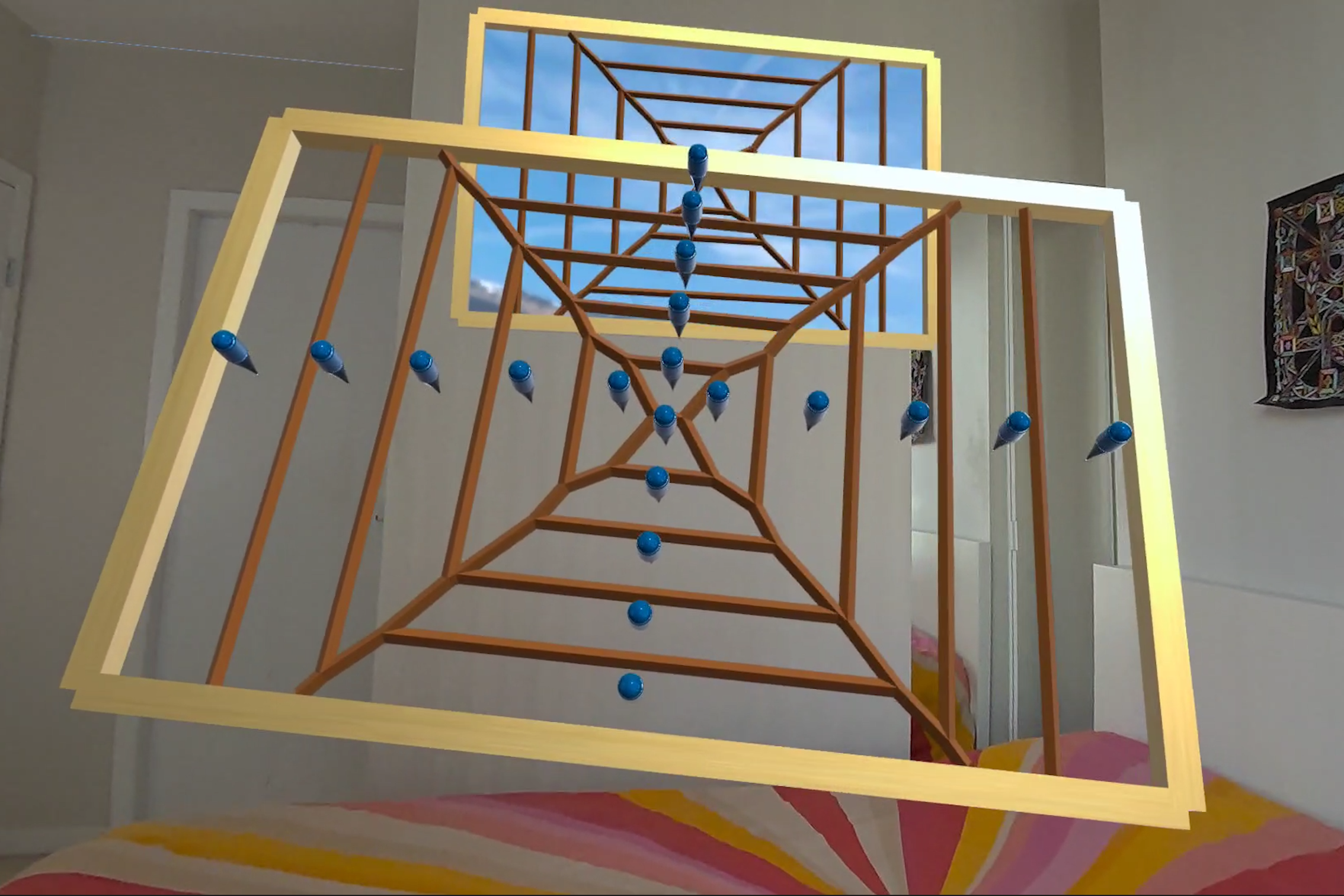
Voronoi XR is a mixed reality design tool for Meta Quest that lets users create 3D designs from Voronoi patterns and shape them with their hands. The entire experience uses passthrough, so users work with their designs while their real room remains visible.
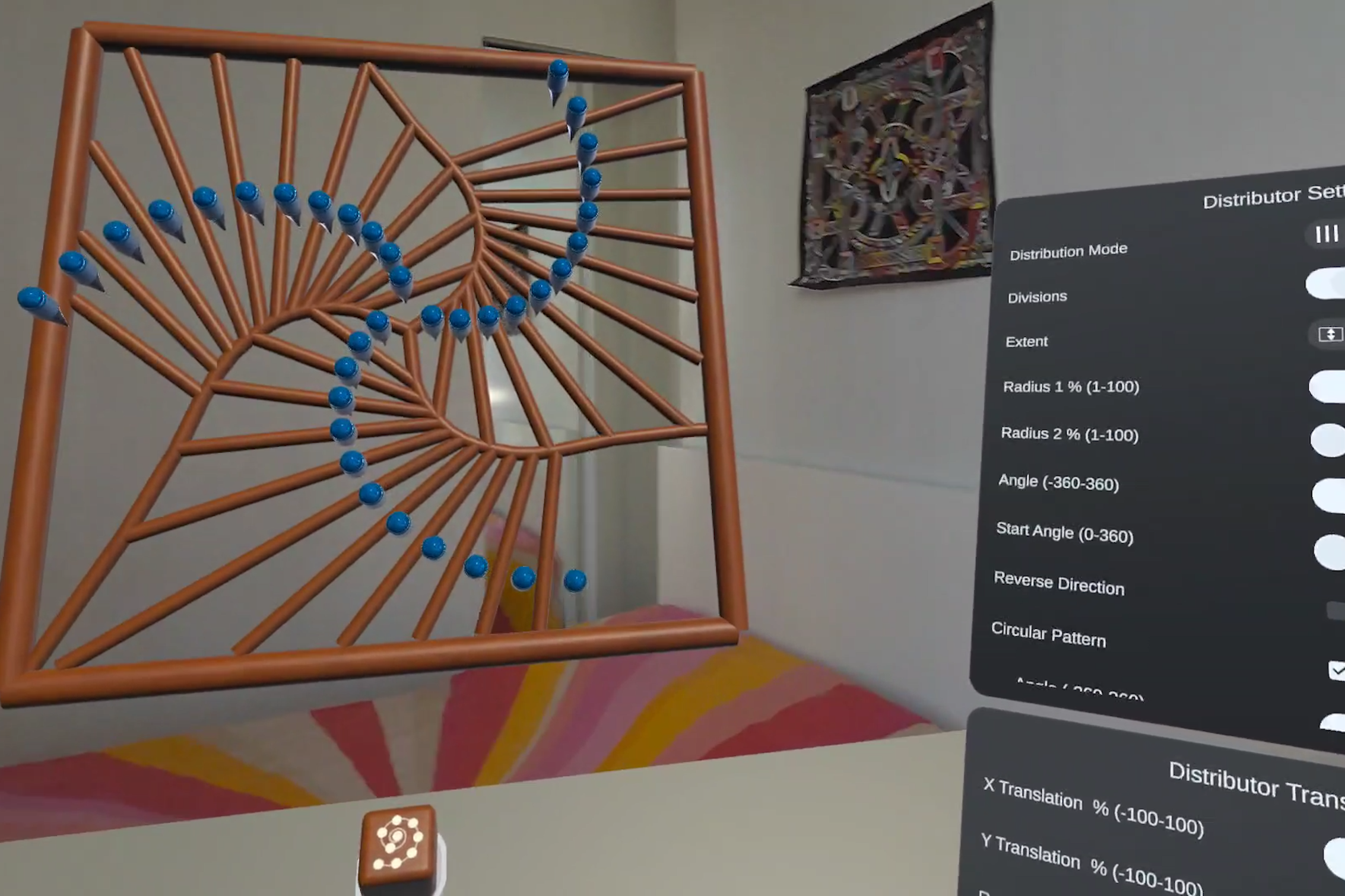
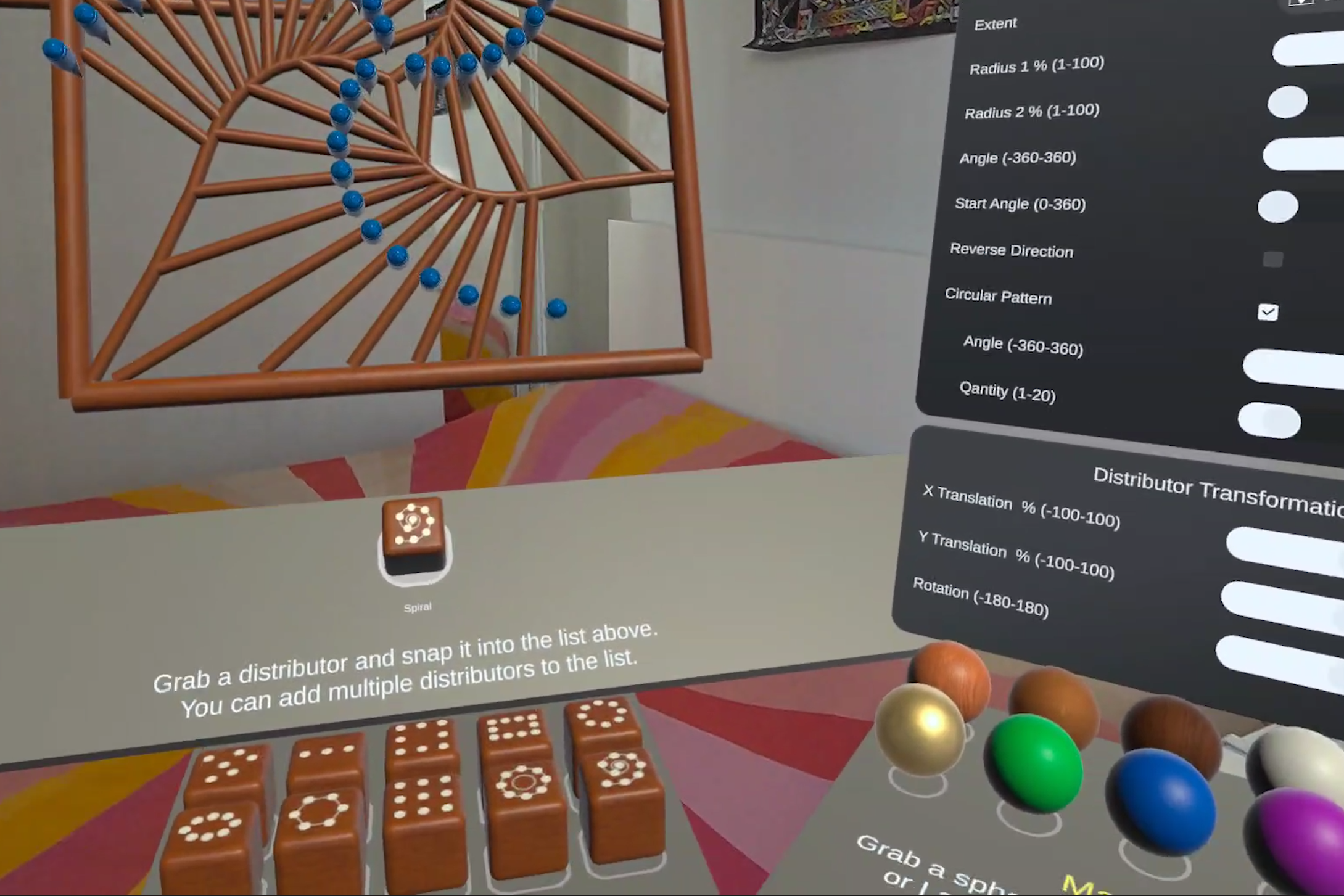
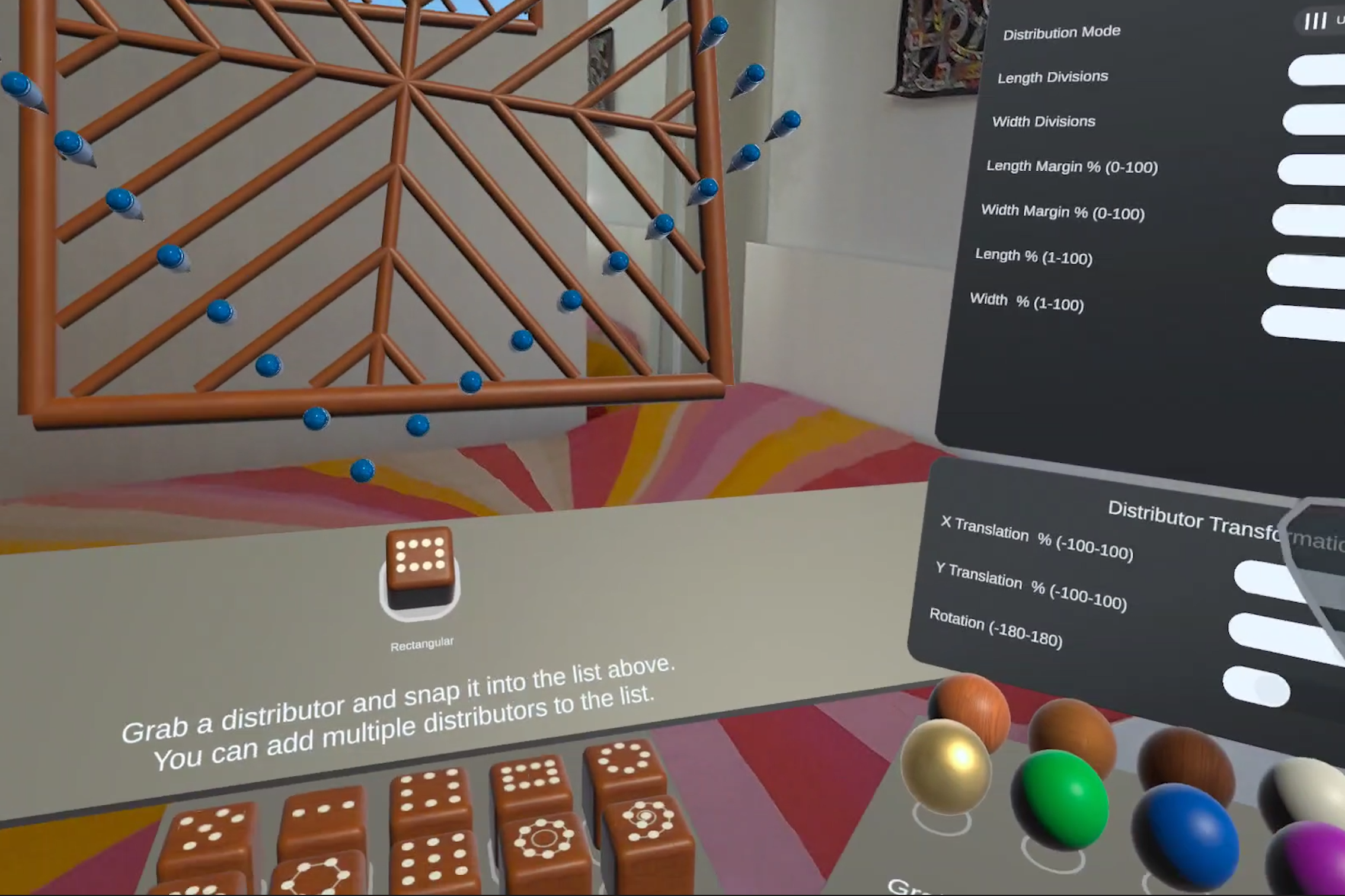
Users start by generating seed points with ten configurable Distributors, from random arrangements to grids, circles, and spirals. Distributors can be combined and their parameters adjusted to explore different patterns. Each seed point can also be moved individually by hand, with the design responding in real time.
The frame and internal lattice can be customized independently. Users can choose different profiles, adjust their parameters, and apply separate materials to each.
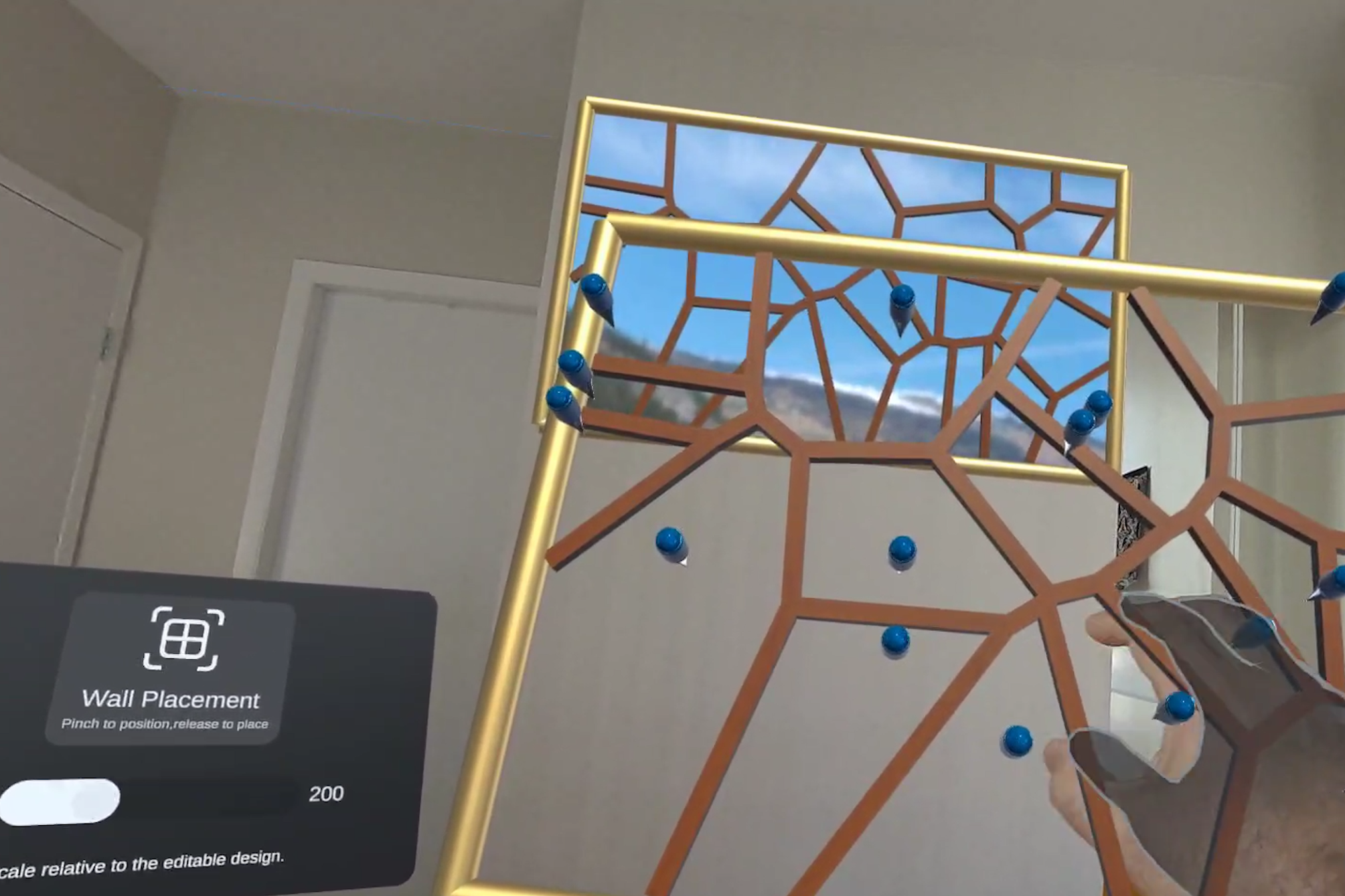
Users can place a design on a real wall as a virtual window onto an outdoor scene. The working model and wall preview stay synchronized: changes to the seed distribution, frame and lattice profiles, or materials appear in both at the same time. This lets users evaluate the design in the space around them as they refine it.
Designs can be exported as GLB models for use in other 3D workflows, so the work can continue beyond the headset.
How we built it
I built Voronoi XR from scratch in Unity 6, using C# and Visual Studio to develop an entirely new application codebase. My earlier experience creating Voronoi tools informed the procedural geometry and design workflow.
I integrated Meta’s XR SDKs to build the passthrough experience, using the Meta XR Interaction SDK for hand interactions and spatial UI, and Mixed Reality Utility Kit (MRUK) for room understanding and wall placement. The interface was built with Unity’s uGUI system.
Custom C# logic connects seed generation and manipulation with geometry updates, frame and lattice controls, and synchronized previews. This keeps the working model and the design placed on the wall responsive to the same edits.
I used 3ds Max to create and prepare 3D assets, and Photoshop for image and texture work. ChatGPT and Claude supported the development process by helping me explore implementation approaches, generate and refine code, and troubleshoot technical issues.
Challenges we ran into
Technical challenges included making hand interactions work reliably with spatial UI and snapping, and managing frequent Voronoi mesh updates while keeping interaction responsive and both design views synchronized. One example involved MRUK World Locking and recentering: the workspace needed to recenter while wall-mounted designs stayed aligned with the real room.
I also had to balance technical depth with ease of use, preserving creative flexibility while making the controls clear, approachable, and intuitive.
Accomplishments that we're proud of
I’m proud of building Voronoi XR from scratch and turning my earlier Voronoi experience into a working creative tool for mixed reality. Bringing procedural geometry, direct hand editing, and synchronized wall previews together was a rewarding achievement.
Users can shape a design, explore profiles and materials, and see those decisions reflected in their own room as they work. Model export completes that workflow with a useful result that can be carried into other projects.
Seeing a pattern respond to my hands and evolve on a real wall made the project feel tangible, bringing together my interests in geometry, design, and programming.
What we learned
I developed a much stronger practical understanding of Meta’s XR SDKs, particularly the Interaction SDK for hand interactions and spatial UI, and MRUK for room understanding and placement. Working with Meta’s components and samples helped me learn how to adapt established interaction patterns to a procedural design tool.
Working with passthrough helped me understand how the physical room becomes part of the design experience. I learned how scale, placement, tracking, and recentering affect the workspace and virtual designs positioned on real walls. Connecting these systems with procedural geometry also taught me how to keep hand editing, geometry updates, and spatial previews working together.
What's next for Voronoi XR
I plan to support multiple designs in the same workspace, so users can compare variations and develop several ideas at once. Saving and reopening editable projects will let them continue earlier work, while an in-app browser will make it easier to find and preview exported models. I also want to add more export formats.
Broader material and profile libraries, additional customization controls, and ready-made Voronoi templates will give users more options and useful starting points for their designs.
I also plan to expand the tools to room dividers, railings, decorative objects, and other architectural elements. Further improvements include undo/redo, clearer onboarding, and better performance for more complex designs.
Built With
- autodesk
- chatgpt
- claude
- photoshop
- unity
- visual-studio


