Quick Links
- Product Prototype
- Pitch Deck Presentation (with Animations and Videos) ⭐️
- Pitch Deck PDF (without Animations and Videos)
- Pitch Deck on Canva
- Comprehensive User Guide
- Code
Note that the presentation version of the pitch deck is simply the MP4 obtained when exporting the slides from Canva. It includes all the videos, which makes it easier for the the user to follow along :) We highly recommend you watch that! 😄
Unfortunately, the PDF version does not play the videos, but it does contain links to the product prototype, as well as the user guide, for your reference.
Inspiration
We've always been interested in harnessing tech for good. Naturally, the problem statement by Big At Heart about building a scalable volunteer management system intrigued us :)
Admins at Non-Profit Organisations have to do _a lot of manual work to manage volunteers, create opportunities, track attendance, create certificates, etc. All that takes away time and energy from increasing the reach and impact of their activities. So, we empower them to do what they do best, and we'll handle the rest!
Moreover, volunteers want a simple way to browse through opportunities, sign up for them, and track their personal volunteering history (which would motivate them to continue volunteering!). And this is exactly what we do: make it as easy as possible for volunteers to sign up and start their volunteering journey 🚀
What it does
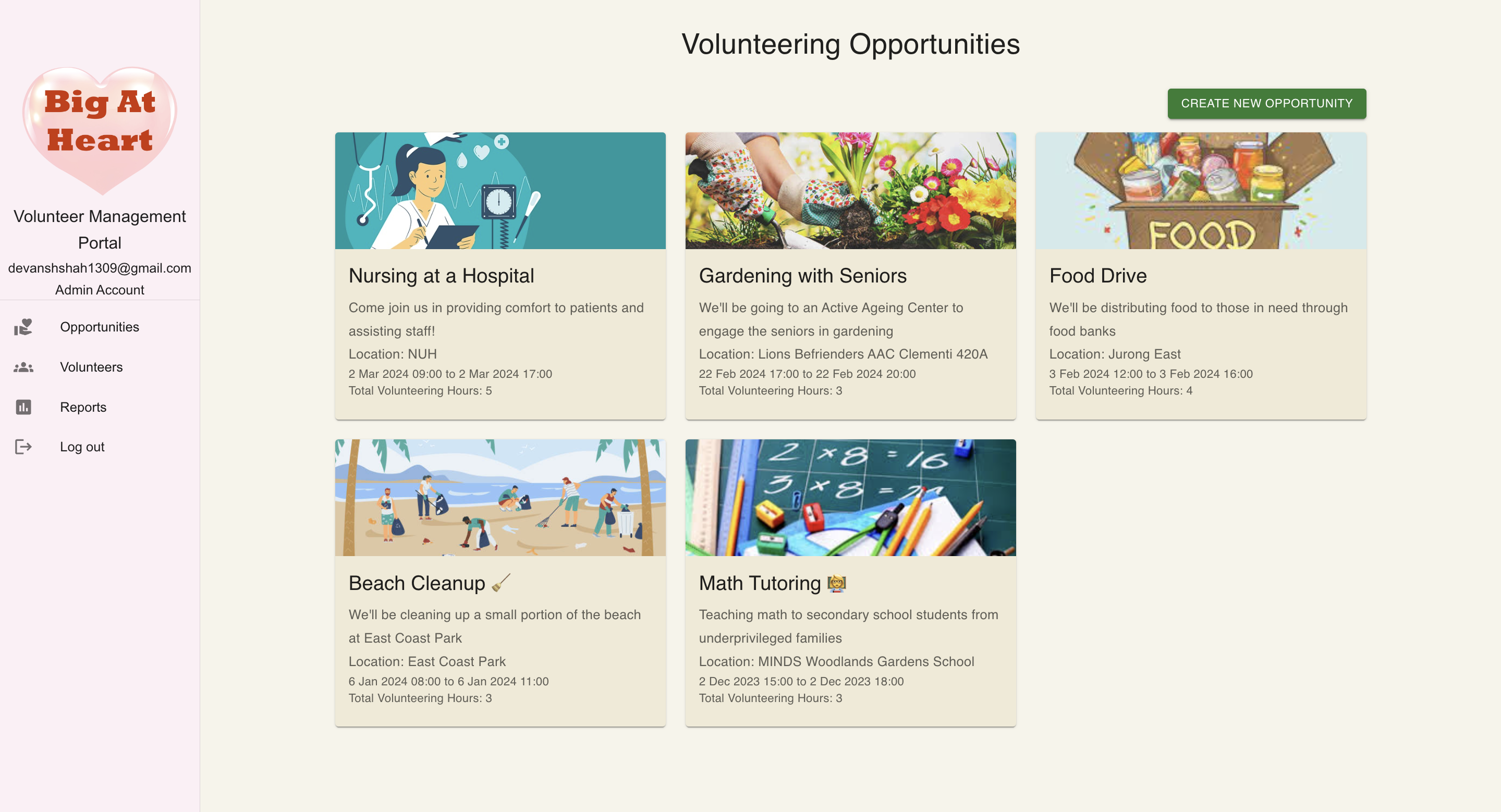
VolunTech Connect is a platform that helps Non-Profit Organisations such as Big At Heart to effortlessly manage volunteers, create opportunities for volunteers to sign up for, and so much more! 🌟
Say goodbye 👋 to the days of manually managing volunteers and opportunities. VolunTech Connect is here to help you automate and streamline the process. 🚀
You can find our detailed user guide here
Features
The core features can be divided into 2 categories, from the point-of-view of:
- an admin and,
- a volunteer.
Admin
- Create Opportunities
- Approve Volunteer Registrations
- Archive Opportunities
- Delete Opportunities
- Manage Volunteers
- View Volunteer's Details and History
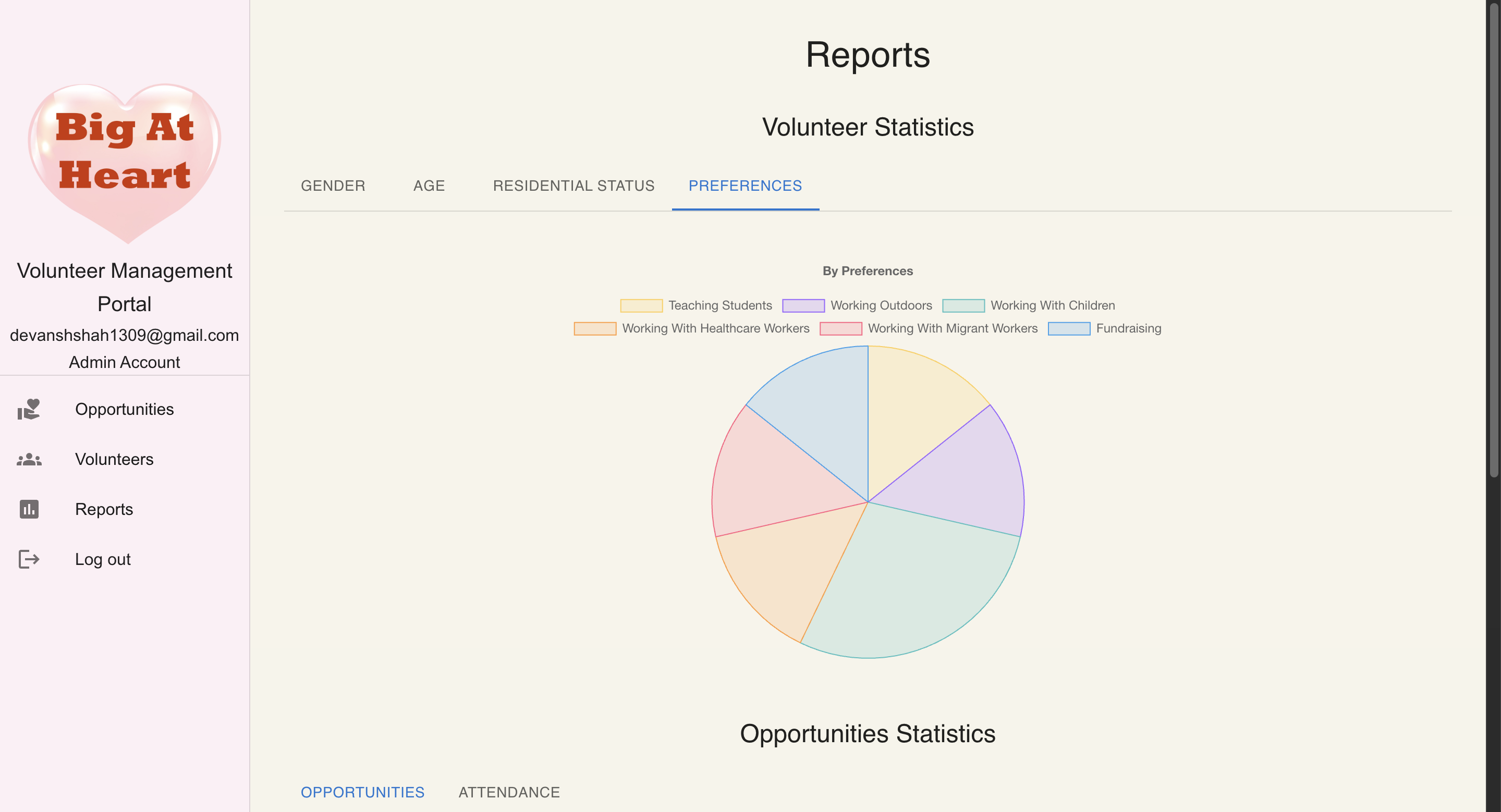
- View Summary Statistics ⭐️
Volunteer
- Sign up and Create Profile
- Register for Opportunities
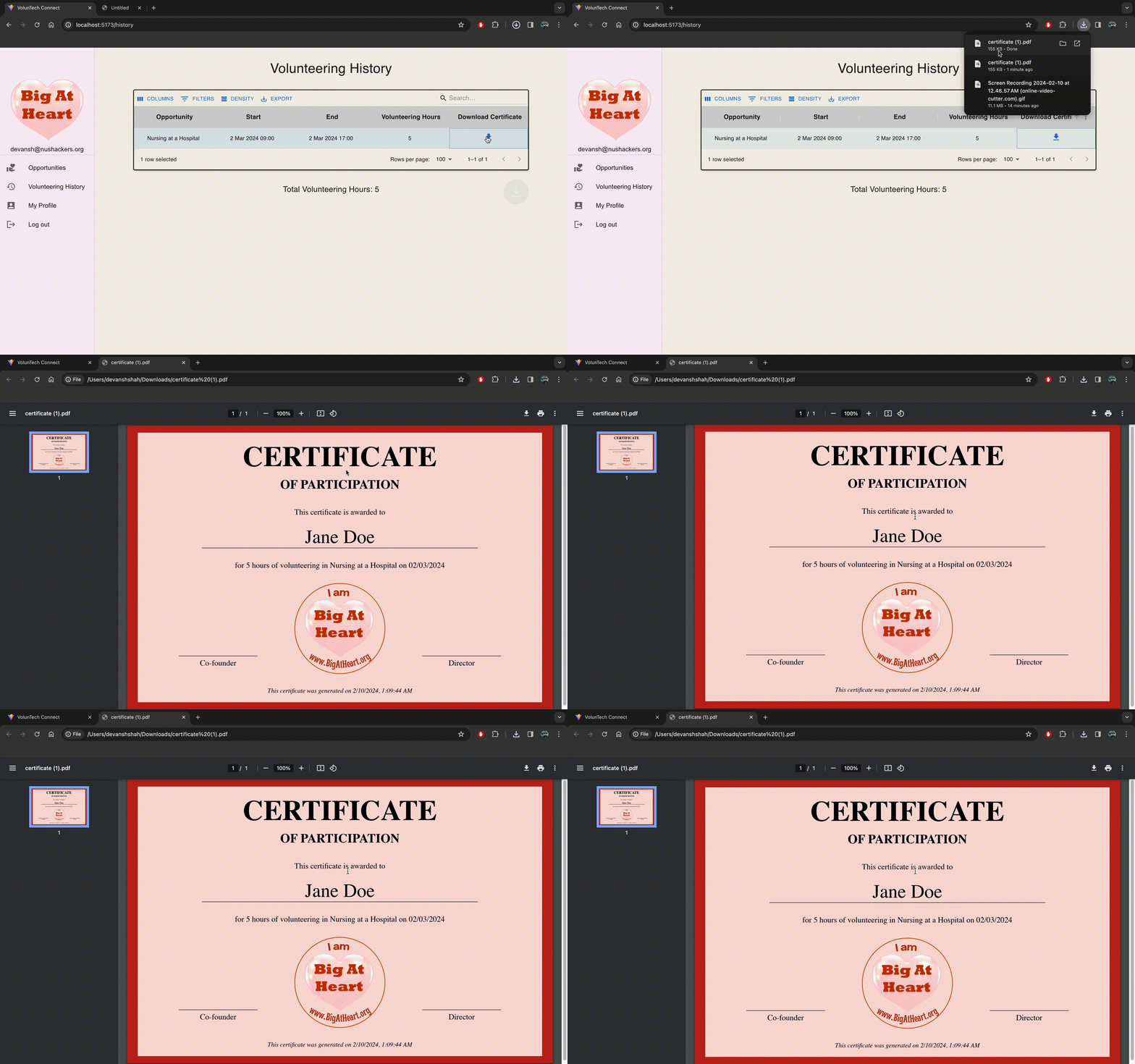
- View Personal Volunteering History
- Download Certificates ⭐️
How we built it
Our tech stack consists of:
Frontend
- React
- TypeScript
- Vite
- Material UI
Backend
- NestJS
- TypeScript
- Prisma ORM
- MySQL
- PlanetScale
In particular, we use Clerk for authentication. Clerk is a third-party service that provides authentication and user management, along with integration with popular identity providers such as Google, Facebook, and more. This means that we never have to worry about the security of our authentication system, and we can focus on building the core features of our application. It also means that we also don't store any passwords in our database, which is a huge security win!
Challenges we ran into
- Initially, we were overwhelmed by the number of features our application had to have. We quickly scoped down the project to contain a core set of features, and started working on it. Prioritisation was key.
- Understanding the workflow from the point-of-view of the admin as well as the volunteer was always crucial
- From a technical standpoint, 2 of the most "complex" features would be to dynamically generate the certificate, and display the report charts.
Accomplishments that we're proud of
- Having a complete set of features by the end of 2 weeks
- Learning new technologies along the way
What we learned
- How to prioritise features while building a not-so-small application
- How to manage academics, doing an internship, and working on this project
- (Learning how to center a div :O)
What's next for VolunTech Connect
We hope that this project grows beyond this hackathon, and is actually adopted by Big At Heart!
Also, we're planning to add some more features:
- Allow volunteers to write reflections after attending an opportunity
- Generate PDF of the report based on the charts (similar to downloading certificates)
Important Links
Built With
- clerk
- materialui
- mysql
- nestjs
- planetscale
- prisma
- react
- typescript
- vite

Log in or sign up for Devpost to join the conversation.