-
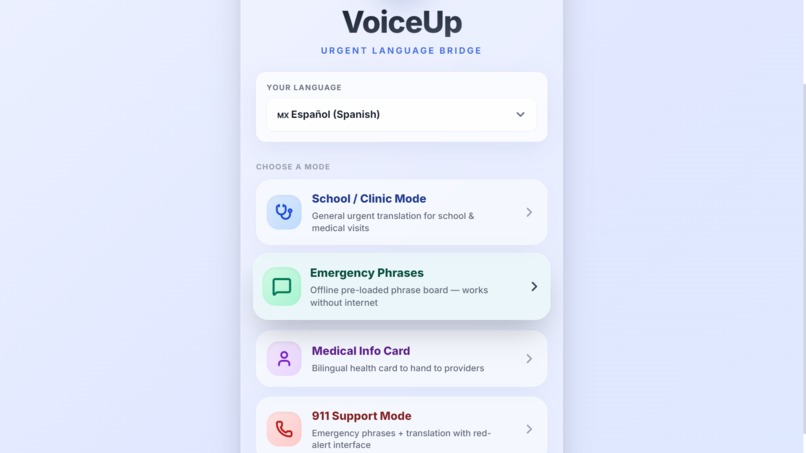
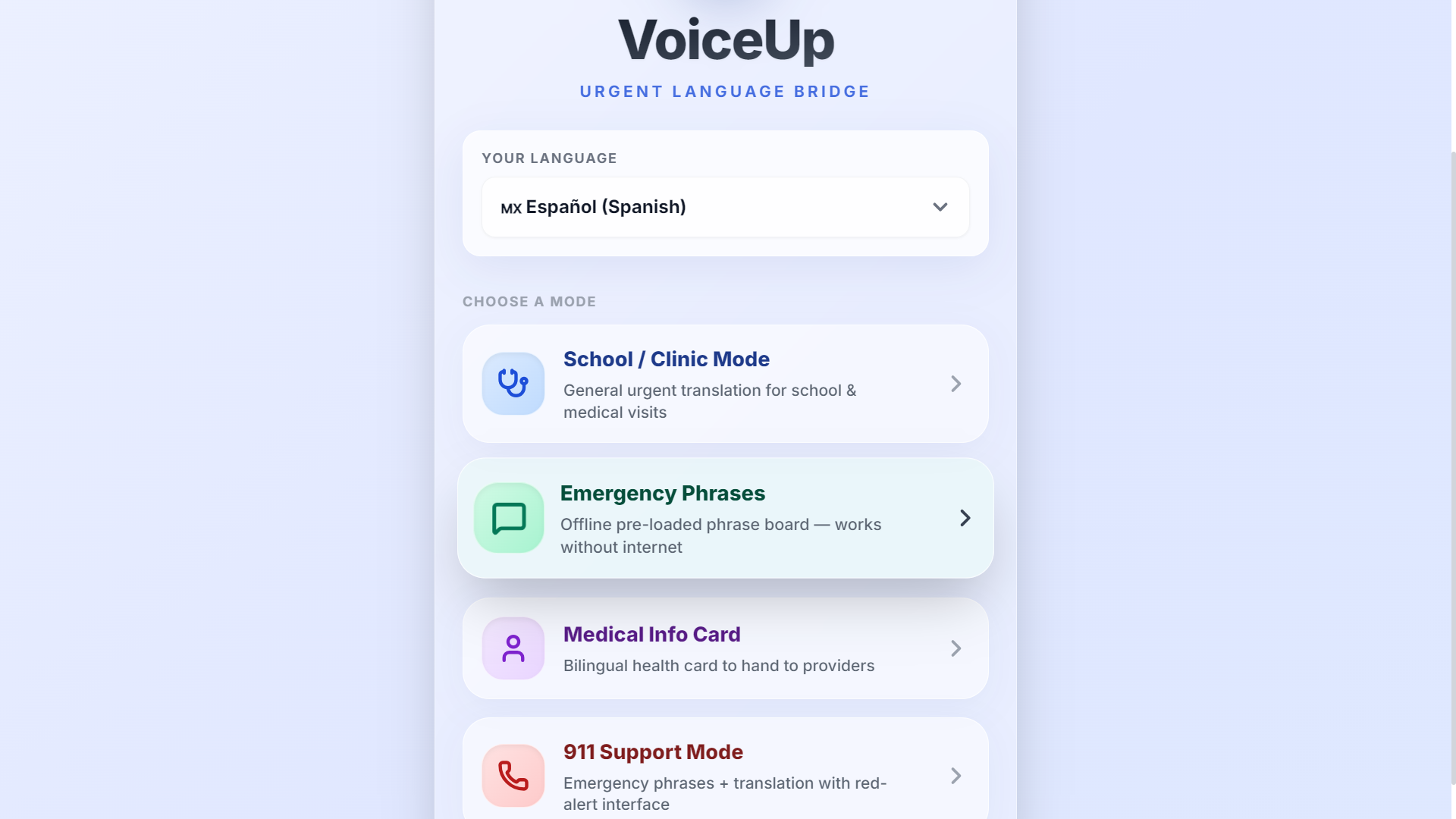
VoiceUp Dashboard: A premium, offline-first interface designed with high-contrast glassmorphism for rapid access during emergencies.
-
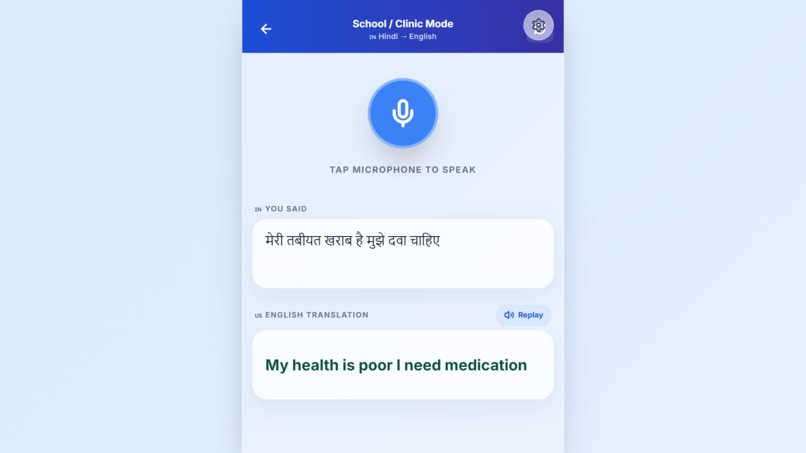
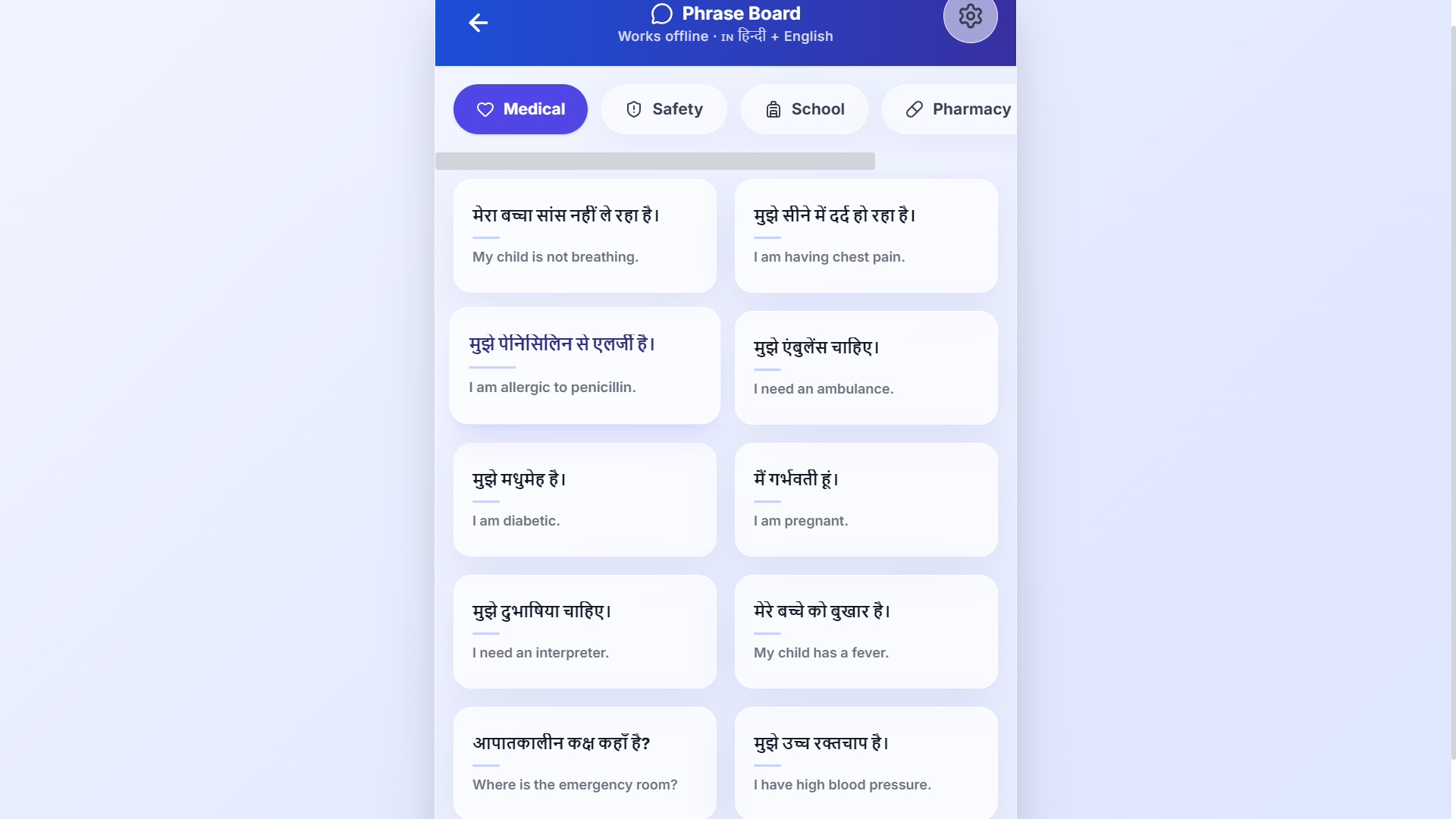
Offline Phrase Board: Instantly access and vocalize categorized, life-saving bilingual medical phrases without an internet connection.
-
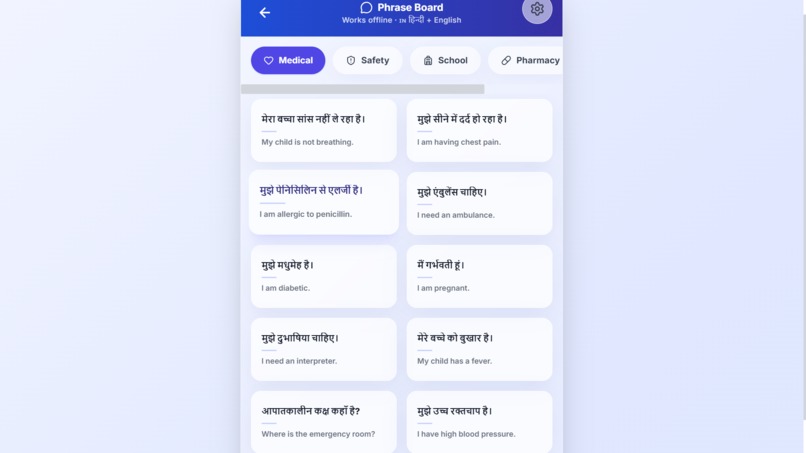
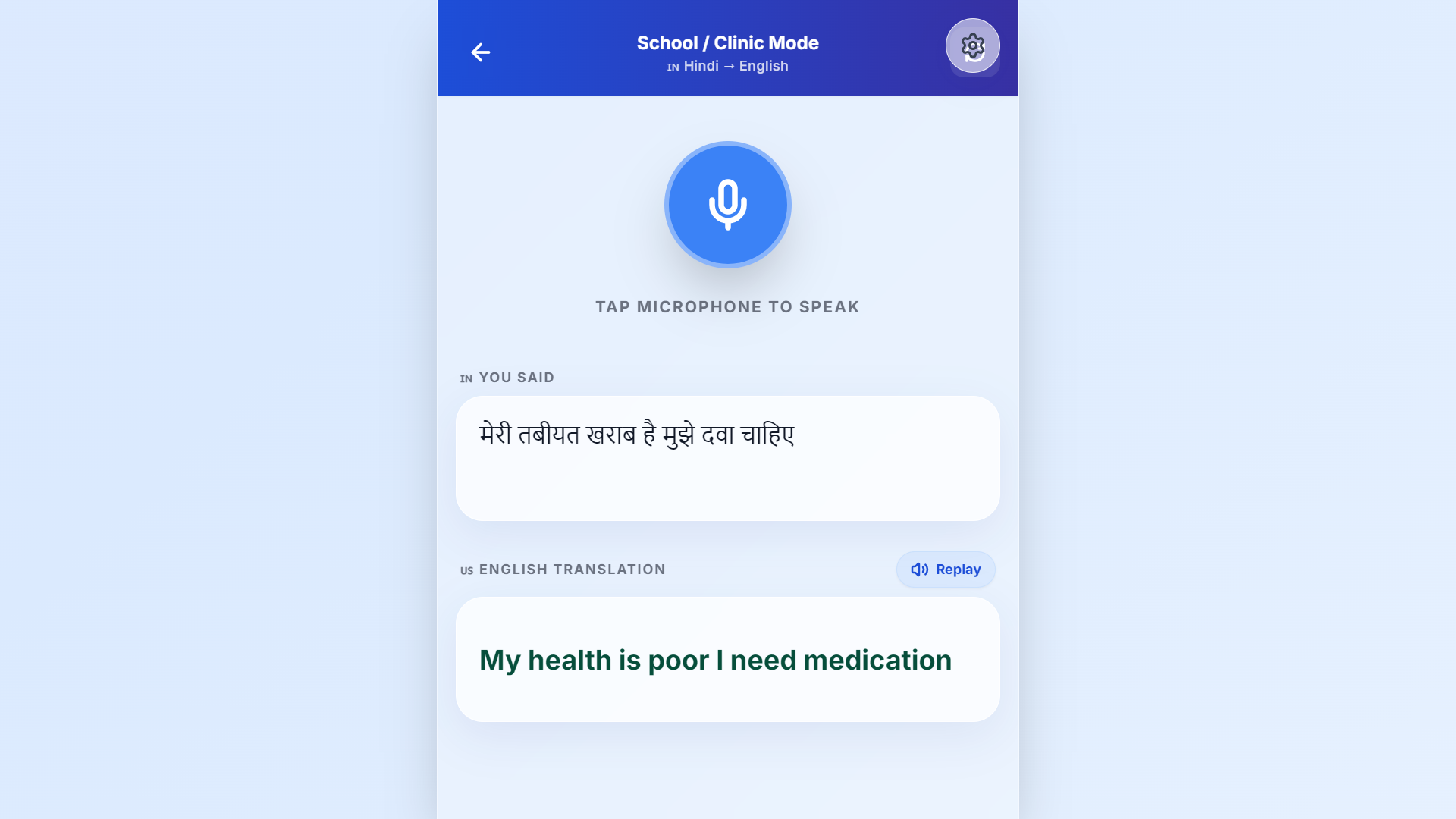
Live Translation: Powered by Speech APIs and Google Gemini, instantly bridging medical language gaps with accurate voice outputs.
💡 Inspiration
In a medical emergency, every single second counts. However, when a patient and a first responder (or a student and a school nurse) don't speak the same language, critical time is lost. We realized that existing translation apps rely heavily on cloud servers—meaning they fail entirely in places with low connectivity like school basements, rural clinics, or disaster zones. Furthermore, privacy is a massive concern; patients don't want their medical data sitting on a tech company's server.
We wanted to build something that was blazing fast, fully offline-capable, and completely private. That’s how VoiceUp was born.
⚙️ What it does
VoiceUp is a Progressive Web App (PWA) bridging language barriers in high-stress environments.
- Real-Time Translation: Uses native browser APIs to listen, transcribe, and translate speech instantly.
- Context-Aware AI Suggestions: Intercepts conversations and uses Google Gemini to suggest highly relevant follow-up questions (e.g., "Where is the pain located?").
- The Phrase Board: A categorized, offline-first grid of high-priority emergency phrases that can be tapped to speak aloud instantly.
- Bilingual Medical ID: Allows users to store their blood type, allergies, and emergency contacts securely on their local device. It can instantly translate the card for a provider or render it into a printable physical ID card.
🛠️ How we built it
We engineered VoiceUp with an unwavering focus on performance, edge-based computing, and a premium $10,000-tier aesthetic.
- Frontend: Built with React 18 and Vite for optimized chunking. The UI is completely custom-designed using Tailwind CSS to implement a modern Glassmorphism visual language accompanied by animated mesh gradients.
- Physics & Animation: We utilized
framer-motionextensively. From the 3D glowing microphone orb to staggered cascading lists and spring-based page transitions, the app feels incredibly tactile and native. - The Intelligence: We combined the browser's native
SpeechRecognitionandSpeechSynthesisAPIs as the primary offline engine. We then integrated the Google Gemini API to generate intelligent conversation predictions. - State & Persistence: To ensure HIPAA-compliant user privacy and zero-latency loading, we engineered a custom data-layer utilizing edge-based
localStorage. There is no backend database; your data never leaves your device.
Mathematical Approach to Predictive Context When generating AI suggestions, we modeled the urgency of the medical interaction. Let the probability of a suggested phrase $P(s)$ be weighted by the contextual keywords in the speech transcript $T$ and the calculated time-delta $\Delta t$ of the emergency:
$$ P(s_i \mid T) = \frac{\exp(w^T \phi(s_i, T) - \lambda \Delta t)}{\sum_{j=1}^k \exp(w^T \phi(s_j, T) - \lambda \Delta t)} $$
By prioritizing high-frequency emergency keywords against latency decay ($\lambda$), the Gemini prompt strictly curates the chips to only show the top 3 most statistically relevant life-saving questions.
🚧 Challenges we ran into
Handling the unpredictability of the native Web Speech API across different browsers was a massive headache. Different browsers handle speech synthesis rate boundaries and transcription halts differently. We had to write complex custom React hooks (useSpeechRecognition) with aggressive fallback mechanisms and automatic microphone restarts to ensure the app didn't "freeze" during a live translation. Further, designing a heavily animated 3D interface that still rendered at 60fps on low-end mobile devices required extensive optimization of our CSS backdrop filters.
🏆 Accomplishments that we're proud of
- Engineering a fully functioning Progressive Web App that actually works offline when internet access drops.
- Designing a UI that rivals fully-funded startups. The animated 3D microphone orb and staggered glass panels look absolutely stunning.
- Successfully bridging a purely front-end environment with a powerful LLM without relying on complex, expensive intermediary servers.
📖 What we learned
We learned that handling asynchronous browser hardware APIs (like the microphone) requires highly defensive programming. We also learned how incredibly powerful modern CSS and Framer Motion can be—you don't need native iOS/Android code to build a fluid, tactile application experience.
🚀 What's next for VoiceUp
We plan to expand our offline capabilities by implementing lightweight, on-device translation models using WebAssembly (Wasm) so the AI aspect can function 100% offline. We also want to implement a secure QR-code scanning feature so paramedics can instantly snap a patient's Medical Info Card without touching their phone screen!
Built With
- css3
- framer-motion
- google-gemini
- html5
- javascript
- pwa
- react
- tailwindcss
- vite
- web-speech-api

Log in or sign up for Devpost to join the conversation.