-
-
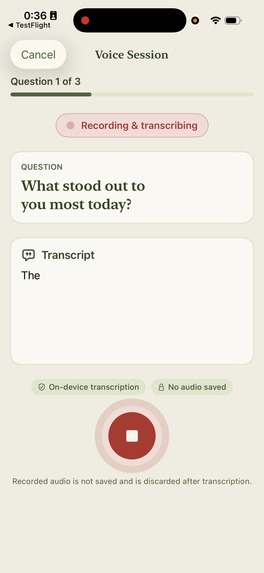
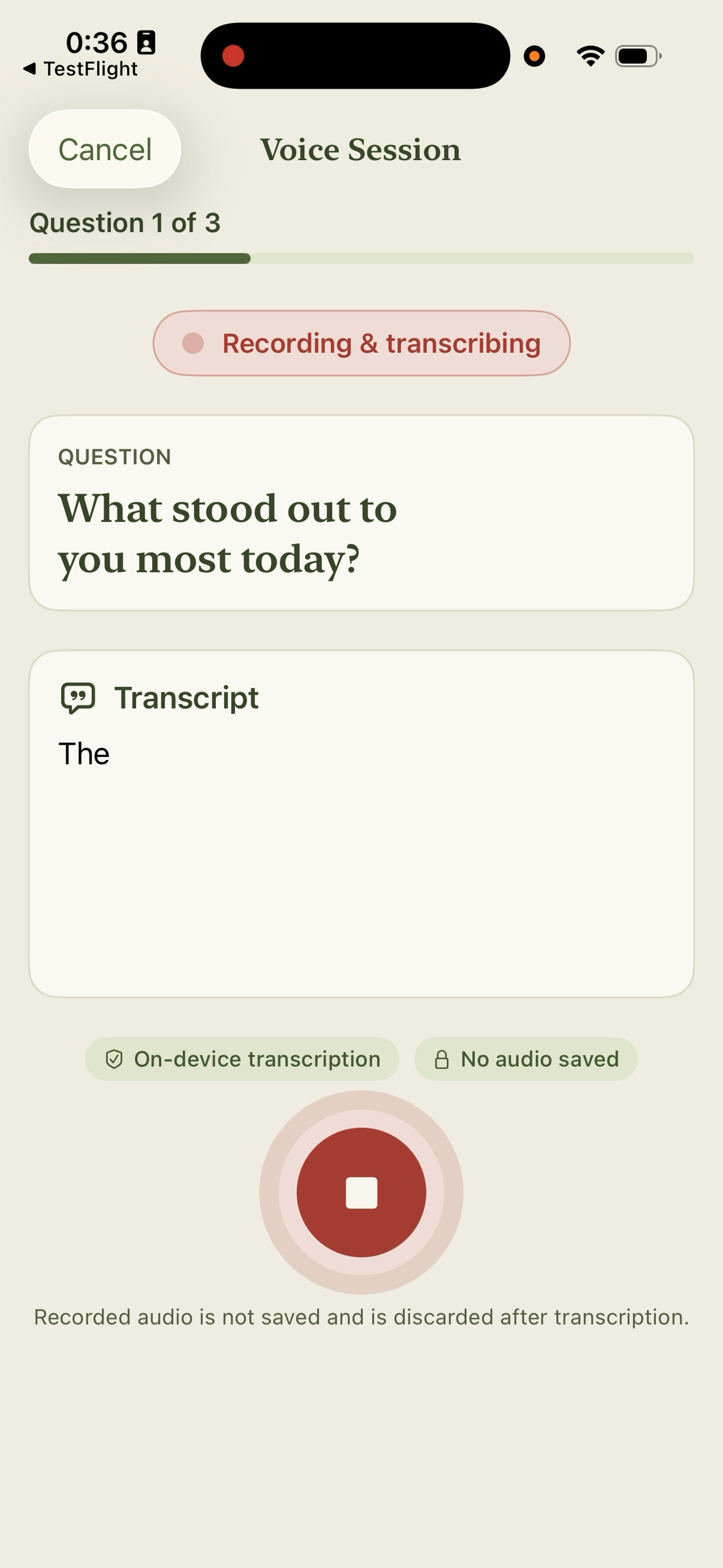
Answer a gentle prompt with live on-device transcription.
-
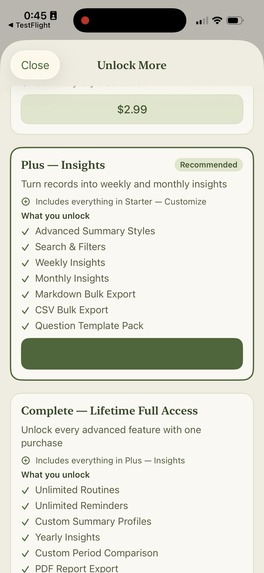
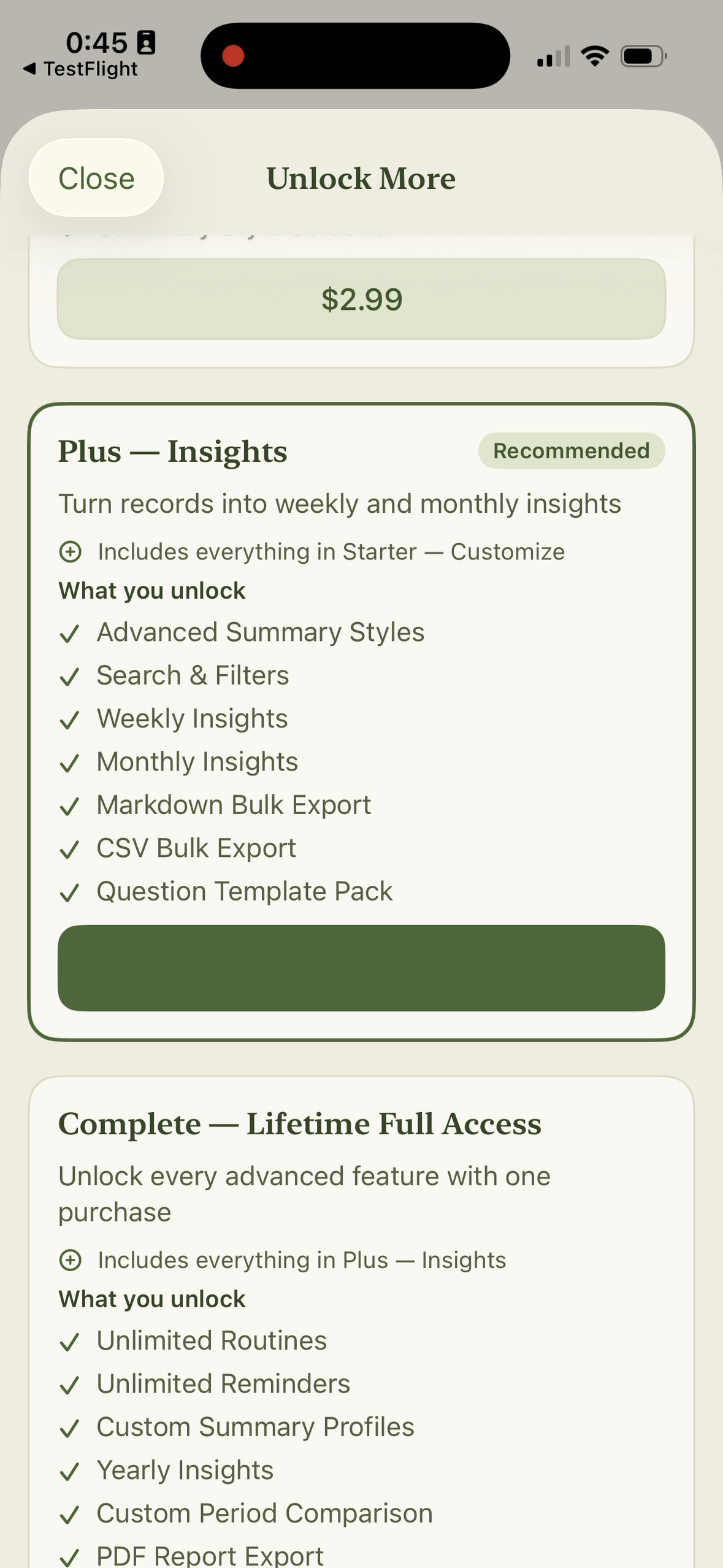
Unlock lifetime premium features through the RevenueCat paywall.
-
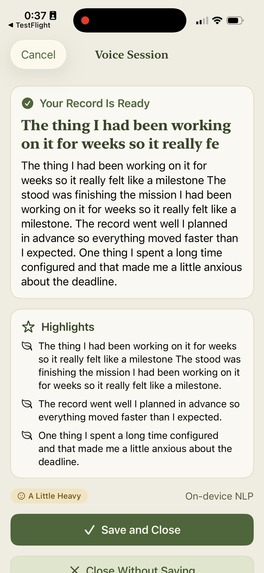
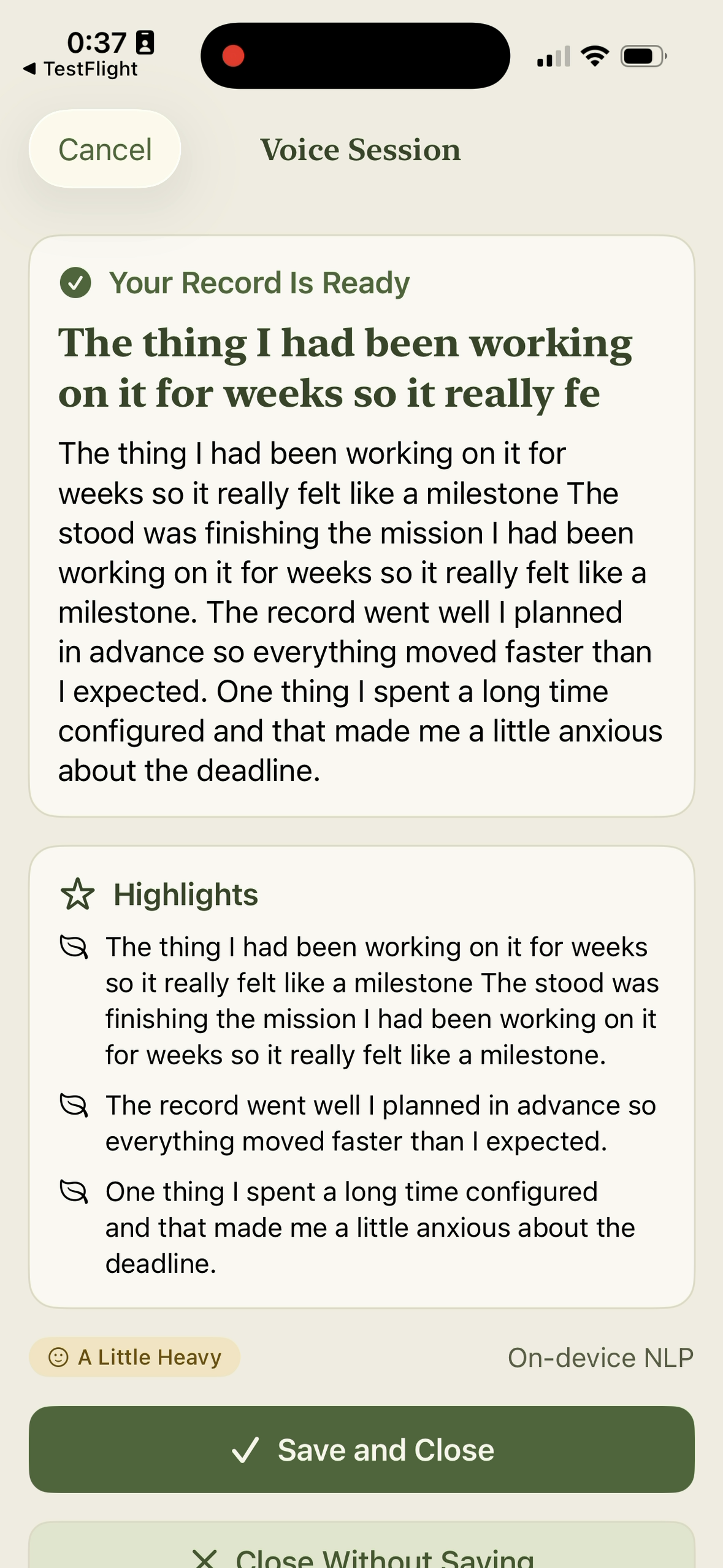
Review a private saved reflection with summary and highlights.
-
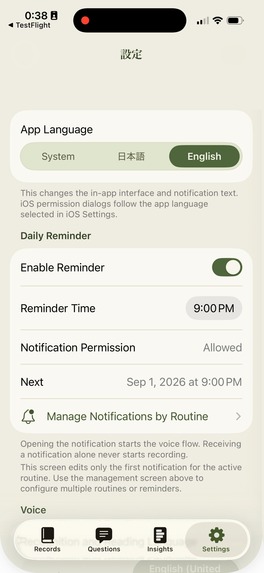
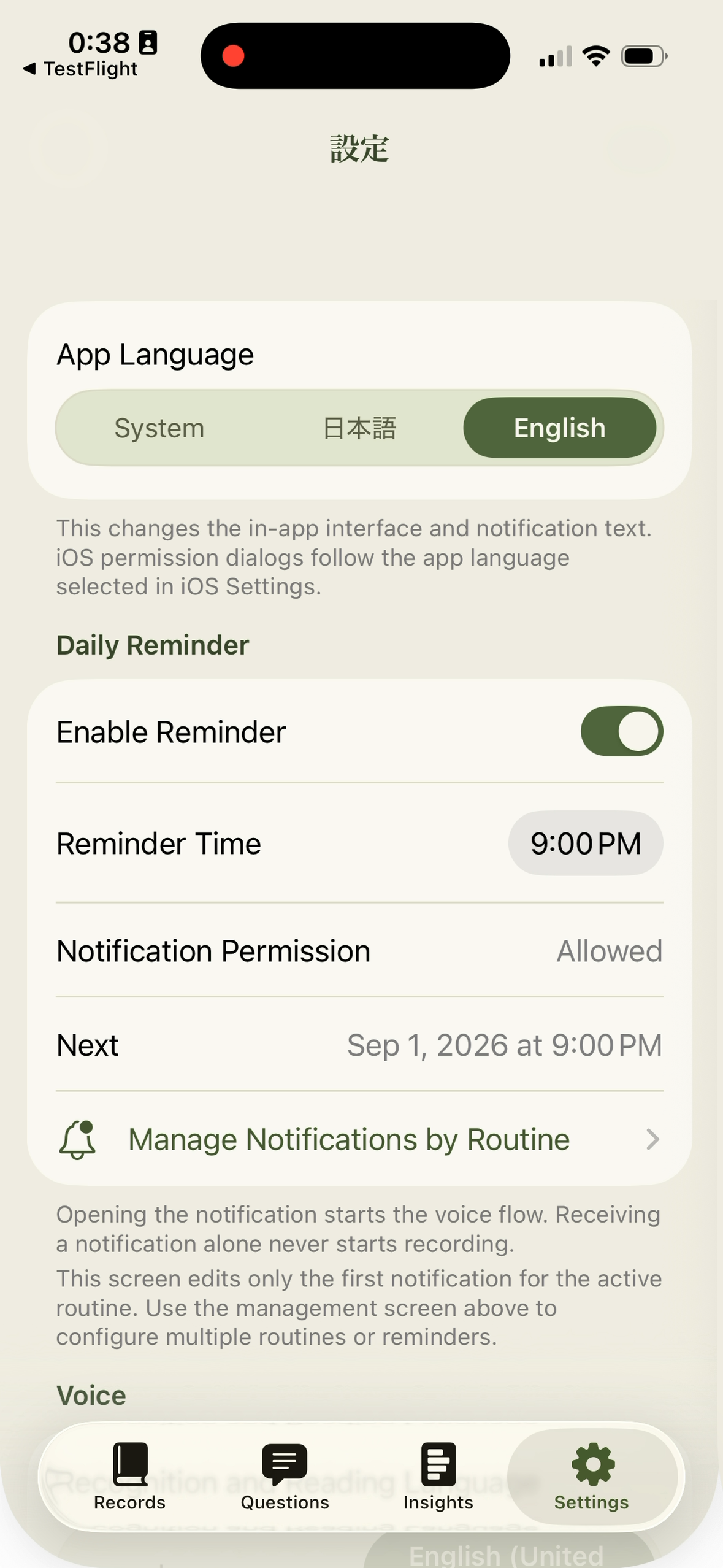
Build a lasting routine with flexible local reminder settings.
Inspiration
Reflecting on the day can be valuable, but a blank page creates friction. People often want to make sense of their day yet do not know where to begin, struggle to organize scattered thoughts, or forget to return after missing a few days. Many journaling tools also ask users to send highly personal text or audio to a remote service.
What it does
VoiceRoutine replaces the blank page with a short, guided conversation. It reads chosen questions aloud, transcribes each spoken answer on device, lets the user review or correct the wording, and creates a structured record with a summary, highlights, mood, and tags. Local reminders bring the next routine back at the chosen time and on the chosen weekdays.
The core experience is free. One-time purchases powered by RevenueCat unlock additional customization, search, insights, exports, widgets, and automation without a recurring subscription.
VoiceRoutine makes reflection easier to start, easier to repeat, and safer for sensitive thoughts. There is no account to create. Recorded audio is discarded after transcription, record contents are not sent to RevenueCat or an external AI service, and entries remain on the device.
Key features
- Customizable guided voice sessions
- Spoken prompts and live on-device transcription
- Transcript review, correction, and re-recording
- On-device summaries, highlights, mood, and tags
- Routine-specific local reminders by time and weekday
- Search plus weekly, monthly, yearly, and custom-period insights
- Markdown, CSV, PDF, and ZIP exports by tier
- Home Screen widget and App Intents/Shortcuts
- Japanese and English UI, speech, notifications, and summaries
- RevenueCat-powered Starter, Plus, and Complete lifetime purchases, upgrade paths, and restore support
- Protected local JSON storage with no saved audio
How we built it
VoiceRoutine is a native SwiftUI iPhone app targeting iOS 17 and later.
- UI: SwiftUI with a view model coordinating voice sessions
- Speech: AVSpeechSynthesizer and on-device SFSpeechRecognizer
- Summarization: Apple Foundation Models, with a Natural Language fallback
- Scheduling: UserNotifications calendar triggers per routine and weekday
- Storage: protected local Codable JSON, preferring the App Group container when available
- Extensions: WidgetKit and App Intents/Shortcuts
- Monetization: RevenueCat Purchases SDK 5.83.1, a lifetime Offering, centralized identifiers, and CustomerInfo as the entitlement source of truth
No backend account or journal-content server is required. Apple and RevenueCat receive only transaction information required for purchases.
How we used AI
- Apple Speech performs live transcription with requiresOnDeviceRecognition enabled. There is no cloud-recognition fallback.
- On supported iOS 26 devices, Apple Foundation Models creates the summary and highlights on device.
- When Foundation Models is unavailable, the app uses a deterministic Natural Language extraction fallback on device.
- Users can inspect and edit every transcript before saving.
The ElevenLabs Sarah voice in the demo is submission narration only; ElevenLabs is not used to process journal content.
How we used Codex
Codex helped inspect and review the SwiftUI product and RevenueCat integration, investigate UX and localization issues, and validate regression coverage. For final submission preparation, Codex assembled a Remotion demo from real iPhone recordings, synchronized the English ElevenLabs narration and captions, checked the two-minute limit and privacy-sensitive frames, prepared the YouTube copy and thumbnail, generated exact-size Devpost screenshots, and drafted this submission against the live Devpost form.
Testing instructions
- Install VoiceRoutine from the App Store on an iPhone running iOS 17 or later.
- Launch it; no account or sign-in is required.
- Start the default routine and allow microphone and speech-recognition access.
- Listen to a question, speak, and confirm words appear in the Transcript card.
- Stop, edit if desired, finish or skip the remaining questions, and create the record.
- Confirm the completed record appears in Records with its summary and highlights.
- In Settings, select English or Japanese and configure a reminder.
- Open the paywall from a locked feature. Redeem the judge promo code SHIPATON2026, then verify unlock and restore.
What we are proud of
The real-device demo verifies the question, transcription, save, reminder, RevenueCat purchase, and premium-unlock flow in under two minutes. VoiceRoutine combines a calm bilingual experience with privacy-preserving, on-device processing and a one-time-purchase model.
Known limitations
- Foundation Models summaries require a supported iOS 26 device with Apple Intelligence; other devices use the local fallback.
- On-device speech recognition must support the chosen locale; there is no cloud fallback.
- Records are local and excluded from device backups; there is no account-based sync.
Built With
- app-intents
- apple-foundation-models
- apple-speech
- natural-language
- revenuecat
- swift
- swiftui
- usernotifications
- widgetkit


Log in or sign up for Devpost to join the conversation.