-
-
app_icon
-
-
-
-
-
About the project
The spark
Picture a plumber wrapping up a job. He's tired, his hands are dirty, and now he has to sit in his van typing out an invoice — client name, hours worked, parts used, tax — before he forgets the details. It's the least favorite part of his day, and it costs him time he could spend on the next job.
That's the moment that inspired VoiceInvoice: what if you could just say what you did, and the invoice writes itself?
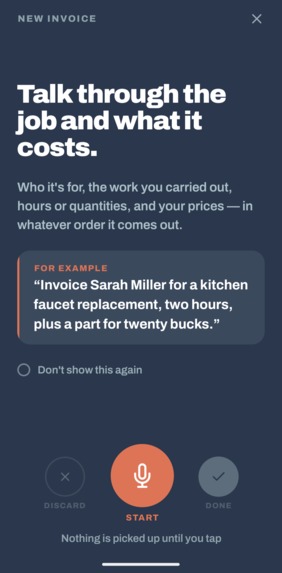
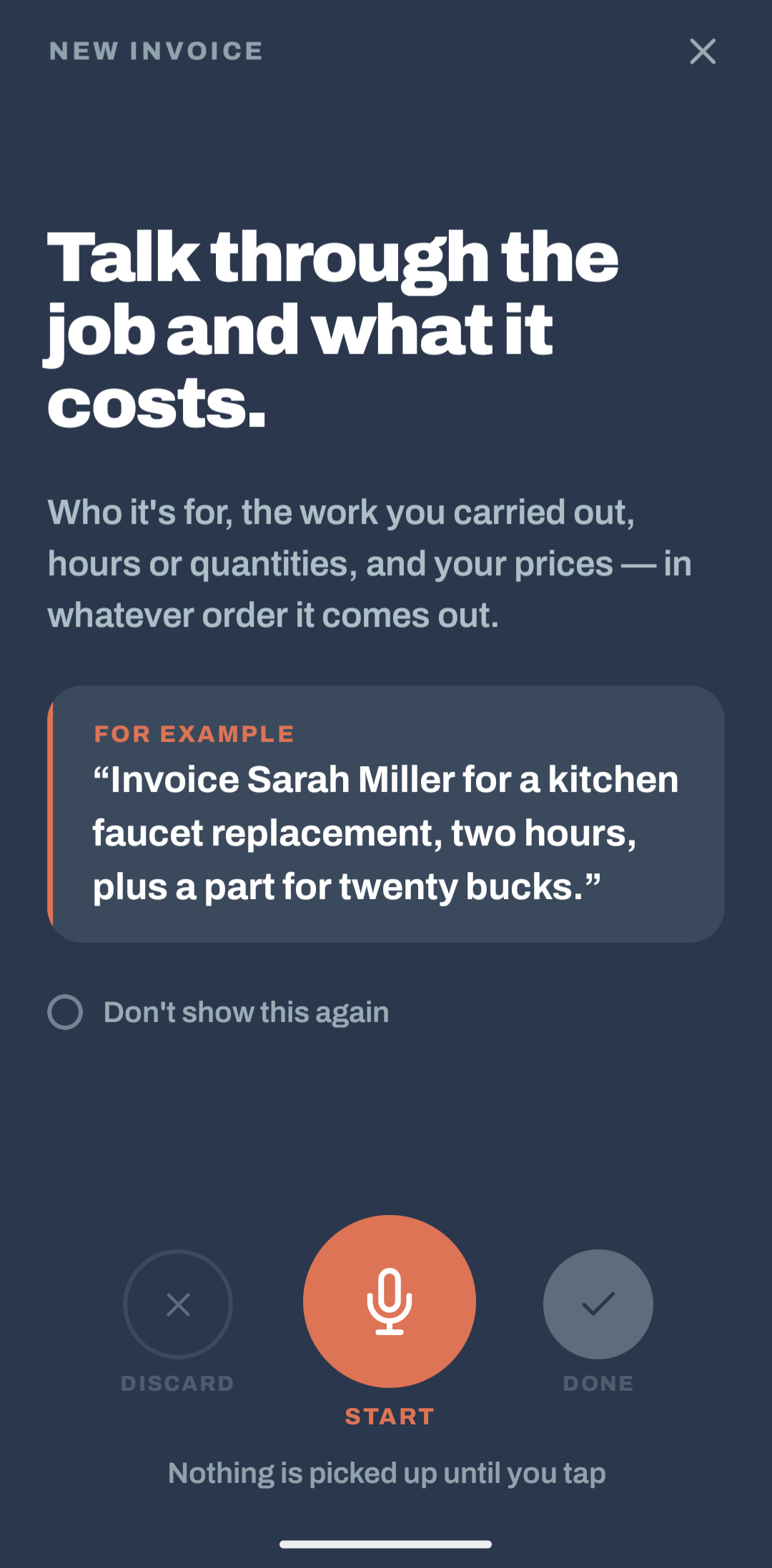
"Fixed the kitchen sink for Sarah Jones, two hours at $60 an hour, plus a $15 part."
That one sentence already has everything an invoice needs. We wanted to build an app that could listen to it and hand back a ready-to-send invoice in seconds.
What we built
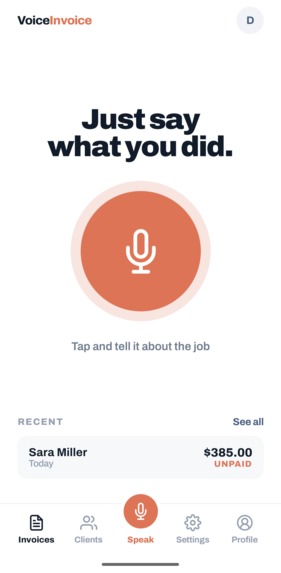
VoiceInvoice is a voice-first invoicing app for tradespeople — electricians, plumbers, cleaners, handymen — anyone who bills for their time and materials.
Here's the flow:
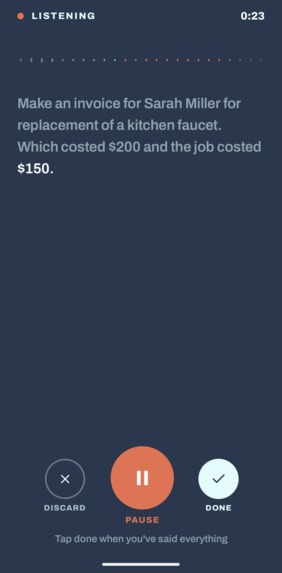
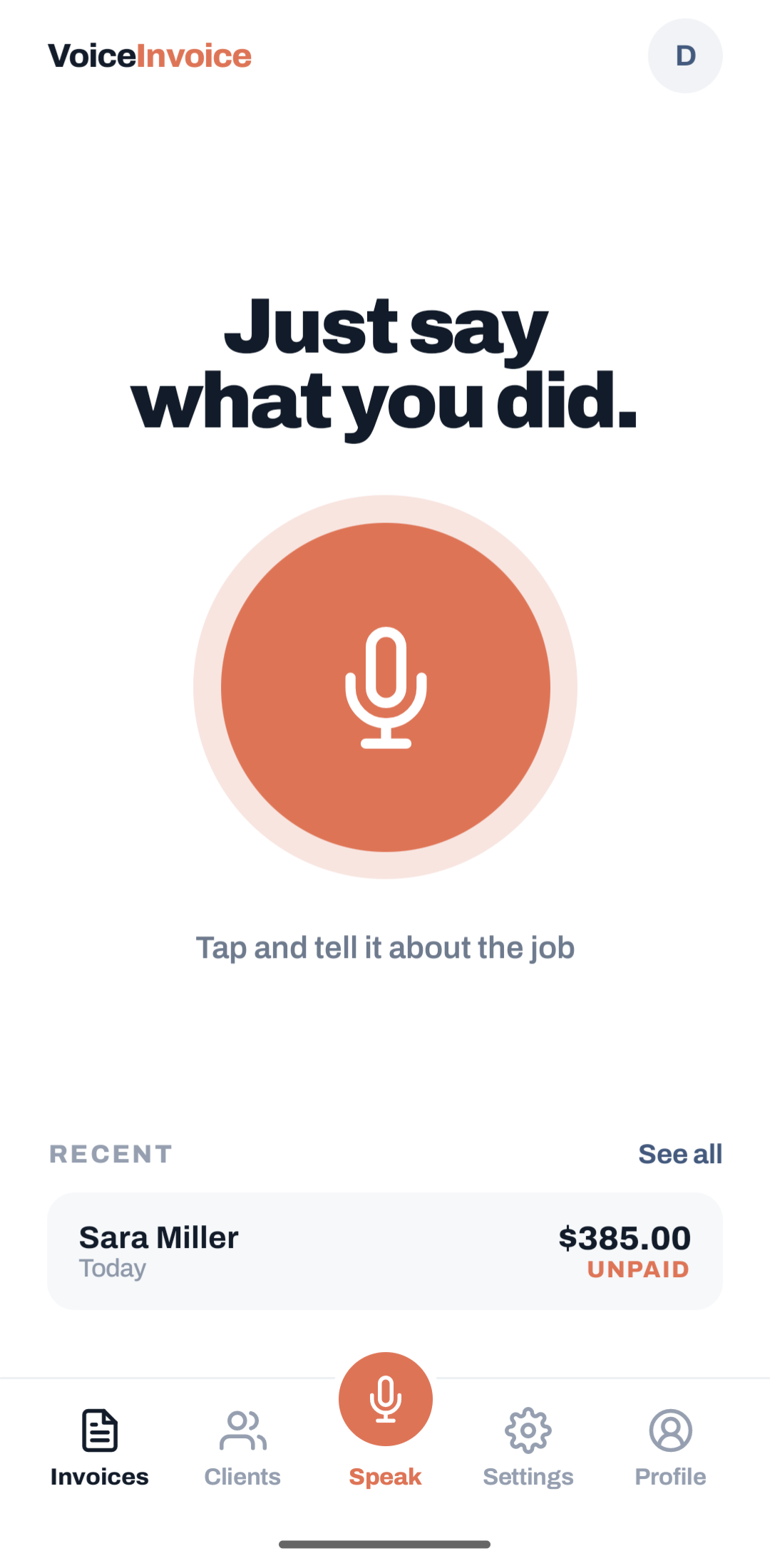
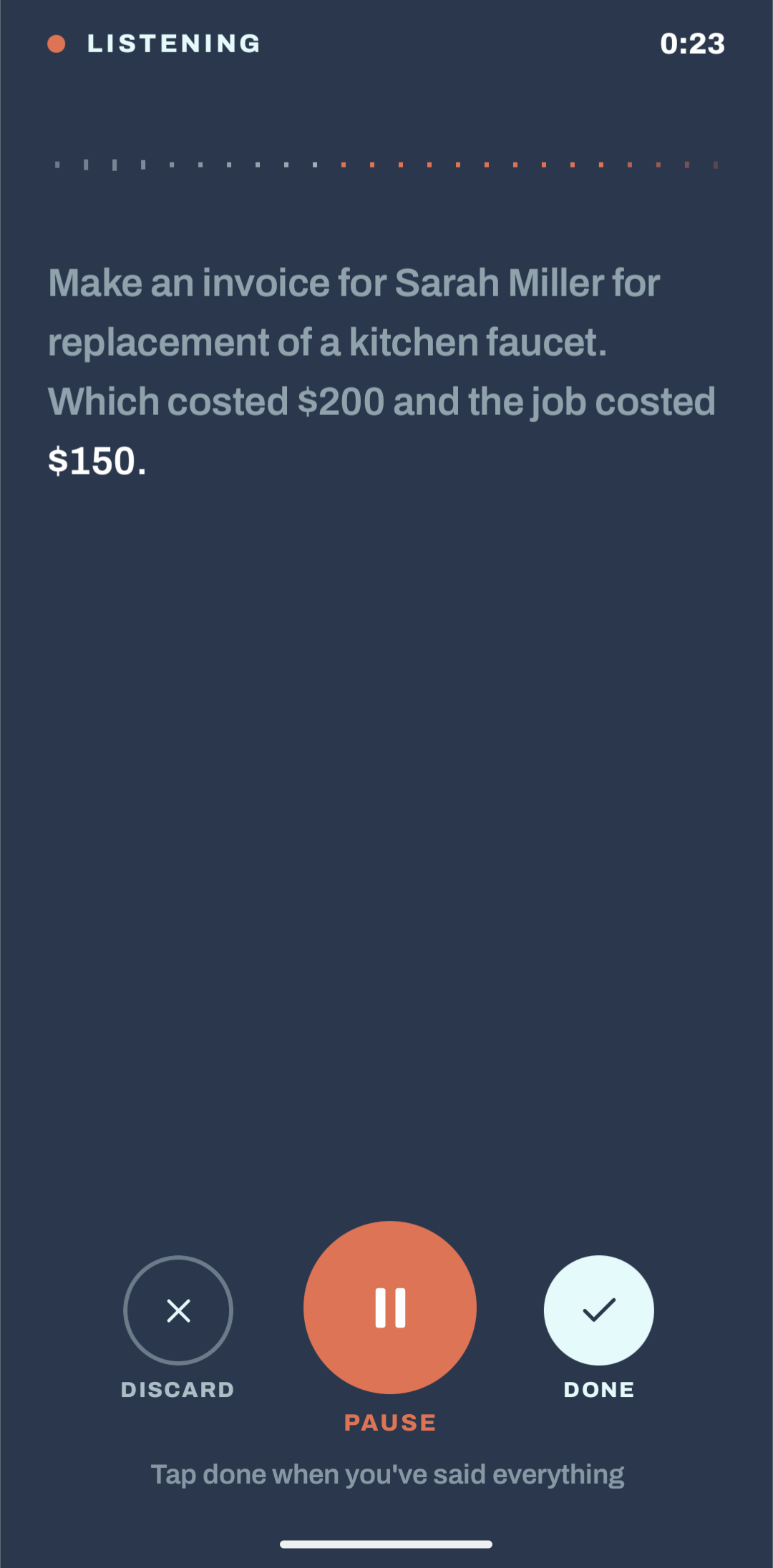
- Speak it — tap record and describe the job out loud. You can see your words appear on screen as you talk.
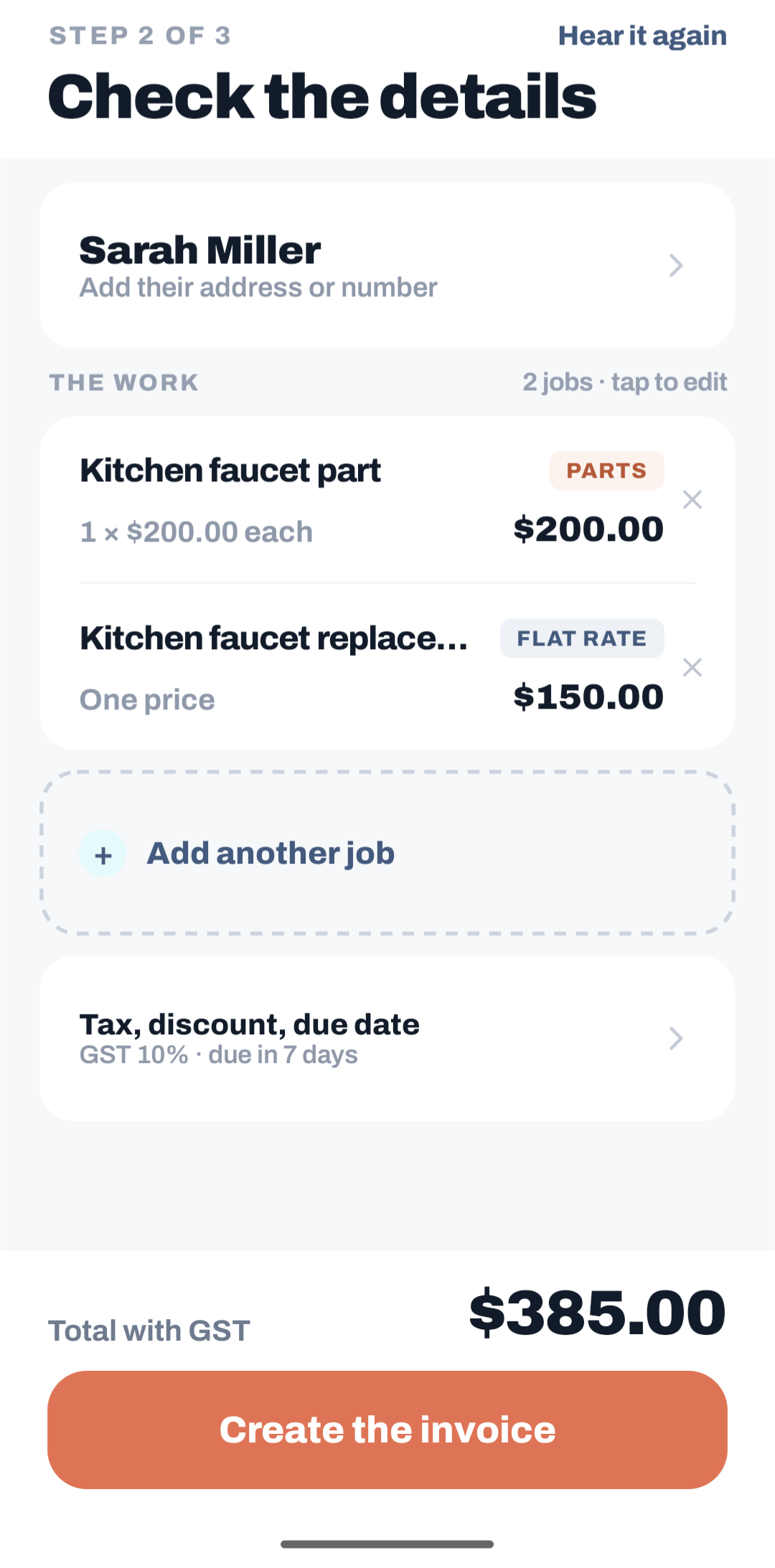
- Let AI do the paperwork — the app turns that description into a proper invoice: client, line items, pricing, tax, due date.
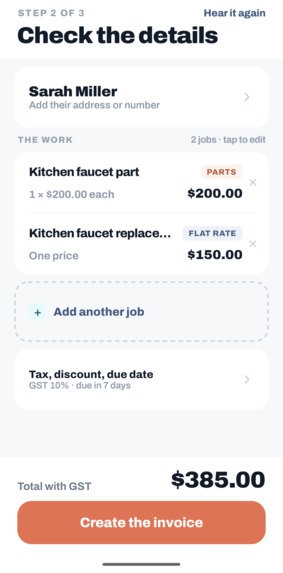
- Quick check — review the invoice, fix anything the AI got wrong, in one simple screen.
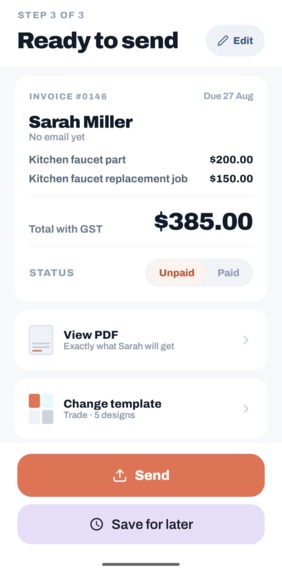
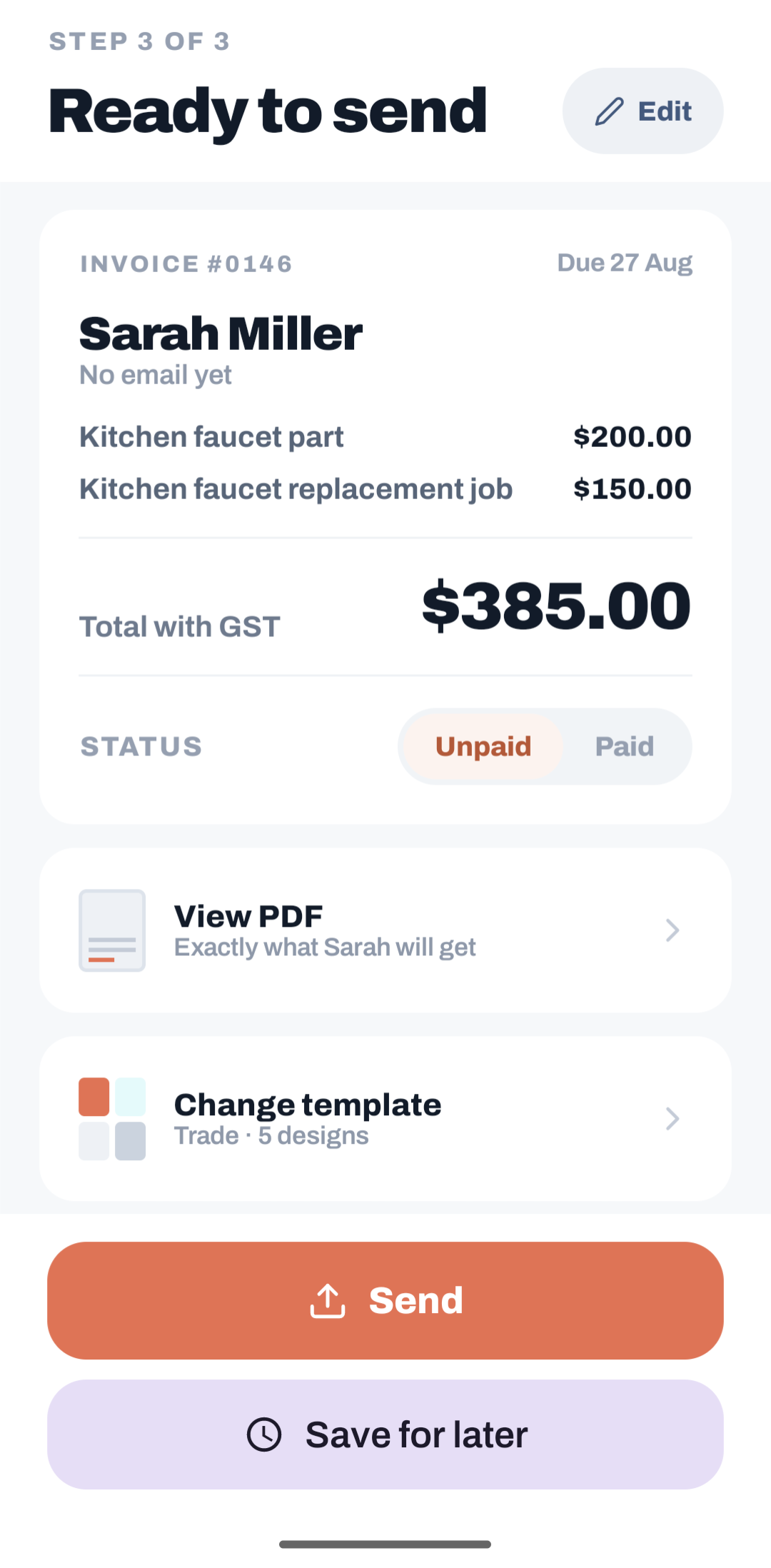
- Send or save — share it as a PDF right away, or save it as a draft to finish later.
Every invoice you've ever made lives in one list, and every client you've ever billed shows up automatically in another — no extra data entry required.
We didn't build this from scratch — we started from a solid, ready-made app foundation (handling things like sign-in and app structure) so we could spend nearly all our time on the part that actually matters: turning your voice into a finished invoice.
What we learned
- People don't speak in perfect sentences, so the app can't assume perfect input. We learned to treat the "quick review" step not as a fallback, but as the actual heart of the product — it's what makes people trust an AI-generated invoice enough to send it to a real client.
- Reliability matters more than perfection. If something interrupts the recording, the app has to recover gracefully rather than lose the whole job description.
- Good design keeps promises consistent. What you preview on screen should be exactly what gets sent — so we made sure both always come from the same source, instead of two things that could quietly drift apart.
Challenges we faced
- Real-world noise. People aren't recording in quiet studios — they're on job sites, sometimes outdoors. Making voice capture forgiving of a bad connection or background noise was one of our toughest problems.
- Turning "a couple hours, sixty-ish" into real numbers. Speech is naturally vague. Rather than chasing a perfect AI guess every time, we optimized for making corrections fast and easy.
- Making invoices look genuinely professional. We built five invoice styles, but honestly, right now they're more like color variants of one design than truly distinct, polished templates. That's our most honest work-in-progress — the next big push is making each one feel like a real, distinct design a tradesperson would be proud to send.
What's next
Two things are next on our list: giving each invoice template its own real, professional look (not just a different color), and eventually letting an app admin add new templates without needing to release a new app update — so the invoice designs can keep improving over time.


Log in or sign up for Devpost to join the conversation.