Inspiration
Everyday PC tasks like opening apps, navigating settings, changing any function of pc or to perform any task and organizing files take far too long and are hard to do hands-free. Existing assistants don’t deeply control Windows, struggle with multi-step tasks, and rarely support Hindi well. The goal: make computers genuinely accessible and fast to use by letting people speak naturally and get complex work done end-to-end.
What it does
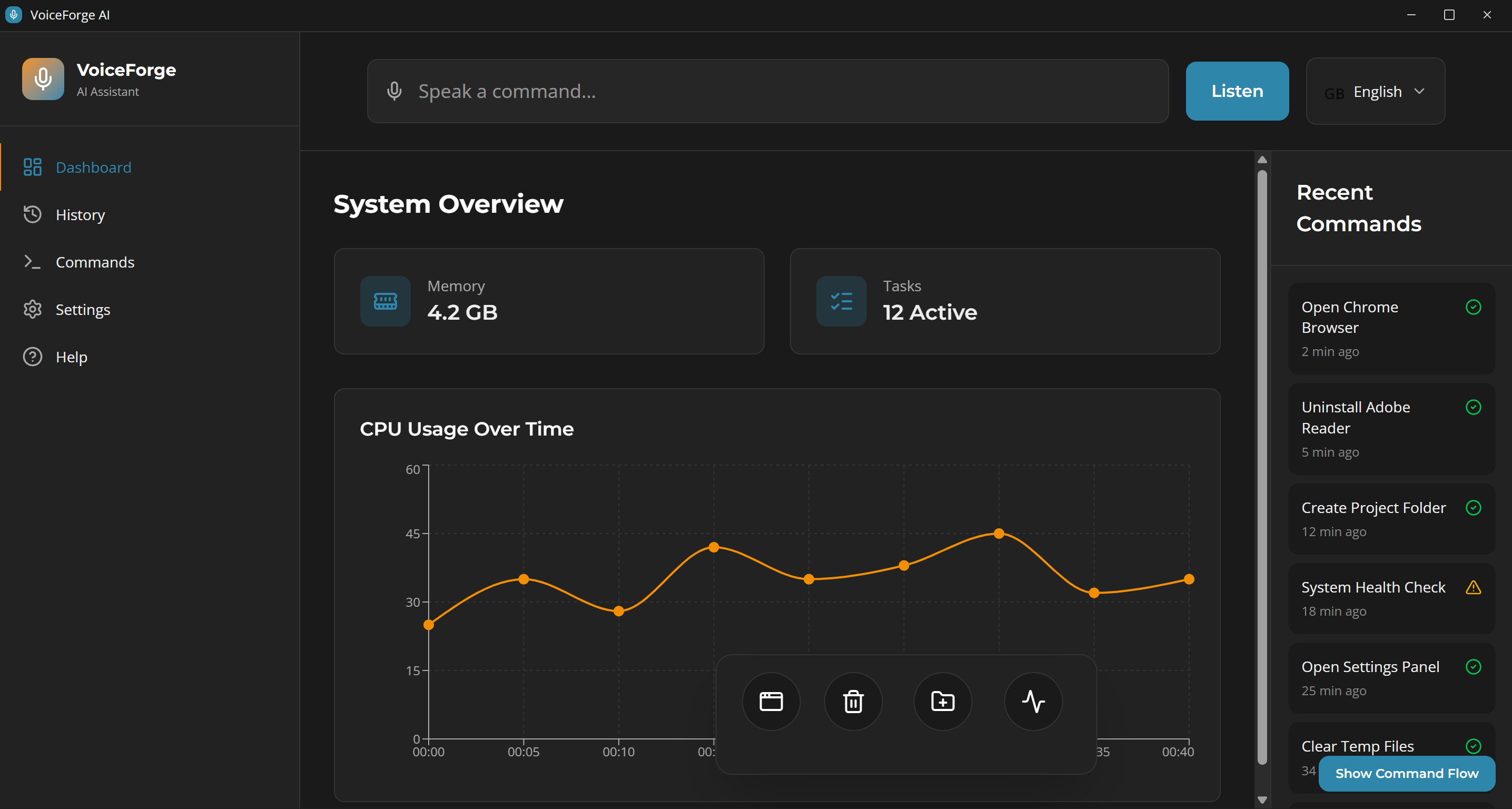
Listens to voice commands in Hindi or English, understands intent, and executes multi-step actions on Windows and performs the task that user has given Handles app control, file operations, settings navigation, software install/uninstall, and system checks—hands-free. Provides real-time feedback, command history, and a privacy-first offline mode for sensitive tasks.
How we built it
Speech-to-text with online (cloud) and offline models for accuracy and low latency in varied environments. NLP pipeline for intent detection, entity extraction, and context memory to support chained and follow-up commands. Windows control via system APIs, keyboard/mouse automation, and computer vision/OCR for universal app interaction.
Challenges we ran into
Achieving reliable Hindi recognition across accents and noisy rooms without high latency. Automating third-party apps that don’t expose APIs, requiring robust computer-vision fallbacks. Safely handling sensitive actions (like uninstall) while preserving user control and privacy. Balancing offline capability, accuracy, and performance on typical hardware.
Accomplishments that we're proud of
End-to-end, hands-free control of common Windows workflows using natural Hindi/English commands. Consistent execution of multi-step tasks (e.g., “uninstall X”, “organize Downloads by file type”). Privacy-first design with an offline mode and clear permission boundaries. A clean, desktop-ready UI with real-time feedback that’s easy for beginners.
What we learned
Noise-robust audio preprocessing and language-model choice matter as much as the recognizer itself. Context management (memory of the last steps and entities) is critical for real-world voice automation. Computer vision is essential to bridge gaps where no API exists, but needs careful error handling. Clear feedback, confirmations, and safe-guards increase trust for powerful system actions.
What's next for VoiceForge AI
Visual workflow editor for custom voice macros and multi-step automations. Deeper integration with popular tools (Office, Slack, browsers) and enterprise security features. Cross-platform support (macOS/Linux) and additional Indian languages. Developer SDK and plugin ecosystem for community-driven integrations.
Built With
- natural-language-processing
- openai
- opencv
- pyqt6
- python
- pytorch
- sqlite
- whisper

Log in or sign up for Devpost to join the conversation.