-
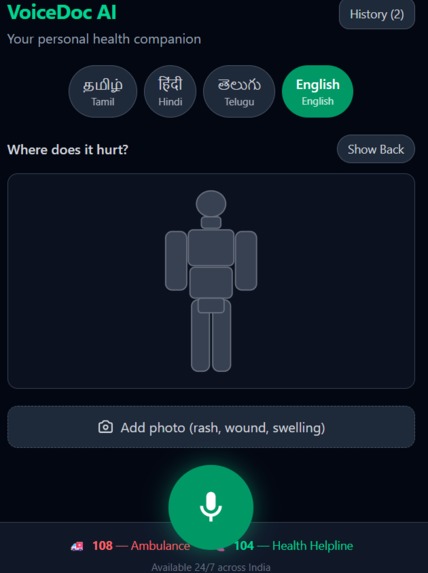
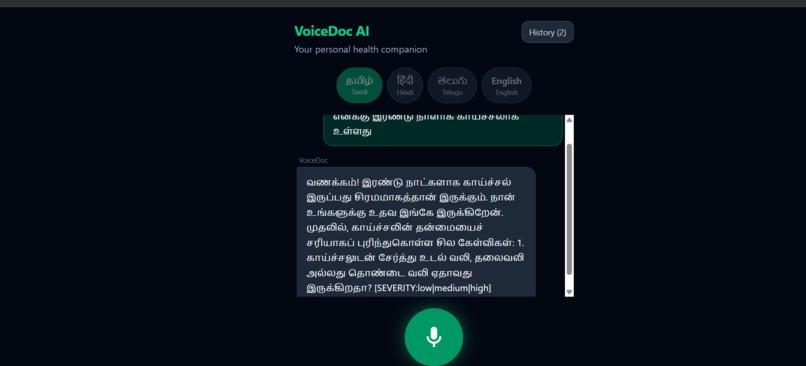
It is a page where user can interact with the AI
-
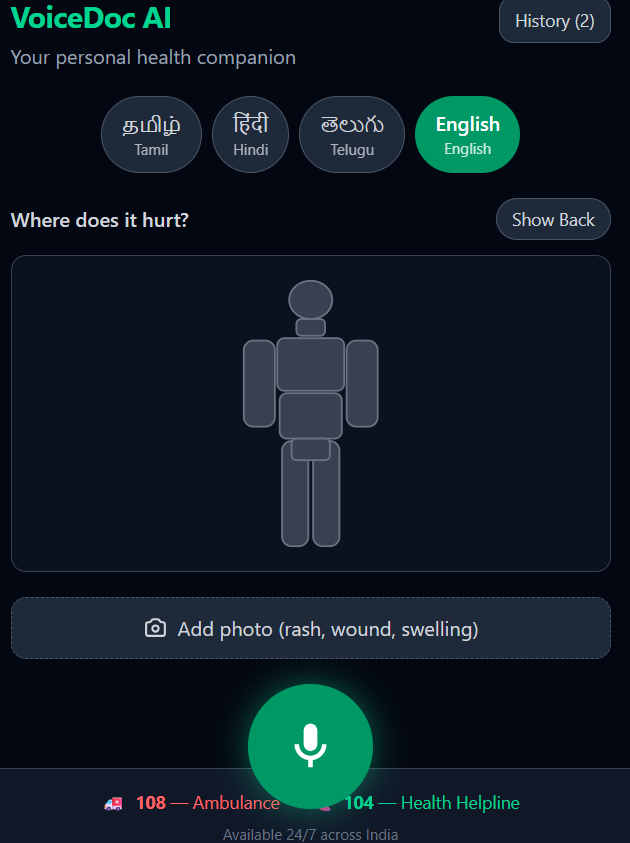
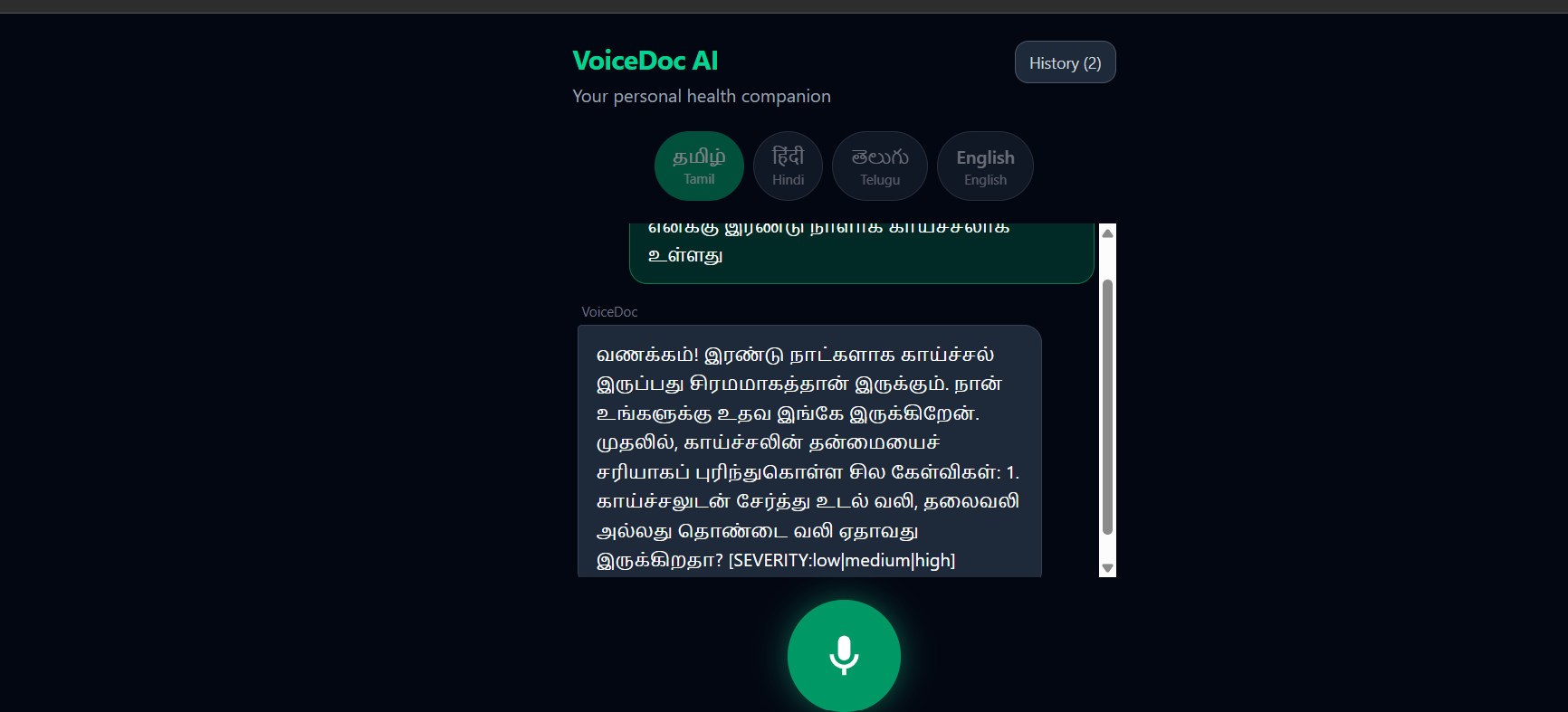
🩺 VoiceDoc AI – Multilingual AI Medical Triage Assistant
Inspiration
Access to healthcare should not depend on the language a person speaks. In many rural communities, people struggle to explain their symptoms due to language barriers, limited health literacy, and lack of immediate access to healthcare professionals. This often leads to delayed treatment or unnecessary panic.
We built VoiceDoc AI to bridge this gap by providing a multilingual, voice-driven AI assistant that conducts a structured medical interview and helps users understand the urgency of their condition in their native language.
What it does
VoiceDoc AI is a multilingual medical triage assistant powered by Google Gemini.
Users can communicate naturally in Tamil, Telugu, Hindi, or English using voice or text.
The application:
- 🎤 Accepts voice or text symptom descriptions
- 🤖 Uses Google Gemini to understand medical context
- ❓ Asks intelligent follow-up questions
- 🧠 Maintains conversation history throughout the assessment
- 📋 Generates a structured medical triage report
- 🚨 Classifies cases into Emergency, Clinic Visit, or Home Care
- 🔊 Reads responses aloud for improved accessibility
Rather than acting as a simple chatbot, VoiceDoc AI performs an AI-assisted medical intake interview similar to the first stage of a hospital consultation.
How we built it
VoiceDoc AI is a fully client-side, serverless web application built using modern web technologies.
Frontend
- React 18
- Vite
- Tailwind CSS
Artificial Intelligence
- Google Gemini 2.5 Flash
Voice Technologies
- Web Speech API (Speech Recognition)
- Speech Synthesis API
- Cloud-based speech fallback for unsupported browser voices
Deployment
- Firebase Hosting
Google Gemini serves as the intelligence engine by understanding multilingual conversations, asking contextual follow-up questions, reasoning over patient symptoms, and generating structured medical recommendations.
Challenges we ran into
Building a multilingual voice-first application introduced several technical challenges.
Some browsers provide incomplete support for Indian language speech synthesis, requiring careful fallback strategies for consistent voice output. Maintaining conversational context while ensuring Gemini produced structured and reliable health reports also required extensive prompt engineering and response validation.
Additional challenges included:
- Handling browser differences in Speech APIs
- Preventing microphone feedback during speech playback
- Parsing structured AI responses reliably
- Creating a smooth multilingual user experience
- Maintaining accessibility across devices
Accomplishments that we're proud of
We successfully built a complete AI-powered multilingual medical triage assistant that combines conversational AI with browser voice technologies.
Highlights include:
- 🌍 Support for four languages
- 🎤 Voice-first interaction
- 🤖 AI-powered symptom assessment using Google Gemini
- 📄 Structured health reports with severity classification
- 📱 Responsive and accessible user interface
- ☁️ Deployment on Firebase Hosting
What we learned
This project gave us valuable experience in building real-world AI applications.
We learned:
- Prompt engineering for conversational AI
- Integrating Google Gemini into production workflows
- Browser Speech APIs and multilingual voice interaction
- Designing AI-driven healthcare experiences
- Building scalable React applications
- Deploying modern web applications using Firebase Hosting
Most importantly, we learned how AI can improve accessibility and help bridge communication gaps in healthcare.
What's next for VoiceDoc AI
This project is just the beginning.
Future enhancements include:
- 📶 Offline mode for low-connectivity regions
- 🏥 Hospital and doctor dashboard
- 📅 Appointment booking
- 📍 Emergency location sharing
- 🩻 Medical image analysis
- 📂 Electronic Health Record integration
- 📊 Health history tracking
- 🌐 Support for additional Indian languages
Our vision is to make healthcare guidance more accessible, understandable, and available to everyone regardless of language, literacy, or location.

Log in or sign up for Devpost to join the conversation.