-
-
VoiceCare AI - creating a golden age of the internet where accessibility includes every generation
-
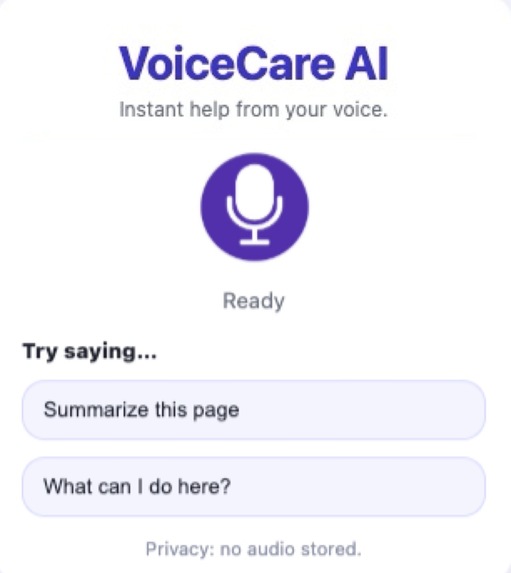
VoiceCare AI - Screenshot
Inspiration
When we envision the next golden age, we see AI and technology operating at their full potential, seamlessly optimizing the way we live, work, and interact with the world. In this future, technology empowers people to do anything they need, without friction or complexity.
However, past golden ages have only truly succeeded when they have uplifted everyone. As we looked toward the future, we reflected on a group often left behind by rapid technological change: our grandparents and the older generations we know personally. Despite technology being designed to make their life easier, it has increasingly been a source of frustration and exclusion for many elders.
This inspired us to focus on supporting a vulnerable community that has contributed so much, yet often struggles to benefit from modern digital tools. Our goal is to ensure that the next golden age is not defined by technological advancement alone, but by accessibility, and care, so that everyone, regardless of technical background, can thrive alongside AI.
What it does
VoiceCare AI assists and guides those who struggle to keep up with and use technology, including elderly, disabled and/or non-tech savvy individuals. Our promise is to deliver clarity, assistance, and security.
When we imagine a future golden age, we see the advancement of AI technologies leading everyone to prosperity.
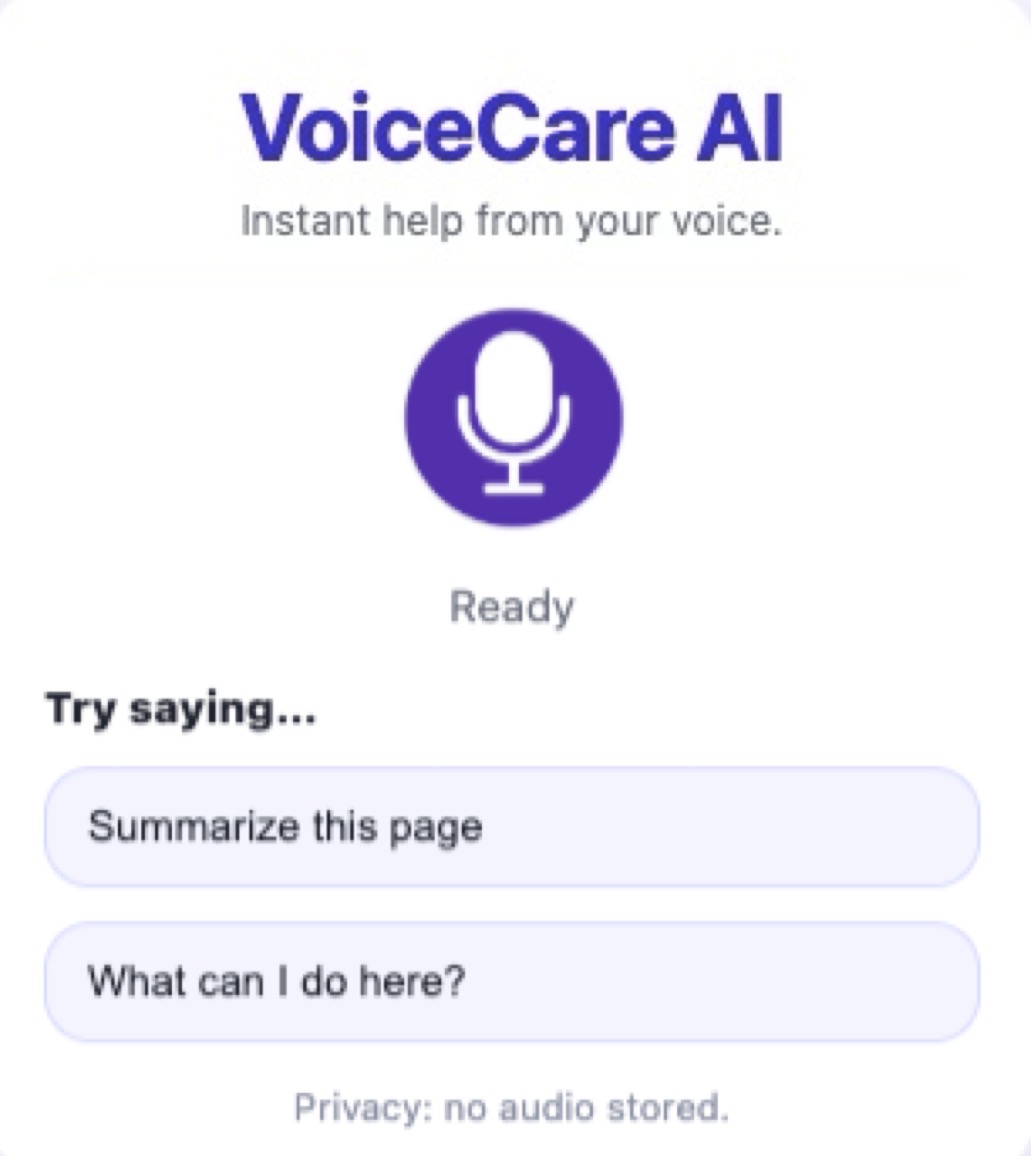
As a google extension, VoiceCare AI follows along with the workflows of its user and verbally communicates, explaining technologies they are seeing, and how to navigate webpages. VoiceCare AI highlights on the page the specific button users should click, making it as easy as possible for them. VoiceCare also detects threats and dangerous website, and warns users of potential scams.
How we built it
JavaScript, Node.js (ES Modules, Node 20+), Chrome Extension (Manifest V3v), Vanilla HTML/CSS, Google Gemini API via @google/genai, Gradium Text-to-Speech, Google Safe Browsing API, and dotenv for environment/config management.
Challenges we ran into
The biggest challenge was microphone reliability in a Chrome extension popup. Voice input was failing for multiple reasons at once: an invalid manifest permission (audioCapture is not valid for extensions), browser-level permission dismissal (NotAllowedError: Permission dismissed), and popup focus/gesture timing issues that can break mic prompts. This was a major blocker because voice is the core interaction model for older and non-technical users.
We fixed it by adding explicit mic pre checks with clear, human-readable error handling and added a dedicated in-extension permission page so users can grant microphone access from a stable tab.
Accomplishments that we're proud of
-Visual aids that help users navigate website and confusing technology
-Implementing Google’s safe browsing API to help users avoid online scams.
-Building innovative tech that will support vulnerable communities we deeply care about as we approach a golden age of AI technologies
What we learned
-How to integrate multiple APIs (gemini, google safe browsing and Gradium)
-Implementing audio language models (Gradium) into google extensions (way harder than we thought)
-How to maximize the free Gemini API tokens you have!
What's next for VoiceCare AI
-Bringing VoiceCare AI to mobile to guide users through applications on their phones
-Automating the steps users want to take. Dream workflow: User asks VoiceCare how to do what they want -> VoiceCare does it for them.
-Data caching to speed up VoiceCares responses.
Built With
- and
- api
- chrome-extension-(manifest-v3v)
- chrome-extensions-api-(mv3)
- css
- dotenv
- environment/config
- for
- google-gemini
- google-gemini-api-via-@google/genai
- google-safe-browsing-api
- gradium-text-to-speech
- gradium-tts
- javascript
- node-20+)
- node.js
- node.js-(es-modules
- rest
- vanilla-html/css
- web-speech-api


Log in or sign up for Devpost to join the conversation.