-
-
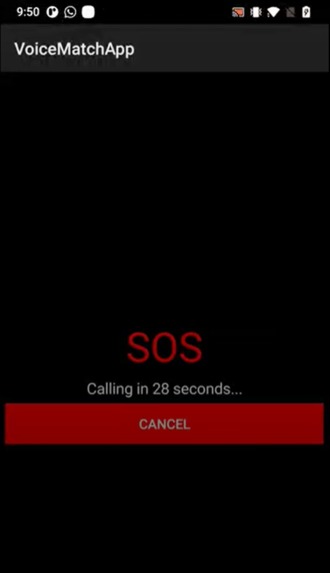
SOS calling screenshot
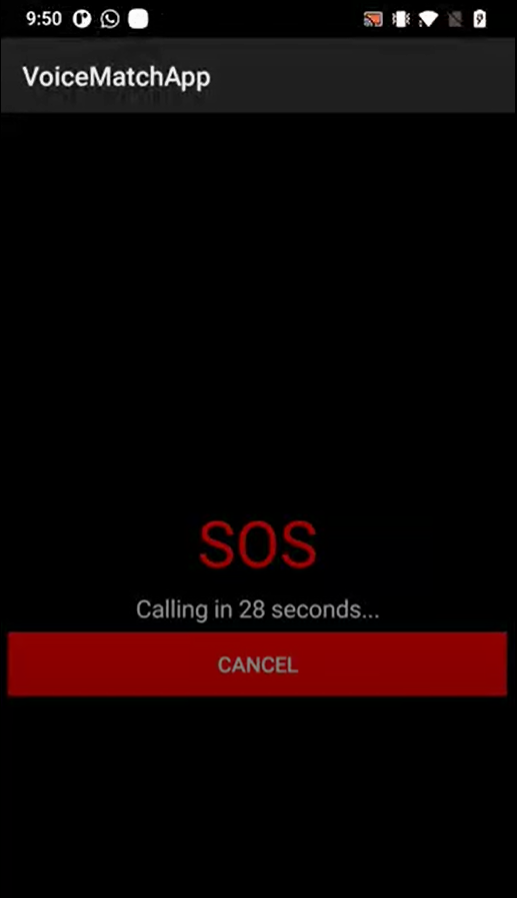
VoiceMatchApp
"Automating wake word detection and speaker verification for rapid, secure emergency responses."
Inspiration
In emergency situations, every second counts. We wanted to create a hands-free, voice-activated solution that could not only recognize a specific wake word but also verify the speaker to ensure secure and intentional SOS triggers.
What it Does
- Continuous Listening: Listens in the background for a predetermined wake word.
- Speaker Verification: Confirms whether the person speaking the wake word is the same user who initially set it up.
- SOS Trigger: If both the wake word and speaker match are detected, the app immediately launches an SOS activity.
How We Built It
- Android + Kotlin: For developing the mobile application’s core functionalities and UI.
- Speech Recognition APIs: Leveraged Android’s built-in speech recognition to continually listen and detect partial results.
- OkHttp: Used for making HTTP requests to our backend server.
- Custom Backend APIs + TensorFlow:
- Our backend handles audio uploads, transcription, and speaker verification.
- We use TensorFlow to power the deep learning-based speaker recognition model, which analyzes the voiceprint and confirms identity.
- Our backend handles audio uploads, transcription, and speaker verification.
- Android Studio: Primary IDE for coding, debugging, and building the APK.
Challenges We Ran Into
- Continuous Listening: Ensuring the app transitions between listening sessions without crashing or missing input.
- Accurate Speaker Verification: Managing variations in audio input (background noise, microphone quality) while training and using TensorFlow models.
- API Integration: Handling network timeouts, JSON parsing, and robust error handling when server downtime occurs.
Accomplishments That We're Proud Of
- TensorFlow Integration: Successfully integrating a speaker recognition model into the backend for high-accuracy verification.
- Seamless Wake Word Detection: Robust continuous listening with minimal false positives.
- Responsive UI: Clear instructions, minimal clutter, and smooth user experience.
What We Learned
- Audio Processing & Machine Learning: Gained insights into how to train and deploy TensorFlow models for speaker recognition.
- Threading & Handlers: Balanced background tasks with real-time UI updates on Android.
- Network Reliability: Understood the importance of handling various network error states, including retries and graceful failures.
What's Next for Voice Match SOS
- Offline Mode: Integrate a local TensorFlow Lite model for wake word detection and speaker recognition when network connectivity is poor.
- Multi-User Profiles: Allow multiple authorized voices (e.g., family members) with distinct wake words.
- Expanded Emergency Features: Incorporate location sharing, automated text messages, or calls upon SOS activation.
Built With
- Kotlin – Primary language for Android development
- Android Studio – IDE for building and debugging the app
- OkHttp – HTTP & HTTP/2 client for network operations
- Android Speech Recognizer API – For handling voice input and recognition
- TensorFlow – For deep learning-based speaker recognition
- Backend APIs (Custom) – For handling file uploads, transcription, and SOS triggers
- (Add any additional frameworks/services, e.g., cloud hosting or databases, if applicable.)
Video Presentation
https://drive.google.com/file/d/18N7QddLV6Xe9rdEa2YICAF1AP6KfNQt0/view?ts=678c7720
Project Information
Title
VoiceMatchApp
Summary
VoiceMatchApp is an Android application designed to seamlessly listen for a specific wake word, verify the speaker using a TensorFlow-based model, and trigger an SOS activity if the match is successful. This enables a secure and rapid response system for emergency situations.
Contributors
- Anushka Eggadi
- Pramod Shanmugam Nagraj
Navigating the Repository
Built With
- android-studio
- androidspeechrecognizerapi
- backendapi
- kotlin
- okhttp
- tensorflow

Log in or sign up for Devpost to join the conversation.