-
-
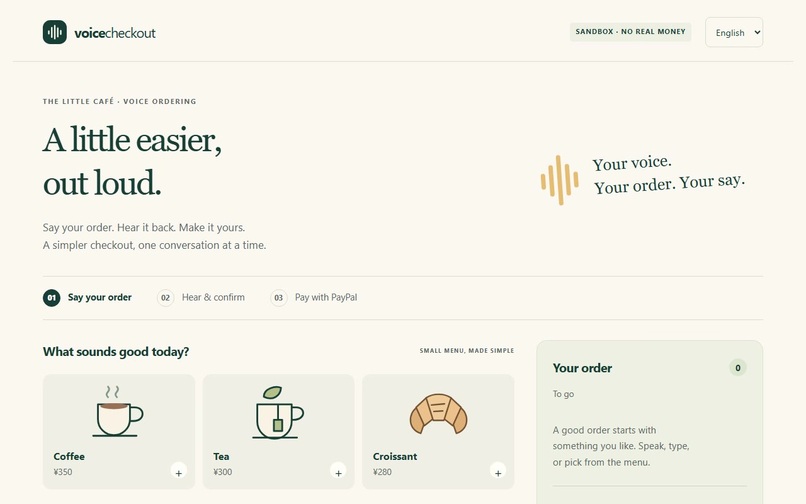
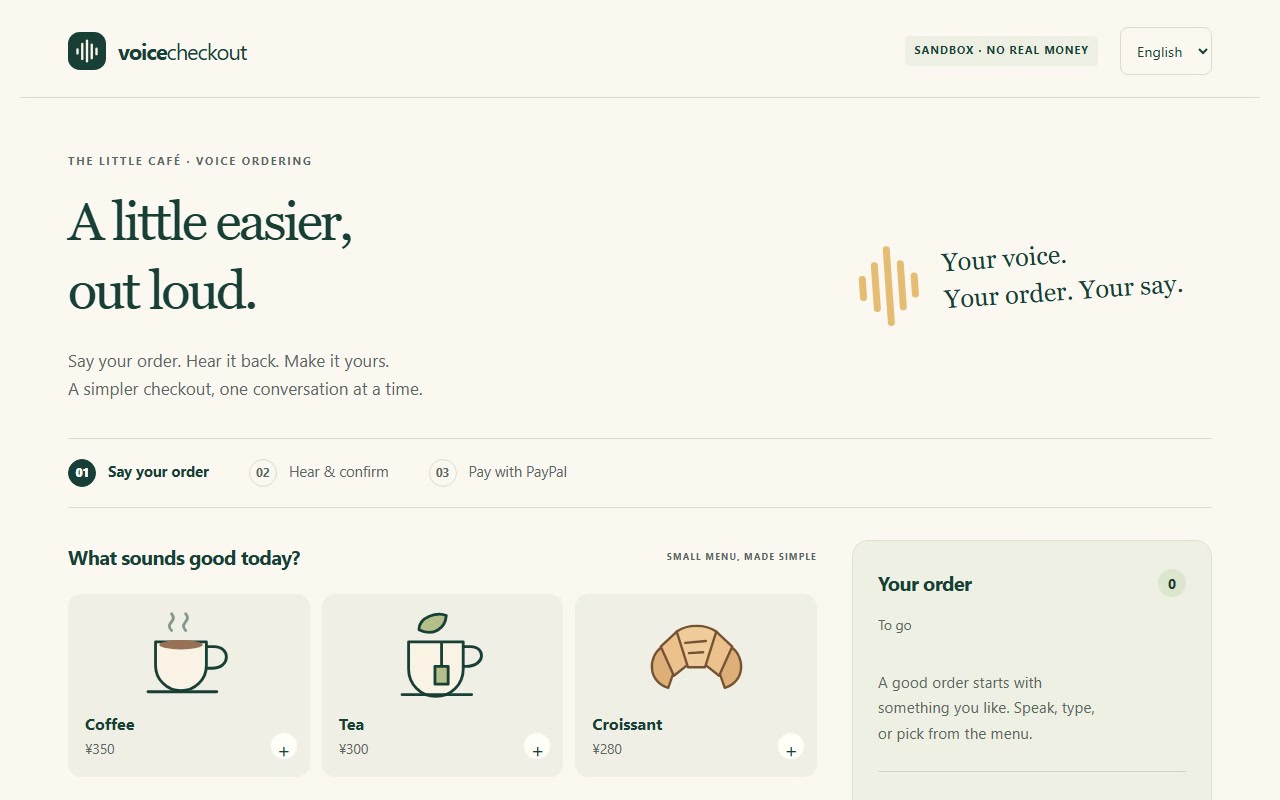
Large controls and a small menu: speak, type or tap to order.
-
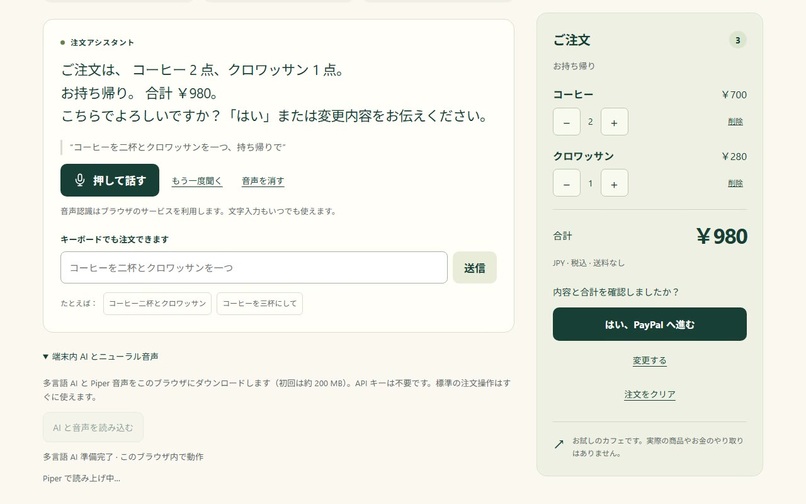
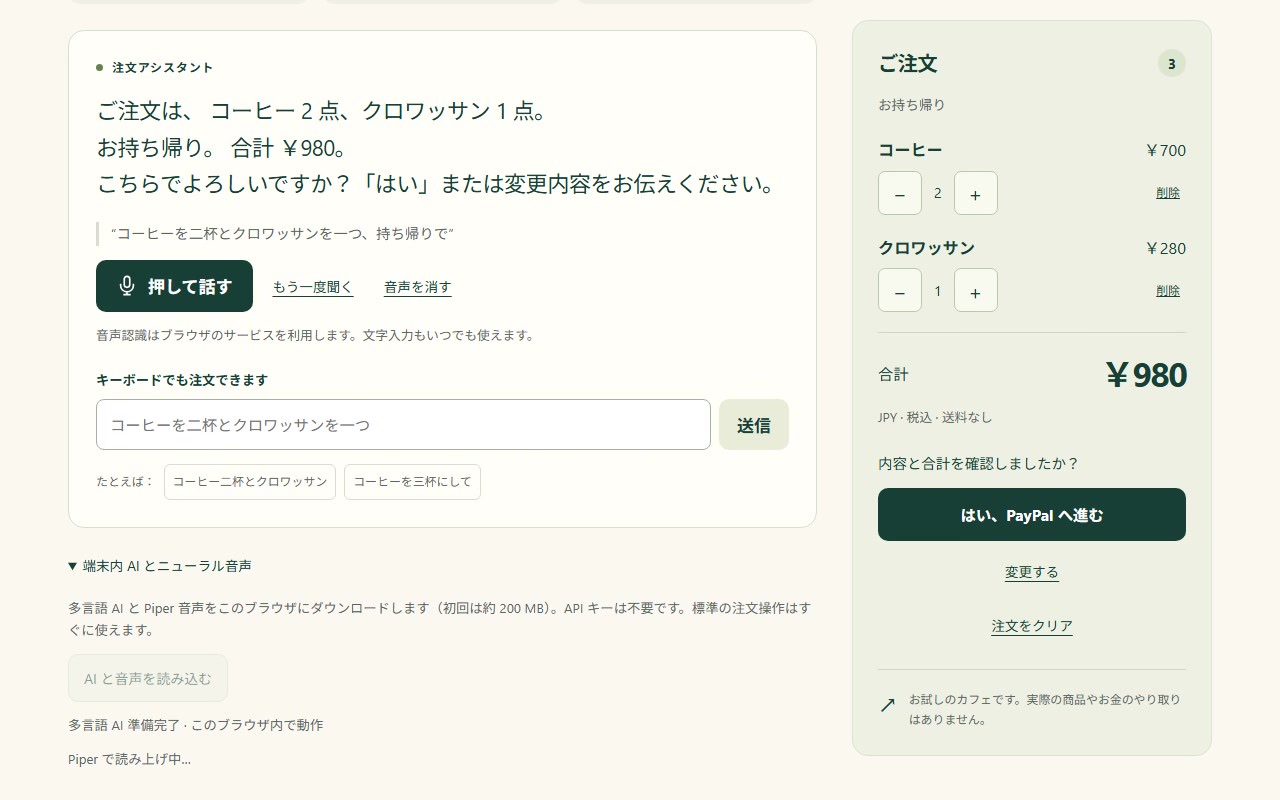
Japanese order read back by local Piper speech: items, to go, total JPY 980.
-
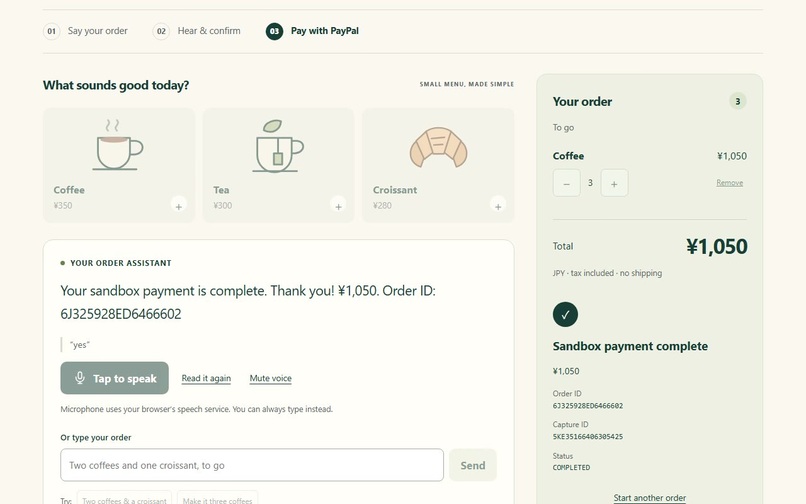
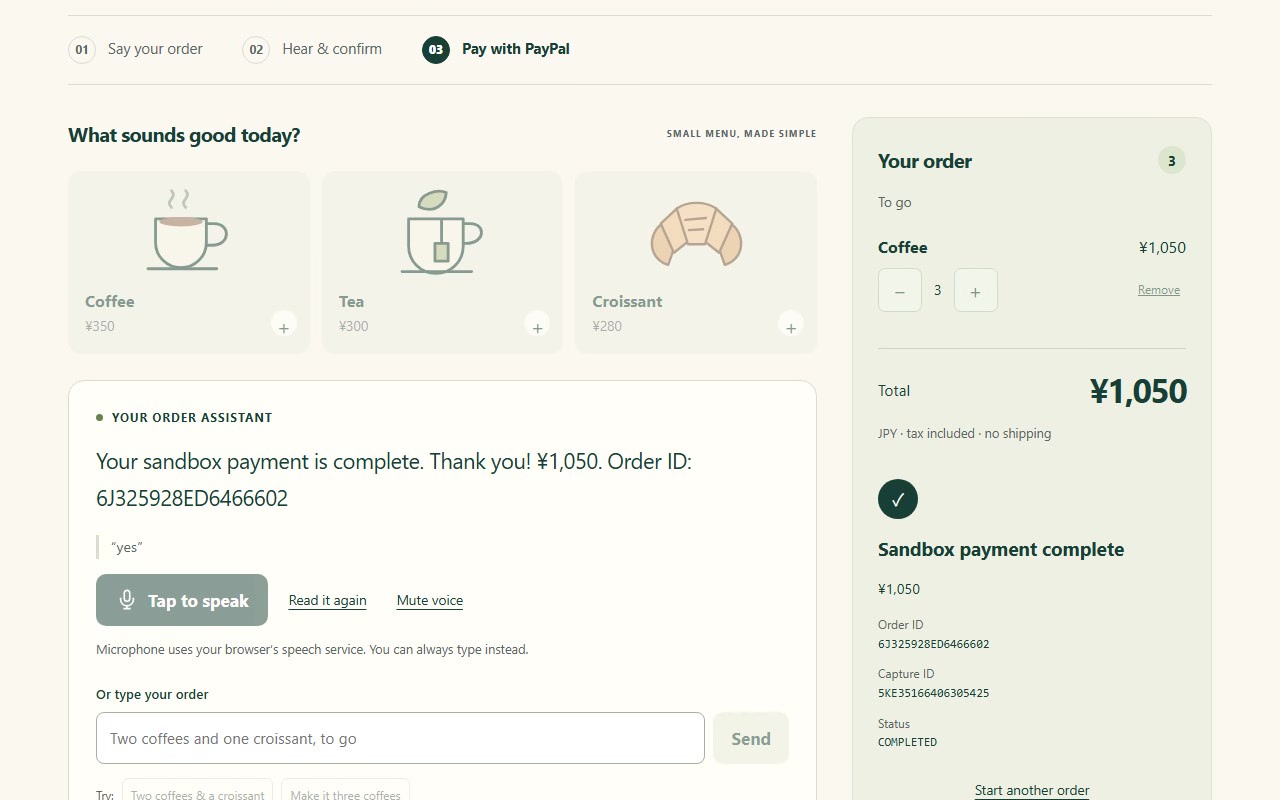
Real sandbox result: capture verified as COMPLETED with order and capture IDs.
-
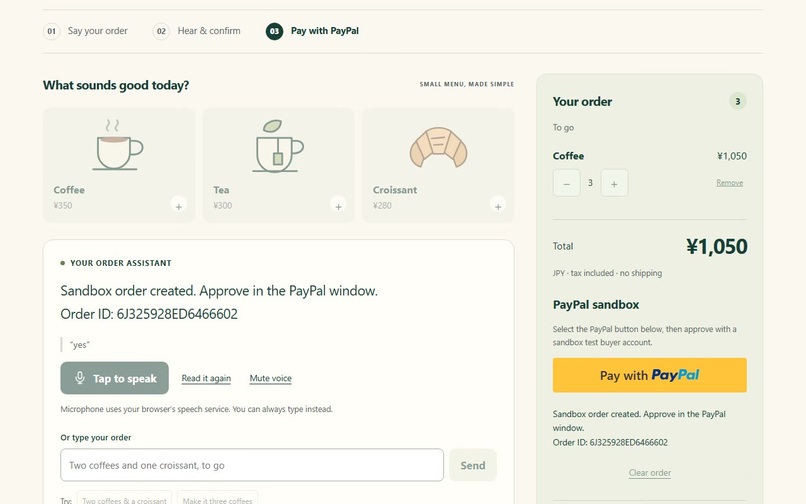
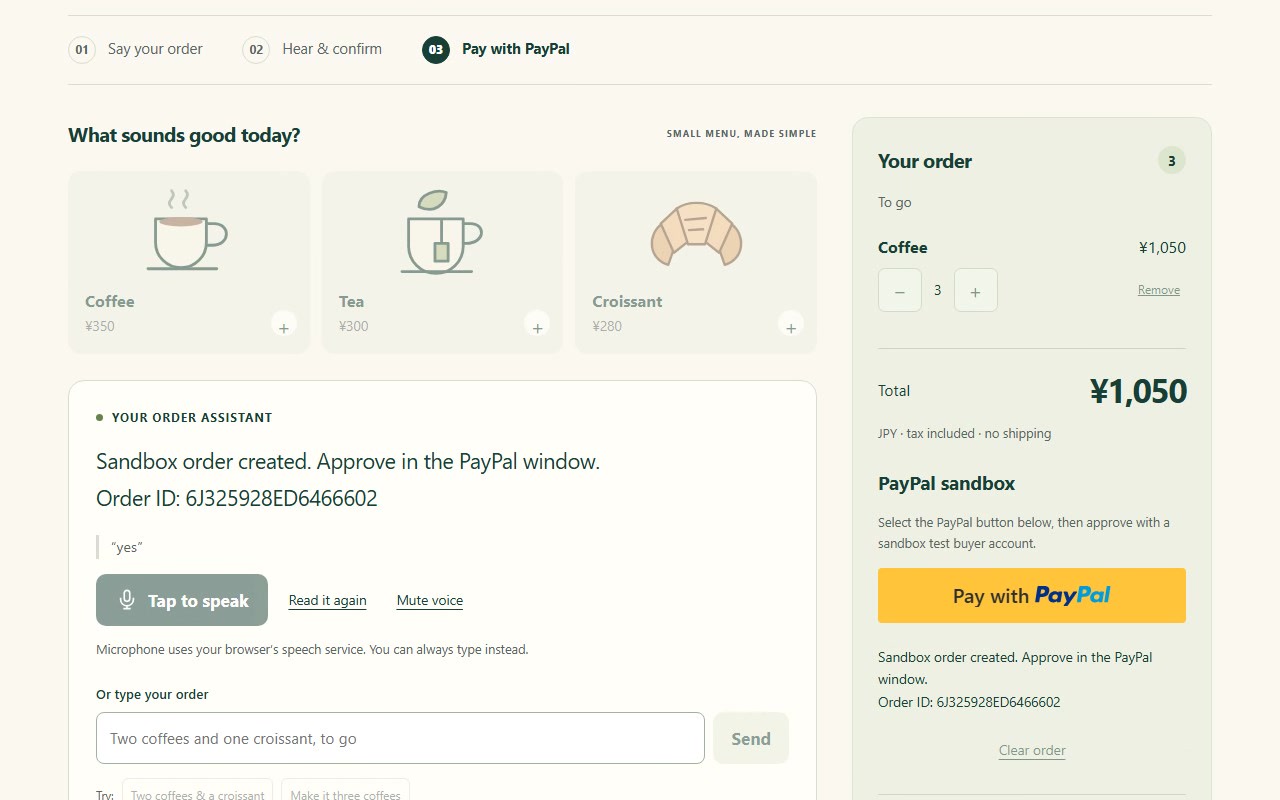
After a spoken “yes”, the official PayPal button creates an itemized sandbox order.
-
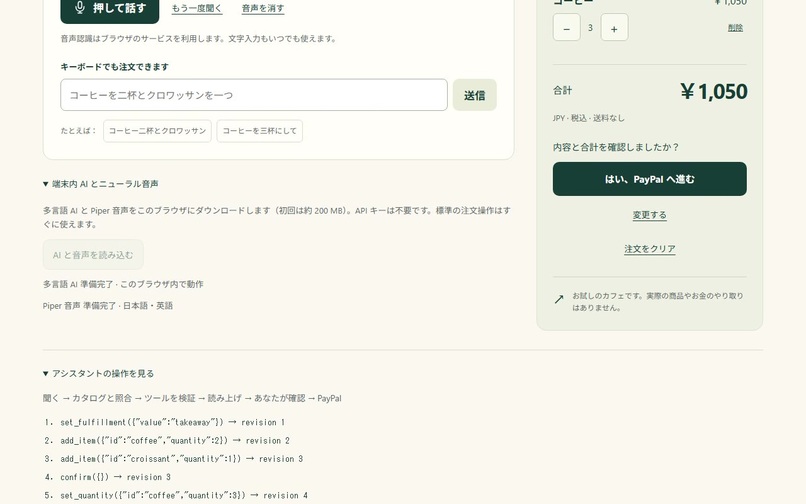
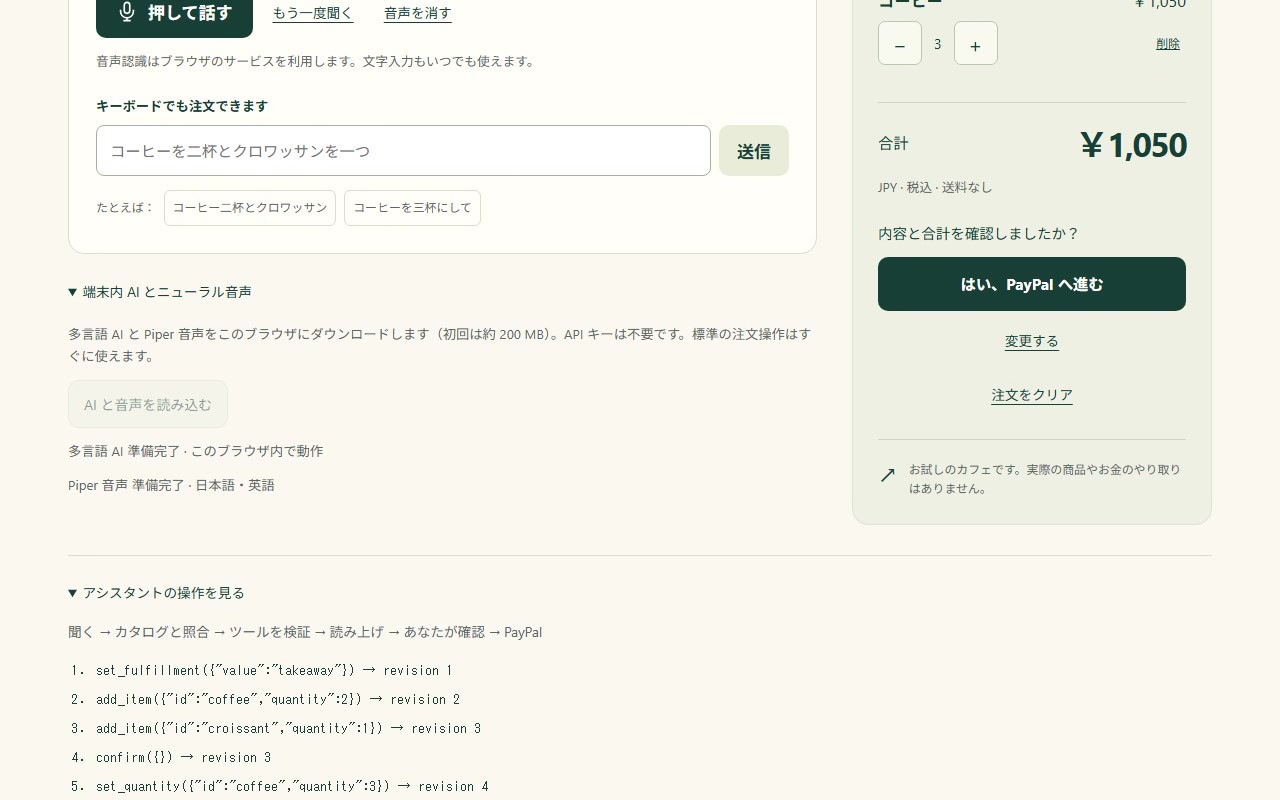
Edits go through validated tools; the assistant’s actual tool trace is visible.
Inspiration
What it does
How we built it
Challenges we ran into
Accomplishments that we're proud of
What we learned
What's next for Voice Checkout
Inspiration
A small screen can turn a simple coffee order into a difficult task. Voice ordering can help older adults, people with low vision and people with their hands full, but misheard items and unclear totals make payment feel risky. We wanted a checkout that listens, explains what it understood and leaves the final decision with the buyer.
What it does
Voice Checkout is a Japanese-first cafe checkout with English support. Speak or type an order, make corrections such as “make it three coffees,” and hear the full cart and total. Local multilingual AI can map an everyday description such as “a buttery flaky pastry” to a catalog suggestion and ask whether that is what you meant. The suggestion never silently changes the cart.
After the buyer confirms the readback, the official PayPal button creates a real itemized sandbox order. PayPal handles buyer login and approval; the app captures and verifies the order, currency, amount and completion status before showing and reading a receipt. Cancellation preserves the cart. Uncertain capture results are not called successful, and a pending-payment record helps avoid a second payment after reload.
How we built it
The application is vanilla JavaScript ES modules with no build step, backend, hosted AI bill or secret. PayPal's JavaScript SDK and Orders v2 are the central transaction flow: create, approve, capture, verify. It is a working sandbox integration, not a payment mockup.
Transformers.js runs quantized multilingual E5 embeddings in a browser WASM worker. A bounded planner uses catalog retrieval plus a deterministic Japanese/English grammar, then validates explicit add_item, remove_item, set_quantity, set_fulfillment, confirm and checkout tools. Quantity and product bounds, atomic batches, cart revisions and a payment lock keep model interpretation separate from authority to pay. Neural retrieval is not a generative LLM; every suggested product needs acceptance.
Web Speech supplies microphone input where supported. Piper Plus and ONNX Runtime Web generate Japanese and English speech locally, with a device-voice/text fallback. The runtime setup is adapted with attribution from the MIT ChatStage project. The source and original cafe illustrations are MIT-licensed; model and library terms are documented in NOTICE.
Challenges
Static hosting cannot hold secrets or provide a trusted merchant ledger, so this prototype deliberately uses sandbox-only checkout with no fulfillment. A production merchant would need trusted server pricing and payment reconciliation. Browser microphone support, popup gesture rules and large model downloads also vary; we made those boundaries visible and preserved keyboard/menu/grammar alternatives. A spoken “yes” hands off to the official PayPal button rather than pretending voice can complete PayPal authentication.
Accomplishments
- A complete bilingual order/edit/readback/confirmation interface with a visible agent tool trace.
- Real browser multilingual semantic inference and Japanese/English neural audio generation, without an API key.
- Real PayPal sandbox SDK loading and order creation, plus automated receipt validation/error/cancellation tests.
- Large controls, text alternatives, keyboard access and a responsive layout.
Verification disclosure: real sandbox buyer approvals and captures were completed on November 10, 2026: a JPY 980 itemized order and the JPY 1,050 order shown in the video each returned status COMPLETED with a capture ID, and the app read the receipt aloud. The automated success/error/cancel tests use a test-only SDK fixture. This is sandbox only; no real money moved and real-money use has not been tested.
What we learned and what's next
The useful part of an agentic checkout is not just extracting a cart: it is knowing when to ask, making edits inspectable, reading back the exact price and protecting the approval boundary. Next we would test the interaction with the intended audience, improve natural-language coverage using independent evaluation examples, and add trusted merchant infrastructure before considering real-money use.
Try it
- Live demo (GitHub Pages, sandbox only): https://ayutaz.github.io/voice-checkout/
- Source and setup (MIT): https://github.com/ayutaz/voice-checkout
- Demo video: https://youtu.be/6Im_13jNXOg
The app needs no AI key or backend. PayPal approval uses any PayPal sandbox Personal (buyer) account from the PayPal Developer Dashboard; README has the step-by-step flow.
