Inspiration
We kept coming back to one idea from the prompt: the best projects wouldn't be the most complex, but the ones where you could name the person you built for. So instead of designing for "accessibility" broadly, we imagined one person — Amina, a refugee student taking online courses in English, her third language. She understands the material. She just can't read it fast enough in a language she's still learning. That's a narrow, nameable barrier, and it's the one we decided to remove.
What it does
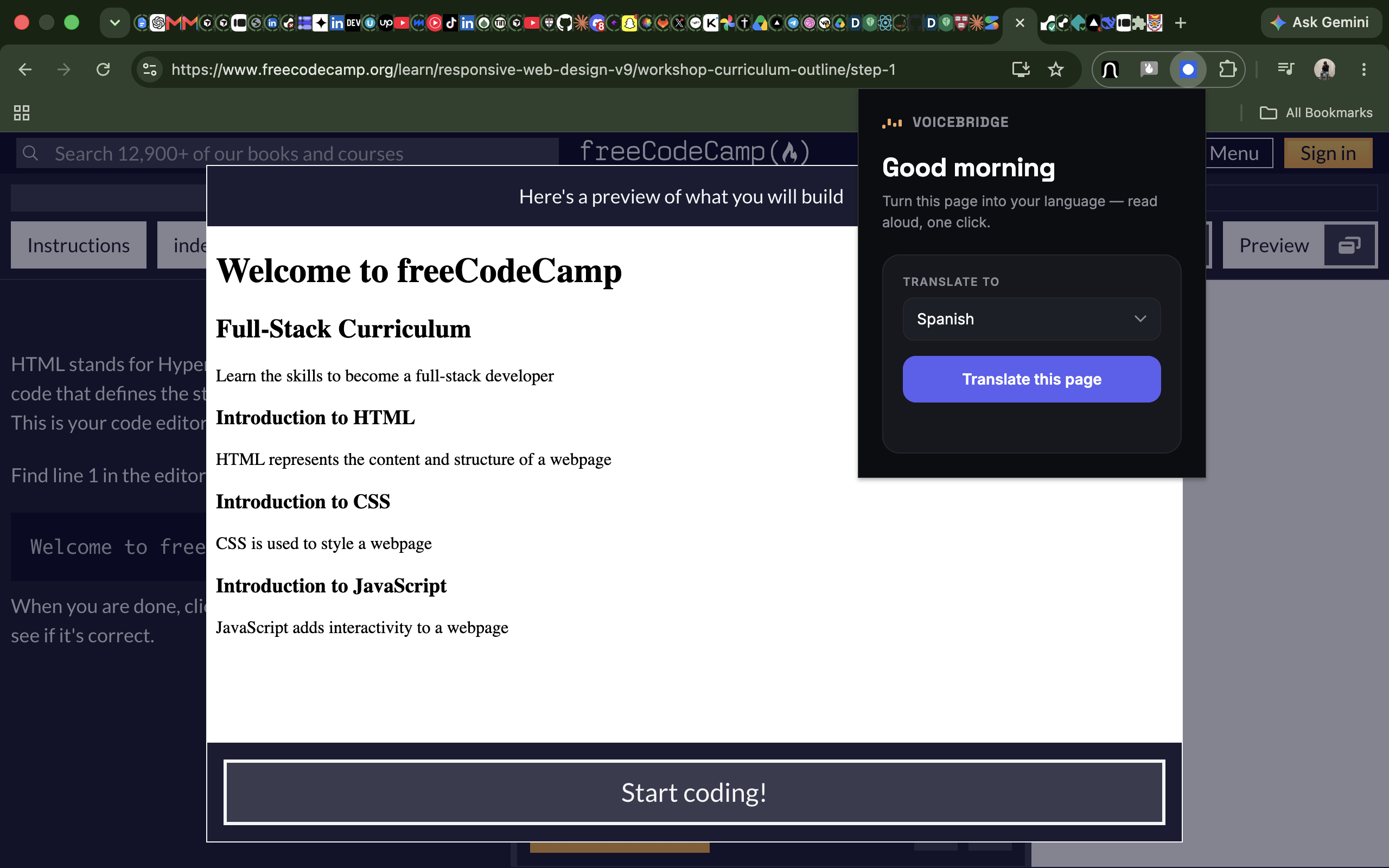
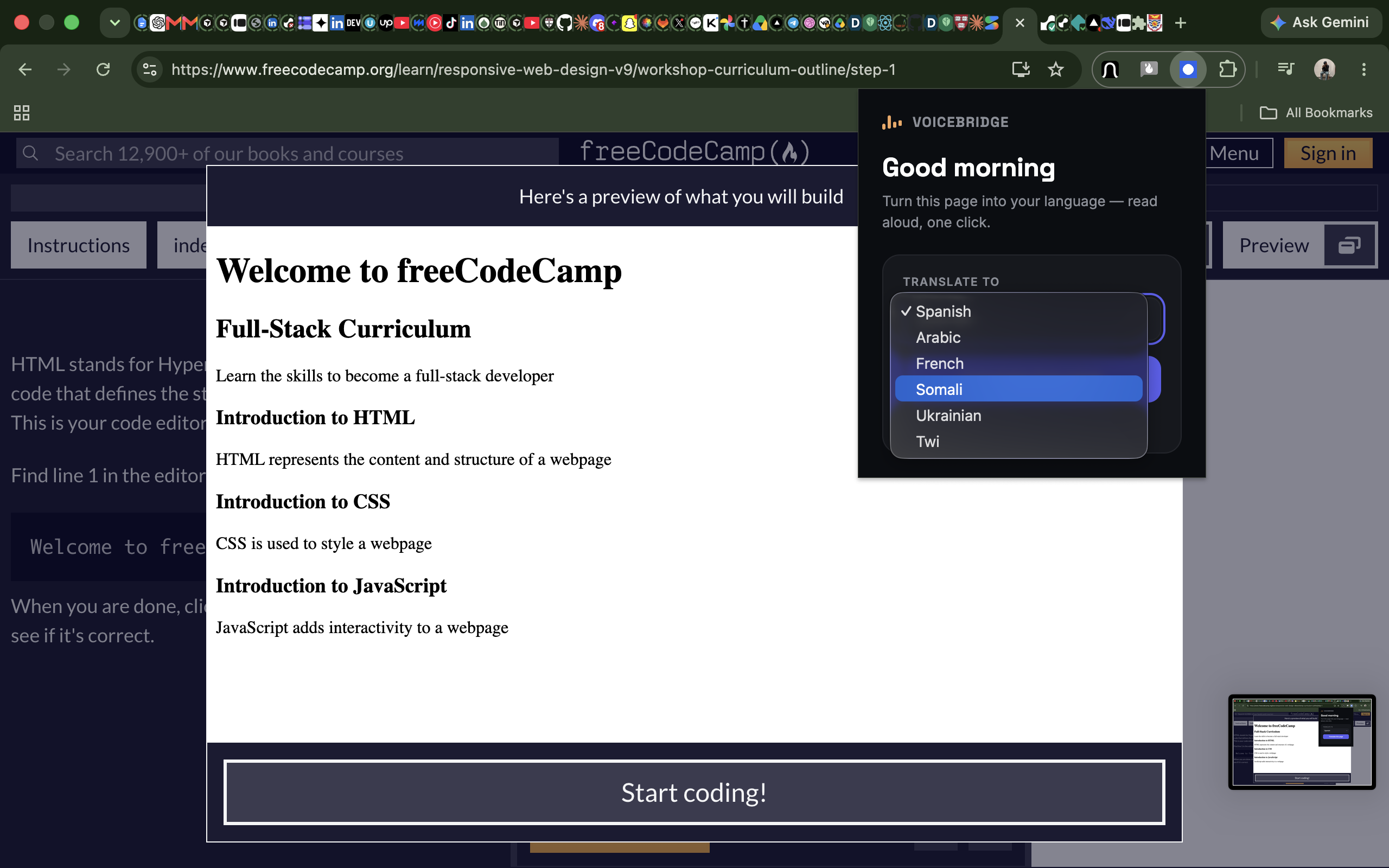
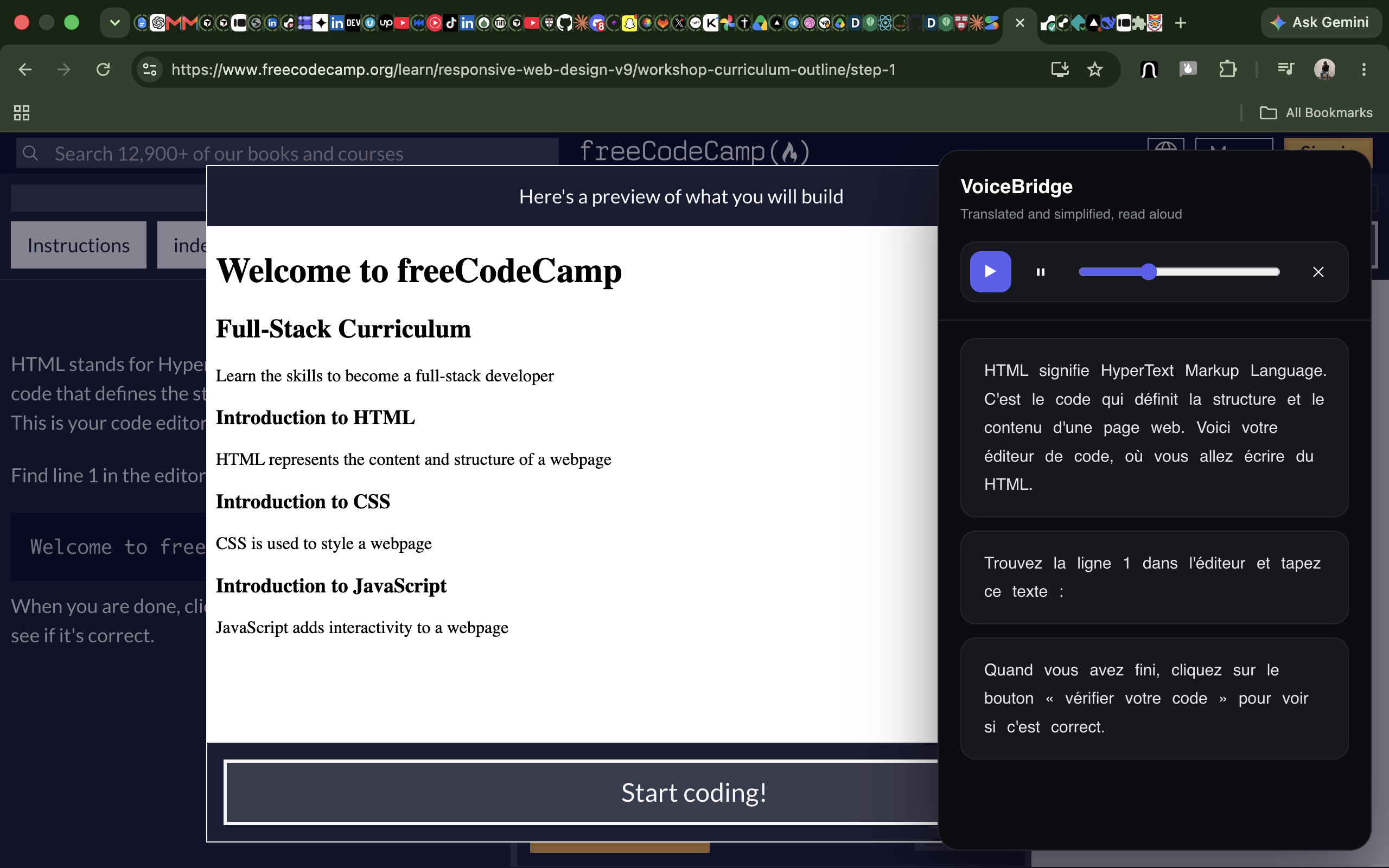
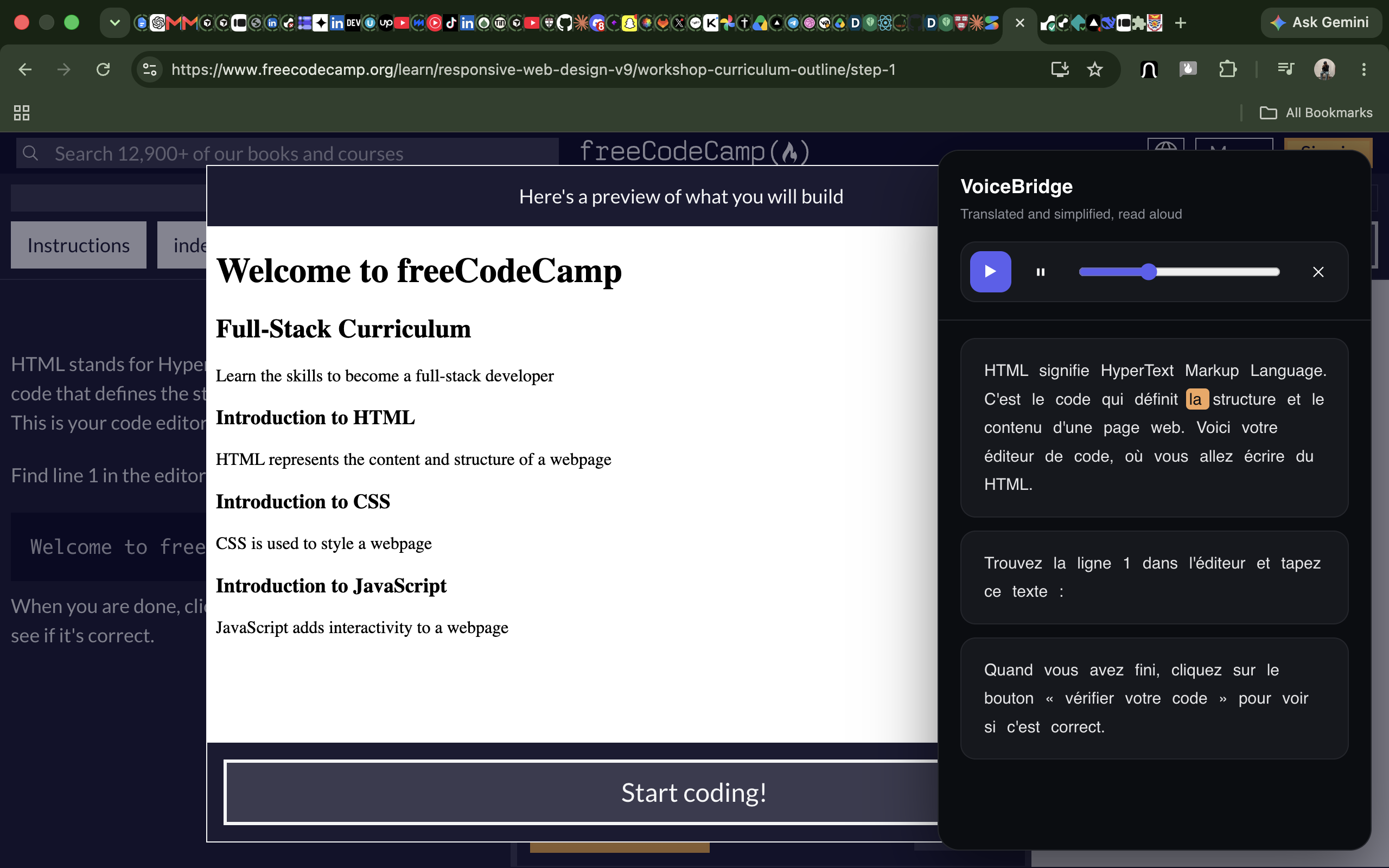
VoiceBridge is a one-click browser extension. On any educational webpage, it extracts the lesson content, translates it into the learner's native language, simplifies the vocabulary and sentence structure without losing the academic meaning, and reads it aloud — highlighting each phrase as it's spoken so listening and reading reinforce each other. No account, no per-course integration. If you can open the page, you can use it.
How we built it
A Chrome Manifest V3 extension: a content script extracts readable text from the page, a background service worker sends it to the Gemini API for translation + simplification, and an in-page overlay handles playback with word-level highlighting synced to speech. We started with a naive selector-based extractor, tested it against a real freeCodeCamp lesson, watched it pull in UI chrome (menus, buttons) along with the actual lesson text, and replaced it with a lightweight content-density scorer — the same core idea behind Mozilla's Readability.js — written small on purpose so we'd have zero external dependencies to manage under deadline.
Challenges we ran into
Most of our time went into debugging, not building. We hit a deprecated model name that returned a misleading 401 instead of a clear error. Then — the big one — we discovered four separate copies of the extension had gotten loaded into Chrome over the course of testing, so every code fix we made was correct, but Chrome kept quietly running an old, cached version underneath. We only found it by comparing exact error message formats between what we expected and what we saw, tracing it to duplicate installs, and doing a clean wipe: removing every copy, consolidating to one folder, and reloading fresh. It was a genuinely humbling lesson in how much invisible state a browser extension can accumulate during iterative testing.
Accomplishments that we're proud of
Getting the full pipeline working end-to-end under real time pressure: extraction → translation → simplification → TTS → synced highlighting, all firing correctly together, on real lesson content, not a mockup. Also proud of catching a fragile extraction approach before it became a demo-day failure, and fixing it with a technique we understood well enough to reason about rather than a black-box dependency.
What we learned
That the riskiest part of a project like this usually isn't the "smart" part (translation, AI) — it's the unglamorous plumbing (getting clean text out of a real, messy webpage; keeping a browser's cached state from lying to you). Also: test on real target content early, not clean demo pages, because that's where the actual barriers hide.
What's next for Voice Bridge
Swap the browser's built-in text-to-speech for a provider with real word-level timestamps (like ElevenLabs or Google Cloud TTS) for tighter highlight sync; support more languages and a wider range of course platforms; and add an offline/low-bandwidth mode, since the learners this is built for may not always have reliable connectivity.
Built With
- accessibility
- browser-extension
- chrome
- chrome-apis
- css
- dom-manipulation
- gemini-api
- generative-ai
- google-gemini
- html
- javascript
- manifest-v3
- natural-language-processing
- service-worker
- text-to-speech
- translation
- web-speech-api

Log in or sign up for Devpost to join the conversation.