Inspiration
I was inspired by WhisperFlow, a voice-to-text desktop app known for its simplicity and ease of use. I realized there was no good alternative for mobile devices—most existing options are complex, bloated, and have confusing user interfaces. They include too many features, and the transcription process takes forever.
I wanted to change that.
WhisperFlow is available for desktop and iOS, but Android users were left behind. I set out to create an easy-to-use, single-purpose voice-to-text app for Android. Voice transcription is a real-world necessity—whether you're drafting a prompt for an AI, sending a quick message, or journaling your thoughts. VoDrop was built to make that process seamless.
What it does
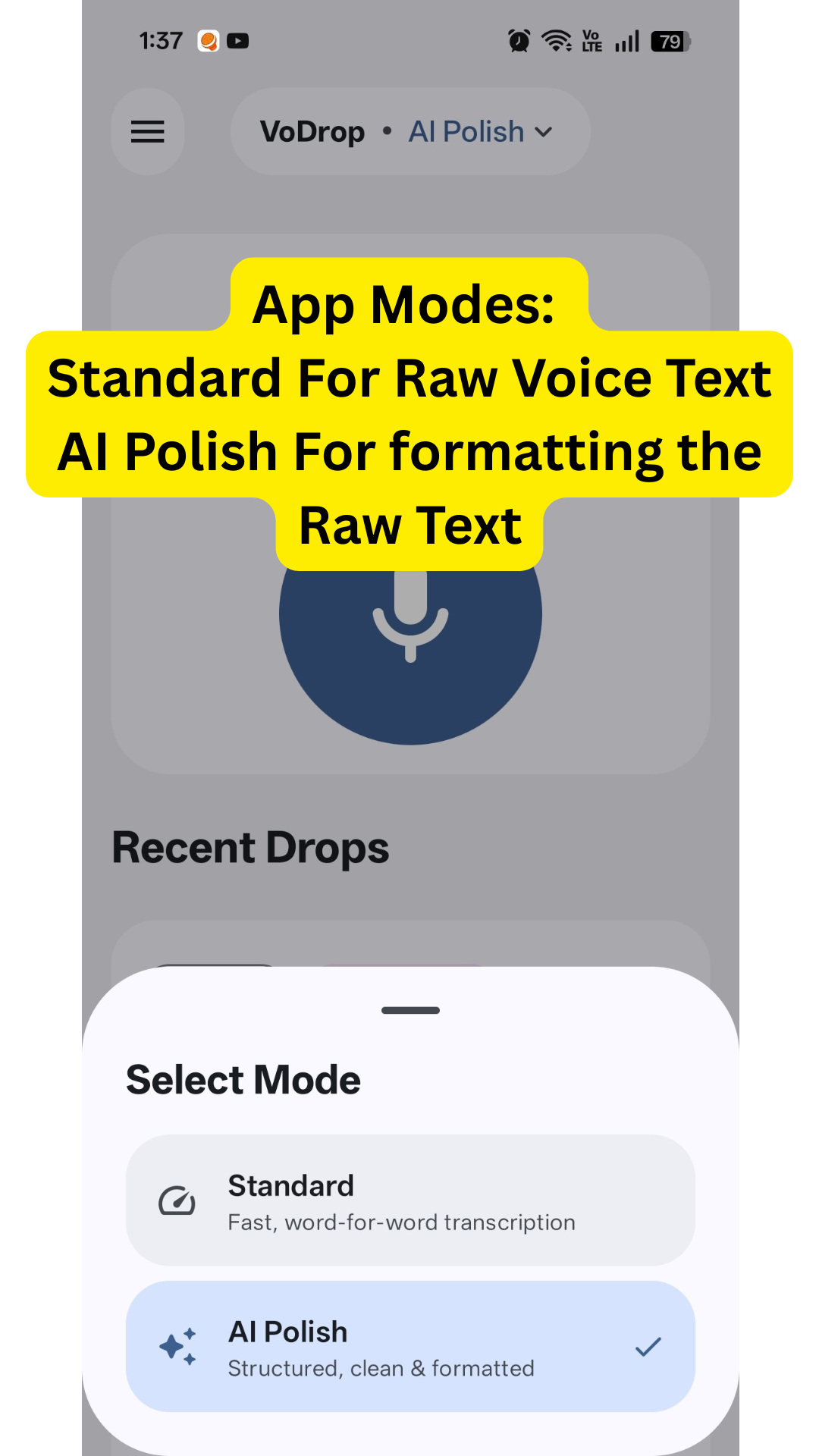
VoDrop takes your voice as input and transcribes it using two distinct modes:
Standard Mode: Transcribes your raw speech exactly as spoken, with basic punctuation. What you say is what you get.
AI Polish Mode: Transforms raw transcription into a clean, formatted version while preserving your original voice. Gemini 3 Flash improves grammar, removes filler words ("um," "uh"), and restructures sentences—without making you sound like someone else.
The result? Speak naturally, ramble freely, and get perfect text instantly.
How we built it
We built VoDrop using a modern, cloud-first architecture:
| Layer | Technology |
|---|---|
| App | Kotlin Multiplatform + Compose Multiplatform |
| Transcription | Google Cloud Speech-to-Text V2 (Chirp 3) |
| AI Polish | Gemini 3 Flash via Firebase Cloud Functions |
| Backend | Firebase (Storage, Cloud Functions) |
| IDE | Antigravity (Google's new AI-powered IDE tool) with Claude Opus 4.5 |
The entire AI pipeline runs server-side through Firebase Cloud Functions, keeping API keys secure and the app lightweight. Audio is uploaded to Firebase Storage, processed by Chirp 3 for transcription, and optionally refined by Gemini 3 Flash before returning to the user.
Challenges we ran into
1. Local Models Were a Dead End
Initially, we tried using local models like Whisper.cpp for offline transcription. The results were disappointing:
- Processing was painfully slow
- The phone would heat up significantly
- Battery drained rapidly
- Native builds were complex and error-prone
Solution: We pivoted to a cloud-first approach using Google Cloud Platform, eliminating all local model complexity.
2. Latency Optimization
Cloud transcription introduced latency concerns. We optimized by:
- Separating audio handling: Files under 55 seconds use synchronous recognition; longer files use batch recognition with inline response
- Inline response config: Results return directly in the API response instead of writing to storage (saves a round-trip)
- Immediate cleanup: Audio files are deleted right after transcription to reduce storage costs
These optimizations achieved 2-3x faster response times compared to our initial implementation.
3. Region and Recognizer Configuration
Setting up Google Cloud Speech-to-Text V2 with Chirp 3 required careful configuration:
- Choosing the correct region (
usfor multi-region stability) - Creating and managing recognizers
- Handling the differences between V1 and V2 APIs
Accomplishments that we're proud of
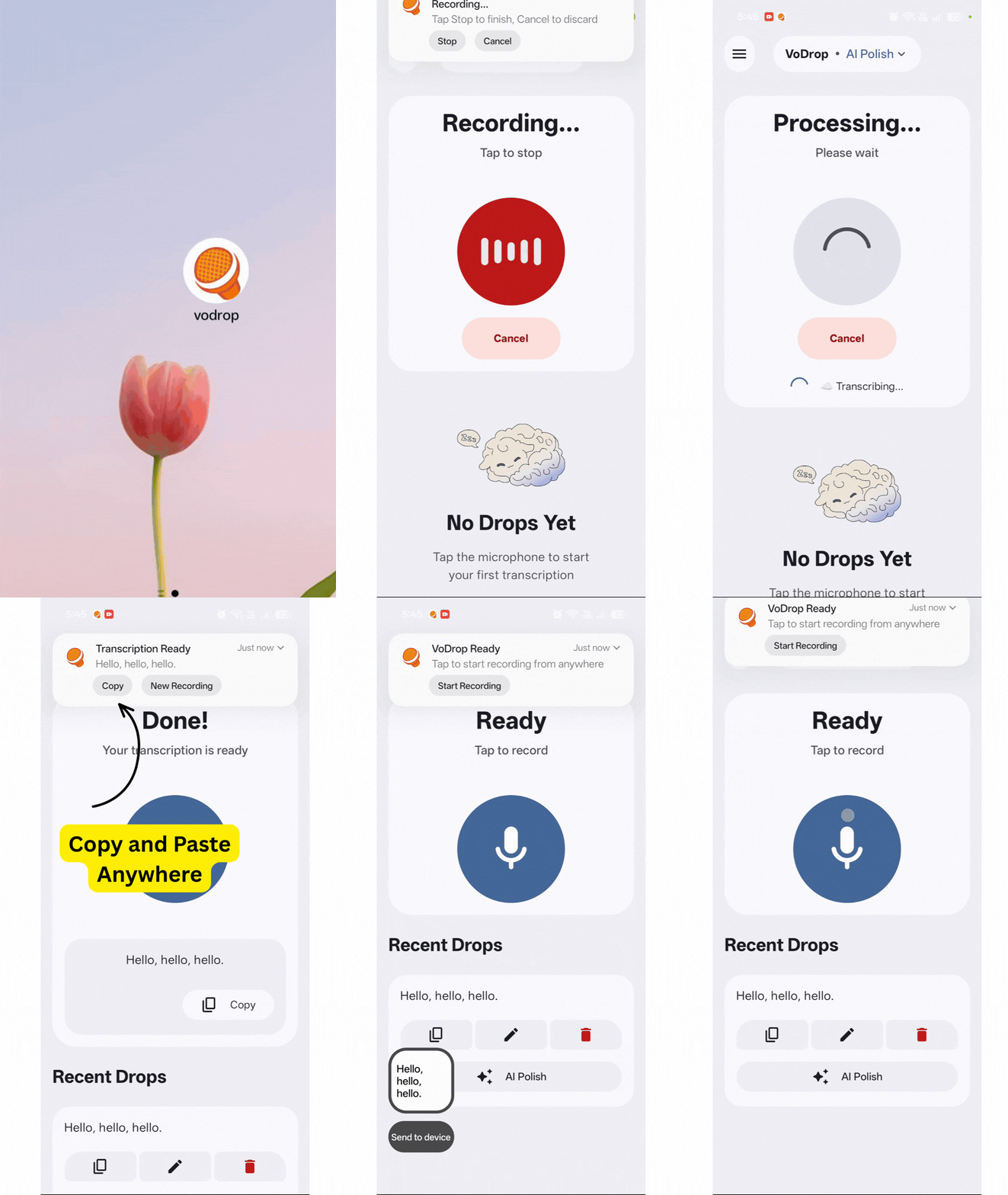
It just works. Tap to record, tap to stop, get perfect text. No complexity.
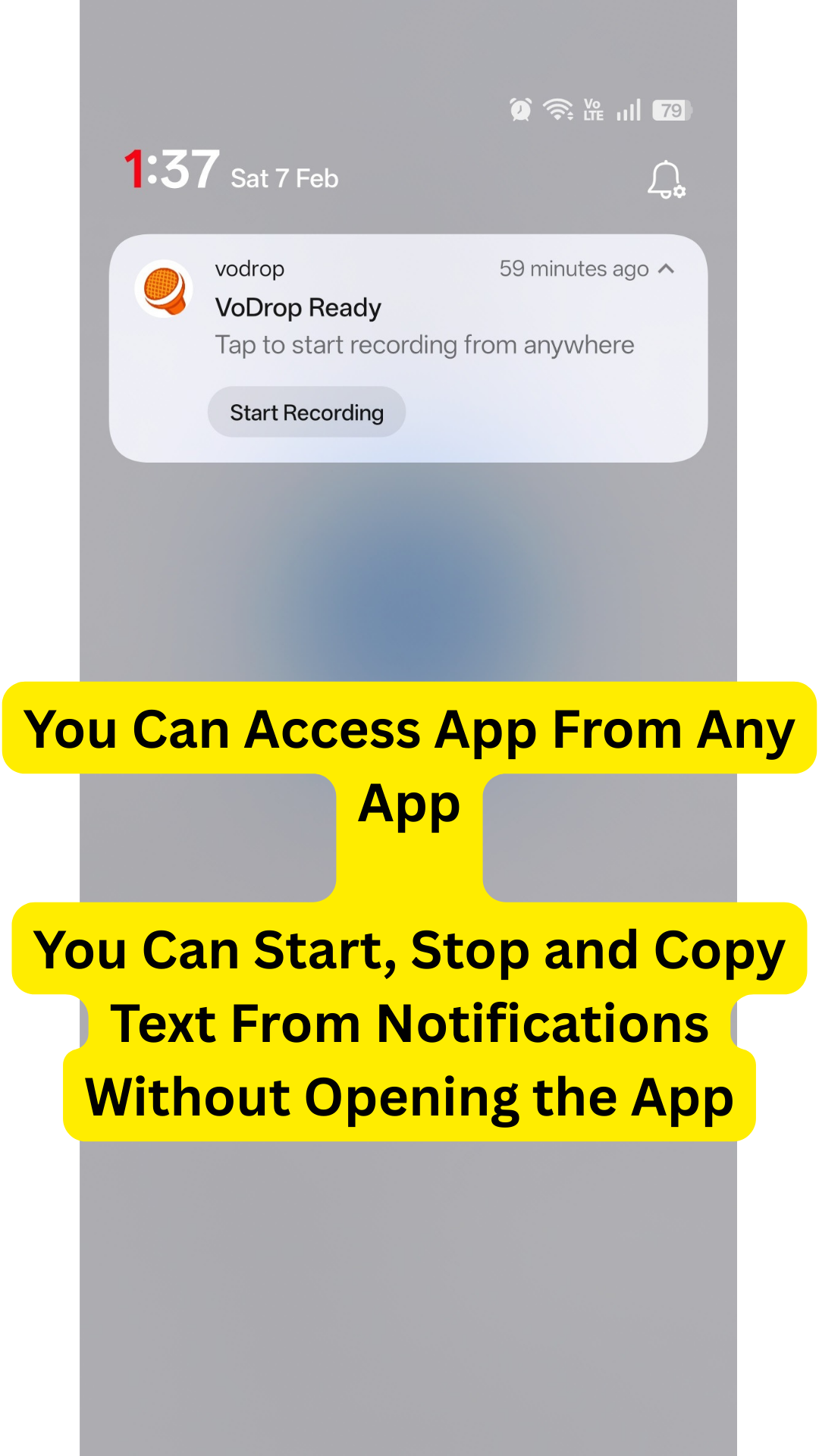
Notification Integration: Almost every action—recording, stopping, copying text, starting a new recording—can be done directly from the notification bar without opening the app.
Speed: The combination of Chirp 3 + Gemini 3 Flash delivers results in seconds, not minutes.
Voice Preservation: Gemini 3 cleans up your speech without making you sound robotic. Your words, just clearer.
Clean Architecture: Single Source of Truth (SSOT) state management makes the codebase maintainable and debuggable.
What we learned
This project was a massive learning experience:
- Google Cloud Platform & Cloud Functions: Deploying serverless functions, managing secrets, handling authentication
- Network Latency Management: Optimizing cloud-based pipelines for real-time user experience
- Speech Recognition APIs: Working with recognizers, regions, and the differences between sync/batch processing
- Kotlin Multiplatform (KMP): Building cross-platform apps with shared business logic
- Gemini 3 API: Crafting prompts that clean up text without over-correcting
What's next for VoDrop
- iOS Support: Expand the KMP codebase to target iOS users
- Desktop Version: Full desktop support via Compose Multiplatform
- Tone Selection: Let users choose their AI Polish style—Formal, Casual, or Bullet Points—so the output matches their preferred voice
- Quick Tile Integration: Android Quick Settings tile for instant recording from anywhere
- Offline Fallback: Explore on-device models as a fallback when connectivity is poor


Log in or sign up for Devpost to join the conversation.