-
-
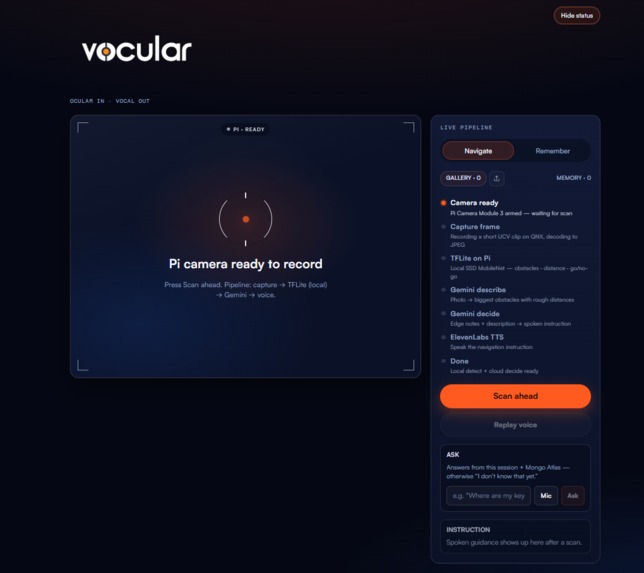
Frontend
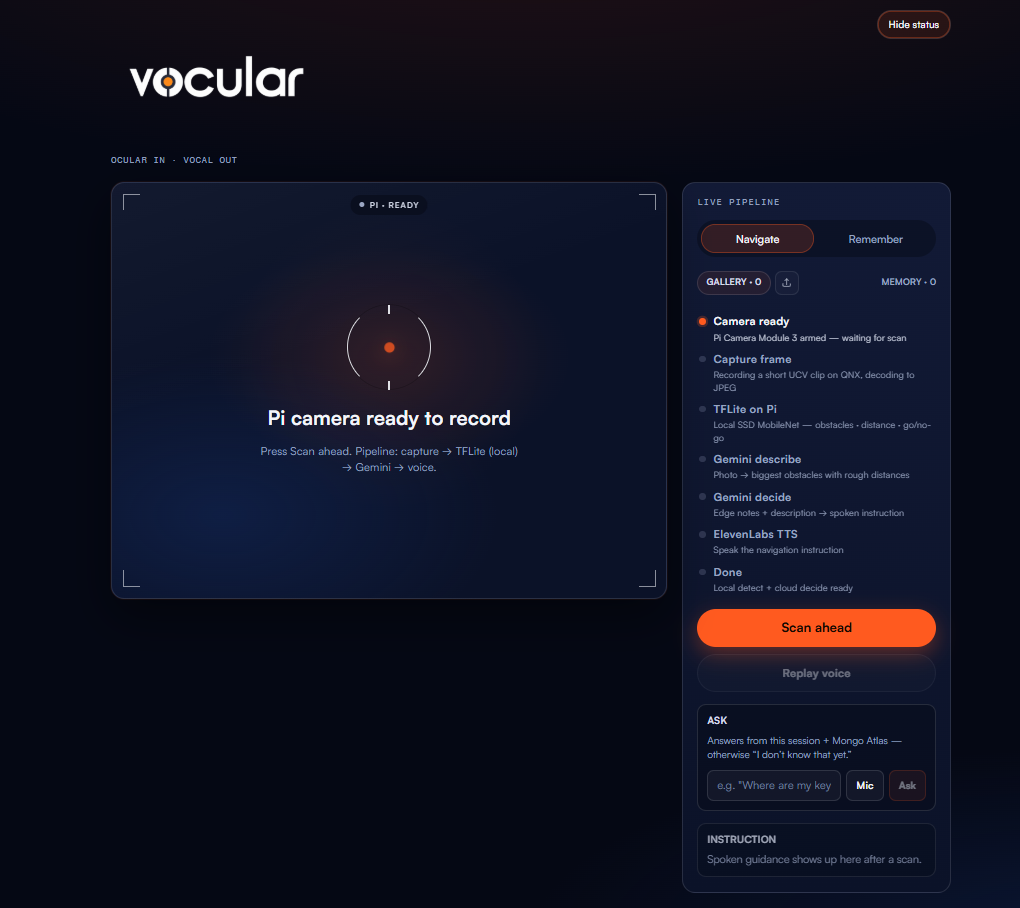
Inspiration
Getting around without clear vision is hard. Finding your keys or phone is just as hard. We wanted something that uses a camera and then talks back in a short, useful way. That is why the name is Vocular: vocal plus ocular. Sight goes in. Voice comes out.
We also wanted to meet the QNX challenge on a real Raspberry Pi, with local AI that still works if the cloud is slow or down.
What it does
Vocular has two modes.
Navigate: Point the camera and press Scan ahead. You hear a short direction like “Chair ahead, steer left.”
Remember: Hold up an item and press Scan ahead. Vocular saves where it is, such as “phone on the floor.” Later you can ask “Where is my phone?” and hear the answer.
You can also import a photo from a laptop if the Pi camera is not available.
How we built it
- Raspberry Pi 5 running QNX with the Camera Module 3
- On the Pi: TensorFlow Lite object detection for nearby obstacles and free space
- On the laptop: a FastAPI backend, Gemini for wording and memory, ElevenLabs for speech, MongoDB Atlas for lasting item memory
- A React web app that shows the pipeline live: capture, detect, decide, speak, then ask
Local detection decides what is near and which way looks freer. Gemini helps turn that into speech. If they disagree on left or right, or go versus stop, we trust the Pi.
Challenges we ran into
- Getting the QNX camera and sensor stack to capture frames reliably over SSH
- Early navigation advice sometimes pointed into furniture, so we had to fix how free space is judged from detection boxes
- Ask sometimes said “I don’t know” even when the phone location was already saved. Session memory and Mongo were not always reaching the answer path together
- Keeping spoken lines short and clear, without clutter like distance units
Accomplishments that we're proud of
- A full path from Pi camera to spoken guidance on a QNX device
- Local TFLite detection as the safety base, with cloud speech as the layer on top
- Item memory that sticks in Mongo Atlas and can be asked about by voice or text
- A demo UI that makes the whole pipeline visible for judges
What we learned
- For safety, on device detection and cloud language models should not compete for the same job
- Accessibility products need short, calm speech more than clever sentences
- Small bugs in memory matching feel huge when someone asks “Where is my phone?” and hears nothing useful
- Building on QNX means treating the edge as the source of truth, not just a camera cable
What's next for vocular
- Stronger depth or distance sensing so near and far are more reliable
- Better handling of crowded rooms and people moving through the frame
- A wearable or phone companion so the web demo is not required
- Privacy controls for what gets saved to memory
- Real world tests with visually impaired users and white cane users, with clear limits as a prototype, not a medical device
Built With
- elevenlabs
- fastapi
- google-gemini
- mongodb-atlas
- raspberry-pi
- react
- tensorflow


Log in or sign up for Devpost to join the conversation.