-
-
VocalAid: An assistive Communication Tool
🎯 Inspiration
VocalAid was inspired by a real incident video from social media involving a delivery partner with a speech disability who, during a customer call, was unable to communicate and had to hand his phone to a stranger for help.
Here is the inspiration video link for reference: https://www.instagram.com/reel/DRWm87KEikA/?utm_source=ig_web_copy_link&igsh=MzRlODBiNWFlZA==
This moment highlighted a gap in existing accessibility solutions: most tools assume the user can either speak or type, which is not always possible in real, time-sensitive situations.
We wanted to design a solution that preserves independence, dignity, and speed, allowing users to communicate on their own terms, even under pressure.
🛠️ What We Built
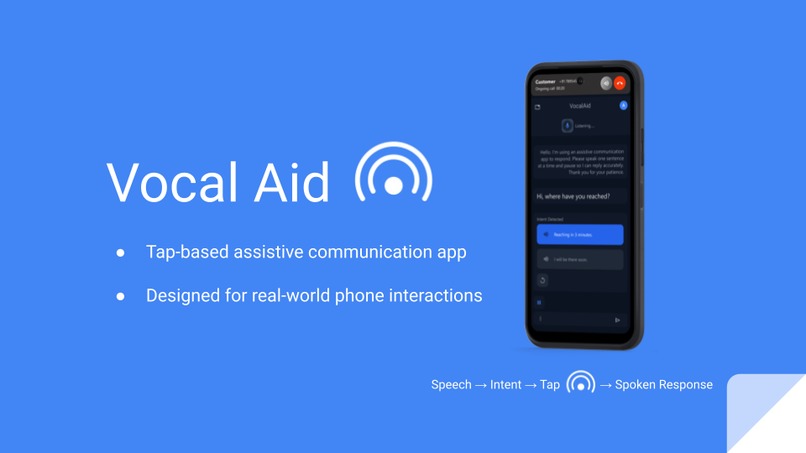
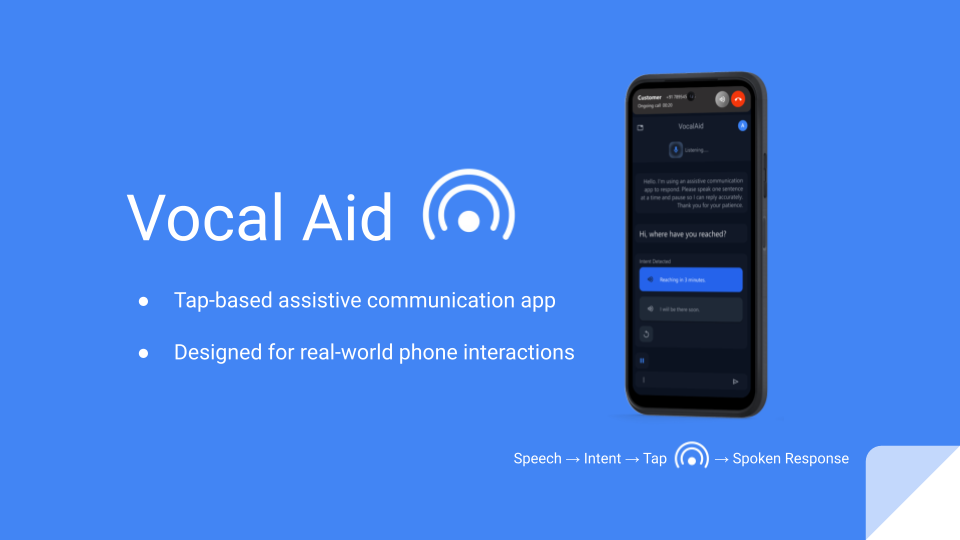
VocalAid is an assistive communication app that enables users to respond to spoken questions without speaking or typing.
Instead of relying on free-form voice or text input, VocalAid uses a structured, intent-driven interaction loop. The app listens to spoken input, converts it to text, understands the user’s intent, presents relevant tap-based response options, and speaks the selected response aloud.
When another person speaks, the app listens, converts speech to text, extracts intent, and presents large, context-aware response buttons. The user simply taps a response, and the app speaks it aloud.
For the hackathon demo, we focused on a delivery-partner scenario to keep the scope realistic and demonstrable. The underlying concept, however, is profession-agnostic and designed to scale across many real-world contexts.
⚙️ How We Built It
🎨 Design Considerations
Accessibility-first design with large tap targets, high contrast, and minimal visual clutter to reduce cognitive load and support fast, error-free interaction.
Clear system states (Listening · Thinking · Speaking) to maintain user confidence and transparency during the interaction loop.
Elimination of typing and fine motor dependence to ensure usability in time-critical and high-noise environments.
Intent-driven response presentation to prioritize clarity, speed, and predictability over flexibility, preserving user independence and dignity.
🧩 Frontend & Backend Contributions
Client-side voice capture & VAD: Implemented a continuous recorder using the Web Audio API to detect speech/silence and produce short audio clips for processing.
Audio upload & resilience: Built the upload flow and server-side handling for audio clips with robust error/fallback handling when cloud STT limits are hit.
Intent & quality analysis: Integrated LLM-based analysis to classify input quality (clear / noise / no speech / multiple voices /gibberish) and generate either reply options or repair prompts.
Text ↔ Audio integration: Wired text-to-speech and speech-to-text flows so chosen replies are synthesized and played back; ensured playback pauses voice detection to avoid self-capture.
Context model & state: Designed a structured conversation context (user profile, order/trip context, speech analysis, short history) used by the LLM to produce context-aware suggestions.
User sync & persistence: Added Clerk user sync and database integration (Neon + Drizzle) for persisting user records and basic session data.
Logging & UX robustness: Added detailed logging, parsing fallbacks for unpredictable model outputs, and UX feedback (retry/regenerate, undo).
- 🧪 Demo Setup:
Phone calls are simulated inside the app to demonstrate the full experience end-to-end without requiring real telephony integration, keeping the project hackathon-feasible.
⚠️ Challenges We Faced
🧠 Designing without free text or voice input
We had to rethink conversational UX entirely. Instead of flexibility through typing, we focused on intent coverage and clarity, ensuring that predefined responses still felt natural.⚖️ Balancing accessibility and speed
The UI needed to be extremely simple without feeling restrictive. Every extra element increased cognitive load, so we constantly removed rather than added features.⏱️ Scoping for a hackathon
While the idea is large, we deliberately limited the demo to one profession and a minimal but complete interaction flow. This allowed us to show depth instead of breadth.🎭 Simulating realism without overengineering
We chose to simulate caller UI and system states rather than integrate full phone systems, ensuring the core value of the product was clearly communicated.
📚 What We Learned
- Accessibility is not a feature—it is a design mindset
- Constraints can lead to clearer, more humane solutions
- Intent-based interaction can outperform free-form input in high-pressure scenarios
🔮 Looking Ahead
VocalAid is designed as a standalone app today, but the interaction model can scale into system-level accessibility frameworks, enabling it to act as a universal assistive voice layer across apps and real-world interactions.
This project reinforced our belief that small, well-designed interaction loops can unlock meaningful independence for users who are often overlooked.
Built With
- clerk
- elevenlabs
- express.js
- gemini
- gemini2.5flash
- multer
- react
- stt
- tts
- webaudioapi

Log in or sign up for Devpost to join the conversation.