-
-
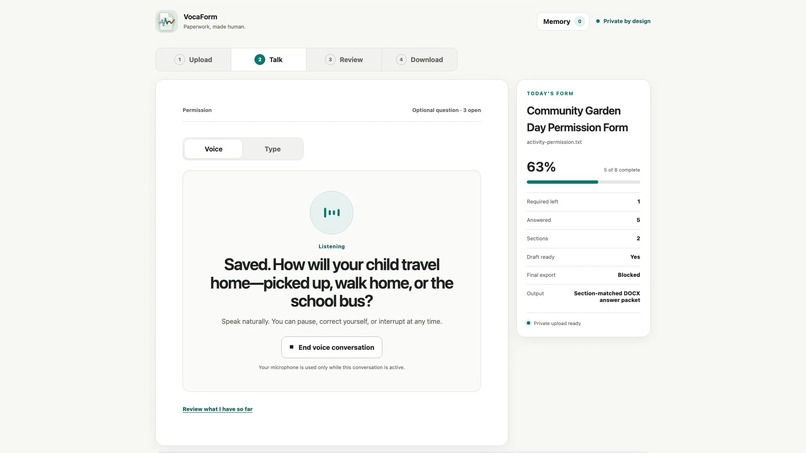
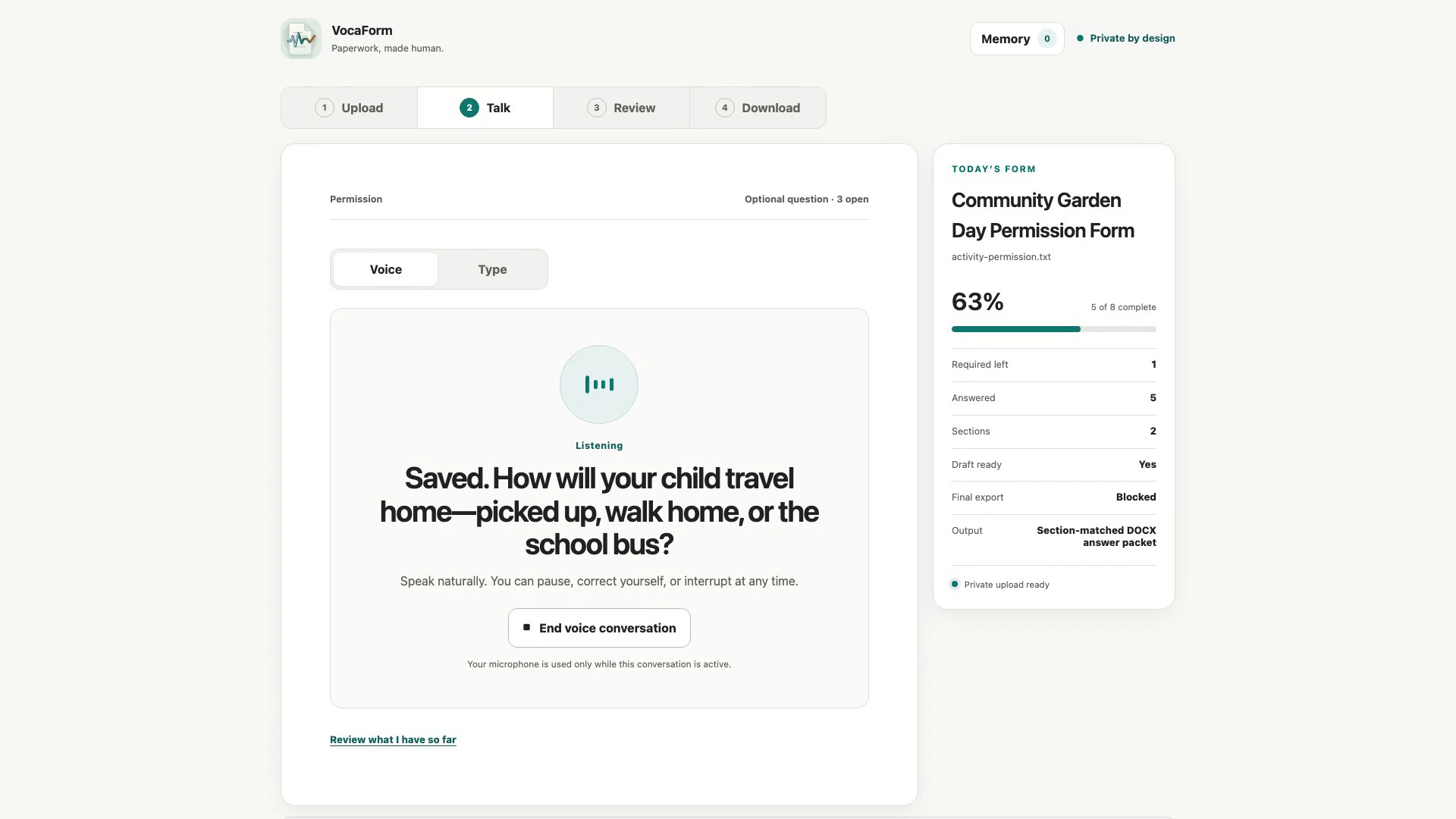
Voice-guided form conversation
-
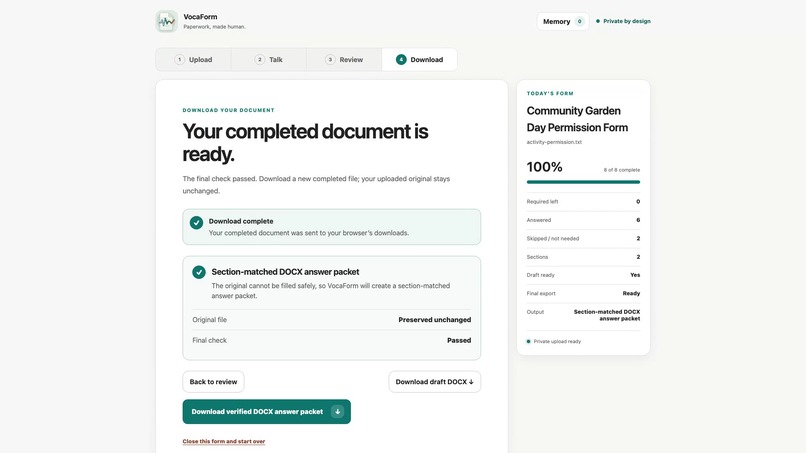
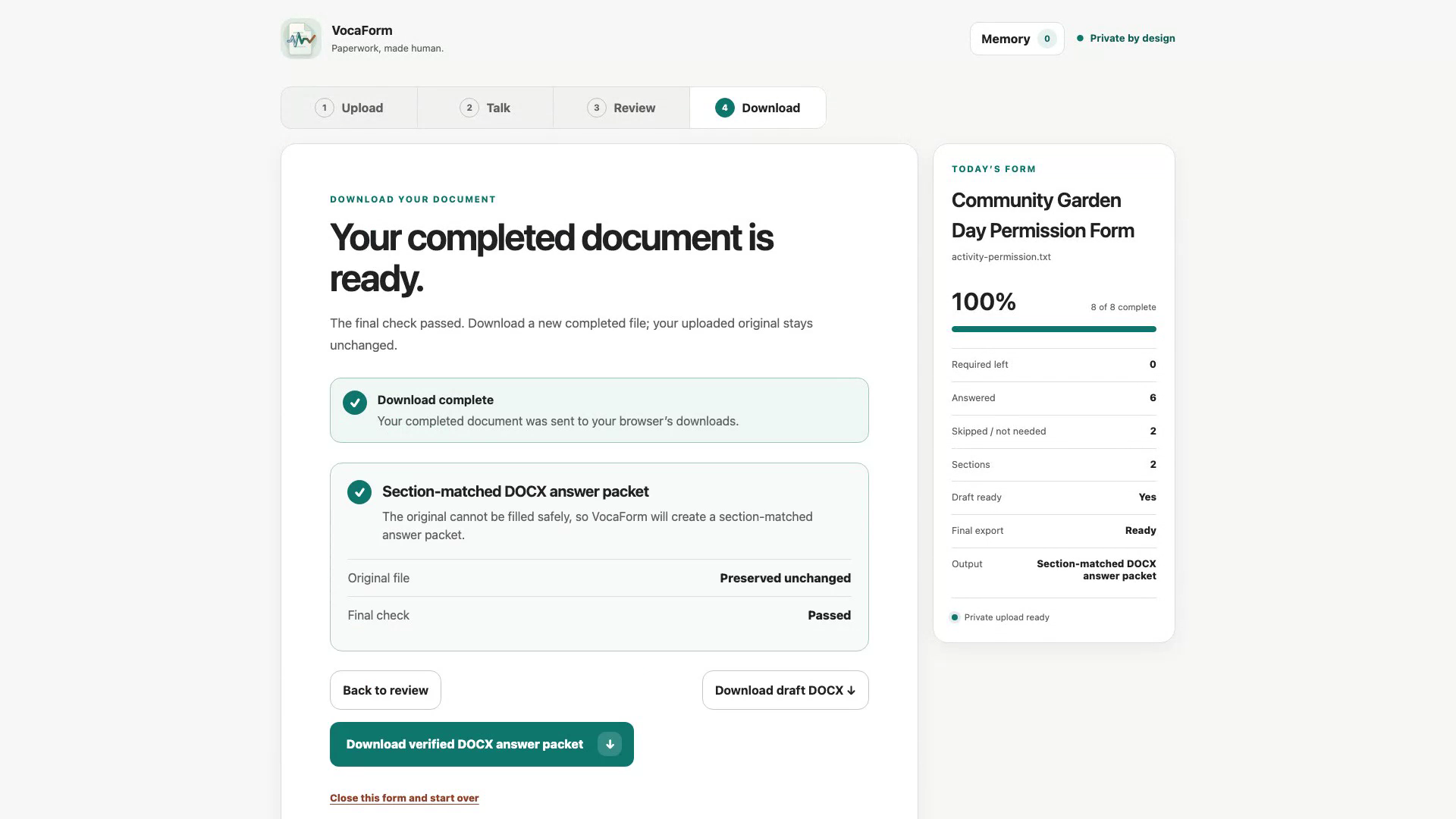
Verified completed-document download
Inspiration
Being a young father, I was surprised to be confronted with so many hard copy submission forms for my kids. The dentists office required a very long questionaire with very random questions, the same for elementary school, and with a huge overlap as well. This got me thinking: "surely AI can help with this". However, I found that chatbots are not equiped to handle the realtime speech mode - tool use LLM combination, so I decided to try and build something myself. Before I started though, I asked myself, who would stand to gain from this? What problem does it solve, beyond my annoyance? I figured, that this would also be helpful for the non-technical, and the visually impaired. Just drop in a PDF, and through natural conversation, the form gets filled, out. Users could ask clarification questions along the way, ask for examples, filled form quality goes up, user happy, form requestor happy.
What it does
VocaForm provides one simple Upload → Talk → Review → Download workflow:
- upload a PDF, DOCX or copy paste in the webform link (Google Forms/MS Forms)
- turn the document into source-grounded questions, requiredness, dependencies, validation, and rendering targets;
- answer naturally, like during an interview, using your voice through OpenAI Realtime or use the equal keyboard path;
- watch validated answers appear as application tools save them (with provenance);
- resolve deterministic and semantic findings without allowing the verifier to mutate the form;
- download a filled copy of a supported DOCX or PDF, or save the webform;
- remember eligible contact facts, confirm each reuse on a later form, and correct or forget them at any time.
Medical, financial, identity-document, etc. are excluded from memory by default.
How it was built
Most of VocaForm was built the way I build most things: laptop open, a cup of coffee, agents ready to burn through tokens.
I started with a small local JavaScript prototype, just to see if the idea could work, for a form I needed to fill out for my sons elementary school. During Build Week I used Codex to rebuild it into a proper React and TypeScript application. I would describe what I wanted, review what it produced, test it, break it, and then work through the problems together with it.
I also used Codex remote quite alot this time, since the agent runs for longer then ever. This meant I could continue working from my phone when I was underway, away from my laptop or, honestly, sitting on the toilet. I could check progress, give it the next task and review changes whenever I had a few minutes available.
It became a constant loop of building, testing and correcting. Codex gave me a lot of speed, but I still had to decide what the product should do, where the safety boundaries belonged and whether something actually worked for a real user.
How GPT-5.6 and Codex were used
For this project I decided to work solely through the Codex app. Normally I would use the VS Code extension and switch between different models depending on the task, but this time I wanted to really put Codex through its paces and see how far I could take one project with it.
Since this was an OpenAI Build Week, I figured that was also kind of the point: build something useful while properly testing the tools OpenAI wants developers to use. I used Codex for planning, coding, refactoring, testing and working through bugs, both from my laptop and remotely from my phone.
Inside VocaForm itself, GPT-5.6 Sol is used for understanding unfamiliar forms and checking the completed answers. This is where I noticed its real strength: structured reasoning and validation against a source document.
Ofcourse I also wanted to give the project the best possible chance of getting noticed. Not just to do well in the challenge, but to get VocaForm in front of people who might actually benefit from it. Codex helped me build and ship much faster, while I stayed responsible for the product decisions, testing and the final quality.
Challenges
One of the major challenges was that I initially forgot about webform support. By the time I added it, most of the document flow, validation and security boundaries were already built. I had to retrofit Google Forms and Microsoft Forms into the same system without weakening any of those protections, which was quite tricky.
Forms that require sign-in were even harder. I did not want VocaForm handling passwords, MFA codes, cookies or somebody’s logged-in browser session. The final solution was to keep authentication on Google or Microsofts own page, while VocaForm provides the user with a reviewed answer list and a safe hand-off. It is less automatic, but alot safer.
Getting the voice conversation to feel natural was also much more difficult than I expected. It required a lot of Realtime API research and testing to get interruptions and barge-in working correctly. The start of the interview was especially sensitive: the assistant had to ask the first question, stop speaking, wait for a real user response and only then save an answer.
Accomplishments
- VocaForm found all 53 expected fields and all 25 required fields in the reviewed synthetic test forms, without inventing new ones.
- Five consecutive end-to-end resilience runs completed without a blocking failure.
- The verifier detected every deliberately seeded blocker class.
- The document renderers placed all 45 test answers while preserving the original files.
- Memory reused three approved contact facts and stored no sensitive information.
- The production build and Playwright accessibility journeys pass through one documented command.
What I learned
A big part of the project was balancing speed and accuracy. Letting AI understand documents and hold the conversation made the process much faster, but validation and final authority still needed clear rules and human decisions.
This is also where I could really see the power of GPT-5.6 Sol. It was especially strong at structured reasoning, validation, and checking its work against the source document. I also noticed that it had picked up many of the practical skills needed for vibe coding, which made Codex much more useful during the rebuild.
The clearest architecture was: let AI understand, suggest, and converse, but keep control in the application. VocaForm became stronger when the models were given well-defined jobs and the product kept ownership of answers, memory, consent, validation, and export.
What's next
This is important: forms exist because of information/data requests. This solution is a retrofitted to a problem that should dissapear in the first place. That's why I think VocaForm should also be able to handle the information/data request initiation. A requestor should use the app to generate forms, using the same interview style, with realtime AI, then send it out to the users, who can fill out the form or interview, in their own time. Rich high quality data, with proper ease of use, putting AI in the right places.
Built With
- axe-core
- docker
- docx
- gpt-5.6-sol
- openai-realtime-webrtc
- openai-responses-api
- pdf-lib
- playwright
- react
- render
- typescript
- vite
- vitest
- zod


Log in or sign up for Devpost to join the conversation.