-
-
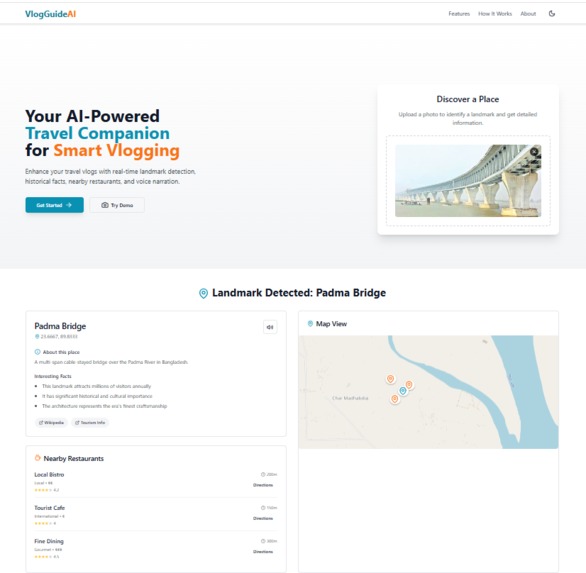
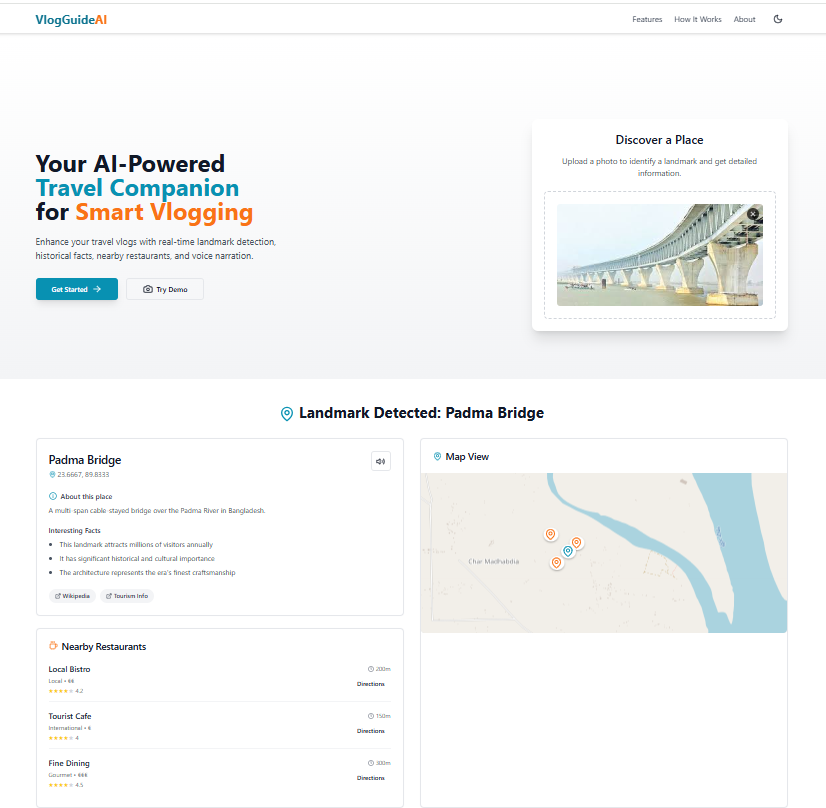
image with result
Inspiration: From the YouTube Tour Video While watching travel vlogs on YouTube, we realized that many creators struggle to provide real-time historical or contextual information while filming. It sparked an idea: what if AI could instantly recognize landmarks and narrate stories, facts, and even restaurant suggestions — all in real time? Thus, VlogGuideAI was born — a smart companion for content creators on the go.
What it does VlogGuideAI empowers travel vloggers by:
Detecting landmarks from uploaded images using AI.
Fetching historical facts, cultural details, and interesting trivia.
Showing nearby restaurants with cuisine types, ratings, and pricing.
Displaying interactive maps for location-based exploration.
Providing voice narration for hands-free, professional commentary.
Offering real-time updates on opening hours, events, and tips.
How we built it Frontend: Built using React, TailwindCSS, and Lucide Icons for UI/UX.
Backend: Node.js/Express server handles file uploads and connects to AI services.
AI Services: Integrated landmark detection using a pre-trained vision model (e.g., Google Cloud Vision or similar).
Map Integration: Used Leaflet.js with React wrappers for rendering interactive maps.
Voice Narration: Leveraged Web Speech API to convert text to speech for narration.
Restaurant Data: Pulled from a mock API or real-time services like Google Maps Places API or Yelp API.
Challenges we ran into Fine-tuning the image recognition to correctly detect landmarks in various lighting/angles.
Integrating third-party APIs with rate limits and inconsistent data.
Ensuring mobile responsiveness and fast load time with heavy image inputs.
Managing asynchronous flows between detection, mapping, and narration without blocking the UI.
Accomplishments that we're proud of Built a seamless user experience for both mobile and desktop users.
Successfully implemented real-time landmark recognition with narration.
Created a demo that visually and audibly explains a location — all from a single image.
Designed a tool that can genuinely save time for vloggers and enhance viewer engagement.
What we learned How to work with real-time AI image recognition models.
How to efficiently process large image files in the browser.
The importance of fallback logic and UI feedback during slow detections.
How to present complex data (maps, history, food spots) in an intuitive way.
What's next for VlogGuideAI Mobile App: Build a mobile-native version using React Native for on-the-go vlogging.
Live Camera Detection: Add live video support to recognize landmarks in real time.
Multi-language Support: Translate historical info and narration into different languages.
Offline Mode: Cache data for low-connectivity travel areas.
Monetization: Offer premium features like custom narration, exportable scripts, or sponsored restaurant placements.

Log in or sign up for Devpost to join the conversation.