-
-
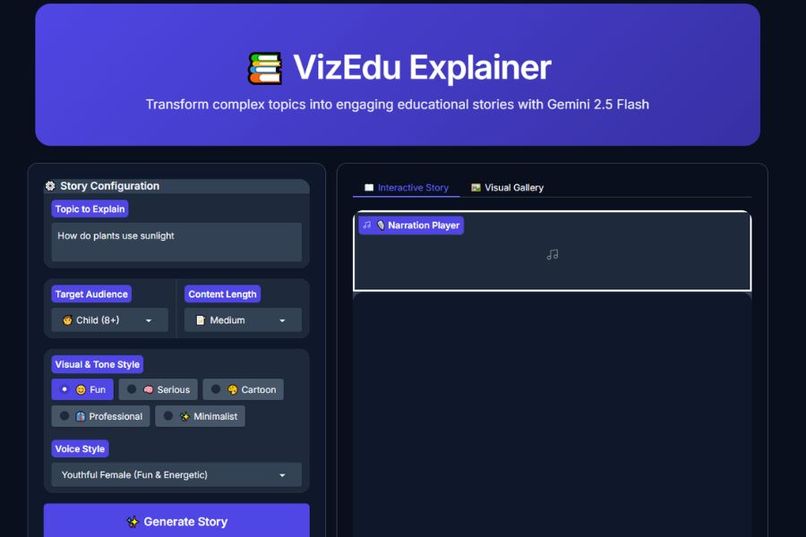
VizEdu Explainer Interface
-
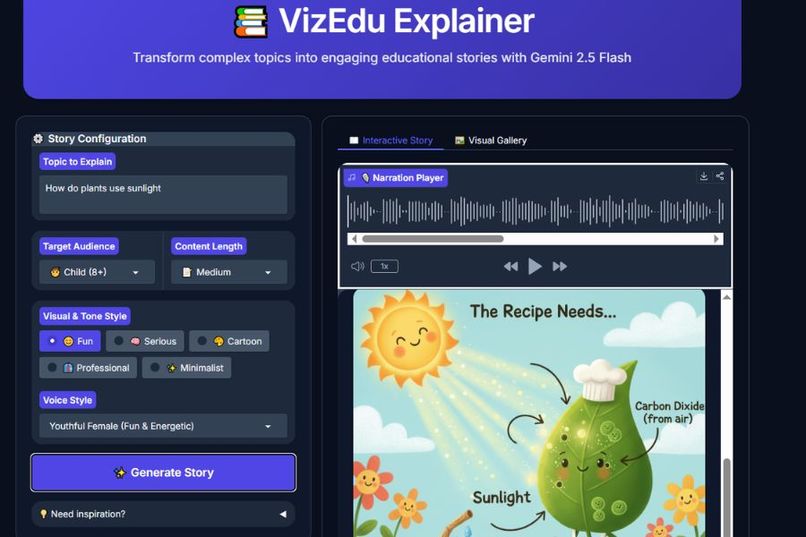
VizEdu Explainer Generation
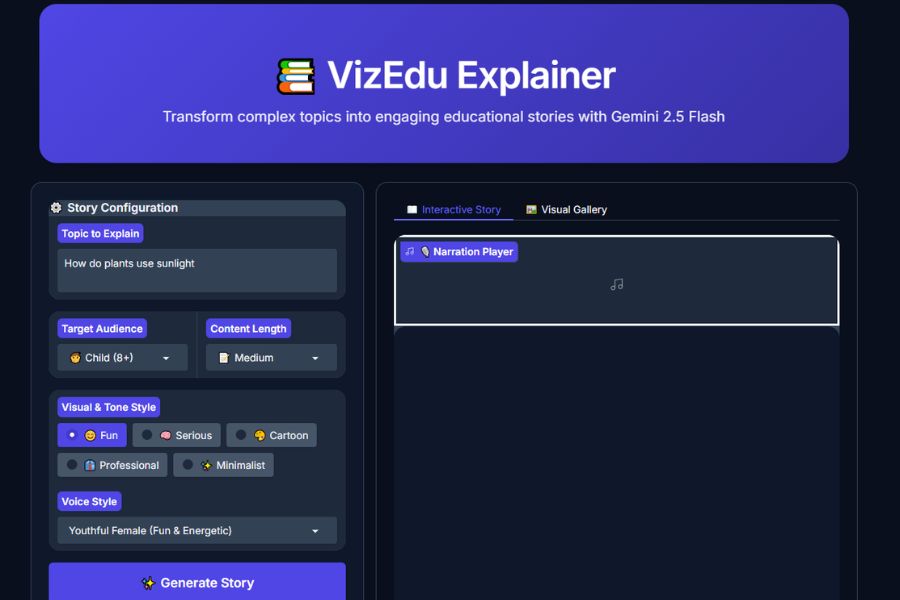
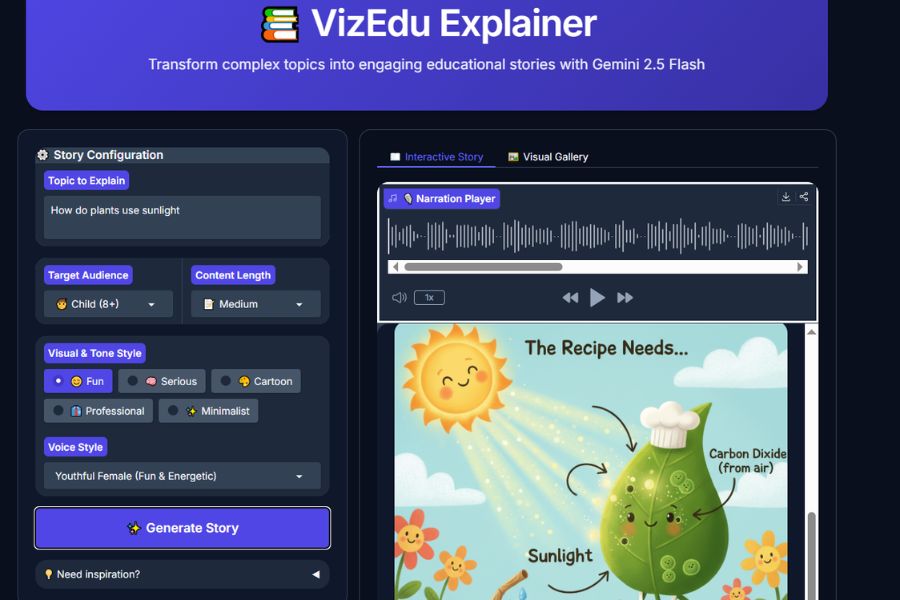
Inspiration
I’ve always been interested in creating visual explanations, diagrams and engaging materials from scratch. I also have a passion for kids education and believe they learn best when concepts are fun, visual, and told like a story. But most tools are either too basic or too complex for teachers to utilize properly.
I wanted to build something that could instantly turn any topic into a delightful, ready-to-use storybook-style explanation, complete with narration, interleaved illustrations, and voiceover, so teachers can focus on teaching rather than production and children can have a tool they can use and interact with themselves. VizEdu Explainer is my way of supporting better learning experiences for children and giving educators powerful, time-saving resources.
What it does
VizEdu Explainer is a multimodal AI agent that takes any educational topic and instantly generates a complete, child-friendly storybook experience:
- Input: A topic (e.g. "How do plants make food"), target age, desired length (short/medium/long), and tone/style (fun, serious, cartoon, etc.)
- Output: A single, fluid response containing:
- Engaging narrated story text (direct, no reasoning leakage)
- Interleaved, relevant diagrams and illustrations generated natively by Gemini
- A synchronized voice narration audio file (via Cloud Text-to-Speech)
- All assets are uploaded to Cloud Storage with public URLs and displayed in a beautiful Gradio interface.
- The entire backend runs on Google Cloud Run, making it instantly shareable and scalable.
It solves the problem of static, text-heavy explanations by making learning visual, auditory, and story-driven in seconds.
How we built it
I built VizEdu using Google’s full generative AI stack:
- Core AI: Gemini 2.5-flash-image model via Vertex AI (GenAI SDK) for native interleaved text and image output
- Frontend: Gradio for a clean, real-time web UI with inputs, markdown rendering, image gallery, and audio player
- Backend & Hosting: Google Cloud Run (containerized with Dockerfile)
- Storage: Cloud Storage for saving generated images and concatenated audio files
- Voice: Cloud Text-to-Speech (with pydub and ffmpeg for chunking long narrations >5000 bytes)
- Deployment: gcloud CLI and manual deploy (with optional Terraform IaC files included)
- Prompt engineering: Focus on strict instructions to suppress chain-of-thought leakage and force reliable interleaved diagrams
I developed iteratively in Google Cloud Shell Editor, starting with basic text generation, adding image interleaving, fixing TTS byte limits with chunking, troubleshooting Cloud Run startup/port binding, handling errors and quota limits with retries, and finally polishing the prompt for clean, direct storytelling.
Challenges we ran into
- Gemini preview models (3.1-flash-image-preview) were inconsistent with interleaved image output and leaked reasoning steps despite strong prompt instructions. Decided to revert to stable
gemini-2.5-flash-image - TTS hard limit of 5000 bytes per request. Implemented chunking and pydub concatenation to handle long narrations
- Cloud Run container failed to start / bind port 8080. Fixed with explicit
PORTenv usage, ffmpeg install in Dockerfile, and--cpu-boostand longer timeout - 429 RESOURCE_EXHAUSTED on longer generations, added exponential backoff retries and reduced test length during development ## Accomplishments that we're proud of
- Achieved true native interleaved text and image output from Gemini, no separate image calls or post-processing
- Handled long narrations cleanly with TTS chunking and audio concatenation
- Fully production-ready deployment on Cloud Run with public URL, environment variables, and Google Cloud usage
- Created a beautiful, kid-focused UI that feels like a real storybook generator
- Overcame multiple SDK, quota, container, and prompt challenges in a short time, turning a good idea into a polished, demo-ready agent
- Built everything end-to-end in Google Cloud Shell and Vertex AI ## What we learned
- Prompt engineering is critical for controlling newer Gemini models - strong "ABSOLUTELY NO" rules and explicit interleaving commands make a huge difference
- Stable models are often more reliable than previews for production-like use cases
- Cloud Run and Dockerfile needs careful attention to port binding, startup time, and missing system dependencies (ffmpeg!)
- Quota management is key when working with multimodal generation - short tests and retry logic save hours
- Gradio and Cloud Run WebSockets can be finicky in preview mode - real deployment is far more stable
- Small UX details (direct story start, clean diagrams, playable audio) make a big difference in perceived quality ## What's next for VizEdu Explainer
- Add support for multiple languages and voices (expand accessibility)
- Allow users to download the full story as PDF / MP4 video (narration and images sequenced)
- Integrate interactive branching ("What happens next?") using Gemini Live API
- Build a teacher dashboard to save/share generated explainers
- Explore better prompting for Gemini 3.x stable releases for even better diagram text rendering and story narratives
- Explore other UI formats with expanded features and functionalities
Thank you to the Google team for this inspiring challenge, I am excited to see where VizEdu can help kids and teachers next!
Built With
- apis
- cloud-services
- databases
- docker
- ffmpeg
- frameworks
- gcloud-cli
- gemini-2.5-flash-image
- google-cloud
- google-cloud-run
- google-genai
- googlecloud-text-to-speech
- gradio
- pillow
- platforms
- pydub
- python
- python-dotenv
- tenacity
- terraform-iac
- vertexai


Log in or sign up for Devpost to join the conversation.