-
-
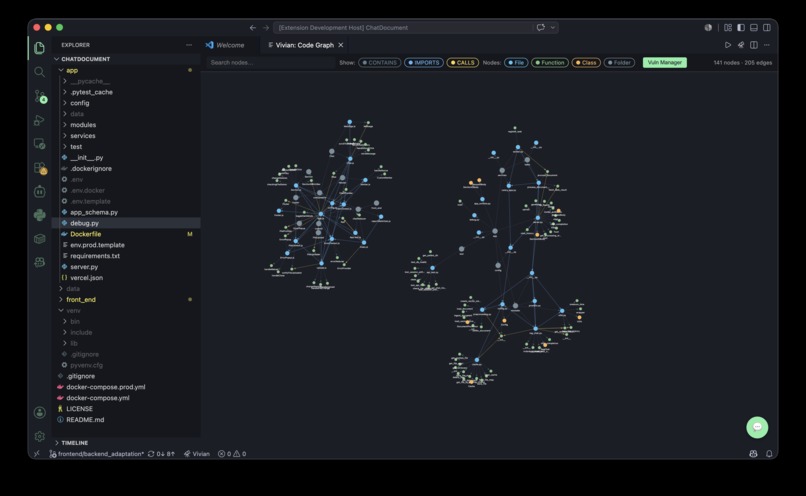
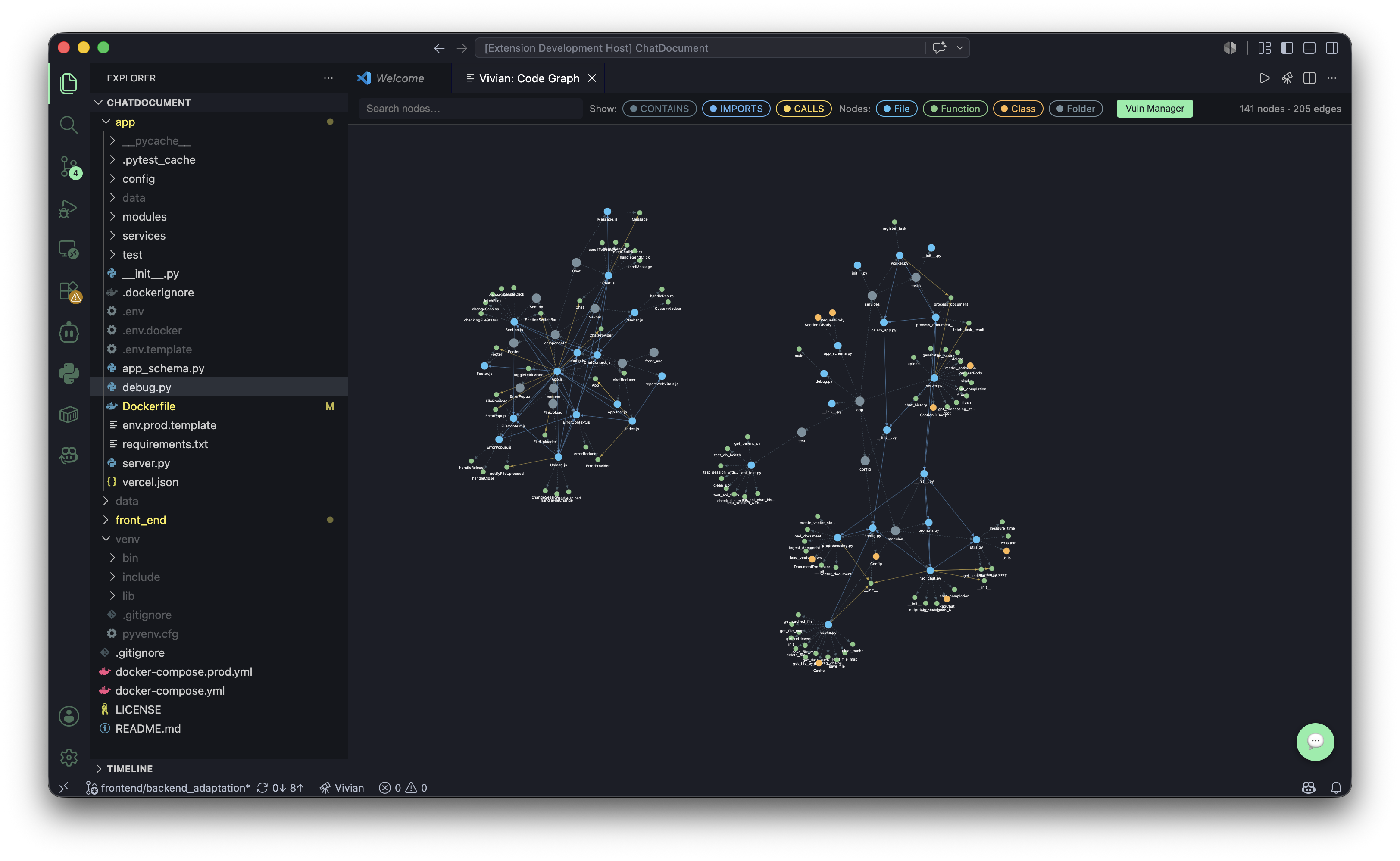
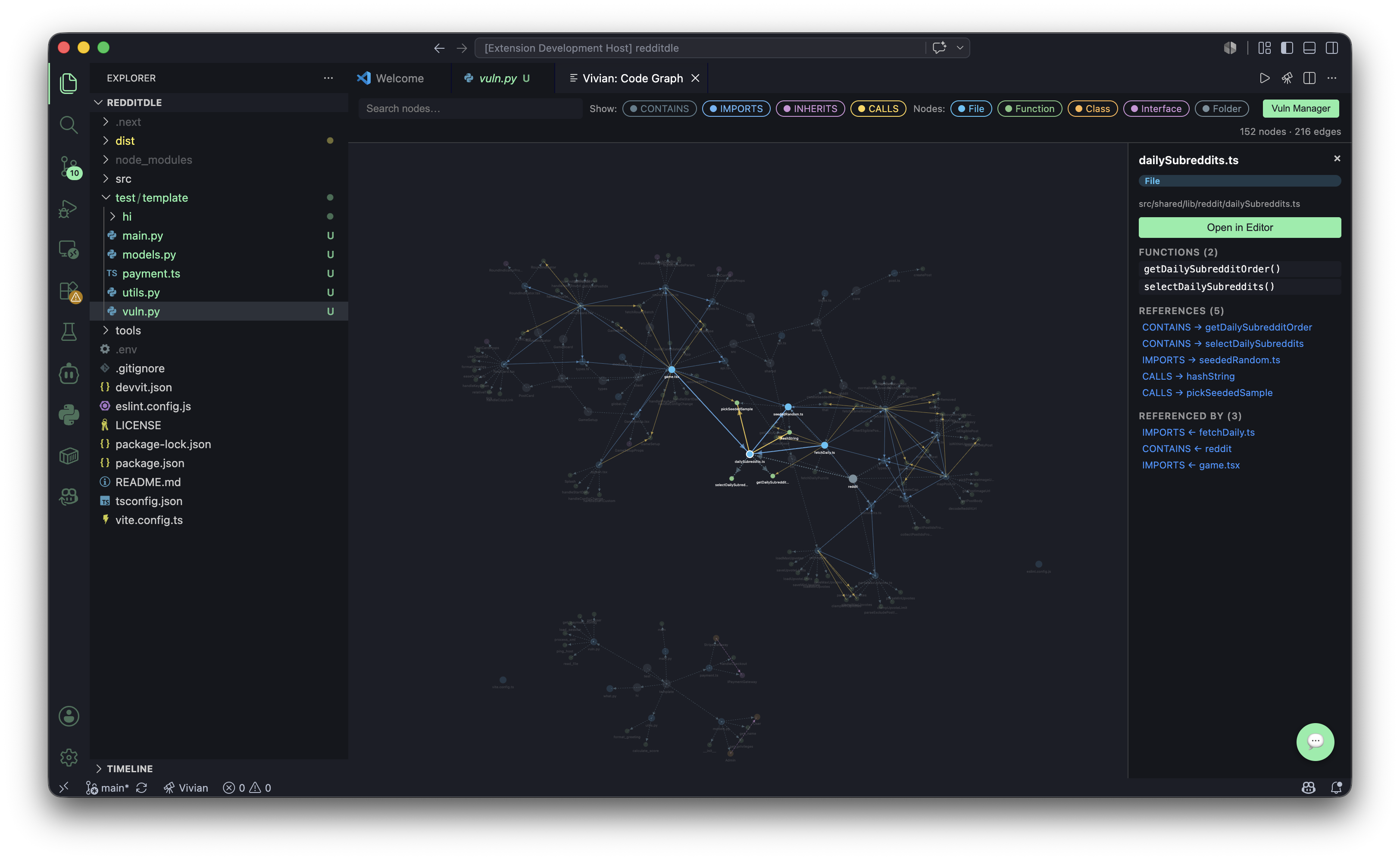
Graph
-
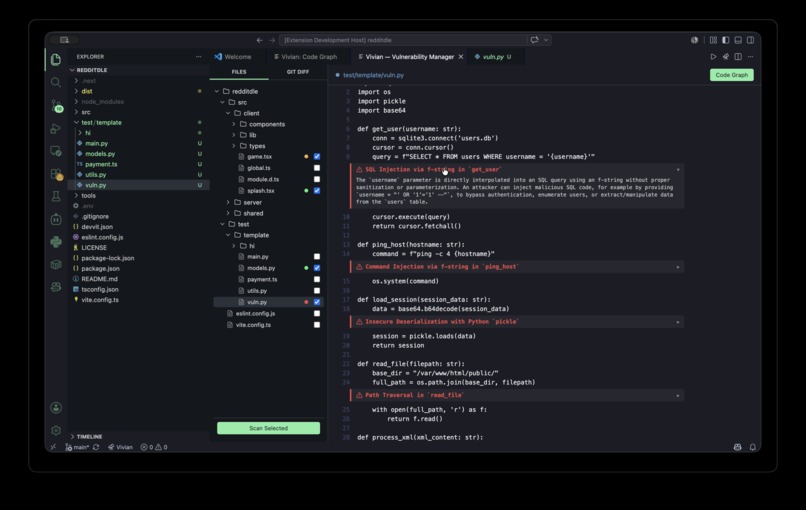
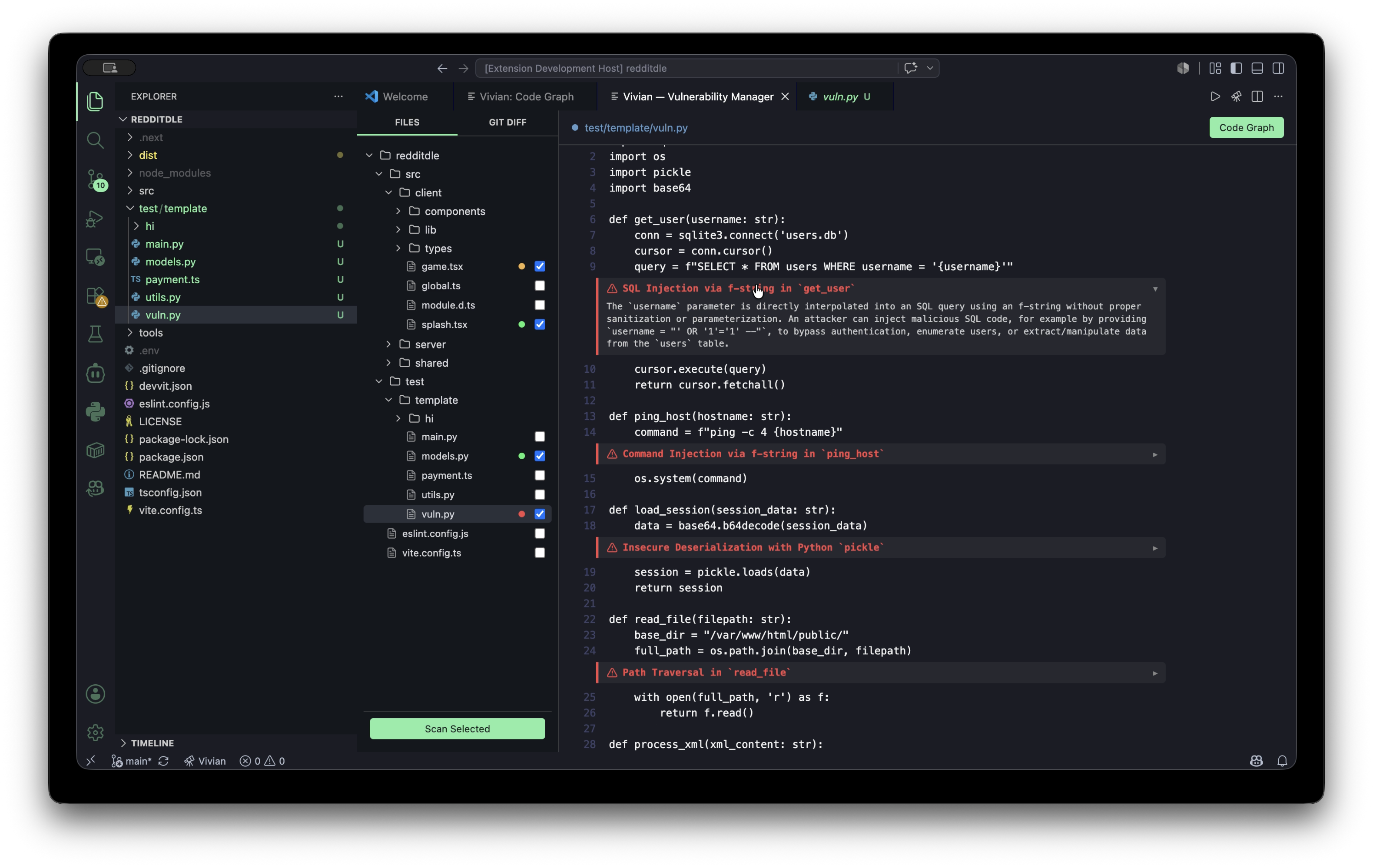
File scan
-
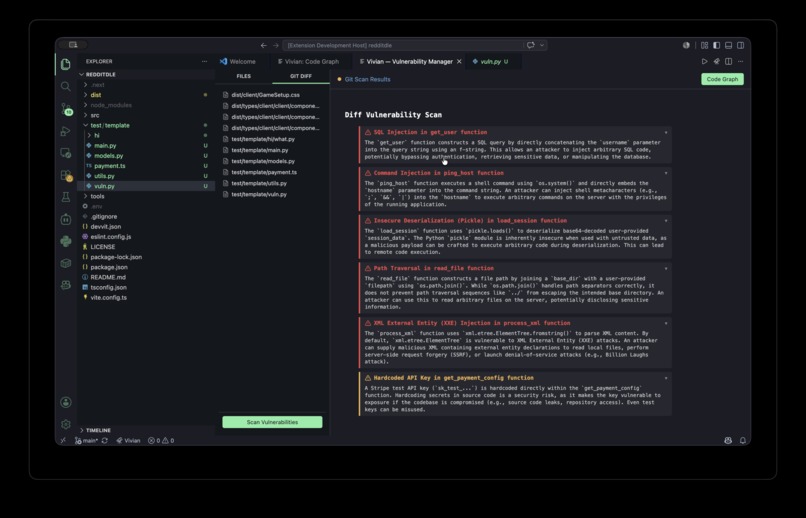
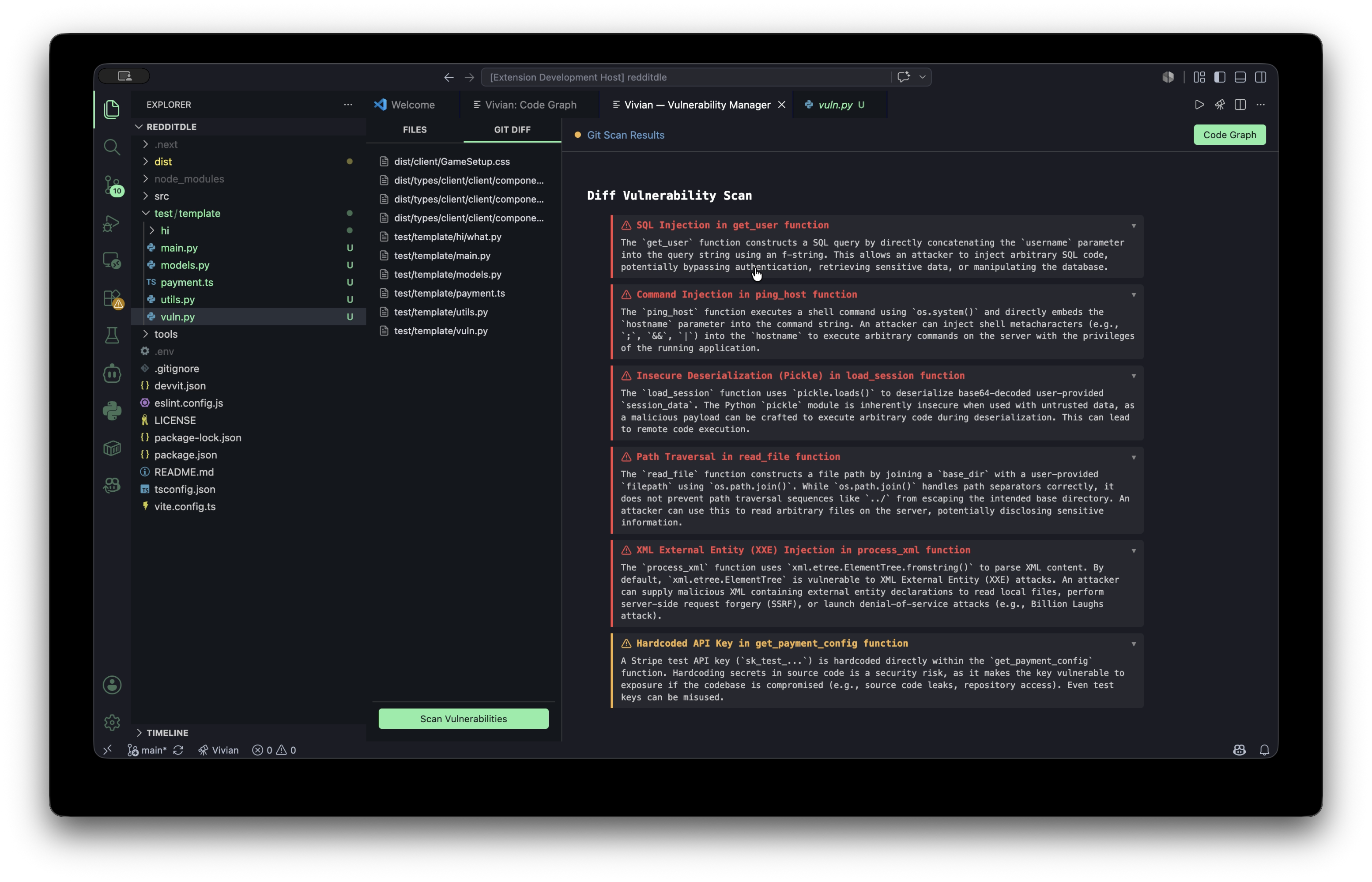
Git scan
-
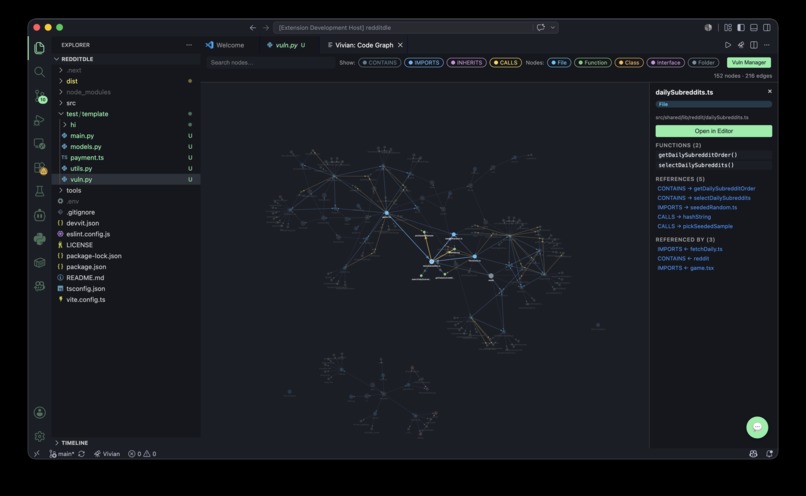
Inspiration
We wanted to solve the problem of navigating and understanding complex, large-scale codebases. Traditional file explorers don't show how everything connects, and standard AI coding assistants often lack deep structural context. We envisioned a tool that visually maps out your entire workspace and pairs it with an intelligent, agent-based AI to analyze architecture and detect vulnerabilities seamlessly.
The Cursor Approach (Text Search): When you point tools like Cursor at a folder, they open every file and read the raw text. They chop all that text into small paragraphs and save them into a hidden search database. When you ask a question, it simply runs a massive, smart keyword search across those chopped-up text blocks to find the closest match. This approach completely loses the "big picture" architecture.
The Antigravity Approach (Summary Notes): Other tools look at how your directories are organized. They read the files inside each folder and write plain-English summaries about what that specific folder does. Meaning auto-generating a giant "table of contents" for your whole project. When you ask a question, it reads its own summaries to figure out which folder has the answer. This is often too high-level and misses granular function-to-function dependencies.
The Vivian Approach (Graph Architecture): We realized that code is inherently relational, not just a collection of text documents. Vivian solves this by mapping out the actual structural relationships between files, classes, and functions. Instead of brute-forcing context by stuffing massive chunks of raw text into a prompt (which is highly token-inefficient) or relying on vague folder summaries, Vivian feeds our AI agent an optimized structural graph. This makes our method dramatically more token-efficient, faster, and cheaper, while giving the AI a native understanding of how your entire architecture connects.
What it does
Vivian is an interactive VS Code extension that turns your codebase into a living, visual map:
- Structural Analysis: It maps out and displays the intricate relationships between files, classes, and functions across your entire workspace.
- Intuitive UI: It visualizes this data as an interactive graph, making it incredibly easy to track dependencies and follow code logic.
- Integrated AI Chatbot: Users can chat with an AI assistant that natively understands the graph structure, allowing for deep, context-aware codebase analysis.
- Security Scanning: It directly scans files and Git commit histories to detect vulnerabilities and potential security flaws right within the editor.
How we built it
We built Vivian using a modern, multi-layered tech stack:
- VS Code Extension: Built with TypeScript and the VS Code API for seamless editor integration.
- Graph Display: We used D3.js to render the interactive, force-directed code relationship graphs.
- AI Backend: A robust Python backend powered by FastAPI and WebSockets for real-time communication.
- Agents: We utilized LangGraph to orchestrate our AI agents.
- LLM: Powered by the Google Gemini API to handle deep reasoning and codebase analysis.
Challenges we ran into
- AI Hallucinations: When building our AI agents, we struggled with hallucinations. It was initially very difficult to determine if the AI was actually reading the code correctly or just making things up. We had to implement rigorous testing to ensure the AI's outputs were accurate and grounded in the actual codebase.
- Chat System & WebSockets: Integrating a stable, real-time chat system between the TypeScript frontend and Python backend via WebSockets proved challenging.
- Git Scanning Complexity: We overcomplicated the git scanning process at first. For example, if a user added a large folder like
/test, our git integration would just report the folder name. However, our FastAPI backend was designed to scan individual.pyfiles, so it didn't know what to do with a directory. We eventually solved this by writing logic to recursively traverse any folder down to its final destination, extracting all the individual files needed for the git scan.
Accomplishments that we're proud of
We are incredibly proud of successfully creating a working multi-agent system from scratch in such a short amount of time. We managed to build custom tools for our LangGraph agents and get them to collaborate and communicate effectively with each other. Turning this complex idea into a fully functioning, interactive reality within the hackathon timeframe was a massive win for us.
What we learned
We learned a massive amount about agentic AI architectures and how to effectively ground LLMs using LangGraph tools. We also gained deep insights into the VS Code API, D3.js data visualizations, and how to bridge TypeScript frontends with Python backends. Most importantly, we learned that breaking down complex tasks (like scanning a folder vs. scanning a file) into atomic steps is crucial for AI agents to succeed.
What's next for Vivian
- Deeper Responses: Currently, chatbot responses can sometimes be fragmented or lack depth. We plan to improve the agent's reasoning to provide much more comprehensive and detailed answers.
- Scaling to Legacy Projects: Our current testing has been on relatively small scopes. We need to optimize Vivian to handle massive, legacy enterprise codebases without performance bottlenecks.
- Simplified Prompting: Right now, users sometimes have to provide a lot of manual context in their prompts. We want to automate context-gathering so the prompting experience is frictionless.
- UI/UX Polish: We will continue to refine and simplify the user interface to make the graph navigation and chat experience as intuitive as possible.
Built With
- d3.js
- langraph
- python
- typescript

Log in or sign up for Devpost to join the conversation.