Inspiration
You can spend weeks building a project and still struggle with a simple interview question: why did you build it that way?
Most interview practice starts with a question bank. Your own code barely enters the conversation. A general chatbot can help rehearse an answer, but it usually has no dependable way to check whether that answer describes what your project actually does.
VivaCode starts with the project. Give it a public GitHub repository, choose the role you want to practise for, and have a technical conversation with an interviewer that can refer back to the implementation.
What it does
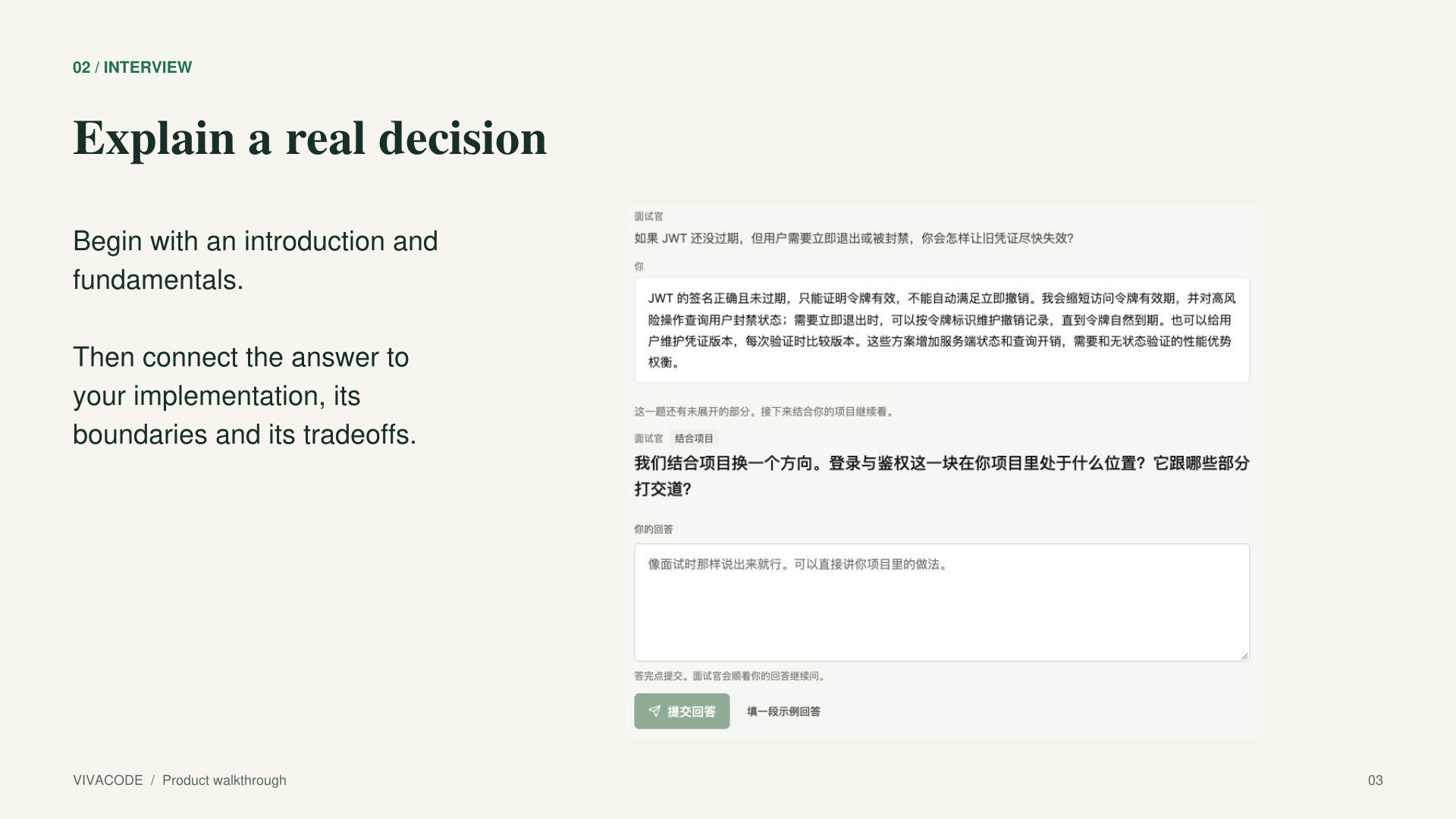
VivaCode is an AI interview practice tool built around your own code. It connects fundamentals, project design and engineering tradeoffs in one conversation, then turns the answers into a concrete revision plan.
Prepare the project and the person
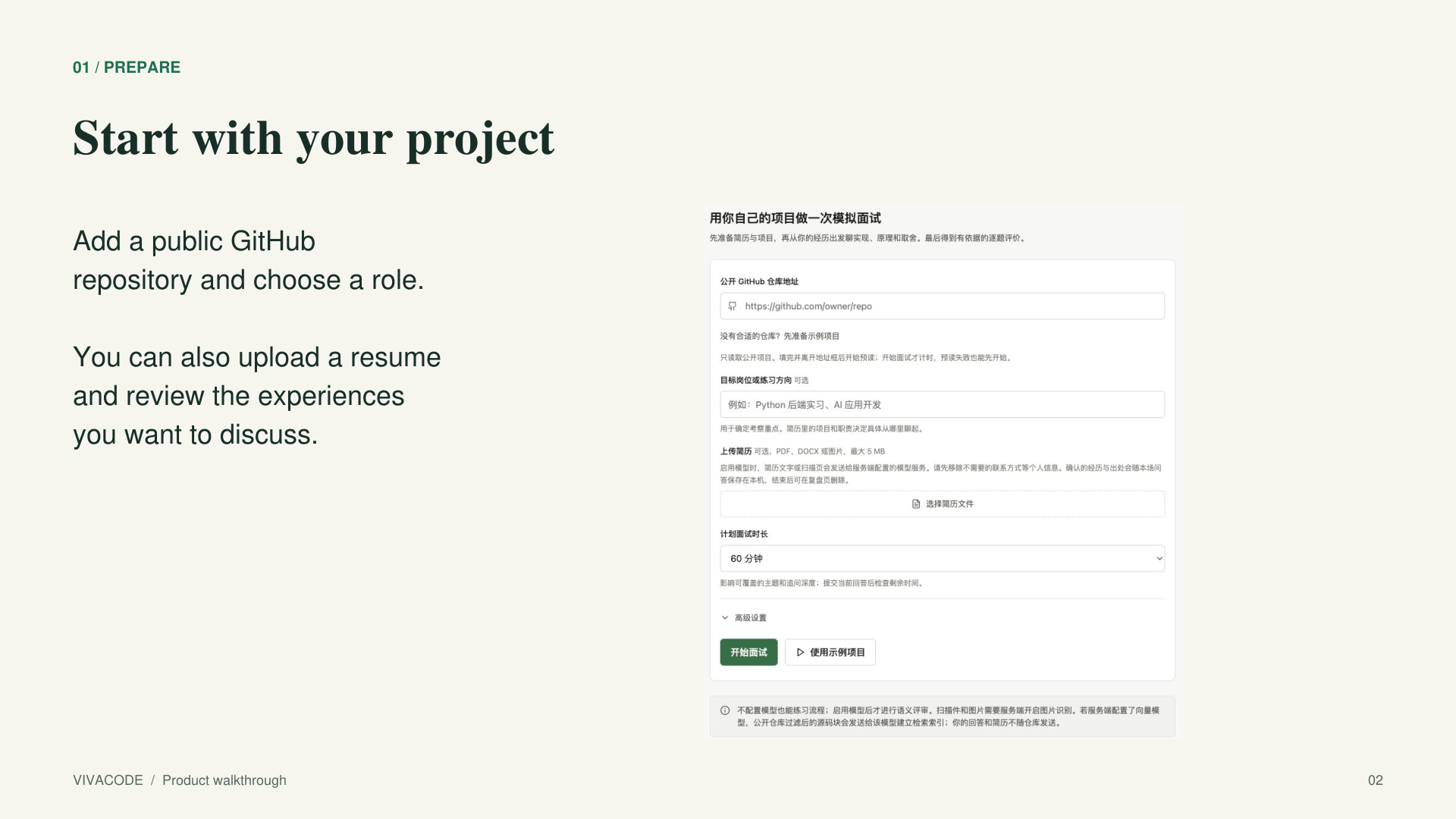
The setup page accepts a public GitHub repository and an optional resume. PDF, Word documents and images can be used to prepare experience notes. Before the interview, you review the extracted projects, responsibilities and technologies and choose what you want to discuss.
Repository preparation runs separately from the conversation. The interview opens with an introduction and foundational questions while the code is being read. A built-in FastAPI project also makes the complete workflow easy to try.
Let the answer shape the next question
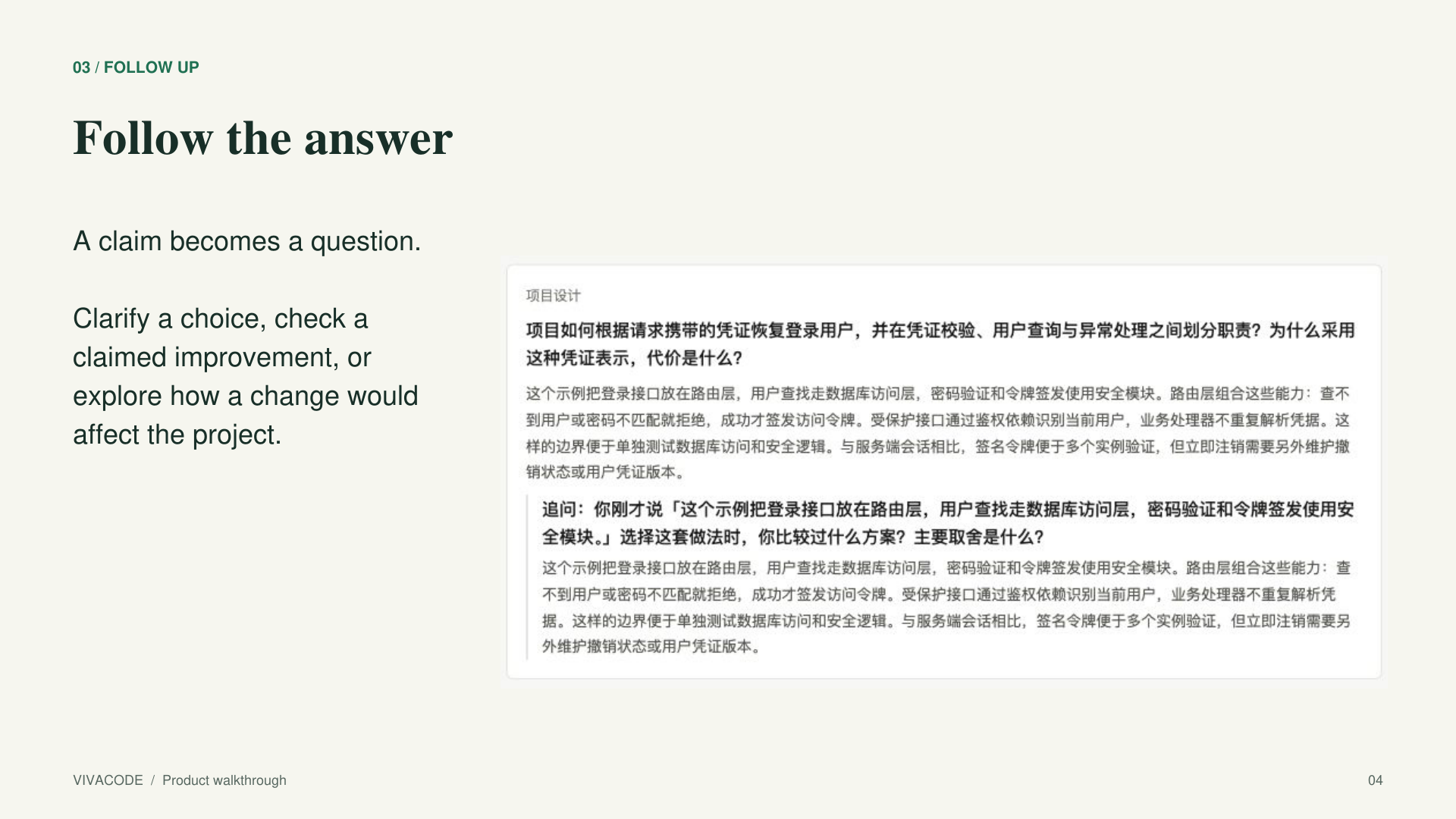
The interviewer can ask for clarification, examine a design decision, explore a tradeoff, or move to another topic. Follow-ups can focus on a claimed improvement, a change in requirements, a failure scenario or the boundaries of someone's responsibility.
For example, saying that a change improved performance creates a useful opening: what was measured, what was the baseline, and under what workload? The point is to practise explaining an engineering decision, including the evidence behind it.
The interview keeps track of topic coverage, previous questions and the remaining time. Follow-ups have limits so that one interesting detail does not consume the whole session.
Get feedback you can inspect
Each assessed question has its criteria and supporting material fixed before the answer is submitted. The model evaluates the response point by point. The application then checks that the quoted answer text and supporting references really exist.
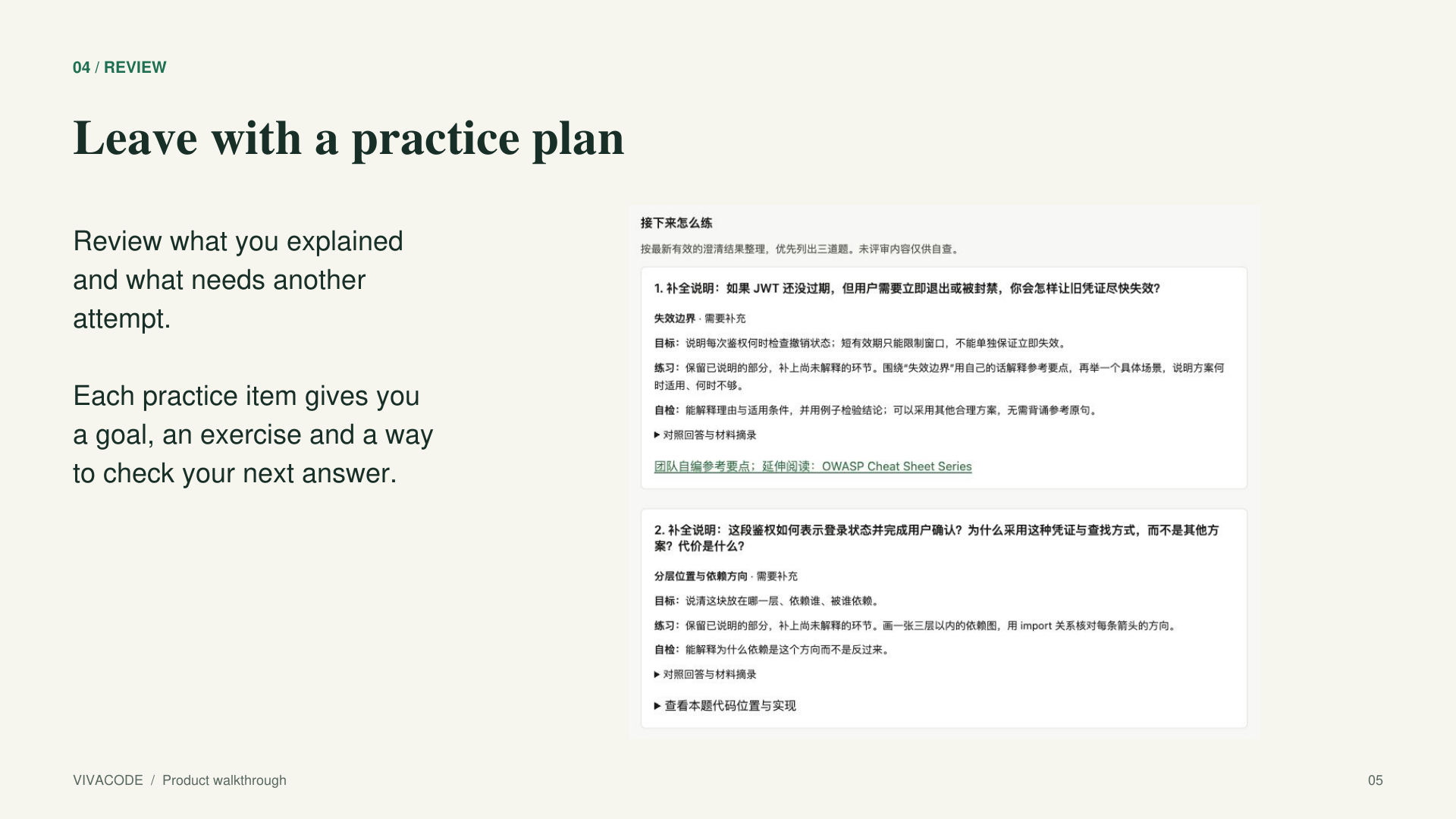
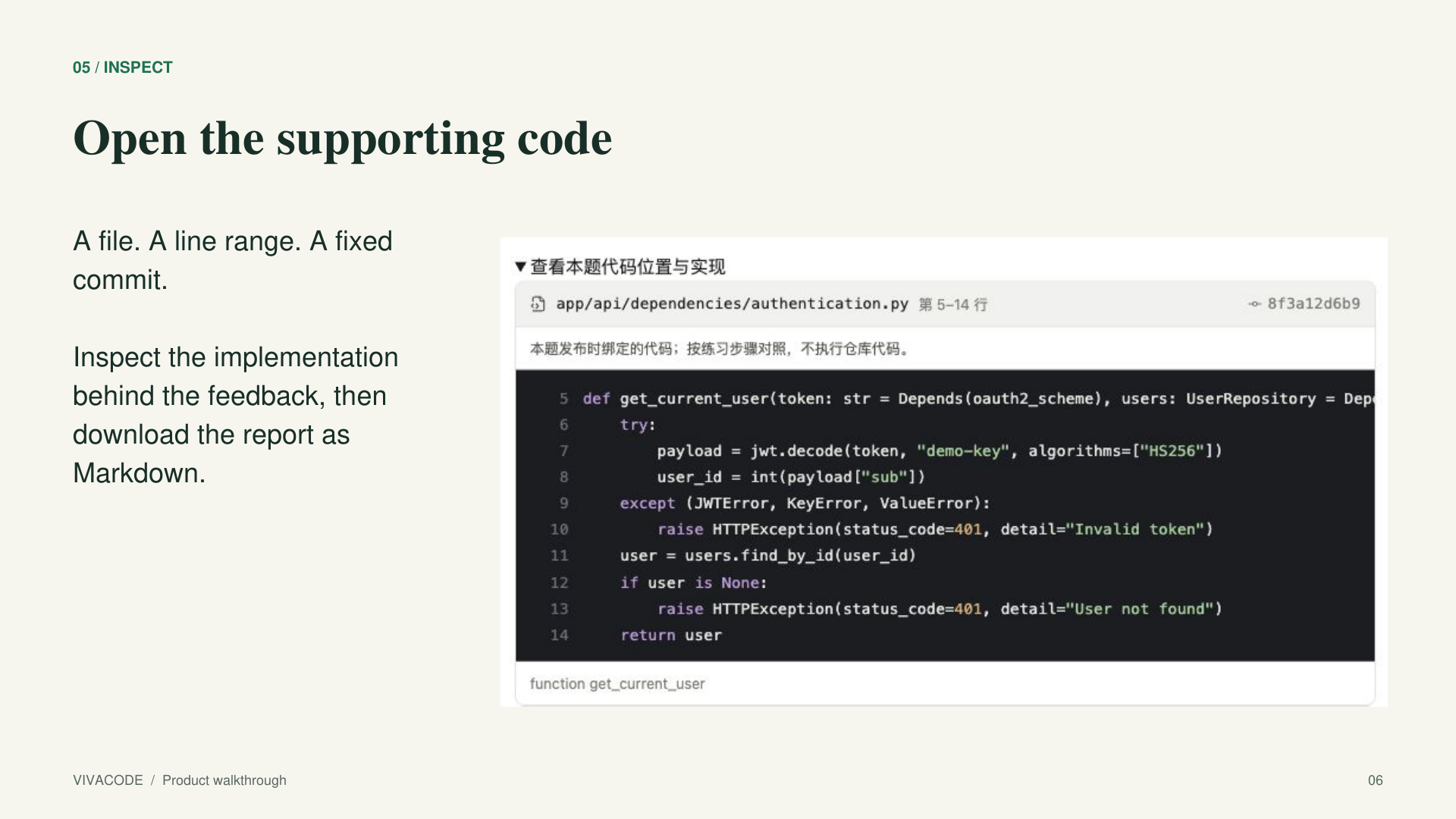
The final report shows what was explained clearly, what needs another attempt, and which code is worth revisiting. Project references include the file, line range and pinned commit. A short practice plan gives a goal, an exercise and a way to check the next answer. The report can be downloaded as Markdown and kept beside the project.
See why the interviewer asked
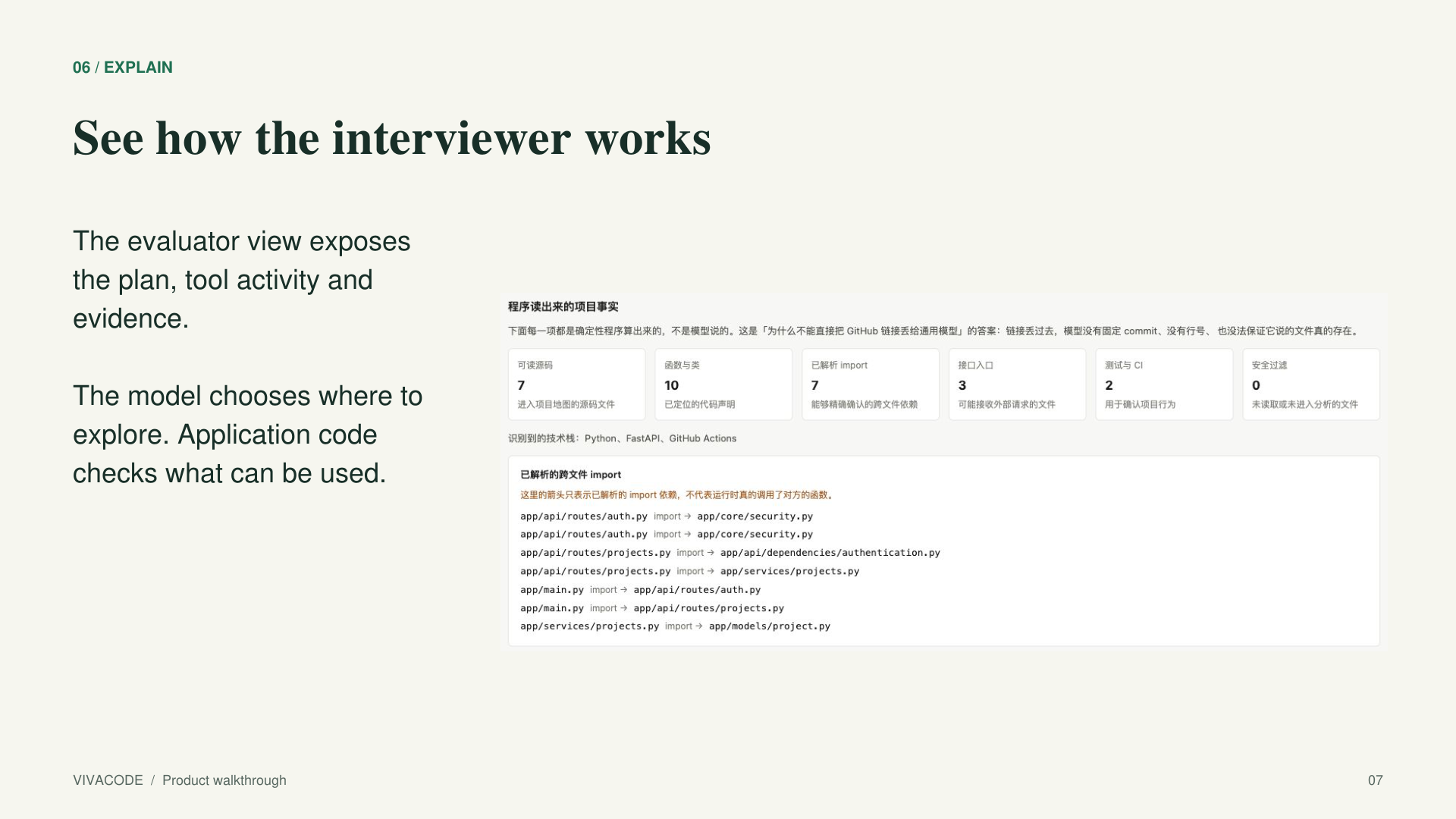
A separate evaluator view shows the interview plan, follow-up triggers, tool activity and the evidence behind the questions. It lets judges inspect the connection between a response, the next question and the underlying code. The candidate's interview screen stays focused on the conversation.
How we built it
The backend uses Python, FastAPI and Pydantic. The frontend uses React, TypeScript and Vite. Python AST and Tree-sitter extract code structure, while SQLite FTS5/BM25 supports code retrieval. The demonstration uses gpt-5.6-luna through an OpenAI-compatible API.
The AI planner has four read-only tools: search code, read discovered evidence, inspect dependencies and search the question catalogue. It chooses from questions that the application has already admitted. Repository files are tied to a fixed commit, and code references are checked before they are used.
Semantic assessment and next-question planning are separate steps. That separation matters: finding a new piece of code during planning should not change the criteria used to evaluate the answer that was just given.
We also built explicit limits for model calls, tool use and waiting time, plus persisted sessions that can recover after a restart. The application reads repository content without running the submitted project's code.
Engineering challenges and what we learned
The interesting challenge was keeping the conversation natural while making its technical claims inspectable. A useful interviewer needs room to explore; a useful review report needs stable evidence.
We gave those responsibilities to different parts of the system. The model interprets answers and chooses where to go next. Application code controls the repository snapshot, admissible questions, references and quotations. That made it possible to explain a follow-up in terms of an actual answer and an actual implementation.
Another lesson was to treat the report as part of the practice session. A learner should leave knowing what to open in their editor and what to explain differently on the next attempt.
What we are proud of
The strongest part of VivaCode is the connection from conversation to code to practice. The project you bring affects the questions. Your answers affect the follow-ups. The report leads you back to specific material in that same project.
The evaluator view makes that connection visible, while the candidate experience remains a straightforward interview.
Impact and what's next
VivaCode is built for students and early-career developers who want to explain work they have actually done. A capstone project, a course assignment or a personal repository becomes material for repeated, focused practice.
Next, we want to make repeated sessions easier to compare, extend the range of supported project structures, and build practice paths with feedback from learners and experienced interviewers. The direction is simple: help developers become better at explaining their decisions, using their own work as the starting point.
Built With
- fastapi
- python
- react
- sqlite
- typescript


Log in or sign up for Devpost to join the conversation.