-
-
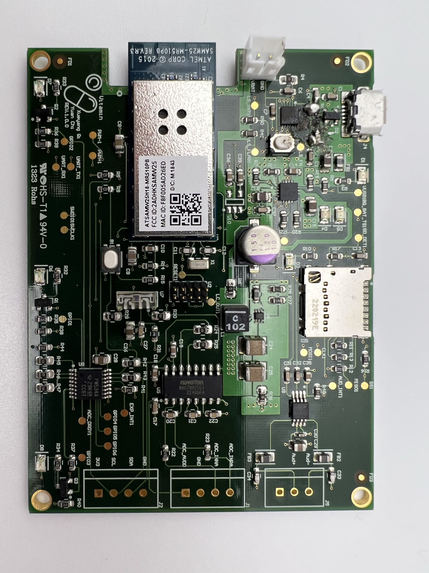
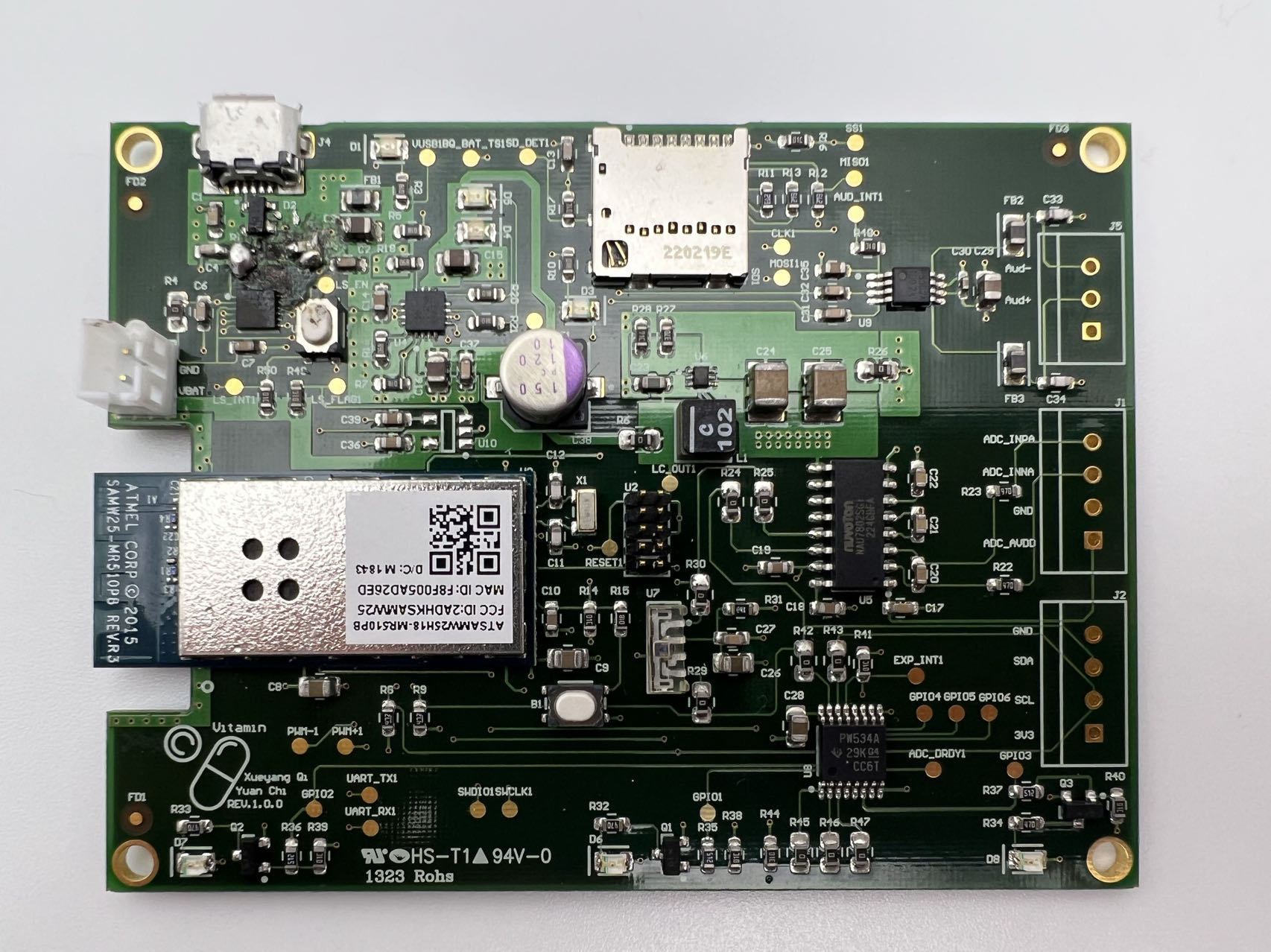
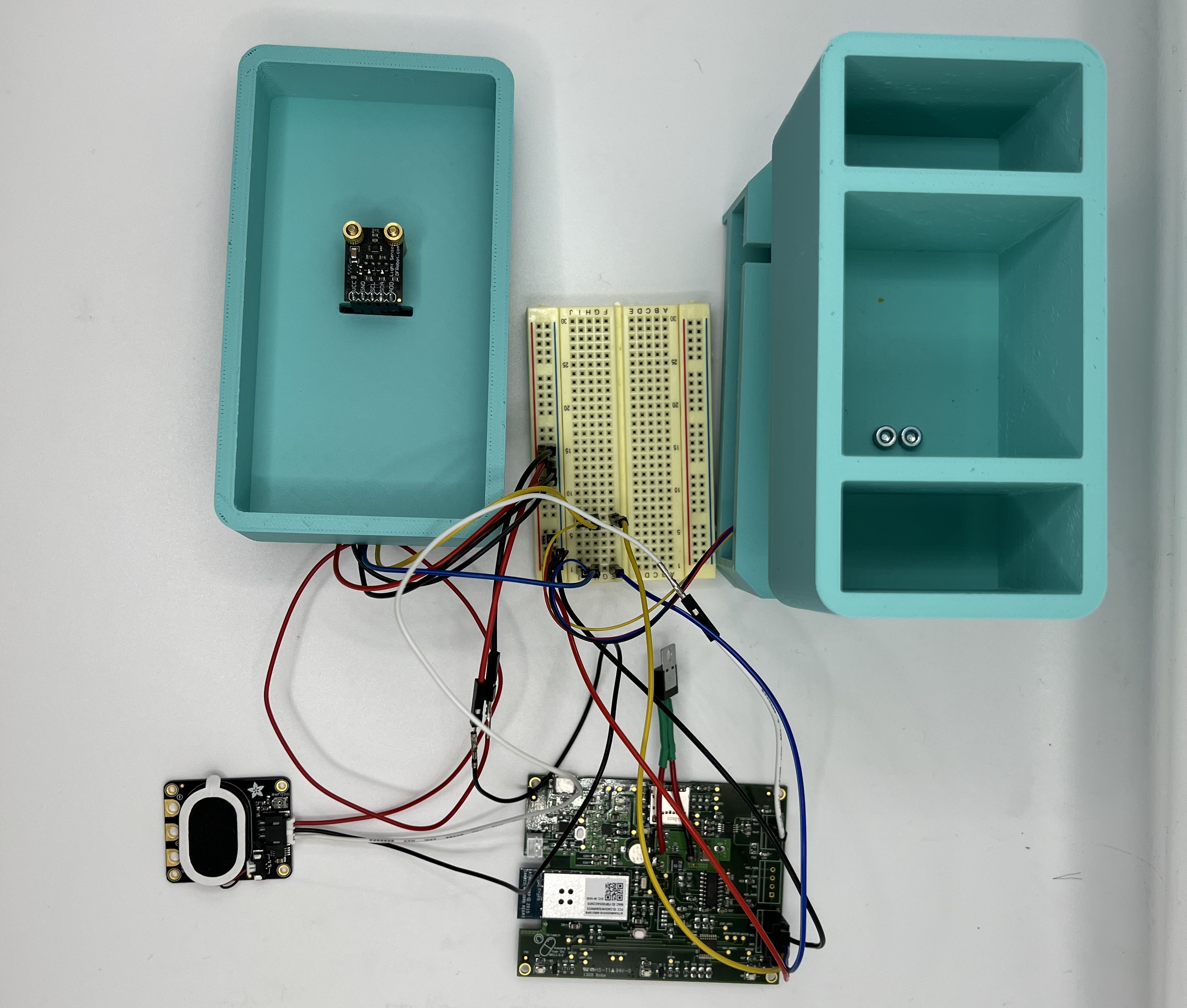
Top View of board
-
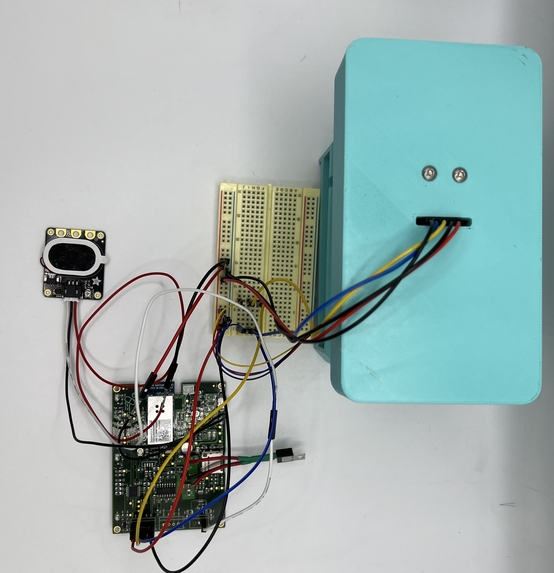
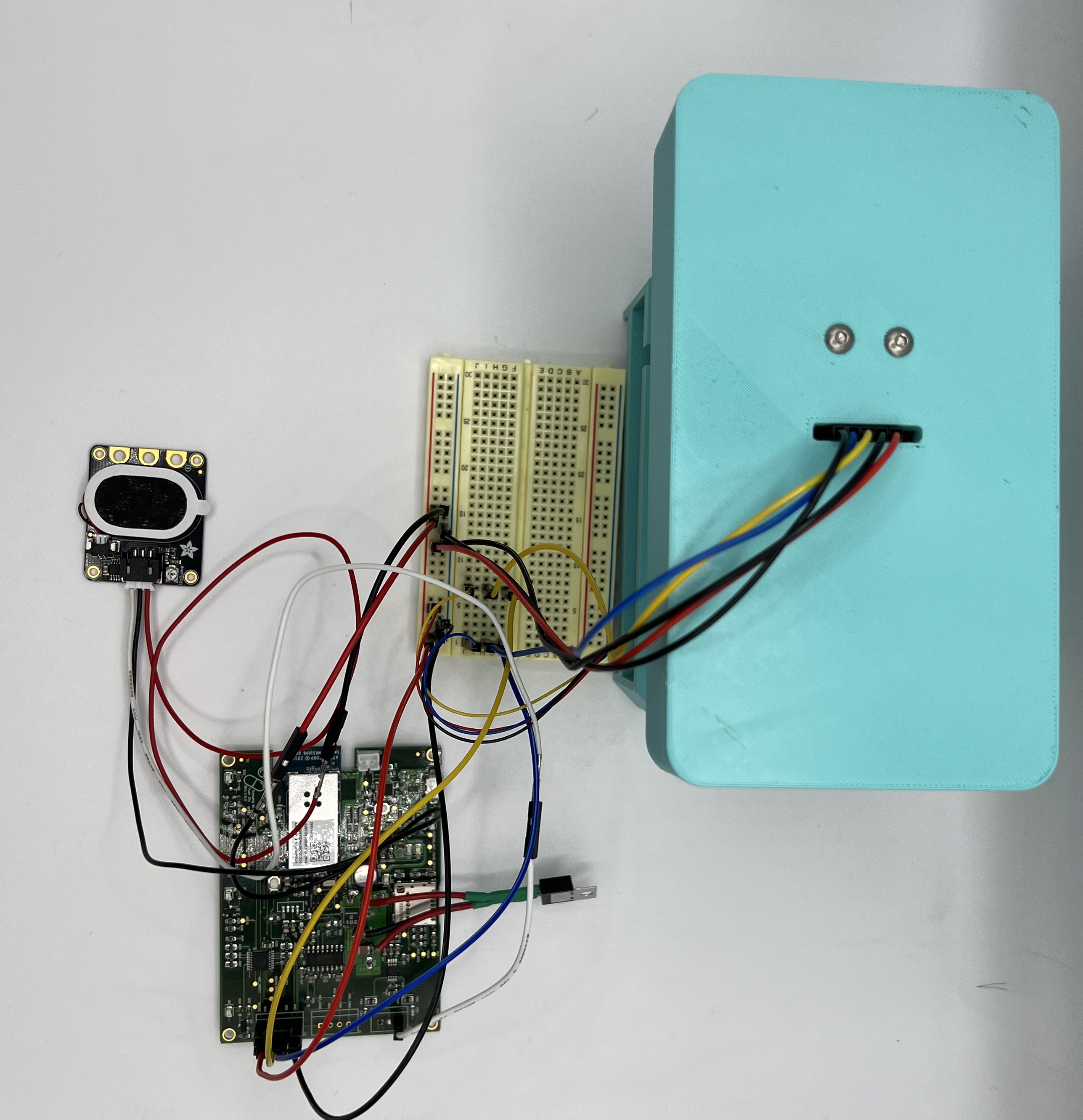
Top view of design
-
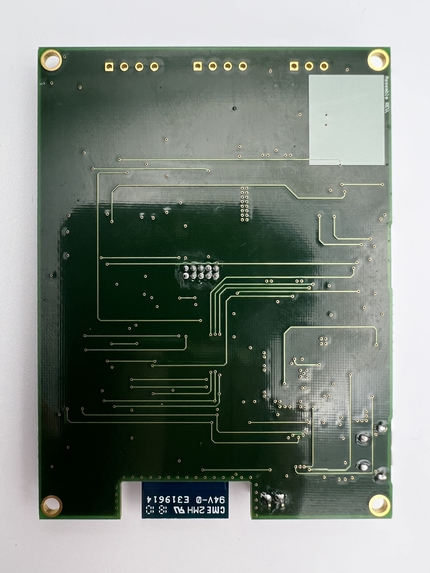
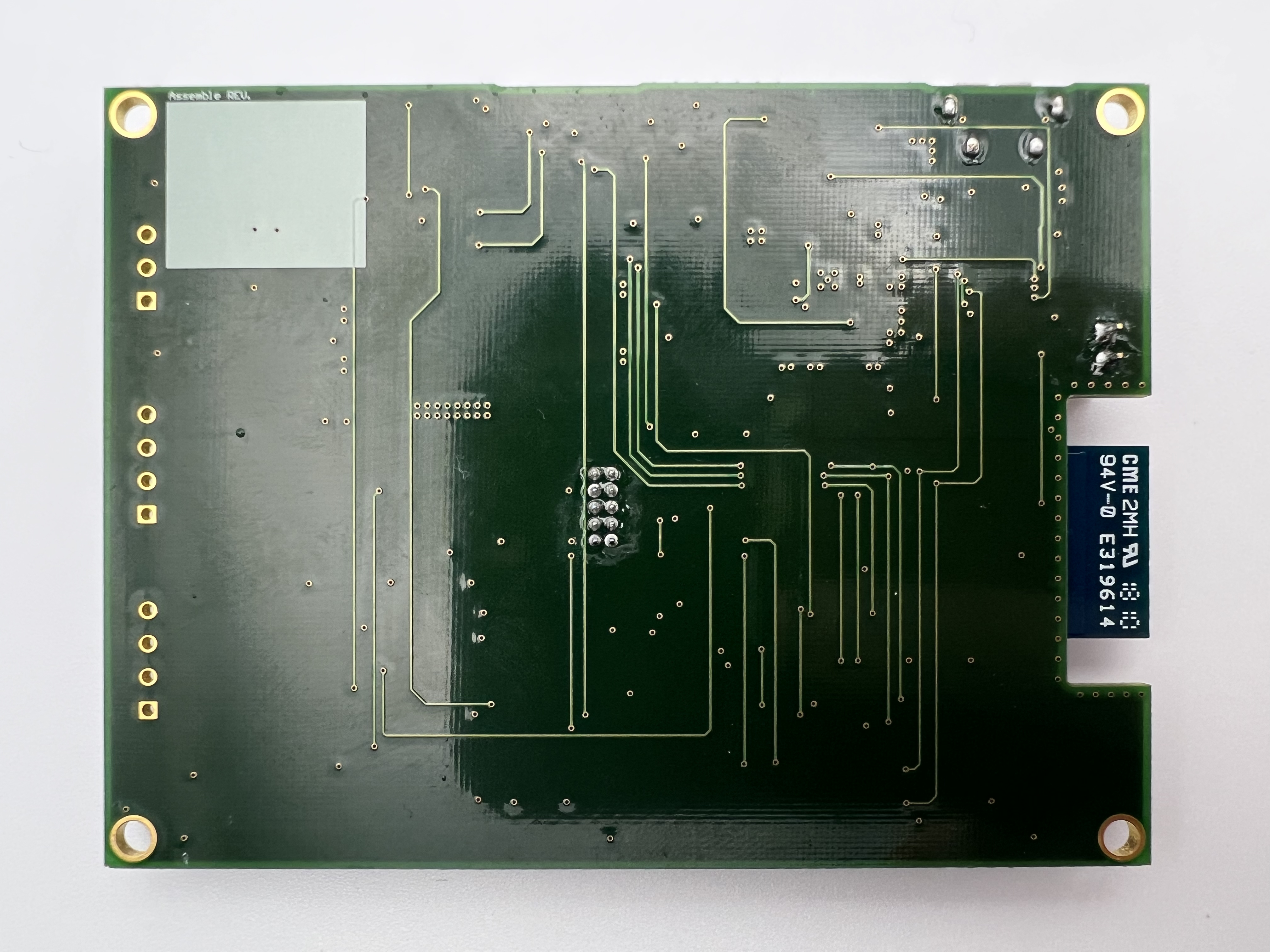
Bottom view of board
-
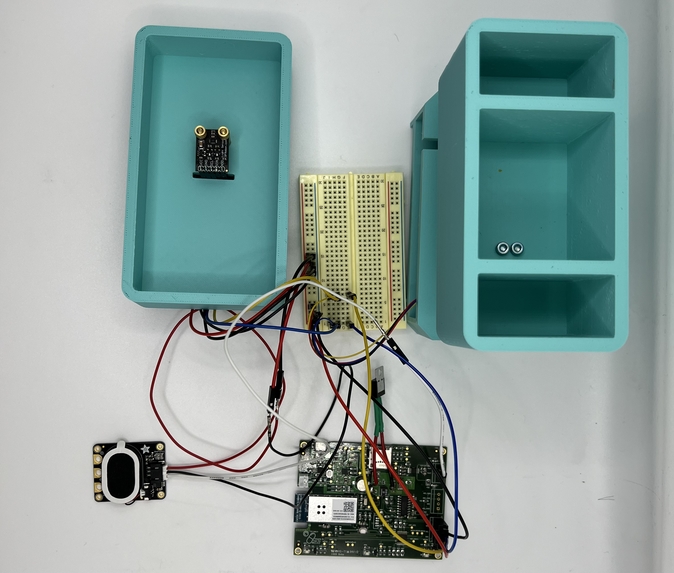
Inside view of design
-
Inspiration
In today's fast-paced world, people are placing greater emphasis on their physical well-being. Many individuals now incorporate daily vitamin intake as a means to enhance their immune system. However, with hectic schedules, it's common to forget to take these supplements at the designated times. Therefore, our objective is to design a smart pill box that can effectively remind users to take their vitamins regularly, thereby promoting their overall health and well-being.
What it does
- Users can locate the smart pill box by activating the speaker in Node-RED.
- Users can create customized pill-taking schedules using Node-RED.
- The weight sensor integrated into the pill box can accurately measure its weight and transmit the data to users. By receiving this information, users can easily determine when the pill box needs to be refilled, ensuring an adequate supply of pills.
- Through the integration of weight and brightness data, the MCU (microcontroller unit) can accurately determine when the user has taken their pills and update the pill-taking schedule in real-time.
How we built it
Our smart pill box system is designed with several critical components to facilitate its functionality. Here's an explanation of these components and how they work together:
Pill Box Structure: Our pill box is designed to securely hold individual compartments for each day's vitamins. It is divided into three compartments, each containing the required dosage for a specific time of day.
Sensors: The smart pill box incorporates various sensors to enable its intelligent features. These sensors may include:
- Weight Sensor: A weight sensor is integrated into the pill box to measure the weight of the entire box. It enables the system to detect changes in weight when pills are removed, indicating that a dose has been taken or if the pill box needs to be refilled.
- Ambient Light Sensor: An ambient light sensor measures the brightness level in the surroundings. It can be used in combination with other data to determine when the user is taking the pills.
Microcontroller Unit (MCU): The MCU acts as the brain of the smart pill box system. It processes data from the sensors, controls the timing and triggering of reminders, and manages the overall functionality of the system.
Actuators: Actuators are the components responsible for producing the desired actions based on the system's input and instructions. In our smart pill box system, we include a speaker, to inform users where the pill box is seated.
Connectivity: Our smart pill box system incorporates Wi-Fi to communicate with users. This allows users to set schedules, receive notifications and track their vitamin intake.
UI Interface: We use node-RED to build our UI interface. This provides a user-friendly interface for setting up schedules, receiving notifications, and monitoring vitamin intake history.
By integrating these components, the smart pill box system can accurately track vitamin intake, provide timely reminders, and ensure efficient management of the user's supplement routine. The sensors detect interactions, the MCU processes data, and the actuators generate alerts, creating a user-friendly and effective medication management system.
Challenges we ran into
Issue: Insufficient GPIO ports on the MCU chip.
-Solution: To address this issue, we have incorporated a 3-8 I/O expander IC into our system. This allows us to expand the number of GPIO ports available, overcoming the limitation of the MCU chip.
Issue: Lack of corresponding footprints for certain chips found on the internet.
-Solution: We resolved this by meticulously studying the datasheets of the chips and creating the footprints ourselves using Altium. By following the specifications provided in the datasheets, we ensured accurate and custom footprints for the specific chips we used.
Issue: Designing the PCB layout for the buck converter.
-Solution: To tackle this challenge, we closely followed the layout guidelines outlined in the datasheet of the buck converter IC. By adhering to the recommended layout practices and considering factors such as component placement, signal routing, and thermal management, we designed an optimal PCB layout for the buck converter.
Issue: Transferring brightness and weight data using the I2C bus.
-Solution: We initialized the I2C chips based on their respective datasheets, configuring them appropriately for our system. To facilitate the data transfer, we utilized the I2CWriteDataWait() and I2CReadDataWait() functions provided in the I2CDriver.c file, ensuring reliable communication over the I2C bus.
Accomplishments that we're proud of
- We autonomously chose sensors, actuators, ADC, and buck converter chips, and we took charge of designing the PCB layout ourselves.
- Our PCBA (Printed Circuit Board Assembly) operates flawlessly and exhibits an exquisite design, reminiscent of a masterpiece.
- We effectively integrated I2C and PWM drivers for our sensors and actuators, facilitating smooth communication and control between them.
- Utilizing node-RED, we crafted a user-friendly UI interface that guarantees effortless navigation and utilization of the system for our users.
What we learned
For PCB design, we utilized Altium Designer to implement our design into a physical product. This involved careful component selection, considering factors such as voltage, current, and power consumption to ensure optimal system performance. During schematic design, we learned to create hierarchical block diagrams to facilitate understanding of our design by other engineers. In the PCB layout phase, we utilized practical techniques such as bypass capacitors, pull-up resistors, and ground polygons to improve circuit performance and functionality.
In Microchip Studio, we gained experience using new MCUs. Our process began with learning to use the MCU's I/O ports and internal clock. We then focused on communication protocols such as UART, I2C, and SPI, enabling us to read data from sensors via serial port and download firmware online using an SD card.
What's next for Vitamin
In the future, we have the option to incorporate a screen in front of the pill box, allowing users to view the pill-taking schedule directly on the screen in addition to accessing it online. This provides a convenient visual display for users.
Furthermore, we can consider adding three LEDs to each partition of the pill box. This way, when users open the box, they can easily identify which type of pill they should take based on the illuminated LED associated with that particular partition. This visual cue enhances user experience and simplifies pill identification.


Log in or sign up for Devpost to join the conversation.