-
-
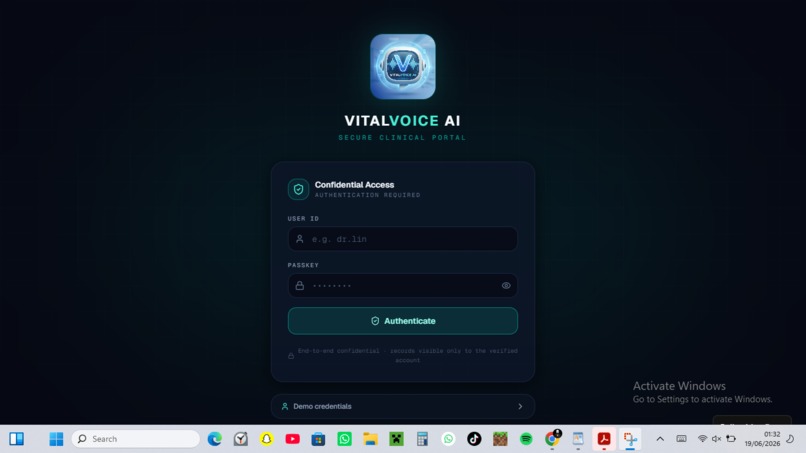
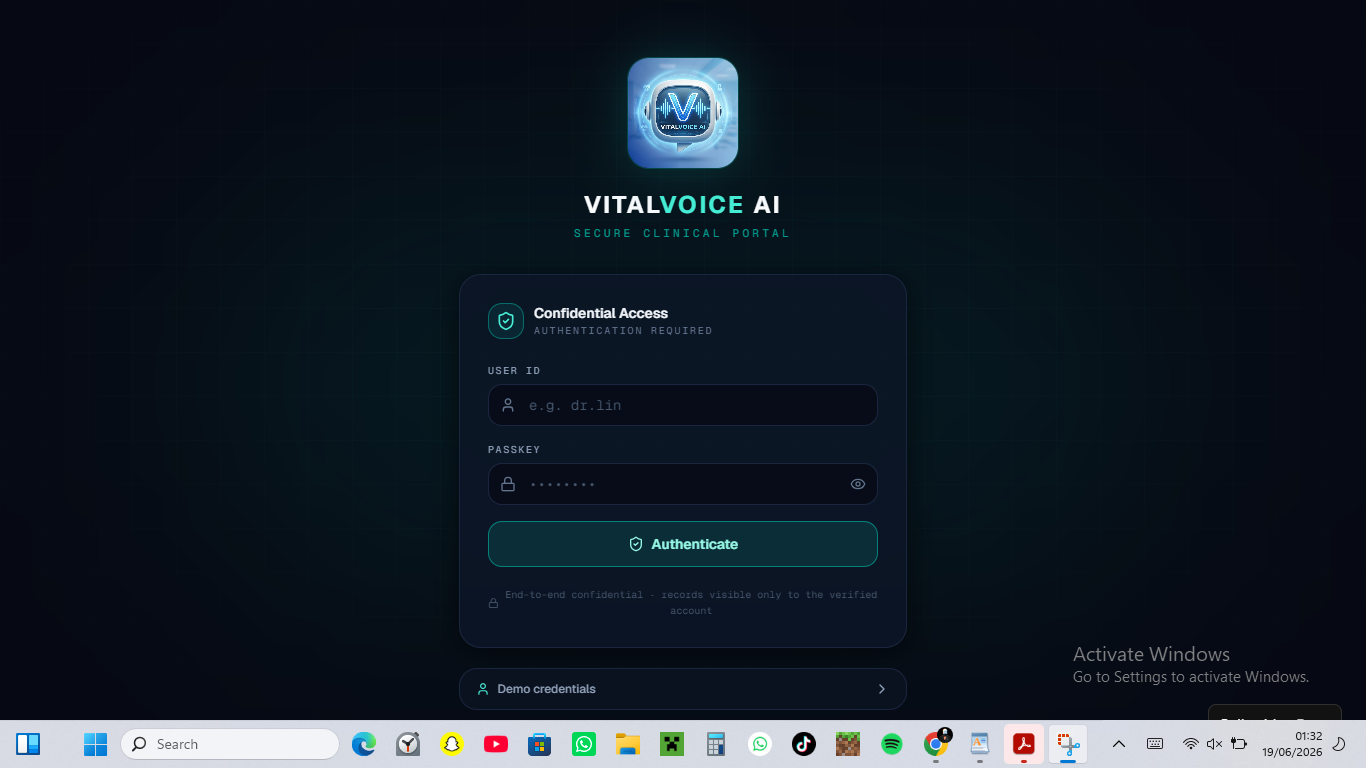
log in page
-
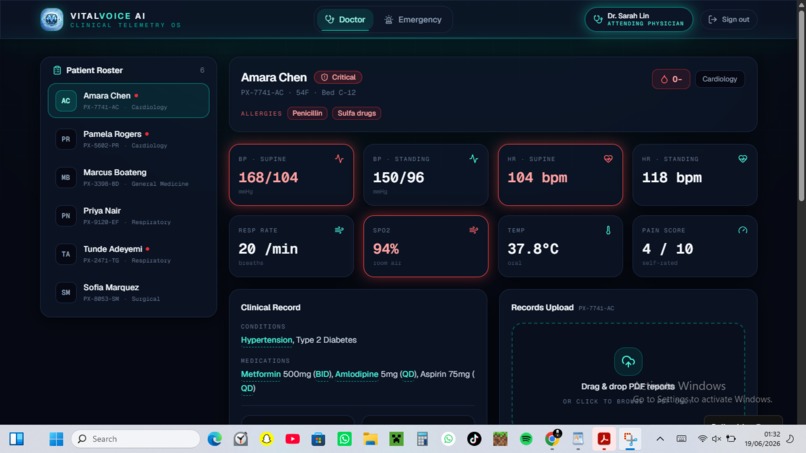
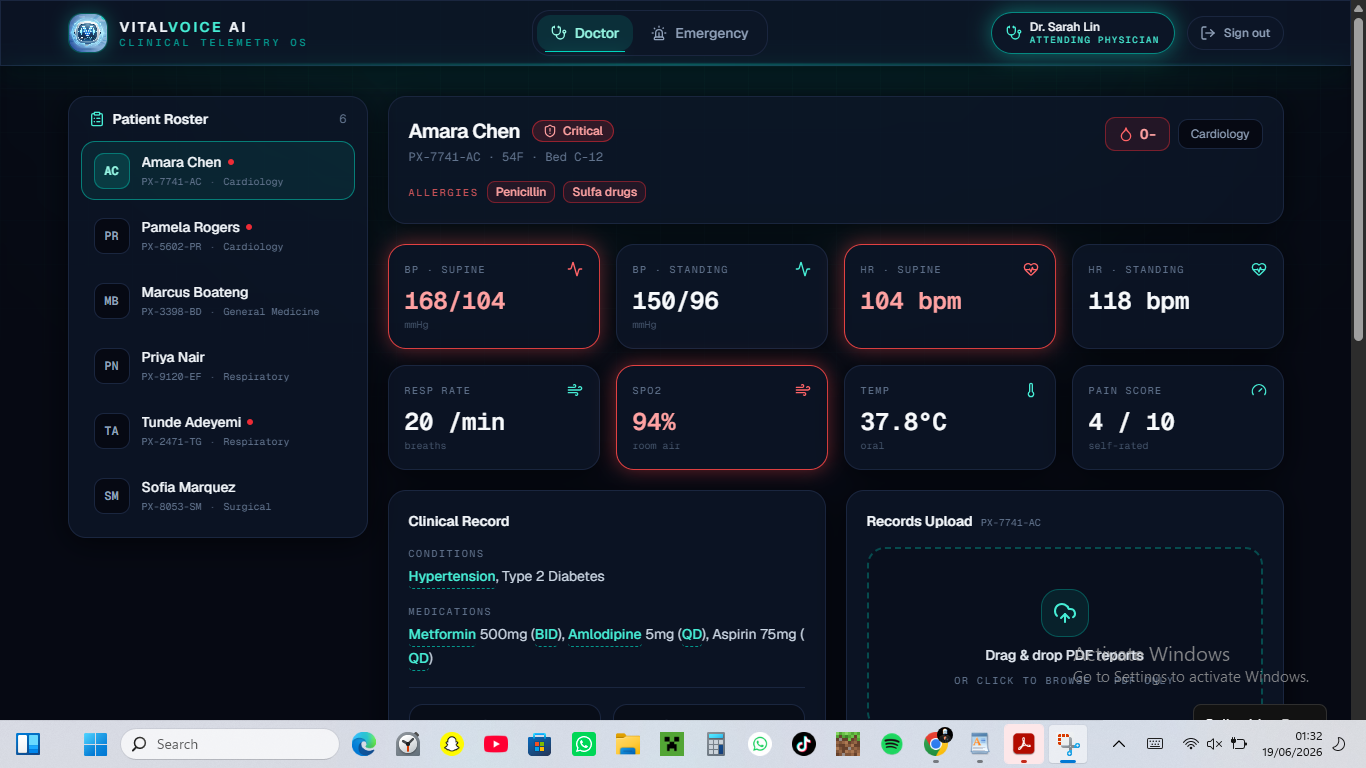
Doctors portal
-
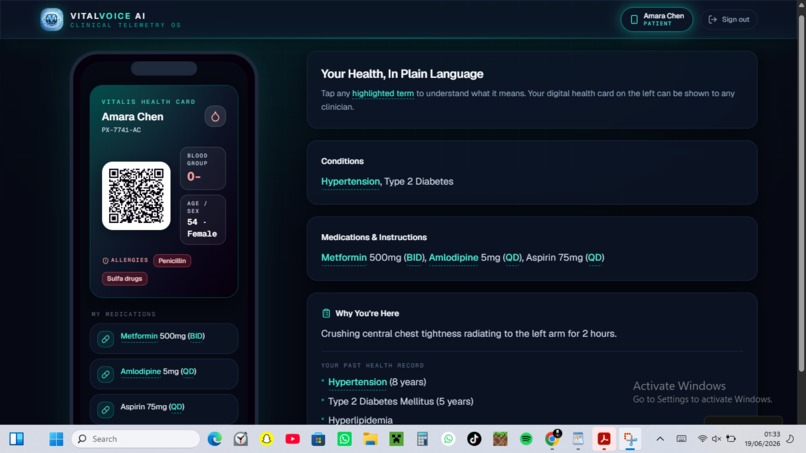
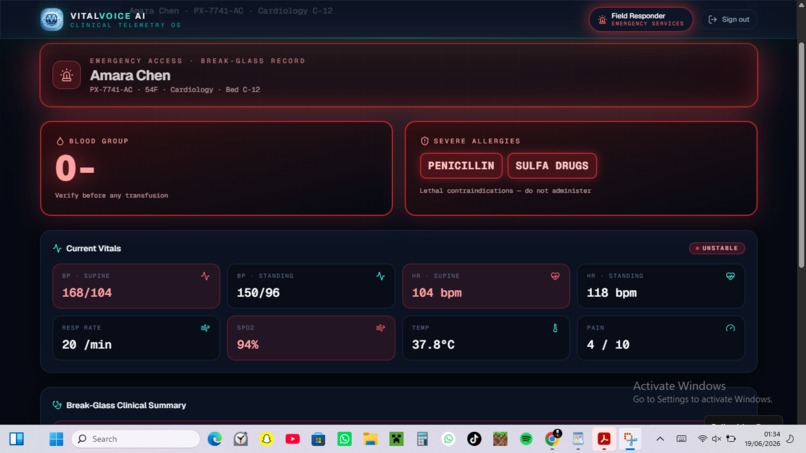
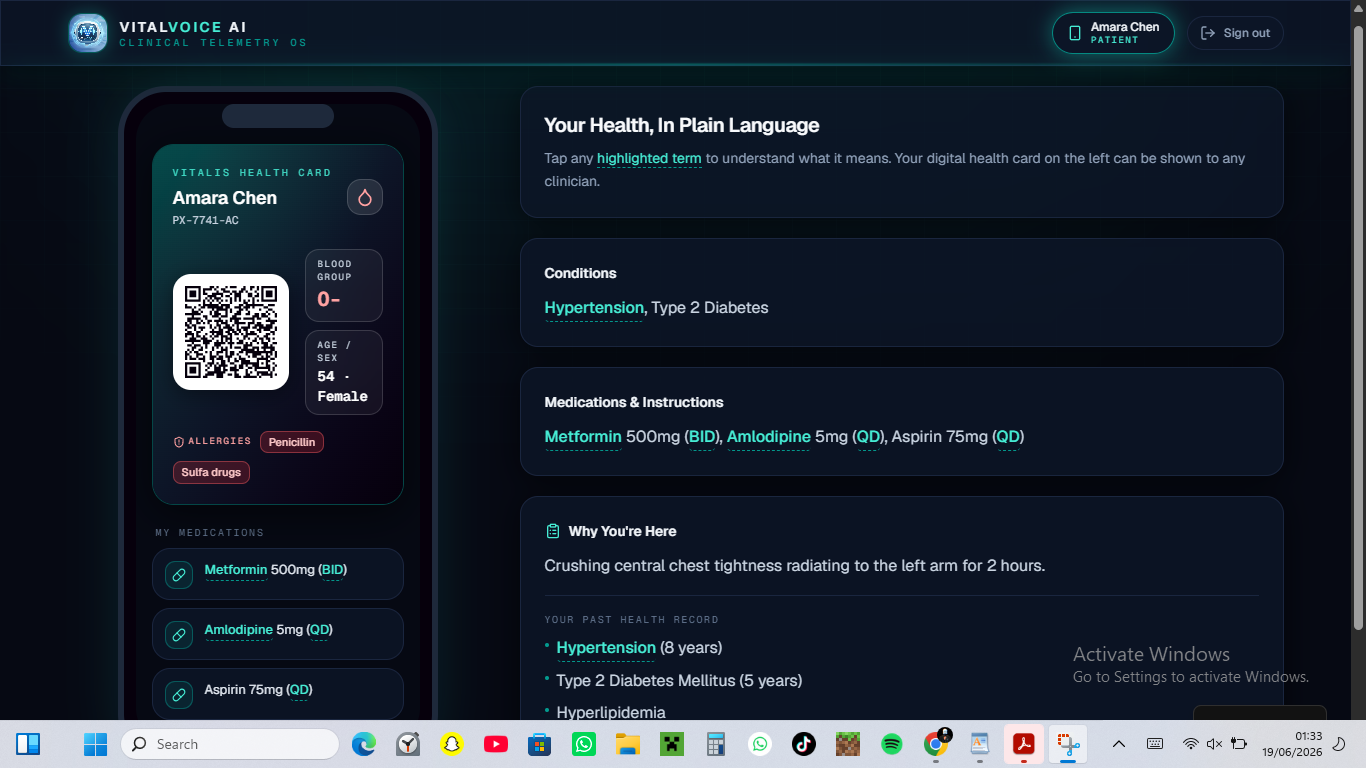
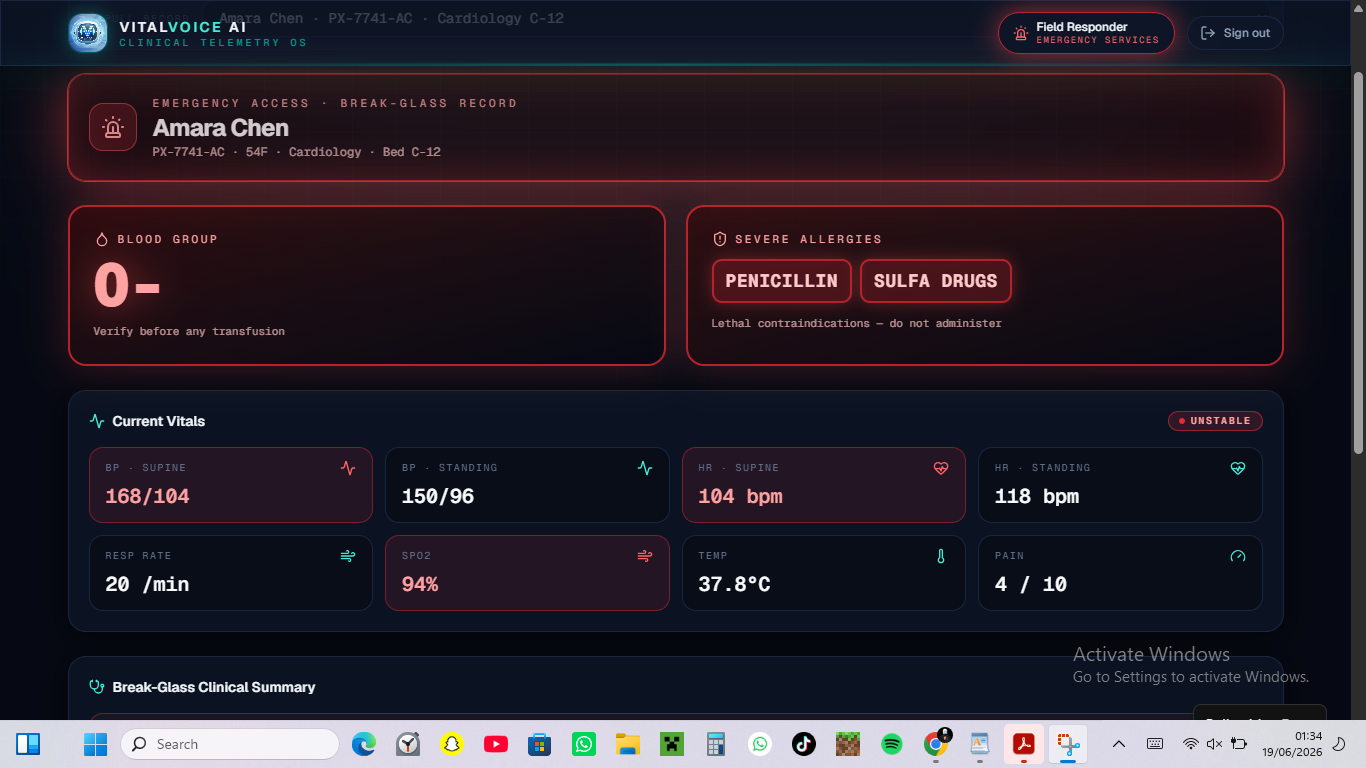
patients emergency card view/ Patients portal
-
💡 Inspiration
Every day, in hospitals across the world, the same silent crisis plays out.
A nurse walks into a patient's room without a clear picture of who that patient is — scrambling through paper notes, calling for records, piecing together a history that should have been at her fingertips. A doctor finishes a consultation and the patient leaves nodding, pretending to understand, but privately terrified and confused about what their lab results actually mean. An assistant spends hours manually updating records that were never designed to talk to each other.
Healthcare is not failing because of a lack of skill or compassion. It is failing because of a lack of connected, intelligent information flow.
That is the problem VitalVoice was built to solve.
We asked ourselves one question: what if every person in the care journey — the doctor, the nurse, and the patient — had exactly the right information, in exactly the right format, at exactly the right moment?
VitalVoice is our answer.
🏥 What It Does
VitalVoice is a full-stack AI-powered clinical intelligence platform with three purpose-built portals — one for each role in the care journey. Each dashboard is completely separate, designed from the ground up for the specific needs of that user.
🩺 Admin Portal — For Doctors & Their Assistants
The Admin Portal is the nerve centre of VitalVoice. This is where patient records live, grow, and are maintained with clinical precision.
Doctors and their assistants can:
- Create and manage complete patient profiles — personal information, blood type, allergies, emergency contacts, and demographic data all in one place
- Build a full medical history — log diagnoses and conditions with onset dates, clinical status (active, chronic, resolved), and detailed notes
- Prescribe and track medications — every drug, dose, frequency, and prescribing physician recorded and visible at a glance
- Document every visit — date, department, attending doctor, reason for visit, clinical notes, and a full set of vitals (BP, HR, temperature, SpO2, respiratory rate, weight)
- Record and store lab results — paste raw lab data directly into the patient record for later retrieval and AI explanation
- Generate an instant AI clinical briefing for any patient — powered by Google Gemini, producing a structured summary of conditions, medications, vitals trends, and clinical alerts in seconds
This is not just a records system. It is a living, intelligent clinical file that gets smarter every time it is updated.
👩⚕️ Clinical Portal — For Nurses & Rounding Staff
The Clinical Portal was designed with one goal: give nurses everything they need to walk into a patient's room fully prepared — in under 10 seconds.
Nurses and clinical staff can:
- See every patient on the ward at a glance, with active condition count, blood type, allergies, and last visit date on each card
- Generate a full AI rounding briefing with one click — the system pulls the patient's entire record and sends it to Google Gemini, which returns a structured briefing including:
- A 2–3 sentence clinical patient summary
- All active conditions with clinical notes
- Current medications and their clinical relevance
- Recent vitals with trend analysis and any concerns flagged
- Nursing priorities — a ranked list of what to focus on during this round
- Suggested questions to ask the patient during rounds
- Clinical alerts for anything that needs immediate attention
- Run a live NEWS2 deterioration risk score — enter the patient's current vitals and Gemini applies the full National Early Warning Score 2 protocol, classifying the patient as LOW, MEDIUM, HIGH, or CRITICAL with a colour-coded badge, per-parameter score breakdown, recommended actions, and a reassessment interval
This means a nurse no longer walks into a room unprepared. She walks in with the confidence of someone who has already reviewed the full picture — because she has.
🧑💼 Patient Portal — For Patients
The Patient Portal is perhaps the most important dashboard of all — because it puts the patient in control of their own health story for the first time.
Patients can log in and access:
- My Visits — a full timeline of every hospital visit, with dates, departments, attending doctors, reasons for the visit, clinical notes, and the vitals recorded at each appointment. No more forgetting when you last went or what was said.
- My Medications — every drug ever prescribed, with dose, frequency, prescribing doctor, start date, and active/inactive status. Patients can finally see exactly what they are taking and why.
- My Medical History — a clear, organised list of every diagnosis and condition, with dates and status badges showing what is active, chronic, or resolved.
- Lab Results Explainer — this is the feature that changes everything. Patients can see their raw lab results stored by their doctor, and tap one button — "Explain My Results in Plain Language" — to trigger an AI explanation powered by Google Gemini. The system explains each test in one simple sentence, tells the patient whether their value is normal, low, or high, explains what it means for their health without any medical jargon, and generates 3 smart questions they should ask their doctor at the next appointment. If any result needs urgent attention, a red alert banner appears at the top.
For millions of patients who leave consultations confused and anxious, this feature alone is transformative.
🛠️ How We Built It
VitalVoice was built to be powerful without being complicated — proving that meaningful healthcare technology does not require a massive infrastructure budget.
Frontend Architecture The entire application is built in React, using component-based architecture and state-driven routing to deliver three completely separate dashboard experiences within a single application. There is no page refresh, no complex URL routing — just fast, fluid navigation between dashboards.
Design System Every pixel of VitalVoice was designed with intention. The dark navy medical theme — deep backgrounds, crisp white text, semantic colour coding for risk levels — was chosen to reduce eye strain in clinical environments and to communicate urgency clearly. Green means safe. Amber means watch. Orange means act. Red means now.
Data Layer All patient records, user accounts, visit histories, medications, and lab results are stored in localStorage, making VitalVoice fully functional with zero backend infrastructure. This was a deliberate architectural choice for the hackathon — proving the concept works before adding complexity.
AI Integration Every AI feature in VitalVoice calls the Google Gemini 2.0 Flash API directly from the browser. No middleware, no proxy server — just a secure fetch call with a carefully engineered system prompt. Each prompt is designed to return a strict JSON structure that the frontend parses and renders into the UI dynamically. The prompts encode clinical knowledge — including the full NEWS2 scoring rubric — so the AI behaves like a trained clinical decision support tool, not a generic chatbot.
Deployment The app deploys as a single file to Netlify in under 60 seconds. No server configuration. No environment setup. No DevOps knowledge required.
🚧 Challenges We Faced
Making AI clinically reliable The biggest challenge was not building the app — it was making the AI behave like a clinical tool. Generic AI responses are not good enough in a healthcare context. Every system prompt had to be written with precision, tested against edge cases, and refined until the outputs were consistently structured, clinically appropriate, and safe to act on. Encoding the full NEWS2 scoring protocol into a prompt and ensuring Gemini applied it correctly across dozens of test cases took significant iteration.
Building three dashboards in one app Creating three completely different user experiences — each with its own navigation, data views, and AI features — inside a single React application without a routing library required careful state management and component architecture. Every role needed to feel like a purpose-built product, not an afterthought.
Designing for clinical and non-clinical users simultaneously The nurse portal needed density, speed, and clinical precision. The patient portal needed warmth, simplicity, and zero jargon. These are almost opposite design philosophies. Building a single design system that could serve both without compromise was one of the hardest UX challenges of the project.
Structured JSON from a language model Getting Gemini to return perfectly formatted, parseable JSON on every single call — without markdown fences, without extra commentary, without hallucinated fields — required strict prompt engineering and robust client-side parsing with error handling for edge cases.
📚 What We Learned
Building VitalVoice taught us things no tutorial could:
- Prompt engineering is a clinical skill. Writing a system prompt for a medical AI is not like writing a chatbot prompt. Every word matters. Ambiguity produces dangerous outputs. Precision produces clinical value.
- The patient is the most underserved user in healthcare technology. Almost every existing health tech tool is built for clinicians. Building for patients — and truly designing for their comprehension level and emotional state — requires a completely different mindset.
- Simplicity scales. A localStorage-backed React app with direct Gemini API calls is simpler than any backend architecture — and it is fast enough, reliable enough, and capable enough to demonstrate real clinical value.
- Information design saves lives. The difference between a nurse walking into a room prepared versus unprepared is not skill — it is information. Designing that information well is a form of patient safety.
🚀 What's Next for VitalVoice
VitalVoice in its current form is a proof of concept — but the infrastructure for something much bigger is already here.
- Real FHIR R4 integration — connect directly to hospital EHR systems using the international health data standard, replacing localStorage with live patient data
- Voice-activated rounding — nurses trigger briefings hands-free by speaking a patient name, receiving a spoken summary through the device speaker
- Real-time deterioration monitoring — continuous vital sign feeds trigger automatic NEWS2 scoring and push alerts to the nurse's device the moment a patient's condition changes
- Multi-ward view — a single screen showing every patient on a ward colour-coded by risk level, updated in real time
- Secure backend with encrypted records — replace localStorage with a HIPAA-compliant database and proper authentication
- Offline mode — full functionality in low-connectivity environments, syncing when connection is restored
- Multilingual patient portal — lab explanations and health summaries in the patient's native language
VitalVoice is not just a hackathon project. It is the beginning of a platform that could genuinely change how information flows through a hospital — and how patients experience their own care.

Log in or sign up for Devpost to join the conversation.