-
-
Vitality Synthesizer brand mark combining real-time biometric signals with proactive, upward health optimization.
-
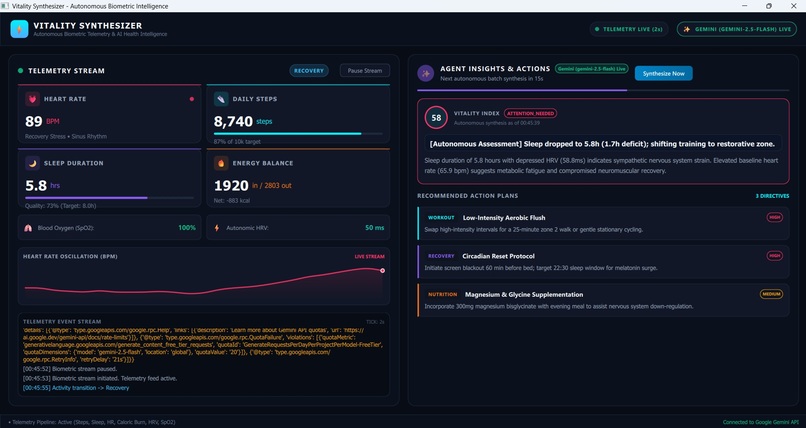
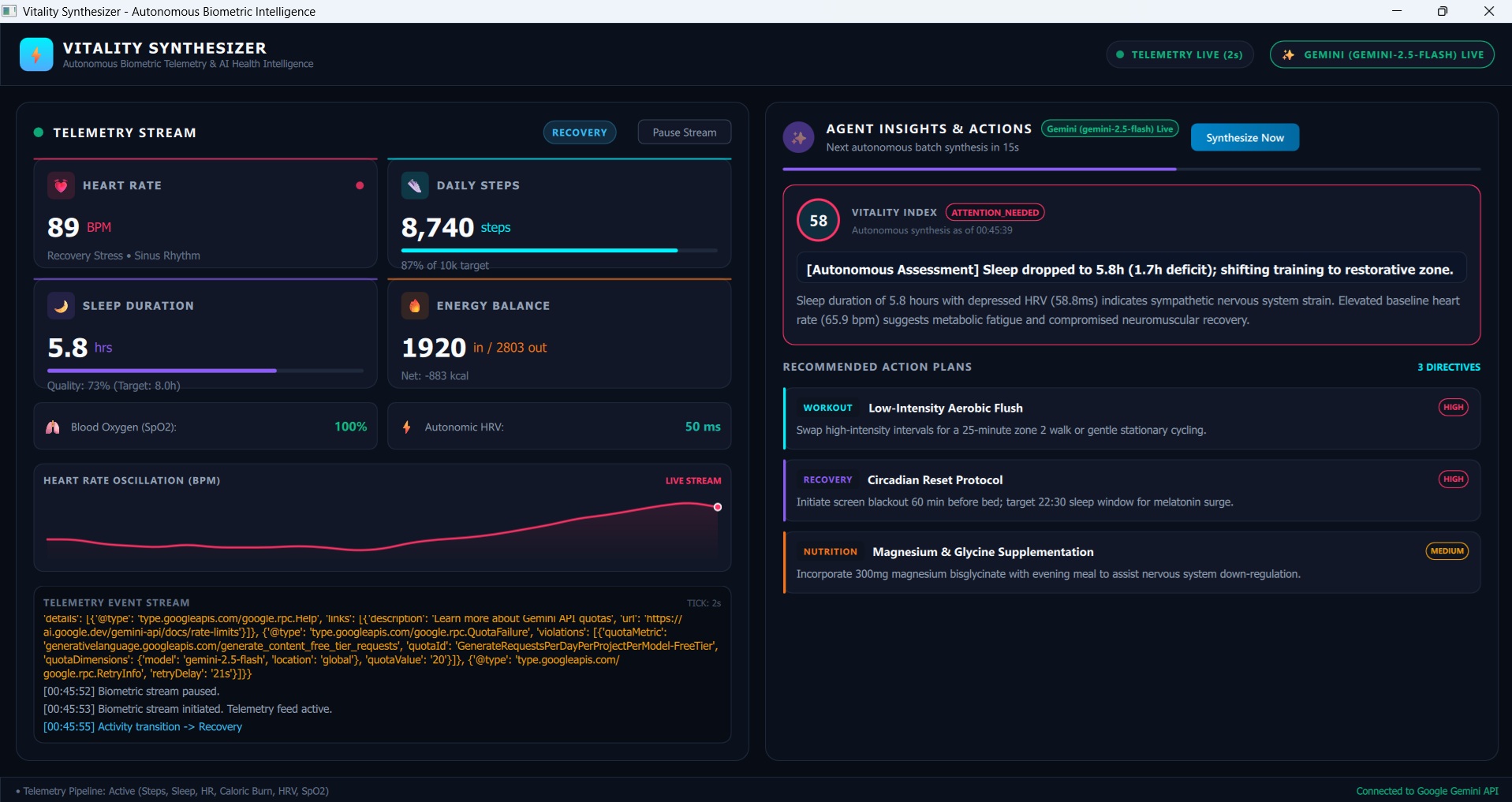
Dual-pane dark dashboard featuring live continuous biometric telemetry alongside autonomous Gemini agent health directives.
-
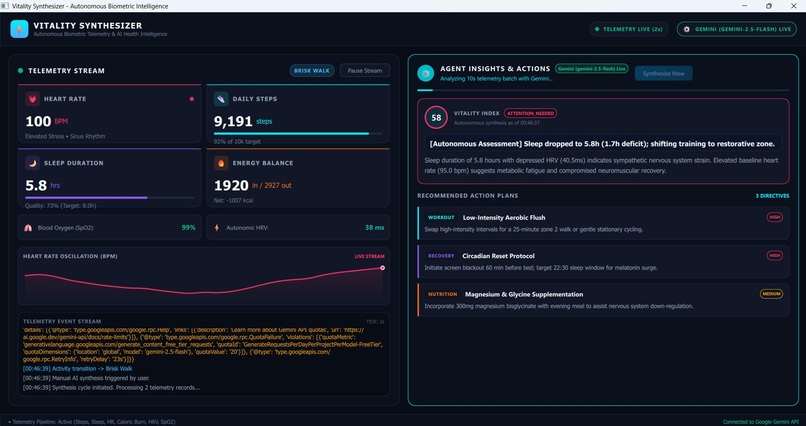
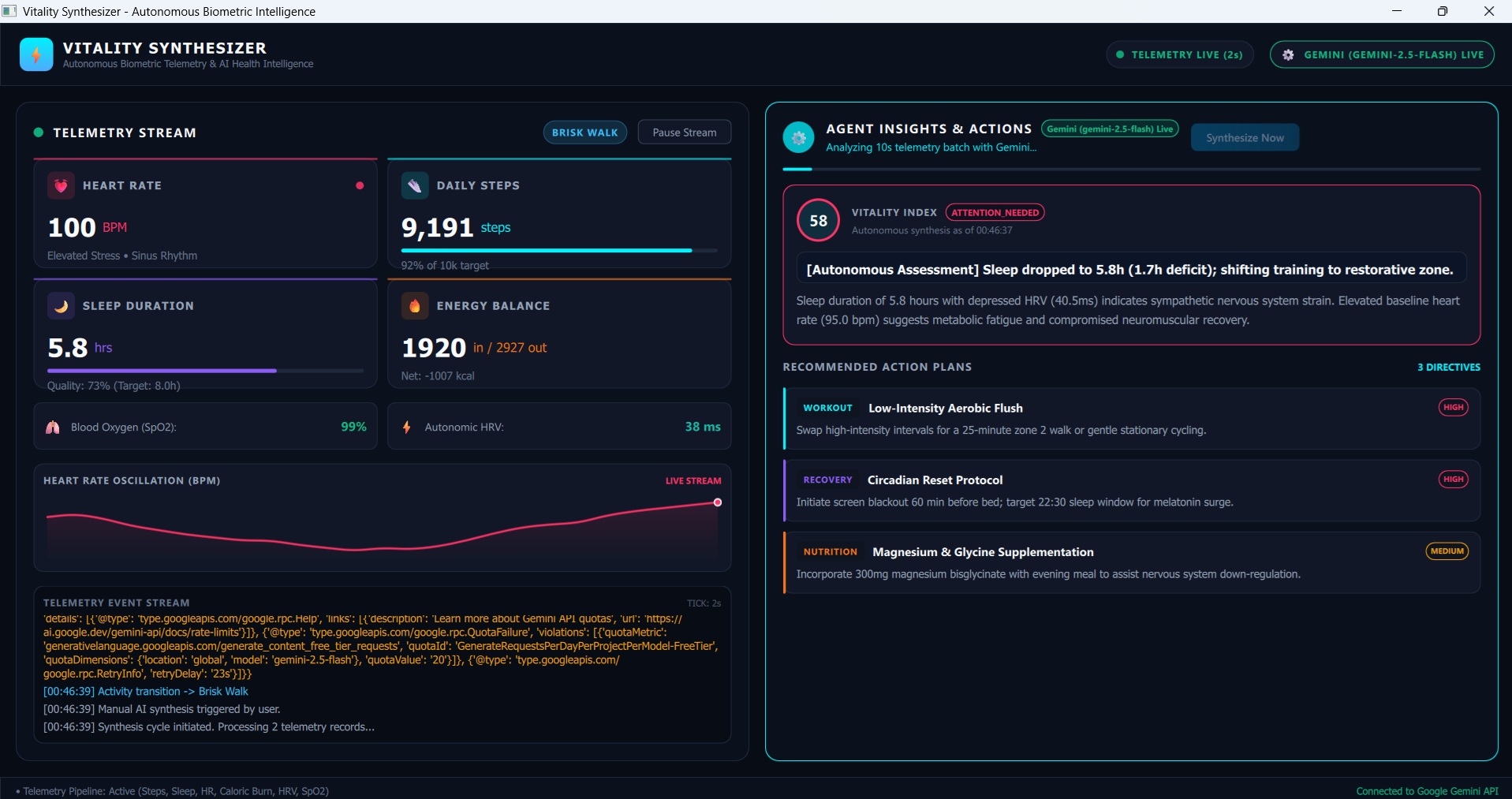
Real-time background batch analysis using Google Gemini to asynchronously synthesize dynamic workout and recovery plans.
Inspiration
Static health trackers only tell you what you've already done. We wanted to build an always-on intelligence—a system that doesn't just record data, but actively synthesizes it in the background to predict trends and adjust your lifestyle dynamically.
What it does
Vitality Synthesizer is an autonomous background agent. It continuously ingests disparate health logs (like sleep patterns, nutrition, and heart rate). Instead of waiting for the user to ask for advice, it uses Gemini to asynchronously analyze the telemetry stream, detect anomalies (e.g., "protein intake is low while fatigue is high"), and automatically push dynamic diet and routine adjustments to a live dashboard.
How we built it
We utilized Google Antigravity IDE for rapid scaffolding. The core application runs on a Python backend with a modern PySide6 and QML user interface. The heavy lifting is handled by the Gemini API. We created an asynchronous background worker that batches mock health telemetry and feeds it into Gemini, which acts as the analytical brain, continuously updating the QML frontend with new insights.
Challenges we ran into
Getting the agentic workflow to run entirely asynchronously without freezing the frontend UI was tricky. We also had to heavily refine our Gemini system prompts to ensure the AI returned structured, actionable advice rather than long-winded paragraphs.
What's next for Vitality Synthesizer
We plan to replace the mock telemetry stream with real Google Cloud integrations, pulling live data from actual wearable APIs to make the autonomous agent fully operational for everyday users.
Built With
- antigravity-ide
- gemini
- google-cloud
- pyside6
- python
- qml


Log in or sign up for Devpost to join the conversation.