-
-
Project Topic and Our Team
-
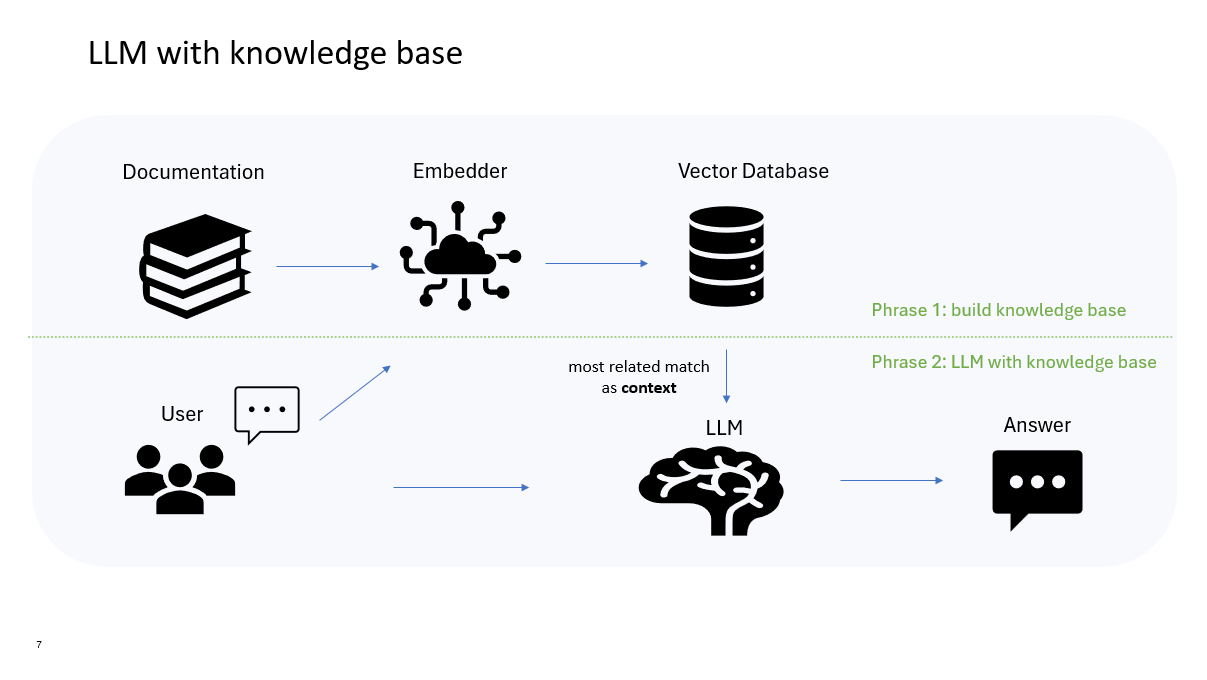
How we built it
-
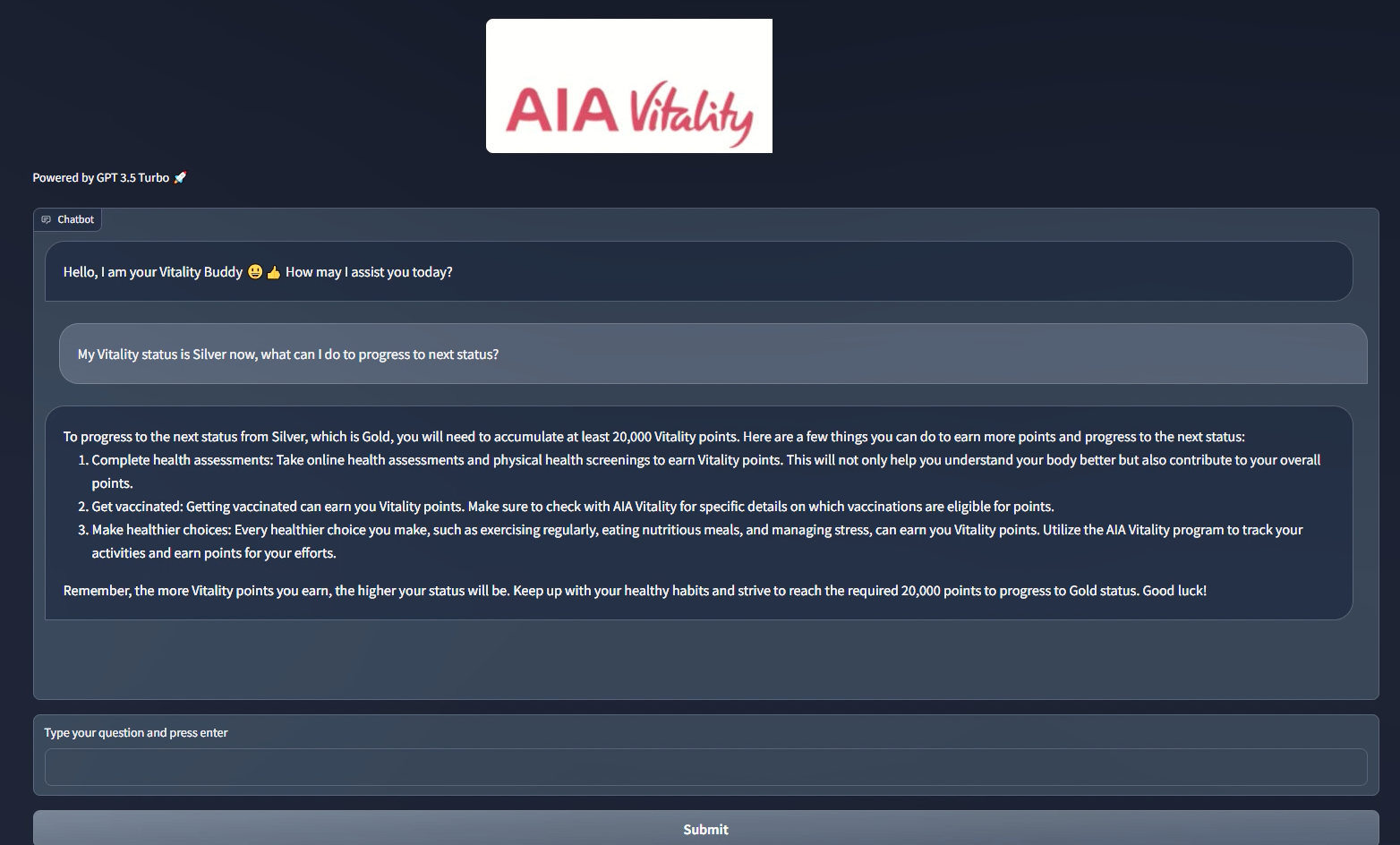
Chatbot demo in Gradio (1)
-
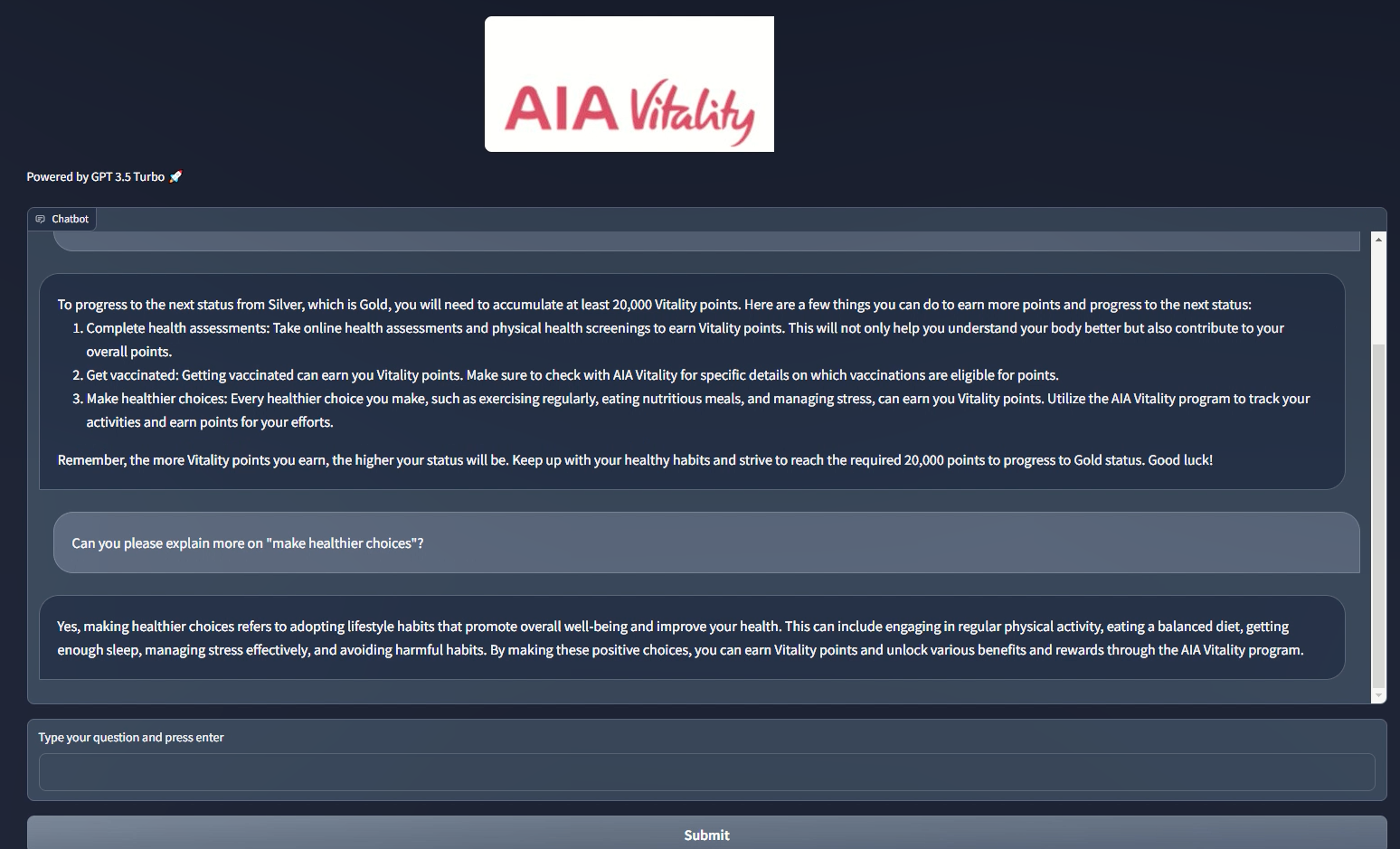
Chatbot demo in Gradio (2)
Inspiration
The Vitality program encourages members to adopt a healthier lifestyle by rewarding them Vitality points. If one collects enough points, they can get amazing perks such as 50%-off cruise fare.
We are Vitality members looking to progress in this wellness journey. However, time after time we got confused about what we can do in the program and how to do them in the correct way, or what the specific rules are. Of course, there are a few (not so ideal) ways we can find help:
- Search in the AIA Vitality website - It takes time to go through more than 100 FAQ's and sometimes may not be able to get a relevant answer
- Ask current rule-based chatbot - It may not be able to give a relevant answer and will only direct to a live agent during working hour
- Write an email to AIA Vitality - The response time is normally over 24, even 48 hour
What if we can have a friendly Vitality Buddy Chatbot who's always there to guide customers through Vitality program?
What it does
- Vitality buddy chatbot will provide relevant answers immediately.
- Instead of providing just general terms and conditions, Vitality buddy chatbot will generate personalized feedbacks and suggestions to encourage customers progressing in the program.
How we built it
Platform & Framework
- Azure Databricks 14.1 ML (includes Apache Spark 3.5.0, GPU, Scala 2.12)
- Azure OpenAI Studio
- Langchain
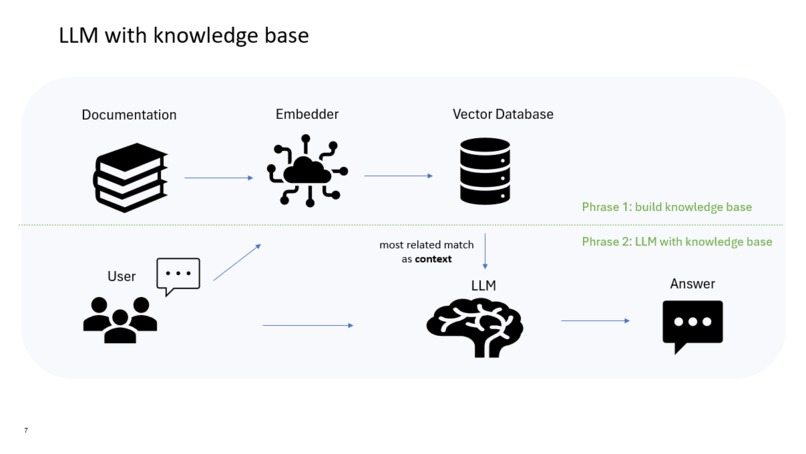
There were three main steps to build our Vitality chatbot through "LLM with Knowledge Base":
1. Vitality Program Knowledge Base Public information related to AIA Vitality was obtained through web scraping and stored in a DBFS (Databricks File System) as PDF files. To create a vector datastore, the PDFs were split into smaller chunks, with each chunk having a size of 500 and an overlap of 50. These values were determined after conducting tests using different chunk sizes (50, 100, 500, 1000) and overlaps (10, 50, 100). The text embeddings were generated using the model "text-embedding-ada-002" from Azure AI Studio deployment. For performing similarity search on the embeddings, the FAISS (Facebook AI Similarity Search) framework was utilized.
2. LLM and Conversation Retrieval Our choice for the LLM is ChatGPT 3.5 turbo 16k, which is available through Azure AI Studio deployment. Both the LLM and the embedding model ada were accessed using the Azure Open AI API. To facilitate conversations based on retrieved contexts, we developed a specially designed prompt template. This template sets the tone for the AI assistant and provides instructions and examples for handling Vitality-related questions and answers. Finally, we combine the LLM, vector retriever, prompt, and chat history to create a conversational retrieval chain
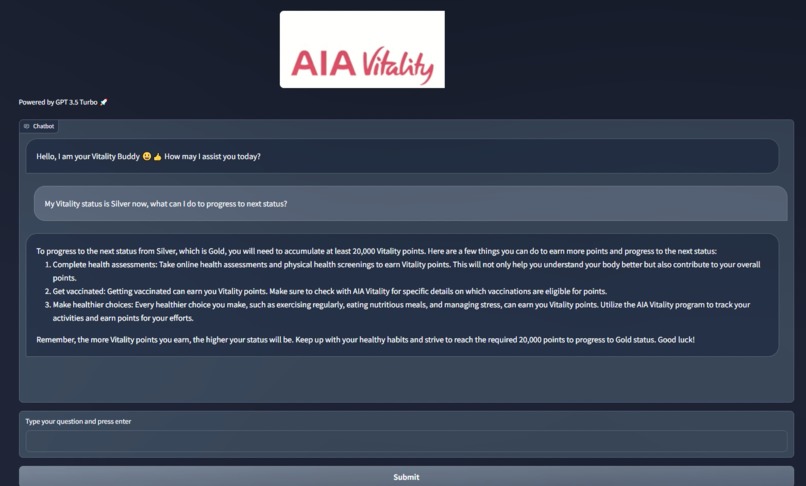
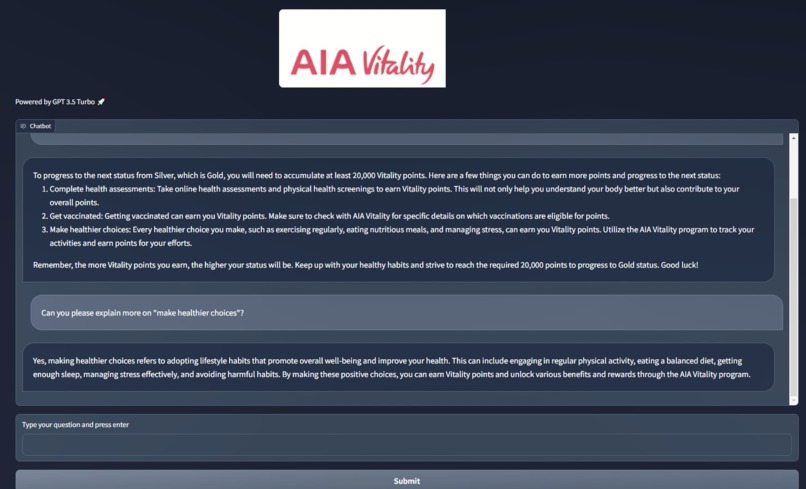
3. Chatbot APP We utilized Gradio to demonstrate our Vitality chatbot through interactive web interfaces. Starting with a basic template, we enhanced it to create a user-friendly chatbot user interface. You can view the images in the gallery below.
Challenges we ran into
LLM Choice Initially, we utilized open-source and free GPT4ALL models. However, we encountered issues with embedding speed and chatbot performance. As a result, we decided to explore alternative options. Eventually, we found better solutions such as Azure OpenAI Studio's ChatGPT3.5 turbo for our LLM, combined with the ada002 embedding model. These choices offered improved performance and addressed the concerns we had with the previous models.
Chatbot APP Development Initially, our first choice for showcasing our Vitality chatbot was Streamlit, as it provides a wide range of user interactive functionalities. However, we encountered difficulties in implementing Streamlit due to driver proxy issues. As a result, we shifted our focus to Gradio. While Gradio requires more coding and design efforts, it seamlessly integrates with Databricks, allowing us to present our chatbot through a simple API. This enables us to effectively showcase the capabilities of our Vitality chatbot.
Accomplishments that we're proud of
Put All Together Embarking on a LLM project in Databricks was a new and exciting journey for our team. We approached it with a step-by-step learning process, and thanks to the collaborative support from our team members, we made progress every week. Throughout the project, we seamlessly integrated the necessary components, from efficient data scraping to the final demo, resulting in a successful outcome.
Chatbot APP The process of creating an app was both enjoyable and educational. While we had numerous creative ideas for the app's design, we ultimately chose to prioritize a simple and user-friendly interface. Designing an app involves not only artistic considerations but also an understanding of behavioral science. After gathering feedback from our peers, we discovered that the simple and clean design received the most positive responses and garnered the most votes.
What we learned
Leveraging Databricks Cluster Utilizing the power of Databricks cluster, we were able to significantly accelerate the progress of our project. In the future, given more time, we would explore additional tools such as MLflow AI gateway and LLM serving to further enhance our capabilities.
Leveraging Azure OpenAI We learned the importance of utilizing Azure OpenAI for our project. The ChatGPT models provided by Azure OpenAI proved to be highly effective and user-friendly. Compared to other open-source models like GPT4ALL, Azure OpenAI offered a superior option for our needs.
Exploring Chatbot Apps During our project, we gained valuable insights regarding chatbot apps. We discovered that Gradio serves as an excellent alternative to Streamlit. By experimenting with both, we can determine which one better suits the needs of our specific project.
What's next for Vitality Buddy Chatbot
Technical Perspective Moving forward, there are several areas where we can make improvements:
- Enhancing Data Quality We aim to enhance our PDF data processing capabilities by incorporating document intelligence services for more effective and engaging results.
- Pushing to Production By leveraging Databricks MLflow AI gateway, we can optimize the deployment of our chatbot and enable seamless LLM serving for improved performance.
- Implementing a Feedback Loop To continuously enhance the chatbot's performance, we will establish a feedback loop that allows us to gather user feedback and make necessary refinements over time.
Commercial Perspective Currently, the chatbot relies on manual input from customers regarding Vitality program details and recommendations. In the future, our goal is to transform the chatbot into a personalized virtual assistant that can understand customers' profiles and provide tailored guidance and support.
Note: Project code snippets may be available upon request. It will be subject to internal approval.

Log in or sign up for Devpost to join the conversation.