-
-
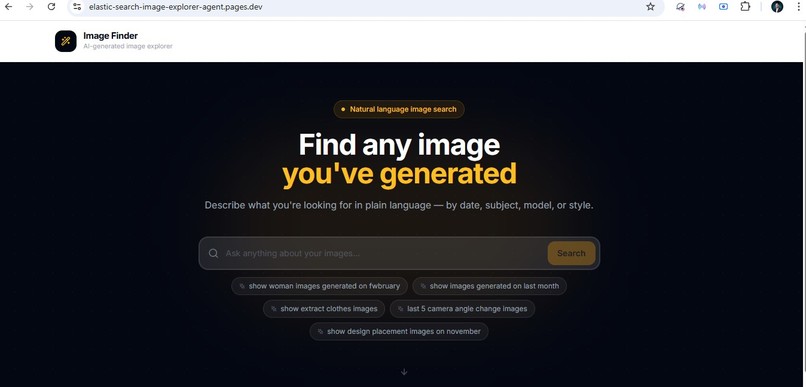
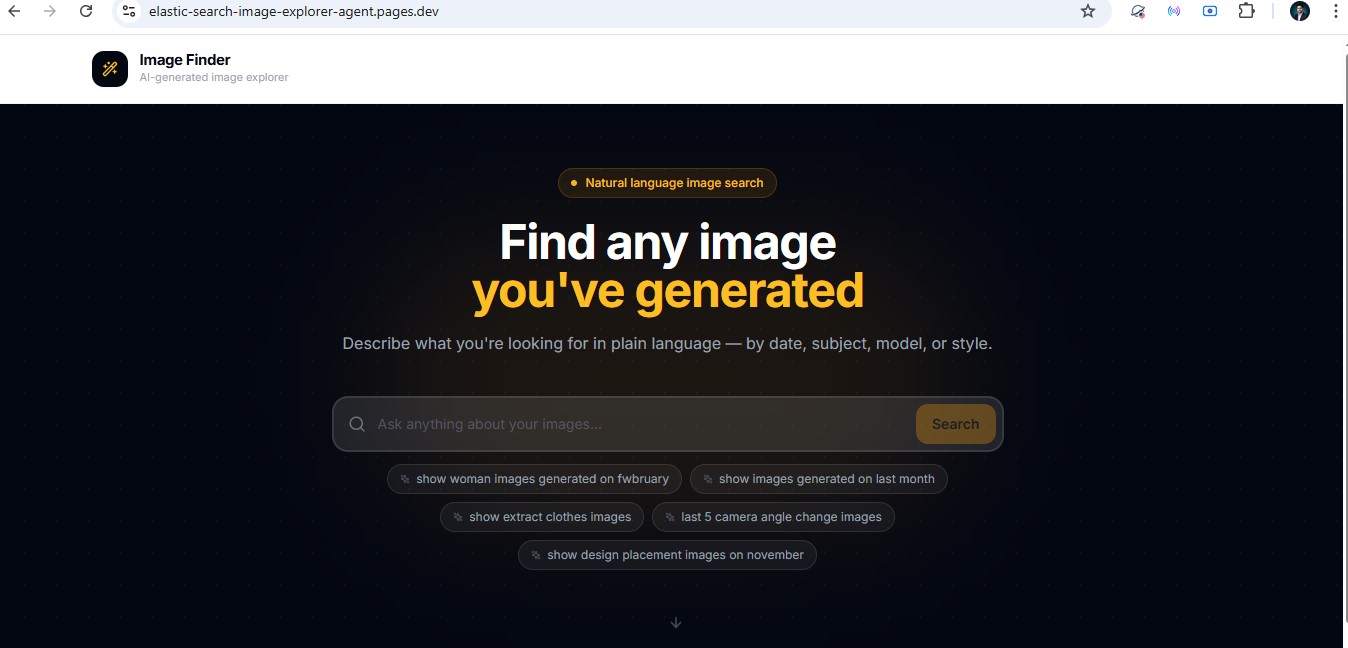
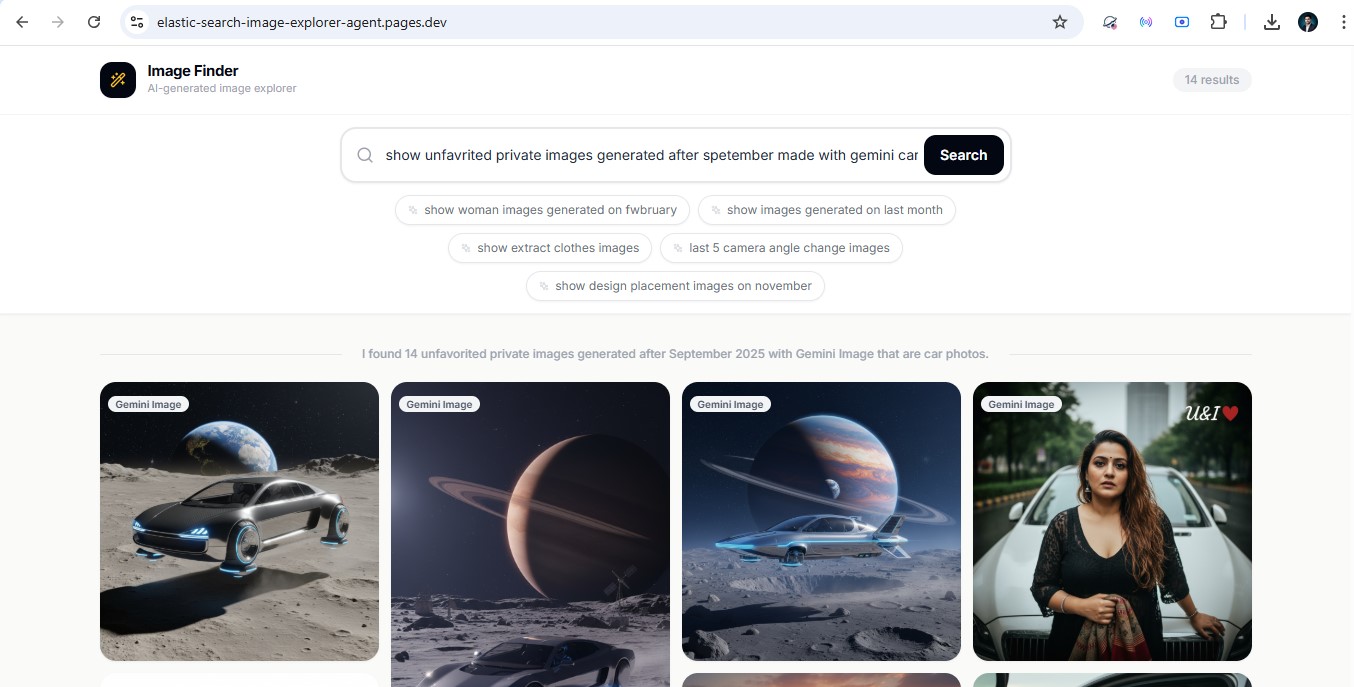
001 UI
-
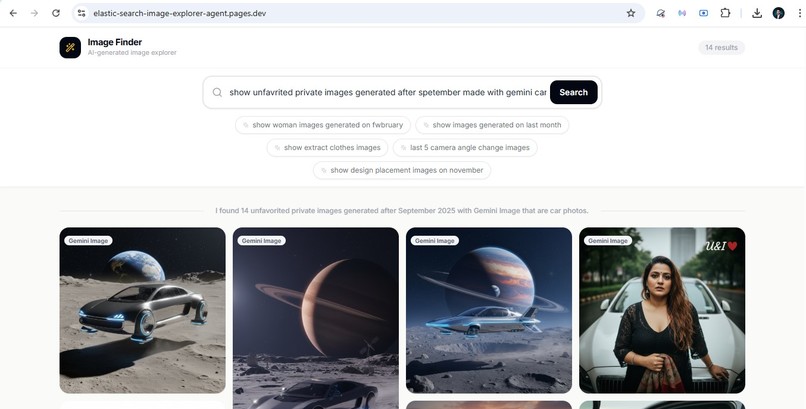
002 UI
-
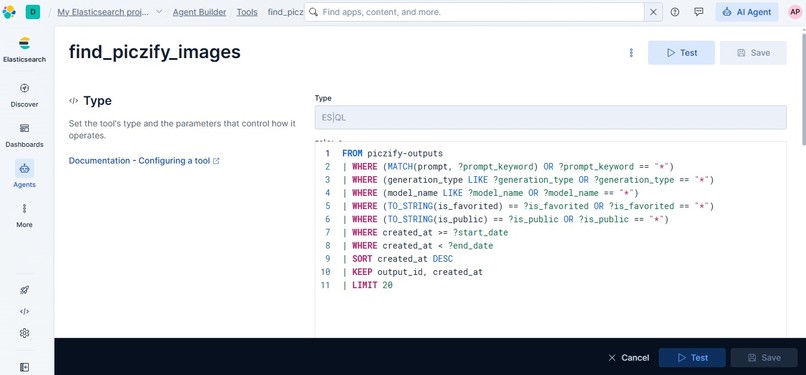
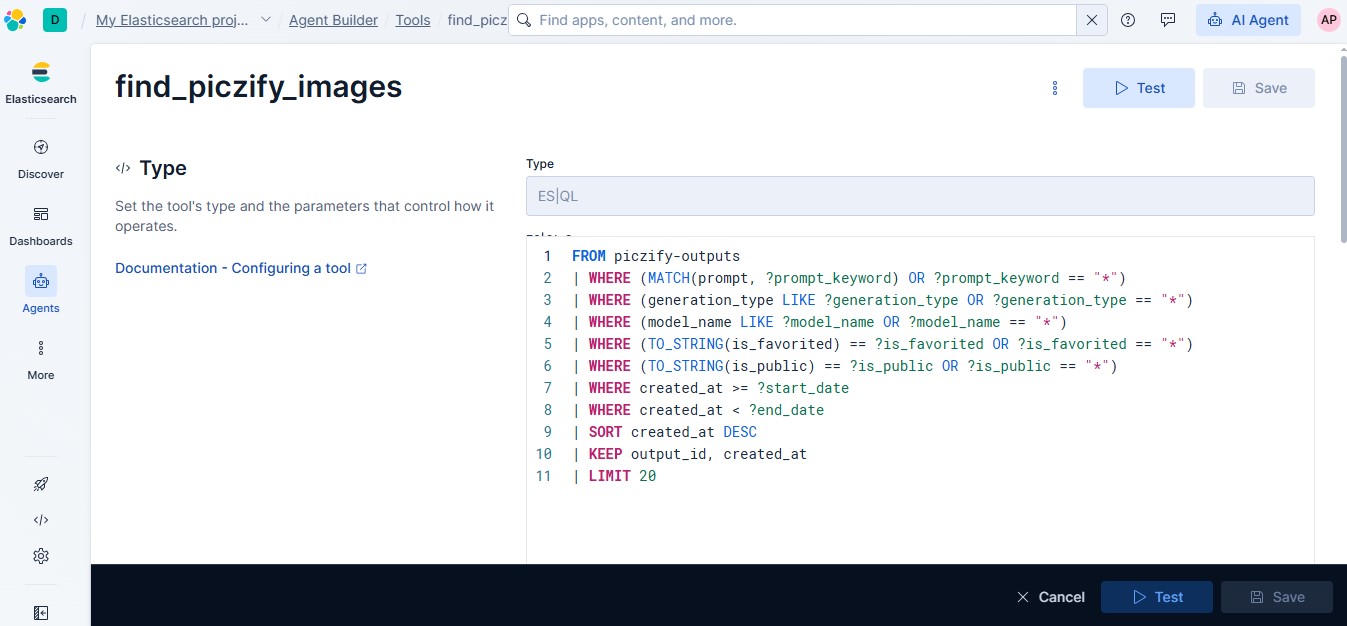
003 ES|QL query
-
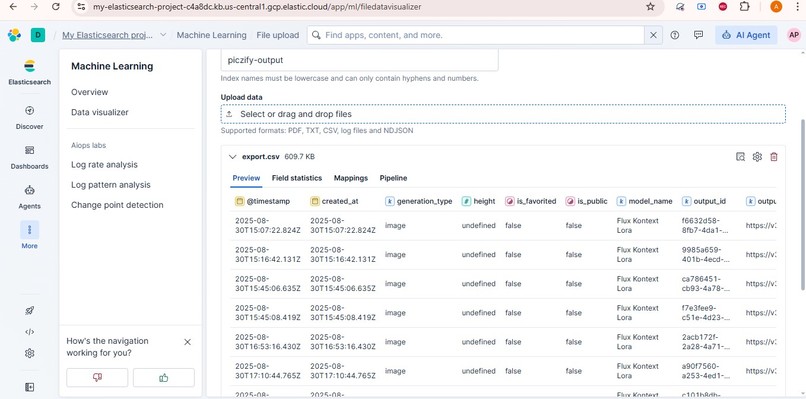
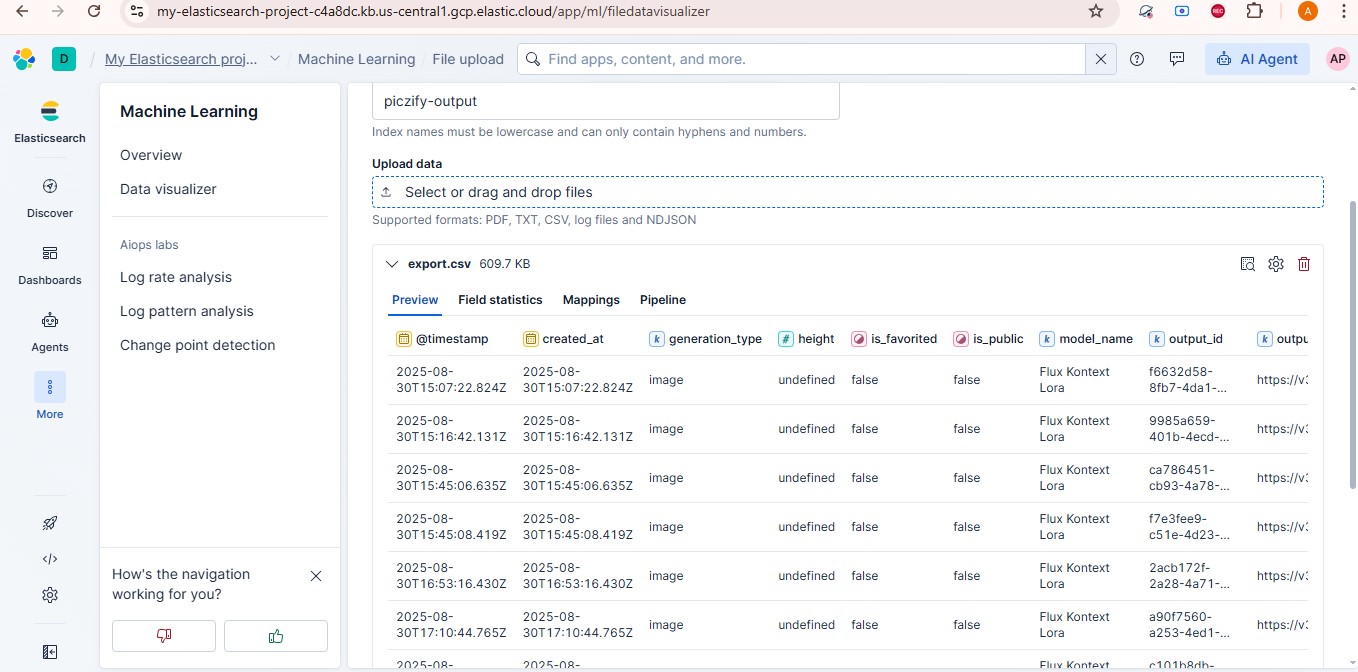
005 Upload data
-
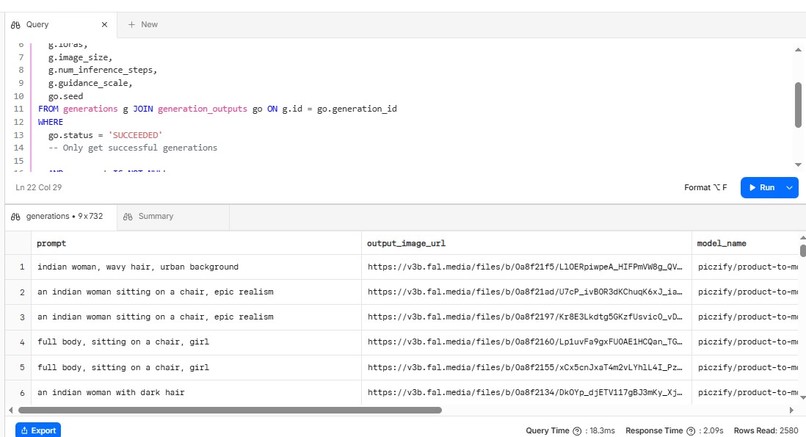
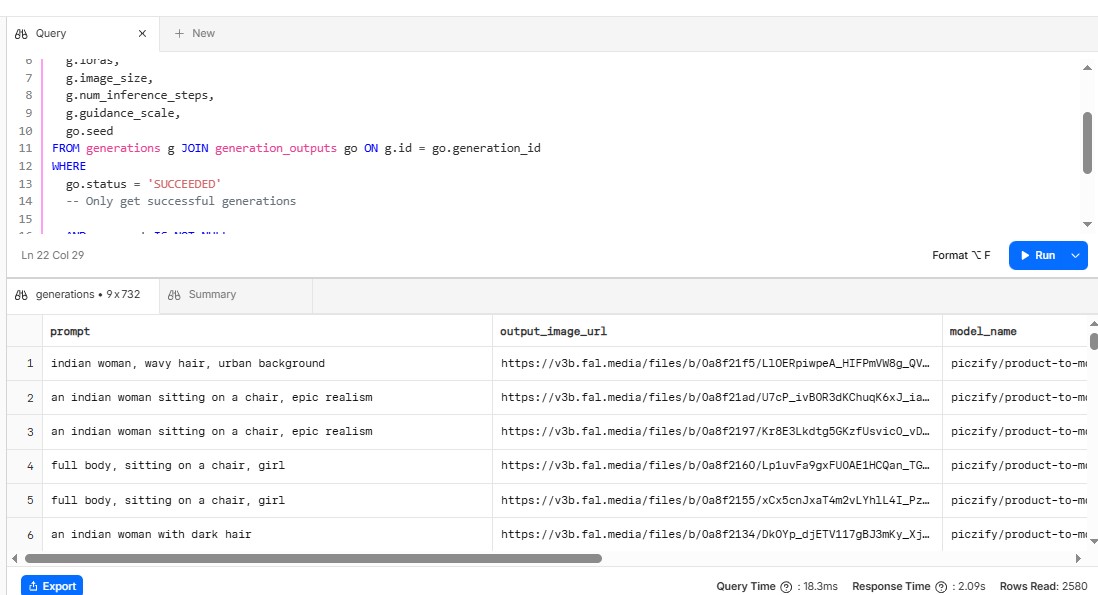
004 Prepare Data
-
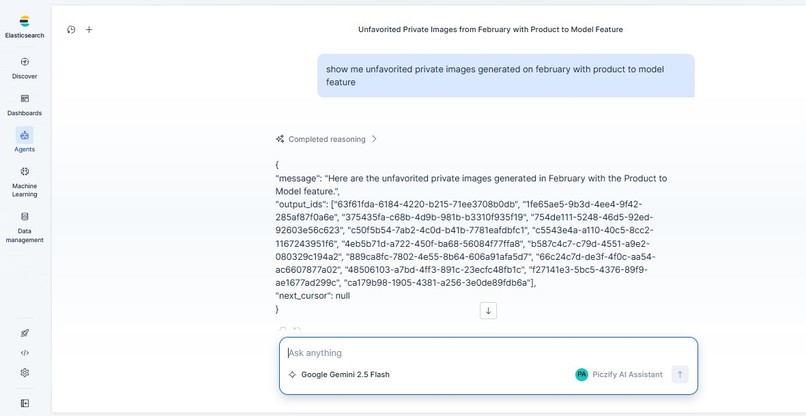
006 Agent
-
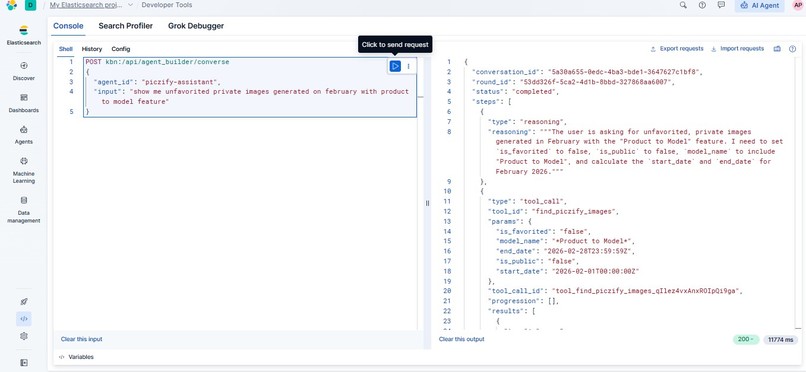
007 kibana command
💡 Inspiration
Generative AI platforms allow creators to produce hundreds of visual assets in a single session. However, as galleries grow, finding that one specific generation—like "a cinematic portrait of a woman in a red dress from last November"—becomes a nightmare. Traditional folder structures, manual tagging, and rigid search bars simply fail when dealing with complex AI art. The realization was simple: the best way to search for AI-generated images is to use the exact same language used to create them. The goal was to let users simply talk to the gallery.
⚙️ What it does
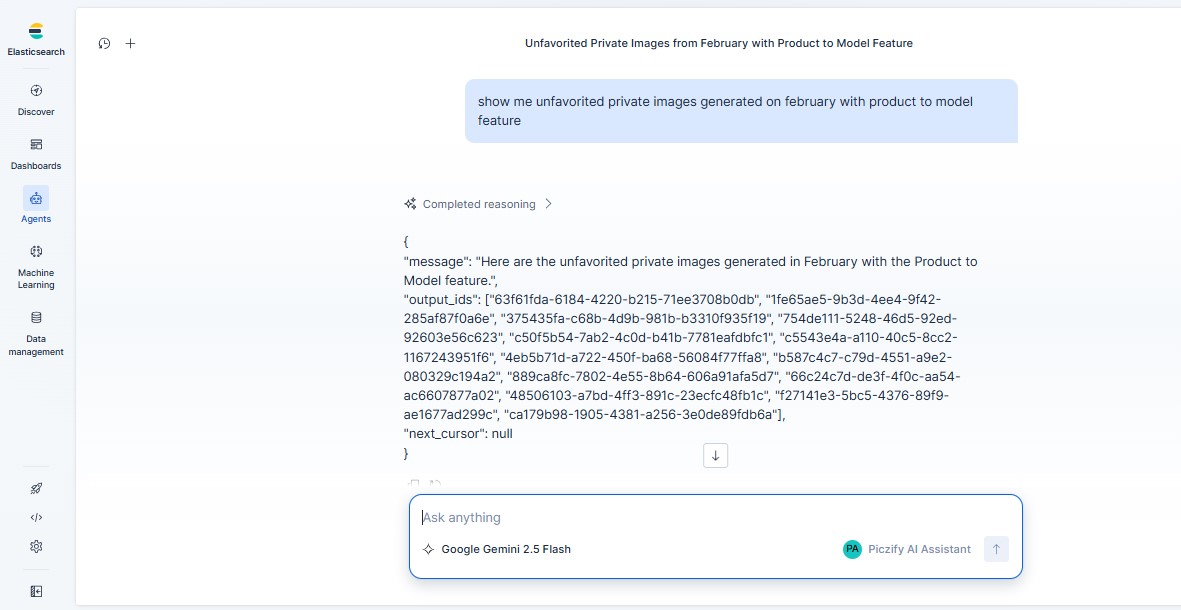
VisualQuery is a conversational AI search assistant designed for the AI image generation SaaS platform, Piczify. When a user asks a natural language question (e.g., "Show me Product to Model images from yesterday" or "Find images of a woman looking at the camera"), the assistant understands the context, calculates the correct dates, extracts the visual keywords, and instantly populates the UI gallery with the exact matching images.
🛠️ How it was built (The Architecture)
A highly optimized, low-latency pipeline was built utilizing React, Cloudflare Workers, Elasticsearch, and Elastic Agent Builder.
The core technical achievement is the Dual-Fetch Token-Saving Architecture:
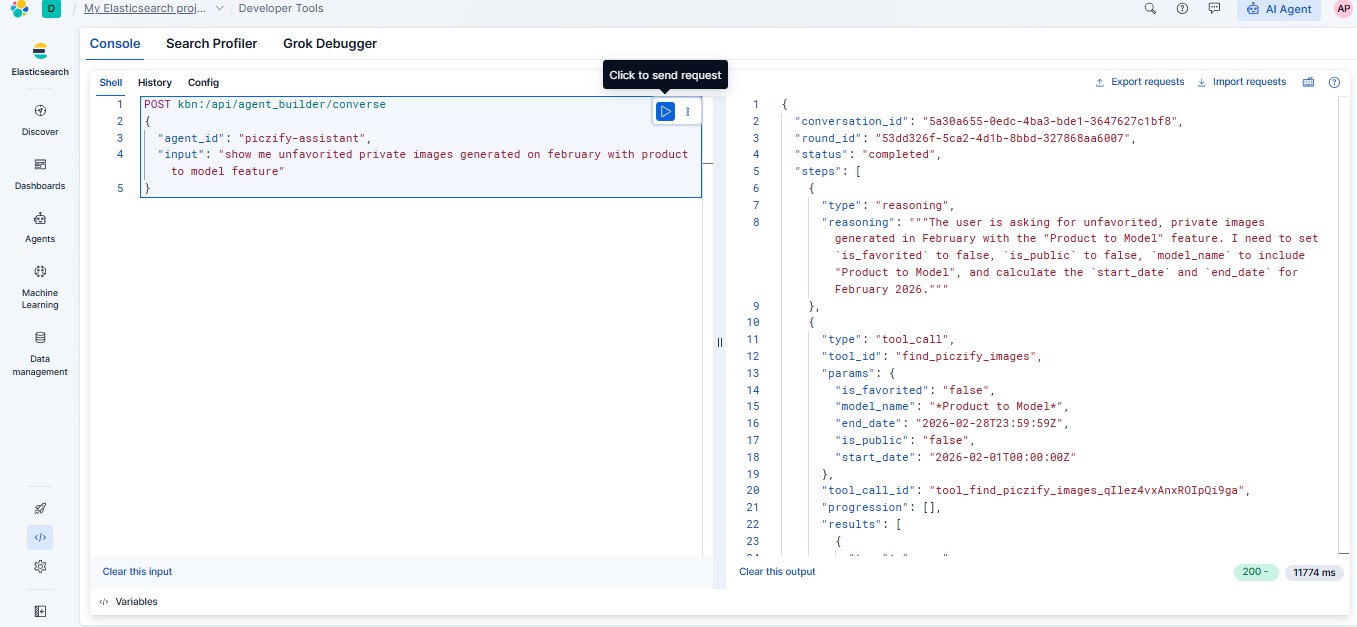
- The Brain (Elastic Agent): The user's chat message is sent via a Cloudflare Worker proxy to an Elastic Agent. The LLM translates the conversational intent into a highly structured ES|QL query using a custom-built tool (
find_piczify_images). - The Token Saver: Forcing an LLM to read and output long image URLs and dense metadata consumes massive amounts of input/output tokens and introduces heavy latency. To solve this, the Agent is restricted to returning only an array of
output_ids(UUIDs). - The Hydration (Cloudflare Worker): The Cloudflare proxy intercepts these IDs and instantly runs a secondary bulk
termssearch directly against the Elasticsearch data nodes. The worker retrieves the full, rich image payloads and passes them to the React frontend.
The result? LLM output token usage is cut by over 90%, AI hallucination of image URLs is entirely eliminated, and lightning-fast retrieval speeds are achieved.
🚧 Challenges encountered
- ES|QL Keyword Logic: It was discovered that ES|QL's
LIKEoperator does not natively support logicalORstatements inside a single string (e.g.,LIKE "*woman OR lady*"fails). This was overcome by heavily engineering the Agent's System Prompt to dynamically extract the single best denominator keyword and wrap it in wildcards (e.g.,LIKE "*woman*"), perfectly matching the indexed Piczify data. - LLM Markdown Hallucinations: Occasionally, the LLM would attempt to wrap its JSON response in Markdown formatting, crashing the worker's
JSON.parse(). A robust Regex sanitization pipeline was built into the proxy to guarantee clean JSON parsing on every single request. - Conversational Pagination: Implementing "infinite scroll" through an AI chat presented a unique challenge. This was solved by having the Agent return the exact
created_attimestamp of the 20th image as anext_cursor, which the frontend then passes back as theend_datefor the next "Load More" query.
🏆 Accomplishments to be proud of
Bridging the gap between a fluid, human conversational interface and a rigid, highly structured database query language (ES|QL) stands as a major accomplishment. Rather than a simple chatbot wrapper, this is a production-ready, highly optimized SaaS architecture that actively saves API costs while delivering a premium user experience.
📚 What was learned
Deep intricacies of ES|QL were explored, along with the proper mapping of parameters in Elastic Agent Builder tools, and the vital importance of offloading heavy data retrieval from the LLM directly to the database layer.
🚀 What's next for VisualQuery
The next step is shipping this directly into production. VisualQuery will become the official, native search experience for users managing generated assets on the Piczify platform.
Built With
- cloudflare-workers
- elastic-agent-builder
- elasticsearch
- esql
- gemini
- javascript
- react

Log in or sign up for Devpost to join the conversation.