-
-
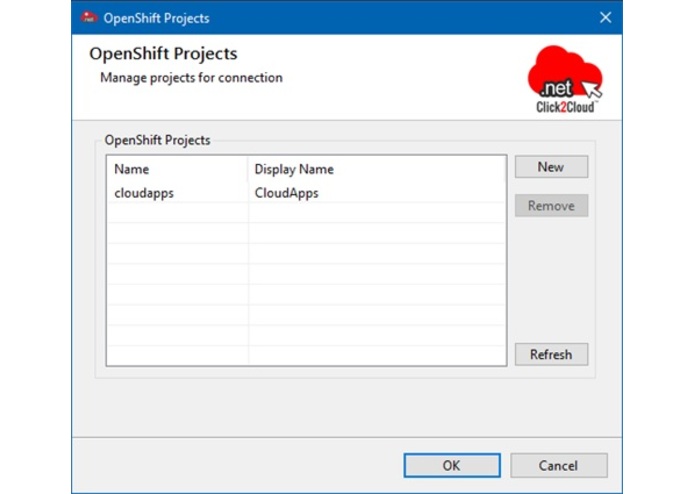
Manage OpenShift Projects: You can create or delete OpenShift projects from the Manage Projects… menu of an existing OpenShift Connection:
-
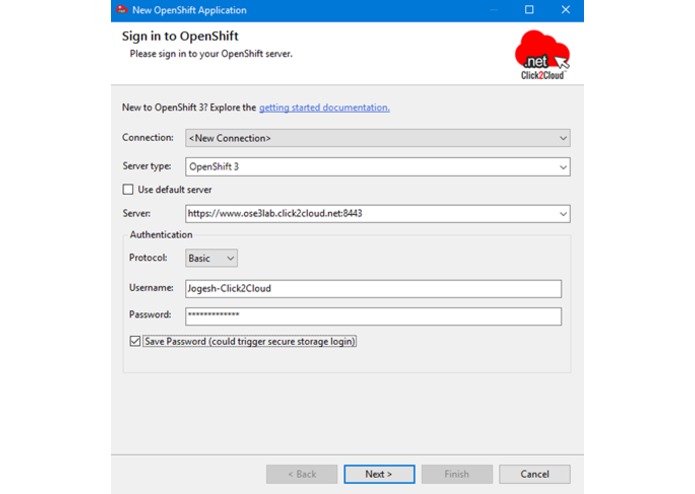
Connect to an OpenShift 3 server
-
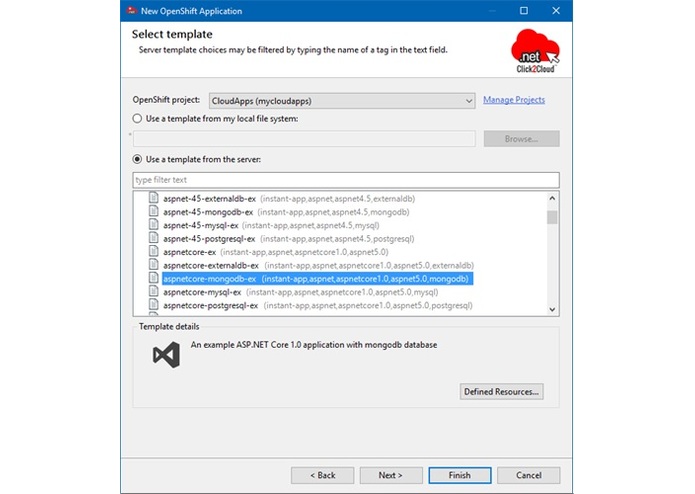
Create an OpenShift 3 application from template
-
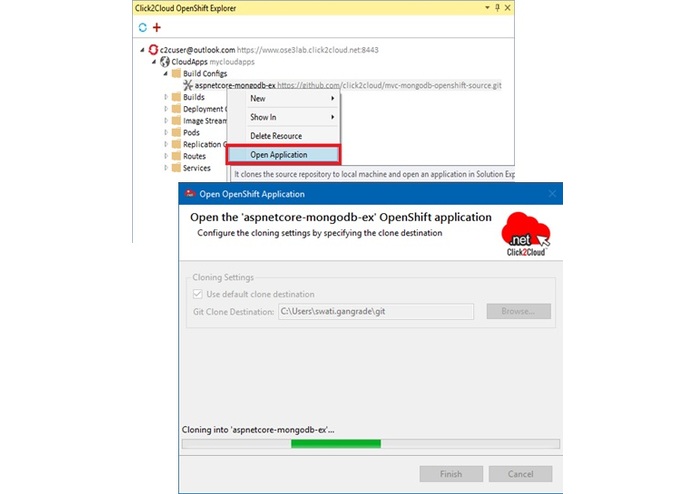
Open application source into the Solution Explorer Window
-
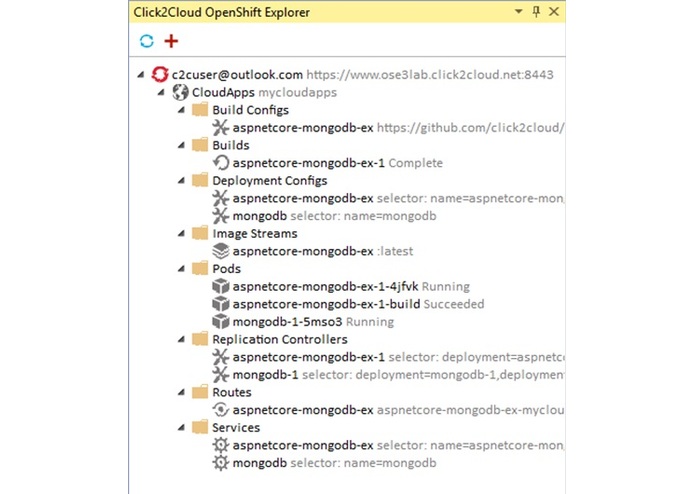
OpenShift Explorer View - The embedded Web Console.
-
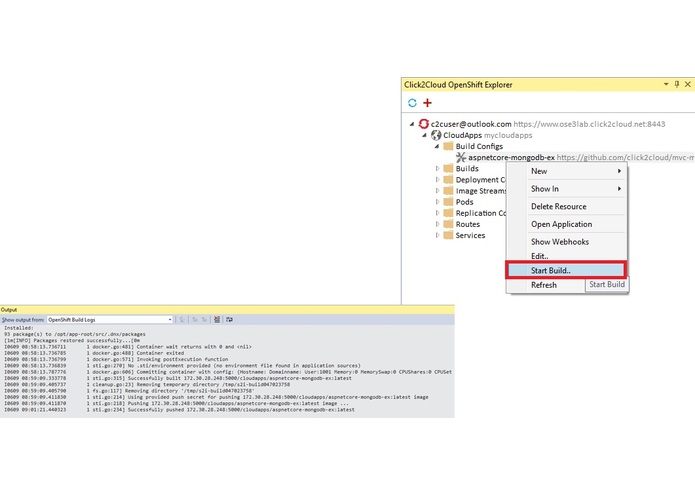
Manually Trigger Builds - Start Build
-
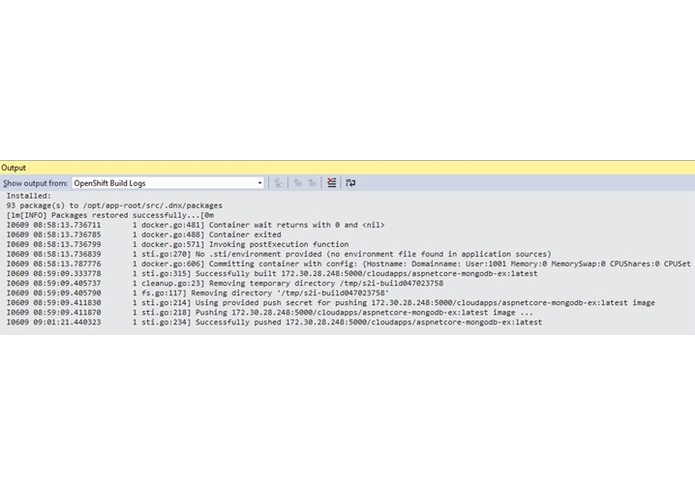
Log Streaming
-
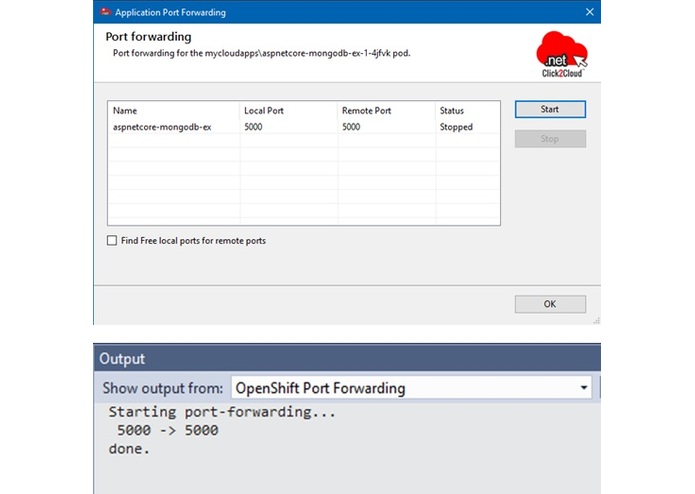
Port Forwarding
-
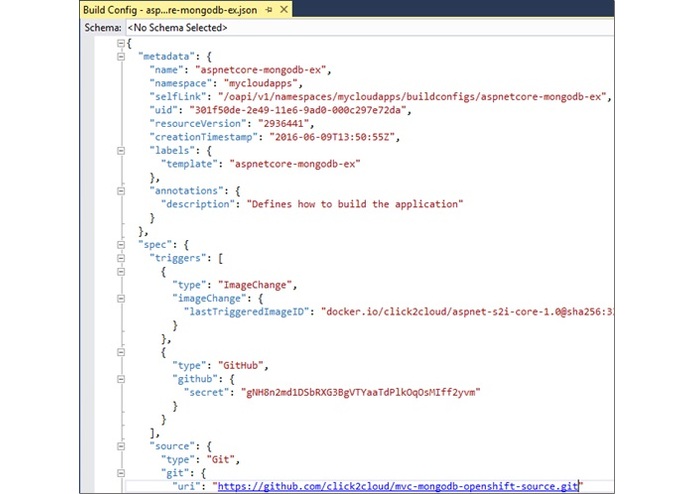
Edit OpenShift resources
-
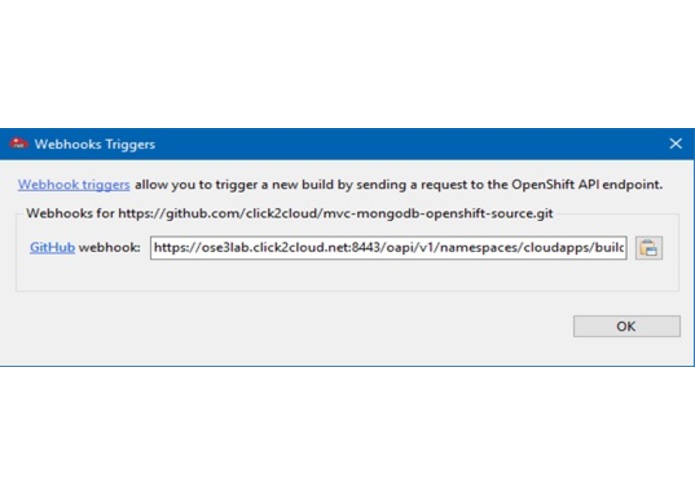
Webhook build triggers
-
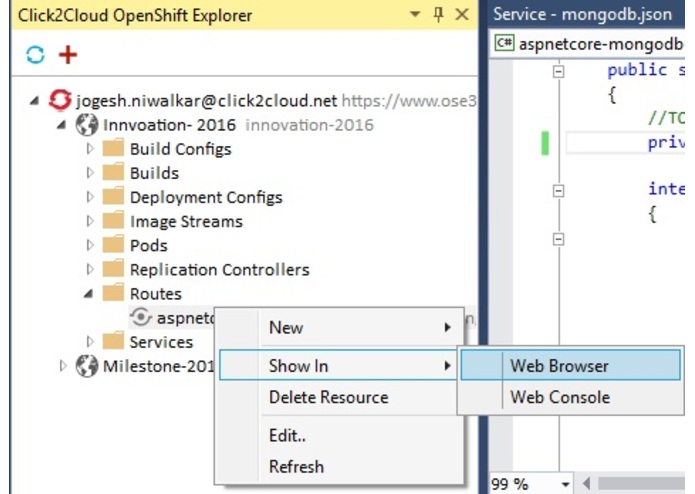
Other Features - Show in Web Browser and Web Console
-
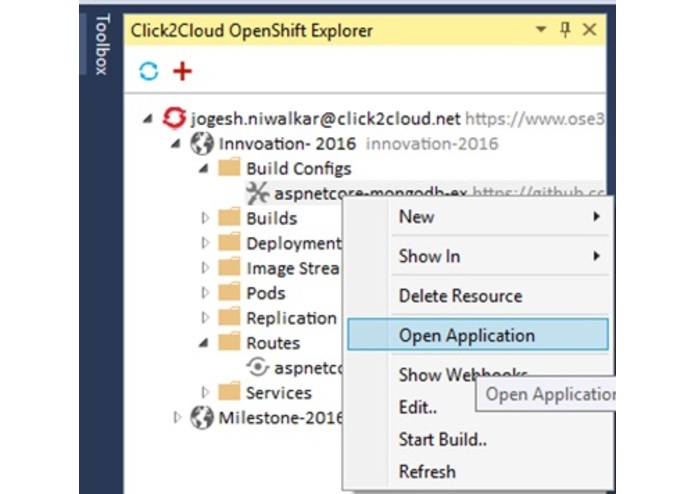
Other Features - import application and delete application
-
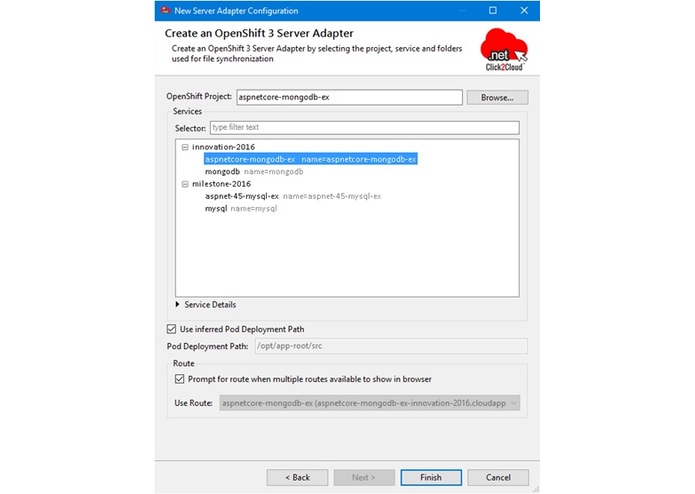
New OpenShift 3 server adapter
-

OpenShift CDK Adopter


Inspiration
A desire to offer a developer a hassle free experience for developer and remove the dependency on Administrator
What it does
It removes the restriction of developing and deploying the .net apps only in .net environment. It removes the dependency on administrator. You can develop and deploy .net application to Red Hat OpenShift i.e. Linux based platform directly from your Visual Studio IDE.
How I built it
We developed an extension for Microsoft Visual Studio 2015 using OpenShift APIs and Linux Commands. It helps you connect to the desired OSE server and deploy directly there.
Challenges I ran into
Some core challenges, but we crossed it to become the first company to do so.
Accomplishments that I'm proud of
The only and the first company to develop such extension.
What I learned
Core knowledge for Microsoft and Red Hat technologies. How they are integrated with each other, How they are making use of container technology and others.
What's next for Visual Studio 2015 Extension For Red Hat OpenShift 3
Integration with pure Docker based PaaS


Log in or sign up for Devpost to join the conversation.